Textile Prototype Studio Landing Page Template
Loom is a split-screen landing page template built for textile prototype and rapid prototyping studios. It uses a Data Command visual theme with a Navy Authority color palette to guide apparel founders, technical designers, and performance-wear engineers from first contact to a gated resource download in one focused, scroll-driven page experience.
by Rocket studio
Quick summary
Loom is a precision-built landing page template for textile prototype studios operating on tight turnaround cycles. It pairs a split-screen layout with a timeline-progression scroll structure to move visitors from curiosity to conversion. The primary goal is a gated PDF download. The design is dark, data-forward, and built for product developers who make decisions fast.
Who this template is for
This template is designed for textile studios, rapid prototyping labs, and apparel development services that need to communicate speed, precision, and technical credibility to a demanding professional audience.
- Apparel startup founders preparing for crowdfunding launches or investor demos
- Technical designers at mid-size brands who need fast colorway and construction iterations
- Performance-wear engineers validating fabrics not yet found in standard mill catalogs
What problem this template solves
Textile prototype studios often struggle to communicate urgency, process depth, and technical capability on a single page. A generic template cannot convey the difference between a seventy-two-hour turnaround and a three-week production queue. Loom solves that gap directly.
- It replaces vague lifestyle imagery with a data-rich infographic header that shows actual process stages and timelines
- It structures the scroll as a staged prototype journey so visitors understand the full workflow before they ever fill in a form
- It surfaces six preview cards from the gated playbook, giving enough value to earn the download without giving everything away
What you get with this template
You get a fully structured single-page layout with every section, interaction pattern, and visual element already designed and ready to customize. Nothing needs to be built from scratch.
- An animated infographic header showing the prototype lifecycle from digital pattern file to finished sewn sample
- A scroll-driven timeline layout with persistent edge navigation nodes that fill from gunmetal to signal-yellow as sections complete
- Two conversion paths: a gated PDF download form and a mid-page tech pack upload modal
Feature list
This template includes a focused set of purpose-built components, each tied directly to the needs of a technical prototyping audience.
Animated Prototype Lifecycle Header
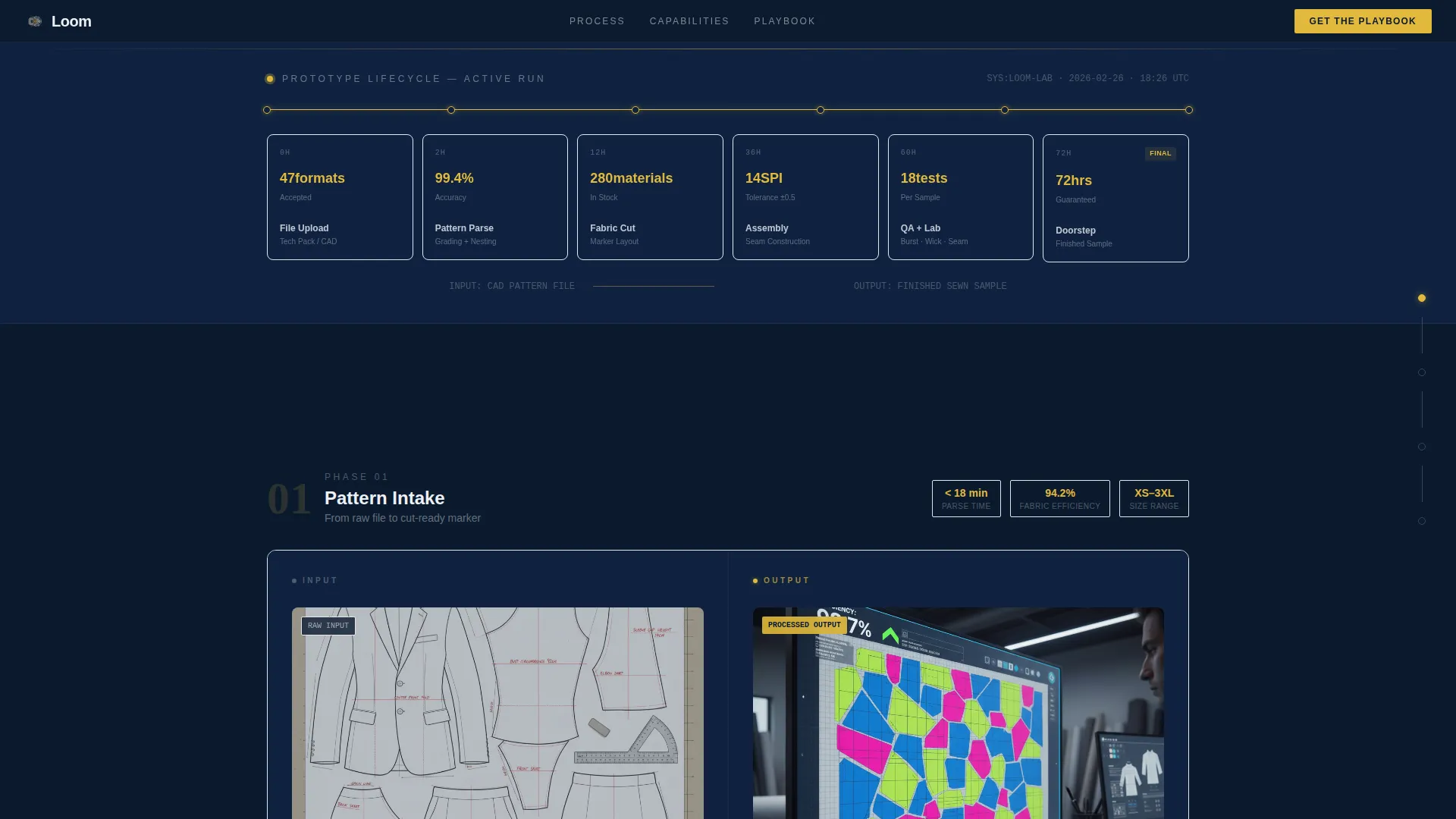
The header spans the full page width and displays a horizontal cross-section diagram of the prototyping process. Data nodes show average turnaround hours, material option counts, and stitch-per-inch tolerances. Numbers tick upward as the graphic loads, and a thin signal-yellow progress bar traces the path from file upload to doorstep delivery.
Split-Screen Scroll Layout
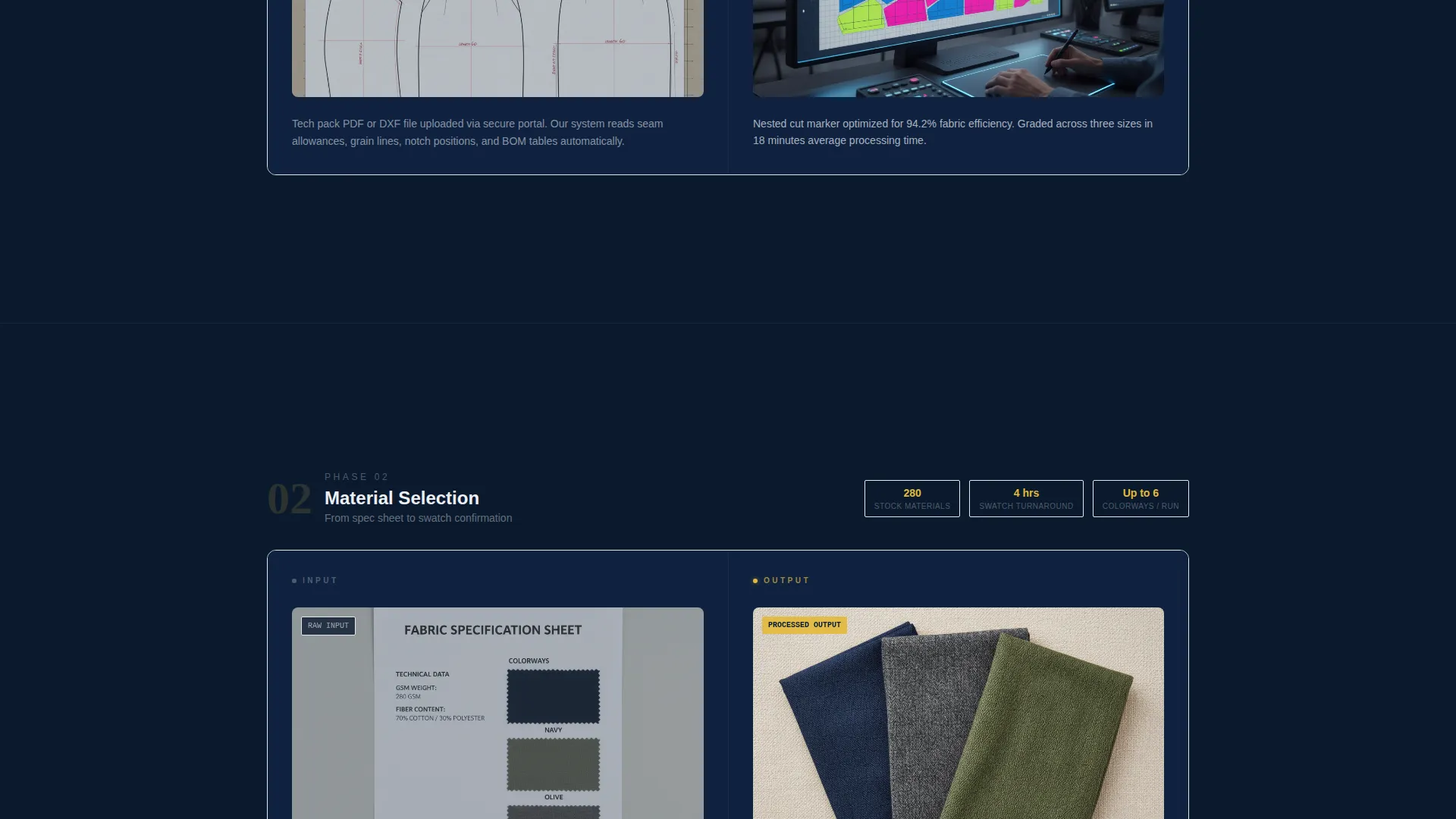
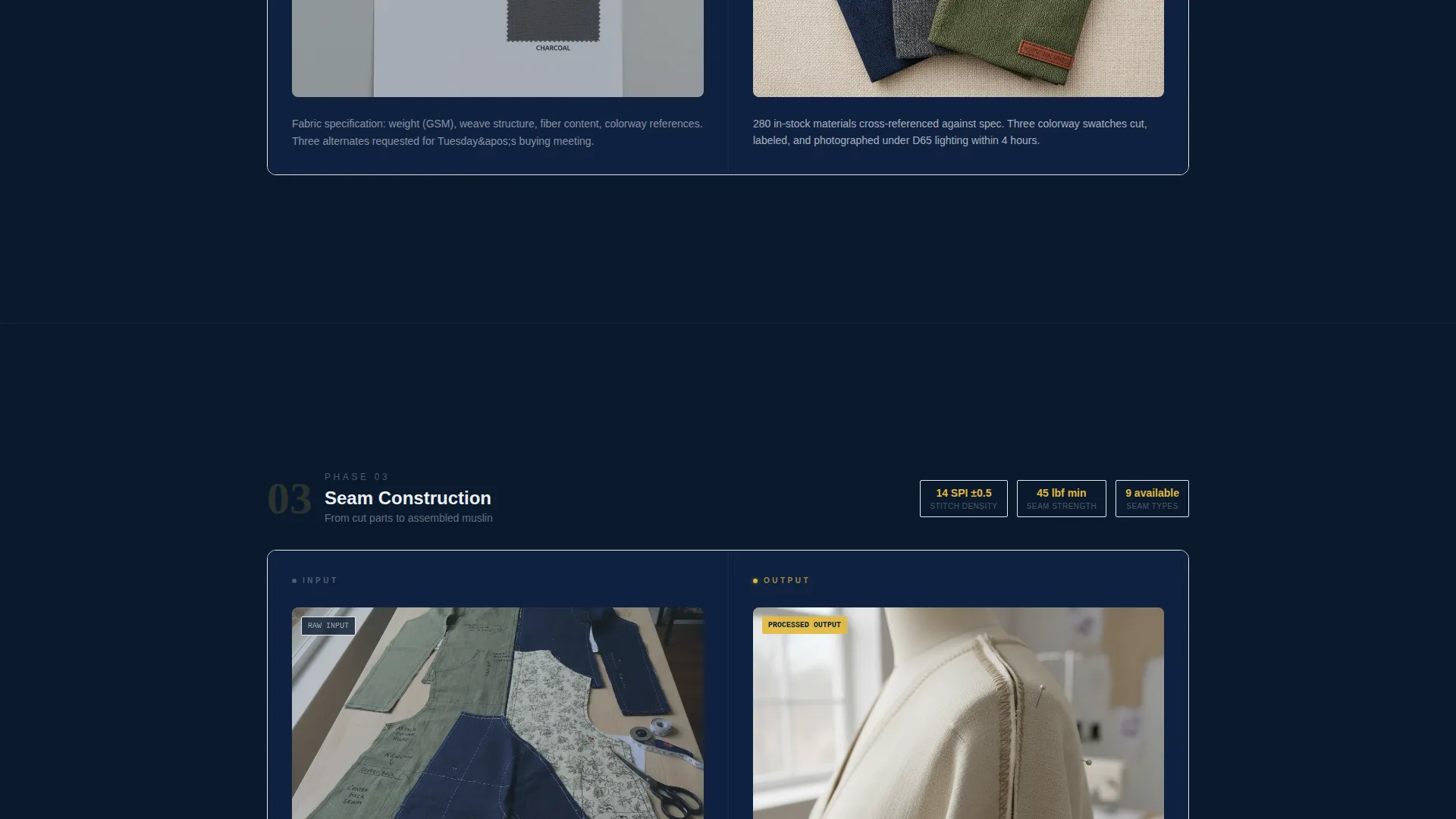
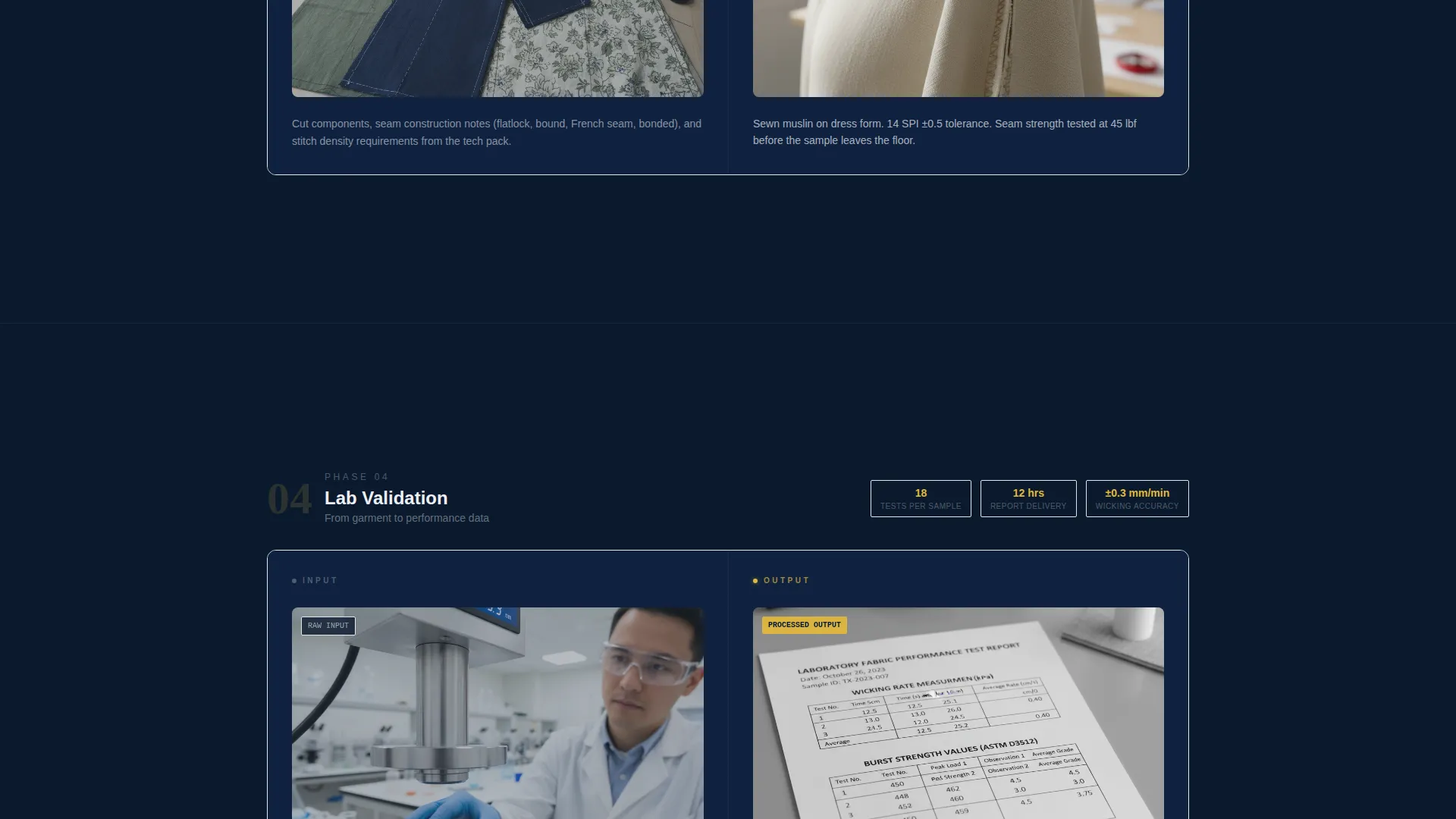
Each scroll section pairs a left panel showing raw inputs, such as tech pack screenshots, fabric scans, and spec sheet details, with a right panel showing the corresponding output, such as cut marker layouts, sewn muslins on form, and lab-test data sheets. This fifty-fifty division keeps the narrative grounded in cause and effect.
Persistent Edge Timeline
A vertical timeline runs along the screen edge throughout the scroll. Each node starts in gunmetal and fills to signal-yellow as the visitor passes that stage. The timeline gives a continuous sense of progress and reinforces the studio's systematic approach to prototyping.
Progressive Gated Download Form
The primary conversion form collects full name, company name, role via dropdown, and work email. Fields appear one at a time so the form never looks heavy or intimidating. The gated asset is a fifty-page prototyping playbook covering fabric sourcing matrices, tolerance standards, and cost-per-sample benchmarks.
Tech Pack Upload Modal
A secondary conversion path opens a lightweight dropzone modal for visitors to submit a tech pack for a free complexity assessment. This mid-page entry point captures leads who are not yet ready to download but are actively working on a project.
Playbook Preview Cards
Six data-rich preview cards surface selected content from the gated playbook. Each card is valuable enough to screenshot but incomplete enough to motivate downloading the full document. This pattern builds trust and demonstrates the studio's depth of knowledge before asking for contact information.
Page sections overview
| Section | Purpose |
|---|---|
| Animated Lifecycle Header | Visualizes the full prototype process with live data nodes and a yellow progress bar |
| Prototype Stage One | Shows digital pattern inputs paired with cut marker layout outputs |
| Prototype Stage Two | Reveals multi-panel construction with bonded seams and embedded hardware |
| Prototype Stage Three | Displays finished sample photography alongside original sketch |
| Playbook Preview Cards | Six partial-content cards that build credibility and drive the download call to action |
| Gated Download Form | Progressive four-field form to capture leads in exchange for the full playbook PDF |
| Tech Pack Upload | Mid-page dropzone modal offering a free complexity assessment |
| Final Sample Section | Studio-lit sample photo next to the source sketch, closing the narrative arc |
Design & branding system
The template uses a Data Command theme built on the Navy Authority color system. Every color choice is functional. The palette feels like the instrument bridge of a manufacturing vessel at night, where only the essential elements are illuminated.
- Deep command-center navy (#0B1A2E) dominates backgrounds and section dividers; gunmetal (#3A4556) carries body text panels and card surfaces; bright operational white (#EDF0F5) is reserved for headline type and data callouts
- Signal-yellow (#E2B93B) activates only on calls to action, progress indicators, and timeline nodes, so every yellow element on screen demands attention by design
Mobile & speed optimization
The split-screen layout and scroll-driven timeline are structured to scale down cleanly for smaller viewports. Visual weight is concentrated in functional elements rather than heavy image files.
- The infographic header uses data nodes and typographic callouts rather than large photographs, keeping the visual load light and the information immediately readable
- Progressive form field reveal reduces perceived complexity on smaller screens, making the conversion path feel approachable even on a phone
How this template helps you convert
The page is built as a content and resource destination. Every layout decision supports one of two conversion actions: the playbook download or the tech pack upload.
- The six playbook preview cards create a proof-of-value moment before the form appears, so visitors arrive at the download call to action already convinced the content is worth their contact details.
- The mid-page tech pack upload modal captures active-project leads who may not be ready to download a PDF but are immediately interested in a free complexity assessment, giving the studio two distinct lead types from a single page.
Other information about this template
This template sits at the intersection of the Manufacturing and Industrial category and the Textile Manufacturing subcategory, with a specific focus on the textile prototype and rapid prototyping niche. It is purpose-built for studios competing on speed, technical precision, and documented process.
- The template style is a fifty-fifty split screen, and the creative direction follows a timeline progression scroll pattern
- The header concept is an infographic rather than a lifestyle photograph, which makes it suitable for audiences who are skeptical of visual marketing and respond better to data
- The landing page direction is content and resource focused, meaning the page earns conversions by demonstrating expertise rather than by making direct sales claims
Theme
Data Command
Creative direction
Timeline Progression
Color system
Navy Authority
Style
Split Screen (50/50)
Direction
Content/Resource
Page Sections
Animated Prototype Lifecycle Header
Split-screen Scroll Layout
Persistent Edge Timeline
Progressive Gated Download Form
Tech Pack Upload Modal
Playbook Preview Cards
Related questions
Who is this landing page template designed for?
Can I customize the color palette and typography?
How does the gated download form work in this template?
What is the tech pack upload modal?
Does this template use real photography in the header?



