Oil Change Booking Landing Page Template
Lubeshield is a sidebar companion landing page built for oil change shops that want to turn local search traffic into booked appointments. It pairs a cinematic dark hero with a scrollable frequently asked question sidebar, an amber-accented booking form, and inline trust signals. The result is a site that answers every hesitation before customers ever reach the scheduling form.
by Rocket studio
Quick summary
Lubeshield is a focused, single-page booking template built specifically for oil change shops. It uses a dark, moody hero section, a sticky frequently asked question sidebar, and an amber-highlighted "Book Your Bay" call to action. Every scroll stop is designed to answer a real customer question, deliver proof, and make booking the obvious next step.
Who this template is for
This template is built for local automotive service businesses that run fast, no-nonsense oil change operations. It works equally well for independent shops and fleet-focused operations that need customers coming in consistently.
- Independent quick lube shops that want a professional web presence without building from scratch
- Fleet managers who need a clear, efficient site to direct drivers for scheduled service
- First-time shop owners who want a clean, ready-to-launch booking landing page fast
What problem this template solves
Most oil change shop websites bury the booking form, leave operating hours hard to find, and do nothing to answer common customer hesitations. Visitors leave before they book. This template fixes that directly.
- Customers can not find pricing, oil types, or hours without digging through a cluttered site
- No inline trust signals means first-time visitors have no reason to choose your shop over dealerships
- Buried or complex forms cause drop-off before the vehicle details are even entered
What you get with this template
You get a fully structured, single-page booking landing page with every section pre-built and ready to personalize. The layout is guided by real questions customers type into search engines before choosing a shop.
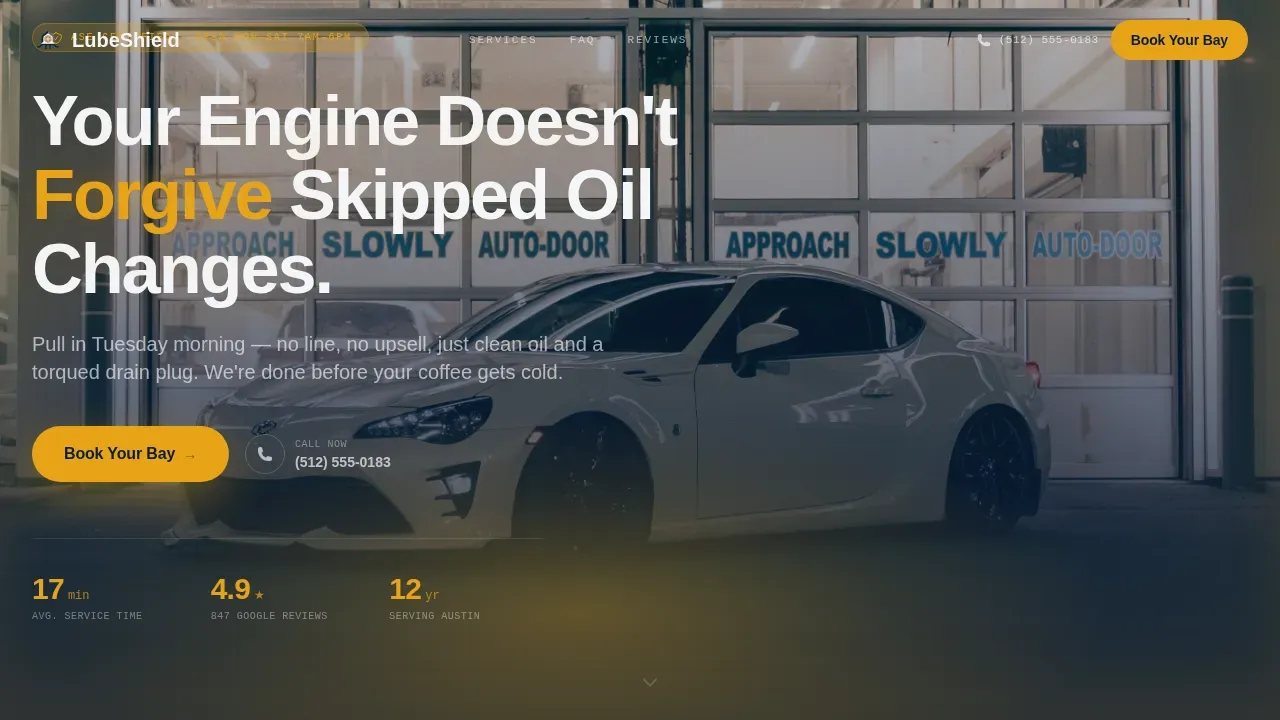
- A dark full-bleed hero section with an amber-glow headline and a prominent "Book Your Bay" call to action button
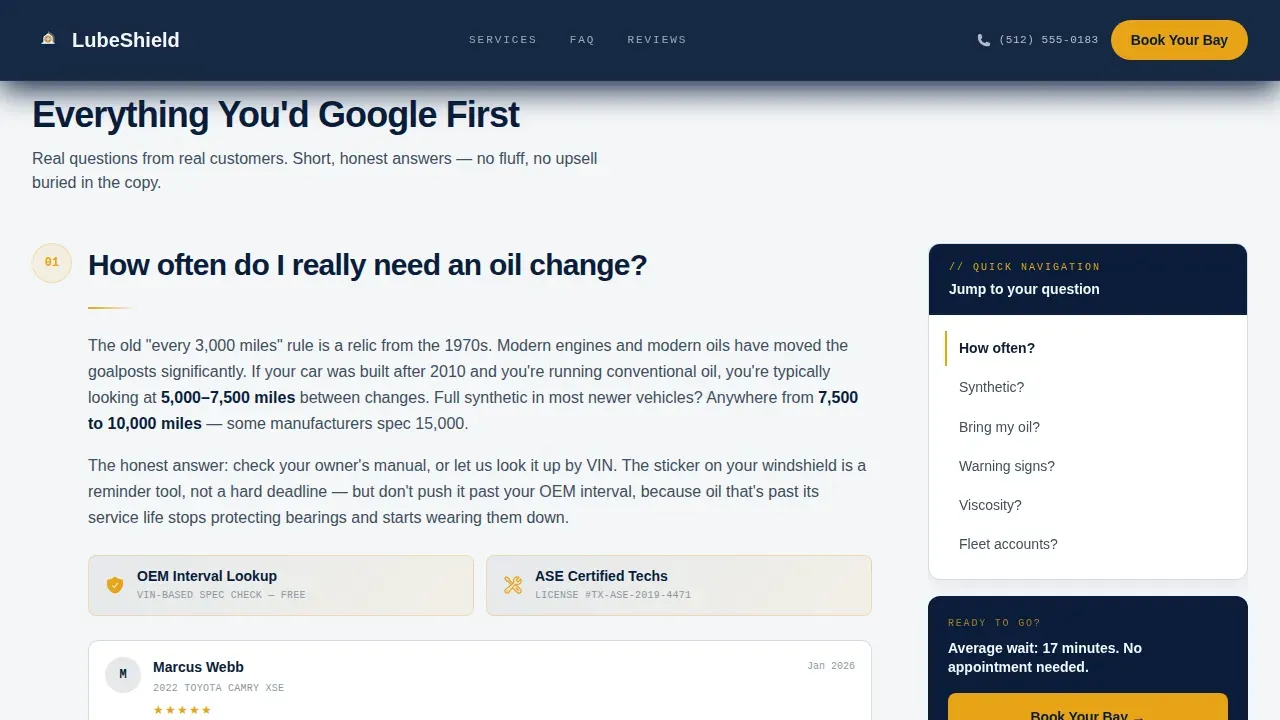
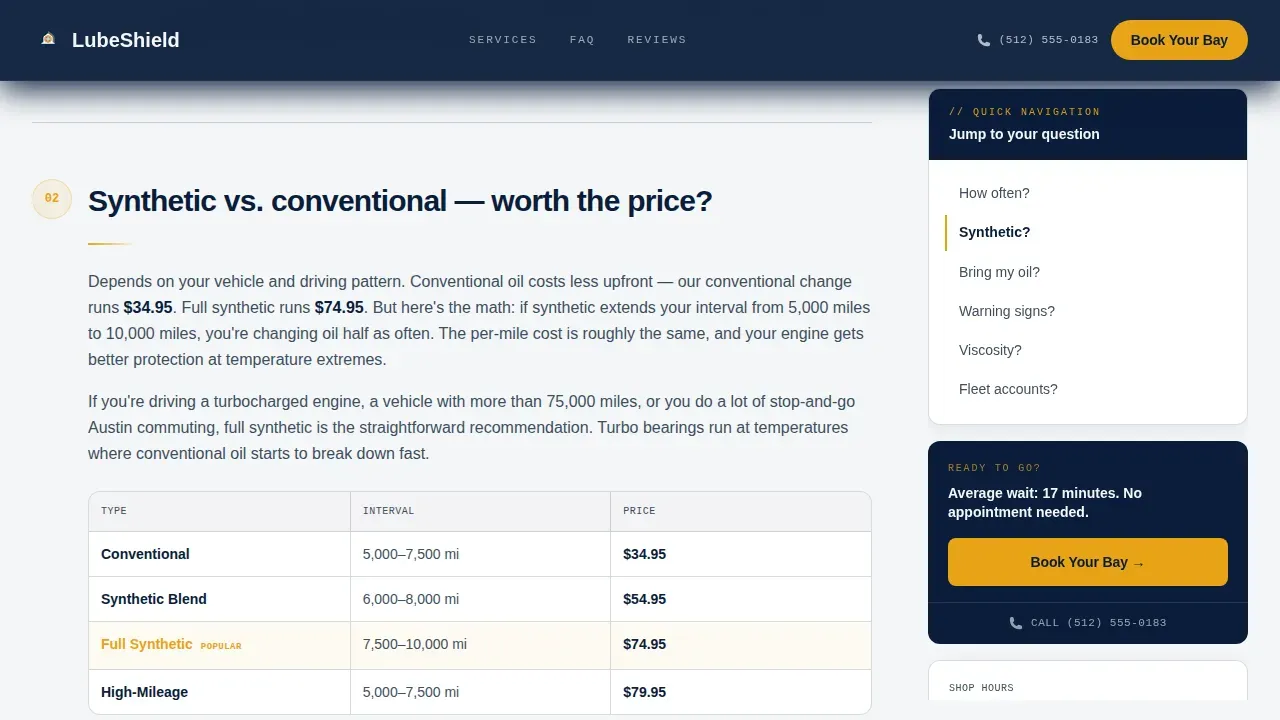
- A sticky frequently asked question sidebar with a scrollable table of contents anchored to service questions, with proof elements inline
- A lightweight scheduling form collecting vehicle year, make, and model; oil type preference; preferred date and time; and a phone number field
Feature list
This template includes a focused set of components designed for high-intent local service customers.
frequently asked question-Driven Sticky Sidebar
The sidebar companion travels with the reader as they scroll. Each stop answers one question, then pairs it with a trust element such as a Google review snippet, a certification badge, or an OEM spec reference. The rhythm builds confidence before the form appears.
Cinematic Dark Hero Section
The hero uses a full-bleed, moody service bay image with a single amber work light as the focal point. The benefit-driven headline sits in amber-glow text against the dark background, making it easy to read and hard to ignore. This is where customers decide to keep reading.
Amber-Accented Booking Form
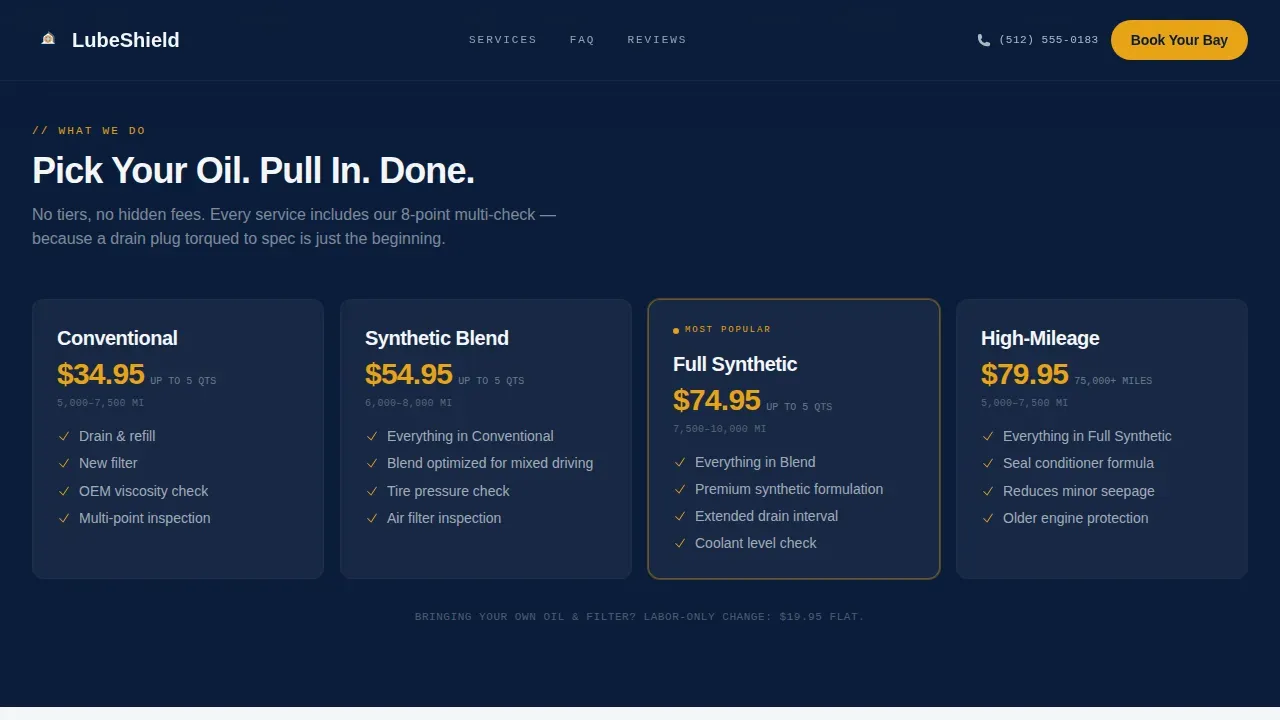
The scheduling form is lightweight and intentional. Customers select their vehicle details, choose from available oil types, and pick a preferred time slot. A "not sure, recommend for me" option keeps first-time car owners from abandoning the form.
Trust Row with Social Proof
A dedicated trust row displays Google review snippets, an ASE certification badge, and OEM spec references. These elements keep customers confident that your techs are qualified and your service is backed by verifiable credentials.
Tap-to-Dial Mobile Path
A "Call Now" secondary call to action with a tap-to-dial link captures mobile users who prefer to speak before booking. It sits alongside the primary form path so no lead type is left unserved.
Inline Service Reminders
The sidebar surfaces service reminders naturally as part of the frequently asked question flow. Relevant add-on services such as tire rotations and fluid top ups are mentioned where they make sense, increasing ticket value without pressure.
Page sections overview
| Section | Purpose |
|---|---|
| Dark Hero Bay | Cinematic entry point with headline and primary booking call to action |
| frequently asked question Sidebar Companion | Sticky scrollable answers to real customer service questions with proof |
| Trust Row | Google reviews, ASE badge, and OEM references to build credibility |
| Booking Modal | Vehicle, oil type, date, time, and phone form for fast appointment capture |
| Footer Strip | Linear single-row footer with hours, contact, and location link |
Design & branding system
The template uses a Navy Authority color system that feels authoritative without being sterile. The palette communicates the same trust a well-maintained shop conveys to a returning customer.
- Deep command navy (#0B1D3A) as the primary background and navigation color
- Dipstick amber (#E8A317) reserved for call to action buttons, hover states, and trust badges
- Plus Jakarta Sans for headings and JetBrains Mono for labels and badge text
Mobile & speed optimization
The layout is built mobile-first, because most customers searching for a quick oil change are on their phones. Buttons are sized for thumb-zone interaction and the booking form sits above the fold on smaller screens.
- Tap-to-dial call to action is prominent on mobile for customers who prefer to call
- The sticky sidebar collapses into a scrollable accordion on small screens for clean, easy navigation
- Form fields are spaced and labeled for fast, easy completion without zooming
How this template helps you convert
The page earns each click by removing doubt at every scroll position. By the time a visitor reaches the booking form, every objection has already been answered.
- The hero section captures attention immediately with a strong, benefit-driven headline and a high-contrast amber button that drives action before the reader scrolls.
- The frequently asked question sidebar builds trust incrementally, pairing each question with verifiable proof so customers feel informed rather than sold to.
- The booking form collects complete vehicle details upfront, keeping check-in time short and the service experience smooth for both customers and your team.
Other information about this template
This template is a strong fit for quick lube shops that compete against dealerships and need a website that answers buyer questions fast. It is based on a legal-shield visual theme, meaning every design decision reinforces trust and authority.
- The Lubeshield trusted oil change booking landing page template is ready to personalize using a visual editor, with drag-and-drop sections for easy updates
- Oil change shops can add service reminders, tire rotations, and fluid top ups to the frequently asked question sidebar to naturally increase average ticket size
- The booking form can send a confirmation email with appointment details, helping keep customers informed after they book
- This site is well suited to shops using oil change software solutions that handle payments, supplies tracking, and efficiency reporting alongside the customer-facing booking flow
- Shops can share the direct booking link in service reminder emails, allowing customers to rebook in less time between visits
Theme
Legal Shield
Creative direction
FAQ-Driven
Color system
Navy Authority
Style
Sidebar Companion
Direction
Booking/Scheduling
Page Sections
Faq-driven Sticky Sidebar
Cinematic Dark Hero Section
Lightweight Booking Form
Inline Trust Row
Tap-to-dial Mobile Call to Action
Service Reminder Sidebar Blocks
Related questions
Can I update the pricing and operating hours myself?
Does the booking form support different oil types?
Can I add services like tire rotations to the page?
How does the trust row work?
Is this template built for mobile users?



