Premium Cleaning Service for Property Managers Website Template
Gleam is a dashboard-style cleaning service landing page built for commercial cleaning crews targeting property managers, Airbnb hosts, and office managers. It leads with an interactive cost estimator, a live competitor comparison table, and a pinned "Lock In This Rate" call to action. The Monochrome Steel palette and Dynamic Motion theme give every interaction a sharp, data-driven edge.
by Rocket studio
Quick summary
Gleam is a single-page cleaning service contact page designed around a Calculator/Tool First approach. Visitors configure a cleaning quote using an interactive data grid, then see their price benchmarked against competitor averages in real time. The Monochrome Steel color system and Dynamic Motion theme make the page feel precise, industrial, and trustworthy from the first scroll.
Who this template is for
This template is built for professional cleaning businesses that compete on transparency and speed. It works especially well when the client base expects data before a sales call.
- Property managers handling multiple unit turnovers every month
- Airbnb and short-term rental hosts working tight checkout-to-check-in windows
- Office managers ready to book a deep or post-renovation clean without a lengthy quote process
What problem this template solves
Most cleaning service pages bury pricing or push visitors into a phone call before they have any numbers to work with. That friction loses leads. This template removes the barrier entirely.
- Visitors get a configured price estimate before they ever fill in a single contact field
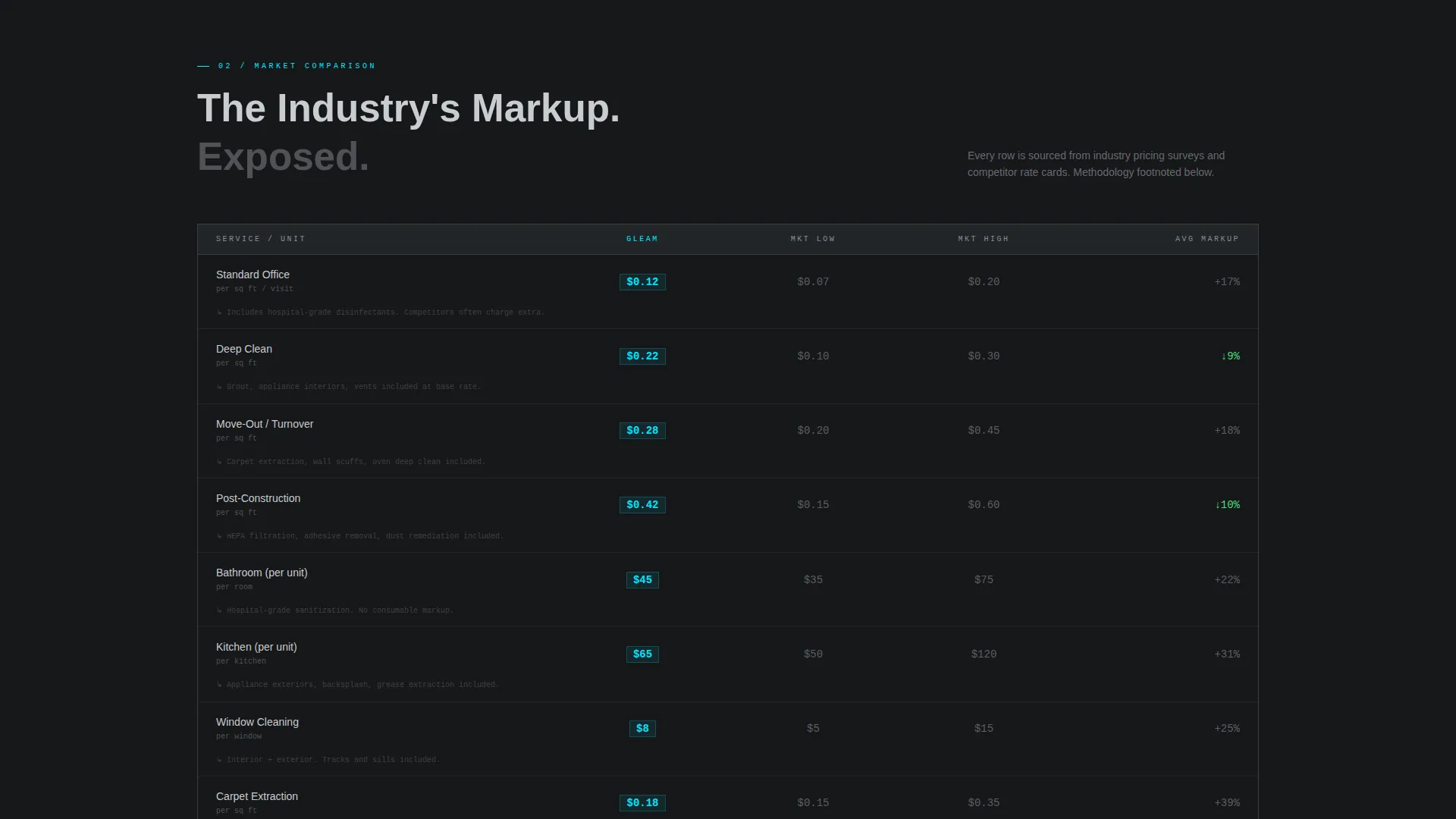
- The live comparison table answers the "am I being overcharged?" question with line-item math
- A secondary PDF download path captures leads who are close but not quite ready to book
What you get with this template
The template delivers a complete, single-page layout built around an interactive estimator and a contact drawer. Every element is designed to move a visitor from curiosity to commitment without leaving the page.
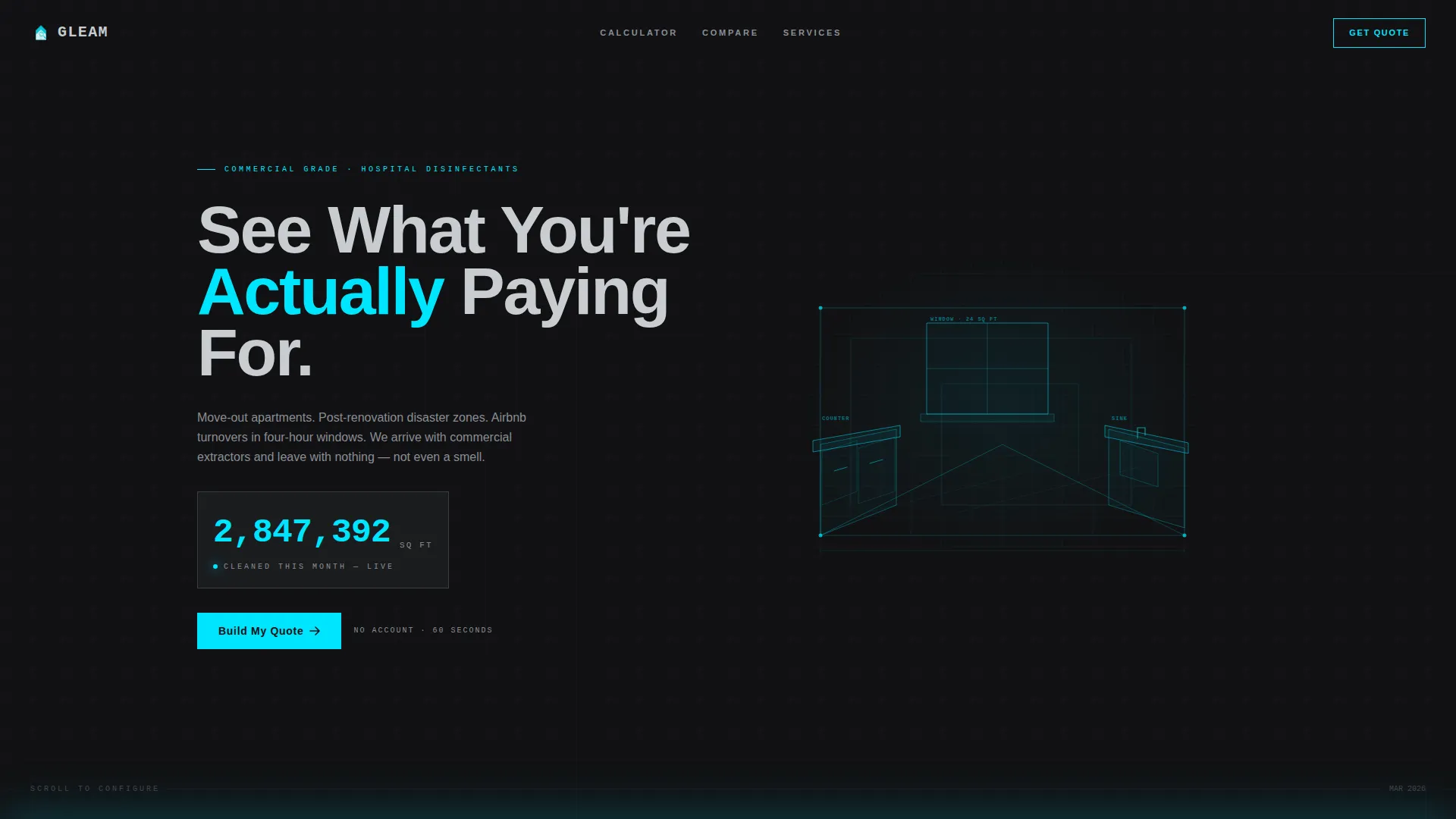
- An animated header with a glowing wireframe room illustration and a live square-footage counter
- A full data grid estimator with slider, room toggles, and service type cards that flip on click
- A pinned "Lock In This Rate" call-to-action button that shows the visitor's live configured total
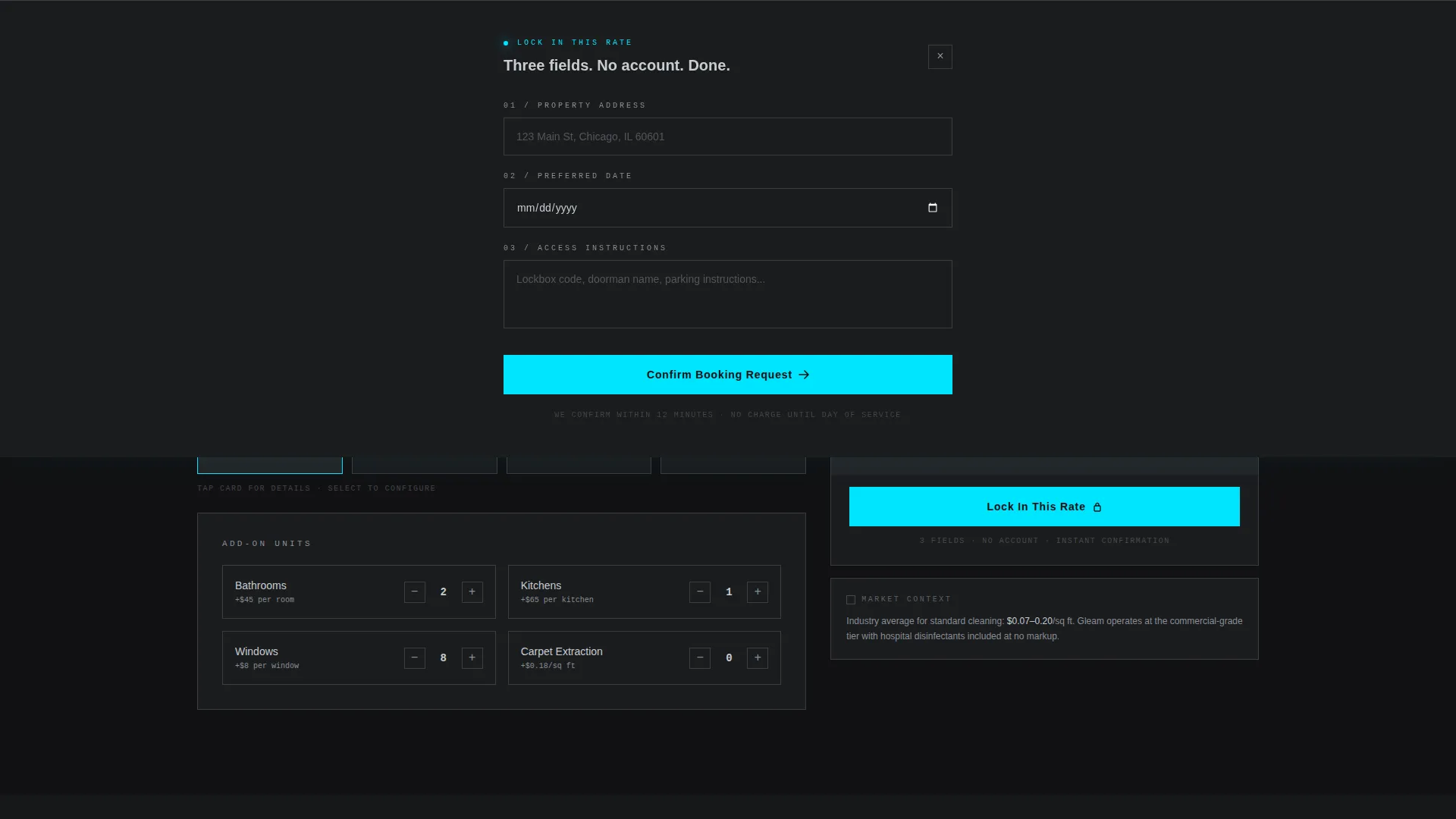
- A slim contact drawer (not a new page) collecting address, preferred date, and access instructions
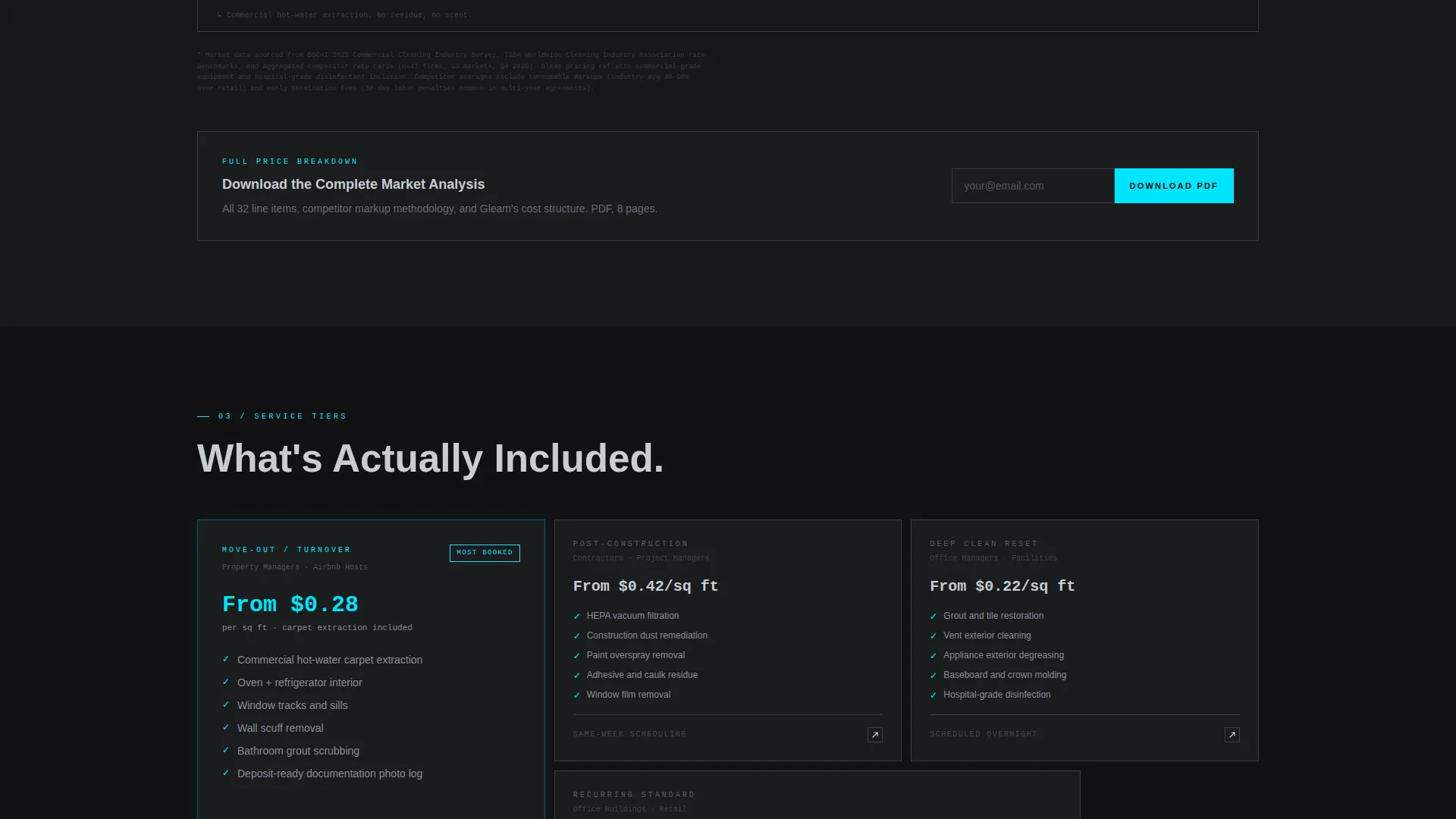
- A PDF price breakdown gate requiring only an email address
Feature list
This section covers the core built-in components that make Gleam functional as a cleaning service contact page.
Animated Wireframe Header
The header fills the full viewport with a forge black background. Cyan wireframe lines trace a diagrammatic kitchen, window, and floor tile layout on load, simulating a cleaning route being mapped in real time. A live-ticking square footage counter gives the page an immediate data-dashboard feel.
Interactive Cost Estimator Grid
A square footage slider, room-count toggles, and four service type cards (standard, deep, move-out, and post-construction) let visitors build a precise quote. Each card flips on click with motion easing. The estimator updates all dependent fields instantly as inputs change.
Live Competitor Comparison Table
As the visitor configures their quote, a side-by-side table populates automatically. The visitor's total appears in a cyan-highlighted column. Competitor averages appear in muted gunmetal columns, with row-level cost-per-unit breakdowns for bathrooms, kitchens, windows, and carpet extraction.
Pinned "Lock In This Rate" Call to Action
Once the configured quote exceeds zero, a call-to-action bar pins to the bottom of the estimator. It displays the visitor's running total and triggers a slim in-page contact drawer on click, keeping the visitor on the page throughout the booking flow.
Slim In-Page Contact Drawer
The contact drawer slides open without navigating away. It asks for three fields only: address, preferred date, and access instructions. There is no account creation step, which reduces drop-off at the most critical conversion moment.
PDF Price Breakdown Gate
Below the comparison grid, a secondary conversion path offers a downloadable full price breakdown. Visitors enter only their email address to receive it. This captures warm leads who have already spent time configuring a quote but are not ready to book immediately.
Page sections overview
| Section | Purpose |
|---|---|
| Animated Header Frame | Sets brand tone and shows live square-footage counter |
| Cost Estimator Grid | Lets visitors build and configure a personalized quote |
| Live Comparison Table | Benchmarks visitor price against competitor averages |
| Pinned call to action Bar | Keeps booking action visible throughout the estimator |
| Contact Drawer | Collects booking details without leaving the page |
| PDF Download Gate | Captures email leads not yet ready to book |
Design & branding system
The visual identity is built on a Monochrome Steel palette with a single electric cyan accent used only where attention is required. The result is an industrial, reflective interface that reads as precise rather than decorative.
- Forge black (#111113) stretches behind every section as the dominant background
- Brushed gunmetal (#3A3D42) holds the grid cards and competitor pricing columns
- Polished chrome (#C8CCD0) carries section headers, data labels, and headline text
- Electric cyan (#00E5FF) activates on hover states and active inputs, pulsing like a sanitization ultraviolet light
Mobile & speed optimization
The layout is designed to remain fully functional and readable across screen sizes. The data grid and comparison table reflow cleanly so mobile visitors can still configure a quote and reach the contact drawer without friction.
- The estimator grid and comparison table adapt to narrower viewports without losing row-level data
- The pinned call-to-action bar stays anchored at the bottom of the screen on mobile, remaining accessible throughout scrolling
- Animated elements are scoped to load sequences and hover states, keeping visual weight manageable on smaller devices
How this template helps you convert
The page is structured to earn trust through data rather than through testimonials or marketing copy. Every design decision points toward one outcome: a completed booking or a captured lead.
- The interactive estimator gives visitors a personalized number before they are asked for anything, creating investment in the quote they have built and making the "Lock In This Rate" action feel natural rather than pressured.
- The live comparison table handles the price-objection conversation automatically, showing line-item cost breakdowns that answer the most common reason a visitor abandons a cleaning service page without contacting anyone.
- The PDF download gate provides a low-commitment exit path that still captures contact information, ensuring that visitors who are not ready to book today remain reachable without any follow-up friction on the visitor's side.
Other information about this template
This template sits at the intersection of the Technology category and the Cleaning Service Website Templates subcategory. It is well suited for cleaning businesses that want a contact page with a data-first identity rather than a gallery-style or testimonial-heavy layout.
- The template style is Dashboard/Data Grid, meaning the core layout logic borrows from data interface design rather than conventional service-page structure
- The Dynamic Motion theme governs all animation timing, including the header wireframe trace, card flip easing, and counter tick behavior
- The page is categorized under the Cleaning Service Contact Page niche, making it directly relevant for businesses whose primary conversion goal is a booked appointment or a qualified lead
- This template is available as part of a broader cleaning service website templates collection on the platform
Theme
Dynamic Motion
Creative direction
Calculator/Tool First
Color system
Monochrome Steel
Style
Dashboard/Data Grid
Direction
Comparison/Versus
Page Sections
Animated Wireframe Header with Live Counter
Interactive Cost Estimator Data Grid
Live Side-by-side Comparison Table
Pinned Call-to-action Booking Bar
Slim In-page Contact Drawer
Email-gated PDF Price Breakdown
Related questions
Can I change the service types listed in the estimator?
Does the contact drawer replace a separate booking page?
How does the PDF download gate work?
Is the competitor pricing data editable?
Who is this landing page best suited for?



