Violin Maker Landing Page Template for B2B Outreach
The Luthier landing page template is built for artisan violin makers who sell to institutional buyers. It combines a sidebar-anchored consultation form, a scrolling FAQ-driven content flow, and a warm workshop aesthetic to turn conservatory directors, orchestra asset managers, and instrument dealers into qualified leads through transparency and craft authority.
by Rocket studio
Quick summary
This single-page template gives a handcraft violin maker a professional B2B presence that speaks directly to institutional procurement buyers. The layout pairs a sticky sidebar with a scrolling FAQ-style main column, letting visitors navigate straight to their procurement concern. Four workshop metrics open the page. A consultation form and catalog download close it.
Who this template is for
This template is designed for skilled luthiers and small violin-making workshops that sell to professional and institutional clients rather than individual walk-in buyers. It fits makers who need a credible, detail-rich landing page that earns trust before a conversation begins.
- Conservatory procurement directors sourcing student fleet instruments
- Orchestra asset managers maintaining high-value string sections
- Independent dealers building consignment inventories of handmade violins, violas, and cellos
What problem this template solves
Institutional buyers carry a long list of procurement objections before they commit to a specialist maker. A generic portfolio page does not answer those objections, and a plain contact form asks for trust before it is earned. This template solves that gap by structuring the entire scroll as a transparent Q&A that mirrors the real questions buyers bring to the table.
- Buyers can jump directly to their specific concern using the sidebar navigation
- Every procurement question is answered with process detail and visual evidence before a form appears
- The sticky consultation call to action stays visible throughout the scroll without interrupting the reading flow
What you get with this template
You get a fully structured single-page layout built around institutional buyer logic. The design, content flow, and form components are ready to adapt to your workshop's own figures, tonewoods, and lead times.
- A header stats block displaying four workshop metrics in rosin amber serif type
- A scrolling FAQ-driven main content area with inline space for process photography
- A sticky sidebar holding the primary consultation call to action and secondary catalog download gate
Feature list
This template delivers the following purpose-built features for luthier B2B outreach.
Workshop Metrics Header
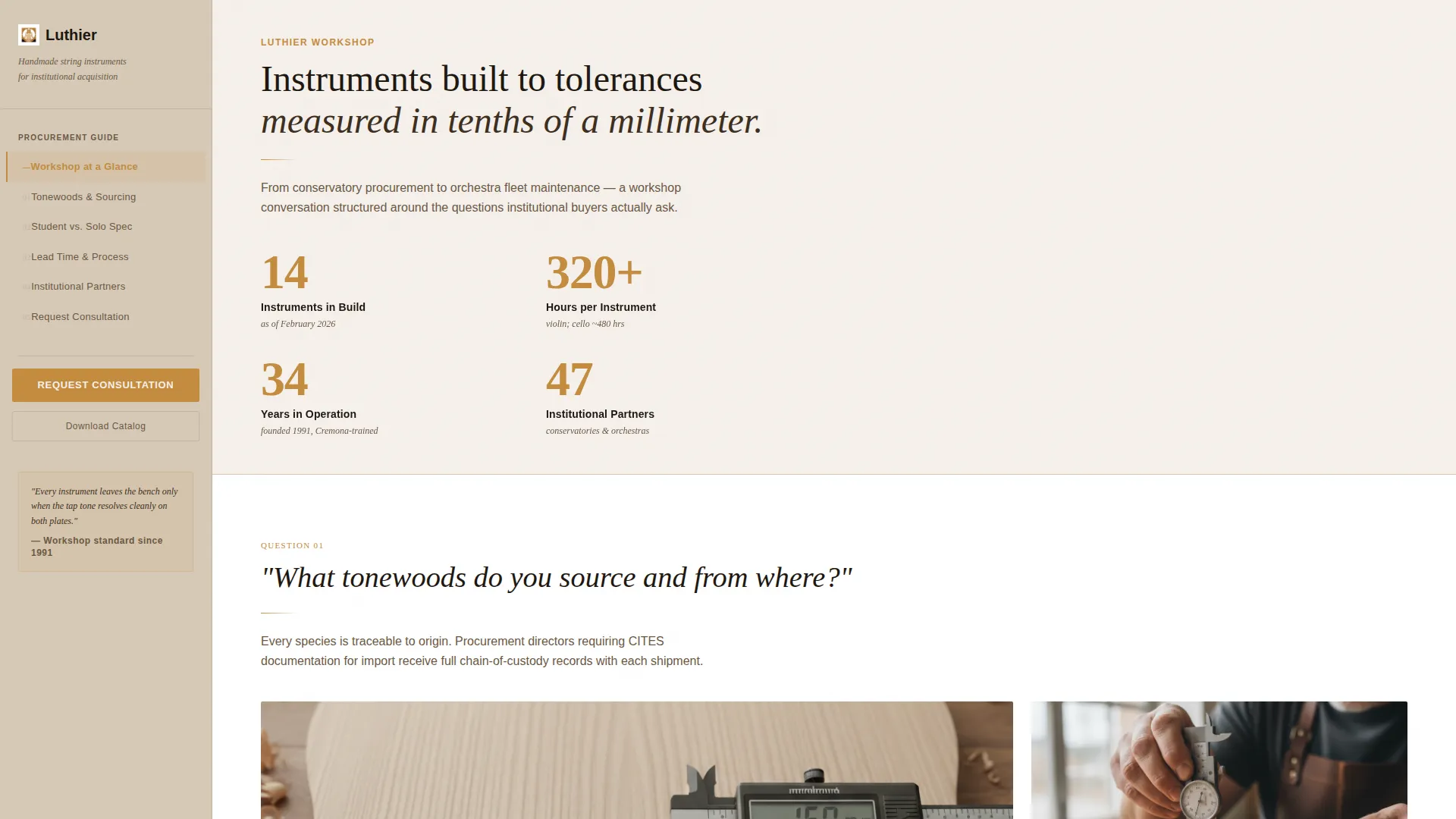
Four figures are displayed in large rosin amber serif numerals against gesso white. Each figure carries an ebony label below it. The block communicates scale and experience instantly, without photography competing for attention.
Sidebar Navigation and Sticky call to action
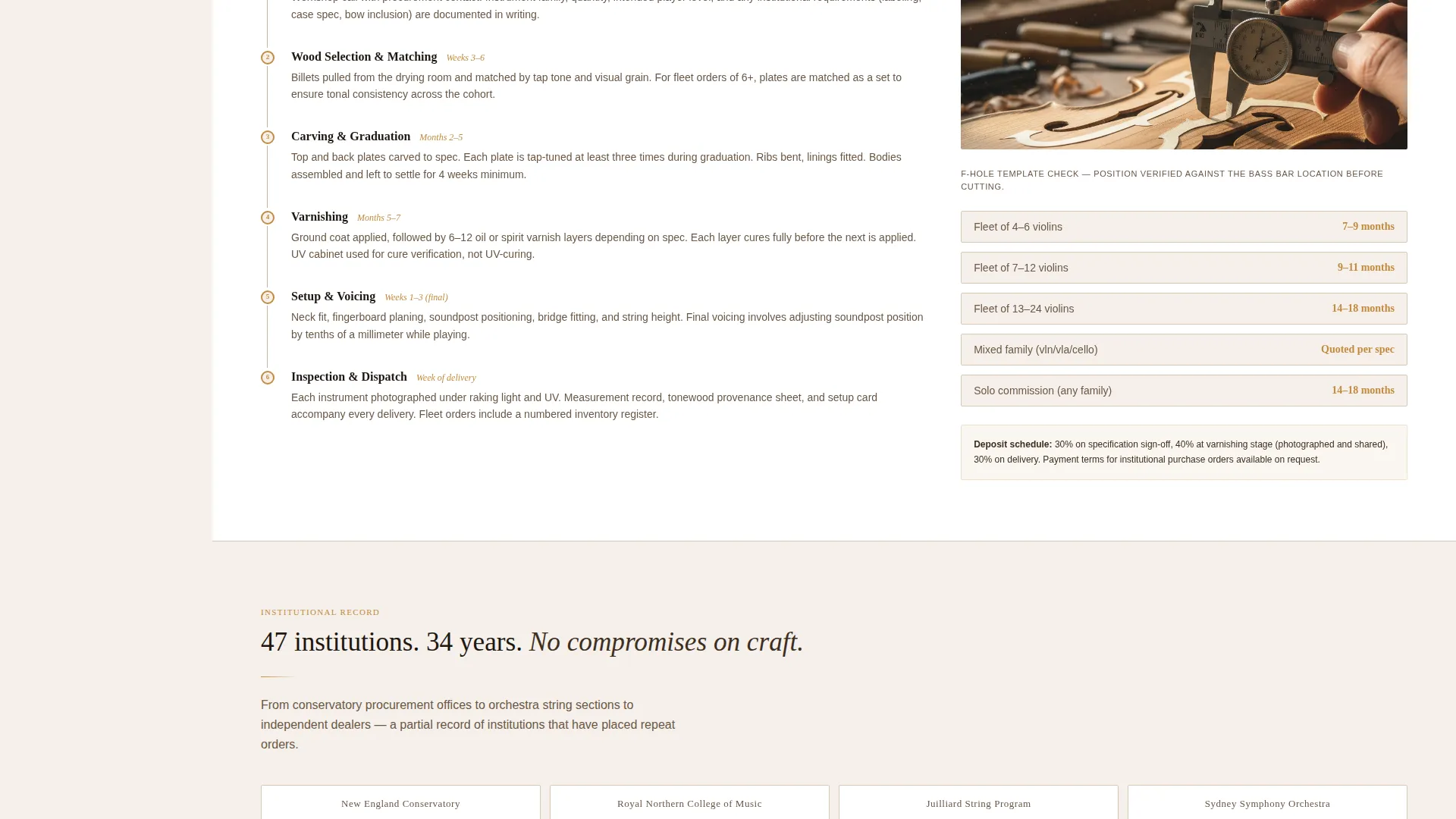
The persistent sidebar serves two jobs at once. It tracks the visitor's scroll position and lets them jump to any FAQ section, and it keeps the "Request a Workshop Consultation" button always in view. The call to action never disappears, regardless of how deep the visitor reads.
FAQ-Driven Content Flow
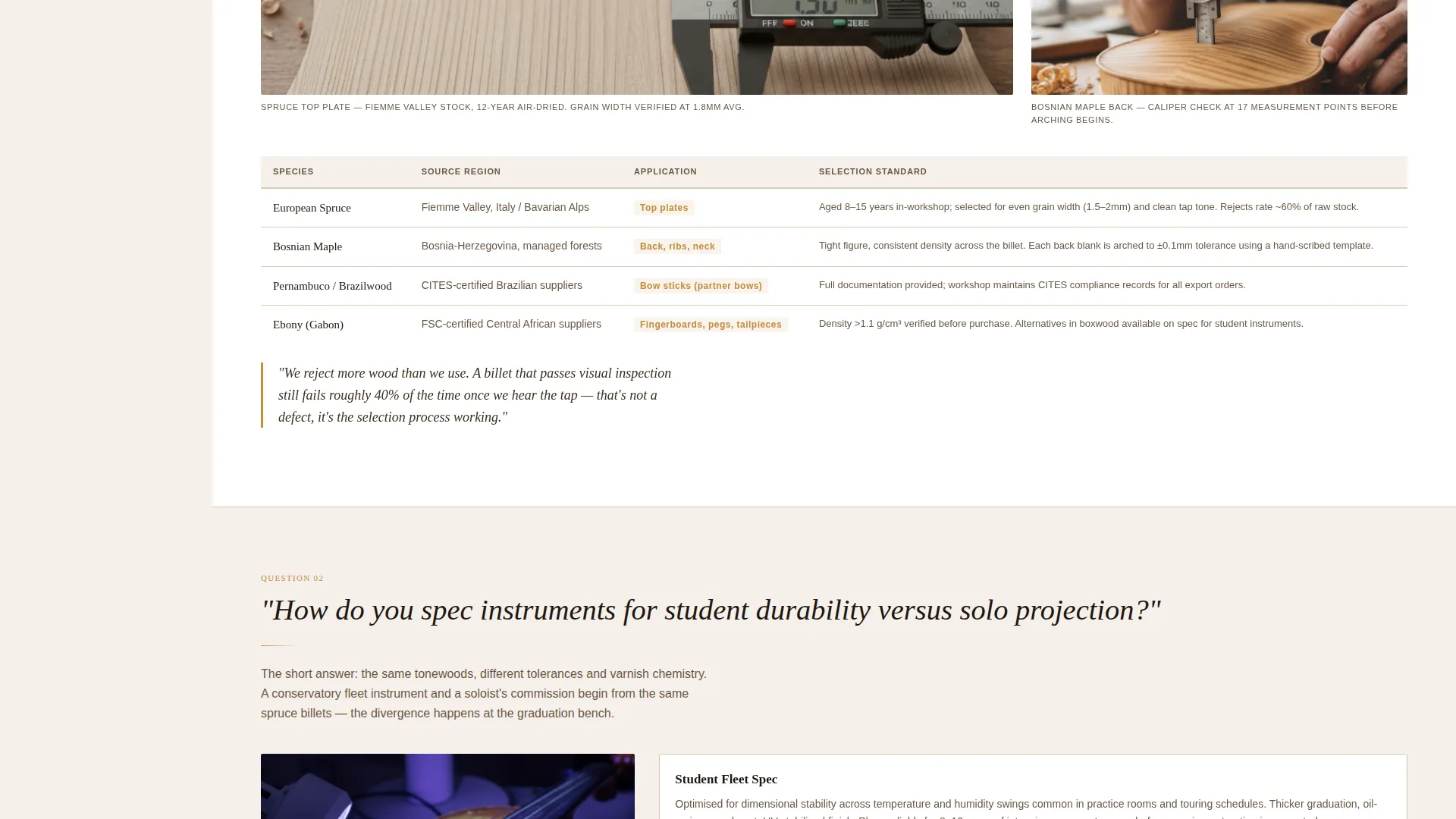
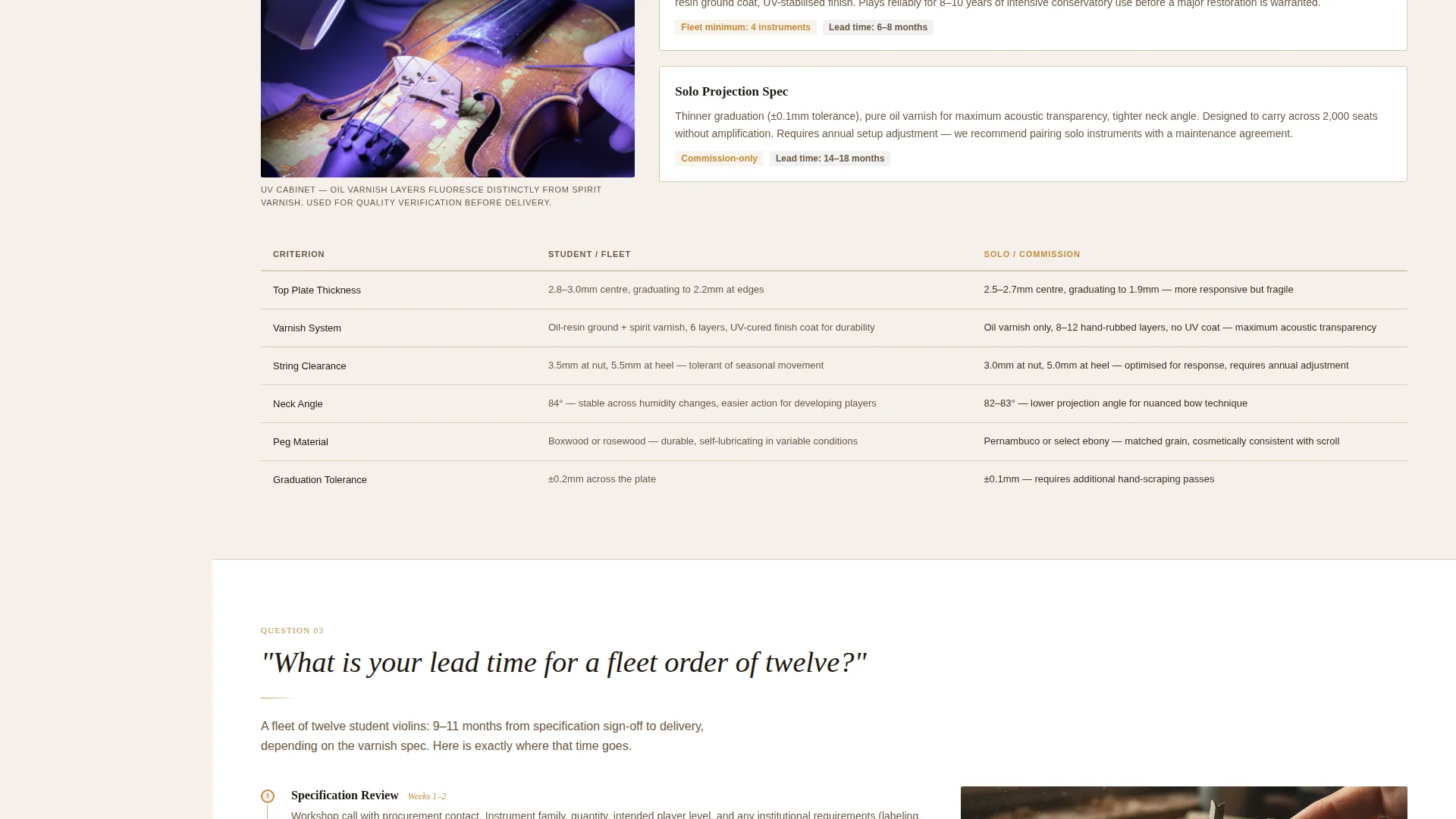
The main content column is structured as a sequence of institutional procurement questions followed by detailed answers. Each answer block includes space for inline process photography, such as caliper measurements on an f-hole template or a UV varnish cabinet mid-cycle. The rhythm builds trust through evidence rather than assertion.
Inline Consultation Request Form
Clicking the primary call to action opens an inline form within the page. It asks for organization name, fleet size or annual acquisition volume, primary instrument family, and a free-text field labeled "Tell us about your players." The form is specific enough to qualify leads without feeling like a survey.
Gated Institutional Catalog Download
A secondary conversion path offers a downloadable institutional catalog. It is gated behind an email address and role title input. This gives buyers who are not yet ready to consult a lower-commitment way to stay connected.
Warm Educational Visual Identity
The Cloud Canvas color system uses soft gesso white for the content field, aged parchment for the sidebar, deep ebony for body text, and rosin amber for links, active sidebar states, and call-to-action buttons. The overall feel references an open luthier pattern book on a sunlit workbench.
Page sections overview
| Section | Purpose |
|---|---|
| Workshop Stats Header | Display four key workshop metrics to establish credibility at a glance |
| FAQ Content Column | Answer institutional procurement questions with process detail and photography |
| Sticky Sidebar Nav | Let visitors jump to any question and keep the consultation call to action visible |
| Consultation Request Form | Capture qualified B2B leads with organization and fleet detail |
| Catalog Download Gate | Offer a lower-commitment path for buyers who want to research first |
Design & branding system
The visual identity follows an Educational Guide theme built on the Cloud Canvas color palette. Every color choice references physical workshop materials, giving the page warmth and authority without relying on product photography in the header.
- Gesso white (#F5F0EB) fills the main content field; aged parchment (#D6C9B6) tones the sidebar background
- Deep ebony (#1E1710) is used for all body text, echoing the darkness of a fingerboard
- Rosin amber (#C48B3F) activates links, sidebar navigation states, and all call to action buttons
Mobile & speed optimization
The sidebar-plus-main-column layout adapts cleanly to smaller screens. On mobile, the sticky sidebar collapses into a navigable top bar or drawer so the call to action remains accessible without occupying column space.
- The FAQ content sections stack vertically and remain fully readable on narrow viewports
- Inline process photography placeholders scale proportionally without breaking the layout grid
- Form inputs are spaced for comfortable thumb interaction on touch devices
How this template helps you convert
The page is engineered to remove procurement hesitation before the form ever appears. Every structural decision serves that goal.
- The FAQ scroll answers the exact questions institutional buyers ask during sourcing, so objections are resolved passively as the visitor reads.
- The sticky consultation call to action stays present throughout the entire scroll, reducing the distance between conviction and action to a single glance.
- The gated catalog download creates a second conversion path for buyers in an earlier research stage, keeping them in the pipeline without pressure.
Other information about this template
This template sits within the Professional Services category, specifically the Violin Maker (Luthier) Business subcategory, and is optimized for Partnership and B2B outreach landing page use cases. It is a single-page layout, not a multi-page website.
- The template style draws from a Comparison Table and Case Study Narrative approach, giving institutional buyers the side-by-side clarity they expect in procurement contexts
- The Corporate Precision theme ensures the layout reads as credible and methodical, appropriate for conservatory and orchestra procurement workflows
- The header concept uses a Testimonial Card-style metric display rather than photography, letting workshop figures speak with the same weight as a client endorsement
- The Charcoal and Amber color influence from the intersection match reinforces the warm but authoritative tone established by the Cloud Canvas system
- Page type is a landing page. The template is not structured as a multi-page website and does not include a blog, product catalog pages, or separate interior pages
Theme
Corporate Precision
Creative direction
Case Study Narrative
Color system
Charcoal & Amber
Style
Comparison Table
Direction
Partnership/B2B
Page Sections
Workshop Metrics Header Block
Sticky Sidebar with Persistent Call to Action
Faq-driven Procurement Content Flow
Inline Consultation Request Form
Gated Catalog Download Path
Cloud Canvas Color System
Related questions
Can I update the four header metrics with my own workshop figures?
Does the sidebar stay visible as visitors scroll through the FAQ sections?
Can this template cover violas and cellos as well as violins?
What does the inline consultation form ask for?
Is the institutional catalog download component included in the template?



