Specialist School & University Construction Professional Website Template
Mainline is a modular card grid landing page built for school and university plumbing contractors. It speaks directly to facilities directors, procurement officers, and project managers with a transparent process layout, a bid-ready form, and an Engineering Blueprint visual identity. Every section earns trust before asking for anything.
by Rocket studio
Quick summary
Mainline is a single-page landing page template designed for campus plumbing contractors. It uses a modular card grid to walk institutional buyers through every project phase, from scope walk to final inspection. The design feels like a clean set of blueprints: precise, authoritative, and built for the people who approve district budgets.
Who this template is for
This template is built for plumbing contractors who work primarily with schools, colleges, and universities. It speaks the language of institutional procurement without needing a sales pitch.
- Facilities directors managing deferred maintenance lists across multiple buildings
- School board procurement officers comparing bids before a board vote
- University project managers coordinating shutdowns around exam schedules
What problem this template solves
Institutional clients do not trust a vague contractor website. They need to see process, credentials, and bid-readiness before they pick up the phone. Most contractor pages bury that information or skip it entirely.
- Visitors cannot find the scope of services without digging through generic copy
- Bid forms ask the wrong questions and waste both sides' time
- Nothing on the page reflects the actual approval process a district buyer goes through
What you get with this template
You get a fully structured single-page layout that guides institutional buyers from first impression to bid request. Every section is purposeful and matched to how campus facilities decisions actually get made.
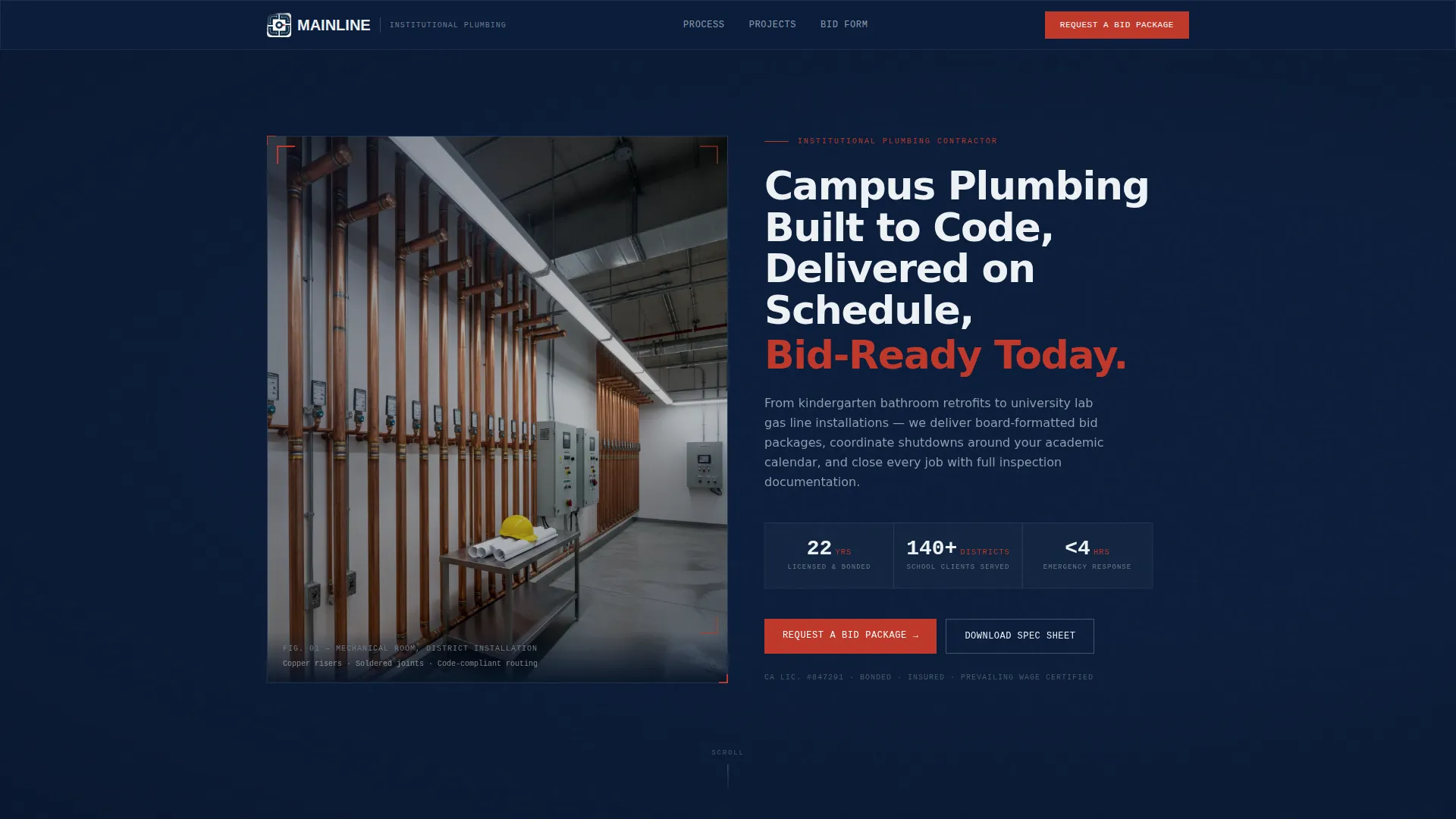
- A half-page hero with a mechanical room photograph and three stat badge callouts
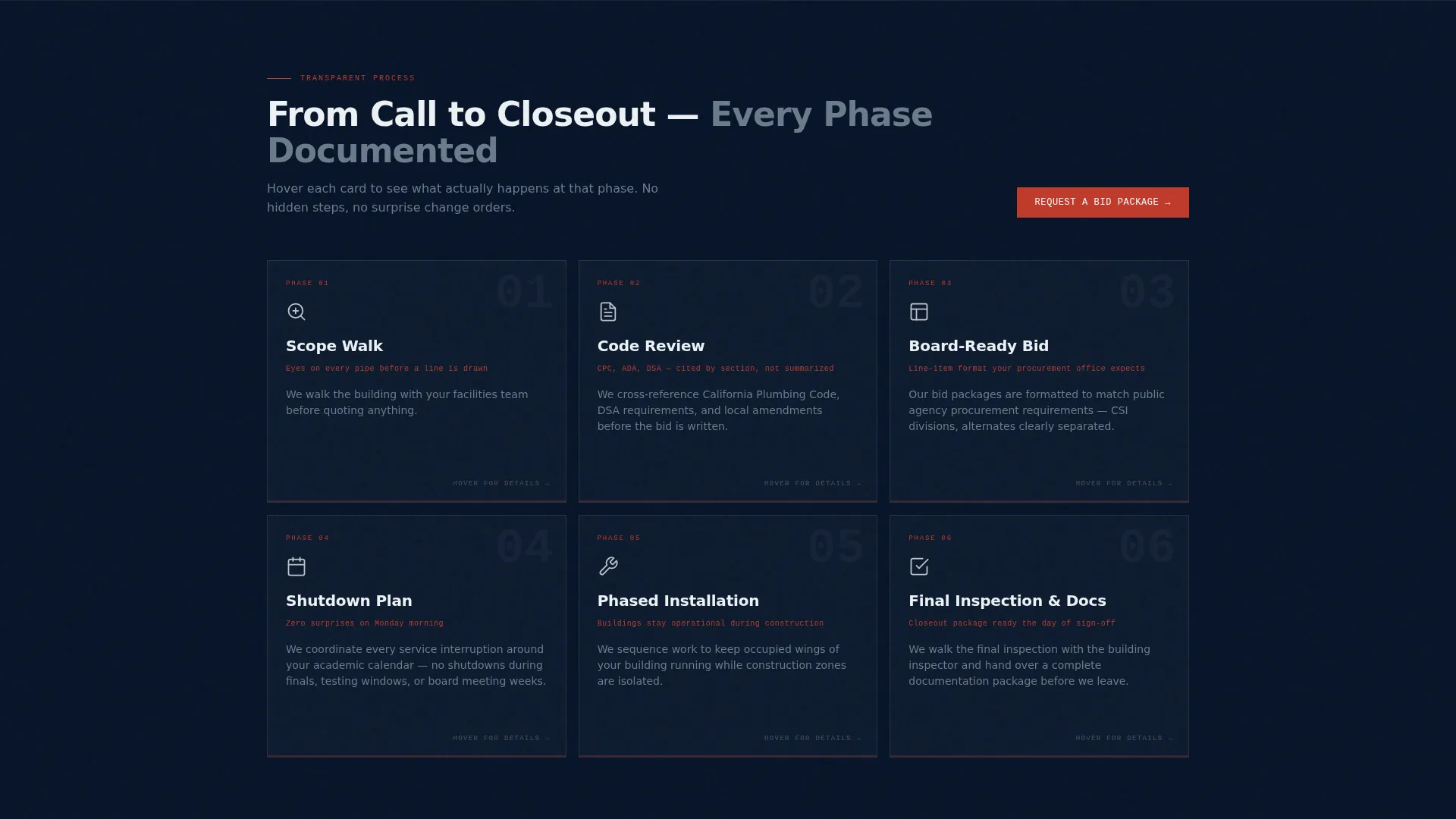
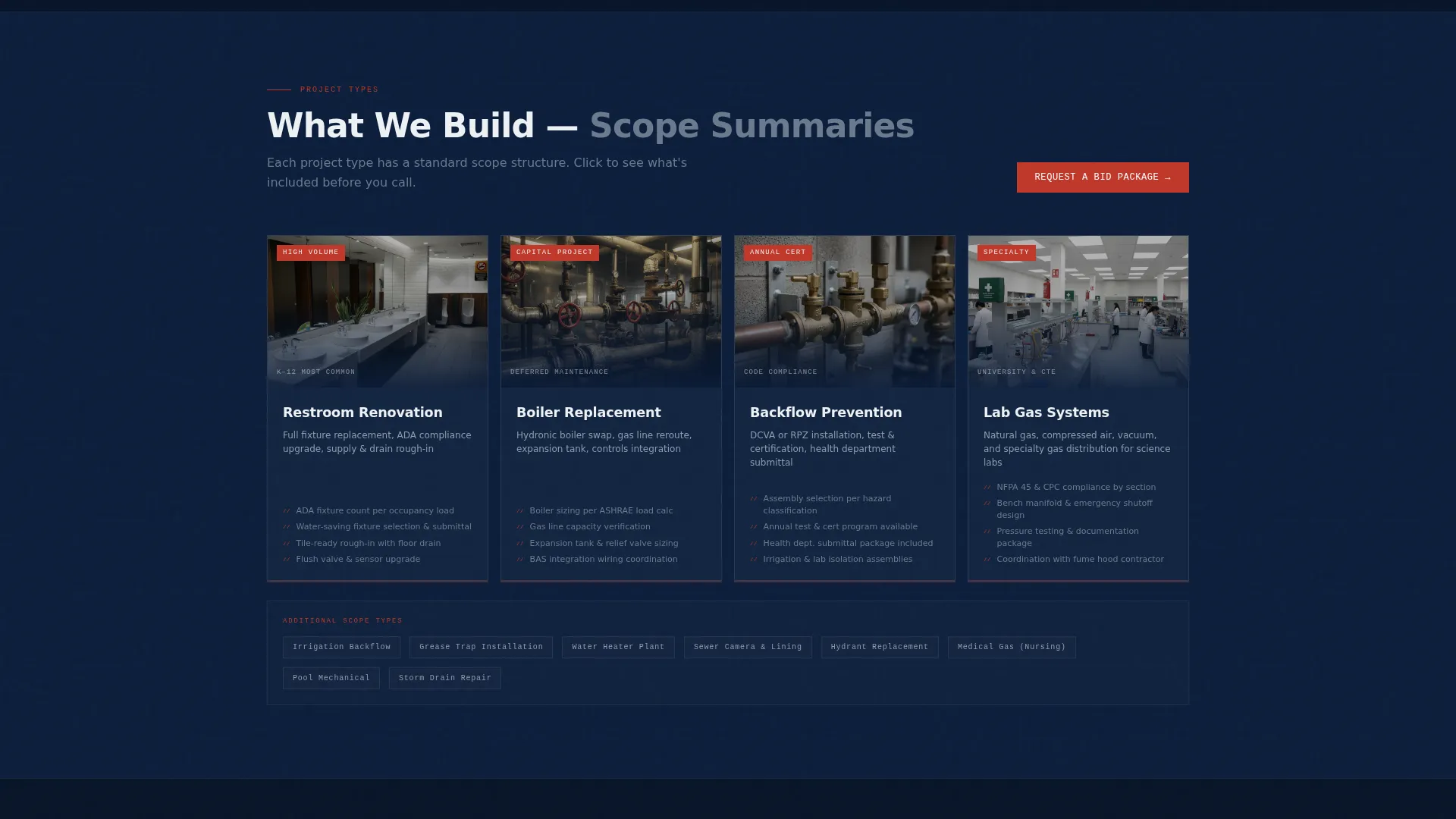
- Two modular card grids covering project phases and project types
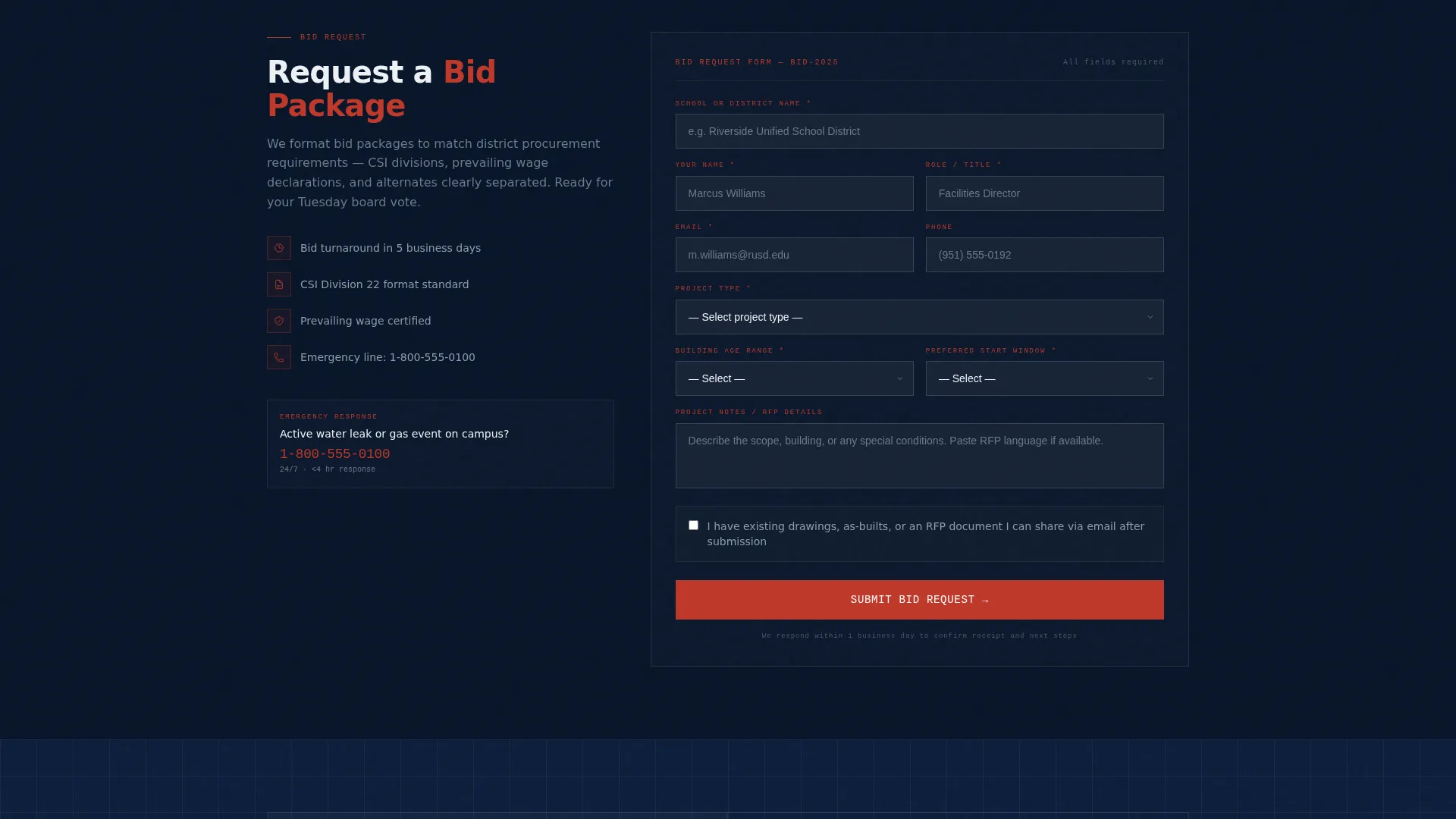
- A primary bid request form and a secondary downloadable spec sheet capture path
Feature list
This template packs every element a campus plumbing contractor needs into a clean, organized layout. Each feature is drawn directly from the project brief and serves a specific buyer need.
Half-Page Hero with Stat Badges
The header splits into a wide-angle mechanical room photograph on the left and a headline with three stat badges on the right. The badges display years licensed, school districts served, and emergency response time. This combination anchors credibility before the visitor scrolls.
Transparent Process Card Grid
The first modular card grid maps six project phases across two rows: Scope Walk, Code Review, and Board-Ready Bid in the first row, then Scheduled Shutdown Plan, Phased Installation, and Final Inspection and Documentation in the second. Each card flips on hover to reveal a real operational detail. The grid makes a complex process feel organized and predictable.
Project Type Card Grid
A second card grid displays four service categories: Restroom Renovation, Boiler Replacement, Backflow Prevention, and Lab Gas Systems. Each card carries a thumbnail image and a brief scope summary. Institutional buyers can immediately identify the service type relevant to their project.
Bid Request Form
The primary conversion form asks for school or district name first, then a project type dropdown, building age range, preferred start window, and an optional file upload for existing drawings or request for proposal documents. The field order reflects how a procurement officer thinks, not how a sales funnel is built.
Spec Sheet Download Path
A secondary conversion path offers a downloadable PDF titled "Download Our School District Plumbing Spec Sheet." It captures the visitor's email address and role title. This path serves buyers who are still in the research phase and not yet ready to submit a bid request.
Pinned and Repeated call to action
The primary call to action, "Request a Bid Package," appears in safety valve red in the top navigation bar and repeats after each grid section. The repeated placement means a buyer can convert at any scroll depth without hunting for the next step.
Page sections overview
| Section | Purpose |
|---|---|
| Hero Split Header | Establish credibility with photo, headline, and stat badges |
| Process Phase Grid | Show each project phase from scope walk to closeout |
| Project Type Grid | Match visitors to relevant service categories |
| Bid Request Form | Capture qualified leads with procurement-aligned fields |
| Spec Sheet Download | Offer a lower-commitment path for early-stage buyers |
| Repeated call to action Bar | Keep conversion action visible at every scroll depth |
Design & branding system
The visual identity follows an Engineering Blueprint theme. Every color and layout choice reinforces the authority and precision that institutional buyers expect from a contractor bidding on district work.
- Deep institutional navy (#0B1D3A) as the primary background, technical white (#EDF1F5) for card surfaces and readable text areas, and steel pipe gray (#6B7B8D) for body text and secondary elements
- Safety valve red (#C0392B) reserved for calls to action and urgent callouts, giving them immediate visual priority against the navy background
- Typography and card layout feel like a laminated spec sheet: clean grid lines, no decorative clutter, and a tone that matches district letterheads and inspection stamps
Mobile & speed optimization
The modular card grid layout is structured to reflow naturally at smaller screen sizes. Institutional buyers often review contractor pages on a phone between site visits or before a board meeting.
- Card grids stack vertically on mobile so each phase and project type remains fully readable without horizontal scrolling
- The bid request form fields are sized for touch input, reducing friction for buyers filling out a request from a tablet or phone
- The pinned call-to-action in the navigation stays visible on scroll across screen sizes, keeping the conversion path accessible at all times
How this template helps you convert
The entire page is sequenced to earn trust before asking for anything. By the time a visitor reaches the bid form, they have already seen the process, the project types, and the operational details that match their own approval workflow.
- The transparent process grid removes the guesswork that causes institutional buyers to stall. Seeing exactly how a project moves from scope walk to final documentation builds confidence faster than any testimonial.
- The dual conversion paths serve two distinct buyer stages. A procurement officer ready to compare bids submits the bid request form, while a facilities director still building a shortlist downloads the spec sheet and stays in the pipeline.
Other information about this template
This template is a strong fit for contractors who want to position themselves as institutional specialists rather than general residential plumbers. It is built around the specific procurement language and calendar pressures of the K-12 and higher education sectors.
- The card flip interaction on the process grid is a built-in engagement mechanic that rewards curious visitors with real operational detail
- The optional drawing upload field in the bid form signals to procurement officers that this contractor is prepared to work with existing documentation
- This template can support branding customization by swapping the Navy Authority color tokens for a contractor's own institutional color palette while keeping the layout logic intact
Theme
Engineering Blueprint
Creative direction
Transparent Process
Color system
Navy Authority
Style
Card Grid (Modular)
Direction
Direct Sales
Page Sections
Half-page Hero with Stat Badges
Transparent Process Card Grid
Project Type Card Grid
Procurement-aligned Bid Request Form
Spec Sheet Download Capture
Pinned and Repeated Call to Action Placement
Related questions
Who is this landing page template designed for?
Can I customize the project types shown in the card grid?
What does the bid request form collect?
What is the secondary conversion path?
Does this template work for contractors serving both K-12 and higher education clients?



