Pipeline Company Landing Page Template
Mainline is a split-screen landing page template built for pipeline contractors and civil infrastructure firms. It pairs bold civic-narrative copy with project photography across a Navy Authority color system. The layout guides municipal engineers, utility directors, and general contractors from company purpose to a project inquiry form, using dual conversion paths to match every stage of the procurement process.
by Rocket studio
Quick summary
Mainline is a single-page, split-screen landing page template designed for pipeline companies pursuing public-sector and civil works partnerships. It opens with a trust-building logo bar, then alternates between vision statements and capability evidence across paired 50/50 sections. Two conversion paths capture both ready-to-call leads and internal-review researchers.
Who this template is for
This template is built for pipeline contractors and infrastructure service firms that sell to institutional buyers. It speaks directly to the procurement and planning cycle used in public-sector civil works.
- Municipal engineers evaluating contractors for capital improvement plans
- Utility directors managing aging pipeline networks on constrained budgets
- General contractors looking for a qualified pipeline partner before permits clear
What problem this template solves
Pipeline companies rarely look like infrastructure institutions online. Most contractor sites either read as generic service pages or bury their certifications and project history where decision-makers cannot find them. This template fixes that gap.
- Decision-makers need quick proof of certifications, fleet capacity, and past project scale before they engage
- Engineers circulating specs internally need a downloadable brief, not just a contact form
- The buying cycle spans bid phase through emergency repair, and a single call-to-action misses most of it
What you get with this template
You get a fully structured, single-page layout that guides a procurement-minded visitor from first impression to project inquiry. Every section serves a clear role in the B2B decision journey.
- A Logo Bar header displaying municipal seals, utility district emblems, and certification marks
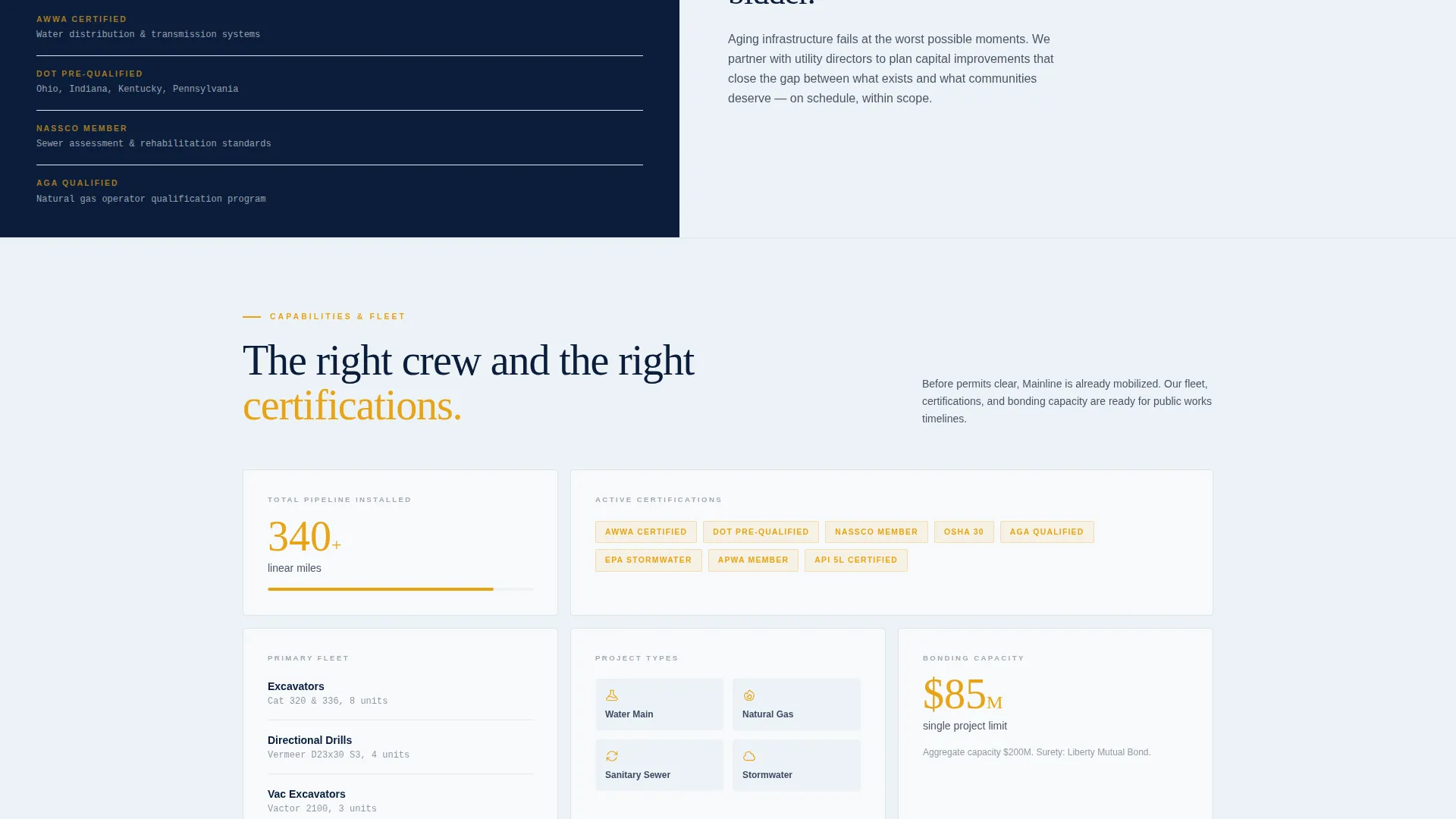
- Alternating split-screen sections pairing vision statements with capabilities, fleet specs, and project photography
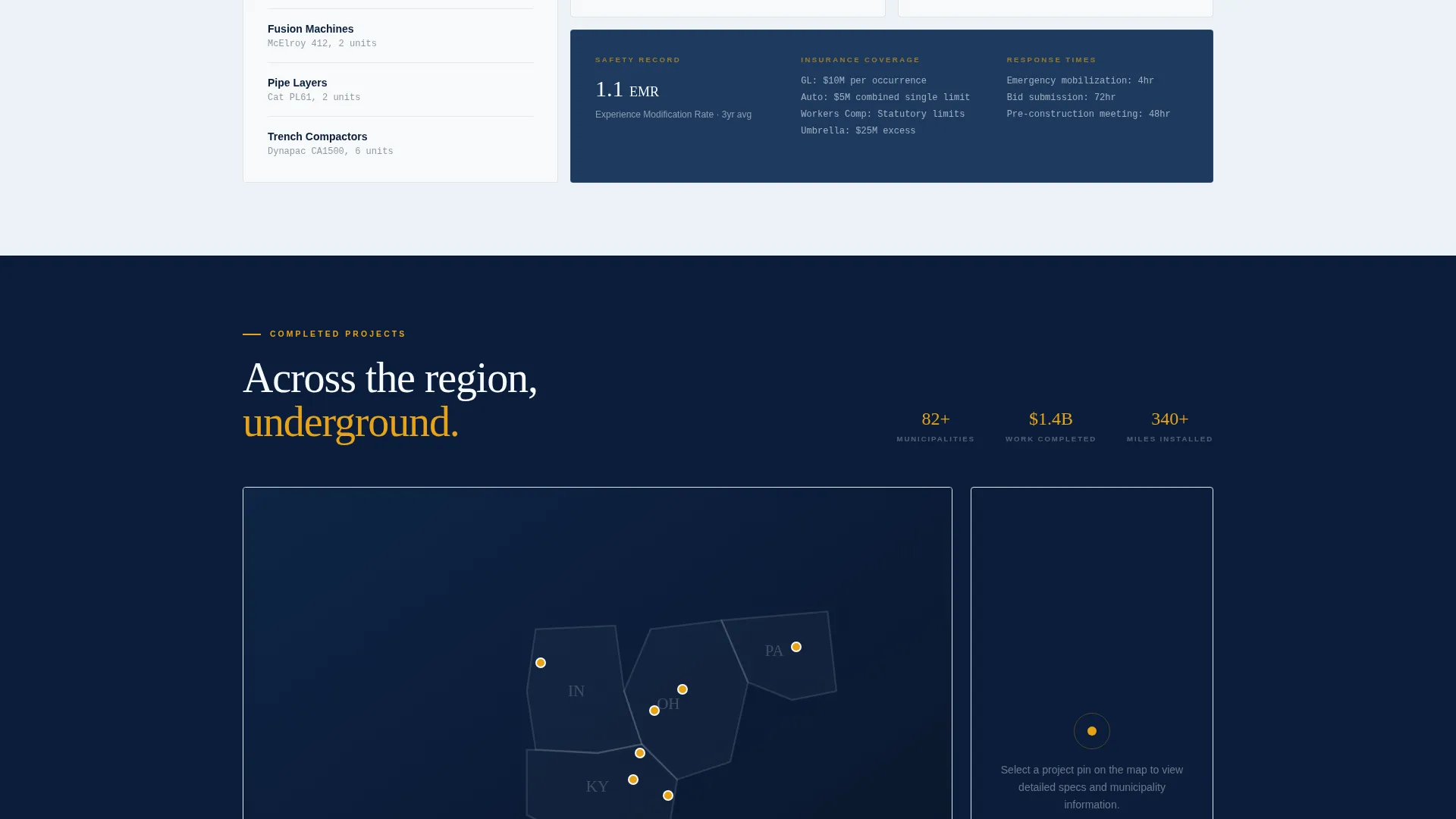
- A regional project timeline map with expandable pins showing pipe diameter, material, linear footage, and municipality served
- A dual conversion system: a project inquiry form and a gated capabilities deck download
Feature list
A brief overview of what drives each major section of this template.
Split-Screen Section Layout
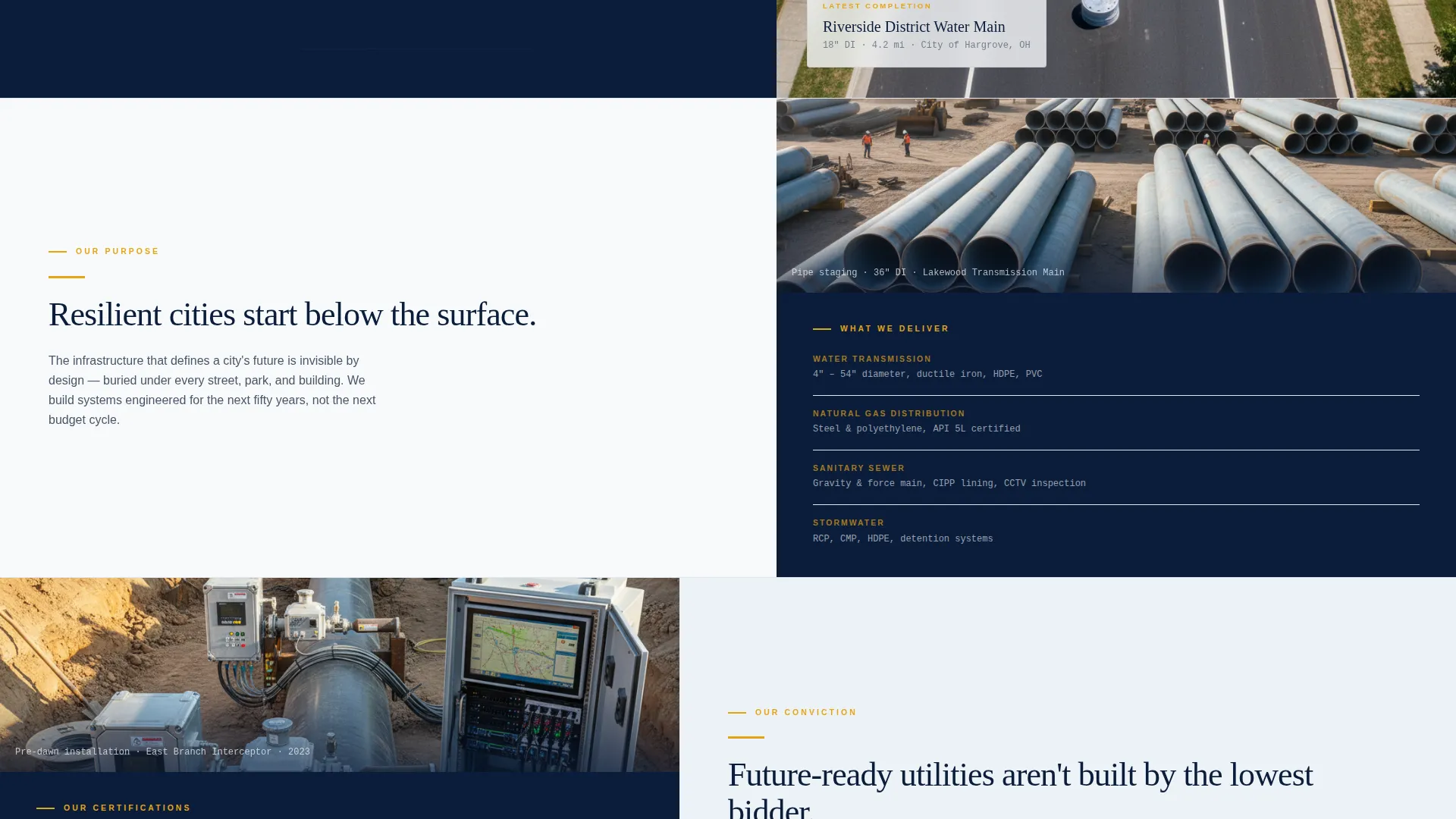
Every content section divides the viewport into two equal halves. The left side carries bold, aspirational copy. The right side answers with specific evidence: certifications, fleet details, or project photography. This rhythm builds trust without requiring long prose.
Logo Bar Trust Header
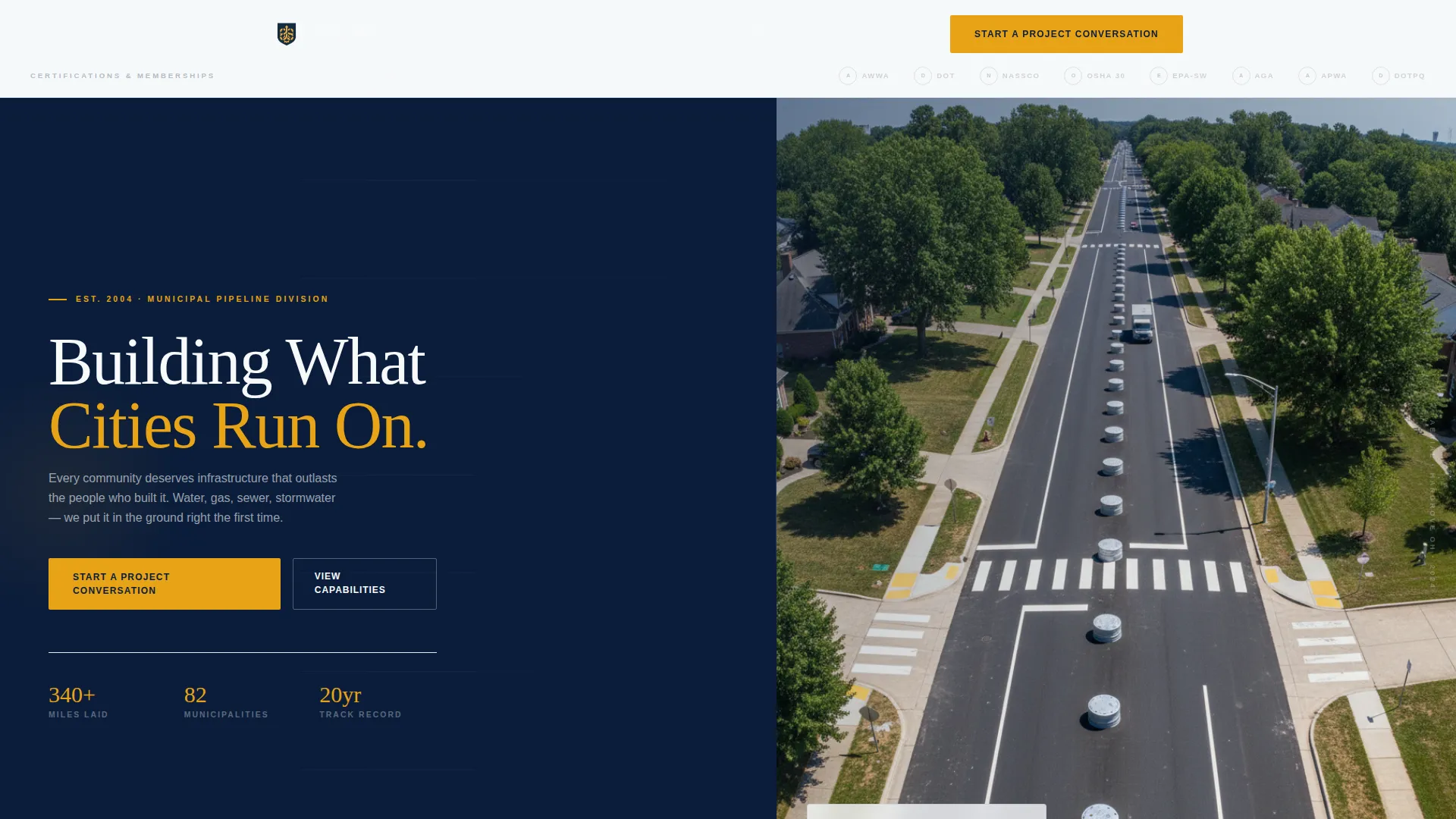
The page opens with a horizontal band of municipal seals, utility district emblems, and Department of Transportation certification marks. Each mark is slightly desaturated so the row reads as earned institutional credibility rather than decoration.
Regional Project Timeline Map
A midpage map section displays completed projects as expandable pins across a regional geography. Each pin reveals pipe diameter, pipe material, total miles or linear footage laid, and the municipality served.
Project Inquiry Contact Form
The primary conversion form collects agency or company name, project type (water, gas, sewer, or stormwater), estimated linear footage via dropdown, and a timeline selector covering bid phase, pre-construction, and emergency or repair situations.
Gated Capabilities Deck Download
A secondary conversion path offers a downloadable municipal capabilities brief. It is gated behind only an email address and role title, making it accessible for engineers who need to circulate internal documentation before scheduling a call.
Civic Vision and Mission Narrative
The scroll opens with a founding-purpose statement and then structures each subsequent section as a paired conversation between why and how. This alternating rhythm positions the company as an infrastructure institution rather than a transactional subcontractor.
Page sections overview
| Section | Purpose |
|---|---|
| Logo Bar Header | Display certification marks and municipal seals to establish institutional credibility |
| Hero Split Screen | Introduce company mark, descriptor line, and aerial pipeline corridor photography |
| Opening Purpose Statement | Anchor the scroll with the company's founding civic commitment |
| Vision Left / Mission Right | Pair aspirational city-resilience statements with specific capabilities and fleet specs |
| Project Photography Panels | Reinforce mission sections with real project images across alternating split layouts |
| Regional Timeline Map | Show completed projects by geography with expandable detail pins |
| First Project call to action | Capture inquiries from visitors ready to start a project conversation |
| Capabilities Deck Download | Offer a low-friction download path for engineers researching internally |
| Second Project call to action | Re-engage visitors who scrolled through the full narrative before converting |
Design & branding system
The visual identity follows a Civic Service theme using a Navy Authority color system. The palette is built to feel authoritative and public-facing without drifting toward political or military associations.
- Deep institutional navy (#0B1D3A) anchors backgrounds and section dividers; infrastructure gray (#4A5568) carries body text and secondary labels
- Reflective safety white (#F7FAFC) provides contrast for copy panels and form fields
- High-visibility amber (#E8A317) is reserved strictly for call-to-action buttons, callout badges, and interactive hover states
Mobile & speed optimization
The split-screen layout is structured to reflow cleanly on smaller viewports. Paired halves stack vertically on mobile so copy and imagery remain readable without horizontal scrolling.
- Full-width stacked sections replace side-by-side panels on narrow screens
- The project map and expandable pins are sized for touch interaction
- Form fields and dropdown selectors maintain usable tap targets across device sizes
How this template helps you convert
This template is designed around the actual decision timeline of public-sector infrastructure procurement. It does not treat all visitors the same.
- The project inquiry form captures buyers who are already in bid phase or pre-construction, collecting project type, linear footage range, and timeline in a single structured submission.
- The capabilities deck download captures engineers who are still building internal consensus, giving them a shareable document without requiring a phone commitment.
Other information about this template
This template is part of a growing library of industry-specific landing page designs built for contractors, civil works firms, and infrastructure service providers. It is suitable for companies operating across water main installation, gas distribution pipelines, sewer line construction, and stormwater infrastructure projects.
- The template style is Split Screen (50/50), making it well suited to companies with both a strong brand story and dense technical credentials to present side by side
- The Civic Service theme and Navy Authority color system are purpose-built for the municipal and utility procurement audience, where visual trust signals carry real weight
- The dual-call to action structure reflects the reality that pipeline procurement decisions rarely happen in a single visit; the template accommodates both fast-moving project leads and longer internal review cycles
- This template can support customization of the logo bar, project map pins, form dropdown options, and color values to match a specific company's certifications and service territory
Theme
Civic Service
Creative direction
Vision & Mission
Color system
Navy Authority
Style
Split Screen (50/50)
Direction
Partnership/B2B
Page Sections
Split-screen Paired Layout
Logo Bar Trust Header
Regional Project Timeline Map
Dual Conversion Path System
Civic Vision and Mission Narrative
Amber Call to Action Accent System
Related questions
Who is this landing page template designed for?
What conversion paths does this template include?
Can I customize the project map pins and form dropdowns?
What makes this template different from a standard contractor page?
How does the Logo Bar section work?