Kids 3D Printing & Maker Professional Website Template
Maker is a masonry-style landing page template for kids' 3D printing and after-school maker programs. It pairs a hand-illustrated mascot hero with a Pinterest-grid proof wall, a rotating student gallery, and a streamlined registration form. The design blends botanical colors with slab-serif type to feel creative, trustworthy, and genuinely fun for the parents deciding to enroll.
by Rocket studio
Quick summary
Maker is a single-page landing page template built for kids' 3D printing and after-school maker programs. It leads with illustrated charm, proves its value with real student work, and drives sign-ups through a clean registration card. The botanical color system and masonry layout make it feel alive without feeling cluttered.
Who this template is for
This template is designed for program organizers and educators who run hands-on maker workshops for children. It speaks directly to the parents doing the searching and the kids doing the dreaming.
- Operators of kids' 3D printing after-school programs who need a polished, enrollment-ready page fast
- Enrichment studios, maker spaces, and community educators running drop-in or recurring sessions for ages 6 to 10
- Program founders who want student work to do the convincing before any pitch or pricing appears
What problem this template solves
Parents evaluating enrichment programs are skeptical. They've seen polished program pages that promise big and deliver little. This template flips that dynamic by leading with proof, not promises.
- Most enrichment landing pages front-load credentials and curriculum, losing parents before trust is built
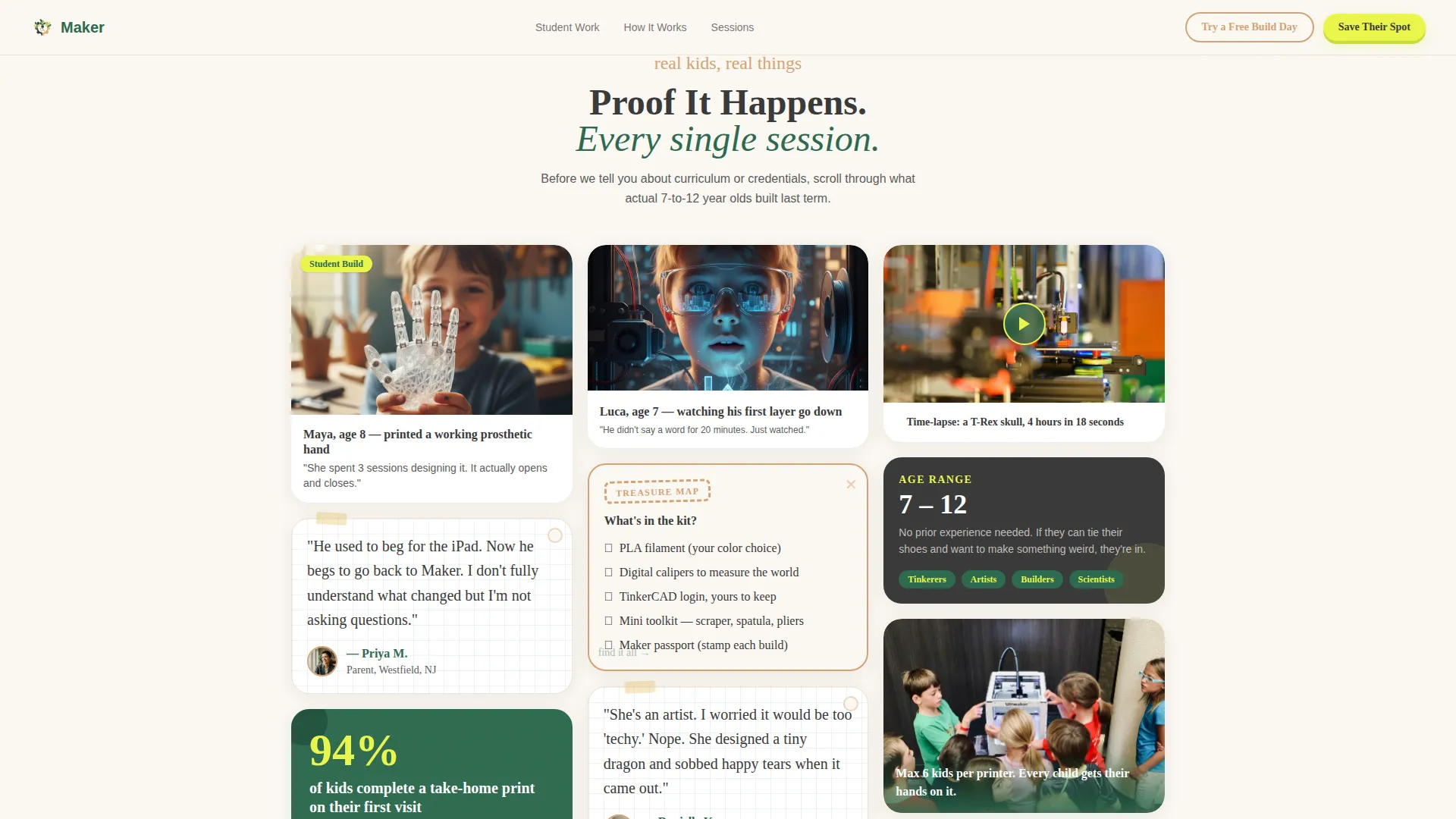
- The masonry proof wall puts student-made objects first, so families see real results before reading a single selling point
- The dual call-to-action structure removes the all-or-nothing pressure by pairing a firm "Save Their Spot" with a low-risk "Try a Free Build Day"
What you get with this template
You get a fully structured, single-page layout designed to take a visitor from curious scroll to completed registration. Every section has a clear job to do, and nothing is filler.
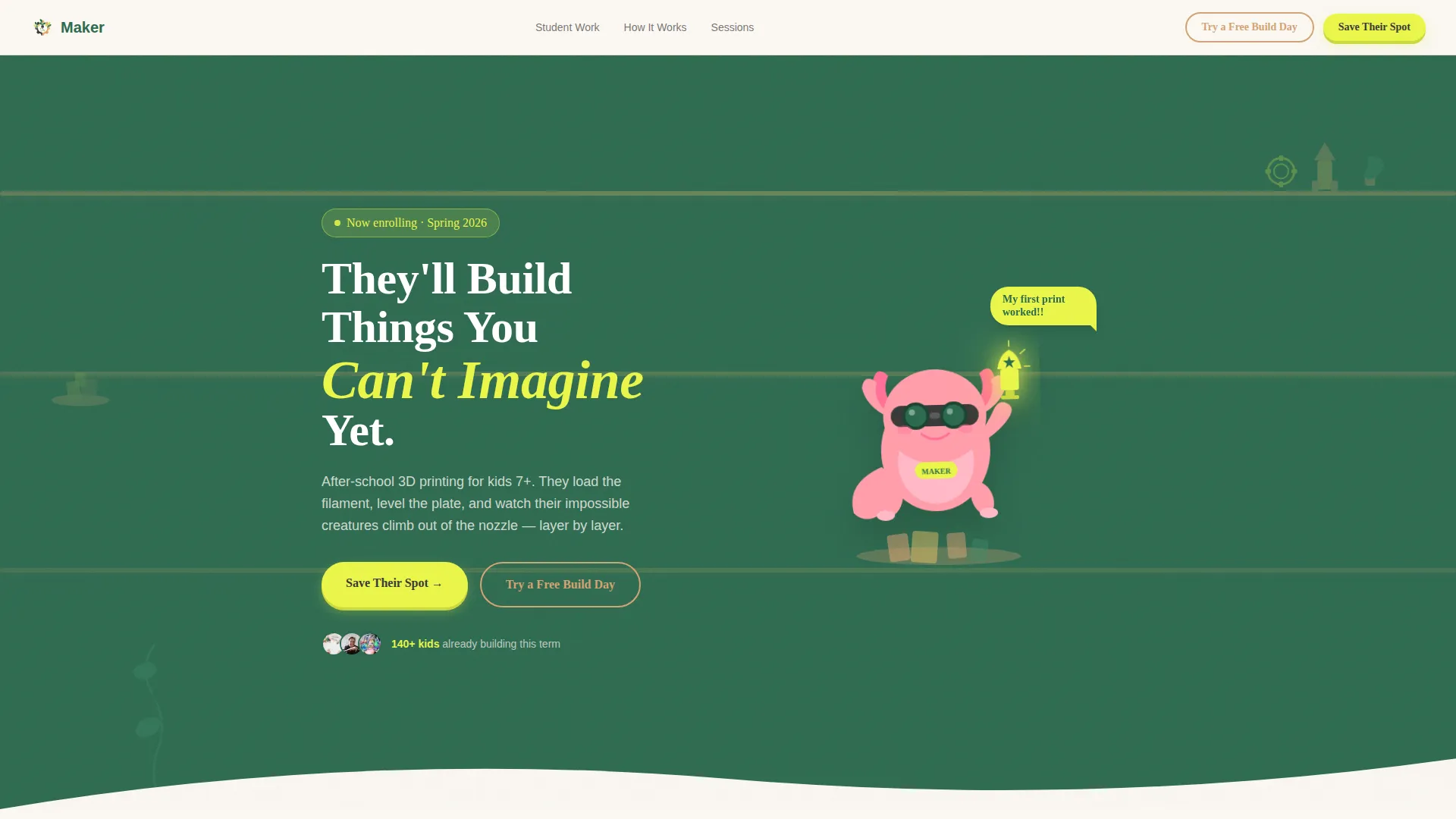
- An illustrated mascot hero section with a chunky slab-serif headline and a floating call-to-action button
- A masonry proof wall with mixed-format cards: student work photos, handwritten parent quotes, and a time-lapse card
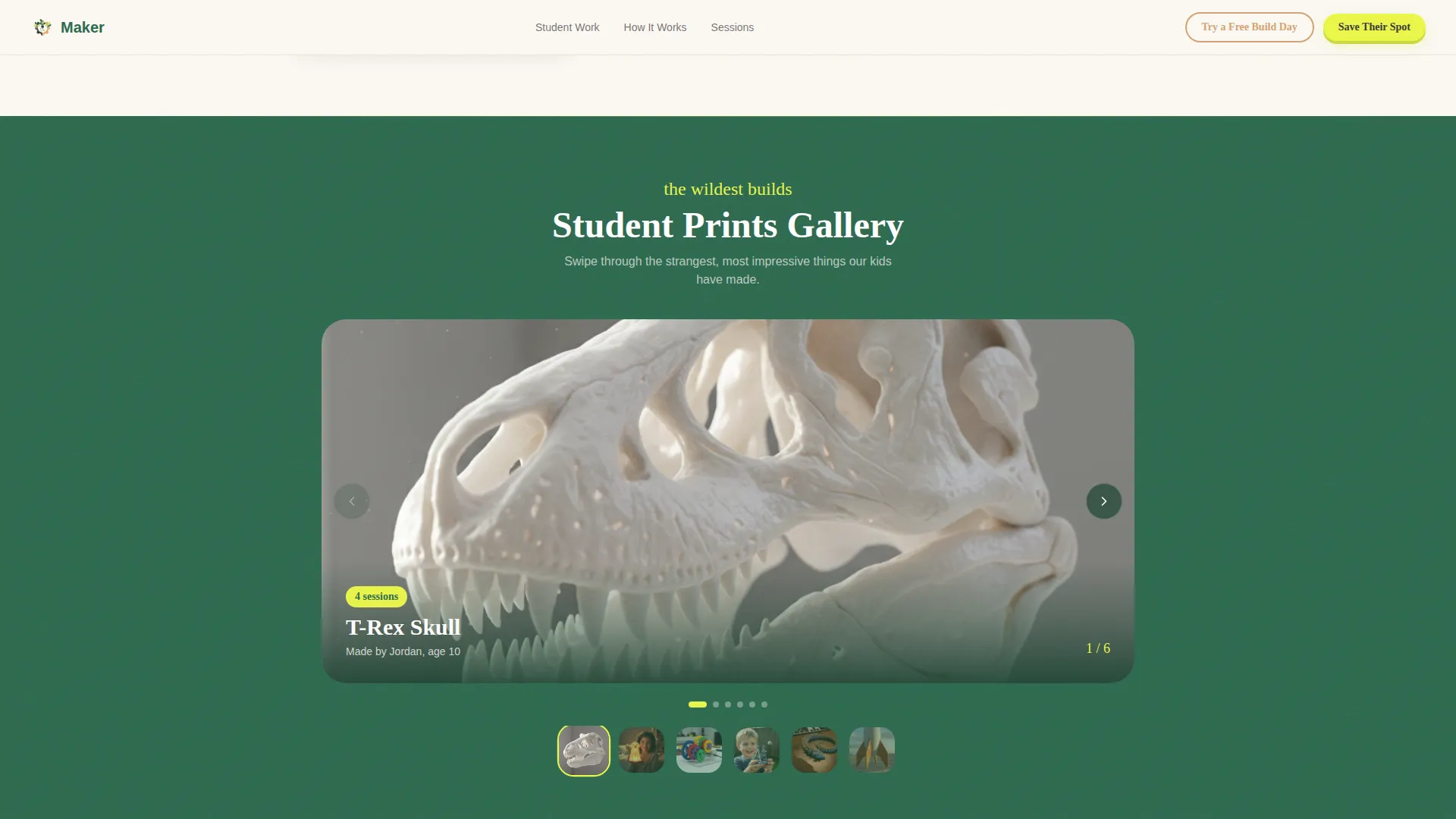
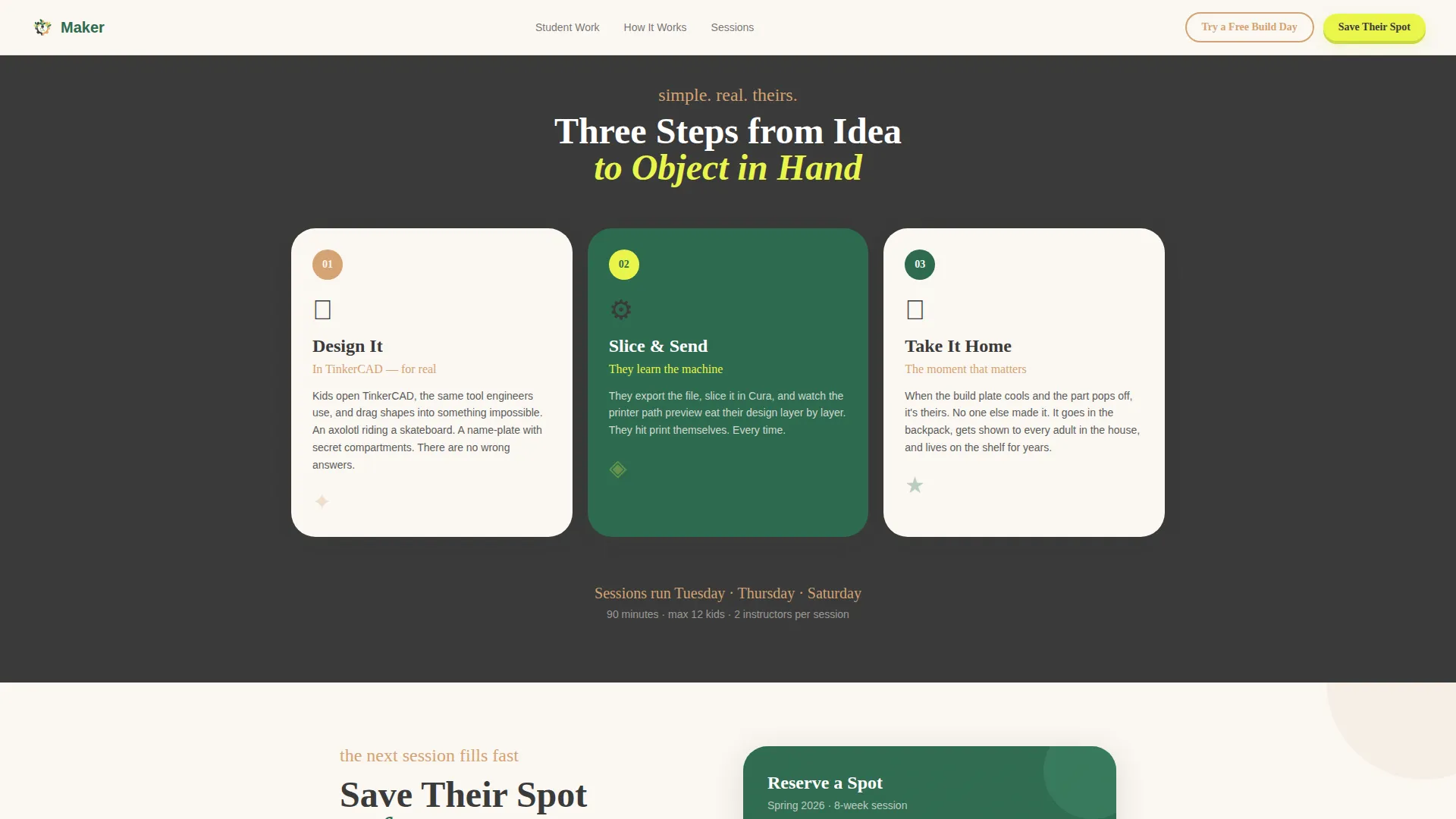
- A full-width rotating student print gallery, a three-step illustrated How It Works card trio, and a dual-call to action registration card with a simple form
Feature list
This template ships with the following built-in capabilities, all grounded in the design brief.
Illustrated Mascot Hero Section
The header features a full-width illustrated scene with Nozzle, a goggle-wearing axolotl mascot standing on a pile of colorful failed prints. The textured, screen-printed illustration style gives the page personality from the first scroll. The slab-serif headline sits beside the character at high visual weight.
Masonry Proof Wall with Mixed Card Formats
The Pinterest-style masonry grid presents student work in varied card shapes. Each card type is different: a photo, a time-lapse GIF slot, a handwritten parent quote on graph paper, and a treasure-map supply list. Cards stagger in as the visitor scrolls, creating a curiosity-first rhythm.
Full-Width Rotating Gallery
A carousel section breaks the masonry grid mid-page to spotlight the most impressive student prints. It gives parents a concentrated moment of proof and gives the page a natural midpoint of delight before the registration section.
Three-Step How It Works Cards
Three illustrated cards explain the workshop flow without using a timeline format. The visual card trio keeps the explanation light, fast to read, and easy to understand on a phone screen.
Dual Call-to-Action Registration Card
The registration section holds a simple form asking for child's first name, age, and preferred session day. The primary button reads "Save Their Spot" in sprout yellow. A secondary option labeled "Try a Free Build Day" offers a no-commitment drop-in path for hesitant parents.
Floating Mobile Call-to-Action Button
On mobile, the "Save Their Spot" button stays pinned as a floating element throughout the scroll. Parents who decide midway through the proof wall can tap immediately without scrolling back to find the form.
Page sections overview
| Section | Purpose |
|---|---|
| Hero Mascot Scene | Hooks visitors with illustrated character and headline |
| Masonry Proof Wall | Shows real student work before any program details |
| Rotating Print Gallery | Spotlights wildest student prints in a carousel band |
| How It Works | Explains the workshop in three illustrated cards |
| Registration Card | Captures enrollment intent with a simple dual-call to action form |
| Footer Split Layout | Provides logo, tagline, and navigation links |
Design & branding system
The visual system follows an Educational Guide theme built on a Botanical color palette. The overall feel is a greenhouse workbench: organized just enough, textured, and alive.
- Color palette: deep terrarium green (#2D6A4F) for backgrounds, sun-warmed clay (#D4A373) for card frames, chalkboard slate (#3A3A3A) for body text, and bright sprout yellow (#E9F54A) reserved for buttons, badges, and hover states
- Typography pairs a chunky slab-serif for headlines with DM Sans for body text, creating clear hierarchy between excitement and information
- Illustration style is textured and slightly wobbly, evoking a screen-printed craft feel rather than polished vector art
Mobile & speed optimization
This template was designed mobile-first, matching how parents actually browse enrichment options: on their phones, in stolen moments, while their kids are nearby demanding attention.
- The masonry layout reflows cleanly on smaller screens, keeping the staggered card rhythm intact
- CSS animations are GPU-accelerated, and images are set to lazy-load so the page stays responsive as cards tumble in
- The floating "Save Their Spot" button stays visible throughout the mobile scroll, removing any friction between decision and registration tap
How this template helps you convert
Every design choice in this template points toward one outcome: a parent completing the registration form. The page earns that click by showing, not telling.
- The proof wall leads with student-made objects before mentioning curriculum or pricing, so trust is established through evidence rather than claims
- The dual call-to-action gives hesitant parents a low-stakes entry point, reducing the drop-off that happens when enrollment feels like a big commitment
- The floating mobile button means the registration action is always one tap away, no matter how deep into the masonry scroll a parent travels
Other information about this template
This template was built specifically for the kids' 3D printing and maker after-school program niche. A few additional details worth noting before you get started.
- The footer uses an Arc Browser Split pattern with the program logo and tagline on the left and navigation links on the right
- Session day options in the registration form are pre-set to Tuesday, Thursday, and Saturday, matching a typical weekly enrichment schedule
- The page uses alternating backgrounds of warm off-white (#FAF7F2) and deep terrarium green to create visual rhythm across sections
- Hover states throughout the page use sprout yellow (#E9F54A) as the interactive signal color, making tappable and clickable elements feel intentional
- The Surprise and Delight creative direction means no two masonry cards repeat their format, keeping the scroll unpredictable and engaging
Theme
Educational Guide
Creative direction
Surprise & Delight
Color system
Botanical
Style
Masonry/Pinterest
Direction
Event Registration
Page Sections
Illustrated Mascot Hero with Slab Headline
Masonry Proof Wall with Mixed Card Types
Full-width Rotating Student Gallery
Three-step Illustrated How It Works
Dual Call-to-action Registration Card
Floating Mobile Registration Button
Related questions
What kind of program is this landing page template designed for?
Can I swap out the mascot character and hero illustration?
Does the registration form connect to a booking or payment system?
Is the masonry card grid easy to update with new student work?
Can I change the session days listed in the registration form?



