Embassy & Consulate Professional Website Template
Mandate is a split-screen foreign aid landing page built for logistics-driven nonprofit missions. It presents operational transparency as the donation pitch, showing donors exactly how each dollar moves from payment to field delivery. The Institutional Authority design, amber-accented calls to action, and scroll-linked document panels make accountability the core message, not just a footnote.
by Rocket studio
Quick summary
Mandate is a single-page fundraising template designed for foreign aid logistics operations. It combines a command-center visual identity with a transparent scroll experience, letting donors trace every contribution from procurement through field receipt. The layout pairs operational narrative with real documentation, building trust through process rather than photography or promises.
Who this template is for
This template is built for organizations that move critical goods across borders and need donors to believe in the system, not just the cause. It works best when accountability is as important as urgency.
- Foreign aid and humanitarian logistics nonprofits that handle physical supply chains
- Mission-driven organizations seeking recurring donors who want shipment-level proof
- Church groups, civic organizations, and institutional giving programs pooling contributions
What problem this template solves
Most donation pages ask for trust before earning it. They lead with emotion and bury the operational detail that serious donors actually want. Mandate inverts that structure entirely.
- Donors with professional backgrounds often need documented proof before committing funds
- Standard fundraising layouts offer no mechanism to show how money physically moves
- Recurring giving drops when donors feel disconnected from outcomes after the first gift
What you get with this template
You get a fully structured, single-page fundraising layout built around operational transparency. Every section is designed to carry a specific part of the donor trust journey.
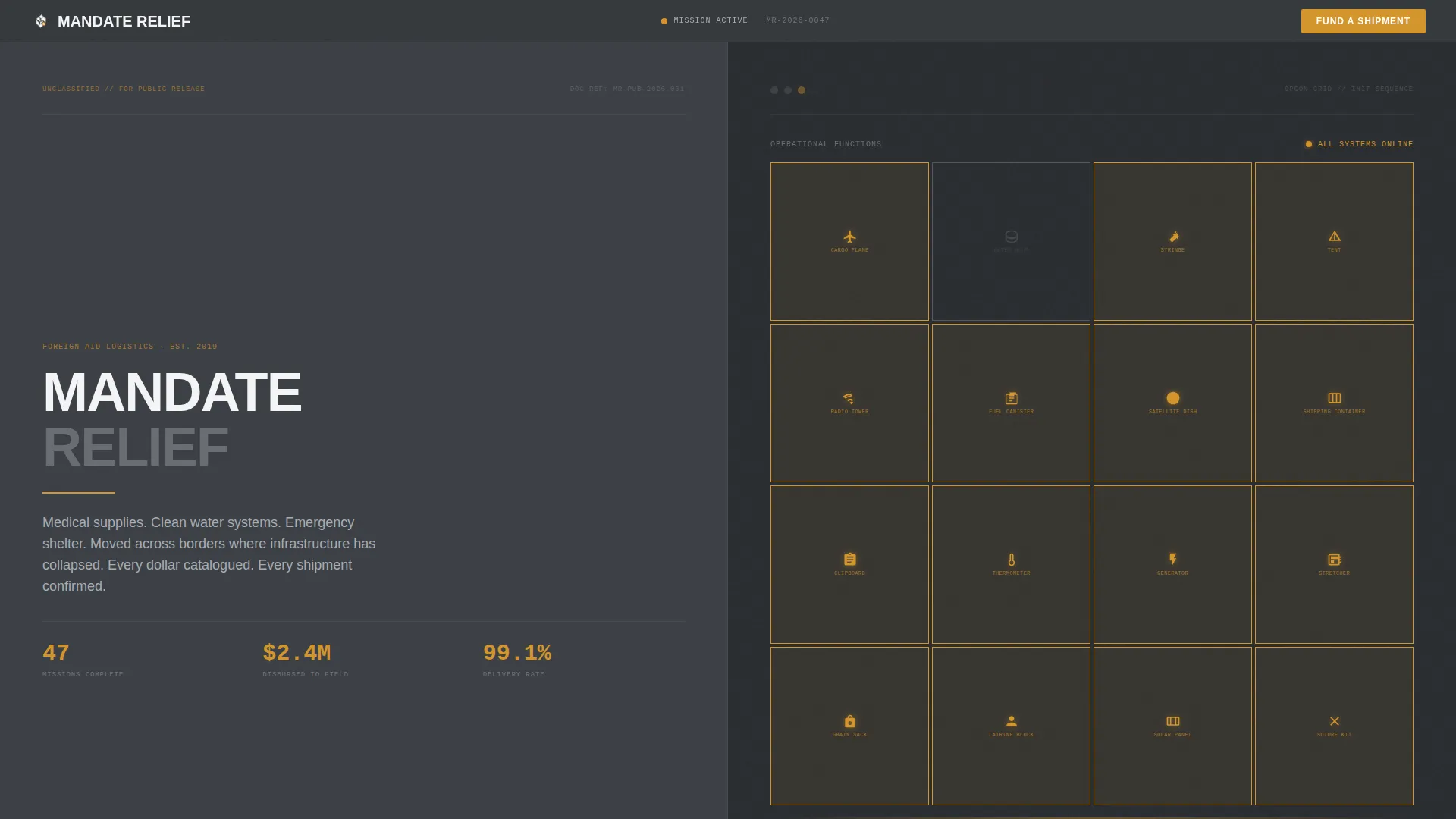
- A split-screen hero with an animated icon grid that loads like a command center coming online
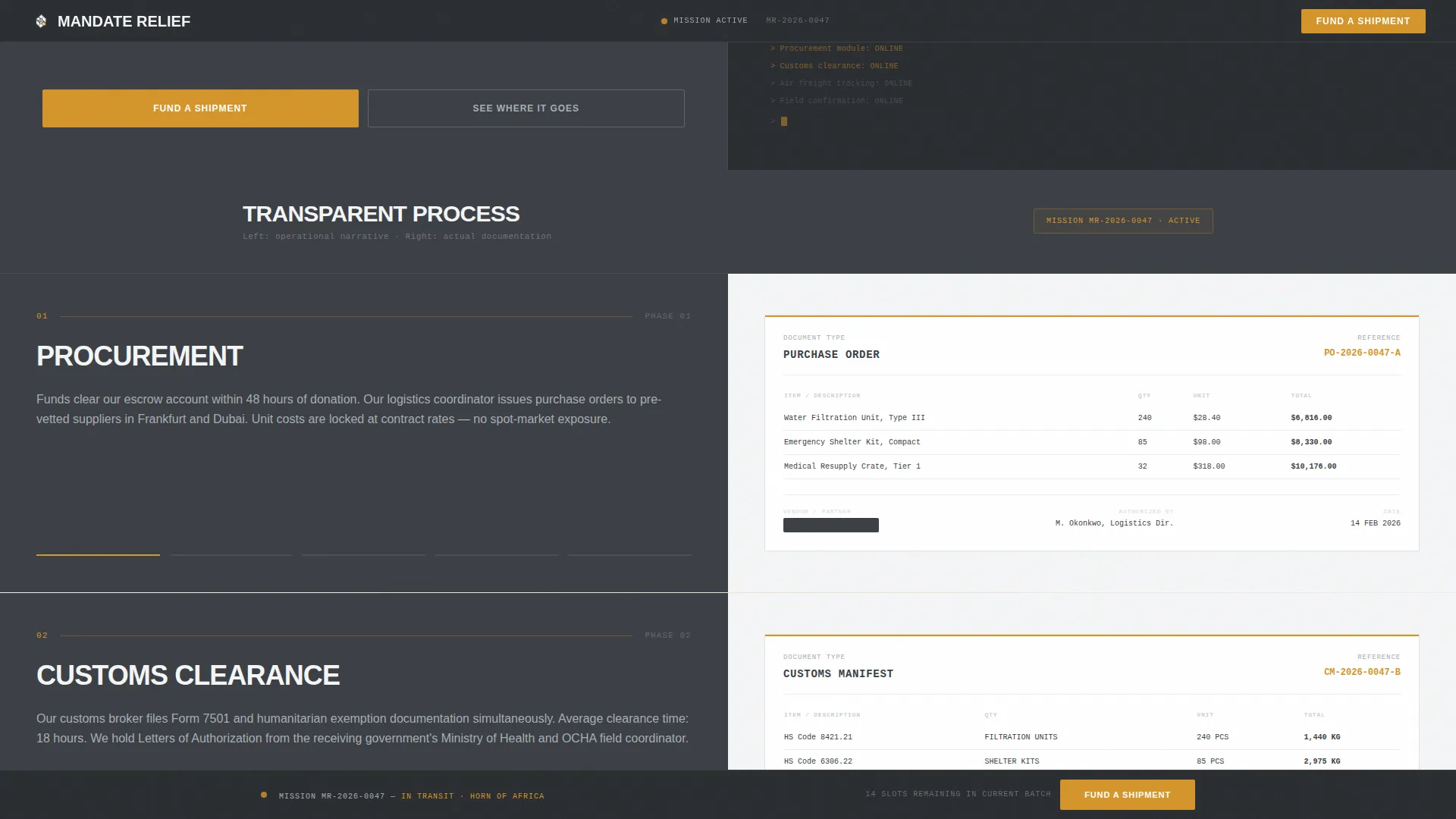
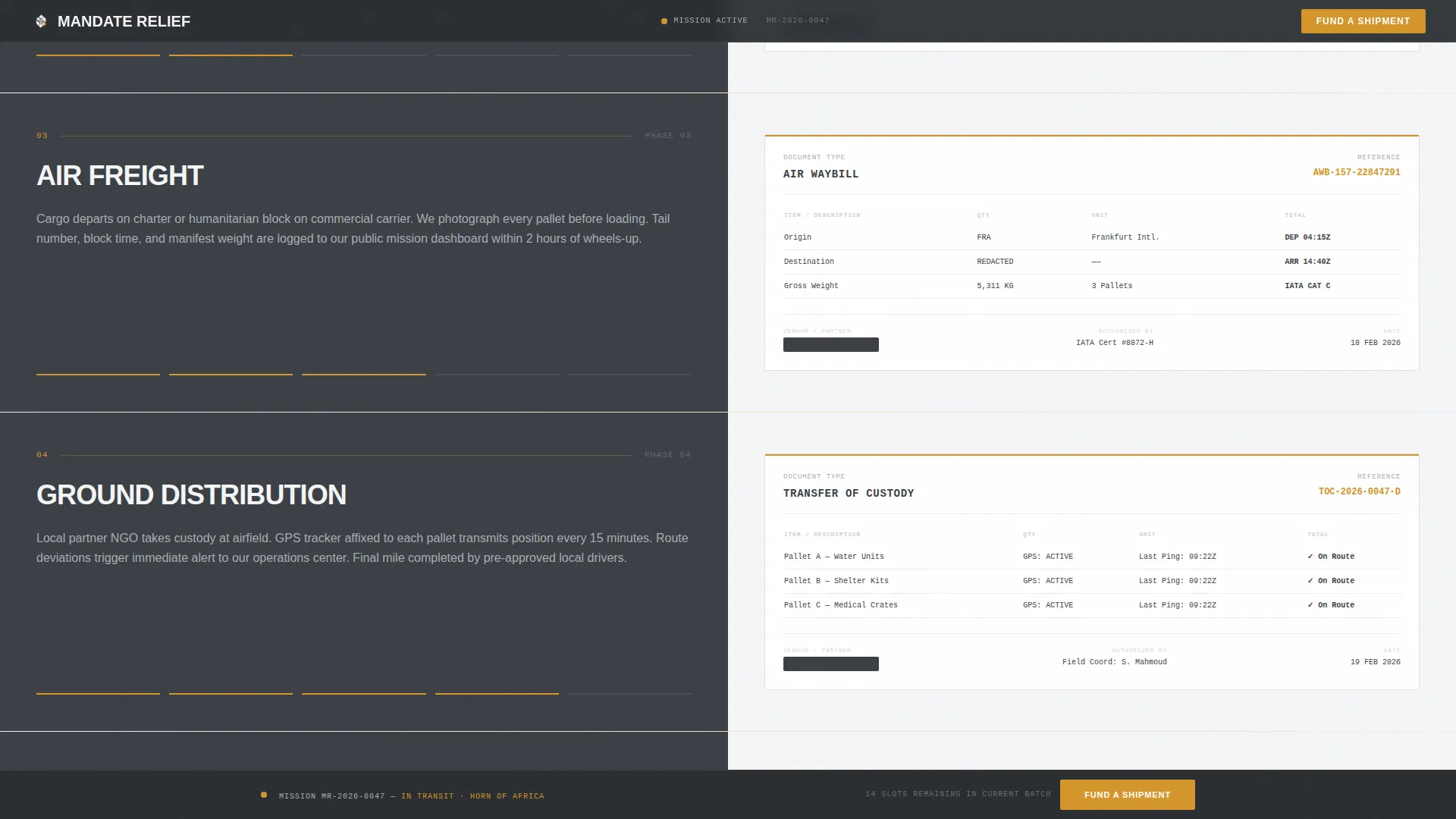
- A scroll-linked dual-panel section pairing narrative steps with corresponding documentation
- A three-tier donation form with fixed deliverable amounts plus a custom entry field
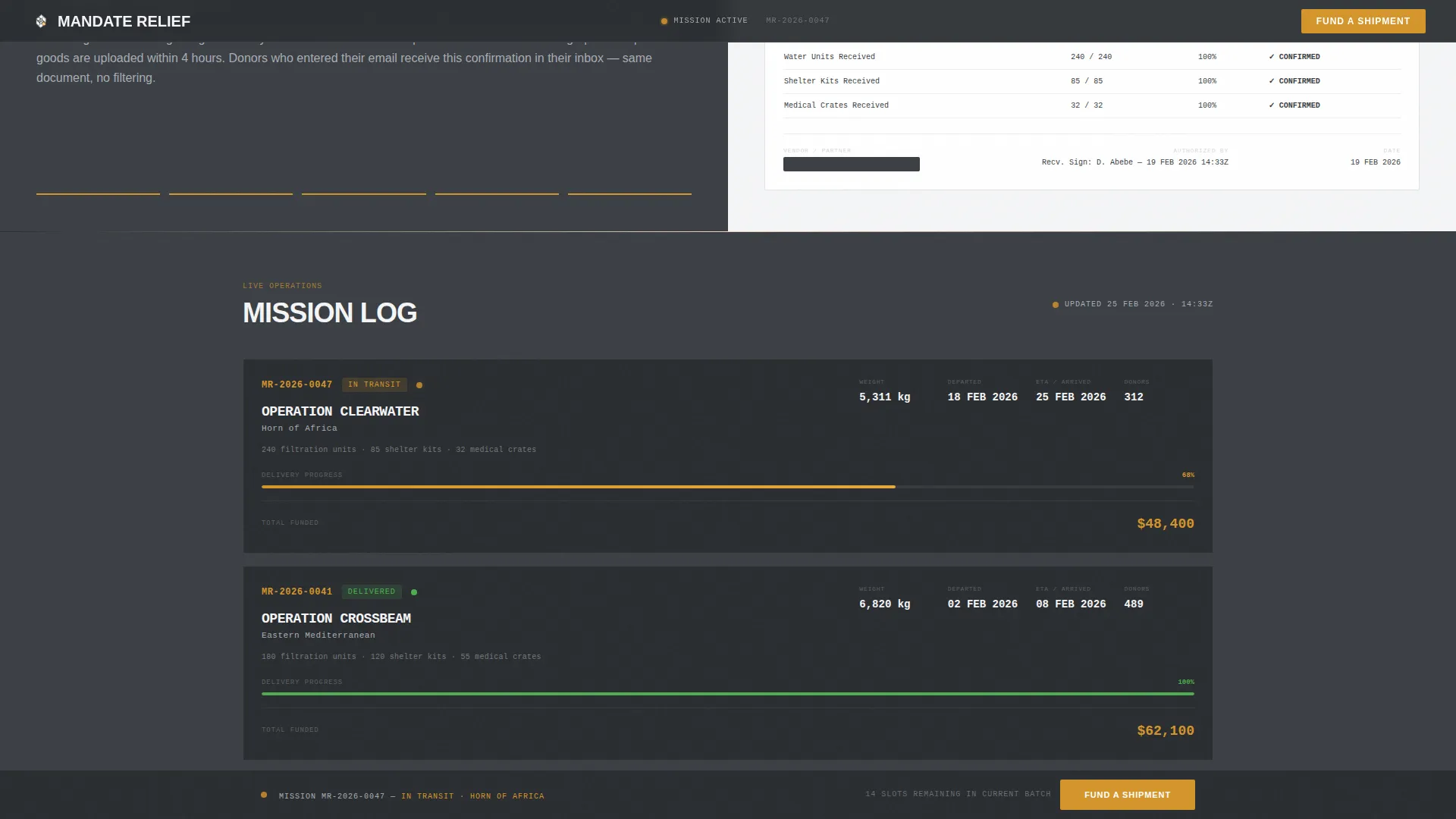
- A live mission status section with amber status indicators showing current shipment progress
- An email capture section letting donors subscribe to monthly cargo documentation updates
- A dark gunmetal footer in a clean single-row linear layout
Feature list
This template is built around six core capabilities that each serve a distinct part of the fundraising and accountability experience.
Animated Icon Grid Header
Sixteen monoline icons represent each operational function, from cargo plane to suture kit. Each icon sits inside a steel-bordered square on a gunmetal field. On page load, the squares illuminate one by one in amber, like systems coming online in a sequence.
Scroll-Linked Dual-Panel Layout
The left panel carries the operational narrative: procurement, customs clearance, air freight, ground distribution, and field receipt confirmation. The right panel mirrors each step with documentation, redacted invoices, cargo manifests, GPS waypoint screenshots, and signed delivery confirmations with timestamps.
Three-Tier Donation Form
Three preset giving amounts are each tied to a specific deliverable: $35 funds one water filtration unit, $120 covers one emergency shelter kit, and $400 covers one medical resupply crate. A custom field accepts any amount, and a sticky "Fund a Shipment" call-to-action bar pins to the bottom of the viewport after the first scroll.
Live Mission Status Tracker
A dedicated section displays the current shipment status using amber pulse indicators. It shows shipment numbers, GPS coordinates, cargo weights, and signed delivery confirmations, giving donors a live operational view rather than a static update.
Track a Mission Email Capture
A secondary conversion path lets visitors enter their email to receive the same cargo documentation shown on the page, delivered monthly. This converts one-time donors into recurring supporters by making accountability itself the ongoing product.
Institutional Authority Design System
The layout uses DM Sans for body text and JetBrains Mono for data fields and shipment codes. The color palette is tightly controlled: gunmetal gray, cold-rolled silver, and document white handle all structural elements, while operational amber is reserved exclusively for calls to action and live status indicators.
Page sections overview
| Section | Purpose |
|---|---|
| Icon Grid Hero | Establishes operational identity with animated command-center loading sequence |
| Transparent Process Panels | Shows the full donation-to-delivery chain using paired narrative and documents |
| Live Mission Status | Displays current shipment progress with amber indicators and tracking data |
| Donation Form | Converts visitors with three deliverable-linked amounts and a custom input |
| Track a Mission | Captures emails for monthly cargo documentation and recurring engagement |
| Footer | Closes the page with a clean single-row dark gunmetal layout |
Design & branding system
The visual language is Institutional Authority, a NATO briefing-room aesthetic where clarity replaces decoration. Every design choice reinforces the message that this operation is disciplined, documented, and accountable.
- Color system: gunmetal gray (#3B3F45), cold-rolled silver (#A8ADB3), document white (#F4F5F6), and operational amber (#D4952B) used only for calls to action and live indicators
- Typography: DM Sans handles all body and navigation text; JetBrains Mono is used exclusively for shipment codes, GPS data, and form fields to reinforce a documentary tone
- No hero photography or human imagery; the icon grid and documentation panels carry the full visual weight
Mobile & speed optimization
The template is designed desktop-first to honor the briefing-room aesthetic, with the split-screen layout and dual-panel documentation scroll working best on larger screens. A responsive stack ensures the experience remains functional and readable on mobile devices.
- On smaller screens, the 50/50 split panels restack vertically so the narrative and document panels read in sequence
- The icon grid, status indicators, and donation form are all built to adapt to narrower viewports without losing their structural clarity
- Static sections use server components while animations and form state are handled client-side to keep interactive elements responsive
How this template helps you convert
Mandate is built around a specific insight: donors who understand bureaucracies and supply chains need documented proof, not emotional appeals. The conversion architecture reflects that.
- The sticky "Fund a Shipment" call-to-action bar appears after the first scroll and remains visible throughout the page, keeping the primary action within reach at every stage of reading
- The three-tier donation form removes decision friction by anchoring each amount to a physical object, a water filtration unit, a shelter kit, or a medical crate, so donors know exactly what their contribution becomes
- The email capture section offers a secondary commitment path, turning accountability into a subscription and converting single gifts into recurring support
Other information about this template
Mandate sits in the Government and Public category under the Embassy and Consulate subcategory, specifically targeting the Foreign Aid Mission niche. It is well suited for organizations that operate in post-conflict or infrastructure-collapsed regions and need a public-facing page that reflects their internal operational standards.
- The template uses a Split Screen (50/50) layout style and follows the Transparent Process creative direction
- The Monochrome Steel color system and Institutional Authority theme are consistent throughout every section
- Localization is set to English, United States dollar currency, and the US date format
- The animation level is high, covering the icon grid sequential illumination, scroll-linked panel reveals, and amber pulse indicators
- Interactivity includes live donation amount selection, a sticky call-to-action bar, and email capture
Theme
Institutional Authority
Creative direction
Transparent Process
Color system
Monochrome Steel
Style
Split Screen (50/50)
Direction
Donation/Fundraising
Page Sections
Animated Icon Grid Header
Scroll-linked Dual-panel Layout
Three-tier Donation Form
Live Mission Status Tracker
Track a Mission Email Capture
Institutional Authority Design System
Related questions
Who is this landing page template designed for?
Can I customize the donation amounts and deliverable descriptions?
Does the template support recurring donations?
How does the scroll-linked panel section work?
Is this template suitable for a church group or pooled giving program?



