Cinematic Government Agency Landing Page Template
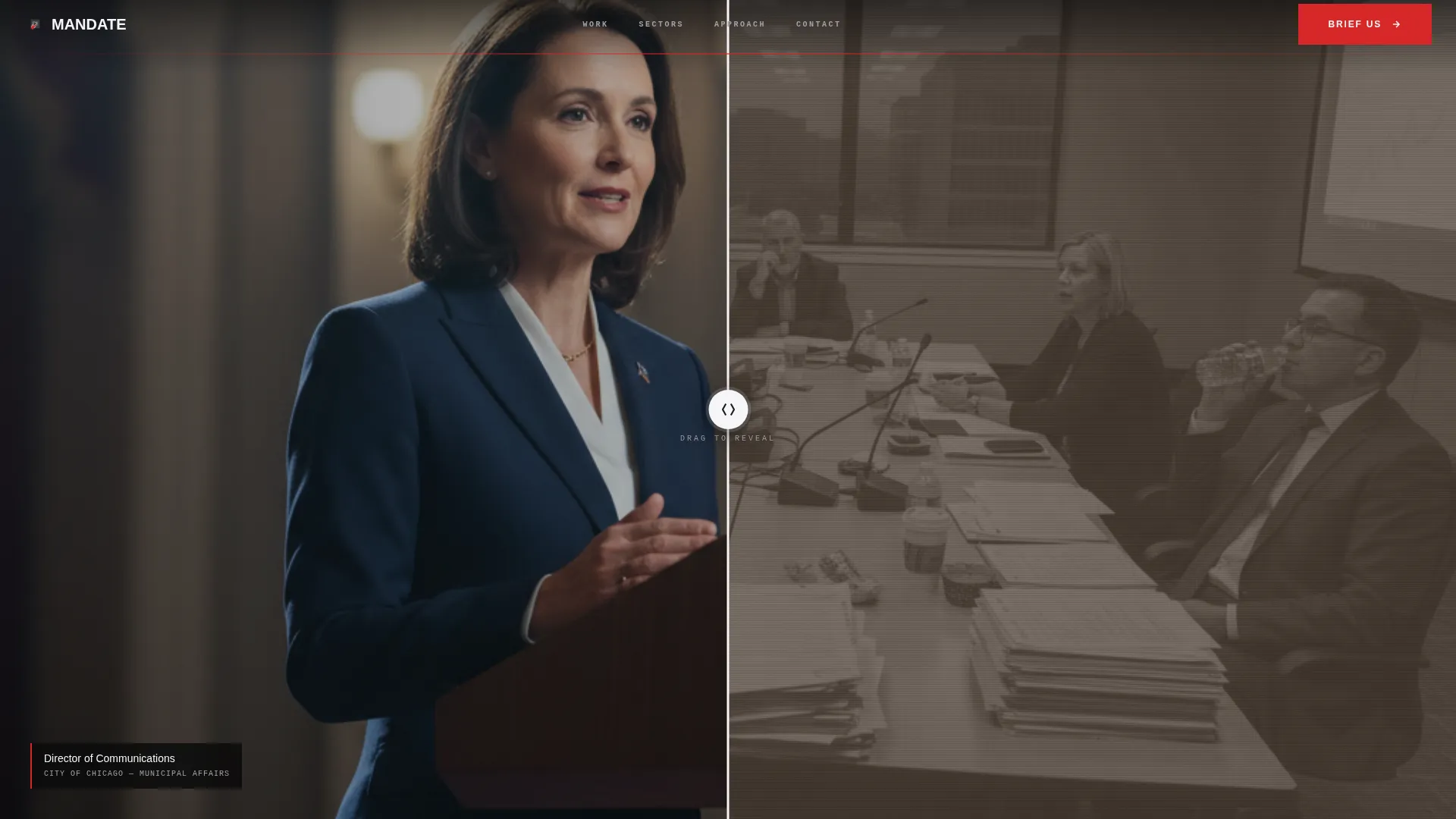
Mandate is a full-width immersive landing page built for government video production agencies. It opens with a Before/After Slider that lets visitors drag between raw bureaucratic footage and cinematic authority in real time. The Bold Brutalist design, monochrome steel palette, and a single civic-authority red call to action combine to turn government communications directors into qualified leads.
by Rocket studio
Quick summary
Mandate is a single-page, full-width immersive landing page template designed for government video marketing agencies. It opens with a dramatic Before/After Slider, builds credibility through silent autoplay reels and a metrics wall, then closes with a focused lead-generation form. Every section earns visitor trust visually before asking for anything.
Who this template is for
This template is built for production houses that specialize in government and public-sector video campaigns. It speaks directly to agency principals who pitch communications directors, budget holders, and department heads at the federal, state, and municipal level.
- Government video marketing agencies seeking high-authority leads from public-sector clients
- Production studios repositioning from general commercial work to civic and policy campaigns
- Agency founders who need a visually powerful pitch tool that sells transformation before a single word is read
What problem this template solves
Most agency landing pages rely on reel links and text-heavy case studies. For government clients, that approach falls flat. Communications directors at federal agencies and state tourism boards need to see proof, not promises. They need to feel that the agency understands the specific constraints of public-sector production.
- Generic portfolio pages do not demonstrate the before-and-after transformation that justifies a production budget
- Government buyers are risk-averse and respond to authority signals, not lifestyle branding
- Standard contact forms feel misaligned with the administrative tone government professionals expect
What you get with this template
Mandate delivers a fully structured, section-driven landing page layout built around visual proof and a single conversion path. Every design decision reinforces the agency's authority before the form ever appears.
- A full-viewport Before/After Slider header with a reveal headline that stamps in on first interaction
- Three full-bleed autoplay comparison reels, a monospaced metrics wall, and a hover-activated sector grid
- A fixed bottom-bar call to action that appears after the slider interaction, leading to a full-width mission briefing form at page end
Feature list
This template packages several purpose-built components that work together to guide a skeptical government buyer from first impression to form submission.
Before/After Slider Header
The full-viewport header splits raw government footage against the agency's cinematic recut. A draggable steel-colored divider bar reveals the transformation live. The headline "THIS IS THE DIFFERENCE" stamps across the frame only after the visitor touches the slider, making the first impression interactive and earned.
Autoplay Comparison Reels
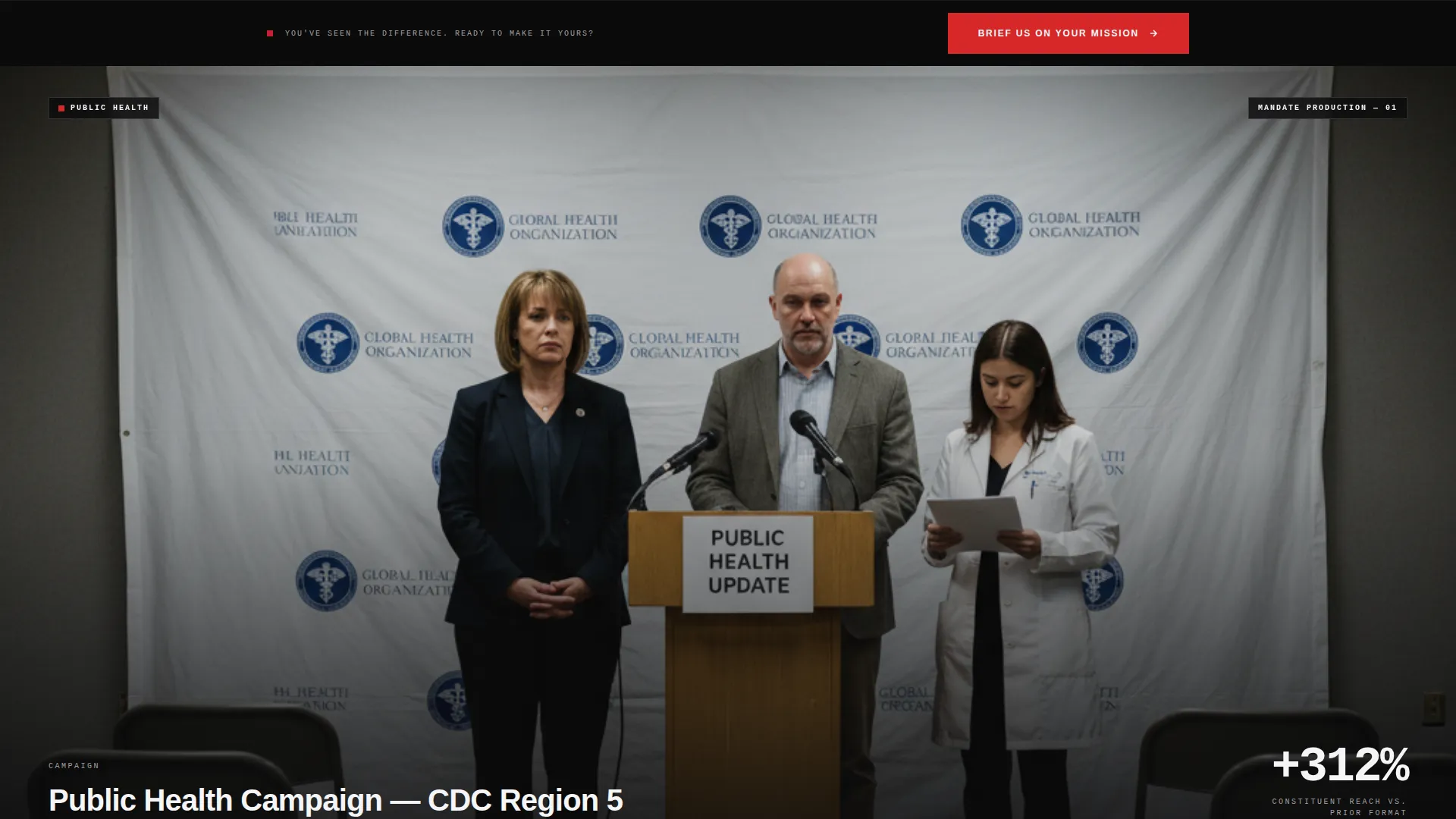
Three stacked, full-bleed silent video sections show original government footage beside the agency's recut version. Each reel plays automatically and runs without sound, keeping the browsing experience uninterrupted while delivering visual proof of the agency's work.
Monospaced Metrics Wall
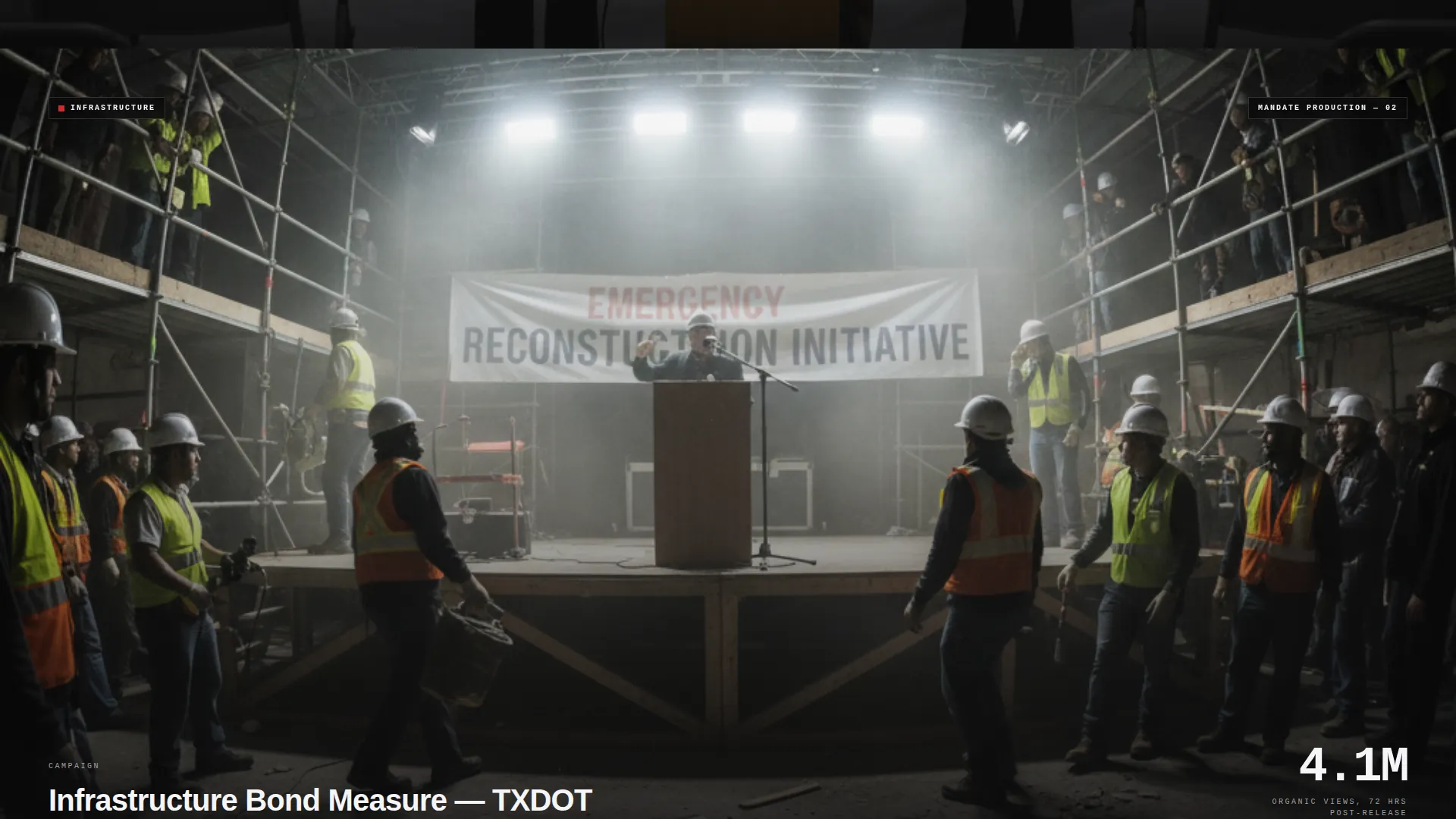
Key performance indicators are displayed in oversized monospaced numerals on a concrete-textured background. View counts, constituent engagement lifts, and earned media impressions are shown at a scale that communicates weight and credibility without requiring the visitor to read a case study.
Hover-Activated Sector Grid
A four-tile grid covers the agency's core sectors: defense, public health, infrastructure, and tourism. Each tile shows a still frame from a relevant project. On hover, the tile expands into a 15-second case study, delivering focused context without pulling the visitor off the page.
Fixed Bottom-Bar call to action
After the visitor interacts with the slider, a fixed bottom bar appears carrying the single call to action: "Brief Us on Your Mission." It remains visible as the visitor scrolls, keeping the conversion path accessible without interrupting the visual experience.
Mission Briefing Lead Form
The page closes with a full-width form section styled to feel administrative rather than personal. Fields include agency or department name, project type selection, a budget range slider, and a deadline field. No phone number is required, keeping friction low while collecting the information the agency needs to qualify a lead.
Page sections overview
| Section | Purpose |
|---|---|
| Before/After Slider | Opens with raw versus cinematic footage comparison |
| Reveal Headline Stamp | Stamps bold headline on first slider interaction |
| Comparison Reels Stack | Three silent autoplay reels proving visual transformation |
| Metrics Wall | Displays engagement and media stats in large numerals |
| Sector Case Grid | Hover-activated tiles for defense, health, infrastructure, tourism |
| Fixed call to action Bar | Persistent bottom bar driving form engagement |
| Mission Briefing Form | Full-width lead capture with project and budget fields |
Design & branding system
The visual identity follows a Bold Brutalist theme built on a Monochrome Steel color system. The palette is heavy, stripped, and authoritative, referencing the physical weight of concrete government architecture while keeping every surface luminous and screen-ready.
- Color system: structural charcoal (#1C1C1E), reinforced gunmetal (#3A3A3C), exposed concrete gray (#A1A1A6), and signal white (#F5F5F7) for typography, with civic-authority red (#D62828) reserved exclusively for calls to action and interactive states
- Typography: condensed, all-caps brutalist type used for headlines; monospaced numerals in the metrics wall for technical authority
- Visual language: full-bleed video, concrete textures, zero decorative elements, and a strict single-accent color rule that makes every red element feel like a direct command
Mobile & speed optimization
The immersive full-width layout is designed to translate across screen sizes without losing its cinematic weight. The Before/After Slider and full-bleed video sections are structured to maintain visual impact on smaller viewports.
- Full-bleed sections and the slider component are built to adapt to mobile screen widths while preserving the visual contrast of the before-and-after comparison
- Silent autoplay video and the fixed bottom-bar call to action are structured to remain functional and readable on touch devices
- The sector grid tiles are laid out to reflow cleanly on mobile, keeping the hover-to-expand case study interaction accessible
How this template helps you convert
Mandate is structured so that the visitor sees the agency's proof before they ever reach a form field. The conversion path is deliberate and sequenced.
- The Before/After Slider creates an immediate, tactile proof moment that separates this agency from any competitor relying on static case studies, triggering the fixed call to action bar the moment the visitor engages.
- The metrics wall and sector grid deepen credibility through scale and specificity, answering the unspoken budget-justification question that every government communications director carries into a vendor evaluation.
- The mission briefing form frames the inquiry as a professional exchange rather than a sales contact, using administrative language and low-friction fields to match the professional context of the target buyer.
Other information about this template
Mandate sits within the Portfolio and Agency category, specifically targeting the government marketing and agency subcategory. It is purpose-built for the government video marketing agency niche and carries an intersection match score of 13 across its matched context fields.
- Template style: Full-Width Immersive, with no visible browser chrome at any scroll depth
- Creative direction: Immersive Visual, where every pixel of the viewport is claimed by content or color
- The lp direction for this template is Lead Generation, with a single call to action path and no secondary navigation links
- The header concept is a Before/After Slider, a format chosen specifically to demonstrate video production transformation rather than describe it
- This template is well-suited for agencies that produce recruitment campaigns, public awareness videos, legislative explainers, and tourism content for public-sector clients

Theme
Bold Brutalist
Creative direction
Immersive Visual
Color system
Monochrome Steel
Style
Full-Width Immersive
Direction
Lead Generation
Page Sections
Before/after Slider Header
Autoplay Comparison Reels
Monospaced Metrics Wall
Hover-activated Sector Grid
Fixed Bottom-bar Call to Action
Mission Briefing Lead Form
Related questions
Who is the ideal client for an agency using this template?
Does the template require video content to work effectively?
What makes this template different from a standard agency portfolio page?
Can the sector grid and form fields be customized?
Is the lead form designed to qualify leads automatically?



