Government Agency & Department Privacy Policy Website Template
The Mandate template is a hub-and-spoke regulatory agency landing page built for civic bodies that draft rules, issue permits, and publish enforcement actions. Compliance officers, environmental attorneys, and small-business owners get one clean destination to track open comment periods, final rules, enforcement cases, and upcoming hearings, with a sticky "Subscribe to Rule Alerts" call to action that keeps every deadline within reach.
by Rocket studio
Quick summary
The Mandate template gives a regulatory agency a single-page destination that works like a well-lit reading room. Every active rule, open comment period, and enforcement action lives in one place. Visitors land, orient immediately through a sticky anchor navigation, and scroll into specialist depth without ever leaving the page. This agency landing page is built to be the first and final source of truth.
Who this template is for
This template is designed for any government body, regulatory agency, or public-sector office that publishes rules and tracks compliance. It equally serves the professionals who depend on that information every day to do their work. Agency teams, freelancers building civic technology websites, and consultants helping public-sector clients launch a polished web presence will all find the layout ready to use.
- Compliance officers and environmental attorneys who track filing deadlines and proposed amendments across multiple regulatory programs
- Small-business owners who need plain-language summaries to determine whether a new rule applies to their operations
- Government agency web teams, freelancers, and consultants creating or rebuilding a public-facing regulatory website
What problem this template solves
Regulatory information is scattered. A compliance officer might visit the Federal Register, a separate agency website, and a third-party legal blog just to piece together the status of one rule. That fragmentation wastes time, introduces errors, and creates real liability when a deadline is missed. The landing page design here solves that problem by consolidating every relevant document and notice into one filterable, scrollable, anchor-navigated page. The regulatory hub directs users to one place to find all related documents, reducing confusion and removing the need to cross-reference multiple systems.
- Compliance teams and legal offices lose hours each week chasing updates across disconnected sources, creating costly errors and unnecessary liability
- Small-business owners without legal support struggle to translate dense regulatory language into actionable steps before a compliance deadline
- Agency employees waste effort maintaining multiple pages when one well-structured landing page with clear spoke sections would serve every audience
What you get with this template
This template is a complete, fully structured agency landing page ready to be customized to your regulatory brand. It includes every section described in the project brief, built as a single scrollable page with an anchor navigation system that lets users jump directly to the spoke they need. Typical elements align with real regulatory documentation needs: Regulation Identifier Numbers (RINs), Federal Register notices, and compliance deadlines are the kinds of structured content this layout is built to display. Featuring unique IDs and links to official records promotes transparency and accountability in the rulemaking process, and this template gives you the framework to implement that principle out of the box.
- A full hub-and-spoke page architecture with sticky anchor navigation, animated counter header, five spoke sections, a subscribe section, and a footer
- Pre-structured content areas covering Open Comment Periods, Final Rules, Guidance Documents, Enforcement Actions, and Upcoming Hearings
- A responsive layout with an Arctic White color system, hearth-ember amber accents, and DM Sans typography built for legibility on any device
Feature list
This template ships with purpose-built features drawn directly from the project brief. Each feature is designed to save time for the teams building the page and for the users reading it.
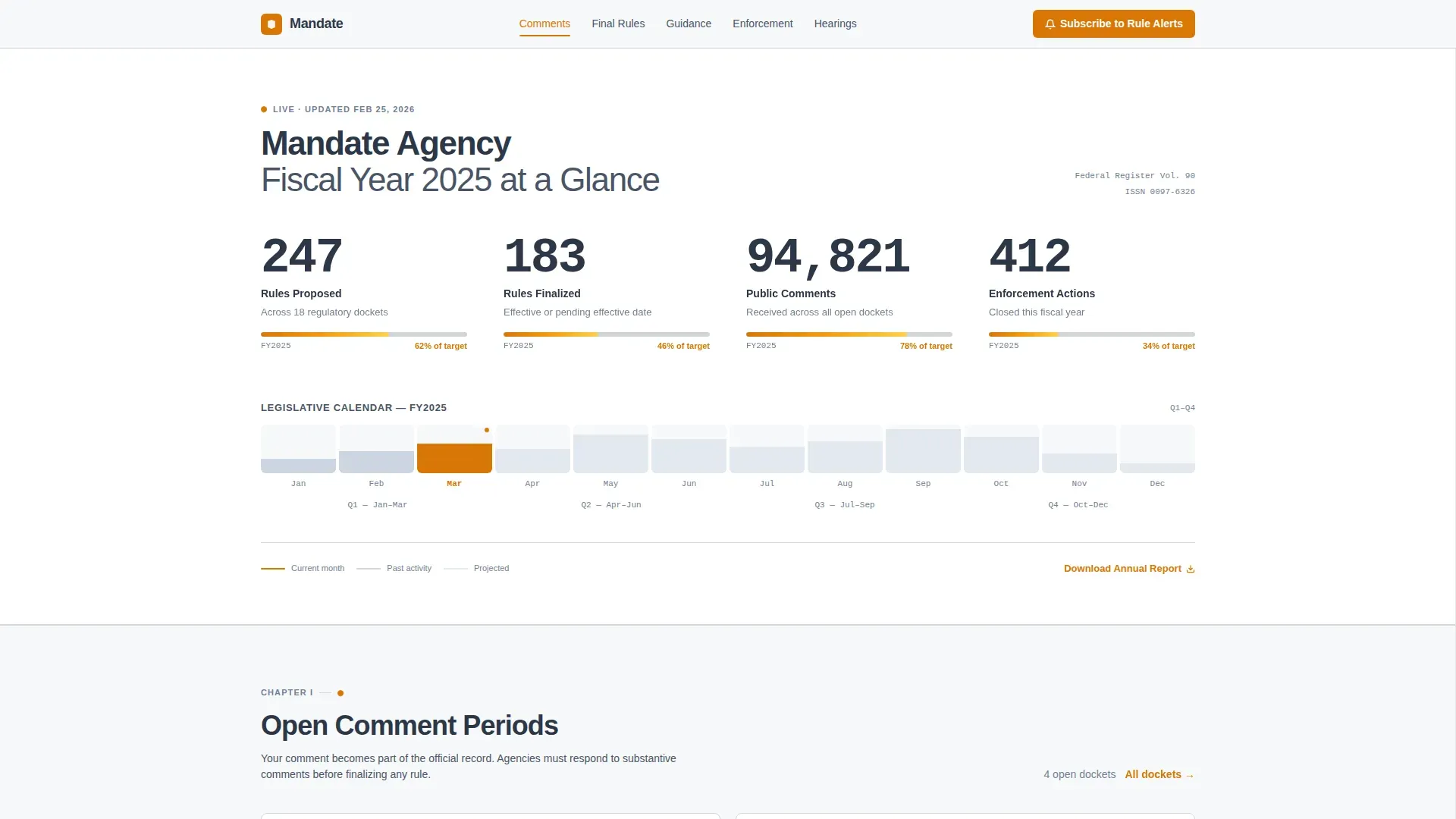
Year-at-a-Glance Infographic Header
The full-width header is a live data visualization rather than a stock photograph or seal. Large animated counters display rules proposed, rules finalized, public comments received, and enforcement actions closed. An amber timeline bar connects each metric left to right like a legislative calendar. The data itself is the credibility, no marketing copy required. This design choice gives every visitor an immediate, honest impression of how active and accountable the agency is.
Hub-and-Spoke Anchor Navigation
A sticky anchor navigation bar sits at the top of the page throughout the scroll journey. Each link corresponds to a spoke section below. Hearth-ember amber highlights the active nav state so users always know where they are. Effective hubs minimize navigation friction by removing distracting sidebars or complex forms, and this template follows that principle precisely. The result is a website that feels organized and controlled at every scroll depth.
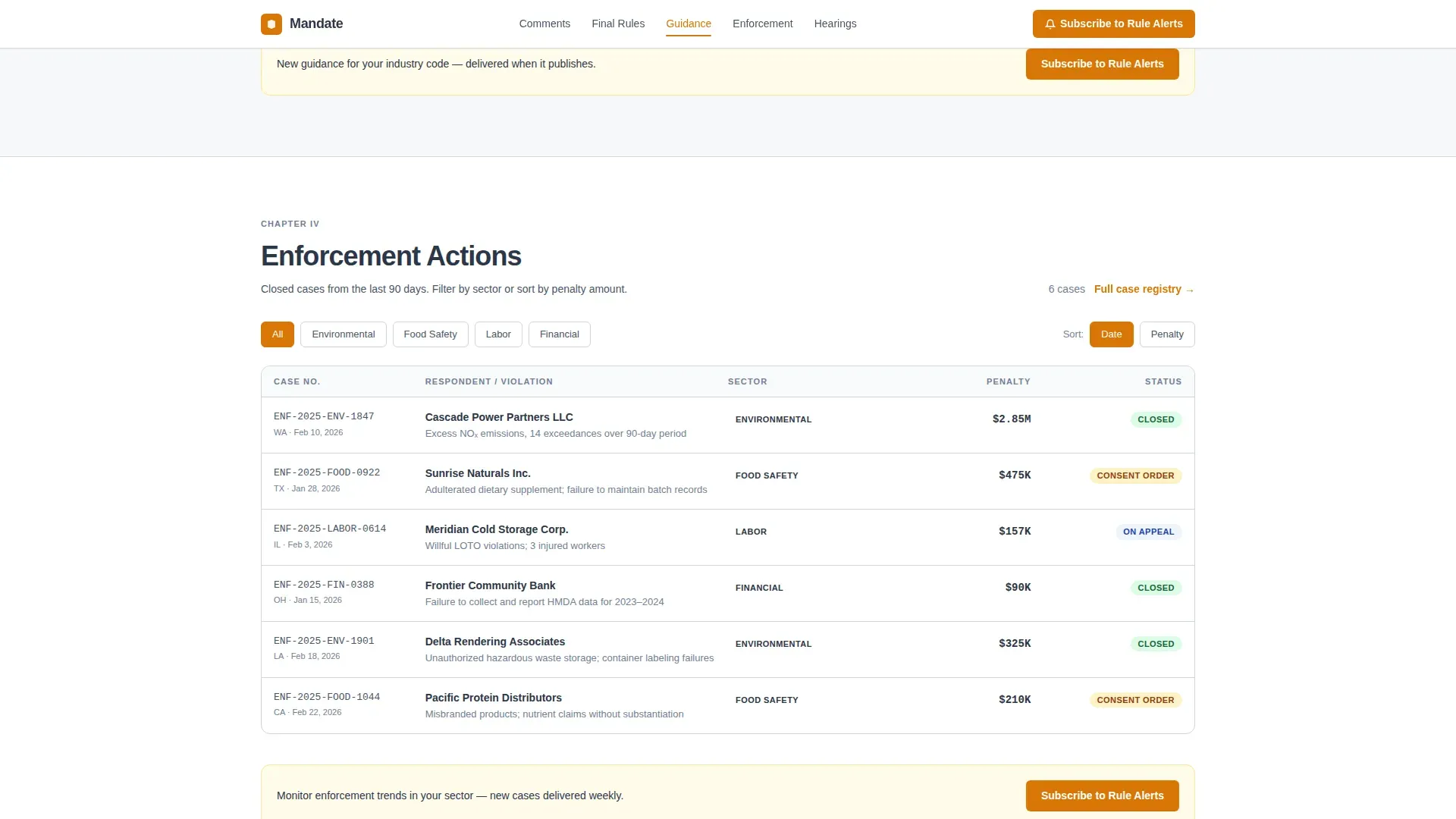
Filterable Enforcement Actions Table
The Enforcement Actions spoke includes a case table with columns for sector, date, and penalty. Visitors can filter by industry or date range directly on the page using client-side functions. This saves time for compliance officers who need to confirm whether a company in their sector has faced recent enforcement. The grid layout keeps rows scannable and the display clean even when the table is long. No backend request is needed to filter, everything works on the static page.
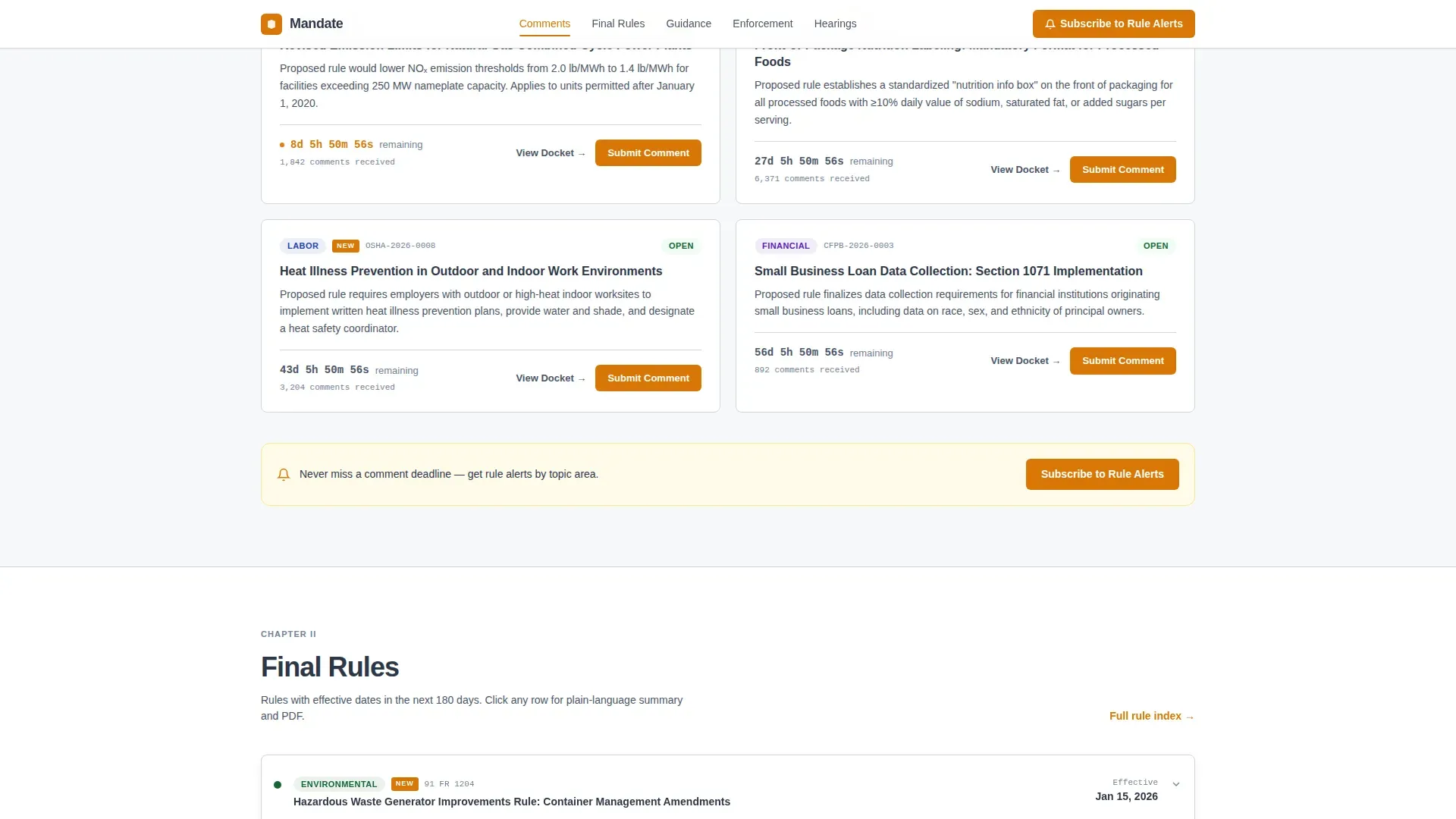
Countdown Timers and Comment Period Cards
The Open Comment Periods spoke shows each active rulemaking with a live countdown timer, topic badges, and an inline call to action encouraging visitors to submit comments before the window closes. This section is especially valuable for regulated businesses that need to track multiple overlapping comment periods across environmental, labor, financial, and food safety program areas. The timer format creates urgency without alarmism, and the topic badges help each person quickly identify which rules are relevant to their business.
Subscribe to Rule Alerts with Topic Grid
The subscription section appears in the sticky navigation and at the close of every spoke. It asks only for an email address and a checkbox grid of topic areas: environmental, labor, financial, and food safety. This lightweight form design respects user time and lowers the barrier to sign-up. The secondary path offers a gated Annual Report download, requiring only name and organization. Together these two forms support the page's role as a content and resource destination that earns long-term subscriber interest.
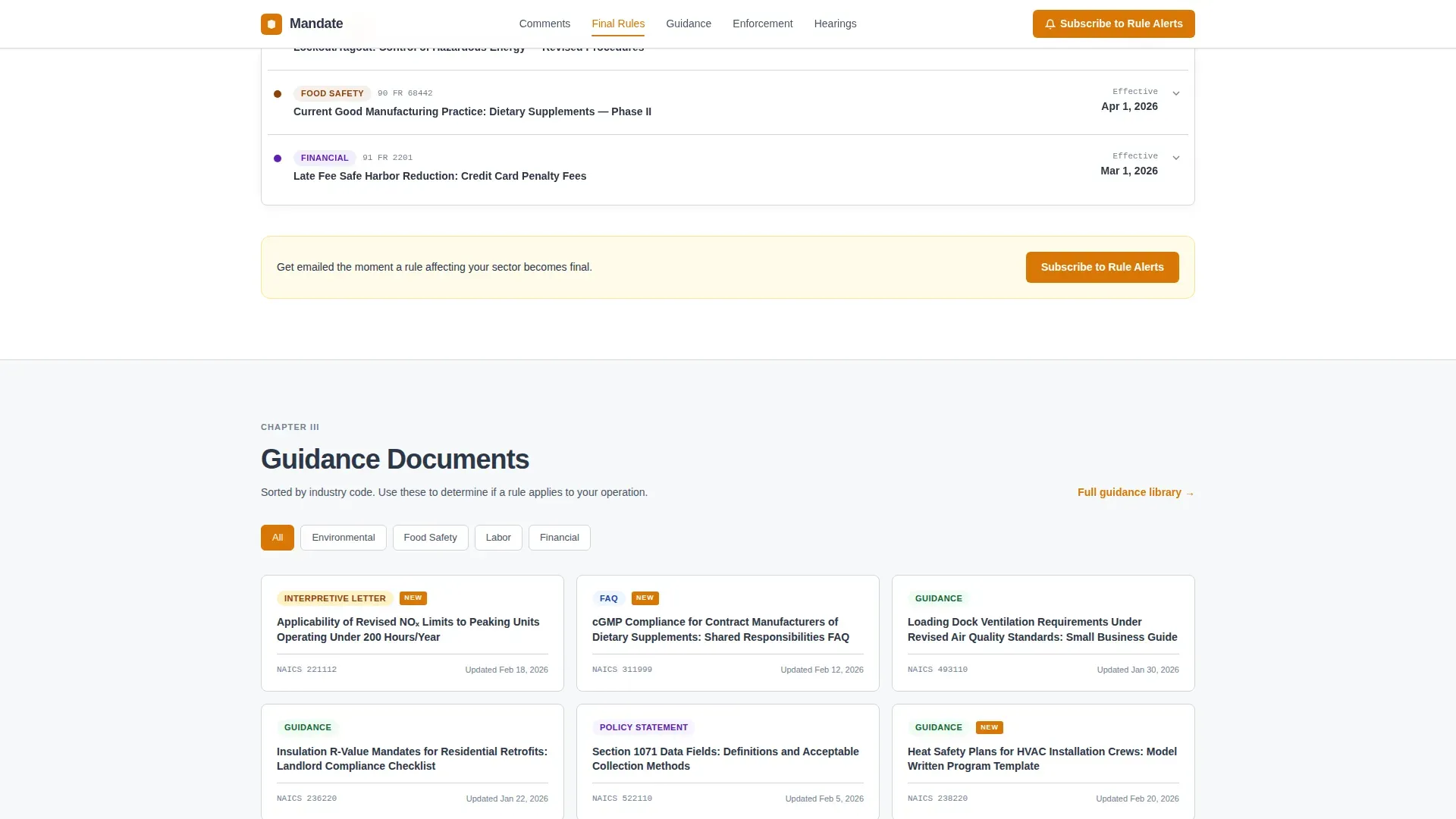
Plain-Language Final Rules Summaries
The Final Rules spoke places a plain-language summary beside each legal PDF link, organized with industry-code filters. This follows the "What, Why, and Action" format that simplifies complex legal jargon into understandable content for stakeholders. Small-business owners who lack legal support can read the summary to quickly determine what the rule requires and whether it applies to them, then access the full PDF when they need complete documentation. This dual-layer approach serves both specialist depth and newcomer clarity.
Page sections overview
| Section | Purpose |
|---|---|
| Hero Infographic | Displays year-at-a-glance agency metrics with animated counters and an amber timeline bar |
| Anchor Navigation Bar | Sticky hub nav with amber active states linking to all five spoke sections |
| Open Comment Periods | Countdown timers, topic badges, and inline calls to action for active rulemakings |
| Final Rules | Plain-language summaries beside legal PDF links with industry-code filters |
| Guidance Documents | Sorted by industry code for quick reference by compliance teams |
| Enforcement Actions | Filterable case table with sector, date, and penalty columns |
| Upcoming Hearings | Calendar-add buttons with location and format tags |
| Subscribe Section | Email form, topic checkbox grid, and gated Annual Report download |
| Footer | Horizontal flow footer pattern with agency links and secondary navigation |
Design & branding system
The visual identity follows a Community Hearth theme within a carefully controlled Arctic White color system. The palette was designed to feel like a government reading room: vast white walls, natural light on every surface, and one warm lamp directing your eye exactly where it needs to go. The brand personality is authoritative without being cold, and open without being casual. Every color decision reinforces trust and legibility, which are non-negotiable qualities for a public-sector website that serves people under time pressure.
- Color palette: snowfield white (#F7F8FA) for backgrounds, permafrost gray (#D1D5DB) for dividers and secondary containers, slate ink (#2D3748) for body text, and hearth-ember amber (#D97706) reserved exclusively for active nav states, new-badge indicators, and primary calls to action
- Typography: DM Sans across all text, chosen for its legibility at both small body sizes and large display headings; the font family feels authoritative and readable without the corporate coldness of older government websites
- Creative direction: Industry Report style, where each spoke section reads like a chapter in an annual publication, structured, credible, and rich in data without being visually overwhelming
Mobile & speed optimization
The template is designed desktop-first, reflecting the reality that compliance officers and legal professionals do their heaviest regulatory research at workstations. However, full mobile support is built in. More than half of all search queries originate from mobile devices, making a responsive layout essential even for a desktop-primary audience. The template is responsive by default, scaling every section cleanly from large monitors down to a single-column mobile view on any device.
- Responsive grid layout that adapts all five spoke sections, the infographic header, and the filterable table to mobile screen widths without breaking the visual hierarchy
- Client-side filtering for the Enforcement Actions table keeps the page fast on initial load by avoiding server round-trips; all filter interactions happen locally after the static page loads
- Anchor navigation collapses gracefully on smaller screens so mobile users retain the same hub-and-spoke access without cognitive overload
How this template helps you convert
The landing page earns subscriptions by proving its value section by section. Rather than asking for an email address at the top of the page, it builds a case across every spoke that this is the single source of truth no legal blog or summary site can match for speed or completeness. By the time a visitor reaches the Subscribe section, the page has already demonstrated its worth through data, filterable tables, countdown timers, and plain-language summaries.
- The Year-at-a-Glance infographic opens with institutional proof, real metrics that show the agency is active and accountable, giving every visitor an immediate reason to stay and scroll rather than bounce to a third-party source
- The "Subscribe to Rule Alerts" call to action appears in the sticky navigation and at the close of every spoke section, creating multiple low-friction conversion touchpoints without interrupting the research workflow; the topic checkbox grid lets each subscriber self-segment so the agency can send targeted updates that match each person's actual compliance interests
Other information about this template
This template was built to support a wide range of teams beyond large government agencies. Freelancers building civic technology websites, small consultants working with public-sector clients, and in-house web employees at regional regulatory bodies will all find the layout practical and customizable. AI tools can streamline the process of creating and managing templates for websites, and no-code environments enable users to customize this template without extensive programming knowledge. Templates designed with these approaches can significantly reduce the time required to launch a website, which matters when a new regulatory program needs a web presence before its first public comment period opens.
The template is fully compatible with various builders and formats, and it is effortlessly customizable and responsive by default. Users can edit colors, replace placeholder metrics, swap fonts, and update section content to match their agency brand without touching underlying code. AI tools can enhance the customization and responsiveness of templates, making them adaptable to various user needs across environmental, labor, financial, and food safety program areas.
From a content strategy perspective, this template follows a segmented audience pathway, grouping pages and sections based on user needs rather than internal department structures. That approach is what makes the same landing page work equally well for a compliance officer refreshing the Enforcement Actions table and a small-business owner reading a plain-language rule summary for the first time. Both users find what they need without friction, and both are guided toward the same subscribe call to action when they are ready to commit.
The template also supports a range of business document needs. Templates for business documents can help ensure compliance with regulatory requirements, and this layout can serve as a reference point for organizing privacy policies, terms of service, notice-and-comment forms, and other legal documentation alongside the primary spoke content. Various types of business document templates are available for legal and compliance purposes, and this hub design gives agencies the structure to surface them clearly.
For teams researching the basics before they build, it is worth noting that accessibility guidelines recommend high contrast between text and background, a standard location for site search, and a navigation structure that limits menu options to reduce cognitive overload. This template addresses those design qualities through its Arctic White palette, its slate ink body text, and its focused anchor navigation. The Bricks Builder-compatible and raw HTML formats mean the template can be implemented in the environment that suits your team's existing workflow and systems.
- Supports agency landing page builds for government bodies, civic technology companies, and public-sector consultants
- Customizable color system, fonts, and grid layout to match any regulatory brand identity
- No-code and low-code environments enable users to implement the template and launch quickly, saving costs on development
- The subscription forms and gated download can be connected to your preferred email or document delivery services to complete the workflow
- Designed to display Regulation Identifier Numbers (RINs), Federal Register notices, compliance deadlines, and enforcement case data in a clean, scannable grid
- Template Providers and marketplace customers should review all applicable program policies and ensure their use of the template does not infringe third-party intellectual property rights or violate applicable laws and regulations
Theme
Community Hearth
Creative direction
Industry Report
Color system
Arctic White
Style
Hub & Spoke (Anchor Nav)
Direction
Content/Resource
Page Sections
Year-at-a-glance Infographic Header
Hub-and-spoke Anchor Navigation
Filterable Enforcement Actions Table
Countdown Timers for Comment Periods
Plain-language Final Rules Summaries
Subscribe to Rule Alerts with Topic Grid
Related questions
Who is this landing page template designed for?
Can I customize the colors, fonts, and section content?
Does this template support both desktop and mobile users?
How does the subscription section work?
What compliance-related content can this template display?



