Fire Marshal Booking Website Template
Marshal is a zigzag landing page template built for licensed fire marshal services targeting property managers, general contractors, and facility directors. It leads with a testimonial card header, guides visitors through FAQ-driven sections, and closes with a portfolio review booking form. The design uses a navy, silver, and compliance-green palette that communicates institutional authority and professional reliability.
by Rocket studio
Quick summary
Marshal is a single-page booking template for fire marshal services. It opens with a floating testimonial card, then walks visitors through alternating FAQ and visual sections that dissolve common compliance anxieties. By the time a property manager reaches the primary call to action, the page has already answered their hardest questions and demonstrated the service's capacity to handle multi-property portfolios.
Who this template is for
This template is built for licensed fire marshals who serve commercial and institutional clients. It speaks directly to buyers who manage multiple properties and have real deadlines.
- Property managers overseeing portfolios of aging commercial buildings
- General contractors who need fast permit closeouts and documented inspections
- Facility directors at schools and hospitals managing annual inspections without disrupting daily operations
What problem this template solves
Fire marshal services often lose potential clients because the booking process feels unclear and the service scope feels uncertain. Visitors leave before they understand what the marshal actually handles.
- Multi-property clients need to see proof that one provider can manage scale before they commit
- Decision-makers want to know who files paperwork with the jurisdiction and what happens after a failed inspection
- Leads who are not ready to book still need a way to stay connected and self-qualify
What you get with this template
This template delivers a complete, structured landing page with every section pre-built and purpose-labeled. It is ready to populate with real client content.
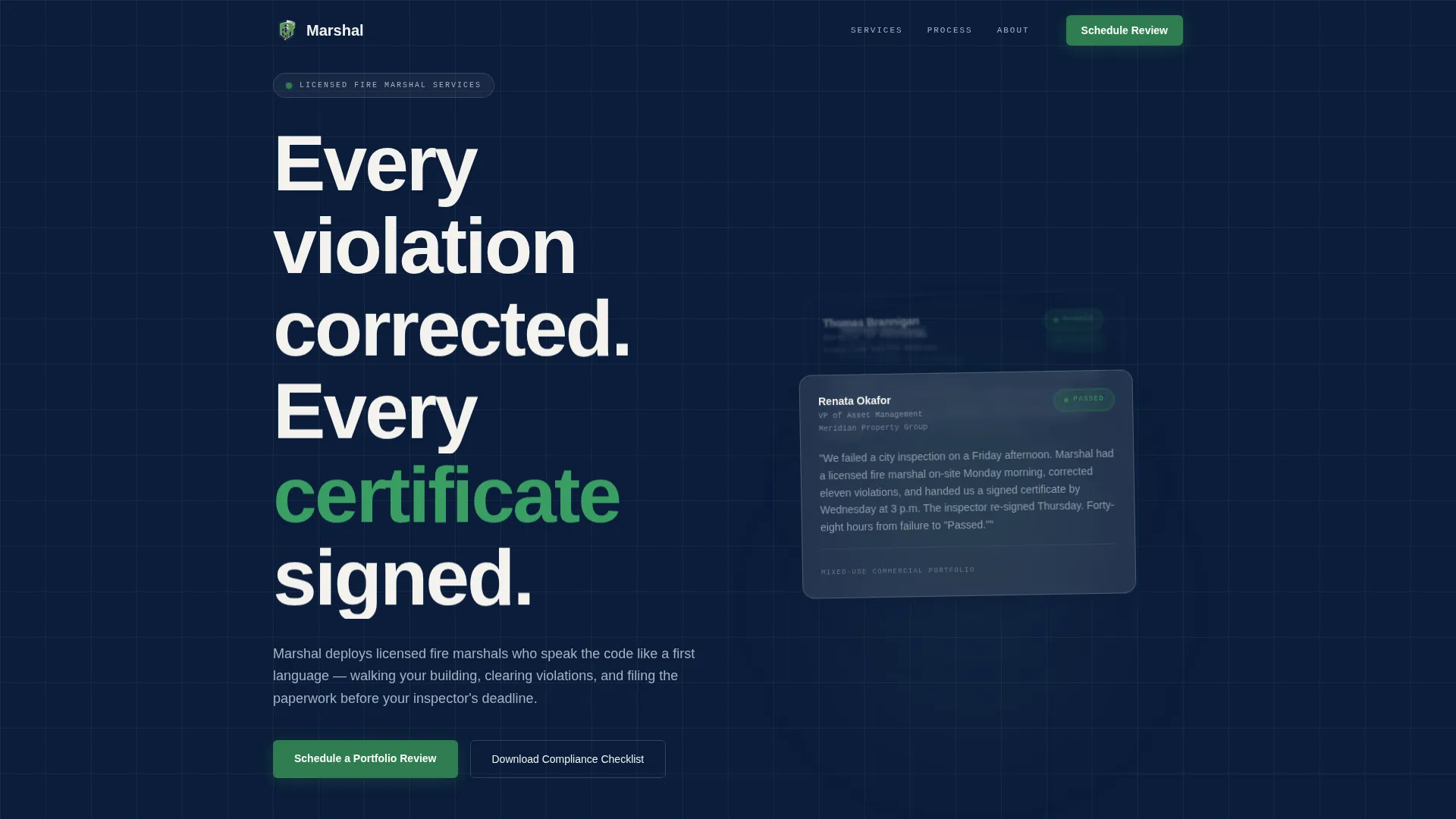
- A testimonial card header with a failure-to-pass success story and a visible green "Passed" badge
- Alternating FAQ and visual sections covering the most common objections property managers raise
- A dual call-to-action system: a portfolio review booking form and a compliance checklist lead magnet
Feature list
This template includes six purpose-built sections that guide a commercial buyer from first impression to booking without friction. Every component reflects a specific decision point in the fire compliance sales process.
Testimonial Card Header
The header opens with a single oversized testimonial card floating against a deep navy field. The card shows a client name, title, building type, and a green "Passed" badge. Two additional cards peek out at angles behind it, signaling a large body of success stories below.
FAQ-Driven Zigzag Sections
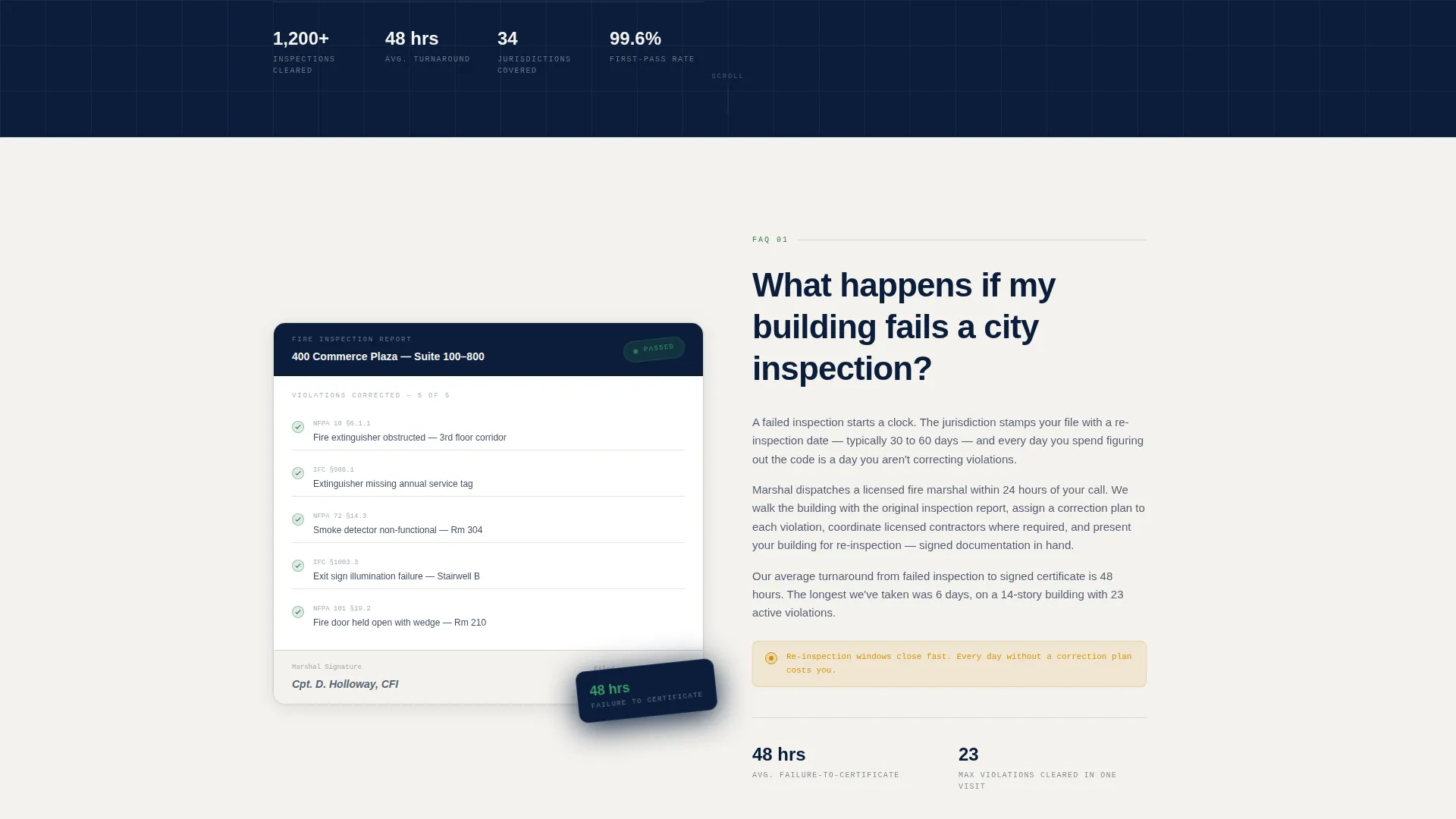
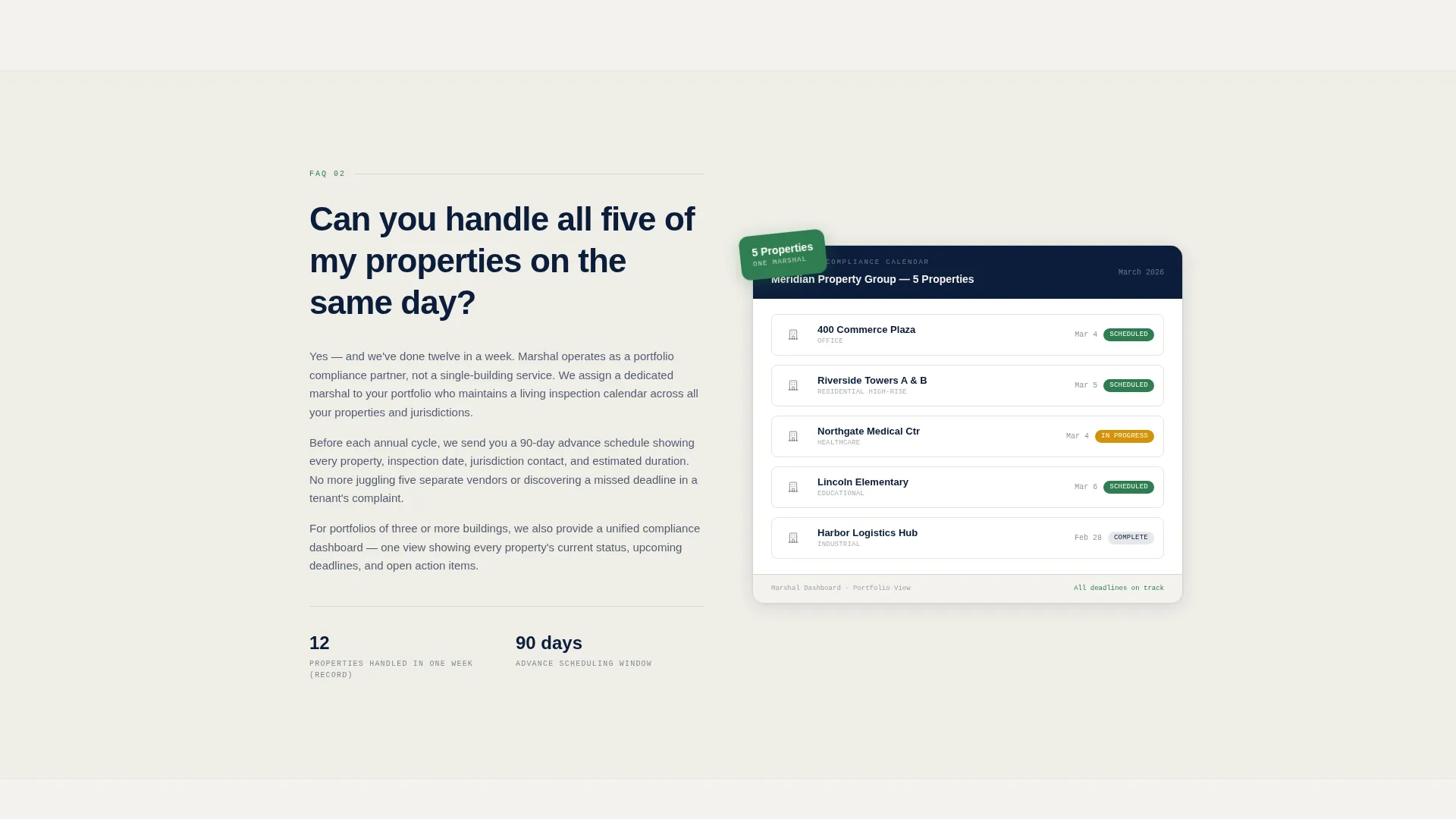
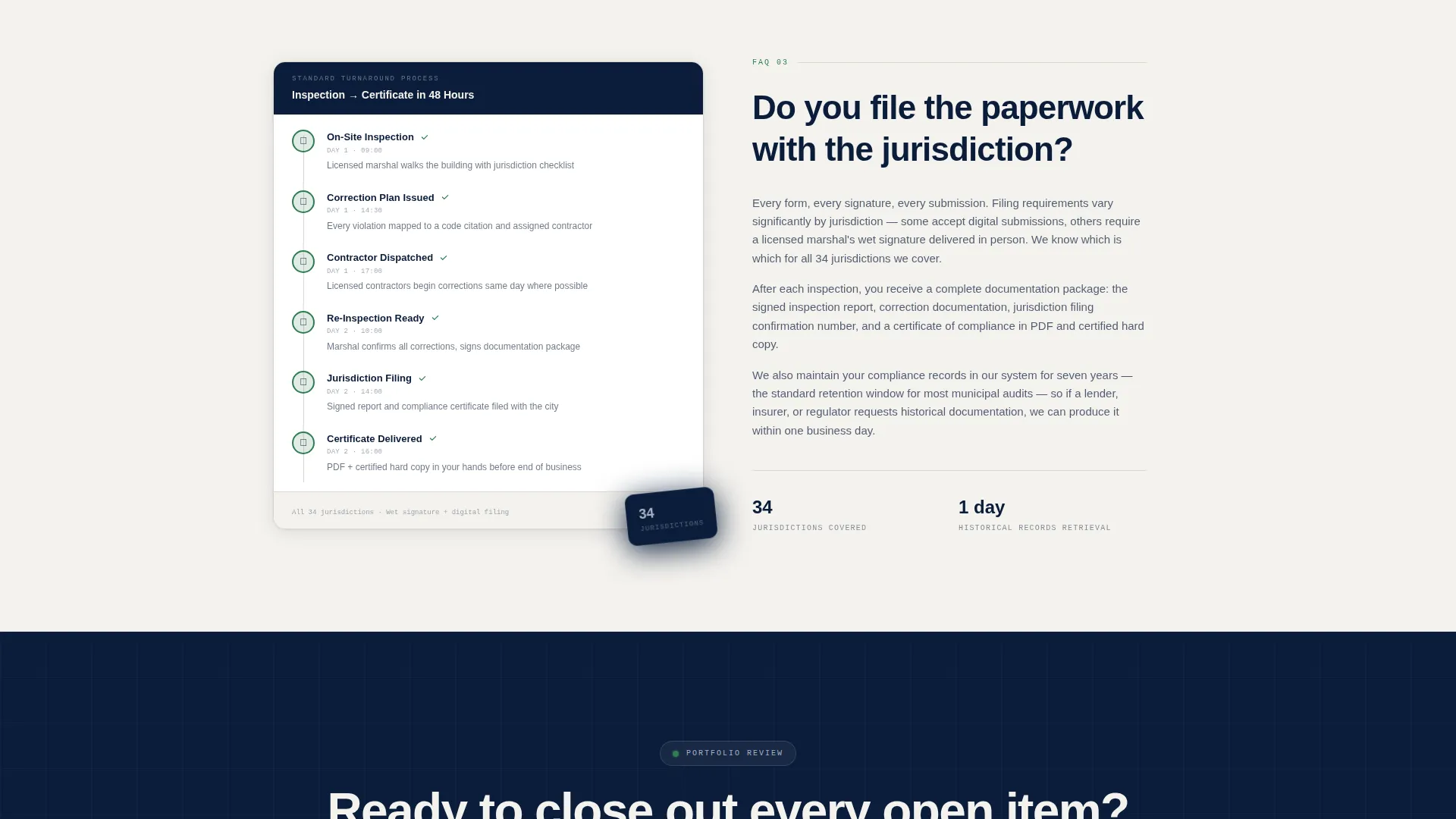
Each alternating section is anchored by a real question property managers ask: about failed inspections, multi-property scheduling, and jurisdiction filing. The answer sits opposite a supporting visual, making the scroll feel like a live consultation rather than a sales pitch.
Portfolio Review Booking Form
The primary call to action collects company name, number of properties, building type via checkbox, and preferred inspection window. It is placed after the third FAQ pair, when multi-property visitors have already seen enough proof of scale to commit.
Compliance Checklist Lead Magnet
A secondary call to action captures visitors who want to self-audit before booking. It gates a downloadable compliance checklist behind a work email field, keeping soft leads in the funnel without requiring a full commitment.
Navy Authority Color System
The palette uses deep dress-uniform navy, badge-metal silver, compliance-green for approval indicators, and warning amber used sparingly on urgency callouts. The color system communicates institutional gravity and professional authority throughout the page.
Legal Shield Visual Theme
The overall design feels like the embossed cover of a municipal code manual. The layout, typography weight, and visual tone reflect the brass-hardware seriousness of a firehouse, giving the service an authoritative presence that matches what commercial clients expect.
Page sections overview
| Section | Purpose |
|---|---|
| Testimonial Card Header | Open with proof of a failed inspection reversed, showing client name, building type, and a green Passed badge |
| FAQ Section One | Address what happens when a building fails a city inspection, paired with a completed inspection report visual |
| FAQ Section Two | Answer whether one provider can handle multiple properties on the same day, paired with a jurisdiction map |
| FAQ Section Three | Clarify whether the marshal files paperwork with the jurisdiction, paired with a turnaround timeline visual |
| Portfolio Review Form | Collect company name, property count, building types, and preferred inspection window for B2B leads |
| Checklist Lead Magnet | Capture soft leads with a downloadable compliance checklist gated behind a work email field |
Design & branding system
The template uses a Navy Authority color system that references the visual weight of institutional compliance documents. Every color choice has a functional role.
- Deep dress-uniform navy (#0B1D3A) as the dominant background and authority tone
- Badge-metal silver (#A8B2C1) for secondary text and structural detail, compliance-green (#2E7D4F) for approval indicators and badges
- Warning amber (#D4920B) used sparingly on urgency callouts to draw attention without overwhelming the palette
Mobile & speed optimization
The zigzag layout is structured for clean reflow across screen sizes. Each FAQ pair and its paired visual stack vertically on smaller screens without losing the consultation-style reading flow.
- The testimonial card header scales down without cropping the quote, client name, or green badge
- Booking form checkboxes and input fields are sized for comfortable tap interaction on mobile devices
How this template helps you convert
The page is built around a deliberate conversion sequence that moves buyers from skepticism to booking in a single scroll.
- The testimonial card header establishes proof immediately, before the visitor reads a single claim about the service.
- Each FAQ section dissolves a specific objection, so by the time the portfolio review form appears, the visitor has already mentally answered yes to the service.
- The compliance checklist gives undecided visitors a low-risk next step, capturing their work email and keeping them in the pipeline.
Other information about this template
This template is suited for fire marshal professionals who want a booking presence that matches the seriousness of the inspections they perform. It is a strong fit for services operating in commercial, educational, and healthcare inspection markets.
- The template style is zigzag and alternating, making it easy to add or reorder FAQ pairs as service offerings expand
- The Legal Shield theme and navy palette work equally well for fire safety consulting firms and independent licensed inspectors
- Building type checkboxes include commercial, educational, healthcare, and residential high-rise, covering the most common portfolio categories in the B2B fire inspection market
Theme
Legal Shield
Creative direction
FAQ-Driven
Color system
Navy Authority
Style
Zigzag/Alternating
Direction
Partnership/B2B
Page Sections
Testimonial Card Header with Proof Badges
Faq-driven Alternating Sections
Portfolio Review Booking Form
Compliance Checklist Lead Magnet
Navy Authority Color System
Legal Shield Visual Theme
Related questions
What type of service is this template built for?
Can this template support a multi-property service offering?
What are the two calls to action included in this template?
Who are the ideal visitors for this landing page?
What does the testimonial card header include?



