Fire Marshal Specialist Booking Website Template
Marshal is a single-column landing page template built for fire safety professionals who need to establish credibility and convert visitors into consultation bookings. It combines an authoritative editorial design with expert-led FAQ sections, named contributor profiles, and an inline scheduling module, giving fire marshals, building managers, and safety officers a trusted resource hub that drives real enquiries.
by Rocket studio
Quick summary
Marshal is a focused single-column landing page for fire safety professionals. It pairs a commanding Navy Authority visual identity with a Team and People creative direction, turning complex compliance questions into clear, expert-led answers. The page is structured to move visitors from first scroll to booking a fire safety consultation, with two conversion paths built in throughout.
Who this template is for
This template is designed for fire safety practitioners and property stakeholders who need a credible, conversion-focused online presence. Whether you are building authority or responding to an urgent compliance situation, Marshal gives you a professional starting point.
- Fire marshals and safety officers launching or refreshing their professional web presence
- Building managers and facilities teams who need a resource page that answers common compliance questions
- Property developers and construction project managers facing enforcement notices or pre-completion sign-off delays
What problem this template solves
Many fire safety professionals lack a structured way to present their expertise online. A generic contact page does not build trust with a visitor who just received an enforcement notice. Marshal solves that gap by combining educational depth with a direct booking flow.
- Visitors land with urgent questions and leave without acting because there is no clear next step
- Generic service pages fail to signal the specific expertise needed for fire risk assessments and compartmentation reviews
- There is no easy way to capture lower-intent visitors who are not yet ready to book but will convert later
What you get with this template
Marshal delivers a complete single-column landing page layout ready for a fire safety consultation and resource service. Every structural element is included so you can populate it with your own content and launch quickly.
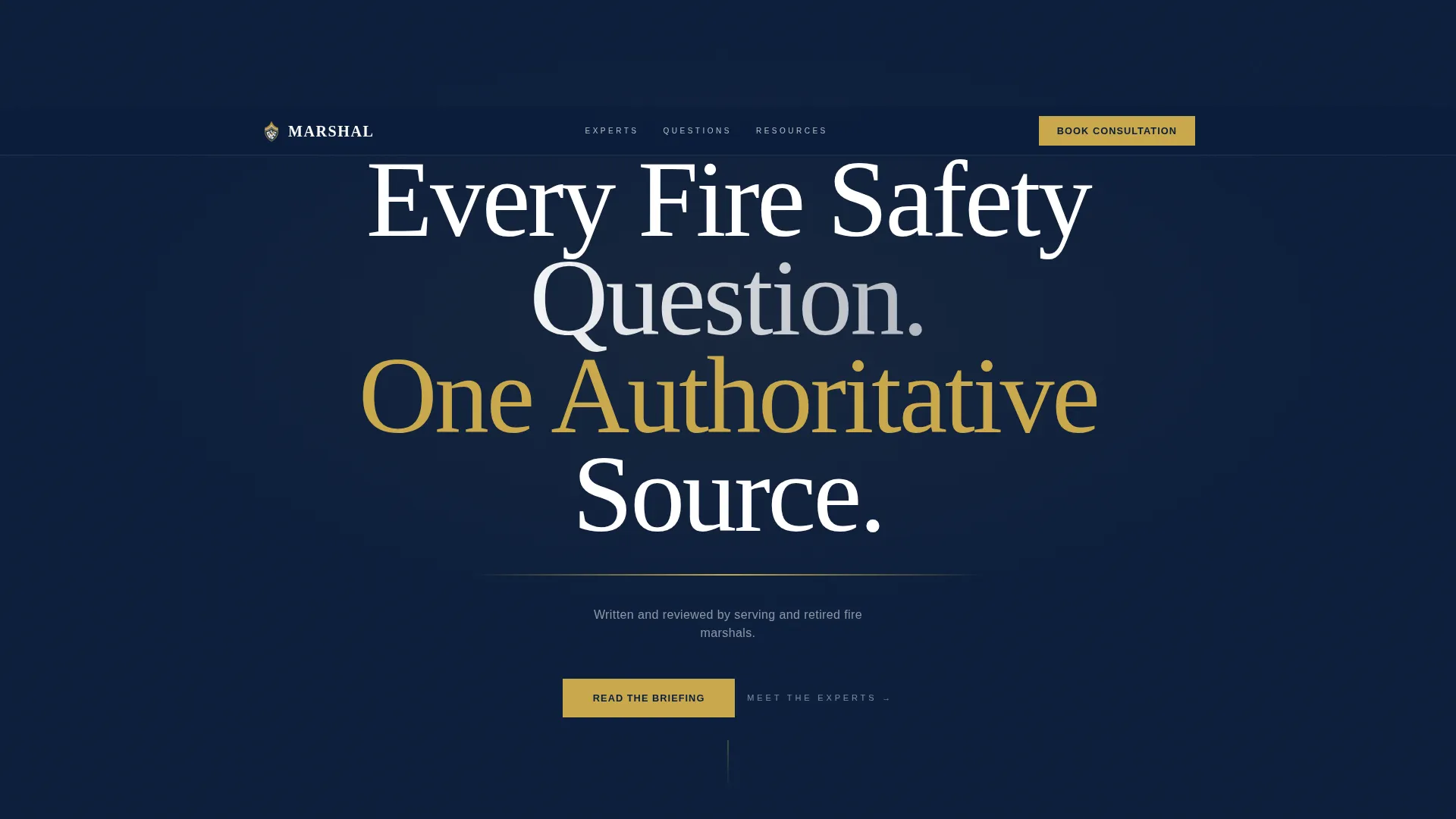
- A full-width editorial header with a bold centered headline, brass-gold rule, and credential subline
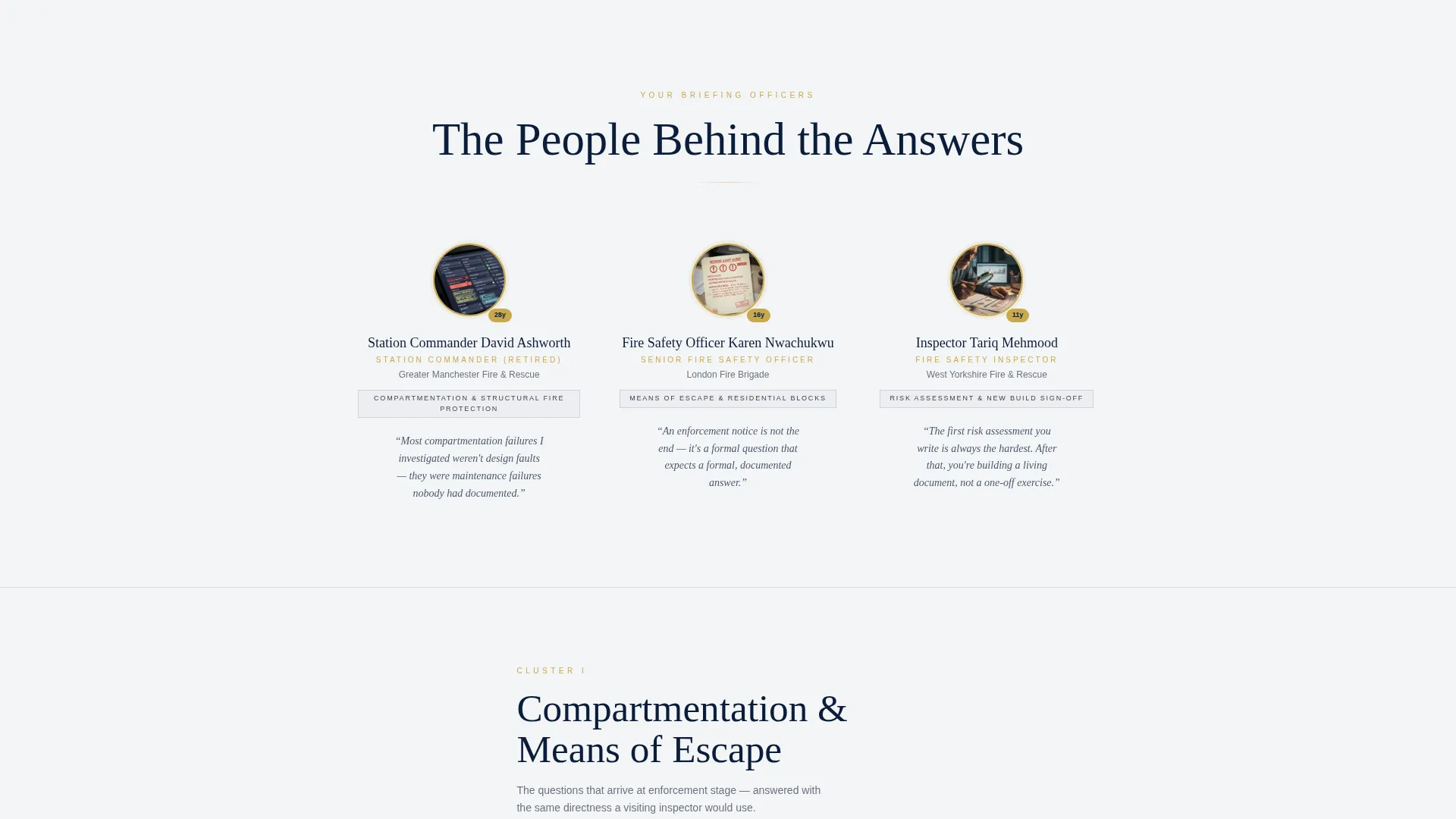
- Named expert profile sections with circular portrait, rank, and years of service preceding each FAQ cluster
- An inline booking module with building type selector, urgency classification, and calendar date picker
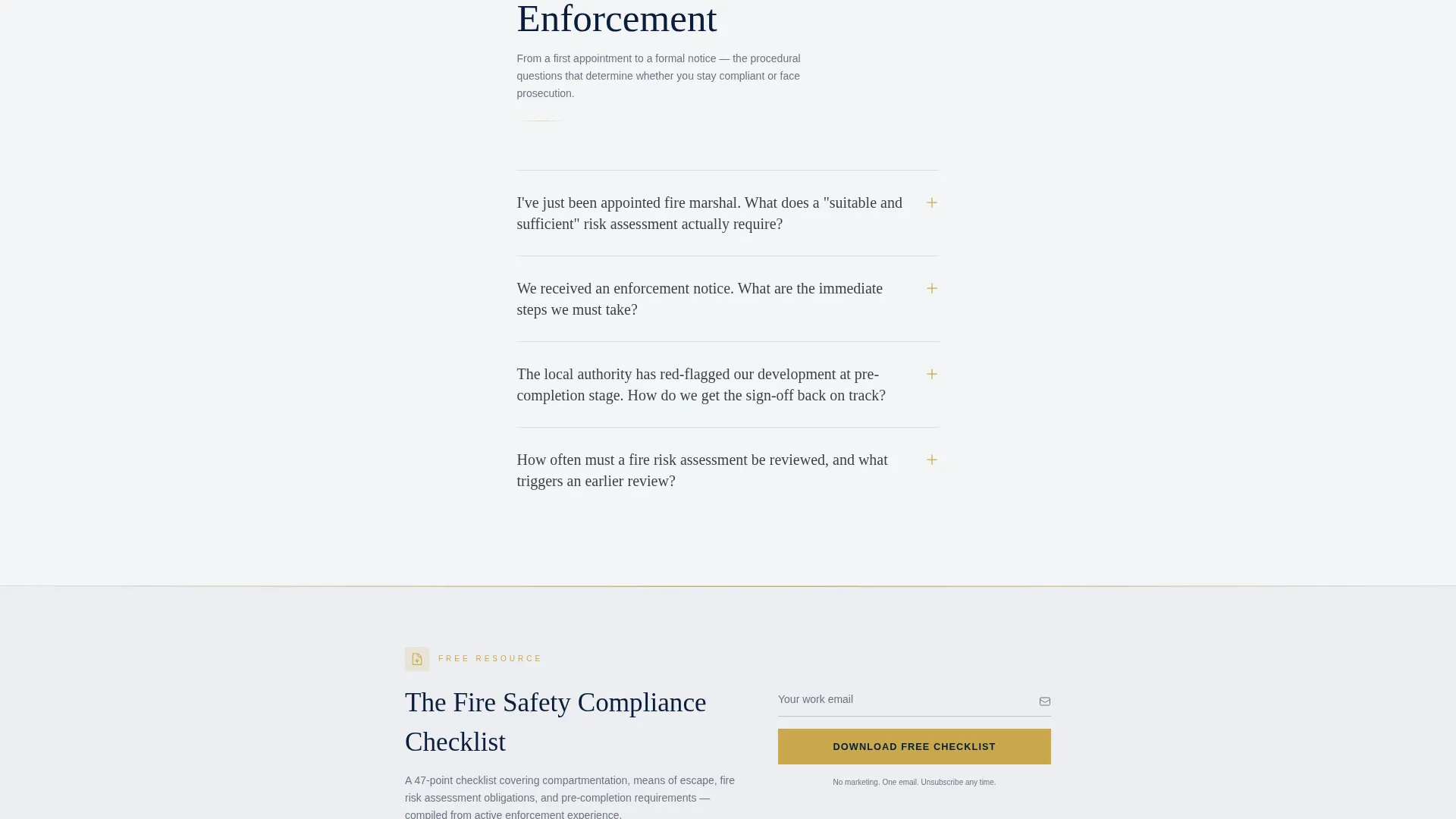
- A secondary email capture path offering a downloadable compliance checklist
- Repeating brass-gold call-to-action buttons placed after every third FAQ cluster
Feature list
The following features are built into the Marshal template as described in the design brief.
Editorial Header Block
The header spans the full width on a deep command navy background. White editorial serif type carries the primary headline at broadsheet scale. A thin brass-gold rule sits beneath the headline, followed by a smoke-charcoal credential subline. No imagery competes with the authority of the words.
Named Expert Profile Sections
Each major FAQ cluster is introduced by a named contributor. The layout shows a circular portrait alongside the expert's rank and years of service. This approach anchors the content in real professional experience rather than anonymous copy.
Layered FAQ Architecture
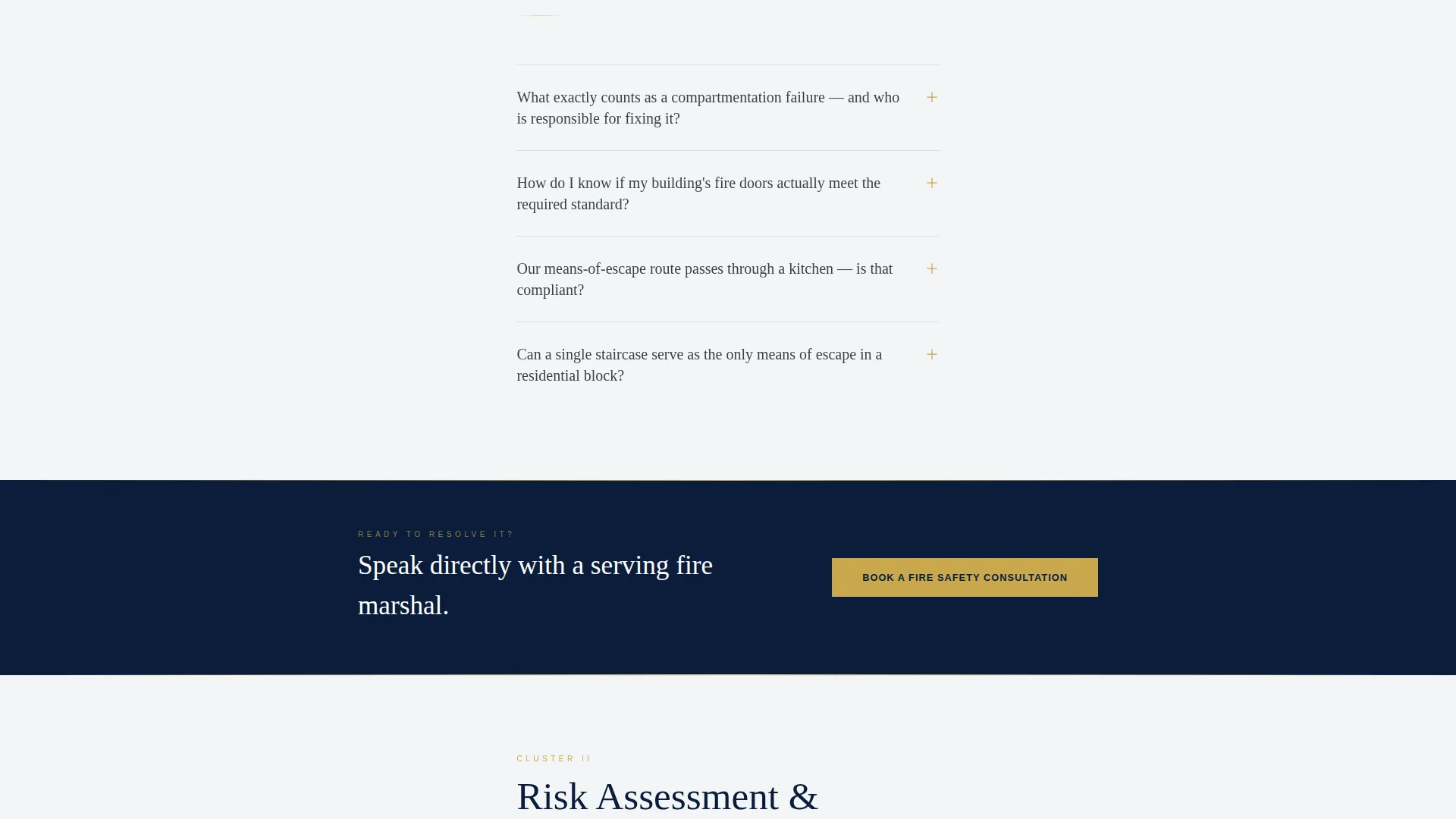
Every question appears as a bold editorial subhead. Answers are concise but structured with pull-quotes, inline callout boxes citing specific regulatory clauses such as Regulatory Reform (Fire Safety) Order provisions and BS 9999 guidance, and occasional inline diagrams where needed.
Inline Booking Module
A scheduling form appears after every third FAQ cluster. It collects building type first (residential block, commercial premises, HMO, or construction site), then urgency level (routine review, enforcement notice received, or pre-completion sign-off), then a calendar date picker for the consultation.
Compliance Checklist Capture
A secondary conversion path runs alongside the booking flow. Visitors who are not yet ready to book can exchange their email address for a downloadable compliance checklist. This captures high-intent visitors at an earlier stage of their decision.
Persistent Brass-Gold call to action Buttons
The call-to-action button reading "Book a Fire Safety Consultation" is repeated at regular intervals throughout the page. The brass-gold color makes it visually distinct from surrounding content without breaking the editorial tone.
Page sections overview
| Section | Purpose |
|---|---|
| Editorial Header | Establish authority with the primary headline and credential line |
| Expert Intro Profile | Introduce the named fire marshal before each FAQ cluster |
| FAQ Cluster Block | Answer common compliance questions with layered editorial detail |
| Inline Booking Form | Convert ready visitors with building type, urgency, and date inputs |
| Compliance Checklist call to action | Capture email addresses from visitors not yet ready to book |
| Section Dividers | Use navy rule blocks to separate thematic content groups |
Design & branding system
Marshal uses a Navy Authority color system that communicates institutional trust without decoration. The palette is disciplined and deliberately limited, ensuring every element carries weight.
- Deep command navy (#0B1D3A) dominates the header and all section dividers, pressing charcoal (#3B3F45) handles long-form body text for comfortable reading
- Pressed-uniform white (#F4F5F7) creates generous breathing space in reading columns, preventing visual fatigue across long scroll sessions
- Brass badge gold (#C9A84C) is reserved for accent rules, pull-quote underlines, active states, and all call-to-action buttons, making interactive elements immediately identifiable
Mobile & speed optimization
Marshal is built as a single-column flow, which makes it naturally suited to mobile reading without requiring complex breakpoint handling. The layout scales cleanly from desktop to phone.
- The single-column structure eliminates multi-column reflow issues and keeps content hierarchy consistent across screen sizes
- Generous whitespace in the reading columns reduces clutter on smaller screens and keeps long-form answers legible
- The inline booking form is structured in sequential steps (building type, then urgency, then date) so it works clearly on a touch device without overwhelming the screen
How this template helps you convert
Marshal is engineered around two parallel conversion paths so that visitors at different levels of readiness are both captured.
- The repeating "Book a Fire Safety Consultation" button placed after every third FAQ cluster intercepts visitors as soon as they feel confident enough to act, reducing the gap between reading an answer and booking a session.
- The compliance checklist email capture gives lower-intent visitors a low-commitment first step, building a contact list of fire safety professionals and building managers who trust the source before they are ready to commit to a paid consultation.
Other information about this template
Marshal sits within the Professional Services category and is specifically designed for the fire marshal online presence niche. It is built as a single-column flow template using an Editorial Magazine theme.
- The template style is Single Column Flow, keeping all content in one reading lane for clarity and focus
- The creative direction is Team and People, meaning real named experts drive the content rather than anonymous authority claims
- The header concept is Giant Headline Centered, a format associated with high-authority editorial publications
- The booking and scheduling direction means the primary commercial goal is confirmed consultation appointments, not just passive traffic
- The template is well-suited to serving newly appointed fire marshals, facilities managers under enforcement pressure, and developers seeking pre-completion fire safety sign-off
Theme
Editorial Magazine
Creative direction
Team & People
Color system
Navy Authority
Style
Single Column Flow
Direction
Booking/Scheduling
Page Sections
Editorial Header with Credential Line
Named Expert FAQ Sections
Layered Compliance FAQ Format
Inline Consultation Booking Module
Email Capture for Compliance Checklist
Repeating Brass-gold Call to Action Buttons
Related questions
Can I customise the expert profiles with my own team members?
Does the inline booking form connect to a live scheduling tool?
Can I adapt this template for a single fire safety service rather than a broad FAQ resource?
Is the downloadable compliance checklist included in the template?
Who is this landing page template best suited for?



