Fire Safety Compliance Landing Page Template
Marshal is a precision fire safety compliance landing page template built for B2B fire marshal services. It pairs an industrial editorial design with a stats-driven hero, testimonial mosaic sections, and a focused lead capture form. Property managers, general contractors, and facility directors get a page that proves geographic reach and first-pass reliability before asking for a single detail.
by Rocket studio
Quick summary
Marshal is a single-page editorial template for fire marshal businesses serving multi-property portfolios. It opens with a metrics wall that states coverage and compliance numbers up front. A testimonial mosaic then builds trust through layered social proof. The page closes with a low-friction form that converts serious B2B buyers without overcomplicating the process.
Who this template is for
Fire marshal businesses need a page that speaks the language of the people signing the contracts. Marshal is built for that exact conversation.
- Fire safety inspectors and fire marshal firms that cover large metro service areas across multiple counties
- Property managers, facility directors, and building owners juggling compliance across dozens of premises
- General contractors and property owners who need certificate of occupancy and want confidence before a fire department walkthrough
What problem this template solves
Multi-property clients do not want a brochure. They want evidence. They need to know that the fire marshals they hire understand fire safety regulations, local regulations, and the rhythm of conducting regular inspections across a region. Most fire safety pages bury that evidence under generic copy.
- Buyers cannot quickly assess geographic coverage, so they contact multiple vendors and waste time
- Pages fail to surface fire marshal inspection records, first-pass compliance rates, or corrective actions history in a way that builds trust
- Lead forms ask for too much too soon, causing facility managers to abandon before converting
What you get with this template
This template gives you a structured, editable landing page that leads with data and earns the inquiry. Every section follows a deliberate sequence designed to address fire risks, prove reach, and reduce friction at the point of contact.
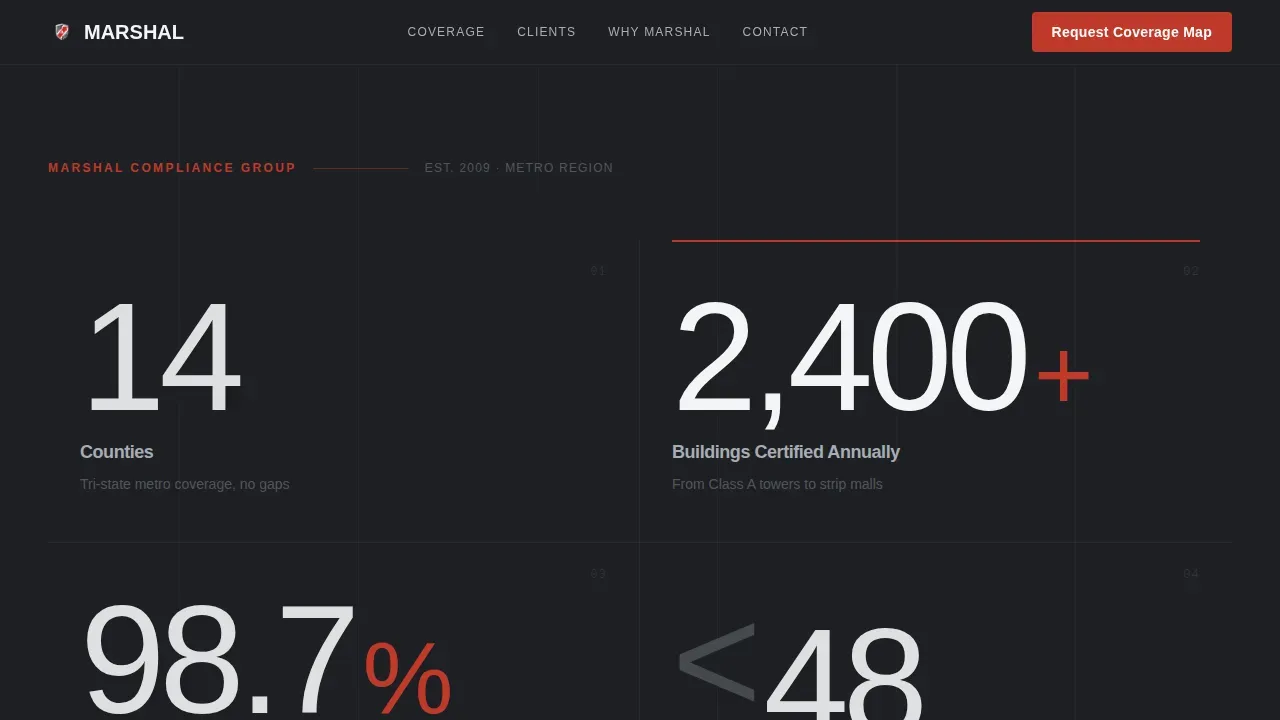
- A no-image stats wall hero with oversized typographic figures covering counties, buildings certified, compliance rate, and response time
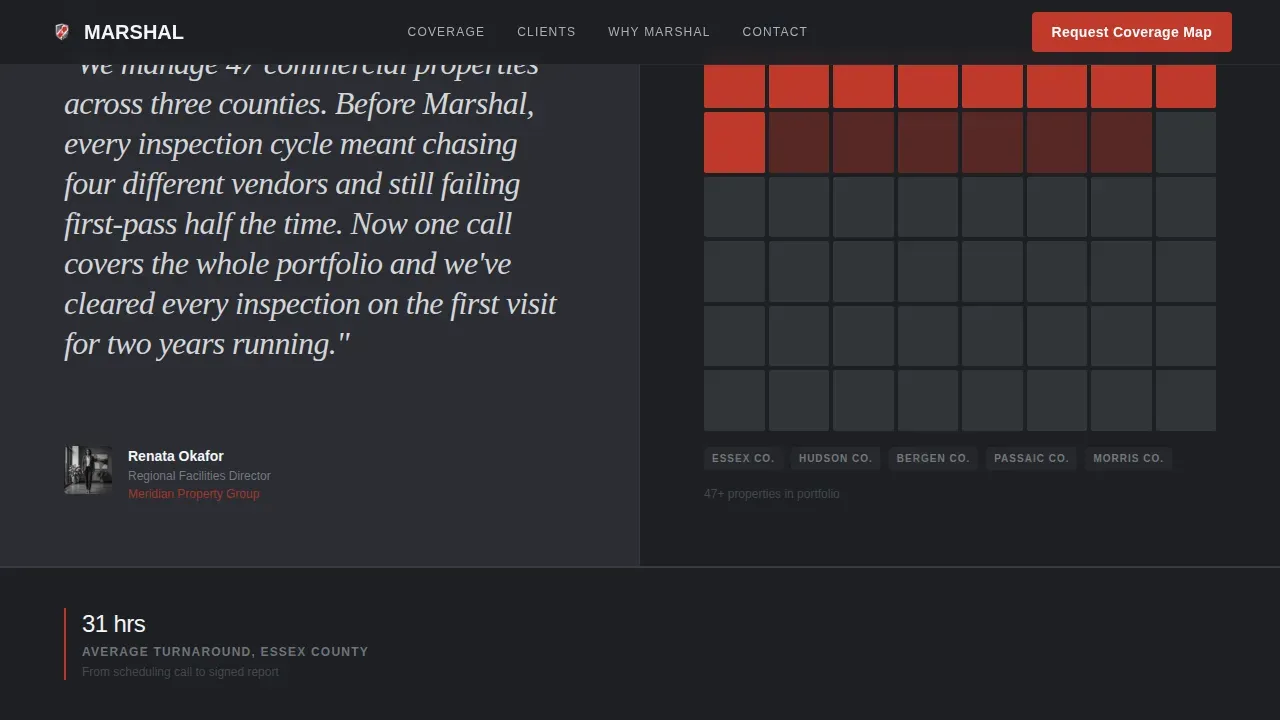
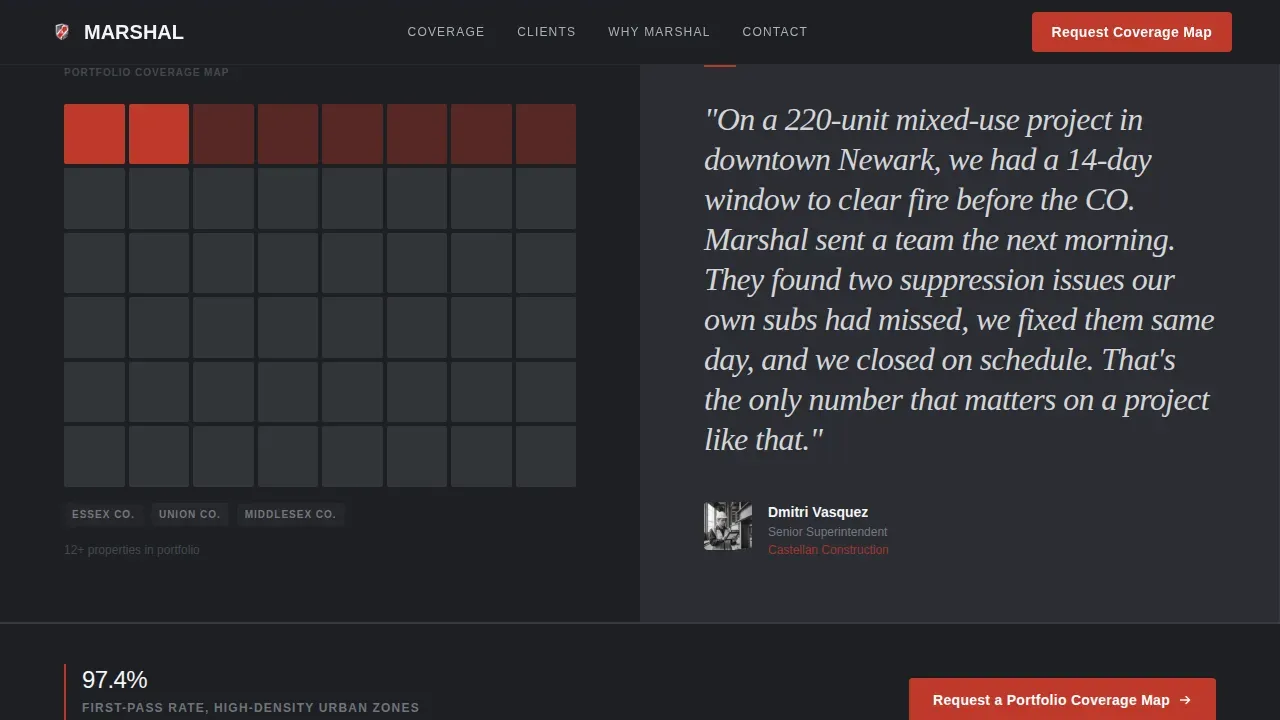
- A testimonial mosaic with editorial pull-quotes from facility director, general contractor superintendent, and insurance underwriter client types, each paired with location cluster map visuals and supporting data bands
- A dual-path conversion section with a short portfolio coverage map request form and a secondary gated compliance checklist download
Feature list
This template is built around five prompt-defined capability areas. Each one serves a different moment in the buyer's decision process.
Stats Wall Hero with No Image
The header is a charcoal field of oversized numbers. Figures like buildings certified annually, first-pass compliance rate, county coverage count, and response time are displayed at display scale in an industrial sans-serif. A single emergency-red horizontal rule accents the most critical data point. This approach communicates authority before the visitor scrolls, making fire safety inspections and service reach immediately legible.
Testimonial Mosaic with Data Bands
After the stats establish credibility, the page moves into an editorial rhythm. Each testimonial block pairs a large pull-quote from a real client type with a zip-code cluster map and a narrow data band showing metrics like average inspection turnaround by county, certifications held, and years active in each service area. Fire inspection forms, records, and compliance data surface as evidence rather than claims.
Service Coverage and Fire Marshal Inspection Section
A dedicated coverage section lets fire marshals present county-by-county reach with specific metrics. This area supports reporting on fire protection systems checked, fire alarm systems tested, sprinklers assessed, extinguishers logged, fire doors reviewed, and emergency lighting verified per zone. It helps property managers and building owners understand the full scope before they make contact.
Dual-Path Lead Capture Form
The primary form asks for company name, number of properties, primary county or metro area, and a work email. No phone field is included, which keeps the process straightforward for a facility manager filling this out between site visits. A secondary path offers a gated compliance checklist download for visitors who need more time before committing, capturing the lead at a lower commitment threshold.
Floating Call to Action Bar
After a visitor scrolls past sixty percent of the page, a floating bar appears with the primary call to action. This keeps the conversion opportunity visible without interrupting the reading flow. The bar uses the emergency-red accent to draw the eye at exactly the moment the visitor has absorbed enough evidence to act.
Page sections overview
| Section | Purpose |
|---|---|
| Stats Metrics Wall | Lead with coverage numbers and first-pass compliance rate |
| Testimonial Mosaic | Pair editorial quotes with location cluster maps and data bands |
| Coverage Data Bands | Surface county-by-county inspection turnaround and certification records |
| Portfolio Form | Capture company, property count, county, and work email |
| Compliance Checklist Download | Offer gated PDF for lower-commitment lead capture |
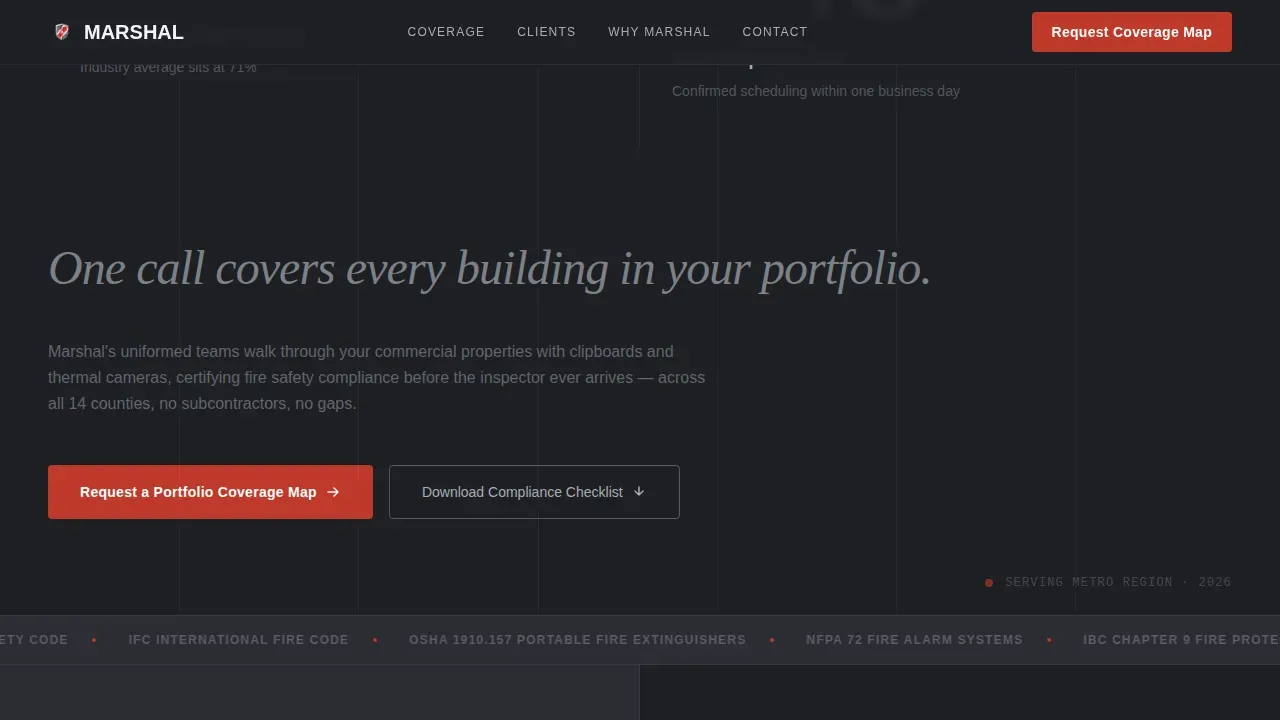
| Why Marshal | Differentiate with uniformed team, thermal cameras, and pre-inspection protocol |
| Footer Row | Linear single-row footer with contact details and navigation |
Design & branding system
Marshal uses a Monochrome Steel color system that feels like the interior of a fire-rated stairwell. Every color choice reinforces the industrial precision theme that fire safety clients associate with credibility.
- Structural charcoal (#2B2D33) for primary backgrounds, brushed aluminum (#A8ADB5) for body text on dark sections, and inspection-white (#F4F5F7) for light-background sections
- Emergency-red (#C0392B) used sparingly and exclusively for call to action elements and critical data highlights, so when it appears, attention snaps to it immediately
- DM Sans for display numbers and body text carries an industrial weight; Fraunces serif is used for editorial pull-quotes to give the testimonial mosaic a magazine-spread quality
Mobile & speed optimization
The template is designed desktop-first to match the behavior of facility managers reviewing proposals between site visits. It is built to be responsive and functional across screen sizes.
- Staggered number counter animations and scroll-reveal testimonials use client-side components while static structural sections use server components, keeping initial load lean
- The floating call to action bar, form interactivity, and hover states are scoped to interactive components, reducing layout shift on first paint
- Layouts adapt so that oversized typographic stats reflow cleanly on smaller screens without losing the industrial hierarchy that makes the stats wall effective
How this template helps you convert
Marshal is structured so that every section removes a reason not to inquire. The sequence is deliberate: prove reach, prove reliability, then ask.
- The stats wall answers the geographic coverage question immediately, so buyers can assess whether Marshal serves their county before reading a single sentence of copy
- The testimonial mosaic builds layered trust by showing real client types, real locations, and real compliance data, giving fire safety inspectors a page that feels like due diligence already done
- The dual-path form removes commitment anxiety by offering both a direct inquiry and a lower-stakes checklist download, so every visitor has a way to engage at their own risk level
Other information about this template
Marshal is designed for fire safety businesses that need to communicate professionalism and precision to discerning B2B buyers. The sections below cover additional context useful for teams customizing or evaluating this template.
- Fire inspection forms embedded in or linked from this template are specialized documents used to assess, record, and ensure compliance with fire safety regulations. Typical fields include inspector details, inspection date, location, fire safety equipment checklists, status indicators, comments, and digital signatures.
- A fire marshal inspection checklist is a crucial tool for any business or organization. Checklists can be tailored to local regulations and can include items such as fire doors, fire extinguishers, emergency lighting, fire alarm systems, fire blankets, and sprinkler systems.
- Fire inspection forms provide a documented audit trail of inspections, findings, and corrective actions, which can be used to demonstrate compliance during reviews. Digital fire inspection forms can include file upload fields for photos or other supporting documents.
- Fire risk assessment templates, when used alongside this page, help identify fire hazards, assess risk level, outline corrective actions, and document action plans. These templates should be tailored to specific environments and reviewed on a regular basis.
- The template supports staff training narratives in the Why Marshal section, where businesses can outline how their fire safety team prepares employees and building services staff for pre-inspection walkthroughs.
- Community safety and risk management are core messages the Marshal template helps communicate. Fire marshals serving commercial buildings can use the coverage section to show how regular inspections, proper enforcement of fire safety standards, and timely corrective actions reduce fire related incidents.
- The template is compatible with workflows where fire safety compliance software tools, including platforms like the Compliance Engine, are used to streamline reporting, manage records, and address deficiencies identified during fire safety inspections.
- For teams that schedule inspections on a regular basis, the coverage data bands section can display schedule cadence, average turnaround by county, and the necessary information buyers need to stay compliant without back-and-forth.
Theme
Corporate Precision
Creative direction
Testimonial Mosaic
Color system
Monochrome Steel
Style
Editorial/Magazine
Direction
Partnership/B2B
Page Sections
Stats Wall Hero with Oversized Metrics
Editorial Testimonial Mosaic
County-level Service Coverage Section
Dual-path Lead Capture Form
Floating Conversion Bar
Why Marshal Differentiation Section
Related questions
What types of fire safety businesses is this template built for?
Can I customize the fire marshal inspection checklist and form fields?
Does this template support multiple client testimonials and service area maps?
How does the dual-path conversion approach work?
What happens to the floating call to action bar on mobile?



