Certified Masonry Artisan Landing Page Template
Mortar is an editorial landing page template built for credentialed bricklayers who want their portfolio to communicate trust before a single word is read. The template pairs a full-viewport feature wall image with certification badges, five numbered process spreads, a masonry grid gallery, and a lightweight lead capture form, all styled in a Charcoal and Amber palette that feels as authoritative as a signed legal document.
by Rocket studio
Quick summary
Mortar is a single-page editorial portfolio template for bricklayers who have earned their credentials and want a website that proves it. The design uses flat overcast photography, a masonry grid gallery layout, and a five-phase transparent process format. Every section is formatted to build visitor confidence and move them toward downloading the Homeowner's Brickwork Guide.
Who this template is for
This template is built for skilled bricklayers and masonry specialists who want a portfolio page that does more than look good. It suits trade businesses where trust, certification, and process clarity are the deciding factors for new work.
- Self-building homeowners comparing tradesmen on credentials and process transparency
- General contractors hunting a reliable subcontract bricklayer who can document their method
- Heritage restoration specialists who need to demonstrate lime mortar and specialist bond expertise
What problem this template solves
Most bricklayer websites bury their credentials in a footer or hide project detail behind contact forms. Visitors leave before they have enough information to trust the tradesperson. This template solves that by making the portfolio page itself feel like a reference document, one that earns confidence at every scroll point.
- Credential badges are invisible or too small on most trade sites, failing to build immediate trust
- Process steps are vague, leaving homeowners unsure what they are paying for at each stage
- Portfolio photos are presented without context, so visitors cannot assess the scope or style of past projects
What you get with this template
This template gives you a fully designed, section-by-section editorial landing page. Every layout element is built around the idea that showcasing real brickwork with real credentials is the most persuasive thing a masonry business can do online.
- A full-viewport hero image with a horizontal Award Badge masthead displaying certification icons
- Five editorial process spreads covering Survey, Quote, Build, Inspect, and Guarantee phases with photo and plain-language copy side by side
- A masonry grid project gallery in a bento-style layout, a three-card testimonial section, and an amber-on-charcoal lead capture form
Feature list
This template is built around a precise set of design and layout functions. Each feature connects directly to the goal of turning portfolio visitors into confident enquiries.
Award Badge Hero with Credential Masthead
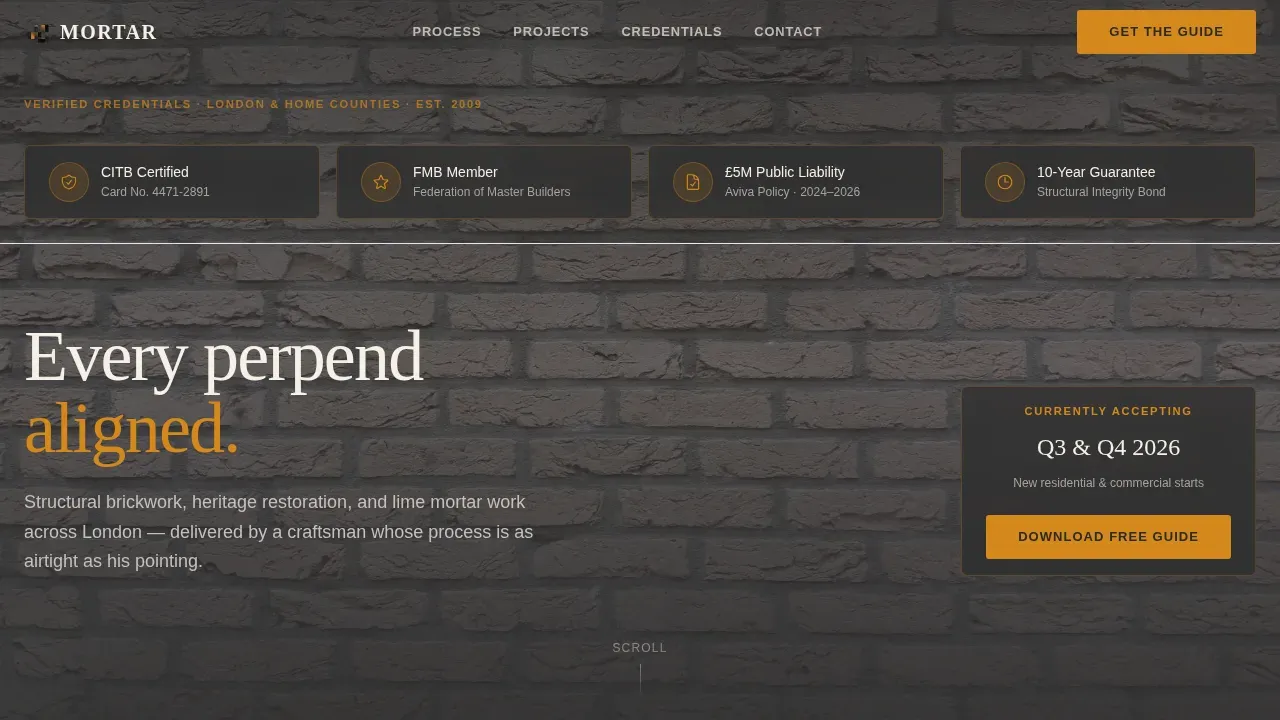
The hero section uses a full-bleed background image of a completed feature wall, shot in flat overcast light so the bond pattern reads with typographic clarity. Across the top of this background, a horizontal band of high-resolution certification icons, representing trade body membership, public liability cover, and a structural guarantee, acts as the headline. No competing text dilutes the impact. The image and the badges together communicate credentialed craftsmanship the moment the page loads, which is exactly the point at which a visitor decides whether to keep reading.
Five-Phase Editorial Process Spreads
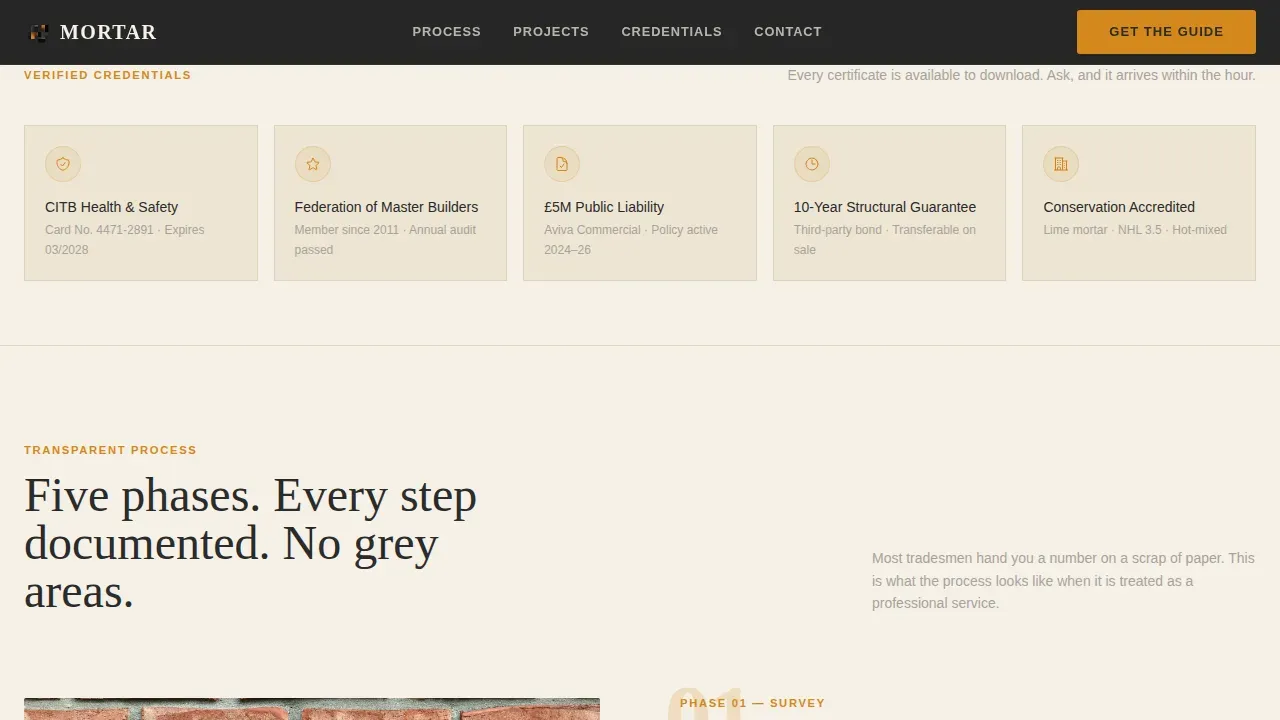
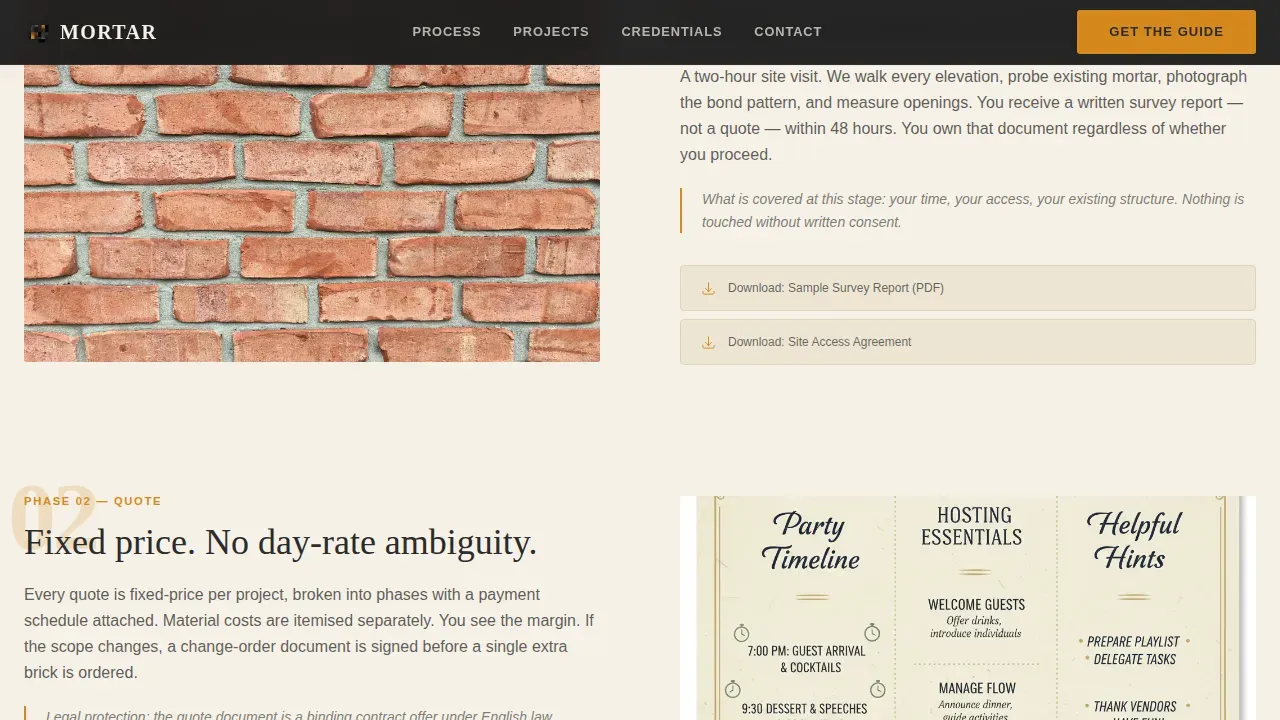
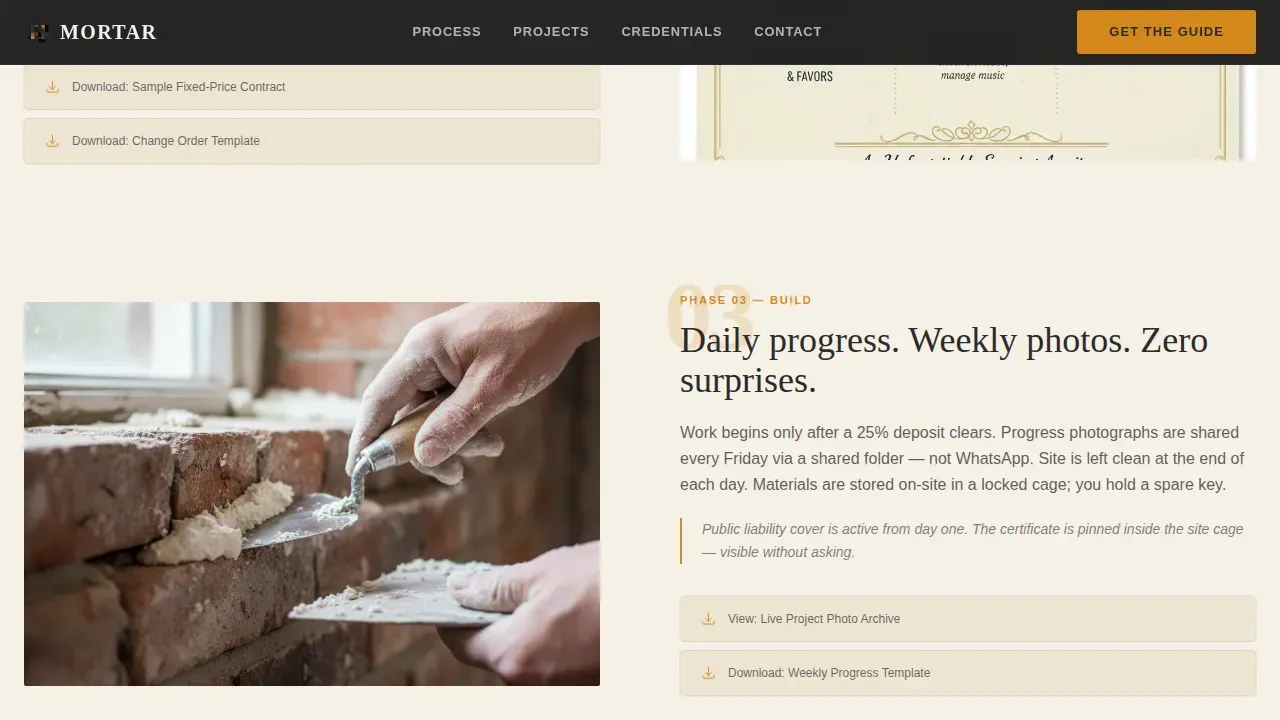
Below the hero, the template structures the bricklayer's working method as five numbered editorial spreads. Each spread pairs a large project image on one side with a plain-language breakdown on the other, covering what happens, what it costs, and what protection covers the client at that stage. Downloadable assets, sample contract clauses, insurance certificates, and project timelines, are embedded directly in each spread rather than hidden behind enquiry forms. This method of presenting information makes the site feel more like an investigative feature than a standard portfolio page.
Masonry Grid Project Gallery
The gallery section uses a masonry grid layout in a varied bento arrangement. A masonry-style grid is one of the most familiar and user-friendly ways to organize portfolio content, and it allows items of varying image sizes to be displayed in a visually appealing way without the rigidity of an equal-column format. Hover effects animate on each gallery image, revealing the project title and a brief description. The masonry layout makes it easy for visitors to explore the full range of work at a glance.
Testimonial Pull-Quote Cards
Three editorial pull-quote cards showcase detailed client feedback from homeowners and contractors. Each card includes the client name and project type, giving the comment context and making the feedback feel specific rather than generic. Placing real testimonials with this level of detail adds authenticity that stock-style quotes cannot achieve.
Amber-on-Charcoal Lead Capture Form
The primary call to action is a form positioned after the third editorial spread, asking for first name and email only. The form design follows the principle that simplified lead forms improve user experience by reducing friction. A secondary path, "View Full Project Archive", is gated behind the same lightweight capture. Both links point the user toward deeper engagement without demanding excessive personal detail.
Scroll-Reveal Animation System
The template includes a medium-weight animation system. Editorial spreads reveal on scroll, the badge entrance is staggered, and the hero photo carries a parallax slide effect. Each animation is calibrated so the slide and reveal motions add a sense of depth without slowing down the reading experience.
Page sections overview
| Section | Purpose |
|---|---|
| Hero with Badges | Display credential icons over a full-bleed feature wall background image |
| Phase One Survey | Explain the site survey process with photo and plain-language copy |
| Phase Two Quote | Present transparent pricing method and downloadable sample contract |
| Phase Three Build | Show active construction imagery with progress detail |
| Phase Four Inspect | Cover quality inspection steps and what the client should expect |
| Phase Five Guarantee | Present the ten-year structural guarantee and legal coverage summary |
| Masonry Grid Gallery | Showcase completed brickwork projects in a bento masonry layout |
| Testimonial Cards | Post three client pull-quotes with name and project context |
| Lead Capture Form | Collect first name and email for guide download and archive access |
| Footer | Minimal developer-style footer with navigation links and site info |
Design & branding system
The visual identity is built on a Charcoal and Amber palette that carries a Legal Shield theme throughout every section. The color choices are deliberate: amber does not decorate, it certifies. It highlights guarantees, credentials, and calls to action the way a wax seal marks a legal instrument. The typography uses Fraunces for serif headers and Manrope for body text, a pairing that holds the tension between editorial authority and plain-language clarity.
- Kiln-black charcoal (#2B2B2B) anchors headers and full-bleed photo backgrounds; contract-paper cream (#F5F0E6) forms the primary reading surface; wet-mortar gray (#A8A39D) handles body text and section dividers
- Reclaimed-brick amber (#D4881C) fires up pull-quotes, hover states, call-to-action buttons, and icon highlights, always used to mark something verified or significant
- The overall style draws from editorial magazine design and salvage-yard grit, flat overcast photos, legal-document fonts, and a formatted layout that feels bound rather than browsed
Mobile & speed optimization
The template is designed desktop-first to suit the way architects, general contractors, and project managers review portfolio work on large screens. Full mobile responsiveness is built into every layout element, so the masonry grid, editorial spreads, and badge masthead all reflow cleanly at smaller sizes.
- Lazy-loaded images keep the masonry gallery and background image assets from slowing the initial page load, which is essential for retaining visitors who arrive on slower connections
- Server Components handle static sections, reducing the rendering work required for pages that do not change frequently
- The navigation menu, slide animations, and gallery hover states are all tested across device breakpoints to ensure a polished experience on mobile
How this template helps you convert
A high-converting portfolio landing page for a bricklayer must balance strong visual proof with professional credibility signals. This template achieves that balance through structure, not through pressure.
- The Award Badge masthead positions trust signals immediately above the fold, so the first thing visitors see is verified certification rather than a sales headline, creating a sense of authority that filters in the right enquiries before any copy is read.
- The five editorial process spreads build visitor literacy at each scroll stage, so by the time the lead capture form appears, the user already understands the method, the cost structure, and the legal protection in place, making the guide download feel like a natural next step rather than a cold conversion ask.
- The masonry grid gallery and testimonial section give visitors concrete visual and social proof that the work described in the process spreads is real, closing the gap between promise and evidence that causes most trade portfolio sites to lose enquiries at the final stage.
Other information about this template
This template is a strong starting point for bricklayers who want to create a portfolio site that stands apart from generic trade directories. The design system, layout, and content structure are all formatted so that designers and non-technical users can edit and customize the template without extensive coding knowledge. Many masonry portfolio themes are built to be easy to customize, and this template follows that same principle, giving you the tools to match the content to your own projects and branding.
- The masonry grid gallery supports custom images so you can swap in your own project photos and update each project title and description to reflect your actual work; the hover effects and slide animations carry across to your custom images automatically for a similar effect to the demo
- The existing template structure is built to accommodate different portfolio sizes, whether you are posting a handful of completed projects or a full project archive, the masonry layout scales without losing its visual sense
- Slider revolution-style slide functionality is embedded in the hero and editorial spread animations, giving the page a dynamic quality without requiring a separate plugin; designers who want to achieve a similar effect in other contexts can use the same animation approach across pages
- The platform supports a comment section structure in the project archive so that real client feedback can be posted and formatted alongside project photos, adding another layer of social proof beyond the pull-quote cards
- The footer follows a minimal developer-style pattern with clean navigation links, site location information, and the rest of the standard footer elements formatted to match the Legal Shield theme
Theme
Legal Shield
Creative direction
Transparent Process
Color system
Charcoal & Amber
Style
Editorial/Magazine
Direction
Content/Resource
Page Sections
Credential Badge Hero Section
Five-phase Editorial Process Layout
Bento Masonry Grid Gallery
Editorial Testimonial Pull-quotes
Lightweight Amber Lead Capture Form
Scroll-reveal and Parallax Animation
Related questions
Can I replace the demo photos with my own project images?
Is this template suitable for heritage and specialist masonry work?
How does the lead capture form work?
Can I add more projects to the masonry grid gallery?
Do I need design experience to customize this template?



