Maxillofacial Surgeon Professional Website Template
Maxilla is a single-page maxillofacial surgeon condition and treatment library landing page. It pairs anatomical line art with a surgeon's first-person voice across six alternating zigzag sections. A persistent search bar lets visitors filter by anatomy, symptom, or procedure. Every condition is explained fully and ungated, with a downloadable patient guide as an optional next step.
by Rocket studio
Quick summary
Maxilla is a content-rich landing page template built for maxillofacial surgeons who want to educate patients and referring dentists. It uses alternating zigzag sections to pair anatomical illustrations with clear clinical explanations written in first person. A persistent search bar anchors the experience. Every condition is ungated and fully explained before anything is asked of the visitor.
Who this template is for
This template is built for maxillofacial surgeons who treat complex facial and jaw conditions and want an authoritative digital presence that serves both patients and colleagues. It works equally well for a solo surgical practice and a hospital-affiliated oral and maxillofacial surgery unit looking to publish educational resources.
- Maxillofacial surgeons building a patient-facing condition library
- Referring dentists looking for a trusted protocol resource before a Monday referral
- Medical practices wanting to convert anxious, late-night Googlers into informed, confident patients
What problem this template solves
Patients searching for conditions like jaw fractures, cleft palates, or craniosynostosis rarely find explanations that feel both medically accurate and humanly reassuring. Most practice websites offer thin overviews behind contact forms. This template solves the trust gap by putting complete, ungated information first and the ask second.
- Patients get full condition explanations without hitting a paywall or a contact gate
- Referring dentists find surgical context written with enough clinical depth to support referral decisions
- Surgeons gain a library format that builds authority page-by-page as visitors scroll deeper
What you get with this template
You get a fully structured, single-page landing page with six alternating condition sections, each pairing anatomical line art with surgeon-written explanatory text. The layout is designed so the most common conditions appear early and complex reconstructive cases appear as visitors scroll, naturally filtering for higher-acuity patients.
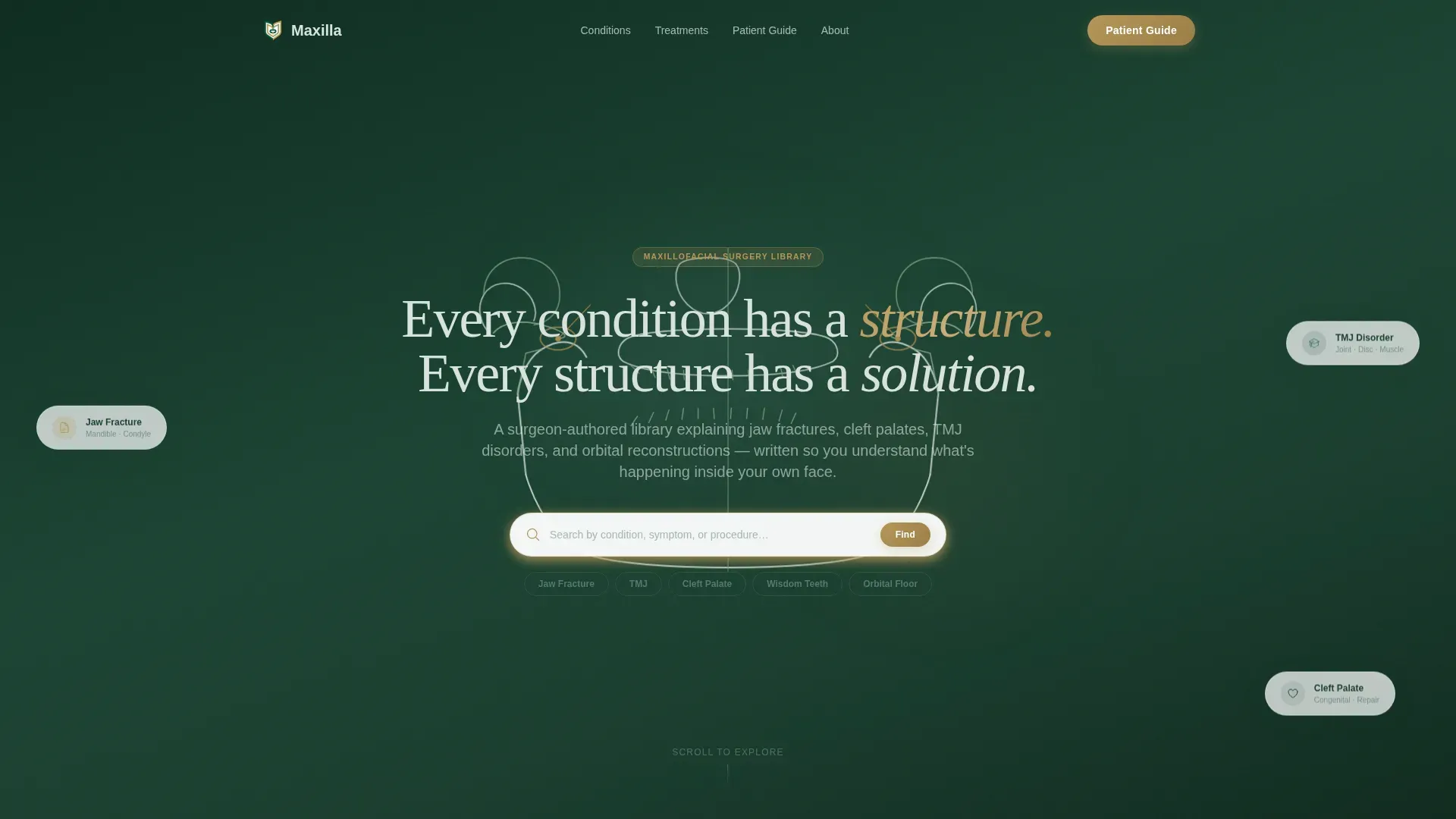
- A full-width hero with SVG anatomical line art, a fade-in headline, and a persistent search bar
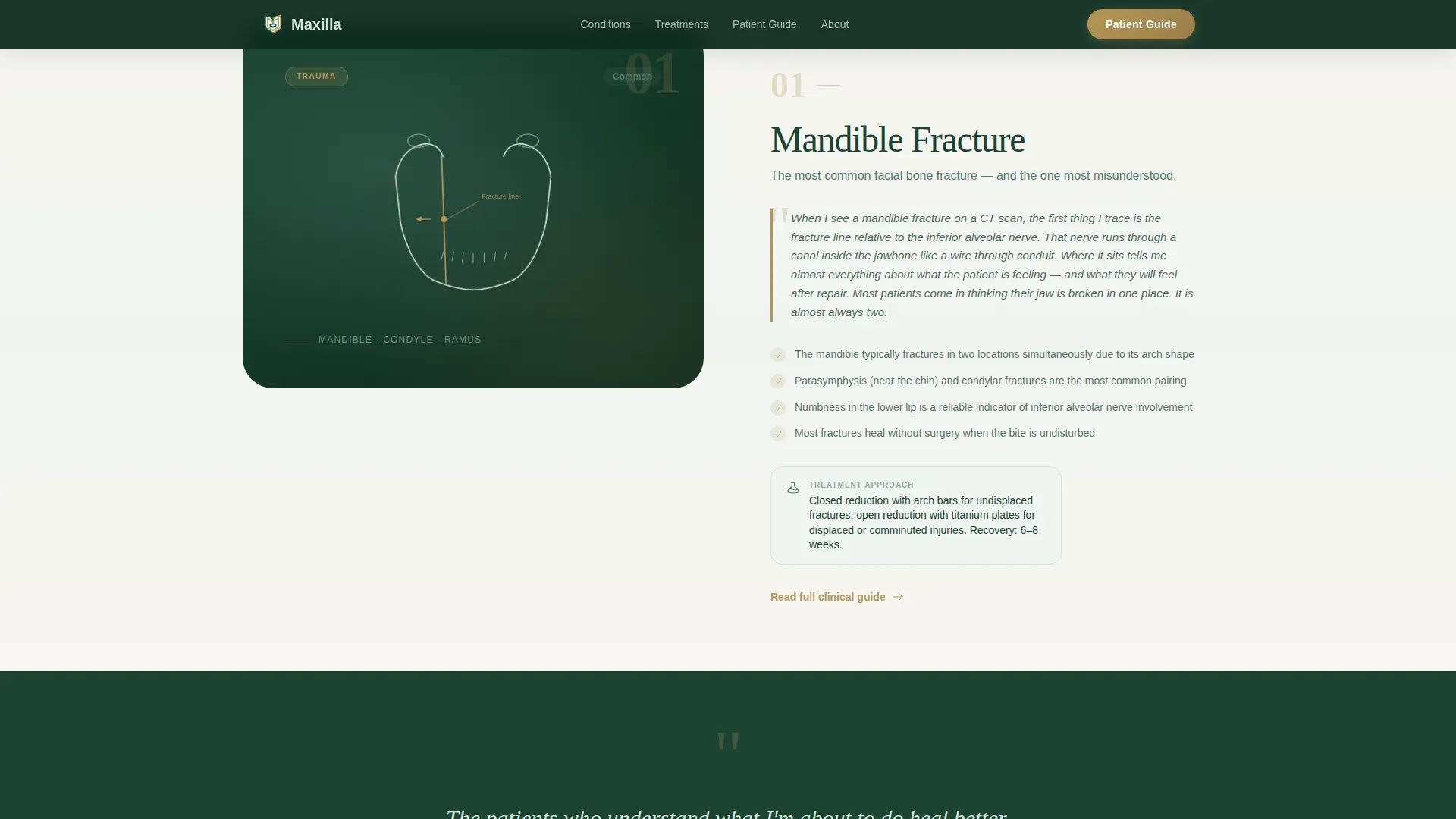
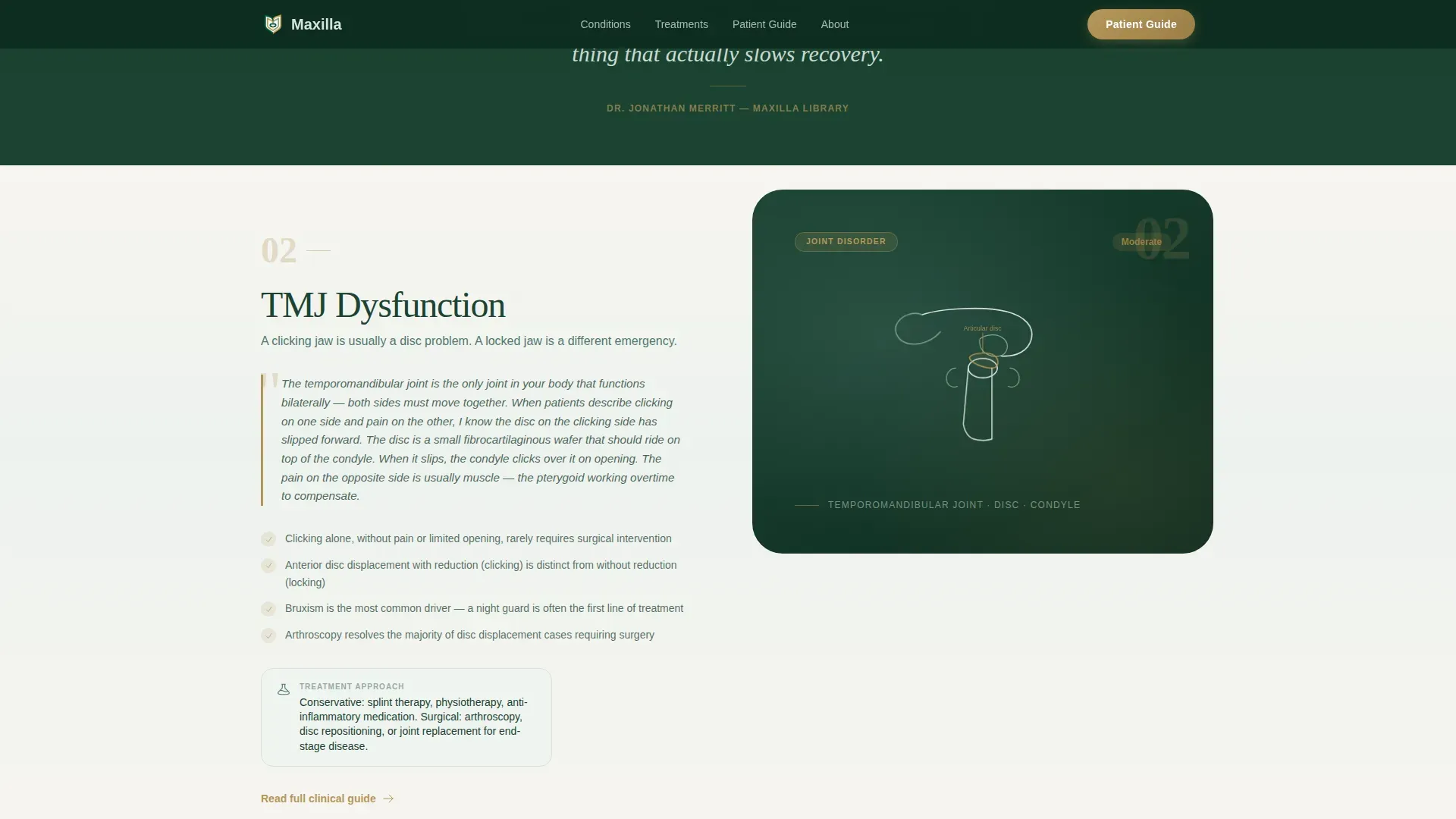
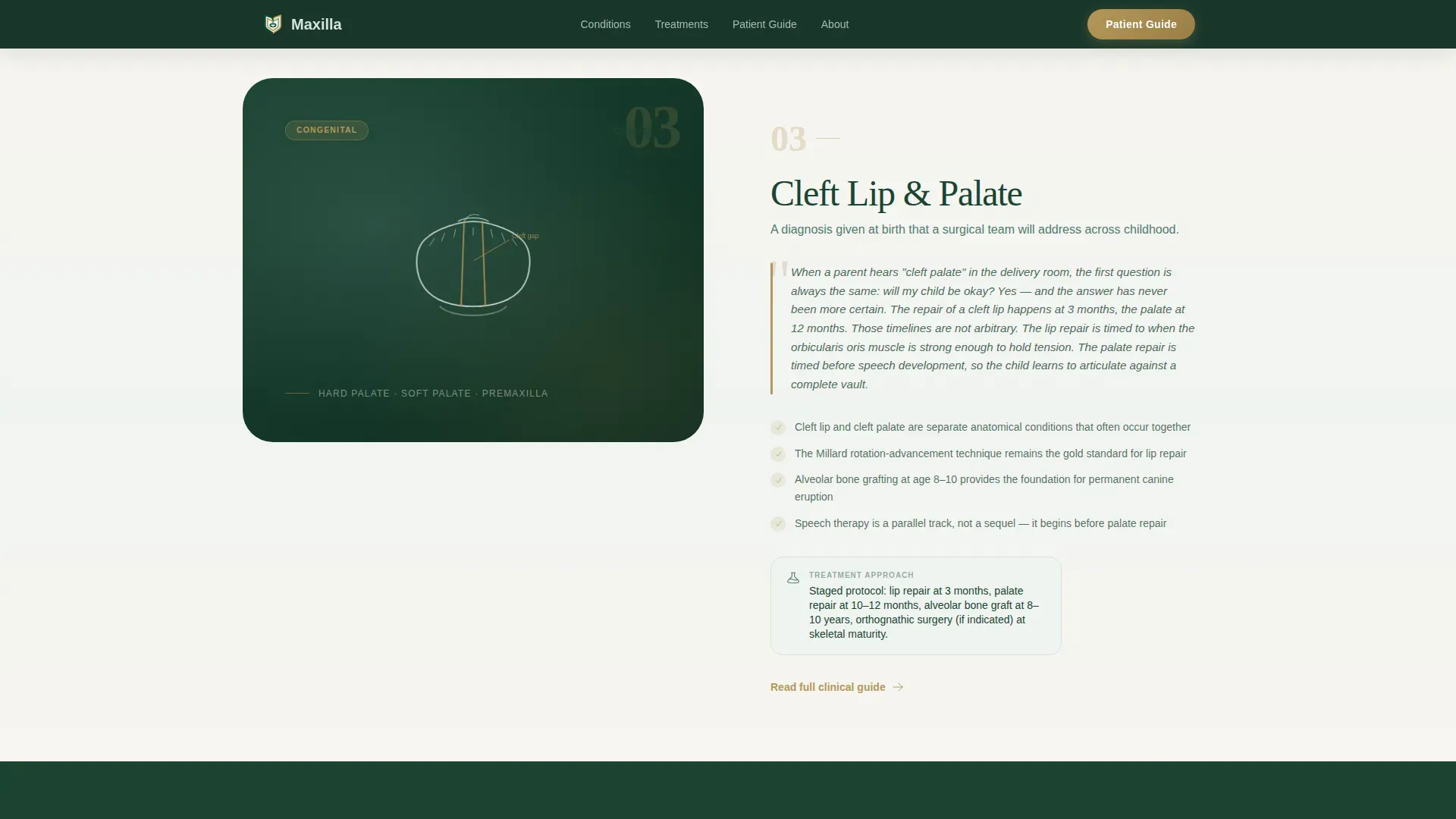
- Six zigzag condition blocks with illustration on one side and first-person surgical explanation on the other
- A surgeon pull quote band between sections, a downloadable patient guide with a minimal form gate, and a credentials trust panel
Feature list
Persistent Condition Search Bar
A search bar is anchored across the hero and remains accessible as visitors scroll. It filters the condition library by anatomy, symptom, or procedure name, so a parent typing "craniosynostosis" or a dentist typing "orbital floor" reaches the right section immediately.
Zigzag Alternating Condition Sections
Six condition blocks alternate layout direction across the page. Anatomical line art sits on one side and the surgeon's first-person explanation sits on the other. The rhythm shifts from common conditions early in the scroll toward complex reconstructive cases deeper in the page.
SVG Anatomical Line Art Hero
The hero is a full-width canvas of hand-style SVG line art depicting the mandible, zygomatic arch, and temporomandibular joint (TMJ). Lines draw in as the page loads, creating the impression of a surgeon illustrating in real time. A single headline fades in over the illustration.
Surgeon Pull Quote Bands
Between each zigzag block, a margin-note style pull quote surfaces a direct statement from the surgeon. These quotes break the scroll rhythm and add authorial voice, making the page feel like a curated gallery rather than a flat content list.
Patient Guide PDF Download
A soft-gated section offers a downloadable patient guide in exchange for a first name and email address. There is no paywall and no hard block. Because every condition section is complete before this point, the download reads as a bonus rather than a barrier.
Credentials and Trust Panel
An asymmetric bento-style panel displays board certifications, surgical credentials, and case volume statistics. It appears after the condition library to reward visitors who have already engaged with the content and want to verify the surgeon's background.
Page sections overview
| Section | Purpose |
|---|---|
| Hero Canvas | Full-width anatomical SVG with fade-in headline and persistent search bar |
| Conditions Library | Six zigzag blocks pairing line art with first-person condition explanations |
| Pull Quote Bands | Margin-note style surgeon quotes between each condition block |
| Patient Guide Download | Soft-gated PDF download requiring only first name and email |
| Credentials Trust Panel | Asymmetric bento showing certifications, board credentials, and case volume |
| Footer | Minimal horizontal footer pattern |
Design & branding system
The visual identity uses a Forest Trust color system built around four tones that work together like a walk through old-growth forest after rain. Deep evergreen anchors the header and primary typography. Sage carries section backgrounds in gentle gradient washes. Warm birch opens up whitespace. Quiet gold appears only on interactive elements such as links, hover states, and navigation cues.
- Evergreen (#1B4332), sage (#52796F), birch (#D8E2DC), and gold (#B5975A) form the full palette
- Fraunces serif handles display headings; DM Sans handles body text for comfortable reading contrast
- The overall aesthetic reads like a hand-annotated surgical textbook, warm and precise rather than sterile
Mobile & speed optimization
The template is built desktop-first to serve referring dentists working at a desk, while remaining fully legible for parents searching from a phone late at night. Static content sections use server components to keep JavaScript minimal, so the page loads without heavy client-side overhead.
- Scroll-triggered zigzag reveals and staggered entrance animations are timed to avoid layout shift
- SVG line-draw animation on the hero runs at medium intensity, balancing visual impact with smooth performance
- Condition cards include hover states on desktop and clear tap targets on mobile
How this template helps you convert
Every design and content decision on this page builds trust before it asks for anything. Visitors who arrive anxious or skeptical leave with enough understanding to take the next step, whether that is booking a consultation, downloading the guide, or placing a referral.
- Ungated condition sections answer the visitor's question completely first, so the surgeon earns trust before a single form field appears
- The persistent search bar removes friction for visitors who arrive with a specific diagnosis in mind, delivering them directly to the relevant section
- The soft-gated patient guide offers a clear, low-commitment next step for visitors who want to keep the information close
Other information about this template
This template is categorized under Health and Medical, specifically within the maxillofacial surgeon website niche. It is designed as a condition and treatment library landing page rather than a general practice homepage, which means it functions as a standalone educational resource or as a campaign-specific page within a broader surgical practice site.
- The Zigzag/Alternating template style and Expert Panel creative direction are matched for this exact niche intersection
- The Soft Gradient theme and Forest Trust color system are pre-configured, requiring only brand name and content substitution
- Animation settings include SVG line-draw on the hero, scroll-triggered section reveals, and staggered entrance effects at medium intensity
Theme
Soft Gradient
Creative direction
Expert Panel
Color system
Forest Trust
Style
Zigzag/Alternating
Direction
Content/Resource
Page Sections
Persistent Condition Search Bar
Zigzag Alternating Condition Layout
SVG Anatomical Line Art Hero
Surgeon Pull Quote Bands
Soft-gated Patient Guide Download
Credentials and Trust Panel
Related questions
Can I use this template without a design background?
Does the patient guide download require any special backend setup?
Is this template suitable for a multi-surgeon practice?
How many conditions can the library section hold?
Who typically visits this type of page?



