Real Estate & Property Law Booking Website Template
Mediate is a single-column landing page template built for real estate dispute mediation practices. It uses a FAQ-driven scroll structure to walk anxious property disputants from uncertainty to a booked consultation. The restrained Monochrome Steel palette, oversized serif headlines, and tempered-gold call-to-action buttons project institutional authority without intimidation.
by Rocket studio
Quick summary
Mediate is a booking-focused landing page template designed for real estate dispute mediation professionals. It guides visitors through four answered FAQ sections, each one lowering anxiety and building confidence, before presenting a structured booking form. The result is a page that feels less like a sales pitch and more like the start of a trusted consultation.
Who this template is for
This template is built for practitioners who resolve property disputes outside of court. It speaks directly to the situations your clients are already living through, and it earns their trust before asking for anything in return.
- Real estate mediators handling co-ownership, boundary, landlord-tenant, or HOA disputes
- Solo practitioners and boutique mediation firms serving emotionally charged property clients
- Attorneys looking to offer or refer clients to a structured, credible mediation practice
What problem this template solves
Property disputants often search for help late at night, overwhelmed by legal jargon and uncertain whether mediation is even an option for their situation. A generic professional services page does nothing to meet that anxiety. This template solves that gap directly.
- Visitors arrive fearful and leave feeling understood, because the page answers the exact questions they came with
- The FAQ-driven structure replaces sales pressure with quiet expertise, moving visitors toward booking without feeling pushed
- The booking form captures dispute type, party count, and format preference, so the first real conversation starts informed
What you get with this template
You get a complete, single-column landing page structured around real disputant questions and a clear booking path. Every section serves a specific purpose in moving a hesitant visitor toward a confidential session.
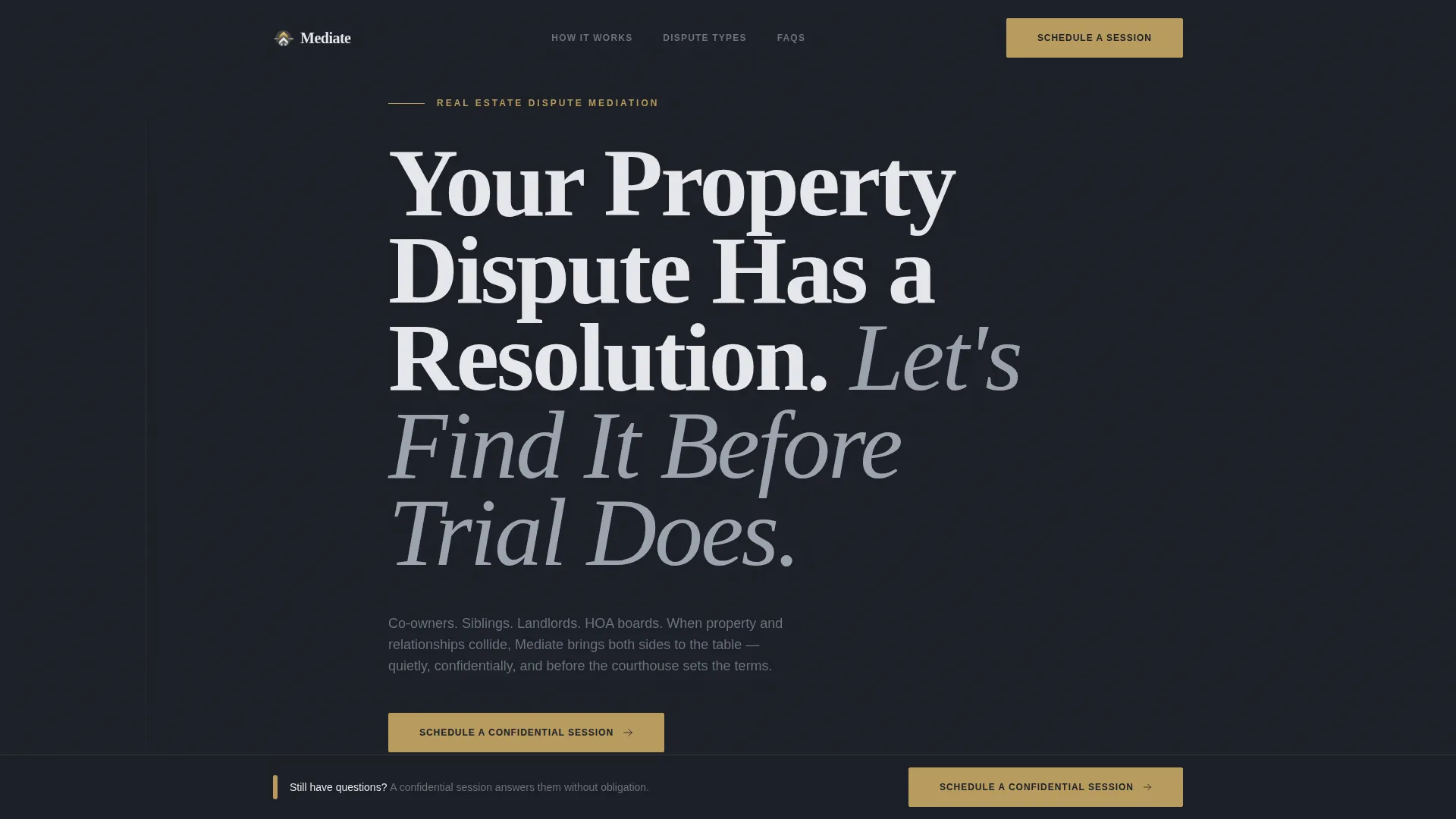
- A full-viewport hero section with a giant flush-left serif headline and a single tempered-gold call-to-action button
- Four FAQ content sections, each anchored by a real question in oversized steel-gray type, with jargon-free answers beneath
- A structured booking form collecting dispute type, number of parties, and consultation format preference
- A persistent bottom bar that slides into view after the third FAQ, keeping the primary call to action visible throughout the scroll
Feature list
This template is built around a specific set of design and structural decisions drawn from the source brief. Each feature below reflects an intentional choice in how the page communicates authority and drives bookings.
Giant Serif Hero Headline
The hero section fills roughly seventy percent of the viewport height with an enormous flush-left serif headline set against a deep graphite background. Typography functions as the primary authority signal. No stock photography or decorative imagery is used.
FAQ-Driven Scroll Structure
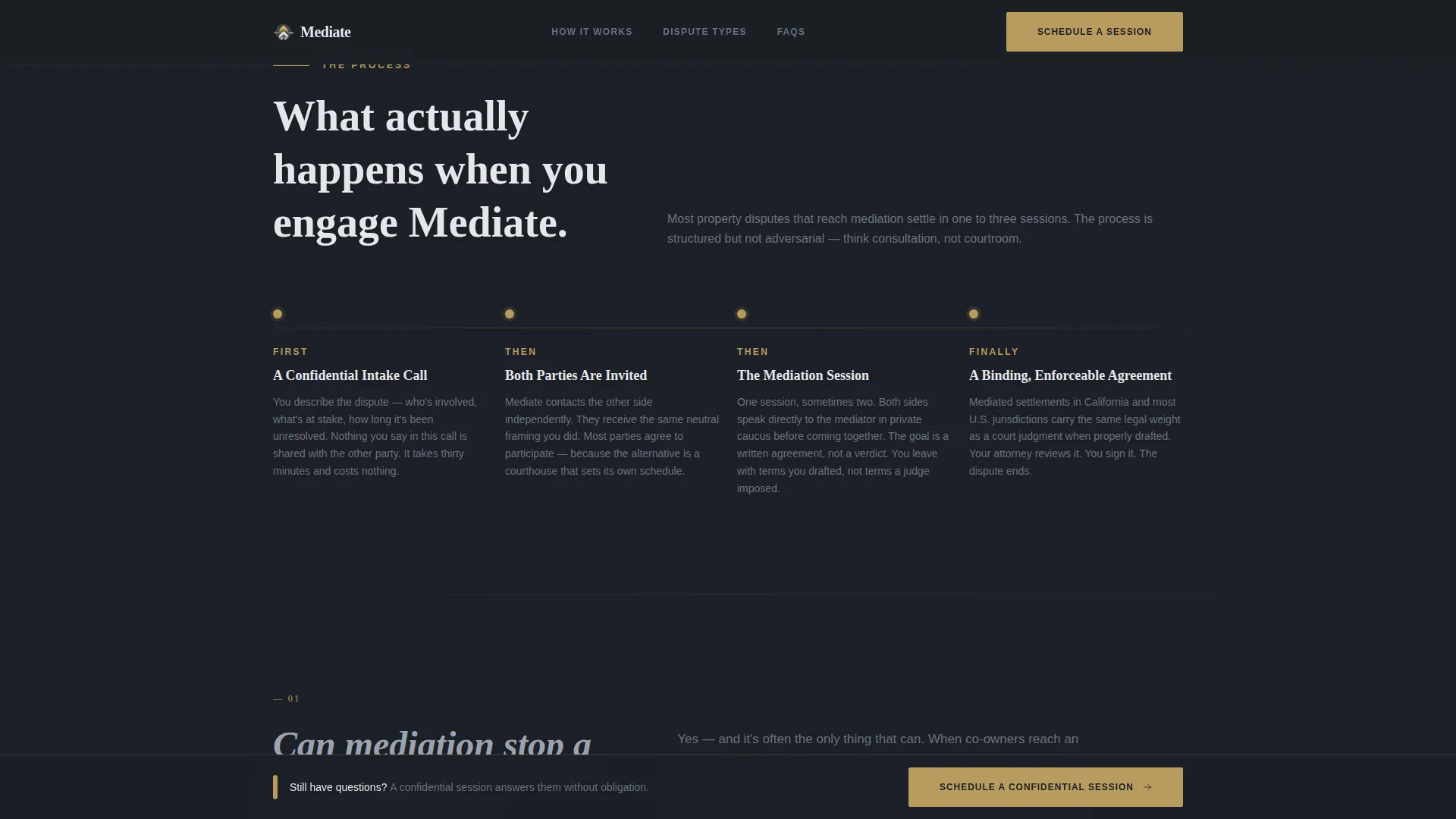
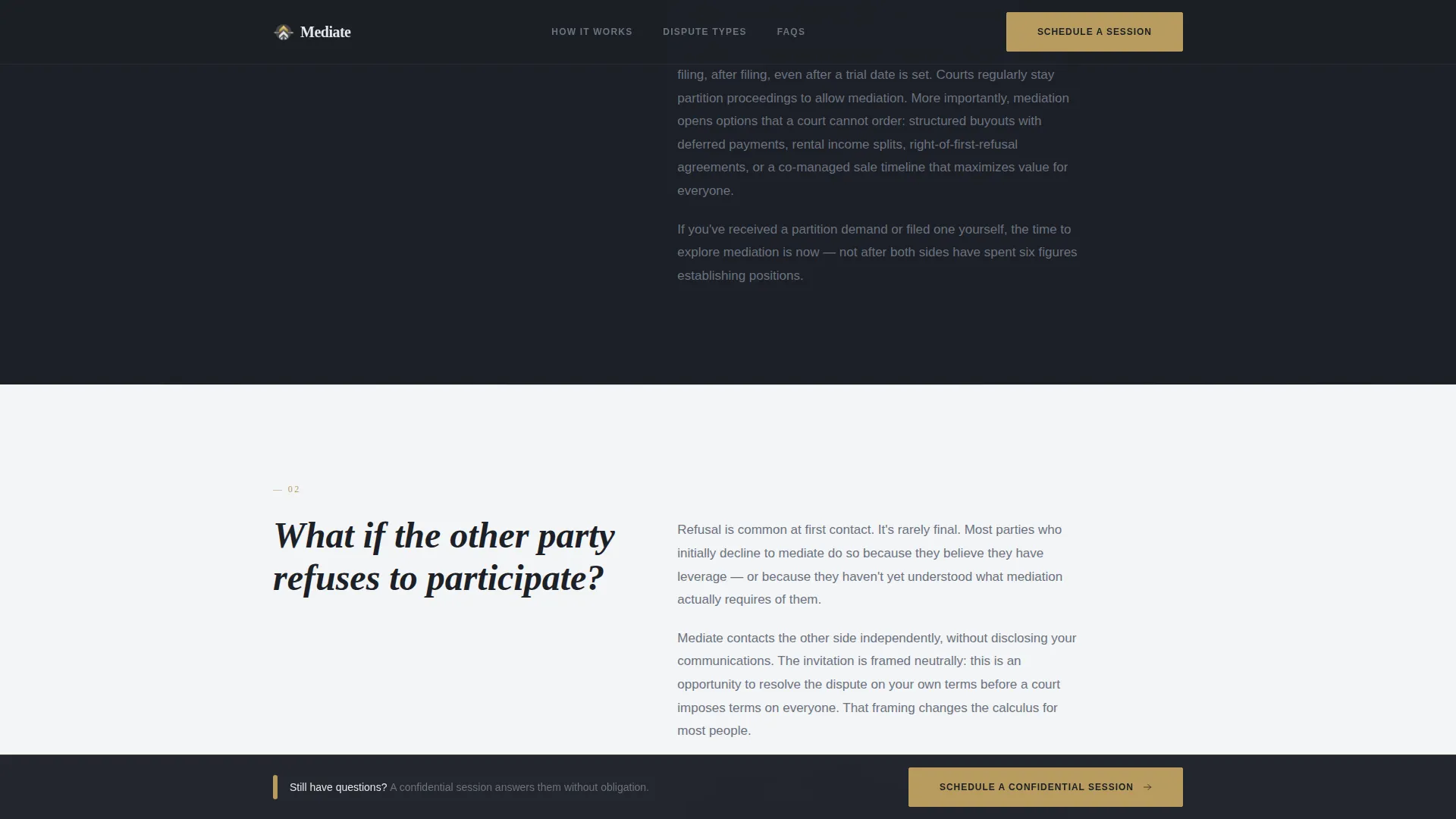
Four real disputant questions anchor the page's main content sections. Each question appears in oversized steel-gray type, with a measured prose answer beneath it. The rhythm mimics a live consultation, and tension decreases with every answered question.
Persistent Booking Call-to-Action Bar
After the third FAQ section, a bottom bar slides into view and remains visible for the rest of the scroll. It carries the primary "Schedule a Confidential Session" call to action in tempered gold, ensuring the booking path is always one tap or click away.
Structured Booking Form
The booking section collects three inputs: dispute type (co-ownership, boundary, landlord-tenant, HOA or construction defect, or other), number of parties involved, and preferred consultation format (video call, phone, or in-person). This gives the mediator context before the first conversation begins.
Monochrome Steel Color System
The entire palette is built from four values: deep graphite for backgrounds, brushed steel for body text, courthouse marble for open space, and tempered gold reserved exclusively for calls to action and interactive moments. The result is restrained, institutional, and immediately legible.
GSAP ScrollTrigger Animations
The template uses medium-weight scroll-triggered animations throughout. FAQ sections reveal with staggered timing, and the persistent bottom bar slides in on cue. Interactivity is purposeful and never decorative.
Page sections overview
| Section | Purpose |
|---|---|
| Hero headline block | Sets authority tone and surfaces the primary gold call-to-action button |
| FAQ 1: Partition sale | Answers whether mediation can stop a forced partition sale |
| FAQ 2: Refusal scenario | Addresses what happens if the other party declines to participate |
| FAQ 3: Legal binding | Clarifies the enforceability of a mediated agreement; triggers persistent bar |
| FAQ 4: Timeline question | Sets realistic expectations for how long mediation takes |
| Booking form section | Captures dispute type, party count, and format preference |
| Footer | Provides horizontal flow navigation and practice contact details |
Design & branding system
The visual identity follows a Legal Shield theme built entirely on a Monochrome Steel palette. Typography does the heavy lifting, and every color decision reinforces the feeling of earned institutional authority.
- Fraunces serif is used for all headlines; DM Sans handles body text for clean contrast and readability
- The four-color palette (graphite #1C1F26, brushed steel #6B7280, courthouse marble #E5E7EB, tempered gold #B89B5E) is applied with strict hierarchy
- Tempered gold appears only on calls to action and key interactive elements, preserving its visual weight throughout the page
Mobile & speed optimization
The template is designed desktop-first to match the research behavior of legal service clients, while maintaining full mobile support across all sections. Performance decisions reflect that priority.
- Server components handle all static sections; client-side rendering is scoped only to the interactive booking modal and persistent bar
- GSAP ScrollTrigger animations are applied at medium weight, keeping motion purposeful without taxing mobile devices
- The single-column layout adapts cleanly to smaller viewports without requiring layout restructuring
How this template helps you convert
Every structural decision in this template serves the goal of turning a late-night researcher into a booked consultation. The conversion path is deliberate and progressive.
- The hero section establishes authority immediately, and the gold call-to-action button gives visitors a clear first action before they read a single word of body copy
- Each FAQ section reduces a specific objection or fear, so by the time visitors reach the booking form they already feel understood and ready to share their situation
- The persistent bottom bar ensures the booking call to action is never more than one click away, regardless of how far down the page the visitor has scrolled
Other information about this template
This template sits at the intersection of legal professional services and real estate property law, a niche where trust is the primary conversion driver. A few additional details worth noting for practitioners evaluating this template.
- The booking form is intentionally free of fee disclosure, the page earns the click first by answering real questions
- The footer uses a horizontal flow pattern suited to practices that want clean, minimal navigation without a full multi-page site structure
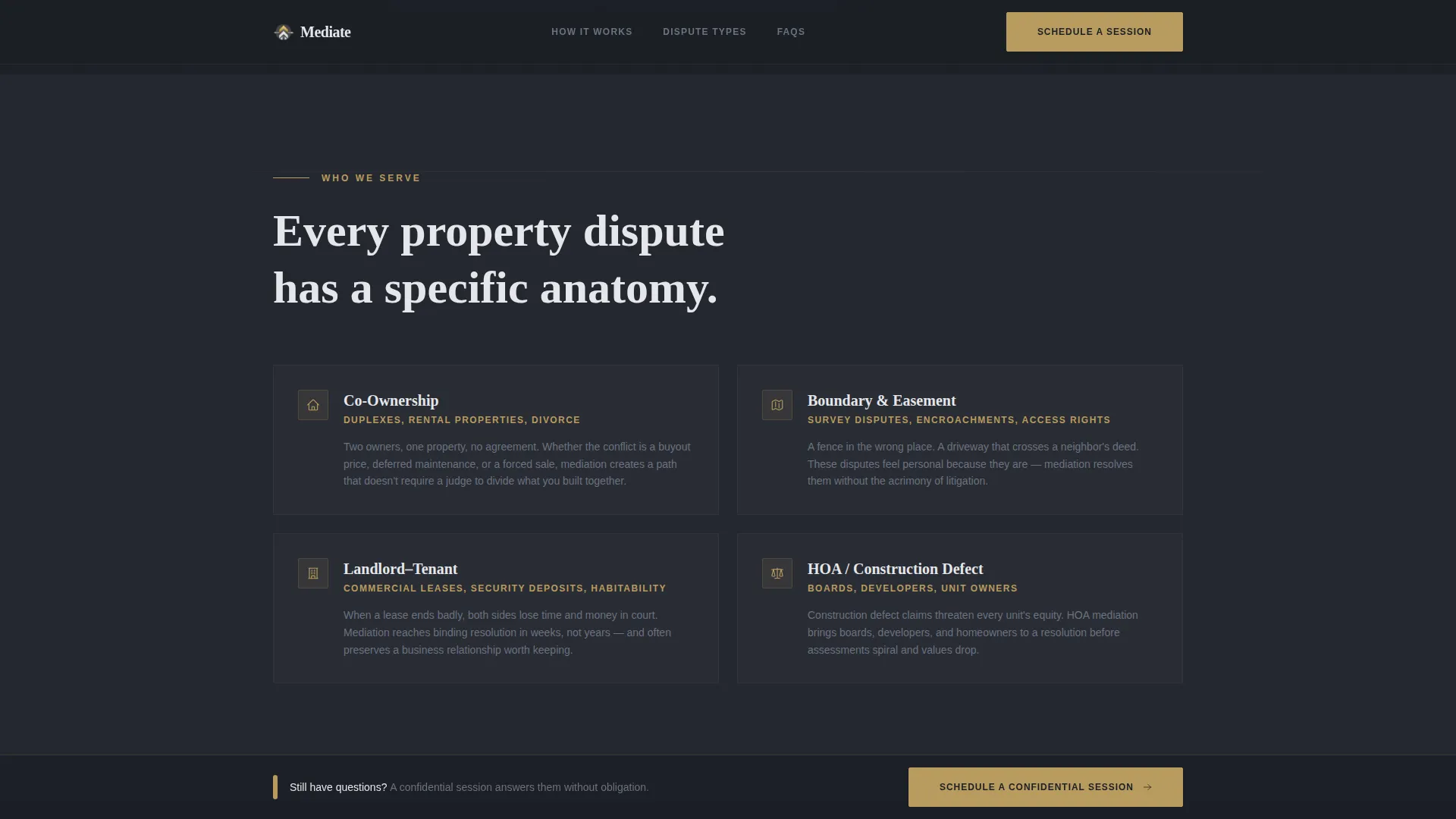
- Dispute type options in the booking form cover the four primary case types mentioned in the brief: co-ownership, boundary, landlord-tenant, and HOA or construction defect claims
- The template is built in a single-column flow structure, making content hierarchy unambiguous and the scroll path linear for every visitor
Theme
Legal Shield
Creative direction
FAQ-Driven
Color system
Monochrome Steel
Style
Single Column Flow
Direction
Booking/Scheduling
Page Sections
Giant Serif Hero Headline
Faq-driven Content Scroll
Persistent Bottom Booking Bar
Structured Consultation Booking Form
Monochrome Steel Visual Identity
Scroll-triggered Animations
Related questions
Can I customize the FAQ questions to match my practice areas?
Does the booking form connect to a scheduling tool automatically?
Is this template suitable for a practice that handles only one type of property dispute?
Will the persistent booking bar appear on mobile devices as well?
Why does the template avoid showing fees on the page?