Advanced Mediation & Alternative Dispute Professional Website Template
The Adjudicate landing page template is built for private commercial arbitration services. It pairs a fixed sidebar quiz with scroll-driven expert panel sections to guide general counsel, CFOs, and family office directors toward a "Request a Private Assessment" call to action. The design communicates gravitas, confidentiality, and authority before a single call is scheduled.
by Rocket studio
Quick summary
Adjudicate is a sidebar companion landing page template designed for private tribunal arbitration services. It leads with a manifesto-style hero, guides visitors through a five-step dispute assessment quiz in a fixed sidebar, and surfaces relevant arbitrator profiles as users scroll. The page earns the inquiry rather than demanding it.
Who this template is for
Every attorney, lawyer, or legal services practice that handles high-stakes commercial disputes needs a landing page that matches the gravity of the work. This template is built for that exact context.
- General counsel at mid-cap firms managing partnership or contract disputes
- CFOs and finance leads facing supplier breaches tied to quarterly results
- Family office directors who need sensitive inheritance disputes resolved privately
What problem this template solves
Commercial dispute resolution is a trust-dependent service. Prospective clients will not contact a tribunal without first feeling that the practice understands their problem. Most law firm landing pages lead with credentials. This template leads with comprehension.
- It reassures potential clients before asking them to share sensitive details
- It demonstrates expertise through scroll-sequenced arbitrator profiles and attributed insights
- It removes friction by letting visitors self-qualify through the sidebar quiz before reaching the call to action
What you get with this template
This template provides a fully structured landing page ready to customize and publish. Every section is designed to build credibility, showcase expertise, and convert qualified visitors into consultations.
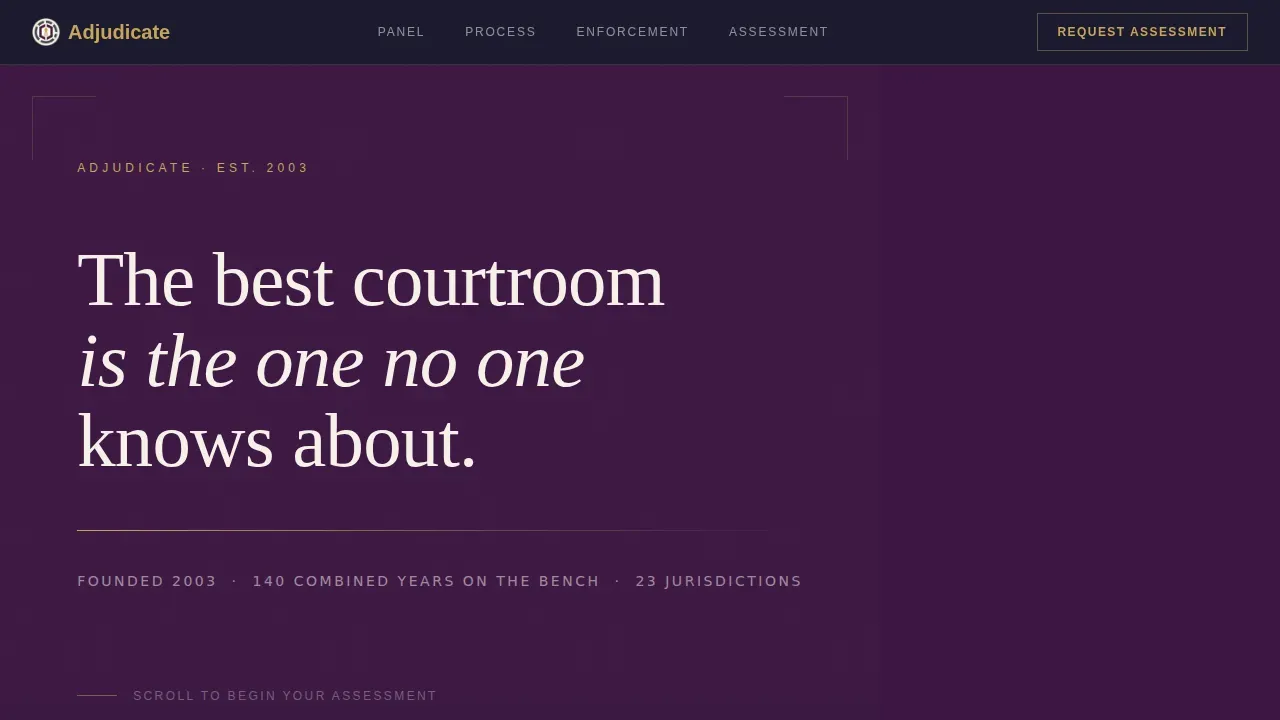
- A Quote/Manifesto hero section set in large serif type against a deep plum background
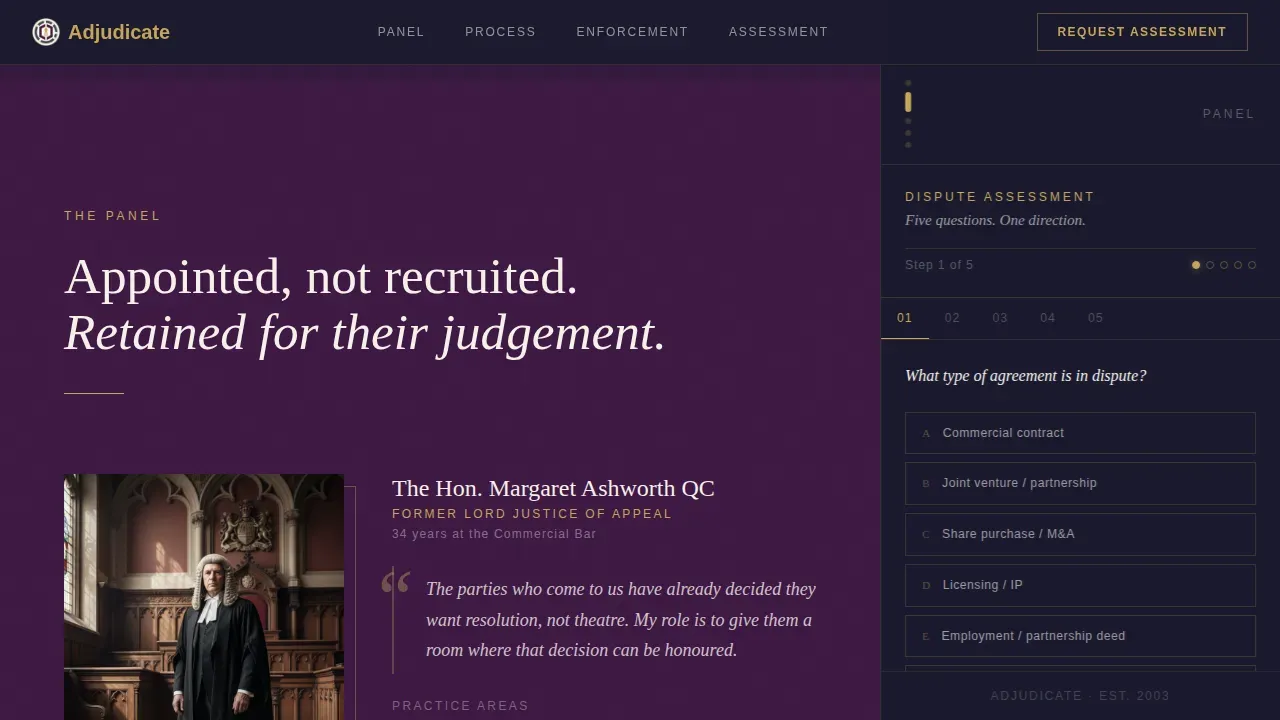
- A fixed five-step sidebar quiz with burnished gold progress indicators and a gated call-to-action button
- Four scroll-sequenced main content sections covering jurisdiction, credentials, procedural timelines, and enforcement
Feature list
This template is built around a single idea: the page itself should feel like the first stage of a private consultation. Each feature serves that goal.
Five-Step Dispute Assessment Quiz
The fixed sidebar houses a structured quiz beginning with dispute type, then claim value, number of parties, preferred jurisdiction, and urgency timeline. The "Request a Private Assessment" button activates at step three, ensuring visitors are qualified before they contact the practice.
Scroll-Sequenced Expert Panel Layout
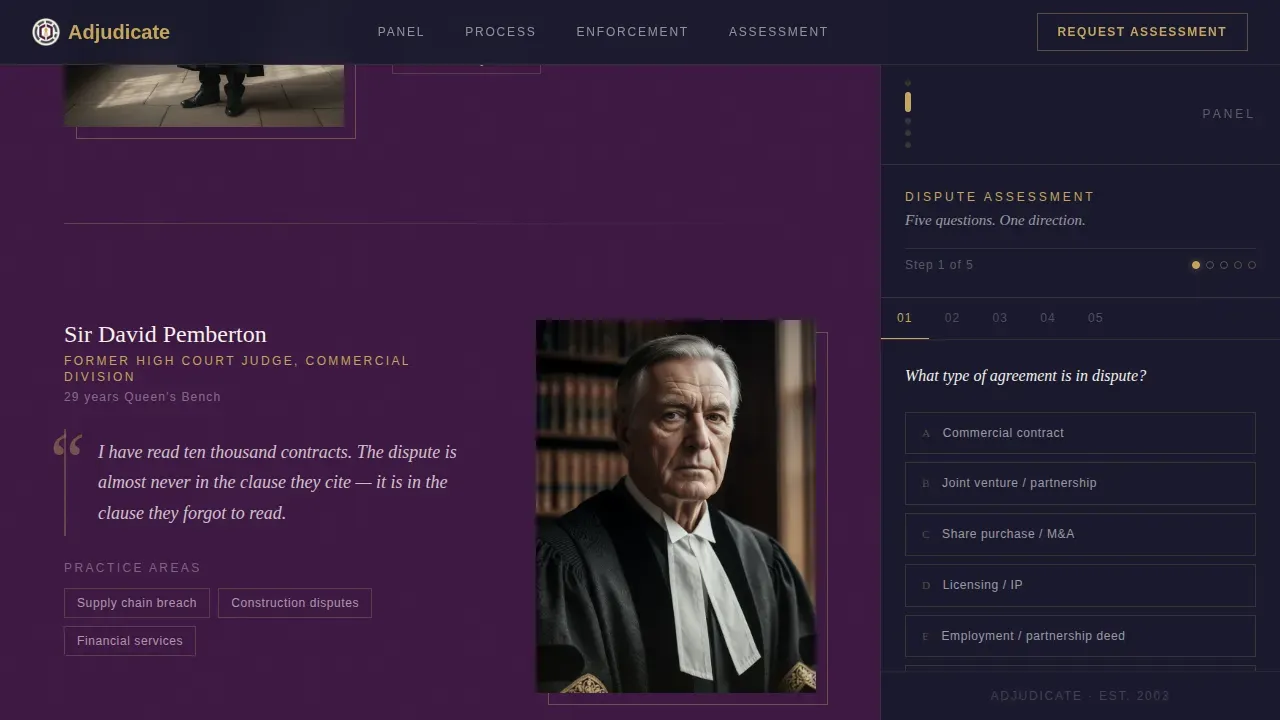
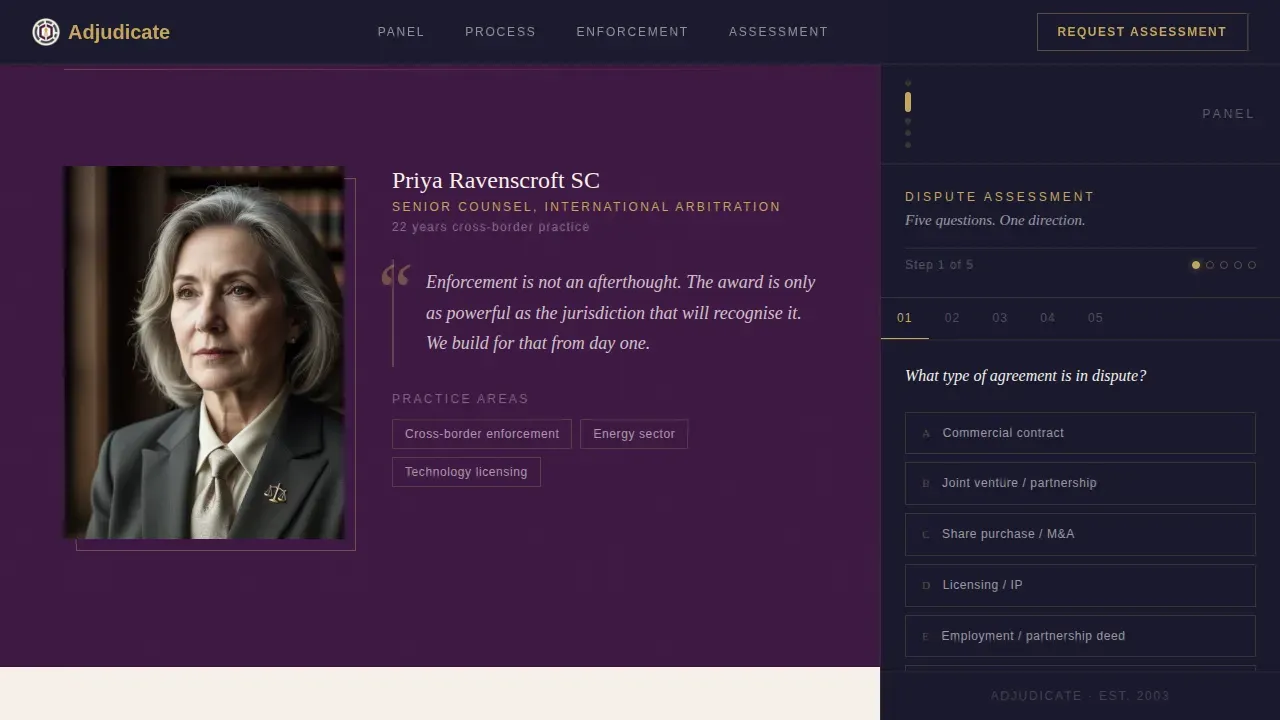
Each main content section introduces one dimension of the arbitration process. An arbitrator portrait and a single attributed quote anchor each scroll step. The layout creates the feeling of a consultation already underway rather than a brochure being read.
Manifesto Hero with Gold Rule Typography
The header is a single declaration in large, tracked serif type. A thin burnished gold rule separates the headline from a parchment ivory line naming the service's founding year and combined bench experience. There are no images and no animations in this section.
State-Driven Content Filtering
Quiz answers in the sidebar subtly surface relevant arbitrator profiles and case precedents in the main panel. This interactivity helps potential clients understand how the service fits their specific dispute before they schedule a consultation.
Desktop-First Sidebar Companion Design
The template is built desktop-first to serve a general counsel and CFO audience who evaluate legal services at a desk. The fixed sidebar and scrolling main panel coexist cleanly at wider viewports.
Gated Gold Call-to-Action Button
The primary call-to-action button is locked until the visitor reaches step three of the sidebar quiz. It then activates in burnished gold, earning the click by first demonstrating that the service already understands the shape of the dispute.
Page sections overview
| Section | Purpose |
|---|---|
| Manifesto Hero | Open with authority and service identity |
| Jurisdiction and Credentials | Introduce arbitrator expertise by region |
| Procedural Timeline | Clarify the arbitration process steps |
| Enforcement and Finality | Reinforce binding outcomes and authority |
| Assessment Call to Action | Activate the "Request a Private Assessment" form |
| Linear Footer | Close with contact and practice details |
| Fixed Sidebar Quiz | Guide and qualify visitors throughout scroll |
Design & branding system
The visual identity follows an Executive Suite theme. Every design choice communicates that this practice has been doing this work for years and does not need to advertise it loudly.
- Deep plum (#3C1642) dominates section backgrounds; charcoal (#1A1A2E) anchors body typography; parchment ivory (#F5F0E8) opens breathing room in content panels
- Burnished gold (#C5A55A) is reserved for accent rules, active states, and sidebar progress indicators, used sparingly the way a judge's pen catches light
- Typography is set in Fraunces (serif display) for headings and DM Sans for body, creating an inscription-like authority in the hero and clean readability throughout
Mobile & speed optimization
The template is built desktop-first to serve the primary audience. The sidebar and scrolling panel layout is designed for wider viewports where a lawyer or attorney evaluates legal services professionally.
- Scroll reveals use low-motion GSAP animations only, with no decorative motion that would slow the page
- Static sections are built as Server Components for fast initial load; the sidebar quiz runs as a Client Component to support interactive state
How this template helps you convert
A landing page for arbitration services must convince visitors that private resolution is more efficient, confidential, and fair than traditional litigation. This template builds that case across every scroll step.
- The sidebar quiz qualifies visitors early and surfaces relevant content, so the call to action feels earned rather than premature
- Arbitrator portraits and attributed quotes create immediate credibility, helping potential clients trust the practice before they reach out to contact anyone
- The gated gold button increases perceived value of the assessment, driving more conversions from genuinely interested visitors
Other information about this template
This template sits within a broader category of legal services landing page templates designed to help law firm practices grow through better lead generation online.
- The adjudicate private tribunal arbitration service landing page template is a specialized design built for mediation and arbitration practices, comparable in focus to the Miles Mediation and Arbitration Template, a premium ADR-focused website layout, and the Law Firm Consultant Website Landing Page user interface Design Template for firms and independent legal consultants
- Platforms like Unicorn Platform allow an attorney to create a custom landing page that conveys their expertise and services to prospective clients without coding; this template provides the design foundation to build on such a builder
- A custom landing page like this one can be adapted month to month as the practice evolves, with no-code tools making it easy to update content, improve messaging, and publish changes quickly
- Effective lead generation for legal services depends on a clear call to action, strong credibility signals, and a layout that guides potential clients toward the next step; this template is designed to provide all three
- SEO optimization and analytics integration are available through the platforms used to publish and host the page, helping a law firm track results and improve performance over time
- The Tribunal landing page WordPress theme is a comparable reference for lawyers and law firms exploring different template directions for their website
Theme
Executive Suite
Creative direction
Expert Panel
Color system
Plum Executive
Style
Sidebar Companion
Direction
Quiz/Assessment
Page Sections
Five-step Dispute Assessment Sidebar Quiz
Scroll-sequenced Expert Panel Sections
Manifesto Hero with Serif Typography
State-driven Content Filtering
Gated Burnished Gold Call-to-action Button
Desktop-first Sidebar Companion Layout
Related questions
Who is this landing page template best suited for?
Can I customize the sidebar quiz steps and arbitrator profiles?
Does the call-to-action button unlock automatically at step three?
Can a law firm offering mediation use this template?
How does the fixed sidebar interact with the main scroll sections?