Medical Office Leasing Landing Page Template
Medsuite is a single-page landing page template built for medical office leasing brokerages. It features an interactive Cost-Per-Square-Foot Calculator as the hero, a case-study narrative scroll with oversized key metrics, and two clear calls to action. The design uses a navy, charcoal, white, and gold color system that projects authority and clinical precision.
by Rocket studio
Quick summary
Medsuite is a focused landing page template for medical suite leasing brokerages. The hero is a live cost calculator, not a stock photo. Scrolling reveals three full-viewport case studies, each stacking proof that this brokerage understands medical tenants. Two calls to action move visitors toward a property listings portal or an advisor scheduling drawer.
Who this template is for
This template is built for commercial real estate professionals who specialize in healthcare tenants. It suits operators who need to earn trust quickly with medically literate buyers.
- Medical office leasing brokerages serving physicians, dental groups, and specialty clinics
- Private-practice owners and hospital administrators evaluating move-in-ready suites
- Commercial real estate teams marketing pre-built, code-compliant medical space
What problem this template solves
Medical tenants ask harder questions than general office tenants. They want cost data, proof of past placements, and confidence that a broker understands medical-grade build requirements. A generic real estate landing page cannot answer those questions fast enough.
- Visitors land without a cost reference, lose confidence, and leave before making contact
- Brokerages look identical to general office leasing firms, undermining specialist credibility
- No proof of real placements means no reason to trust the brokerage over a direct landlord search
What you get with this template
You get a complete, single-page layout designed specifically for medical suite leasing. Every section is production-ready and purposefully sequenced to move a skeptical practice owner toward a click.
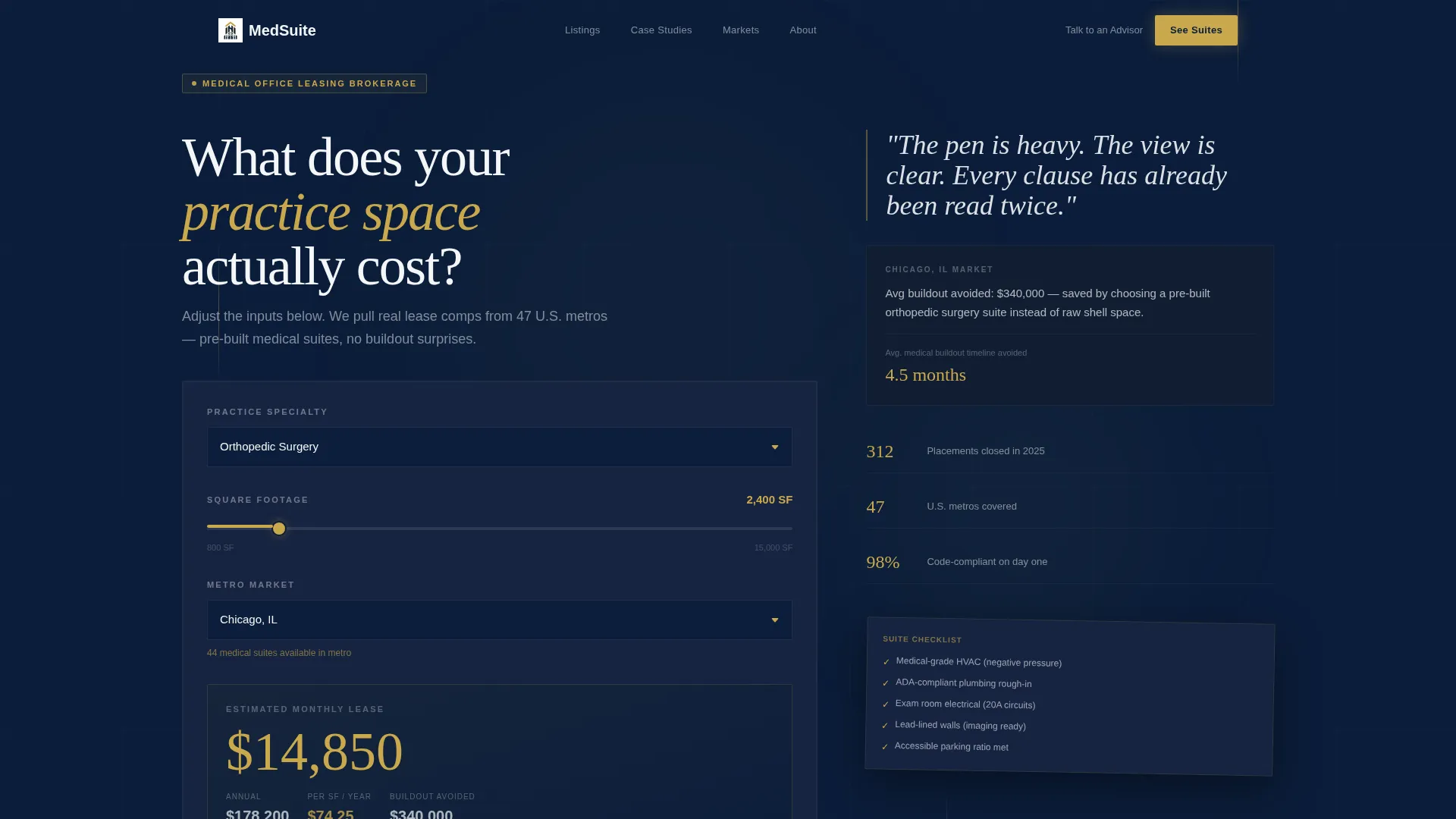
- An interactive Cost-Per-Square-Foot Calculator hero with specialty type, square footage, and metro market inputs
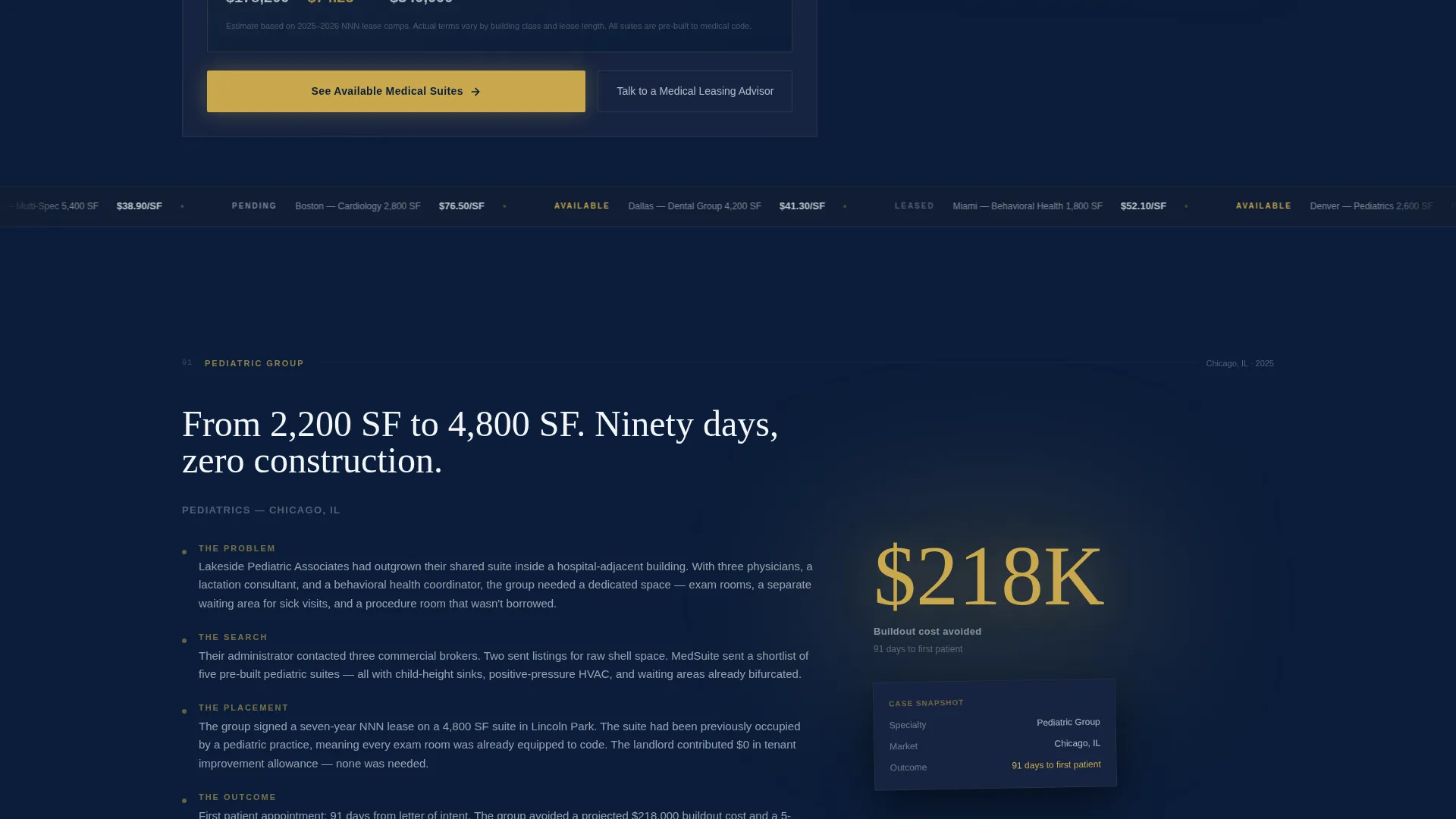
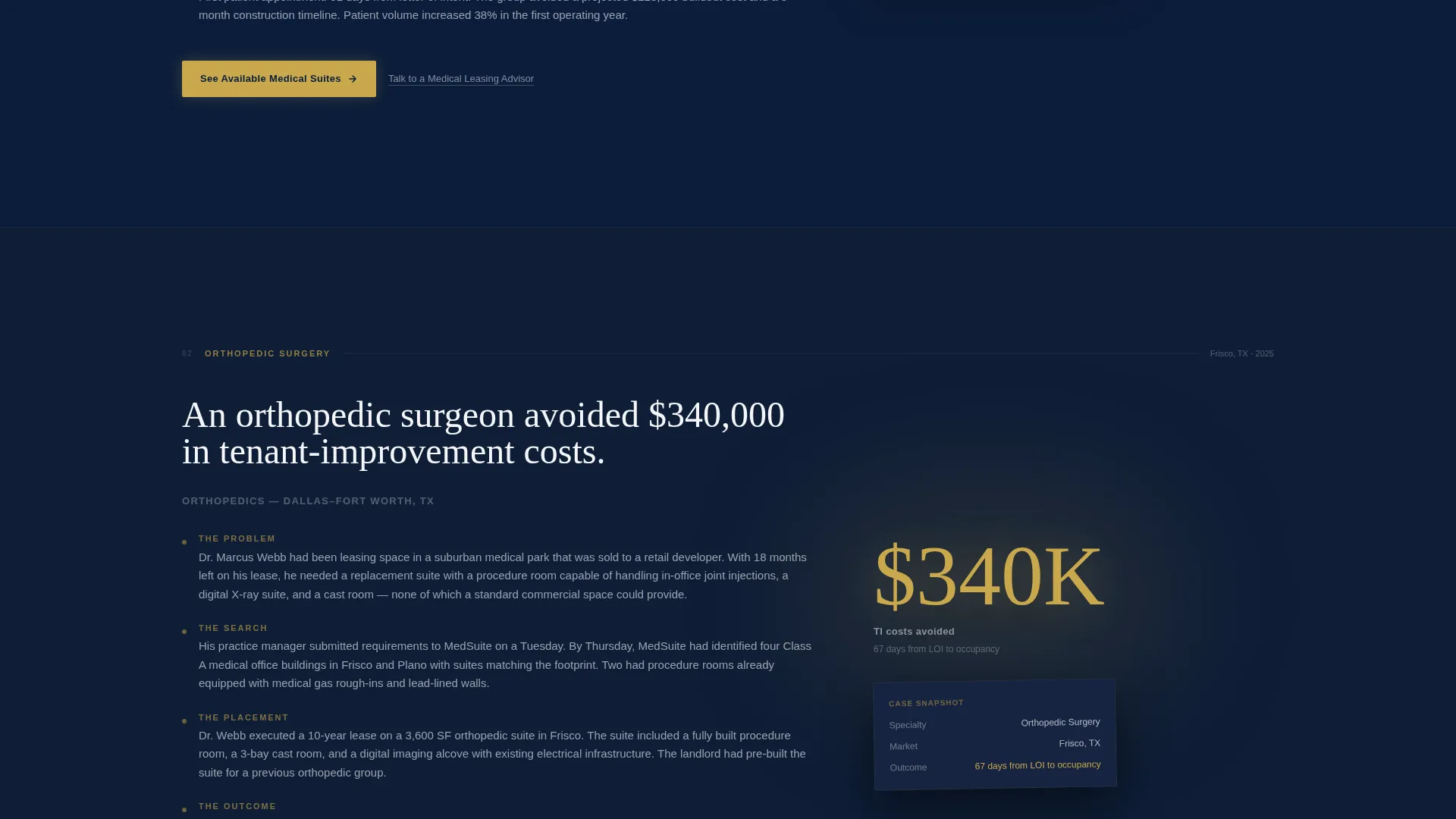
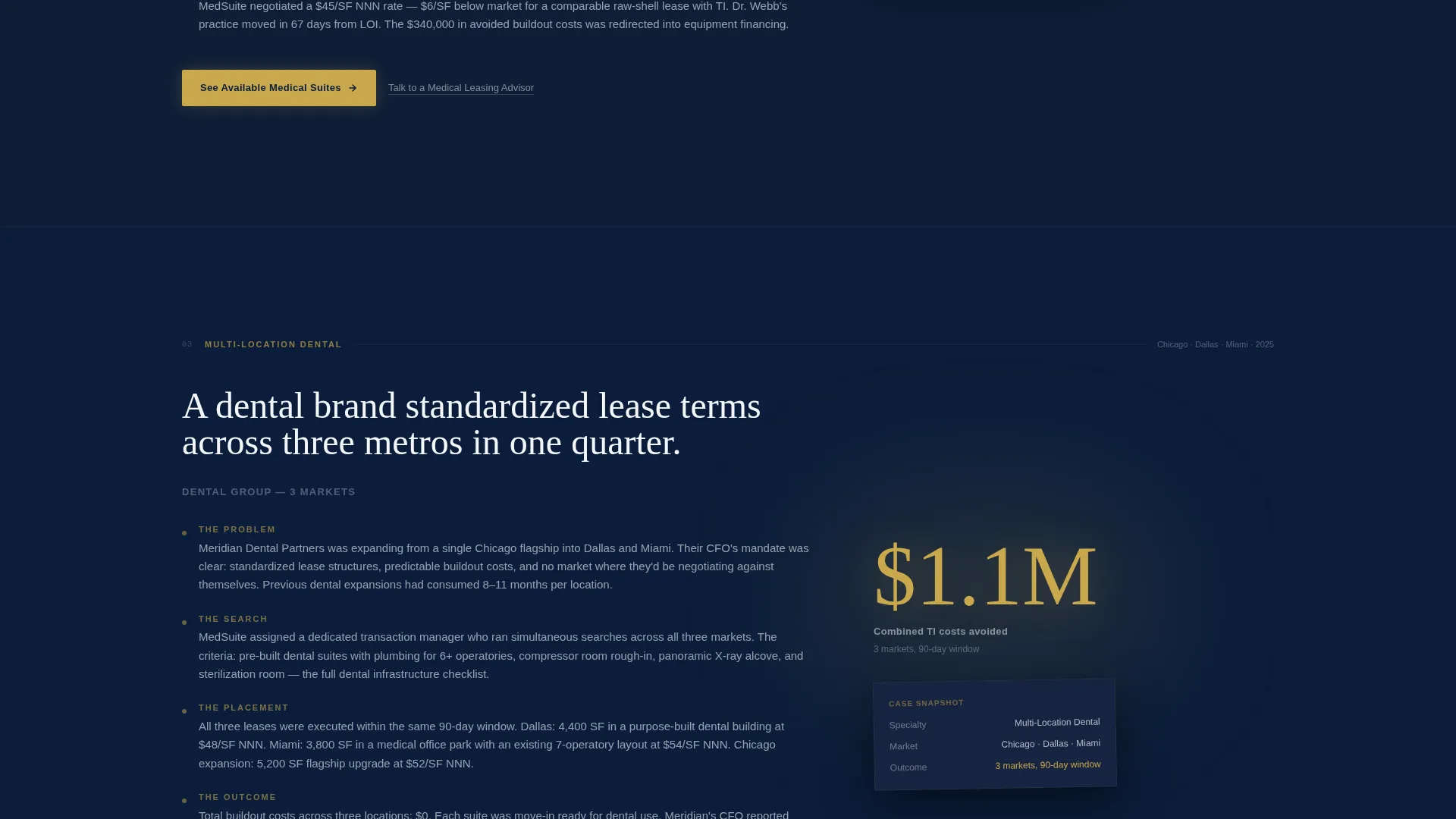
- Three full-viewport case study sections with narrative copy and oversized gold metric callouts
- Two distinct calls to action: a primary button linking to a listings portal and a secondary scheduling drawer link
Feature list
This template delivers six purposefully designed components. Each one earns its place by solving a specific friction point in the medical leasing sales process.
Interactive Cost-Per-Square-Foot Calculator
The hero section is a working calculator, not decorative imagery. Three input fields, a specialty type dropdown, a square footage slider starting at 1,500 square feet, and a metro market selector, produce a real-time monthly lease estimate. The result animates into a large gold figure that gives visitors a number they can bring to their accountant.
Asymmetric 60/40 Grid Layout
Every section uses a 60-column primary frame and a 40-column supporting frame. In the hero, the calculator fills the 60-column side while editorial copy and market buildout context occupy the 40-column side. In case study sections, narrative text sits in the 60-column frame while a single oversized metric anchors the 40-column side.
Full-Viewport Case Study Sections
Three case studies each occupy one complete viewport height. Each follows a four-part narrative arc: problem, search, placement, and outcome. Real figures are used throughout, including a pediatric group expanding from 2,200 to 4,800 square feet in ninety days and an orthopedic surgeon avoiding $340,000 in tenant-improvement costs.
Surgical Gold Accent System
The surgical gold accent color (#C9A84C) appears only on interactive elements, calls to action, and key data points. This restraint means every gold element on the page signals action. Visitors learn quickly that gold means "do something here."
Dual Call-to-Action Architecture
The primary call to action, "See Available Medical Suites," appears first beneath the calculator result and again after each case study. A secondary text link, "Talk to a Medical Leasing Advisor," opens a scheduling drawer. The two options serve visitors at different decision stages without competing with each other.
Editorial Copy Sidebars
Each 40-column sidebar pairs with its 60-column counterpart to add context rather than decoration. In the hero, a single editorial line and a subhead cite average medical buildout costs for the selected market. In case studies, a single large metric tells the financial story at a glance.
Page sections overview
| Section | Purpose |
|---|---|
| Calculator Hero | Deliver a real-time cost estimate to anchor visitor attention |
| Hero Copy Sidebar | Provide market buildout context alongside the calculator result |
| Pediatric Case Study | Show a group practice expansion from 2,200 to 4,800 square feet |
| Orthopedic Case Study | Demonstrate $340,000 in avoided tenant-improvement costs |
| Dental Brand Case Study | Illustrate standardized lease terms across three markets |
| Primary call to action Block | Direct visitors to the available medical suites listings portal |
| Scheduling Drawer Link | Let visitors book time with a medical leasing advisor |
Design & branding system
The design system is built around an Executive Suite theme. The palette is precise, restrained, and authority-forward without feeling sterile or cold.
- Navy (#0B1D3A) dominates headers and section backgrounds; charcoal (#3D4551) carries body text; sterile white (#F4F6F8) breathes through the 40-column gutter
- Surgical gold (#C9A84C) is reserved exclusively for interactive elements, calls to action, and key data points, so every appearance carries intent
- No stock photography or hero imagery is used anywhere; the calculator and case study metrics are the entire visual story
Mobile & speed optimization
The asymmetric grid and full-viewport sections are designed to reflow cleanly on smaller screens. The layout prioritizes content hierarchy so the calculator and case study metrics remain prominent at any screen width.
- The 60/40 asymmetric grid stacks into a single column on mobile, keeping the calculator inputs accessible and legible
- Oversized gold metric callouts scale proportionally so key proof points stay visible without horizontal scrolling
- No heavy background images or video assets are used, keeping the page visually lean by design
How this template helps you convert
The conversion path is built into the page structure itself. Each section earns the next click rather than just requesting it.
- The calculator produces a specific, personalized cost estimate that gives visitors a concrete reason to stay on the page and a number they can use in a real business conversation.
- The case study scroll stacks proof in sequence, matching the visitor's likely objections: scale of move, cost of buildout, and lease complexity across multiple locations.
- Two calls to action appear at natural decision points, the primary listings button after the calculator and after each case study, and the scheduling link for visitors who need a conversation before committing.
Other information about this template
This template is designed for the commercial real estate sector with a strong focus on medical office leasing as a distinct specialty. It reflects the operational and financial concerns that healthcare tenants bring to leasing decisions.
- The template is suitable for brokerages marketing suites already built to code with medical-grade infrastructure such as ADA-compliant plumbing and proper HVAC systems
- It is positioned for use by teams serving private practice owners, hospital-system satellite clinic operators, and specialty groups including dermatology and orthopedic practices
- The single-page format is intentional: it concentrates all proof, tools, and calls to action into one scrollable flow rather than spreading them across multiple pages
- The scheduling drawer concept is modeled after calendar-style booking tools commonly used by service-based commercial real estate teams
Theme
Dark Immersive
Creative direction
Gallery Walk
Color system
Sunset Mesa
Style
Gallery + Detail
Direction
Lead Generation
Page Sections
Interactive Cost-per-square-foot Calculator
Asymmetric 60/40 Grid Layout
Full-viewport Case Study Sections
Surgical Gold Accent System
Dual Call-to-action Architecture
Editorial Copy Sidebars
Related questions
Who is this landing page template designed for?
Does this template include a working calculator?
Can I replace the case study content with my own placements?
What does the dual call-to-action structure look like in practice?
Is this template suitable for general commercial real estate listings?



