Engaging Youth Music Education Landing Page Template
Strum is a warm, scrapbook-style kids guitar parent resource landing page template built for community-driven families. It features a modular card grid gallery, animated icon hero, category filters, event registration form, and a secondary community upload call to action. Designed in Cloud Canvas colors with friendly Fraunces typography, it turns everyday guitar moments into a shared celebration parents love to return to.
by Rocket studio
Quick summary
Strum is a single-page, card grid landing page template built for parents navigating the early world of kids guitar. It blends a Community Gallery layout with an Event Registration flow, letting families browse real peer-submitted tips, gear notes, and celebration moments while signing up for a monthly virtual parent roundtable. The Cloud Canvas color system and hand-crafted visual style make every section feel warm, approachable, and genuinely human.
Who this template is for
This template is made for people who care deeply about supporting a child's guitar journey, whether that journey started last week or last year. It is not aimed at professional music schools or polished studio brands. It is built for the kind of community that shares a chord chart in a group chat and cheers every small win together.
- Parents of young children between roughly ages 4 and 10 who are researching beginner guitar options, comparing instrument sizes, or just looking for a place that gets them
- Grandparents and caregivers searching for thoughtful gift guidance, such as which child's guitar size makes sense for a specific age, or whether nylon strings are easier on small fingers than steel strings
- Community organizers, music educators, or family bloggers who want a warm, modular landing page that brings guitar families together around lessons, gear, and real-life progress moments
What problem this template solves
Many parents start the kids guitar search feeling alone. They find studio websites built for adults, forums that bury practical answers under jargon, and gear pages that never mention what a shorter scale length actually means for a six-year-old's left hand. The result is a lot of midnight scrolling with very little confidence gained.
This template solves that disconnect. It gives a community a visible, welcoming home where families can find real answers, share real progress, and feel like someone has already walked the same path.
- It removes the cold, transactional feel of typical music lesson sign-up pages and replaces it with a living scrapbook of parent-to-parent moments, from a first strum on a small guitar to a full recital song
- It gives browsers a low-pressure secondary path, the "Join the Gallery" call to action, so they can contribute a photo or tip and become part of the community before they ever commit to taking lessons or attending an event
What you get with this template
This template ships as a complete, ready-to-customize landing page built around a modular card grid layout. Every section is purposefully designed to mix practical resource content with community warmth. You get a full visual system, interactive components, and a clear conversion flow, all grounded in the source brief below.
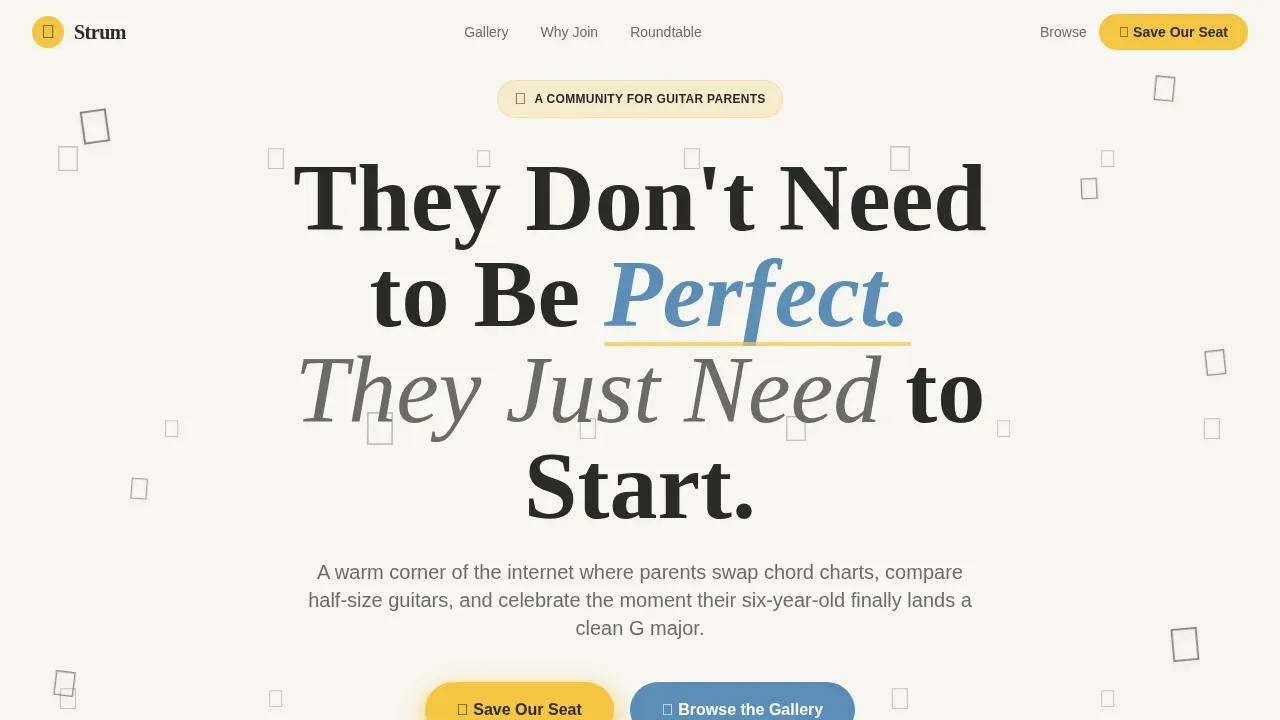
- A hero section with an animated Icon Grid mosaic, idle-bobbing hand-drawn-style icons, and a large friendly headline inviting parents to start without pressure
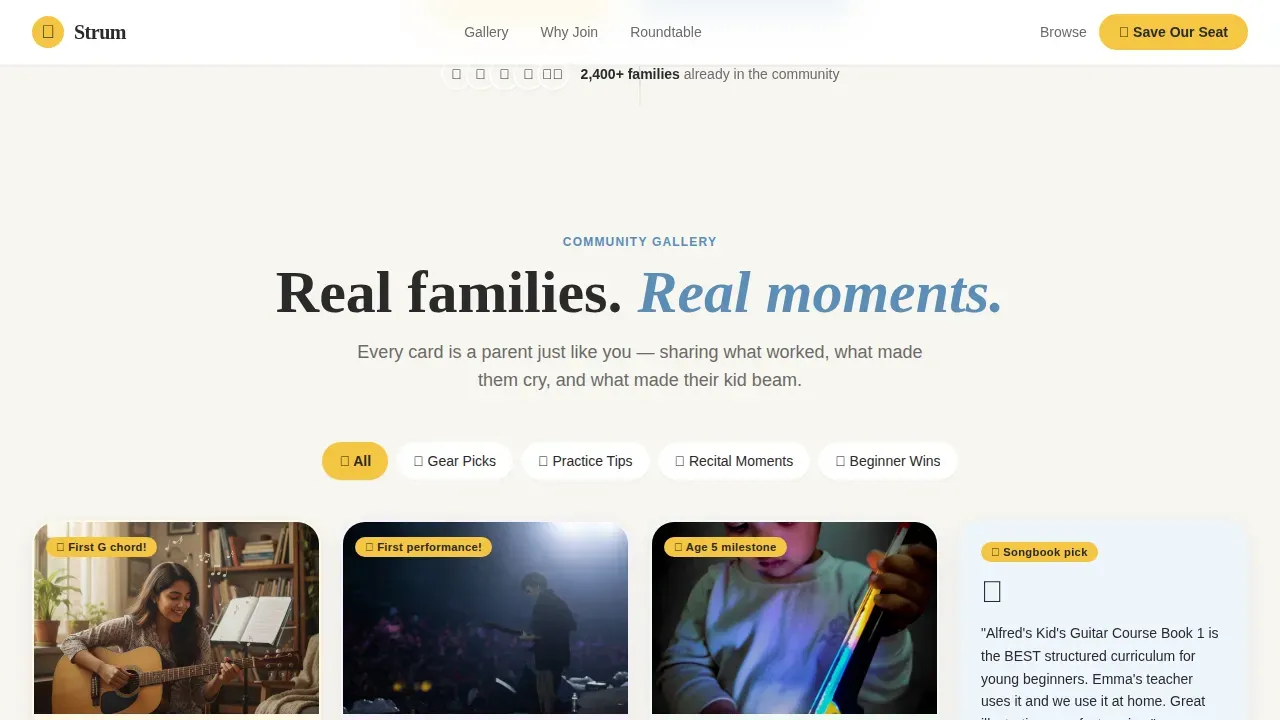
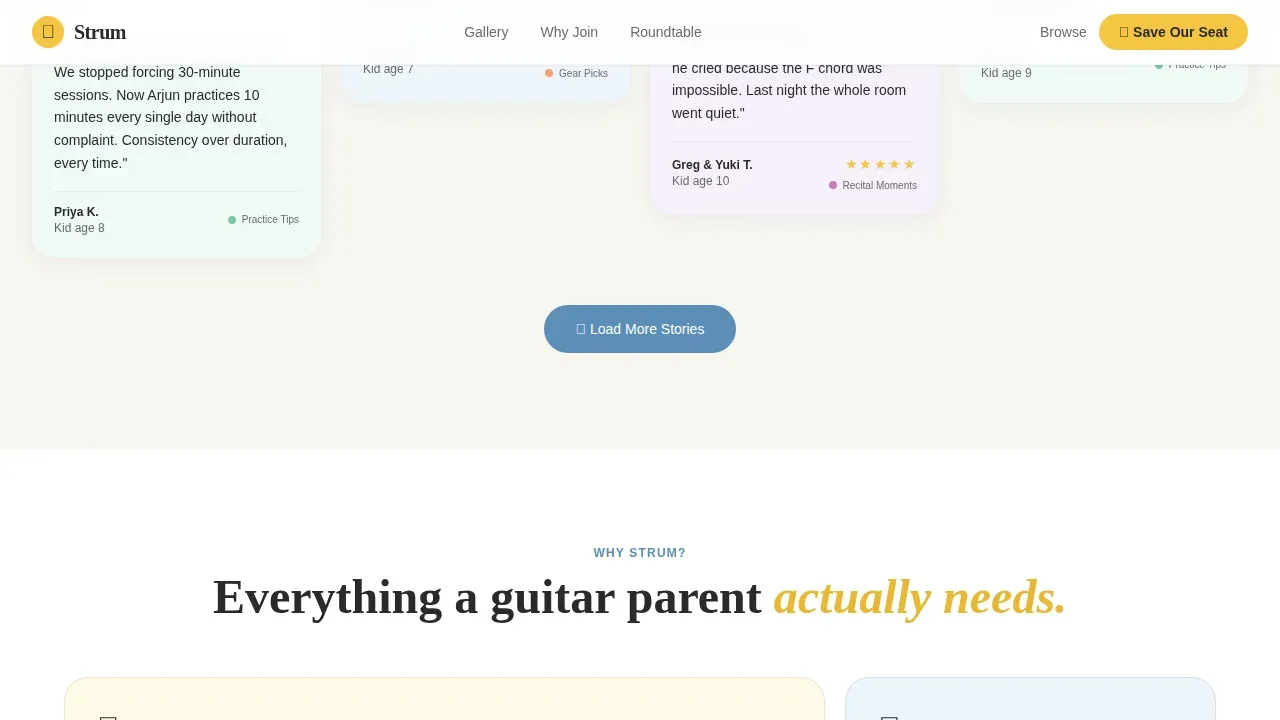
- A filterable Community Gallery card grid with category tabs for Gear Picks, Practice Tips, Recital Moments, and Beginner Wins, plus an asymmetric bento-style "How It Works" section, a multi-field "Save Our Seat" event registration form, a "Join the Gallery" secondary call to action, and a linear single-row footer
Feature list
This template is built around a handful of carefully considered capabilities. Each one serves the community-first, family-warm mission that makes Strum different from a generic music lesson sign-up page.
Animated Icon Grid Hero
The hero fills the viewport with a mosaic of hand-drawn-style icons: a tiny acoustic guitar, a metronome, a music note, a child's hand forming a chord, a gold star, and a tuning peg. Each icon gently bobs on an idle animation loop, giving the page an alive, bulletin-board feeling from the first second. Large, friendly Fraunces serif type anchors the headline across the center, welcoming parents who are just beginning to explore kids guitar lessons for their child.
Filterable Community Gallery Grid
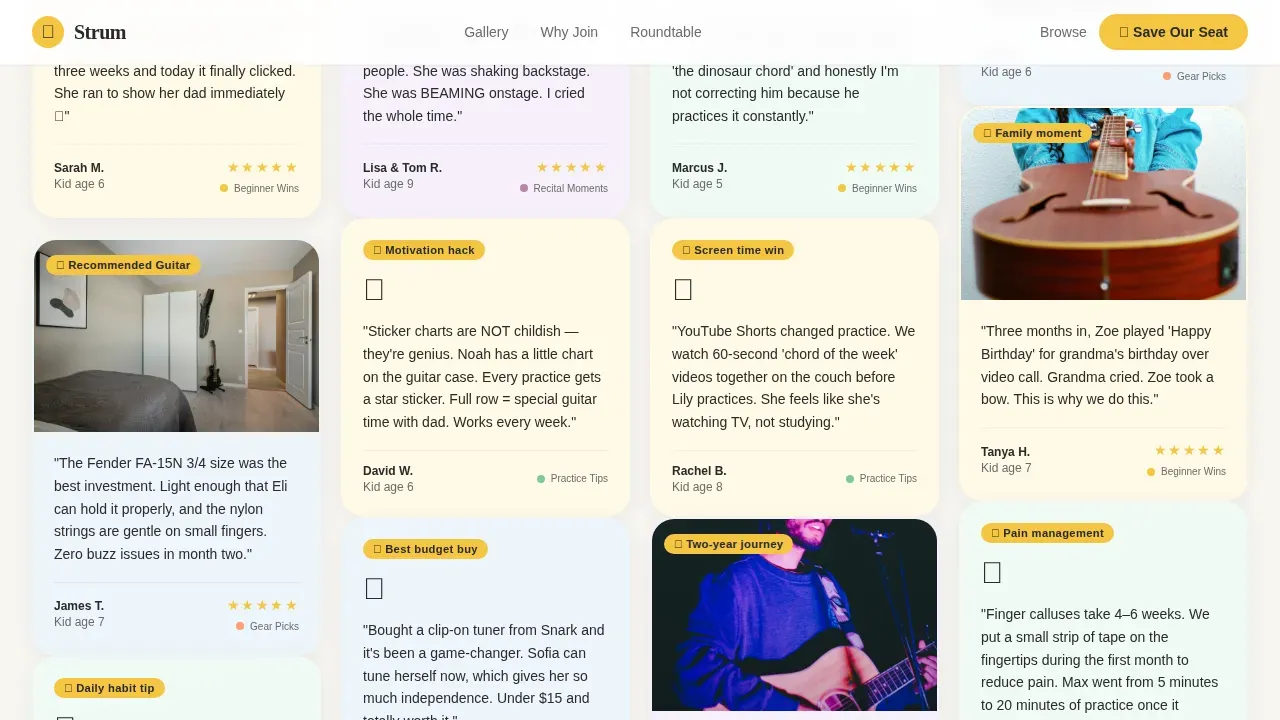
The core of the page is a modular card grid where each card represents a parent-submitted moment. Cards can contain a video of a first strum, a photo of a practice chart covered in stickers, a small-hand finger placement tip, or a recommended songbook for beginner guitar students. Category filter tabs at the top, covering Gear Picks, Practice Tips, Recital Moments, and Beginner Wins, let visitors explore the gallery without it ever feeling like a database. The scroll experience feels like leafing through a living scrapbook, mixing practical guitar lessons content with genuine celebration.
Event Registration Form with Child-Specific Fields
The primary conversion path is a "Save Our Seat" registration form tied to a monthly virtual parent roundtable. The form collects a parent's first name, the child's age, current skill level (just starting, a few months in, or ready to perform), and a preferred session time. This field structure makes the sign-up feel personal and low-pressure rather than generic, which is critical when many parents are skeptical after disappointing experiences with impersonal music lesson platforms.
Secondary "Join the Gallery" Conversion Path
Not every visitor is ready to register for an event on a first visit. The "Join the Gallery" call to action gives browsers a gentler on-ramp. They can upload a photo or a tip, a moment of their child playing guitar, a note about the size guitar that worked, or a chord chart they love, and instantly become contributing community members. This secondary path turns passive visitors into invested participants before they ever attend a session in person or online.
Cloud Canvas Visual Design System
The entire template runs on a cohesive Cloud Canvas color system. Soft cloud white (#F7F5F0) dominates the background like blank sketchbook paper. Crayon sunshine (#F5C542) lifts cards on hover. Denim blue (#5B8DB8) marks every clickable action and interactive element. Pencil gray (#6B6B6B) carries body text with the lightness of a felt-tip pen. Together, the palette feels like a child's drawing pinned to a refrigerator: unpretentious, cheerful, and held together with love rather than precision.
Scroll Reveals and Hover Interactions
Beyond the hero's idle animations, the template includes scroll-reveal transitions as cards enter the viewport and hover card-lift effects that highlight each card with a sunshine yellow glow. These interactions are medium-weight, meaning they add warmth and life without slowing the experience or demanding heavy processing. The interactivity reinforces the scrapbook metaphor: every card feels like it was just pinned to the board.
Page sections overview
| Section | Purpose |
|---|---|
| Animated Icon Hero | Opens the page with a mosaic of bobbing guitar icons and a welcoming headline |
| Community Gallery Grid | Displays filterable parent-submitted cards mixing resources and celebration moments |
| Category Filter Tabs | Lets visitors sort gallery cards by Gear Picks, Practice Tips, Recital Moments, or Beginner Wins |
| How It Works Bento | Explains community benefits in an asymmetric bento layout |
| Save Our Seat Form | Collects parent and child details for monthly virtual roundtable registration |
| Join the Gallery call to action | Invites visitors to upload a photo or tip as a secondary conversion path |
| Linear Footer | Provides a clean single-row footer closing the page |
Design & branding system
The visual identity of this template is rooted in the Family First theme. Every color, font, and motion choice reinforces the idea that this is a place built by parents, for parents, and that perfection is not the point.
- The Cloud Canvas palette uses cloud white (#F7F5F0) as the dominant background, crayon sunshine (#F5C542) as a hover accent on cards and highlighted elements, denim blue (#5B8DB8) for all interactive elements and hover states, and pencil gray (#6B6B6B) for body text throughout
- Typography pairs Fraunces, a warm and characterful serif, for headlines and display text, with DM Sans for body copy, creating a readable, friendly contrast that feels inviting to parents browsing at midnight on a phone
Mobile & speed optimization
This template is designed with a mobile-first philosophy. The source brief explicitly notes that over half of the expected audience will access this page on a phone, often late at night while researching a child's guitar options or checking on a gear recommendation from another parent.
- The card grid layout is fully responsive, adapting from a multi-column desktop mosaic to a clean single-column mobile scroll, so community cards remain readable and tappable at any screen size
- Static sections such as the hero text, footer, and bento layout are built with Server Components for fast initial paint, while interactive elements like the category filter tabs and registration form use Client Components to keep the experience smooth without unnecessary overhead
How this template helps you convert
The Strum template is built around two conversion goals working in parallel. The primary goal is event registration for the monthly parent roundtable. The secondary goal is community growth through gallery uploads. Both paths are carefully staged so that trust is established through card-by-card social proof before any ask is made.
- The Community Gallery builds trust incrementally as visitors scroll. Every parent-submitted card, whether it shows a smiling seven-year-old, an honest gear review, or a practice tip about nylon strings versus steel strings, adds a layer of credibility that no marketing headline can replicate. By the time a visitor reaches the registration form, joining feels like joining a family, not completing a transaction.
- The dual call-to-action structure means no visitor leaves empty-handed. Those ready to commit click "Save Our Seat" and join the roundtable. Those who are still browsing can click "Join the Gallery," share a moment, and feel immediately welcomed. Both paths deepen their connection to the community and make a future return visit far more likely.
Other information about this template
This template is designed as a practical resource hub for parents navigating the many real questions that come up when a child starts to learn guitar. The sections below bring together additional context that supports the community's day-to-day conversations about gear, lessons, and child readiness.
- Choosing the right size guitar is one of the first decisions parents face. A child's guitar should fit the child's body comfortably, allowing them to reach the strings and the fingerboard without straining. The scale length of a guitar, meaning the distance from nut to bridge, determines how far apart the frets are. A shorter scale is much easier for very young children to manage than a full size guitar with a longer scale length. Children learning on a badly sized guitar may develop bad habits that are harder to correct later.
- Nylon strings are widely preferred for very young children and beginners because they are gentler on fingertips than steel strings. A nylon string guitar, particularly a classical guitar built for smaller body size, reduces the physical barrier of pressing down strings while a child's fingertips are still soft. Many suzuki teachers and beginner-focused instructors start students on a classical guitar with nylon strings before introducing steel strings as the child grows and their fingers toughen.
- A decent, properly sized, playable instrument can make all the difference in whether a child stays motivated. Using a subpar instrument can demoralize a beginning player before they ever learn an open chord or a simple major chord. A beginning student has a greater need for a good instrument than an advanced player does. Visiting a reputable music store to try guitars in person, rather than ordering blindly online, helps parents choose well and helps kids stay engaged.
- A guitar is essential for a child's first guitar lesson, but so is the right supporting setup. A tuner is essential for ensuring the guitar is in tune before every practice session. A hardshell case protects the instrument during transport, which is especially important for little guitars that can be bumped or dropped. Extra strings should be kept on hand, since strings break or deaden over time and knowing how to change strings is a basic maintenance skill. A music stand helps maintain good posture. A dedicated practice corner, with all materials organized and ready, makes it much easier for a child to simply sit down and start.
- Children between the ages of 5 and 12 often find it genuinely hard to form chords because their hands are small and their finger strength is still developing. A child is ready to learn guitar when they show interest, can follow basic directions, and can sit still long enough to focus. Pacing matters enormously in guitar lessons for kids. Children often lose motivation when lessons jump ahead too quickly. Mixing fun, real songs, and genuine chords, rather than oversimplified shapes that need to be unlearned later, keeps children engaged and moving forward.
- Many parents ask whether guitar lessons should happen in person or online. Both formats can work well. Video lessons offer flexibility and can be revisited at any time, which is useful for practicing a specific strum pattern or reviewing a chord chart. In person lessons give a teacher the chance to notice technical issues, such as left hand position or posture, before they become bad habits. Some families combine both, attending in person sessions with a local teacher while using supplementary video lessons for extra practice.
- Guitar is not the only entry point into music. Some very young children start with a ukulele because its shorter scale length and nylon strings are even easier to manage than a small guitar. A baritone ukulele, which is tuned similarly to the top four strings of a guitar, can serve as a bridge instrument before a child moves to a full size guitar or even a half-size guitar. Piano is another common starting point for music education, and children who develop some piano foundation often find it easier to understand music theory when they later take up guitar. Other stringed instruments like violin or mandolin share some conceptual overlap with guitar, though the technique is quite different.
- For parents evaluating kids guitar lesson programs and resources, a few reference points come up regularly in community discussions. TeachWombat kids guitar lessons are a low-cost, worksheet-based option built around printable chord diagrams and incremental mastery of basic shapes and patterns. This approach suits group environments and can work well for sparking initial curiosity. However, many families find that motivation is harder to sustain with TeachWombat compared to interactive online options, because the lack of interactivity can make practice feel more like homework than play. JamGuitar offers a video-based model with built-in progress tracking, a broader range of instruments, and a gradual approach to teaching authentic chords that avoids the long-term drawbacks of oversimplification. Families seeking lasting engagement and real musicianship often find JamGuitar a better fit for the long run. Alfred's Teach Your Child to Play Guitar is a well-regarded book-based resource designed for parents without musical training who want to guide their children at home.
- Summer camps focused on music and guitar can be a valuable supplement to regular lessons, giving kids a concentrated burst of ear training, rhythm work, and ensemble playing in a fun, social setting.
- This page was designed using the strum family first kids guitar parent resource landing page template, a Card Grid (Modular) layout built on the Community Gallery creative direction and Event Registration conversion flow.
Theme
Family First
Creative direction
Community Gallery
Color system
Cloud Canvas
Style
Card Grid (Modular)
Direction
Event Registration
Page Sections
Animated Icon Grid Hero Section
Filterable Community Gallery Card Grid
Save Our Seat Event Registration Form
Join the Gallery Secondary Call to Action
Cloud Canvas Color System and Typography
Scroll Reveals and Hover Interactions
Related questions
What sections are included in this template?
Can I customize the card grid categories?
Is this template suitable for a beginner guitar community?
What typography and colors does the template use?
Does the template support mobile visitors?



