Master Suite Painting Service Landing Page Template
Mesa is a single-page landing page template built for a two-person master bedroom painting service. It uses a modular card grid layout, an interactive Before/After Slider header, and a warm Sunset Mesa color palette to show finished rooms first and earn trust before asking for a booking. A fixed-bottom call-to-action bar and inline scheduling module guide visitors toward booking.
by Rocket studio
Quick summary
Mesa is a calm, card-based landing page for a master bedroom painting service. It opens with a full-width Before/After Slider that reveals the transformation before a single word appears. The modular grid then walks visitors through real local projects, service details, and an inline booking module, all wrapped in a warm, sun-soaked Sunset Mesa palette.
Who this template is for
This template was designed for a small, craft-focused painting crew that specializes in master bedrooms. It fits businesses that rely on visual proof, local reputation, and personal trust to win clients.
- Residential painting professionals offering master suite transformation services
- Two-person or small-crew operations showcasing neighborhood project portfolios
- Service providers targeting homeowners in their forties through retirement age
What problem this template solves
Most painting service pages bury their best work in a gallery tab nobody clicks. Visitors arrive unsure whether the crew is skilled, local, or worth calling. This template puts finished rooms front and center so trust builds before any pitch begins.
- Visitors see real bedroom transformations on every card, not just a list of services
- The booking path is simple and inline, removing friction between interest and commitment
- Service details blend into the card grid so practical information never feels out of place
What you get with this template
The template delivers a fully structured single-page layout built around visual storytelling and a clear booking flow. Every component serves the visitor journey from first impression to scheduled appointment.
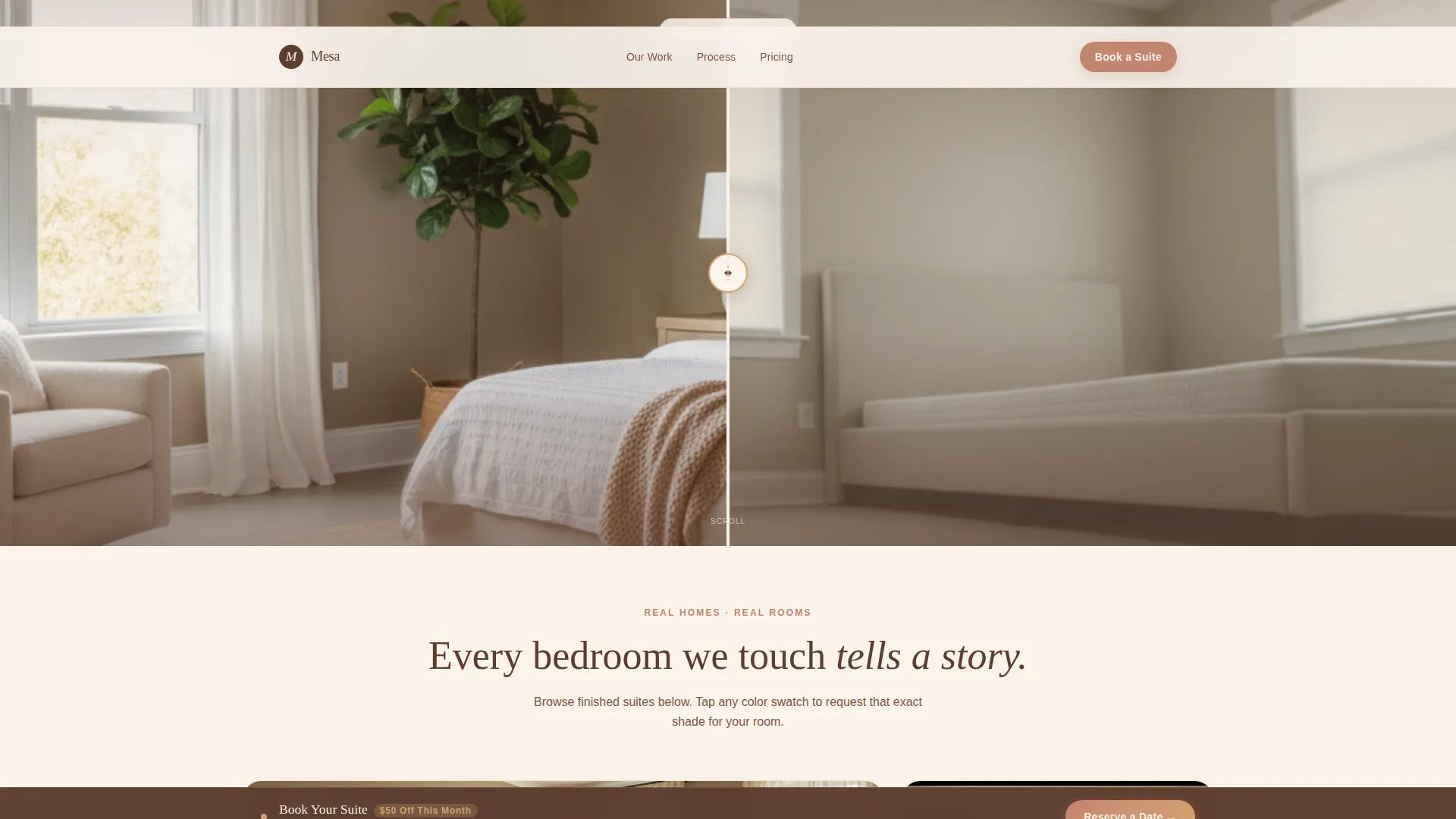
- A full-width interactive Before/After Slider header with a reveal-triggered headline
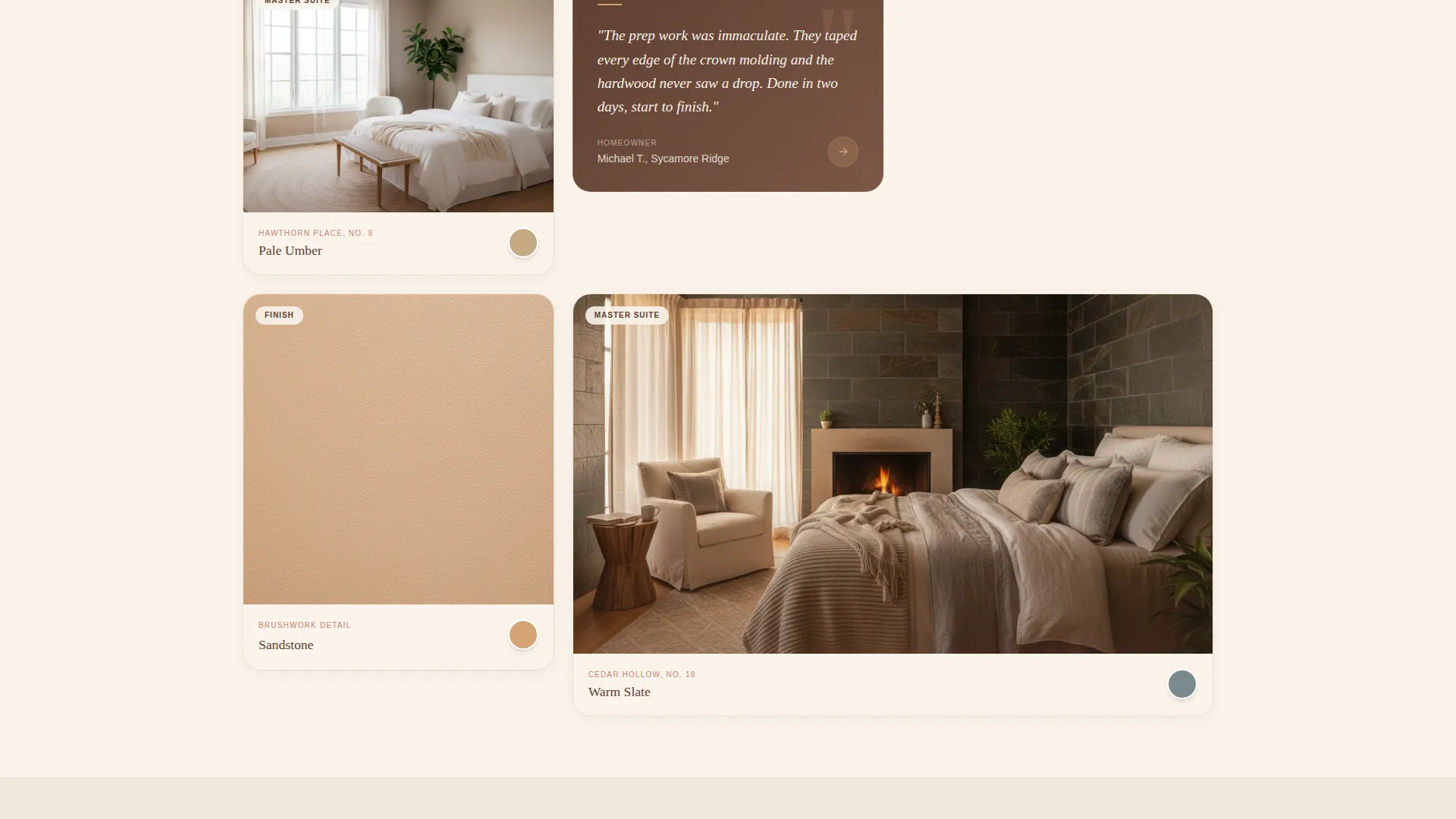
- A modular card grid alternating project photography, texture close-ups, and homeowner quotes
- A fixed-bottom call-to-action bar and inline scheduling module with bedroom size, date range, and paint finish selectors
Feature list
This template packs its entire conversion flow into one carefully paced page. Each feature supports the next, moving visitors from admiration to action without a jarring shift in tone.
Interactive Before/After Slider Header
The header opens with a full-width split image of the same master bedroom before and after painting. The visitor drags a painted wooden dowel handle to reveal the transformation. The headline "Your bedroom deserves to feel like yours." fades in only after the first drag, making the reveal feel earned rather than advertised.
Modular Project Card Grid
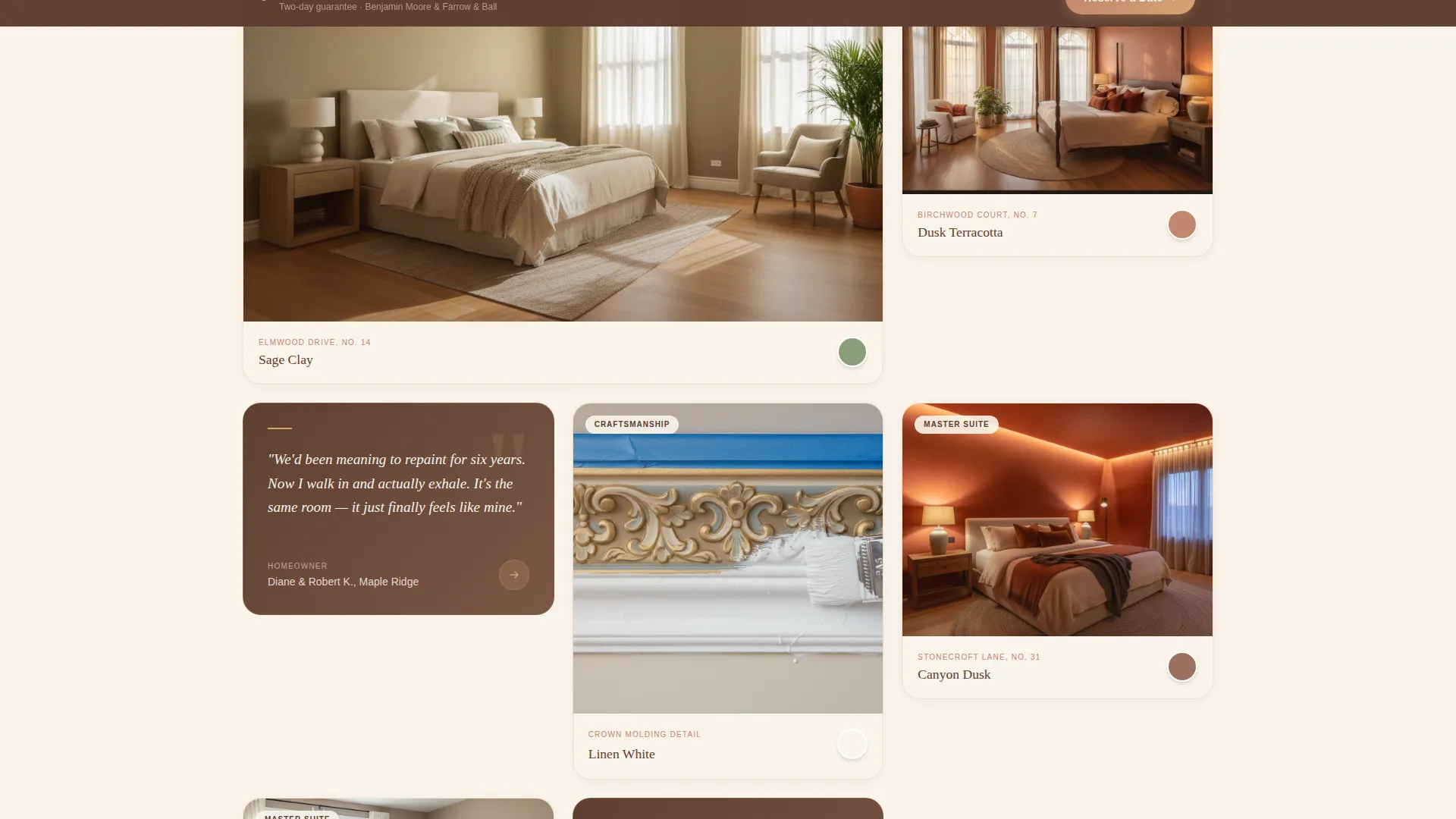
The scroll is built from cards, each representing a real local master suite project. Cards display finished room photography, close-up brushwork texture shots, and short homeowner quotes. Each card includes a street name and paint color label styled like a gallery placard, giving the portfolio a grounded, neighborhood feel.
Color Swatch Pre-Fill Path
Every project card carries a tappable color swatch. Tapping it opens the booking form with the paint color name already entered. This secondary conversion path lets visitors who fall in love with a specific shade move directly toward requesting that exact color for their own room.
Fixed-Bottom Booking Bar
A persistent call-to-action bar reading "Book Your Suite, $50 Off This Month" appears after the visitor scrolls past the third card row. It stays anchored at the bottom of the screen, keeping the booking prompt visible without interrupting the browsing experience.
Inline Scheduling Module
The booking bar opens an inline form asking for bedroom size (small, medium, or large), a preferred date range, and paint finish preference (matte, eggshell, or satin). The form is embedded directly in the page so visitors never leave to complete a separate step.
Service Detail Cards
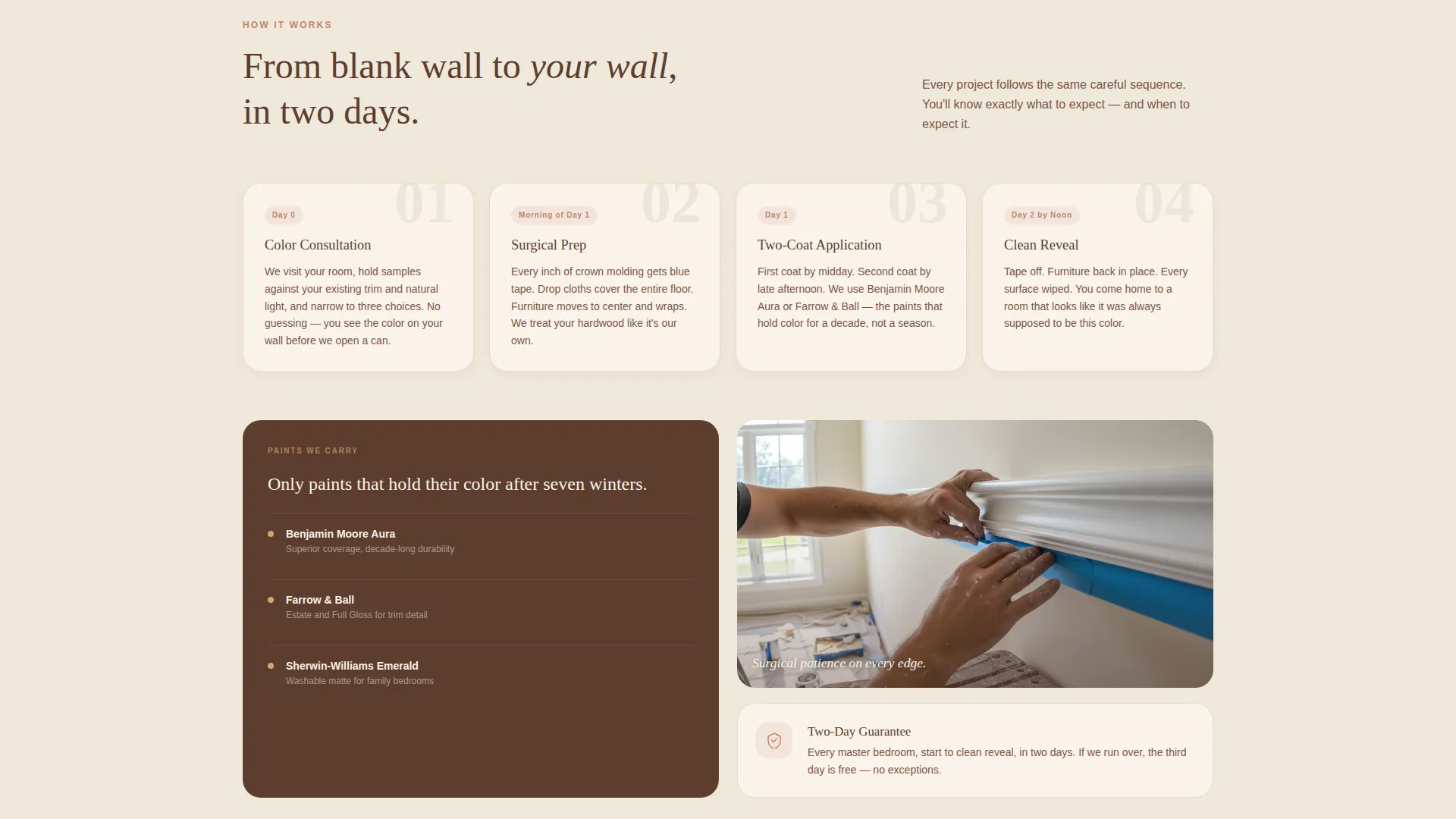
Deeper in the scroll, the same card grid format carries practical service information including the prep process, paint brands carried, and timeline guarantees. The visual style stays consistent so the shift from portfolio to service facts feels like a natural continuation rather than a separate section.
Page sections overview
| Section | Purpose |
|---|---|
| Before/After Slider | Opens with transformation reveal and fade-in headline |
| Project Card Grid | Displays real local bedroom portfolio with quotes and color labels |
| Texture Detail Cards | Shows close-up brushwork and trim craftsmanship |
| Service Process Cards | Explains prep steps, materials, and timeline guarantees |
| Fixed-Bottom call to action Bar | Keeps booking prompt visible after third card row |
| Inline Booking Module | Collects bedroom size, date range, and finish preference |
Design & branding system
The Sunset Mesa color system sets a warm, unhurried tone across every surface. The palette evokes the last minutes of golden hour on an adobe wall, keeping the page visually cohesive from header to booking form.
- Linen white (#FAF3EB) dominates card surfaces and page backgrounds for open, breathable space
- Sandstone (#D4A373) carries borders and section dividers; terracotta (#C2856E) marks buttons and hover states
- Canyon shadow (#5C3D2E) anchors all body text and headlines for strong, readable contrast against warm backgrounds
Mobile & speed optimization
The card grid uses a modular layout that naturally adapts to narrower screens without breaking the visual rhythm. Each card is a self-contained unit so the stack reads cleanly on a phone as it does on a wide desktop monitor.
- Cards reflow into a single column on small screens, keeping project photography prominent and easy to tap
- The fixed-bottom booking bar and color swatch tap targets are sized for comfortable use on touch devices
- Generous white space and linen backgrounds reduce visual noise on any screen size
How this template helps you convert
The page is sequenced so that social proof arrives long before any ask. By the time a visitor reaches the booking module, they have already scrolled past multiple finished rooms, real homeowner quotes, and service clarity cards.
- The Before/After Slider delivers an immediate, tactile proof of transformation that hooks attention before the headline even appears, giving the page a strong first-impression advantage.
- The color swatch pre-fill path creates a personalized micro-moment. A visitor who taps a swatch they love arrives at the booking form already invested in a specific outcome, shortening the decision to commit.
- The fixed-bottom call-to-action bar with a time-sensitive discount keeps the booking option visible throughout the entire scroll, reducing the chance a motivated visitor loses the prompt.
Other information about this template
Mesa is purpose-built for the master suite painting niche and reflects the specific workflow of a two-person residential crew. The template style is Card Grid (Modular), the theme is Pastoral Calm, and the creative direction follows a Local and Neighborhood feel that keeps every design choice grounded in real place and real craft.
- The header concept is a Before/After Slider, a format well suited to any residential transformation service where visual contrast is the strongest selling point
- The landing page direction is Direct Sales, meaning every design decision from scroll pacing to the persistent booking bar serves a single conversion goal
- The Sunset Mesa color system is unique to this template and can be adapted to match a specific crew's brand by adjusting hex values within the established warm-tone framework
Theme
Pastoral Calm
Creative direction
Local & Neighborhood
Color system
Sunset Mesa
Style
Card Grid (Modular)
Direction
Direct Sales
Page Sections
Interactive Before/after Slider
Modular Project Card Grid
Color Swatch Pre-fill Path
Fixed-bottom Booking Bar
Inline Scheduling Module
Service Detail Card Section
Related questions
Can I customize the project cards with my own bedroom photos?
How does the color swatch pre-fill feature work?
Is the Before/After Slider usable on mobile devices?
Can I update the booking form options to match my actual services?
When does the fixed-bottom booking bar appear during the scroll?



