Vacation Home Mortgage Broker Landing Page Template
Mesa is a modular card-grid landing page built for vacation home mortgage brokers. It opens with a live payment calculator, guides visitors through loan types, the financing process, and social proof, then closes with a focused lead-capture form. The warm Sunset Mesa palette and postcard-style testimonials make second-home financing feel approachable and personal.
by Rocket studio
Quick summary
Mesa is a single-page, card-grid landing page designed for vacation home mortgage brokers. It leads with an interactive payment estimator, walks visitors through loan products and the financing journey, and closes with a progressive three-step lead form. The Sunset Mesa color palette keeps every scroll warm, grounded, and quietly persuasive.
Who this template is for
Mesa is built for mortgage brokers and lending teams that specialize in second-home financing. It works best when your clients are lifestyle buyers, not first-timers navigating basic home loans.
- Vacation home mortgage brokers presenting Conventional, Jumbo, and HELOC loan options to qualified buyers
- Lending professionals targeting dual-income couples, pre-retirees, and families pooling funds toward a shared property
- Brokers who want a lead-generation page that does the persuading before the form ever appears
What problem this template solves
Most mortgage landing pages feel clinical. They front-load paperwork energy and bury the feeling that made someone search in the first place. Mesa solves the gap between a buyer's emotional readiness and the friction of a loan inquiry form.
- Visitors arrive with a property in mind but no clear path to financing; the calculator meets them there immediately
- Traditional broker pages offer no middle step between "I'm dreaming" and "Fill out this form"; Mesa inserts the estimator as a natural bridge
- Generic layouts fail to distinguish vacation home lending from standard purchase mortgages; Mesa signals specialization from the first screen
What you get with this template
Mesa delivers a complete, ready-to-customize landing page structured around three rows of modular cards and two distinct conversion paths. Every section is purposeful and maps to a stage in the buyer's decision journey.
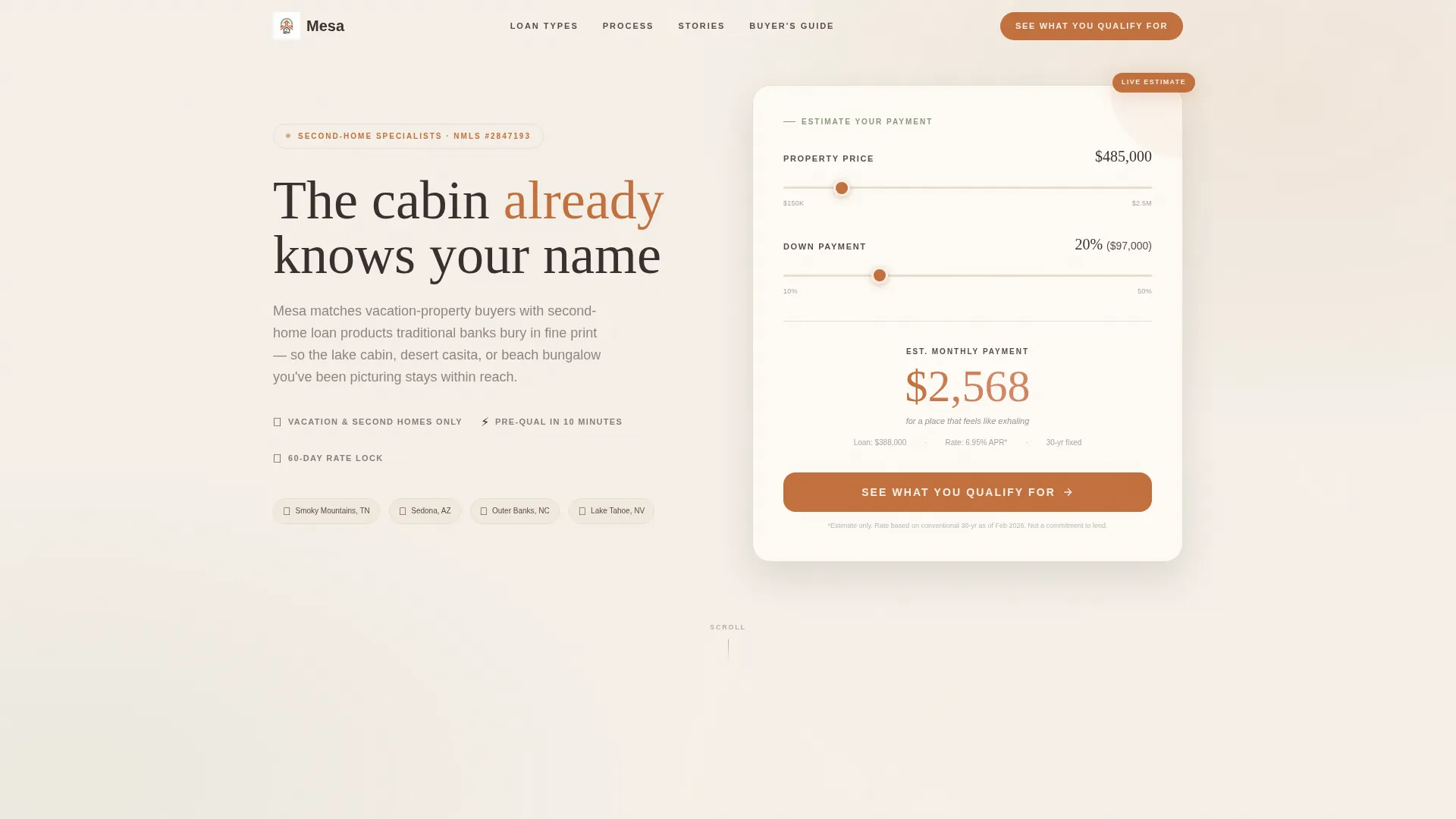
- An interactive header calculator with a draggable property-price slider, a down-payment percentage dial, and an animated monthly payment estimate in large terracotta numerals
- Three card rows covering loan type education, the financing process, and postcard-style social proof testimonials
- A progressive three-step lead form plus a secondary email-capture card for a downloadable second-home buyer's guide
Feature list
Mesa's capabilities are drawn directly from its brief. Each component below reflects what the template actually includes.
Interactive Payment Calculator Header
The header replaces static imagery with a functional estimator. A draggable slider sets the property price; a percentage dial sets the down payment. The monthly estimate updates in real time with a terracotta numeral display and a whisper-line tagline underneath.
Modular Three-Row Card Grid
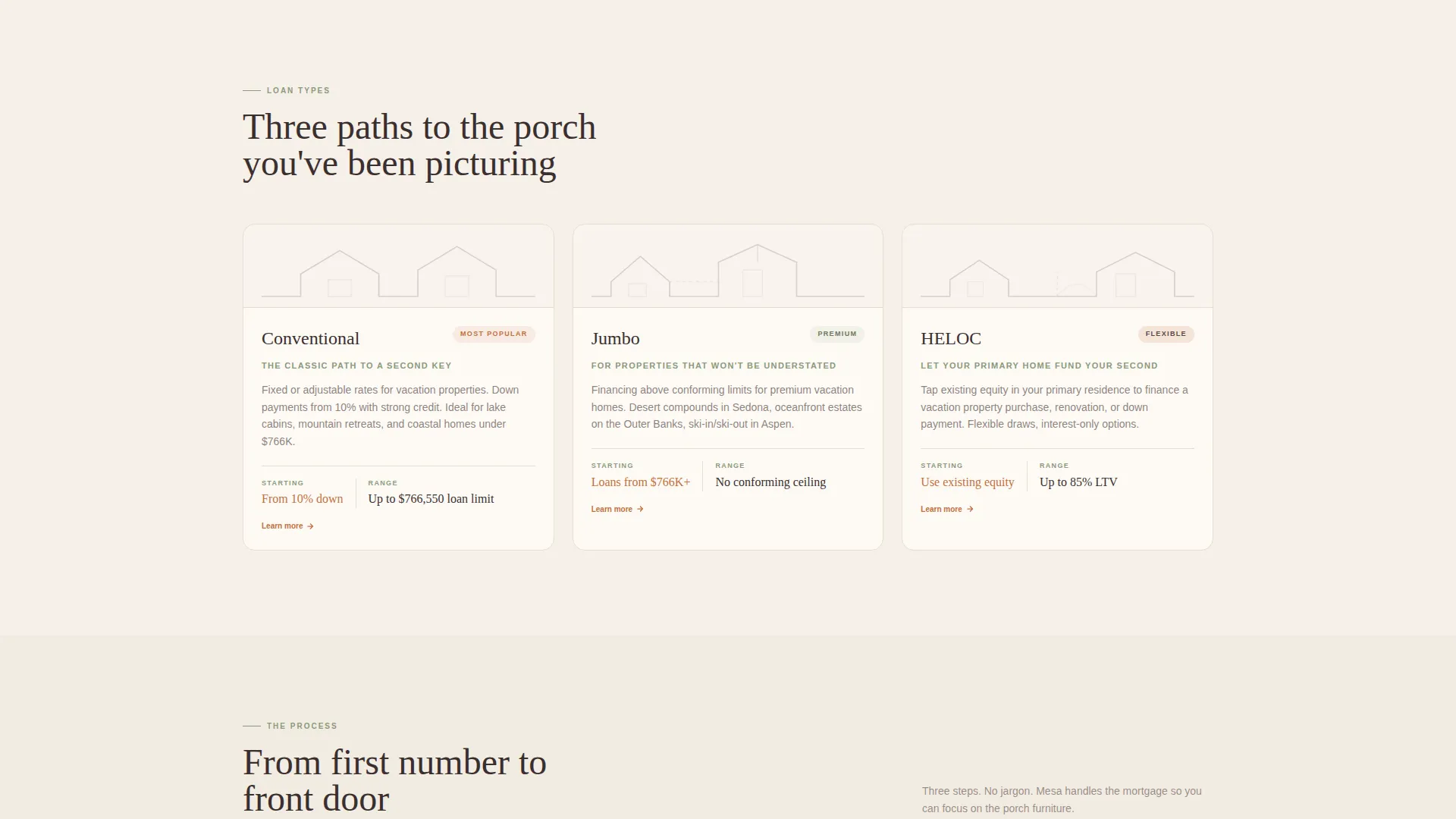
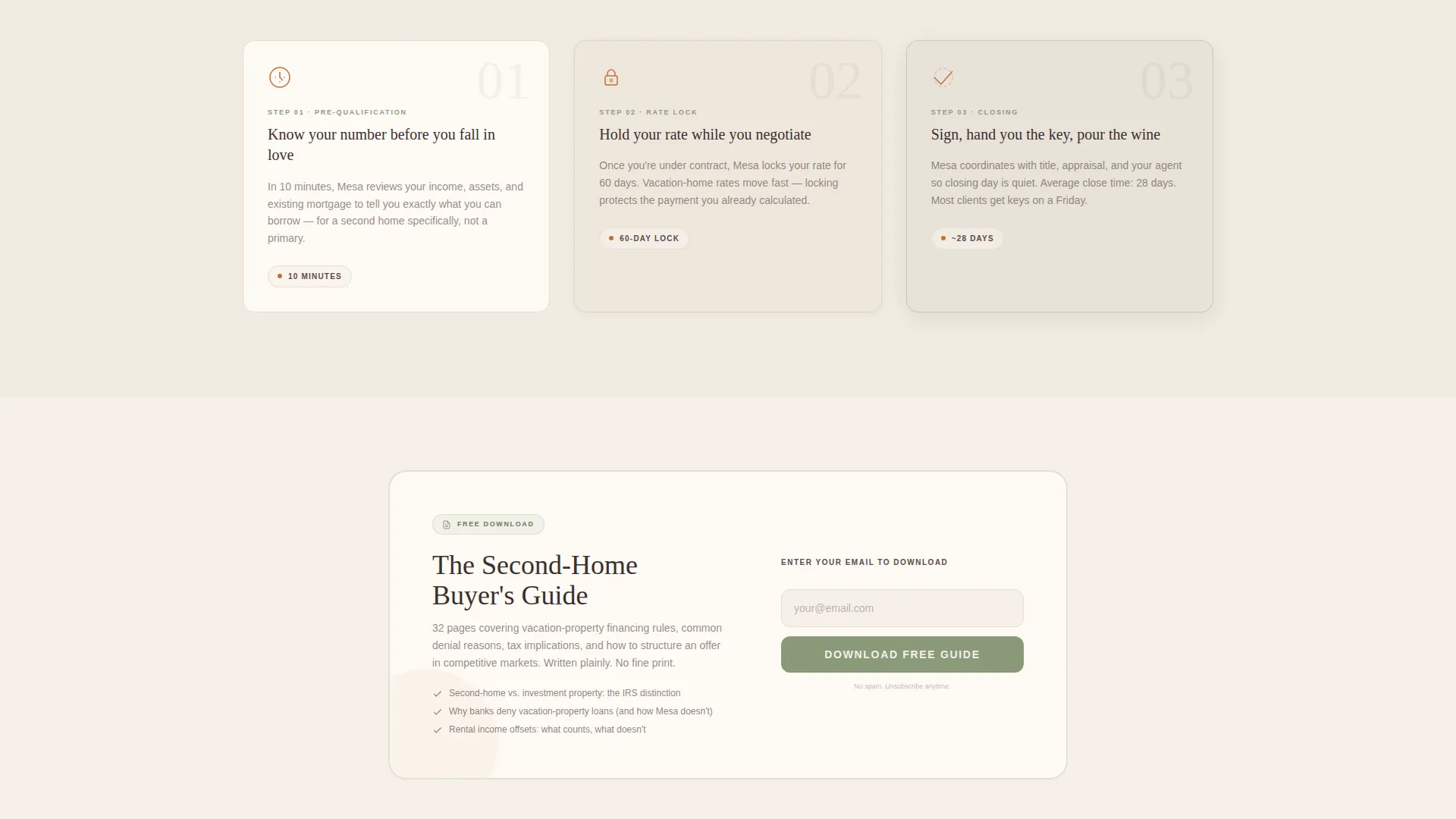
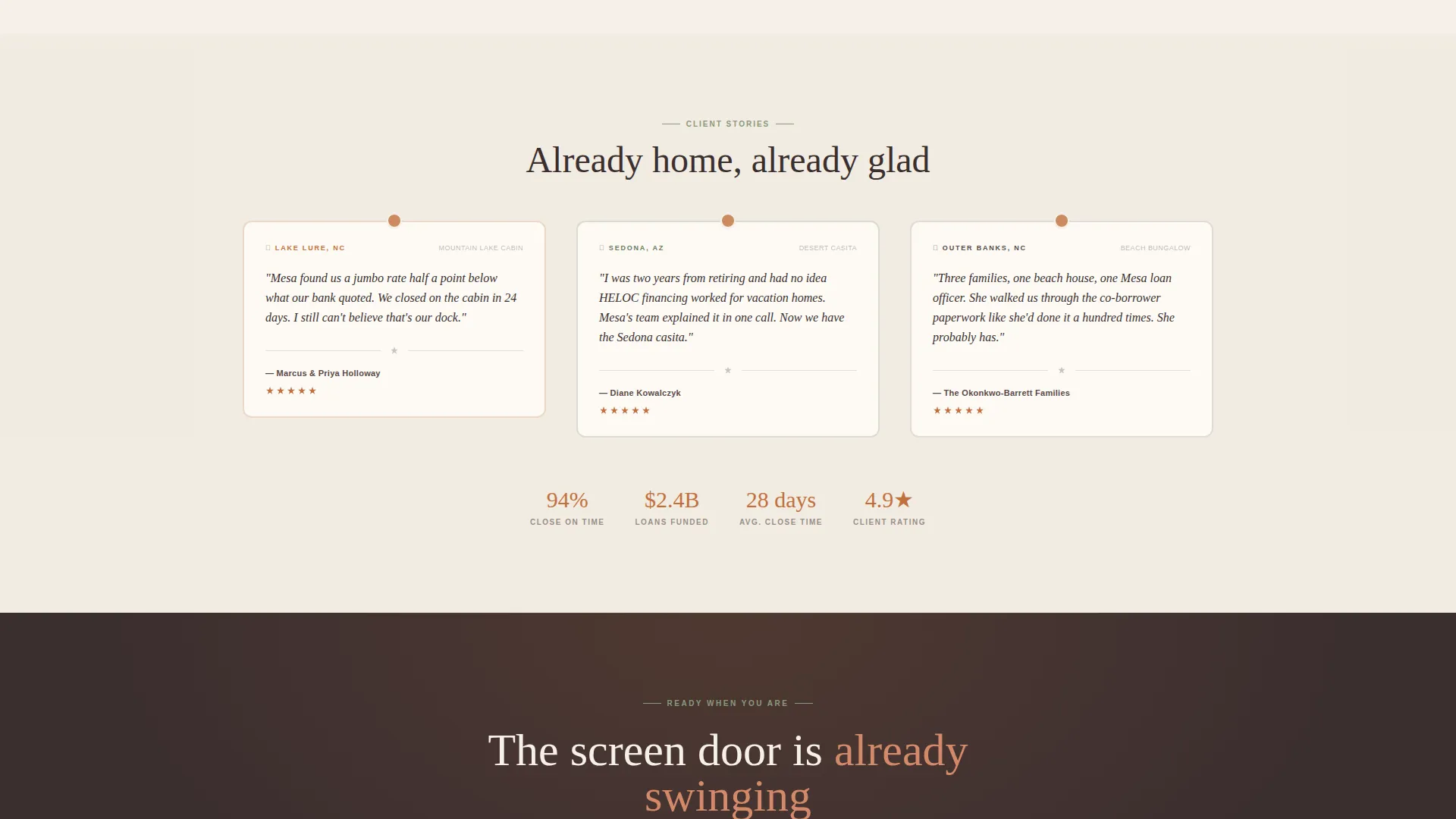
The page body is organized as a grid of purpose-built cards. The first row covers loan types with roofline silhouette illustrations. The second row walks through Pre-Qualification, Rate Lock, and Closing. The third row presents testimonial postcards at a slight angle with handwritten-font quotes and location tags.
Progressive Three-Step Lead Form
Clicking the primary call to action opens a guided form. Step one collects property location and estimated price. Step two asks about employment status and current mortgage balance. Step three gathers name, email, phone number, and a preferred contact time.
Secondary Email-Capture Card
A sage-bordered card appears mid-scroll and offers a downloadable second-home buyer's guide. It asks only for an email address, creating a lower-friction nurture path for visitors who are not yet ready to speak with a broker.
Sticky Mobile Call-to-Action Bar
On mobile viewports, the primary call to action "See What You Qualify For" persists as a sticky bottom bar. This keeps the conversion trigger visible without interrupting the scroll experience on smaller screens.
Postcard-Style Testimonial Cards
Each testimonial card is styled as a physical postcard. Quotes use a handwritten font and sit at a slight angle. Each card is tagged with a real location such as "Lake Tahoe, NV" or "Hilton Head, SC," grounding social proof in recognizable vacation destinations.
Page sections overview
| Section | Purpose |
|---|---|
| Calculator Header | Instant payment estimation and first conversion trigger |
| Loan Type Cards | Educate visitors on Conventional, Jumbo, and HELOC options |
| Process Journey Cards | Walk buyers through Pre-Qualification, Rate Lock, and Closing |
| Testimonial Postcards | Build trust through location-tagged social proof |
| Buyer's Guide Card | Secondary email capture for nurture-focused visitors |
| Sticky call to action Bar | Persistent mobile conversion trigger across all scroll positions |
Design & branding system
Mesa uses the Sunset Mesa color system to create a warm, unhurried visual tone. Every color has a defined role, and the palette works as a unified system rather than a set of decorative choices.
- Soft linen white (#F5F0E8) breathes across section backgrounds; sun-warmed terracotta (#C2703E) activates every button, slider, and interactive accent
- Dusted sage (#8A9A7B) anchors secondary text and card borders while deep canyon shadow (#3B2F2F) grounds headlines with visual weight
- The Pastoral Calm theme uses roofline line illustrations, postcard angles, and a handwritten quote font to reinforce an architectural, tactile aesthetic
Mobile & speed optimization
Mesa is structured with mobile lead generation as a first-class consideration. The sticky call-to-action bar is a mobile-specific feature built into the template by design.
- The sticky bottom bar keeps "See What You Qualify For" visible at all times on mobile screens without occupying content space
- The modular card grid reflows naturally for smaller viewports, maintaining the row-by-row journey logic on any screen size
- The progressive form breaks a multi-field inquiry into three manageable steps, reducing abandonment on mobile devices
How this template helps you convert
Mesa is designed around two conversion paths that work at different stages of buyer readiness. The calculator starts the persuasion; the form and guide close it.
- The header calculator engages visitors before they scroll, delivering a personalized monthly payment estimate that builds confidence and reduces the perceived risk of submitting a lead form
- The "See What You Qualify For" call to action appears twice on desktop and persists as a sticky bar on mobile, ensuring the primary conversion trigger is always within reach
- The secondary buyer's guide card captures email addresses from visitors who are still in research mode, creating a nurture entry point alongside the primary inquiry path
Other information about this template
Mesa is categorized under Real Estate and Property with a specific focus on vacation home real estate. The template style is a card-grid modular layout, and its landing-page direction is oriented toward lead generation rather than passive click-through.
- The template is designed for the vacation home financing niche, where buyer motivation is emotional and the financing product is less familiar than a standard purchase mortgage
- The Spatial and Architectural creative direction treats each card as a room in a walkthrough, building narrative momentum from the front porch to the closing table
- Mesa pairs naturally with broker platforms, independent lending teams, and boutique real estate finance services that want a polished, differentiated online presence
Theme
Dark Immersive
Creative direction
Immersive Visual
Color system
Cloud Canvas
Style
Card Grid (Modular)
Direction
Click-Through
Page Sections
Interactive Payment Calculator Header
Modular Three-row Card Grid
Progressive Three-step Lead Form
Secondary Email-capture Card
Sticky Mobile Call-to-action Bar
Postcard-style Testimonial Cards
Related questions
Can I customize the loan types shown in the card grid?
How does the three-step lead form work?
Is the payment calculator editable?
What is the buyer's guide capture card?
Who is the ideal user for this template?



