Physical Therapy Condition & Booking Landing Page
Mobilize is a split-screen physical therapy landing page template built for condition and treatment libraries. It combines animated anatomical line art, expert panel condition sections, an interactive symptom sorter, and a pre-filled assessment booking flow. Designed for physical therapy clinics, it converts symptom-searching patients into booked appointments with clarity, calm, and clinical confidence.
by Rocket studio
Quick summary
Mobilize is a single-page physical therapy template that turns a clinic's condition library into a patient acquisition tool. Each scroll section pairs an anatomical illustration with a therapist's expertise and a direct booking call to action. The layout is desktop-first with a stacked mobile view, built around an Arctic White palette and a soft gradient visual identity.
Who this template is for
This template is purpose-built for physical therapy clinics that treat a wide range of musculoskeletal conditions. It works especially well for practices that want patients to self-identify their problem before booking.
- Physical therapists running condition-specific or specialist clinics
- Rehab practices serving post-surgical patients and weekend athletes
- Office-focused or postural health clinics seeking their first digital patient touchpoint
What problem this template solves
Most physical therapy websites list services without context. Patients arrive unsure whether their pain qualifies, who to see, or what a session involves. That uncertainty kills conversions.
- Patients leave when they cannot match their symptom to a treatment
- Generic booking forms frustrate users who have to re-explain their condition
- Clinics lose trust when their site feels cold, impersonal, or hard to navigate
What you get with this template
Mobilize delivers a fully structured, section-led landing page ready to present a physical therapy condition library. Every major layout element is included out of the box.
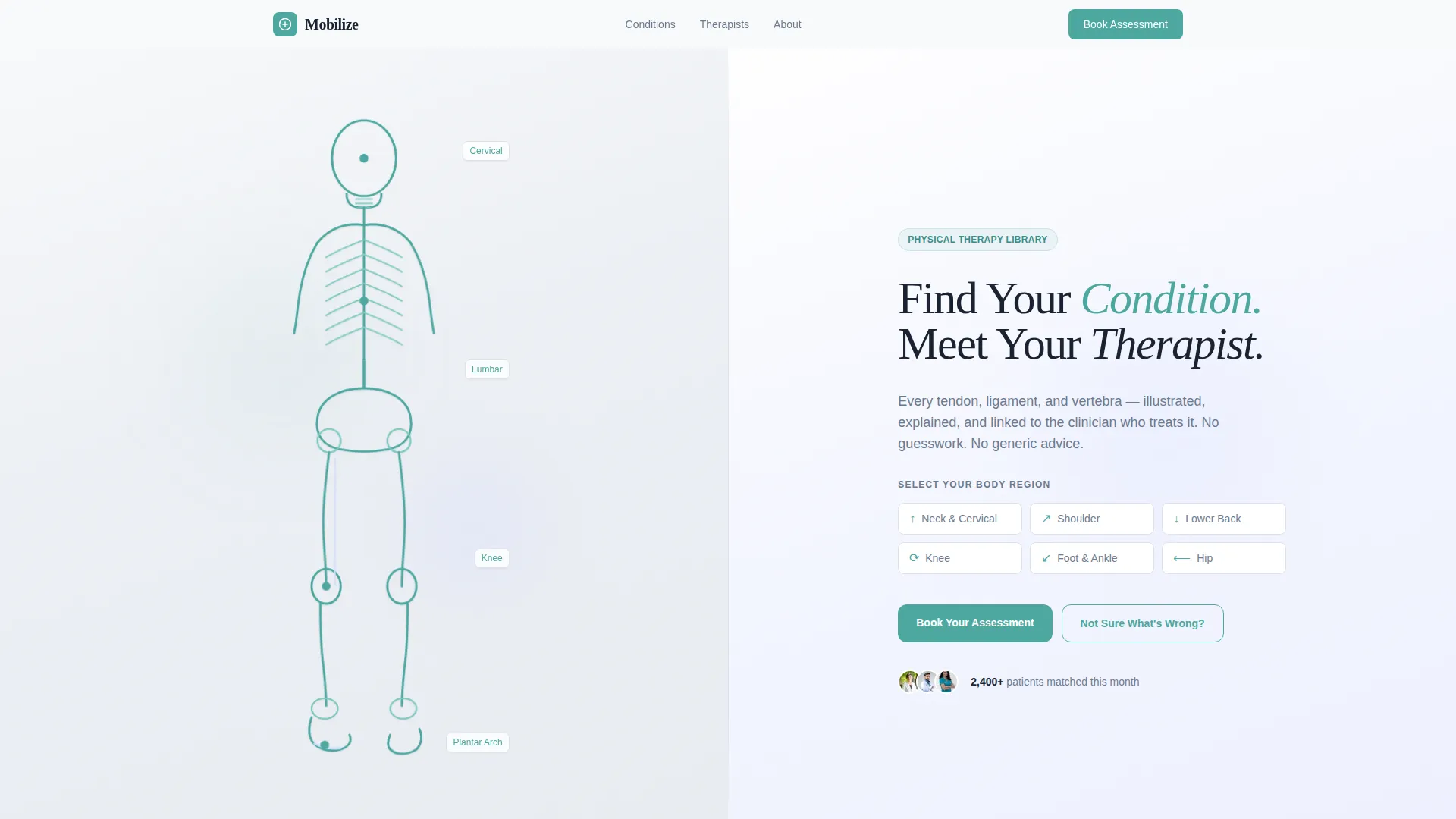
- A self-drawing SVG line-art hero with a body region selector and a headline panel
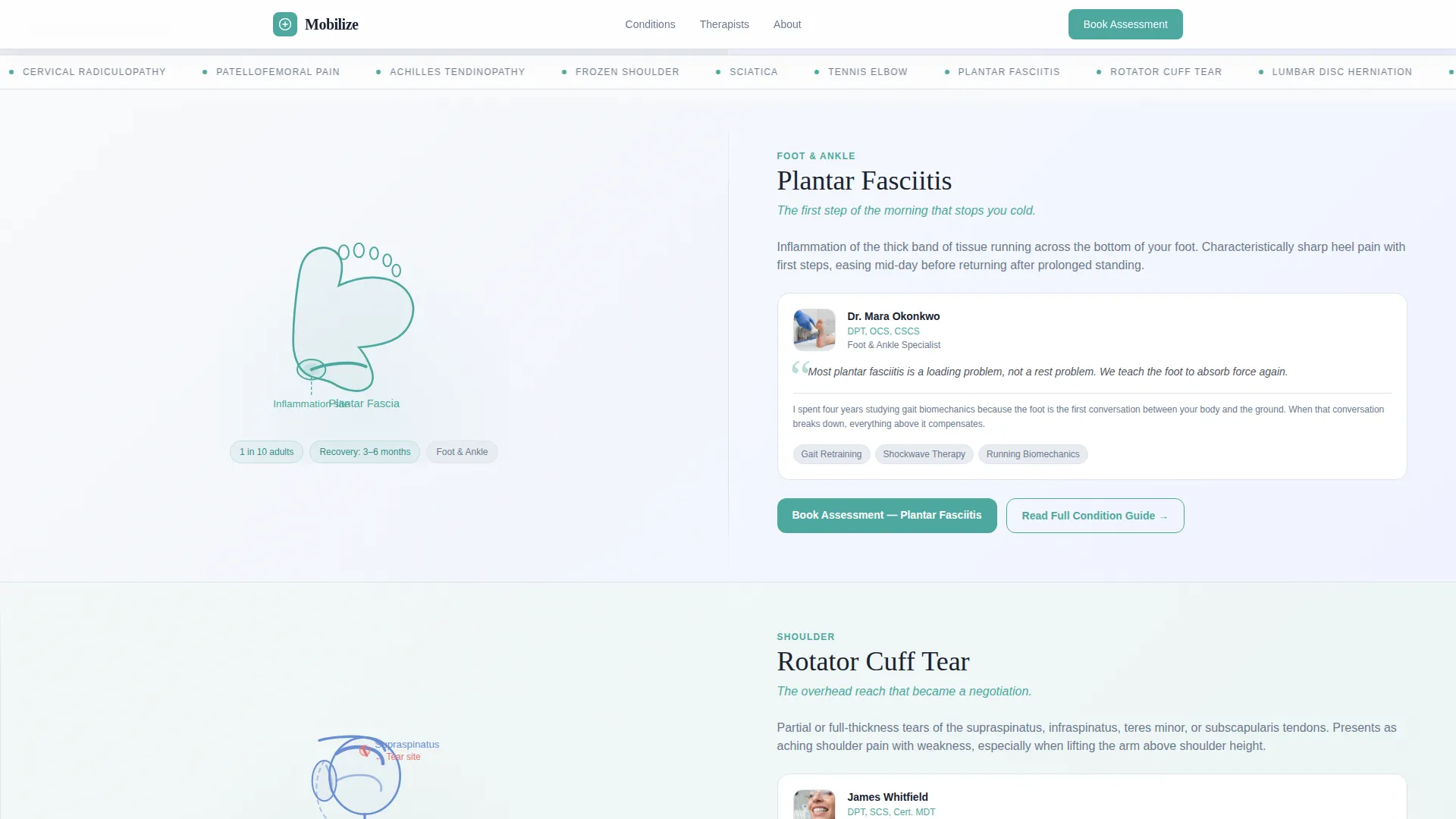
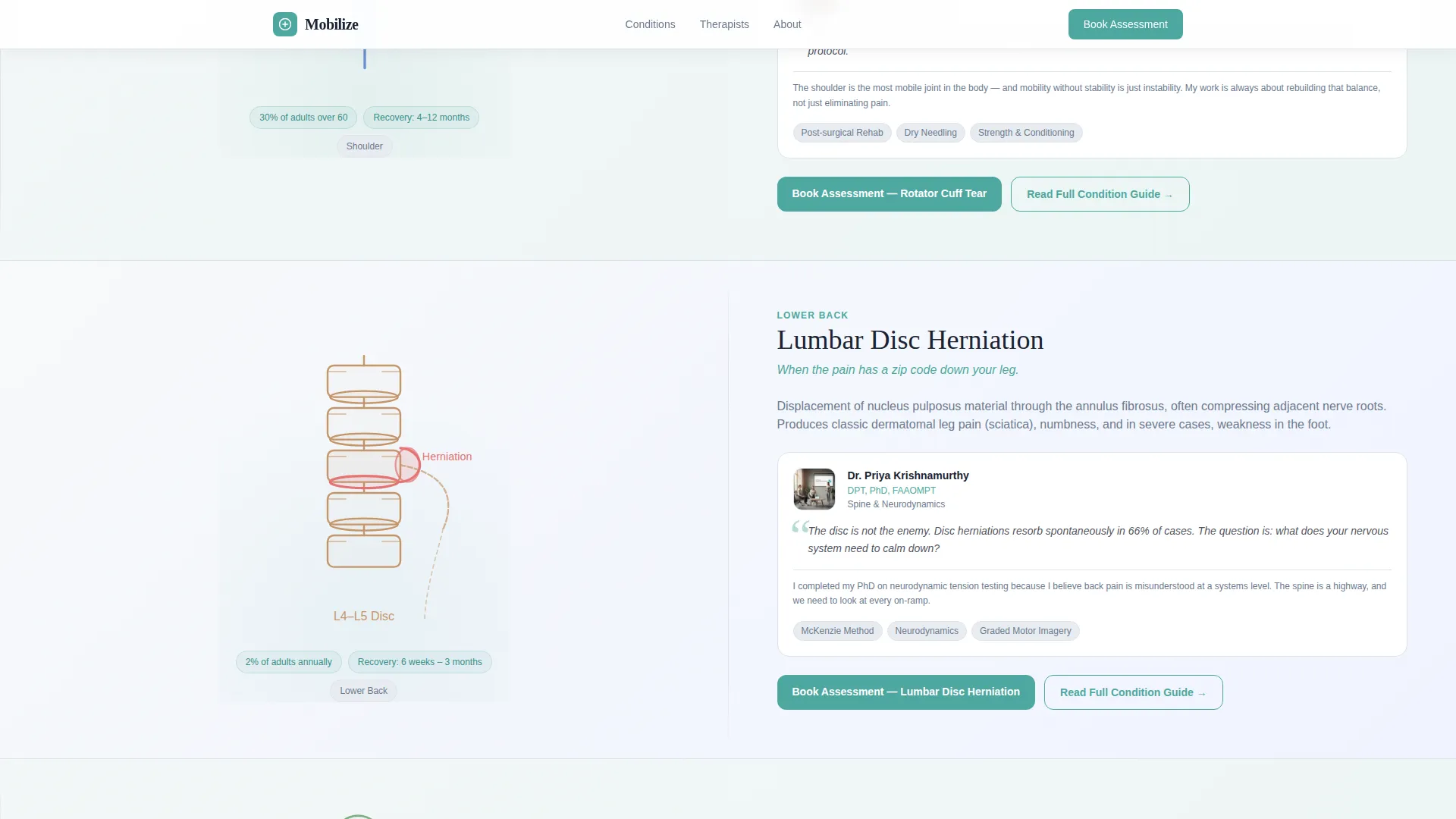
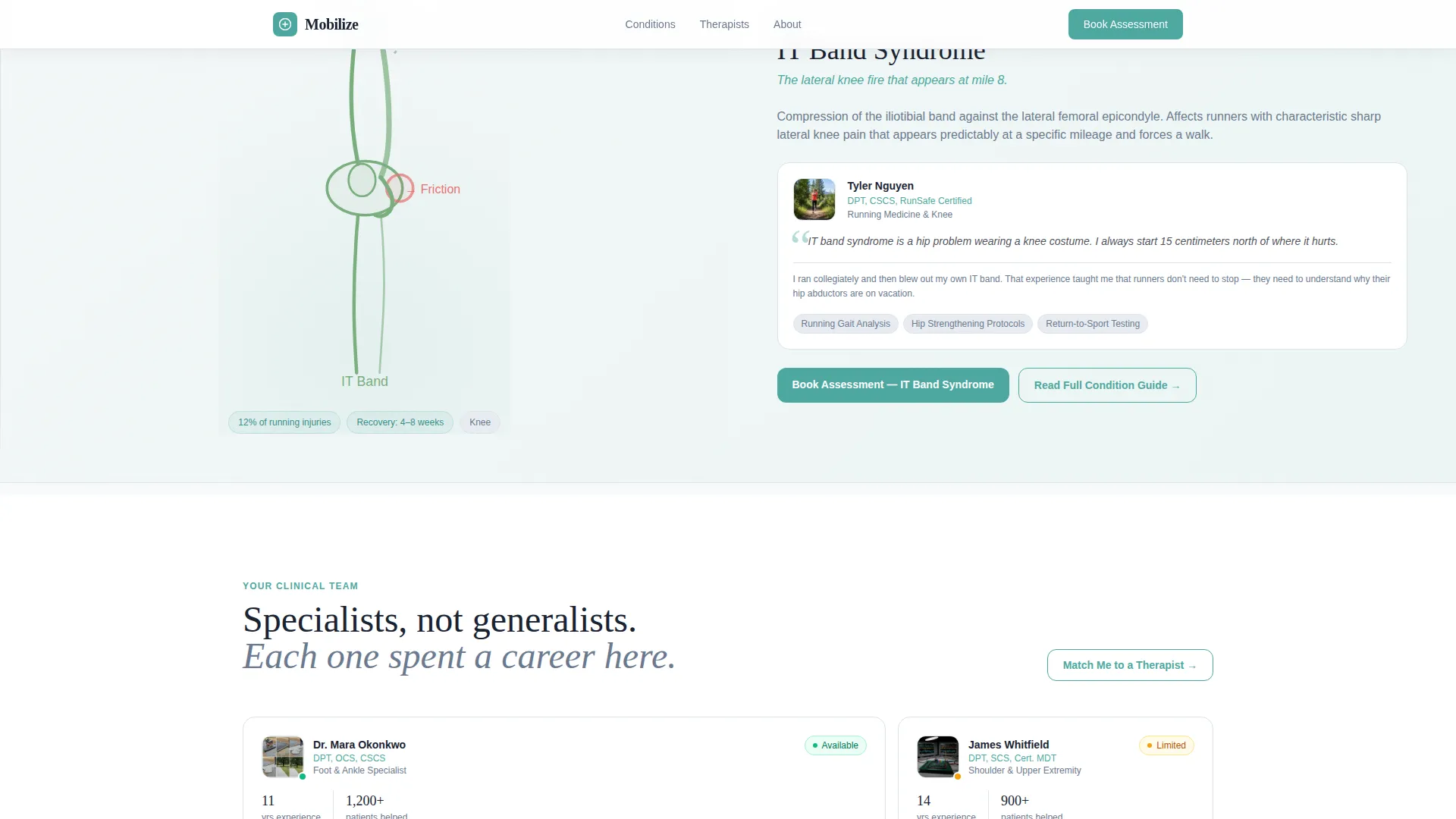
- Split-screen condition panels for rotator cuff, lumbar disc, plantar fasciitis, and IT band syndrome, each with illustration, therapist profile, and booking call to action
- An interactive symptom sorter, a therapist roster in asymmetric bento grid layout, and a full-width assessment booking section with condition pre-fill
Feature list
This template ships with a carefully considered set of interactive and visual features, each grounded in patient experience and conversion intent.
Self-Drawing Anatomical Hero Animation
A continuous SVG line-art illustration traces the human body from cervical spine to plantar arch in a four-second path-drawing animation. The animation completes on the left panel while the right panel holds the headline and body region selector, creating a calm, clinical first impression.
Condition Panel Expert Layout
Each condition section uses a 50/50 split screen. The left side shows a detailed anatomical illustration of the condition. The right side features a therapist's photo, credentials, quoted treatment philosophy, and a "Book Your Assessment" call-to-action button pre-filled with that condition's name.
Interactive Symptom Sorter
A three-question symptom flow guides uncertain patients toward the right condition page. The sorter asks body region, pain type, and duration before routing the visitor to a matched condition panel. It then circles back into the same booking flow seamlessly.
Condition-Pre-Filled Booking Form
The assessment booking section collects body region, pain duration, therapist preference or auto-match, and available date slots from a live calendar view. Because the condition is pre-filled from the panel the patient came from, they do not have to explain their situation twice.
Therapist Roster with Bento Grid
The therapist section uses an asymmetric bento grid layout. Each card displays the clinician's photo, credentials, and a quoted treatment philosophy. The format builds trust by putting real expertise and personality on display before the patient commits to booking.
Scroll-Triggered Reveal Animations
Condition panels, therapist cards, and booking sections animate in as the visitor scrolls. Staggered entrance effects keep the experience dynamic without feeling distracting, reinforcing the sense of a considered, unhurried clinical environment.
Page sections overview
| Section | Purpose |
|---|---|
| Hero Animation Panel | Introduce the clinic with a self-drawing anatomical illustration and headline |
| Body Region Selector | Let patients choose their affected area before scrolling into conditions |
| Condition Expert Panels | Pair each condition illustration with a therapist profile and booking action |
| Therapist Roster Grid | Display credentials, photos, and treatment philosophies in a bento layout |
| Symptom Sorter Flow | Guide uncertain patients through three questions to a matched condition |
| Assessment Booking Section | Capture bookings with a condition-pre-filled form and live calendar slots |
| Footer | Close the page with practice information using the Arc Browser Split pattern |
Design & branding system
The visual identity follows a Soft Gradient theme built around the Arctic White color system. The palette is clinical and calm, avoiding both sterile coldness and casual vagueness.
- Colors: clinical snow (#F8FAFB) for backgrounds, soft tissue lavender (#D6DEFF) for accent surfaces, cartilage frost (#E8ECF1) for gradient washes, and therapeutic teal (#4DA8A0) reserved exclusively for interactive elements and call-to-action buttons
- Typography: Fraunces serif display for headlines, paired with DM Sans for body text, delivering a balance of authority and readability
- Visual style: continuous-stroke anatomical line art, gradient background washes from snow to frost, and teal used only where the visitor can take action
Mobile & speed optimization
Mobilize is designed desktop-first, with the split-screen layout as the primary experience. The mobile view stacks panels vertically so the content hierarchy remains clear on smaller screens.
- SVG animations and scroll-triggered reveals are handled with client-side components, while static content uses server components for faster initial rendering
- The booking form, symptom sorter, and body region selector remain fully interactive in the stacked mobile layout
How this template helps you convert
Mobilize is built around a single conversion insight: patients book when they already feel understood. Every design and interaction decision flows from that principle.
- The self-drawing hero and body region selector engage the visitor immediately, reducing bounce before the first scroll by giving patients a clear next step.
- Condition panels diagnose before they ask for anything, earning trust through illustration and therapist expertise before the "Book Your Assessment" button appears.
- The symptom sorter captures patients who do not yet know their diagnosis, routing them to the right condition and back into the booking flow without a dead end.
Other information about this template
Mobilize is well-suited for practices that want to establish a strong digital presence in the physical therapy condition and treatment library niche. A few additional details worth noting before you build:
- The template targets English-language audiences with US date format and USD pricing conventions built into the booking section layout
- The footer follows the Arc Browser Split pattern (Pattern 7) for a clean, structured close to the page
- The landing page direction is Booking and Scheduling, meaning every section is oriented toward a single measurable outcome: a booked patient assessment
- Animation intensity is high, with SVG path drawing, scroll-triggered stagger effects, and interactive component reveals all included in the template structure
- The template is categorized under Health and Medical, Physical Therapist Website, with a niche focus on the Physical Therapist Condition and Treatment Library use case
Theme
Soft Gradient
Creative direction
Expert Panel
Color system
Arctic White
Style
Split Screen (50/50)
Direction
Booking/Scheduling
Page Sections
Self-drawing Anatomical Hero Animation
Condition Panel Expert Layout
Interactive Symptom Sorter
Condition-pre-filled Booking Form
Therapist Roster Bento Grid
Scroll-triggered Reveal Animations
Related questions
Can I add or remove condition panels from this template?
Does the booking form connect to a live calendar?
Is this template suitable for a single-specialty physical therapy clinic?
How does the symptom sorter help patients who are unsure of their diagnosis?
Can the therapist roster section be customized for my team?



