Dental FAQ & Patient Fears Landing Page Website Template
Molar is a single-page dental practice FAQ landing page built on a Bold Brutalist design framework. It uses a Problem→Solution comparison table to answer real patient fears directly, row by row. Terminal-green type, void-black backgrounds, and ultraviolet dividers create an unmistakably urgent visual voice that earns patient trust before they ever book an appointment.
by Rocket studio
Quick summary
Molar is a brutalist dental FAQ landing page template designed to disarm anxious patients. It surfaces raw patient fears in a two-column comparison table and answers each one with blunt, specific honesty. The visual system uses acid neon on pure black to feel urgent and credible. Every section builds toward one goal: getting the visitor to download the practice app and book in 30 seconds.
Who this template is for
This template is built for dental practices that want to speak plainly to patients who are nervous, uninsured, or just new in town. If your practice answers hard questions without flinching, this page says so before a patient has to ask.
- Dental practices targeting new residents searching for a local dentist
- Practices that want to convert late-night search traffic into booked appointments
- Dental teams ready to lead with transparency on cost, pain, and insurance
What problem this template solves
Most dental websites hide the answers patients actually need. Visitors arrive with real fears about cost, pain, and insurance, find nothing useful, and leave. Molar fixes that by putting the hardest questions front and center.
- Patients abandon dental sites when cost and pain questions go unanswered
- Generic "Welcome to our practice" copy does not build trust fast enough
- New patients have no quick way to download an app or self-schedule without friction
What you get with this template
You get a single-page brutalist landing page built around a scrollable comparison table. Every visual and structural decision points toward one conversion action: the app download.
- A full Problem→Solution comparison table covering routine to emergency dental scenarios
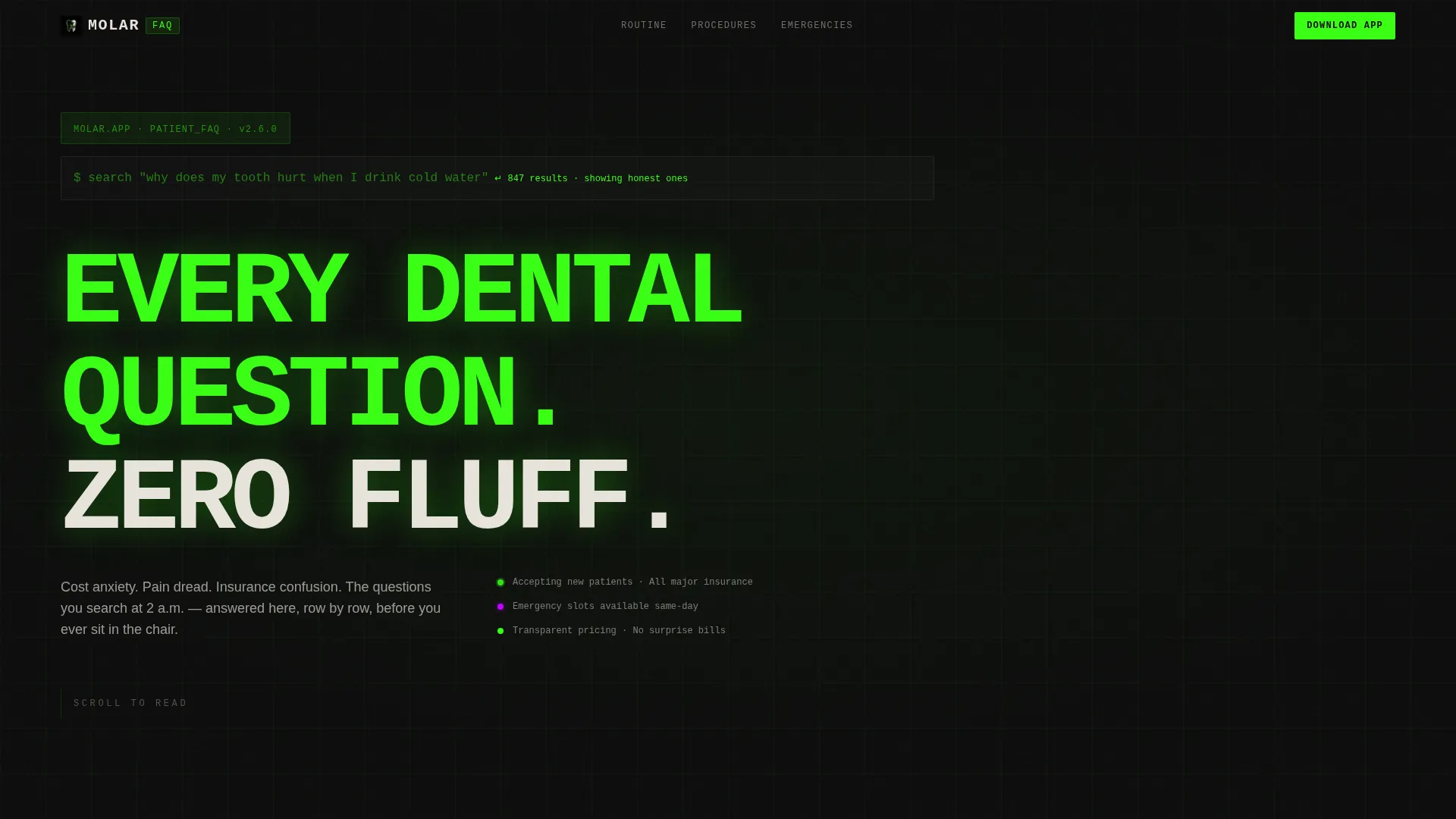
- A terminal-style animated header with monospaced type and a blinking cursor effect
- A sticky footer call to action bar and a single-field SMS input for frictionless app delivery
Feature list
This template ships with a tightly focused set of components. Each one exists to move a nervous patient closer to booking.
Terminal Code Snippet Header
The header opens with a monospaced block styled as a live terminal query. Characters appear one keystroke at a time, resolving into the brutalist headline: EVERY DENTAL QUESTION. ZERO FLUFF. The void-black background and terminal-green type make the effect feel like a direct message to the viewer.
Problem→Solution Comparison Table
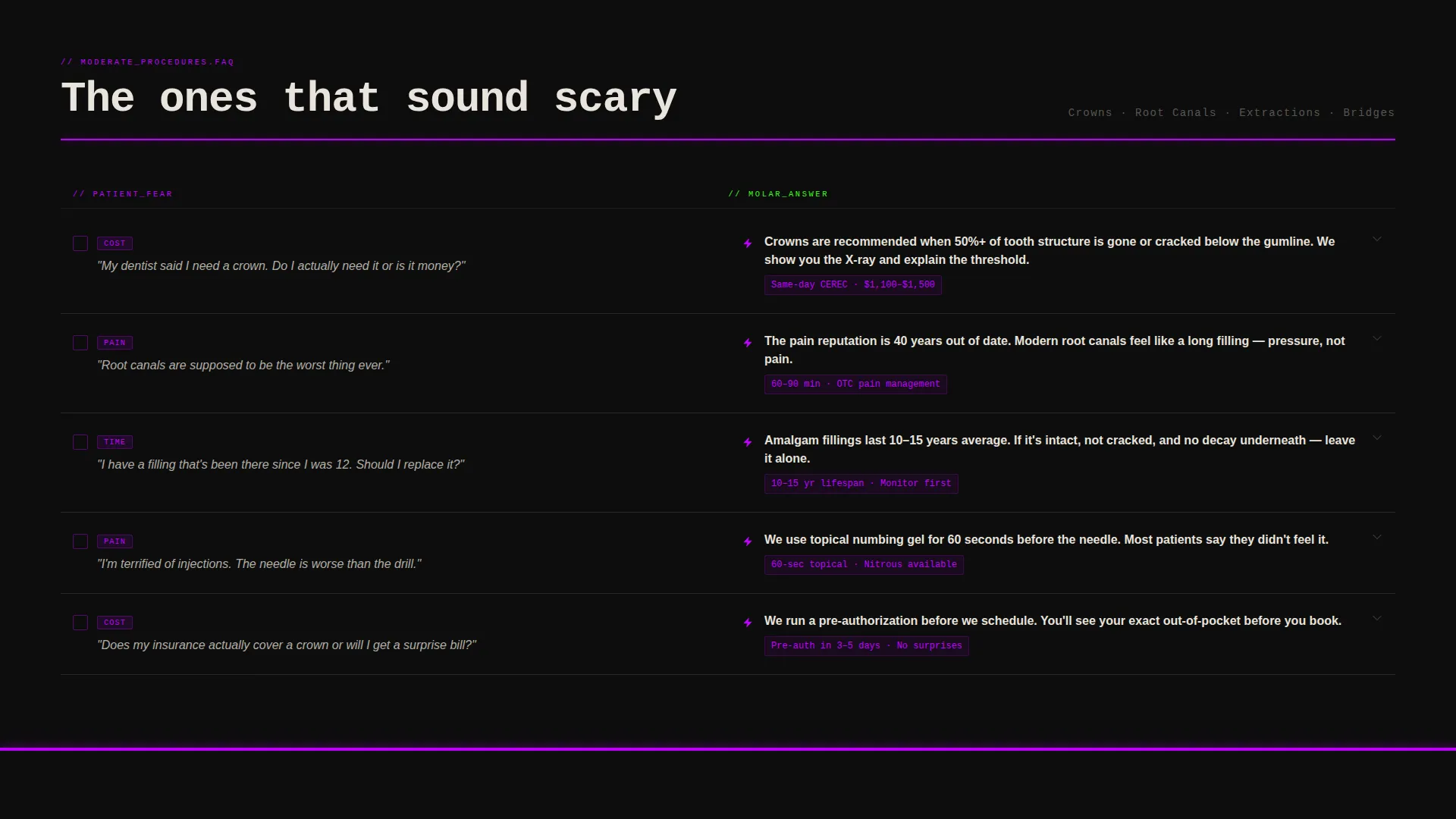
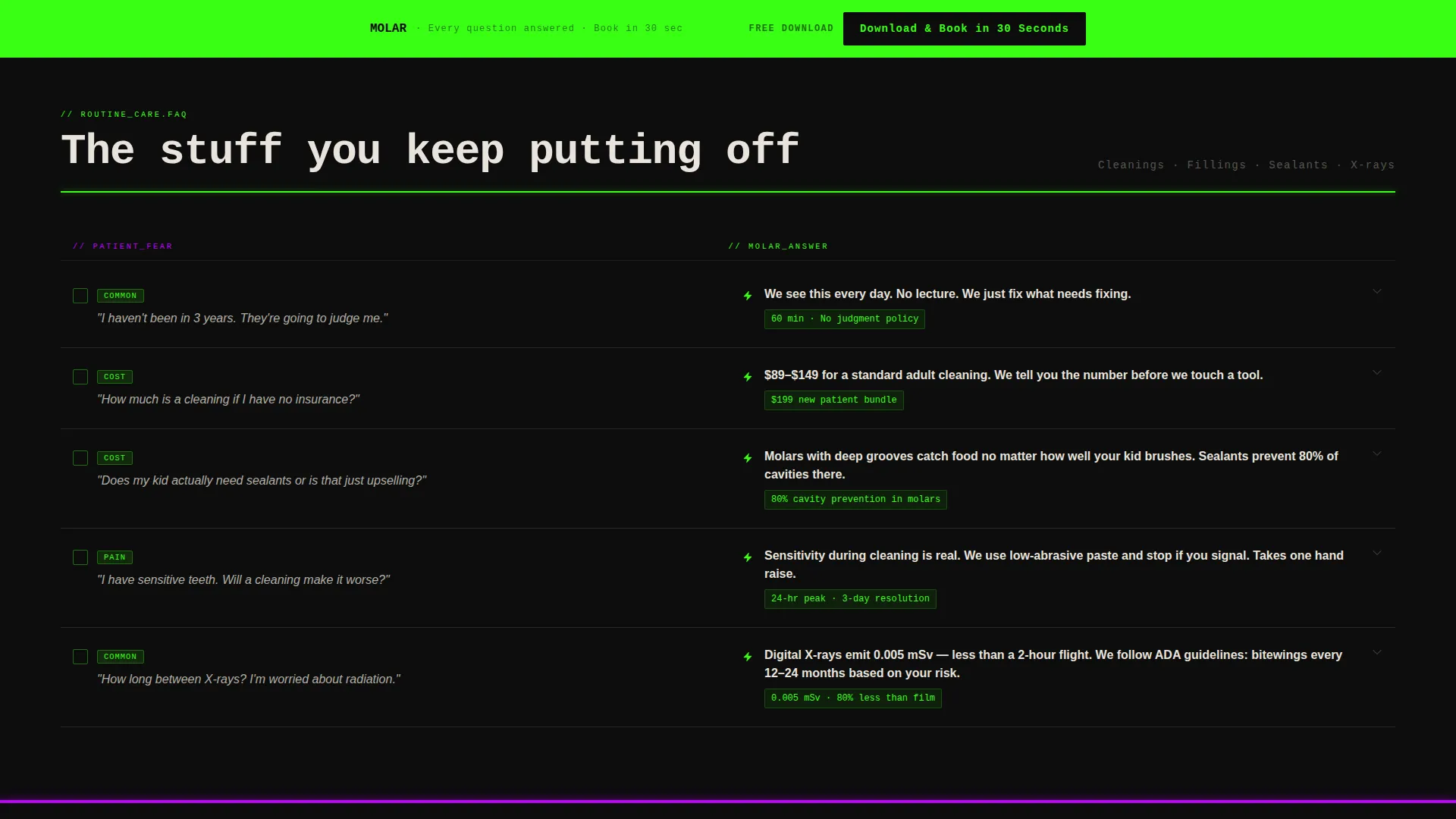
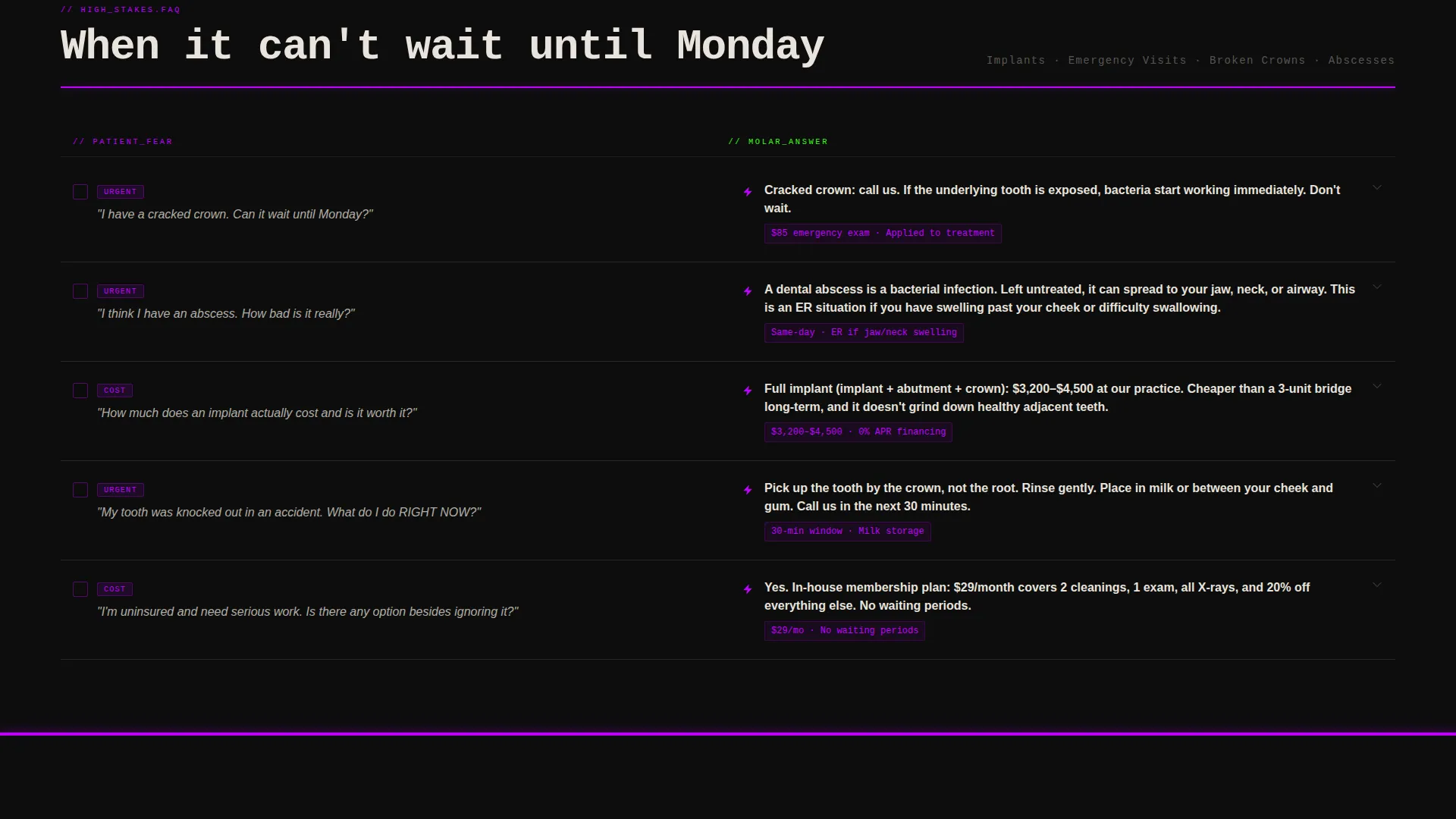
The core of the page is a two-column comparison table. The left column names raw patient fears: cost anxiety, pain dread, time commitment, insurance confusion. The right column delivers the practice's blunt, specific answer. Rows escalate from routine cleanings through crowns and root canals up to implants and emergency visits.
Row-Level Micro-Interactions
Each table row responds to a tap with a terminal-green checkmark flash. The interaction reveals a deeper detail layer beneath the row. This keeps the page tactile and rewards curious visitors who want more than the headline answer.
Brutalist Section Dividers
Thick ultraviolet rules in clinical #BF00FF slam between major table sections. They act as visual punctuation, signaling an escalation in stakes as the reader scrolls from routine procedures toward emergency care.
Sticky App Download Footer
A sticky footer bar stays pinned at the bottom of the viewport at all times. It carries the primary call to action: "Download & Book in 30 Seconds," set in black type on a terminal-green background. The contrast is impossible to miss.
SMS Link Input Field
Above the final call to action, a single phone-number field lets visitors text themselves the app download link. There is no form to fill, no email required. The low-friction design removes every reason to hesitate at the last step.
Page sections overview
| Section | Purpose |
|---|---|
| Terminal Header Block | Sets the brutalist tone and hooks the visitor immediately |
| Routine Care Rows | Addresses cleanings, fillings, and sealant questions |
| Moderate Procedure Rows | Covers crowns, root canals, and cost anxiety |
| High-Stakes Rows | Handles implants, emergencies, and urgency signals |
| SMS Input Field | Lets visitors text themselves the app download link |
| Sticky call to action Footer | Drives the app download action from any scroll position |
Design & branding system
The visual identity is built on an Acid Digital color system layered over a Bold Brutalist typographic framework. Nothing about this palette feels like a standard dental website, and that is the point.
- Void black (#0D0D0D) dominates every background, grounding the page like an open terminal window
- Terminal green (#39FF14) marks answers, reassurance, and every positive conversion signal
- Clinical ultraviolet (#BF00FF) flags warnings, urgency, and section breaks between escalating procedure tiers
Mobile & speed optimization
The layout is built for the visitor who opens it on a phone at 2 a.m. with a toothache. Every interaction and visual weight decision accounts for a small screen and a stressed thumb.
- The comparison table stacks cleanly on narrow viewports without losing the two-column intent
- Tap targets on each table row are large enough to trigger micro-interactions reliably on mobile
- The sticky footer call to action remains visible and tappable regardless of scroll position or device size
How this template helps you convert
Every design and content decision in Molar is pointed at one conversion: the app download. The page earns that tap by building trust row by row before asking for anything.
- The terminal header stops the scroll immediately and signals that this page will answer real questions, creating a reason to keep reading.
- The comparison table compounds trust across each row, so that by the time a visitor reaches the SMS field, downloading the app feels like the logical next step rather than a sales ask.
Other information about this template
Molar fits naturally into a dental practice's digital presence as a standalone campaign page or a primary patient acquisition landing page.
- The template is categorized under Dental Practice Website Templates within the Technology category
- The Acid Digital color system and Bold Brutalist theme make the design system easy to adapt to a practice's own name and brand voice
- The single-field SMS input is designed to minimize drop-off at the final conversion step by asking only for a phone number
- This template works well for practices that rely on app-based booking, as the entire page narrative justifies and leads to that single download action
Theme
Bold Brutalist
Creative direction
Problem→Solution Arc
Color system
Acid Digital
Style
Comparison Table
Direction
App Download
Page Sections
Terminal Code Snippet Header
Problem→solution Comparison Table
Row-level Micro-interactions
Brutalist Ultraviolet Dividers
Sticky App Download Footer Bar
Single-field SMS Input
Related questions
Can I customize the comparison table rows for my own services?
Does the SMS link delivery feature work without additional setup?
Is this template usable if my practice does not have an app?
How does the terminal header animation work?
What kind of dental practice is this landing page best suited for?



