Expert Emergency Dentist Appointment Booking Website Template
A single-page emergency dentist provider directory landing page built for people in acute dental pain. A three-step triage form sits at the top, guiding visitors from describing their situation to finding an available dentist nearby in seconds. Zigzag testimonial and provider card pairings build trust fast, and every call to action routes directly to booking without requiring registration.
by Rocket studio
Quick summary
This landing page connects patients in dental emergencies to available local dentists within the hour. A three-step triage form opens the experience immediately, with no hero imagery and no distractions. Timestamped patient testimonials and provider profile cards alternate in a zigzag layout below, building trust while reinforcing speed. Every call to action routes visitors directly to booking.
Who this template is for
This template is designed for emergency dental directory services that need to convert distressed visitors into booked appointments as fast as possible. It works equally well for a solo developer building a healthcare directory product or a dental network looking to publish a patient-facing intake page.
- Emergency dental directory operators serving adult patients and parents with children
- Dental networks or urgent care groups offering same-day or after-hours availability
- Healthcare web teams building a mobile-first intake and provider-matching experience
What problem this template solves
People searching for an emergency dentist at 2 AM are not browsing. They are in pain, often on a phone, and they will leave a page the moment it slows them down or asks too much. Most directories bury their search tools under hero banners and marketing copy, which is the wrong sequence entirely.
- Visitors cannot quickly describe their dental emergency or filter by urgency type
- Standard directory listings show no appointment timing, so patients still have to call around
- Pages with registration walls or multi-screen flows lose the user before conversion happens
What you get with this template
You get a fully structured single-page layout with a clear triage form at the top and a scroll-based proof sequence below it. Every section has a defined job: the form captures intent, the testimonial and provider pairings validate the service, and the trust statistics bar closes the argument before the footer.
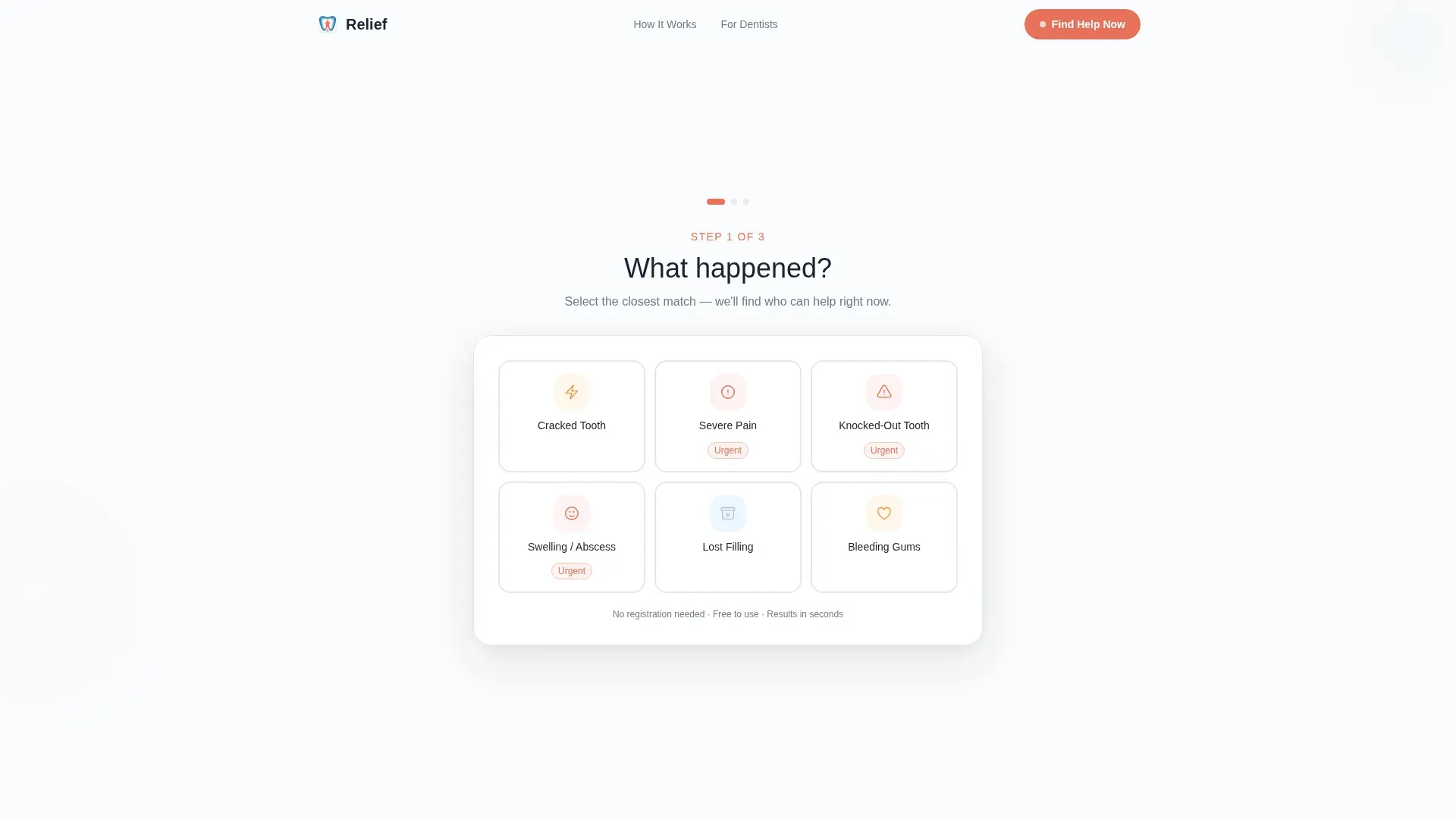
- A three-step triage form with icon-driven emergency type tiles, zip code input with auto-location pulse, and a sorted provider results step
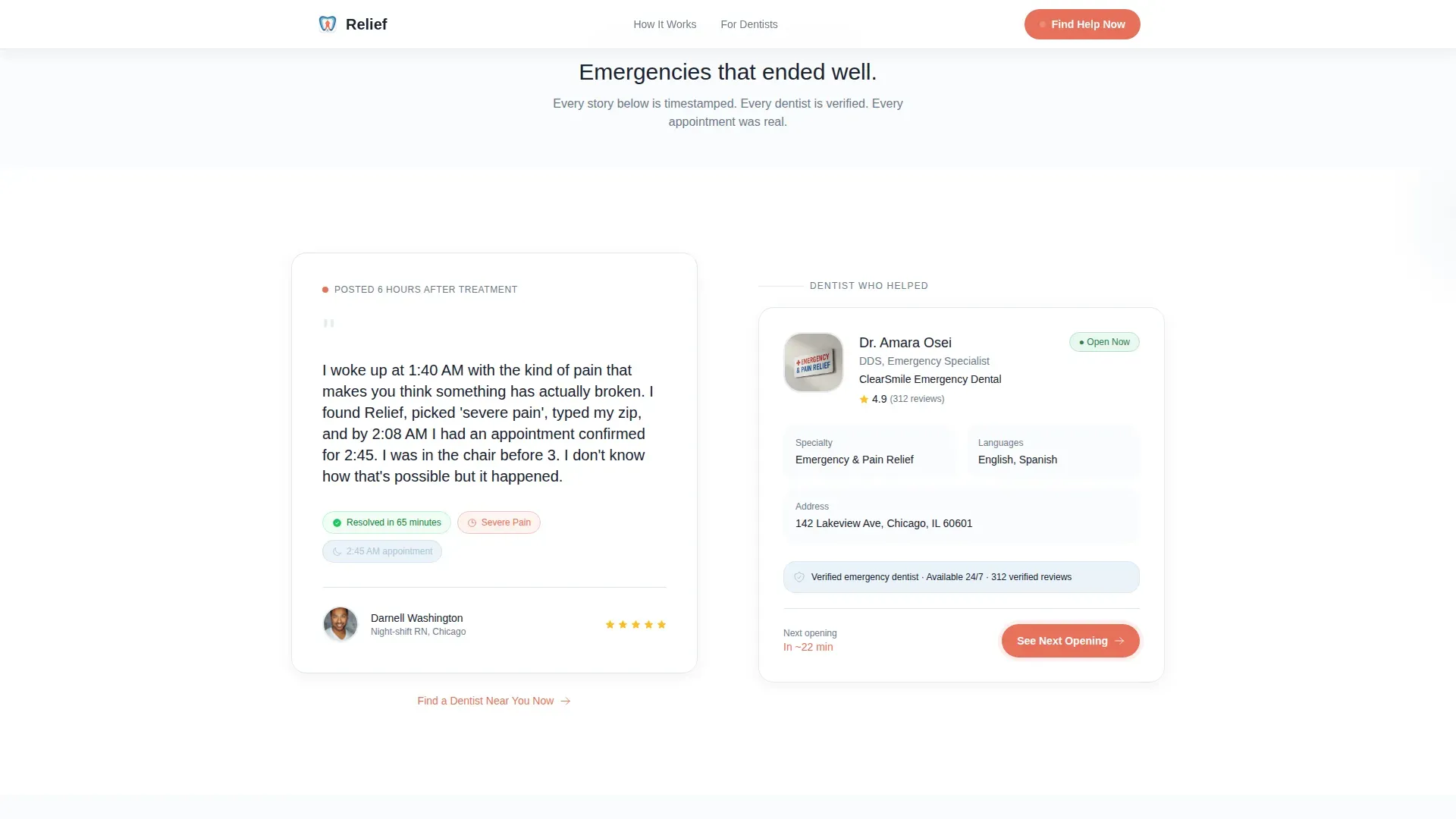
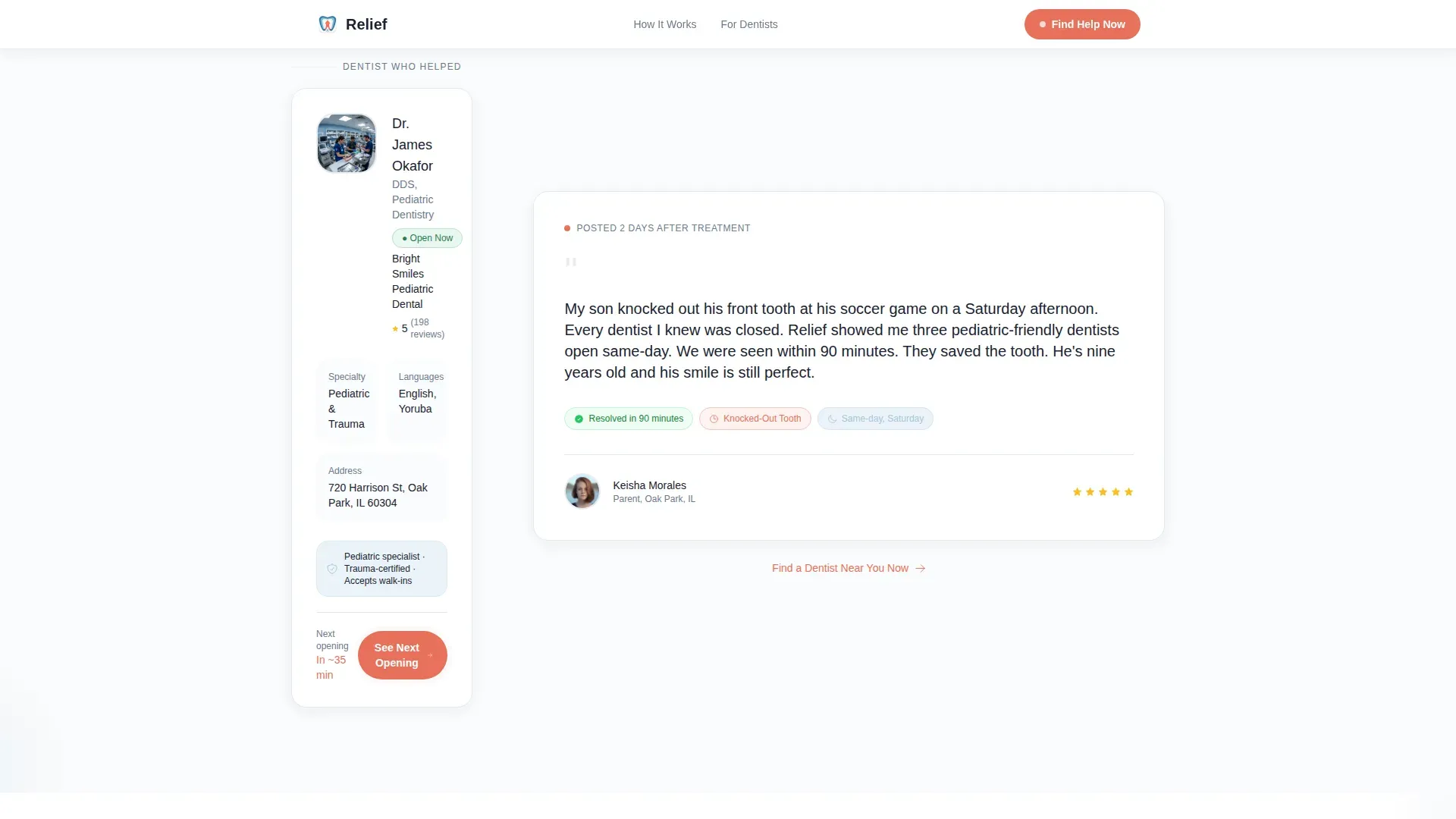
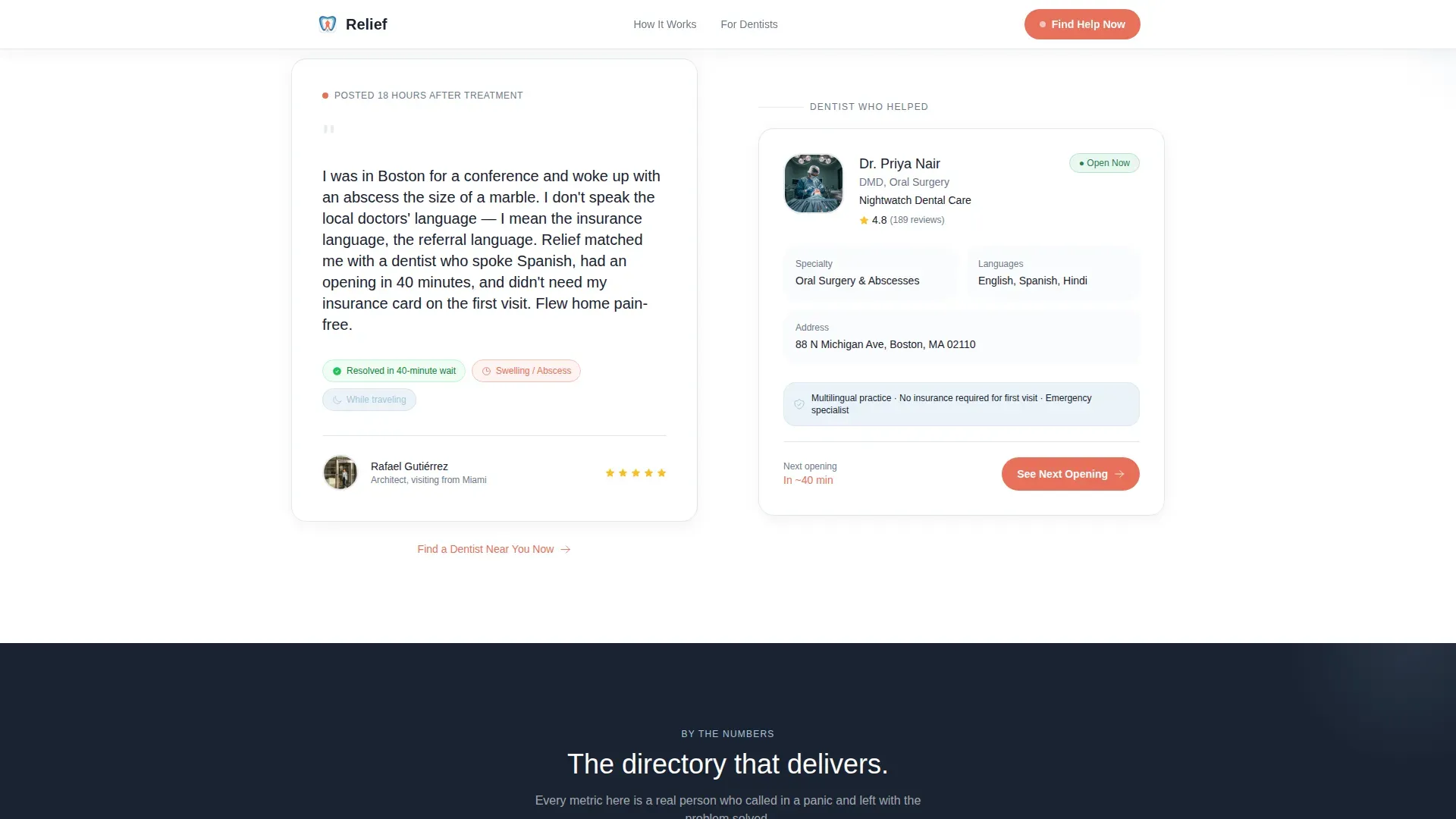
- Three zigzag testimonial and provider card pairings, each with a timestamped patient story alongside a dentist profile card
- Coral-highlighted calls to action reading "See Next Opening" on provider cards and "Find a Dentist Near You Now" embedded in each testimonial section
Feature list
A concise paragraph introduces this section. Each feature below maps directly to a component or behavior described in the source brief, covering the triage form, zigzag layout, proof system, and conversion design.
Three-Step Triage Form
The header opens immediately with a sequential form. Step one presents icon-driven tiles for common emergencies such as cracked tooth, severe pain, knocked out tooth, swelling, and lost filling. Step two collects a zip code with a gently pulsing auto-location detection button. Step three displays available providers sorted by soonest open appointment.
Zigzag Alternating Layout
The page body uses a true alternating layout. Each row places a patient testimonial block on one side and a dentist provider profile card on the other, flipping sides with every pair. This rhythm keeps scrolling visually engaging and prevents the page from feeling like a flat list.
Timestamped Patient Testimonials
Each testimonial carries a time stamp such as "Posted 6 hours after treatment." Three distinct stories cover a midnight toothache resolved by 3 AM, a child's same-day sports injury treatment, and a tourist matched with a bilingual dentist. Together they form a credible logbook of emergencies that resolved quickly.
Provider Profile Cards with Direct Booking
Every dentist profile card includes a coral-highlighted button reading "See Next Opening." This routes the visitor directly to the dentist's booking page. No account creation and no registration are required at any step.
Trust Statistics Bar
A dedicated section between the testimonial mosaic and the footer presents aggregate outcome numbers. This cumulative proof reinforces the claims made in the testimonials and gives data-oriented visitors a reason to act.
Page sections overview
| Section | Purpose |
|---|---|
| Triage Form Header | Capture emergency type, location, and surface matched providers |
| Zigzag Pair One | Midnight toothache story paired with a provider profile card |
| Zigzag Pair Two | Child sports injury story paired with a provider profile card |
| Zigzag Pair Three | Tourist and bilingual dentist story paired with a provider card |
| Trust Stats Bar | Reinforce credibility with aggregate outcome statistics |
| Footer | Single-row linear footer with navigation and contact essentials |
Design & branding system
The visual identity follows an Organic Flow style. Every element is rounded and softly shadowed, designed to reduce anxiety while communicating clinical competence. The palette is built around clinical snow as the dominant background, with breath blue used for accents and urgent coral reserved strictly for calls to action and status indicators.
- Clinical snow (#FAFBFC) background, soft enamel gray (#E8ECEF) for surface layers, calming breath blue (#A8C5DA) for supporting accents
- Urgent coral (#E8705A) used only on call-to-action buttons and live status indicators to preserve its urgency signal
- Plus Jakarta Sans paired with DM Sans for typography, keeping text clean and readable at small sizes on mobile screens
Mobile & speed optimization
The entire page is designed mobile-first. The primary users are people in pain holding a phone, often at an unusual hour, and every layout decision reflects that reality. Step transitions in the triage form are animated at a medium intensity so they feel responsive without being distracting.
- Scroll reveals on testimonial and provider card sections keep the page light on initial load
- The location detection button pulses gently to signal activity without blocking the user's input flow
- Icon tile selection in the form step is large enough for thumb interaction on a standard smartphone screen
How this template helps you convert
The conversion strategy is built on sequence: earn trust with speed first, validate with real outcomes second, and never ask the visitor to slow down. Every section does one job and hands off to the next.
- The triage form at the top creates immediate momentum by letting visitors describe their emergency and see matched providers without leaving the page or creating an account.
- Each testimonial and provider card pairing embeds a secondary call to action, "Find a Dentist Near You Now," so conversion opportunities appear throughout the scroll, not only at the top.
- The trust statistics bar closes the proof loop before the footer, giving visitors who scrolled past the testimonials one final data-backed reason to click.
Other information about this template
This template is built specifically for the emergency dentist provider directory niche within the broader health and medical category. It is a single landing page, not a multi-page site, so all content and conversion flow lives on one scrollable canvas.
- Template style is Zigzag/Alternating with an Organic Flow theme and Arctic White color system
- The creative direction follows a Testimonial Mosaic pattern, which is particularly effective for service-trust niches where real outcomes matter more than feature lists
- The header concept is a Multi-Step Form, making it well suited to any healthcare directory use case where triage-style intake improves conversion
- No user registration or account creation is required anywhere in the page flow, keeping the path from landing to booking as short as possible
Theme
Organic Flow
Creative direction
Testimonial Mosaic
Color system
Arctic White
Style
Zigzag/Alternating
Direction
Click-Through
Page Sections
Three-step Triage Form
Zigzag Testimonial and Provider Layout
Timestamped Patient Stories
Provider Cards with Direct Booking Ctas
Trust Statistics Bar
Secondary In-section Conversion Targets
Related questions
Does this template require visitors to create an account before finding a dentist?
How many provider cards and testimonials are included in the layout?
Is this landing page designed for mobile users?
Can this template be used for a dental network with multiple locations?
What types of dental emergencies does the triage form cover?



