Dental Condition & Treatment Library Website Template
Molar is a hub-and-spoke dental condition and treatment library landing page. It guides post-consultation patients, concerned parents, and dental-anxious adults through plain-language explanations of diagnoses and treatments. Six spoke sections, named specialist panels, tabbed content, a sticky anchor nav, and condition-specific lead capture forms make this template both educational and conversion-ready.
by Rocket studio
Quick summary
Molar is a single-page dental library template built for patient education and lead generation. It maps common diagnoses to treatments across six spoke sections, each explained by a named specialist. Tabbed panels, a sticky anchor nav, and dynamically addressed consultation forms guide visitors from confusion to confident action without ever feeling rushed or sold to.
Who this template is for
This template is built for dental practices that want to do more than list services. It works best when the goal is earning patient trust before the phone call happens.
- Dental clinics offering a broad range of treatments across multiple specialties
- Practices targeting patients who arrive with a diagnosis but need more context before booking
- Dentists who want to capture both ready-to-book leads and early-stage researchers through a single page
What problem this template solves
Patients leave consultations with terms they cannot fully process. They go home and search, often landing on generic health sites that raise anxiety instead of lowering it. This template fills that gap.
- It replaces vague service pages with condition-specific, plain-language explanations
- It addresses both the primary visitor (the diagnosed adult) and secondary visitors like parents and dental-anxious individuals
- It converts research intent into booked consultations through contextual, personalized calls to action
What you get with this template
The template delivers a complete, structured landing page with six content spokes, specialist panels, and a dual-path lead generation system. Every section is designed to feel like a natural next step.
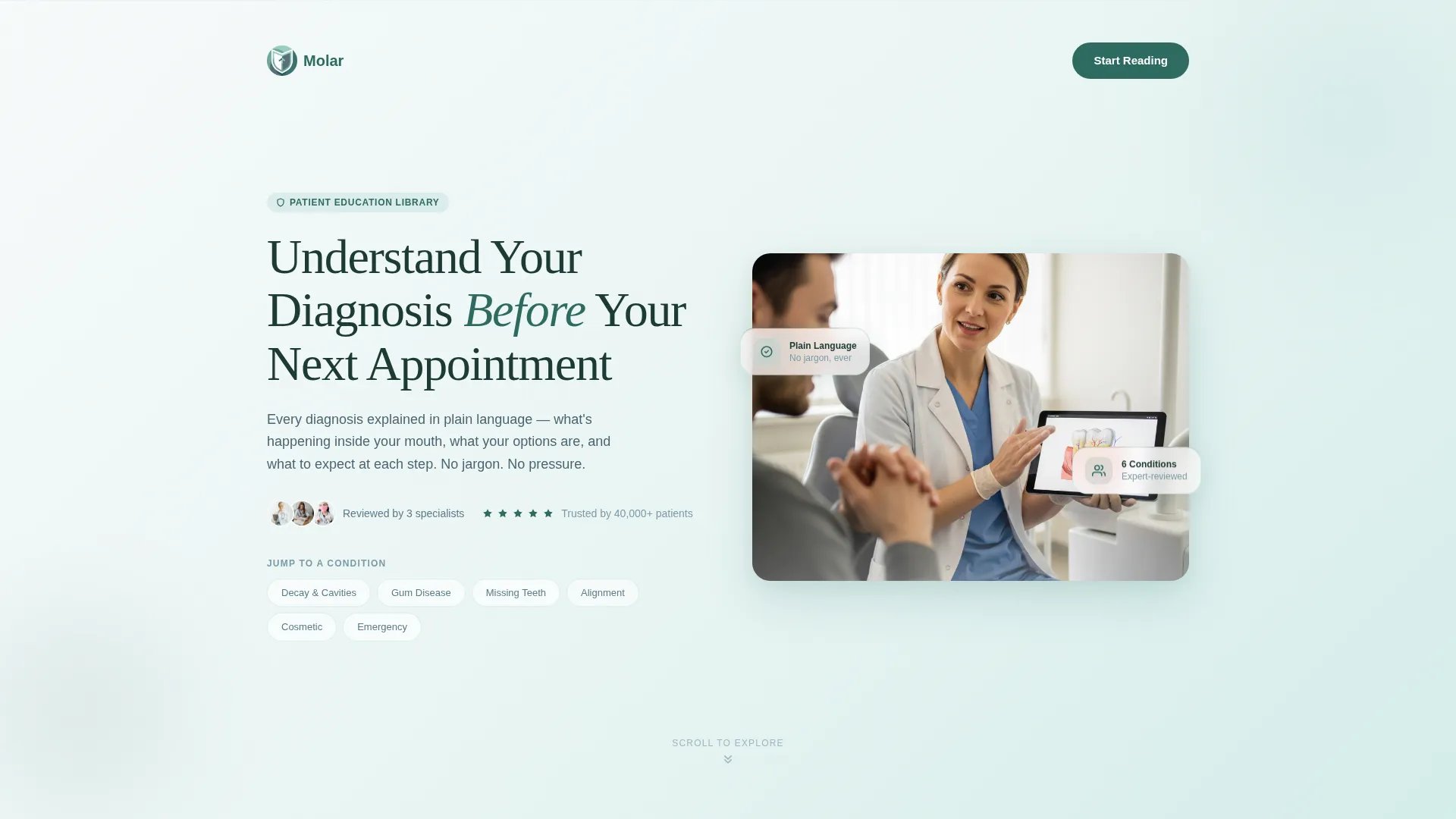
- A hero header with a half-page photo-and-text layout, anchor navigation, and a gradient from glacier white to eucalyptus
- Six spoke sections covering Decay and Cavities, Gum Disease, Missing Teeth, Alignment, Cosmetic, and Emergency conditions
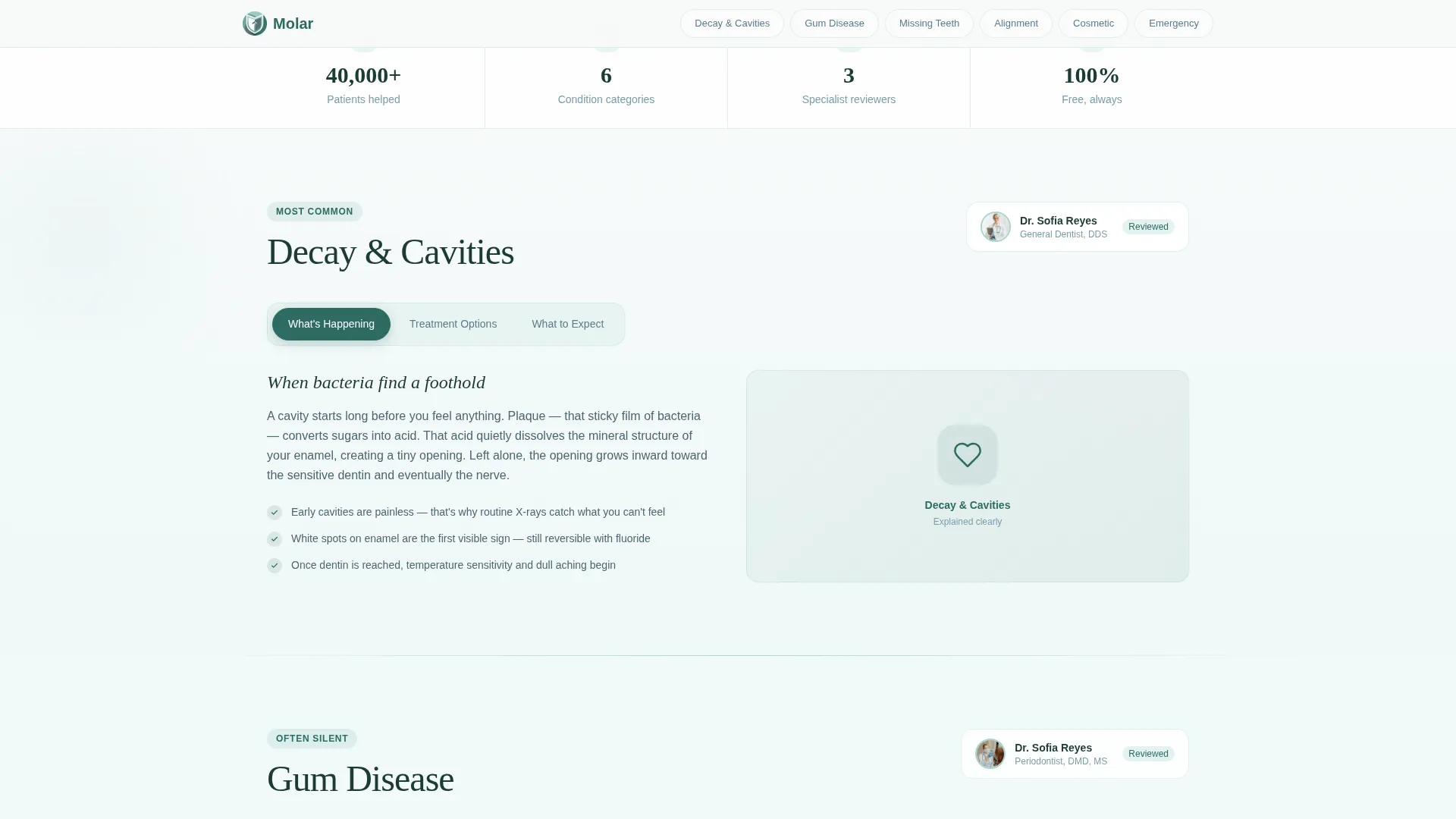
- Tabbed spoke panels toggling between "What's Happening," "Treatment Options," and "What to Expect" within each condition area
Feature list
This template includes purpose-built components designed specifically for patient education and dental lead capture.
Hub-and-Spoke Anchor Navigation
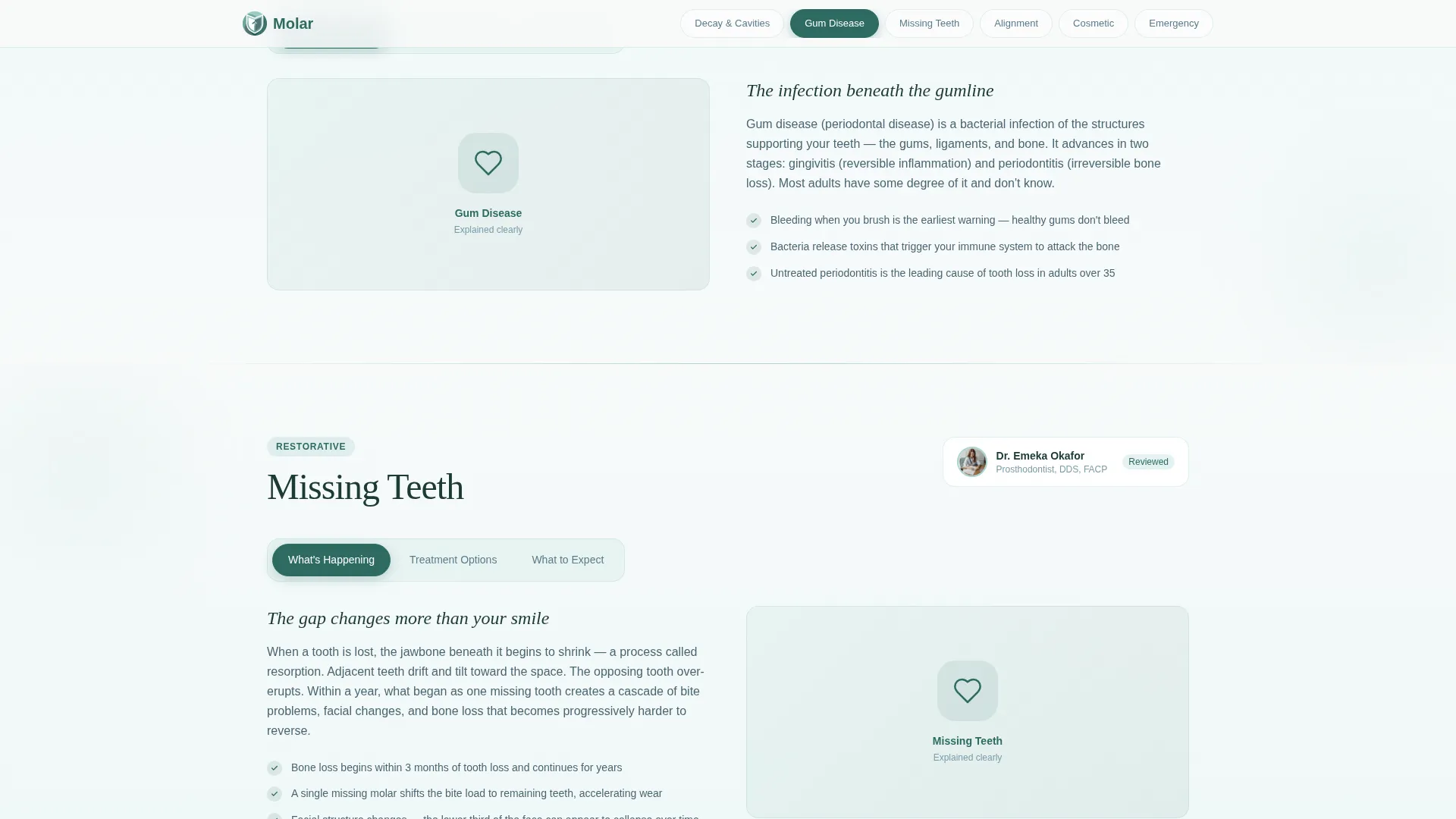
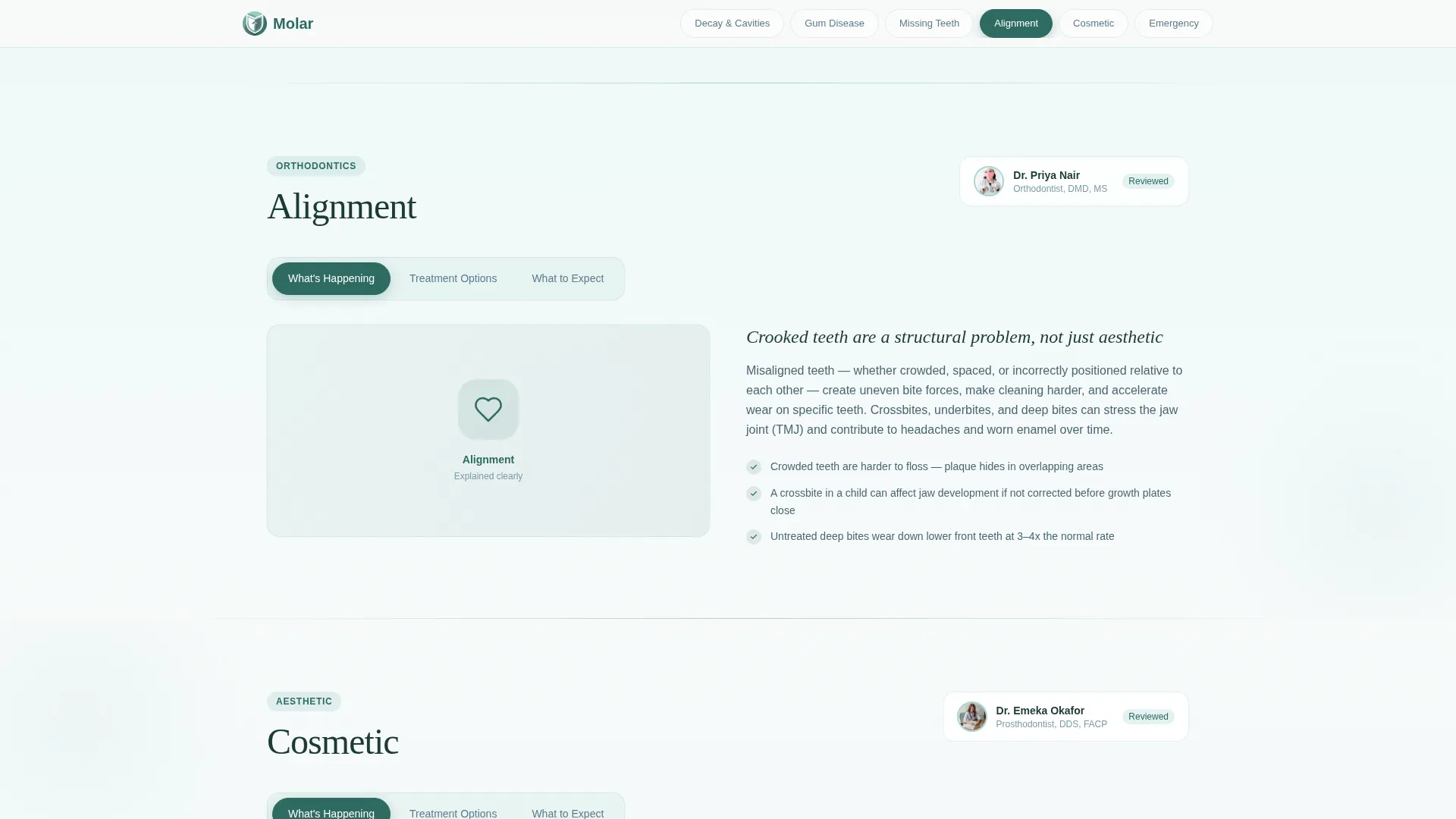
A compact anchor nav sits below the hero headline and compresses into a sticky bar as the visitor scrolls. It lists all six spoke categories and keeps the visitor oriented at every point on the page with one tap to reorient.
Tabbed Condition Panels
Each of the six spoke sections includes three tabbed panels. Visitors toggle between "What's Happening," "Treatment Options," and "What to Expect" without leaving the section, keeping the reading experience focused and unhurried.
Named Specialist Expert Panel
Spoke sections open with a named dentist or specialist, complete with credential label and photo thumbnail. Dr. Reyes (periodontist) and Dr. Okafor (prosthodontist) provide specific authority without overwhelming the reader.
Dynamic Condition-Specific Call to Action
The primary call-to-action button reads "Book a Consultation for [Condition]" with the condition name populated by whichever spoke the visitor is currently reading. Every button feels personally addressed rather than generic.
Dual-Path Lead Capture
A slim consultation form asks for first name, phone number, and a single dropdown labeled "Which concern brings you here today?" A secondary path offers a downloadable treatment guide gated by email only, capturing visitors who are not yet ready to call.
Reassurance Strip
A trust signal strip appears between spoke sections. It carries condition-specific statistics and social proof cues to reinforce credibility between moments of education and moments of decision.
Page sections overview
| Section | Purpose |
|---|---|
| Hero Header | Introduce the library with a half-page photo, headline, and anchor nav |
| Decay & Cavities | Explain cavity diagnosis and treatment options via tabbed panels |
| Gum Disease Spoke | Cover periodontal conditions with specialist context and treatment paths |
| Missing Teeth Spoke | Guide visitors through implant and reconstruction options |
| Alignment Spoke | Address crossbite, crowding, and orthodontic treatment paths |
| Cosmetic Spoke | Present cosmetic treatment options in plain, accessible language |
| Emergency Spoke | Explain urgent dental conditions and immediate care guidance |
| Expert Panel | Display specialist credentials and photo thumbnails for authority |
| Reassurance Strip | Deliver statistics and trust signals between content sections |
| Lead Generation Form | Capture consultation bookings with condition-specific call to action |
| PDF Guide Gate | Collect email addresses via a downloadable treatment guide offer |
| Footer | Close with a linear single-row footer pattern |
Design & branding system
The visual identity uses the Alpine Fresh color system, built around four values that work together to feel clean without feeling clinical. Backgrounds shift through barely perceptible gradients section by section.
- Glacier white (#F7FAFA) and cool eucalyptus (#A8D5D0) form the background gradient system; soft slate (#5B7B8A) carries body text; gentle fir (#2E6B62) is reserved for active navigation states and call-to-action buttons
- Typography pairs DM Sans for body text with Fraunces for display headings, creating a calm editorial tone that feels both professional and warm
- Scroll reveals with blur, floating elements, and tab transitions apply medium-level animation throughout the page
Mobile & speed optimization
The template is designed mobile-first, reflecting how most patients actually research dental conditions. They search from waiting rooms, kitchen tables, and late-night phone screens.
- The sticky anchor nav compresses cleanly on small screens, keeping all six spokes accessible with a single tap at any scroll depth
- Server Components handle all static content delivery; Client Components are scoped to interactive elements like tabs, the sticky nav, and the lead capture form
- The half-page hero adapts to a stacked layout on mobile, keeping the specialist photograph and headline readable without horizontal compression
How this template helps you convert
Conversion in this template is earned through education, not pressure. The visitor feels understood before they ever see a form.
- The spoke structure meets visitors at their specific diagnosis, making the page feel personally relevant from the first section they land on
- The dynamic call-to-action button names the condition the visitor just read about, removing the psychological distance between "I learned something" and "I want to act on it"
- The PDF guide secondary path captures early-stage visitors with low commitment, creating a second conversion lane for those not yet ready to book a consultation
Other information about this template
The Molar template is well suited for multi-specialty dental practices that want one patient-facing resource covering the full range of conditions they treat. It is also a strong fit for practices launching a new patient education initiative or updating an outdated service page into something more useful.
- The template style is Hub and Spoke with Anchor Nav, making it straightforward to update individual spoke sections without restructuring the full page
- The Soft Gradient theme and Alpine Fresh color system are fully documented in the design file, making brand customization consistent and repeatable
- The Expert Panel creative direction means the template is built to showcase named practitioners, which works especially well for group practices with defined specialties
- The header concept follows a Half-Page Photo and Text layout, which can accommodate a variety of naturally lit clinical photography styles
Theme
Soft Gradient
Creative direction
Expert Panel
Color system
Alpine Fresh
Style
Hub & Spoke (Anchor Nav)
Direction
Lead Generation
Page Sections
Hub-and-spoke Sticky Anchor Nav
Tabbed Condition Content Panels
Named Specialist Expert Panel
Dynamic Condition Call to Action Button
Dual-path Lead Capture
Reassurance Strip with Trust Signals
Related questions
Can I customize the six spoke sections to match my practice's actual services?
How does the dynamic call-to-action button work?
Is this template suitable for a pediatric dental practice?
What does the PDF guide secondary path involve?
Does the template include specialist photography or written dental content?



