Manufacturing Processes Reviews & Social Proof Website Template
Moldforge is a dashboard and data grid landing page built for compression molding service providers. It leads with a full-width infographic header showing real process data, then walks visitors through three case study tiles packed with material specs and performance results. Every section is designed to earn trust through evidence before asking qualified engineers to request a quote.
by Rocket studio
Quick summary
Moldforge is a click-through landing page template built for compression molding service providers. The design opens with a process infographic showing live production parameters, then delivers three data-rich case study tiles. By the time a procurement engineer or maintenance manager reaches the final call-to-action bar, they have already seen the numbers that prove capability.
Who this template is for
This template is built for businesses that provide custom compression molding services to industrial and engineering buyers. It speaks directly to the technical decision-makers those businesses need to reach.
- Compression molding shops serving heavy equipment original equipment manufacturers (OEMs), chemical plants, and medical device companies
- Service providers who need to convert procurement engineers, maintenance managers, and product designers into qualified quote requests
- Businesses whose buyers demand proof of capability in data, not just marketing copy
What problem this template solves
Most industrial service pages fail engineers before they scroll past the first section. They lead with vague claims and bury the technical detail that procurement teams actually need to build confidence.
- Buyers leave pages that feel like brochures instead of spec sheets
- Compression molding clients need durometer ranges, press tonnage, cure times, and tolerance data before they will commit to an inquiry
- Service providers lose qualified leads because the page never demonstrates production outcomes in concrete, comparable terms
What you get with this template
This template delivers a complete single-page layout designed to convert technically minded industrial buyers. Every section earns the next click through accumulated, quantified evidence.
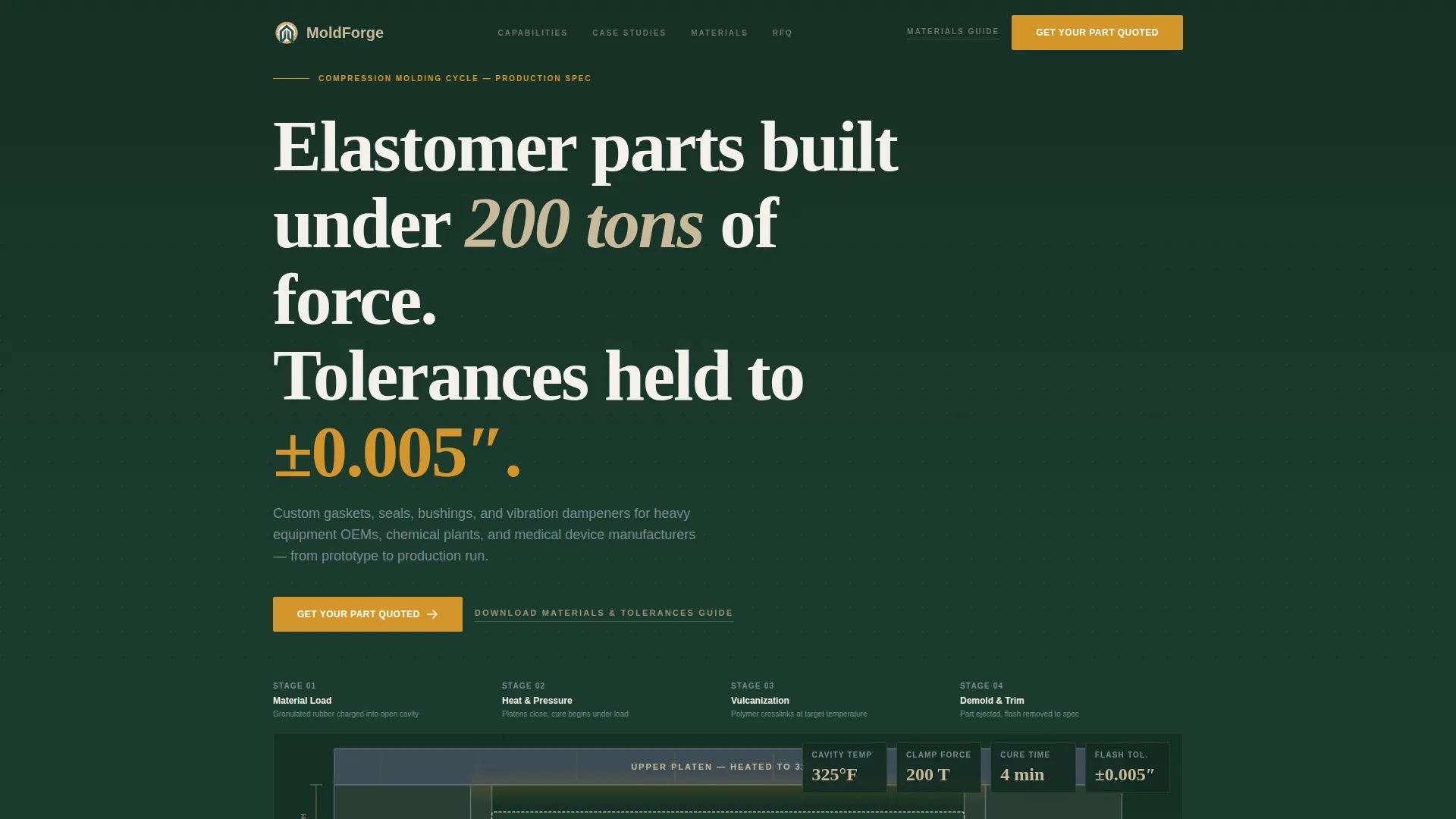
- A full-width infographic header displaying live process parameters: cavity temperature (325°F), clamp force (200 tons), cure time (4 minutes), and flash tolerance (±0.005 inches)
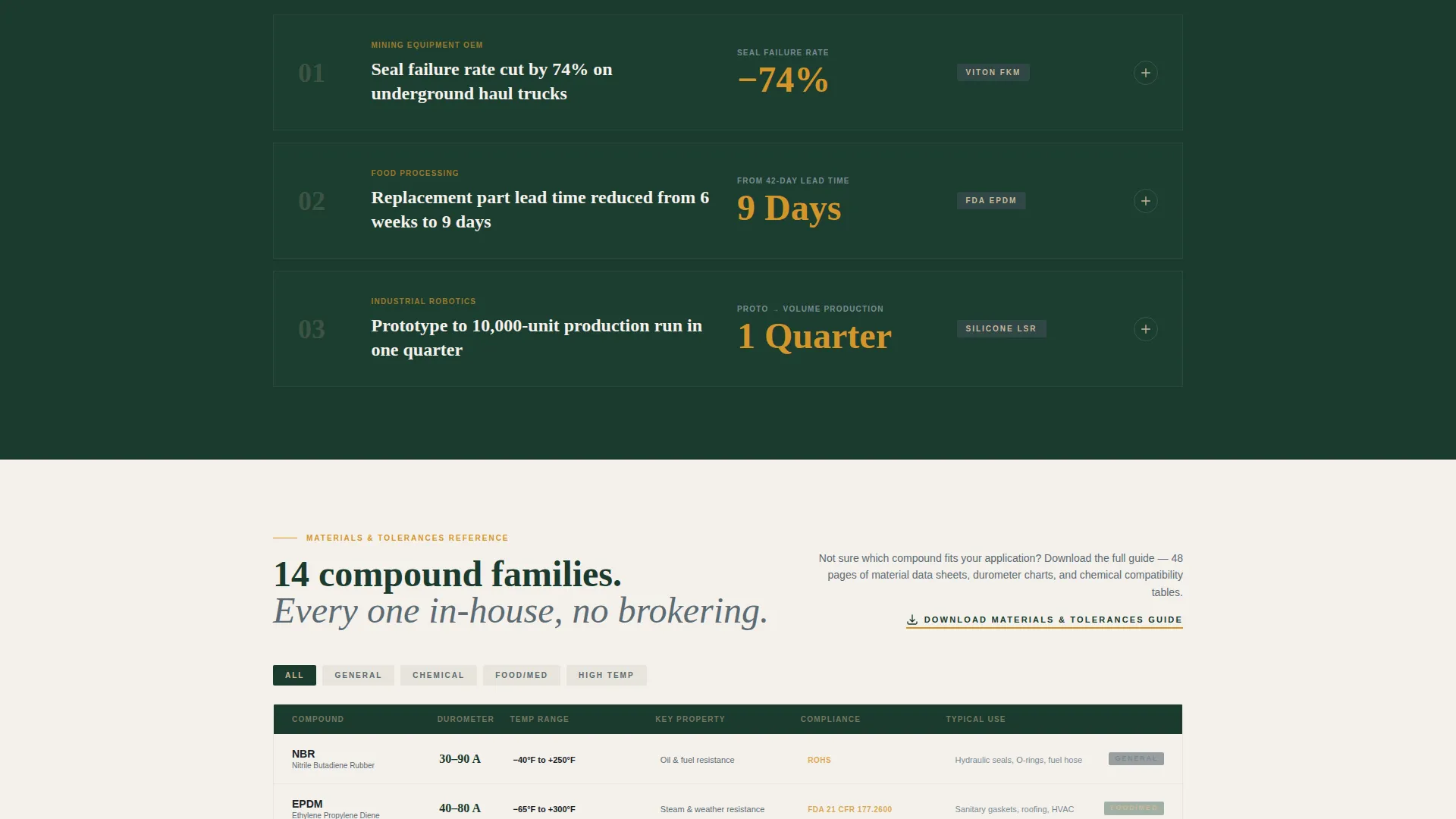
- A scrolling grid of three expandable case study tiles, each containing material specs, durometer readings, and before-and-after performance results
- Two strategically placed calls to action: a primary amber "Get Your Part Quoted" button anchored to the header and each case study tile, plus a secondary text link for a materials and tolerances guide
Feature list
This section describes the core built-in components that make Moldforge functional for compression molding service providers.
Infographic Process Header
The full-width header renders the compression molding cycle as clean vector line art on a deep mill green background. Key production parameters are typeset in large heartwood tan numerals. A subtle animation pulses heat lines radiating from the mold cavity, making the process feel live and quantified from the first second on the page.
Case Study Data Grid
Three case study tiles sit in a scrolling grid layout. Each tile tells a production story in data: a mining OEM that reduced seal failure rates by 74%, a food-processing plant that cut part lead time from six weeks to nine days, and a robotics startup that moved from prototype to a 10,000-unit run in one quarter. Tiles expand to reveal material specs and performance charts.
Dual Call-to-Action System
The primary call to action, "Get Your Part Quoted," appears first inside the header infographic and repeats at the bottom of every case study tile in safety-signal amber. A secondary text link, "Download Our Materials and Tolerances Guide," is placed for engineers who are still in early research and not yet ready to submit a quote request.
Dashboard Data Tiles
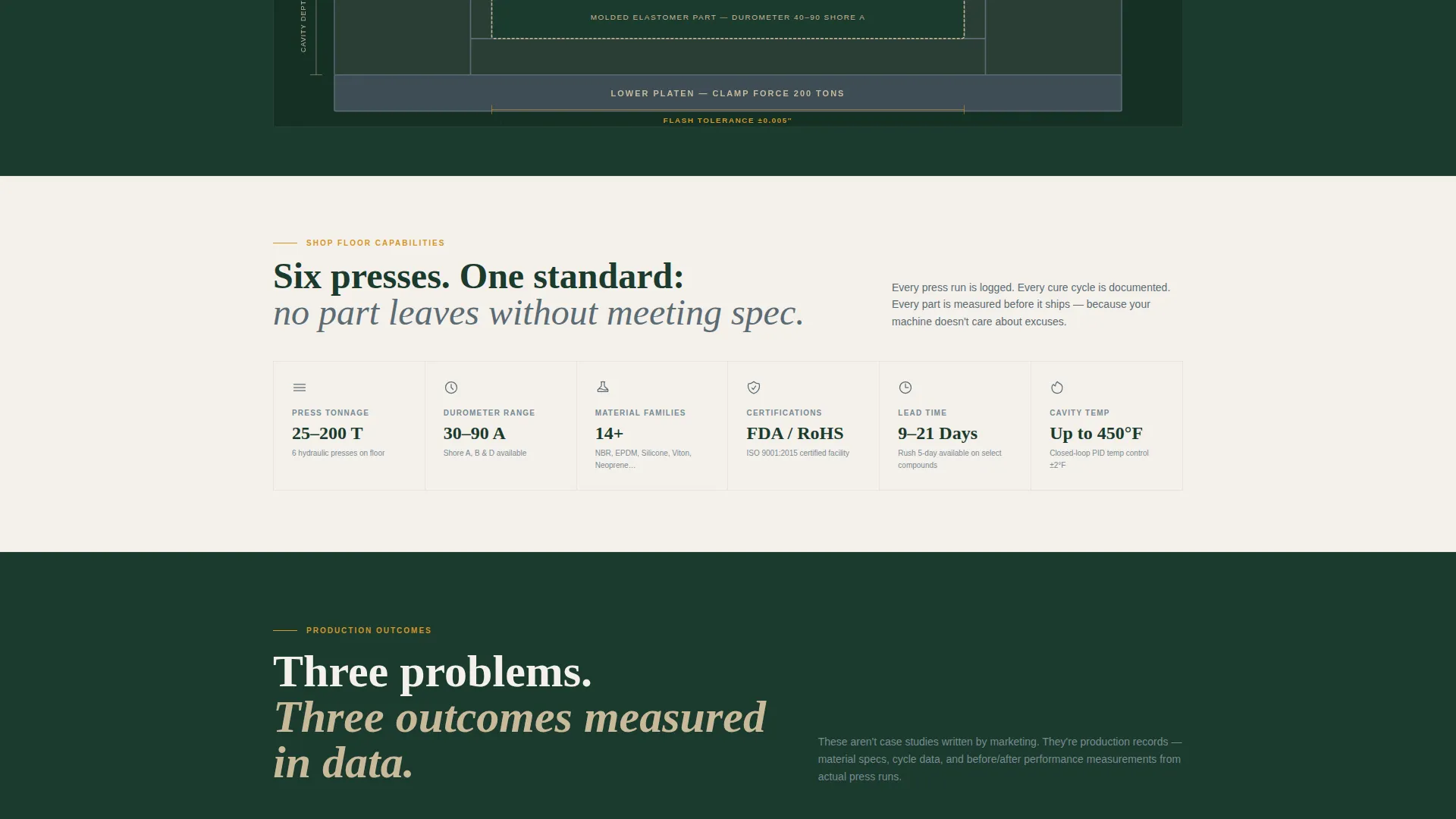
Supporting data tiles are set in worn tool-steel gray and surface key capability metrics across the page. They function like a live dashboard, giving buyers a scannable summary of production parameters without requiring them to read full paragraphs.
Alternating Background Layout
Section backgrounds alternate between deep mill green and near-white. This rhythm guides the eye down the page and prevents visual fatigue during a long technical scroll. It also separates the data-dense case study section from surrounding content cleanly.
Full-Width Bottom call to action Bar
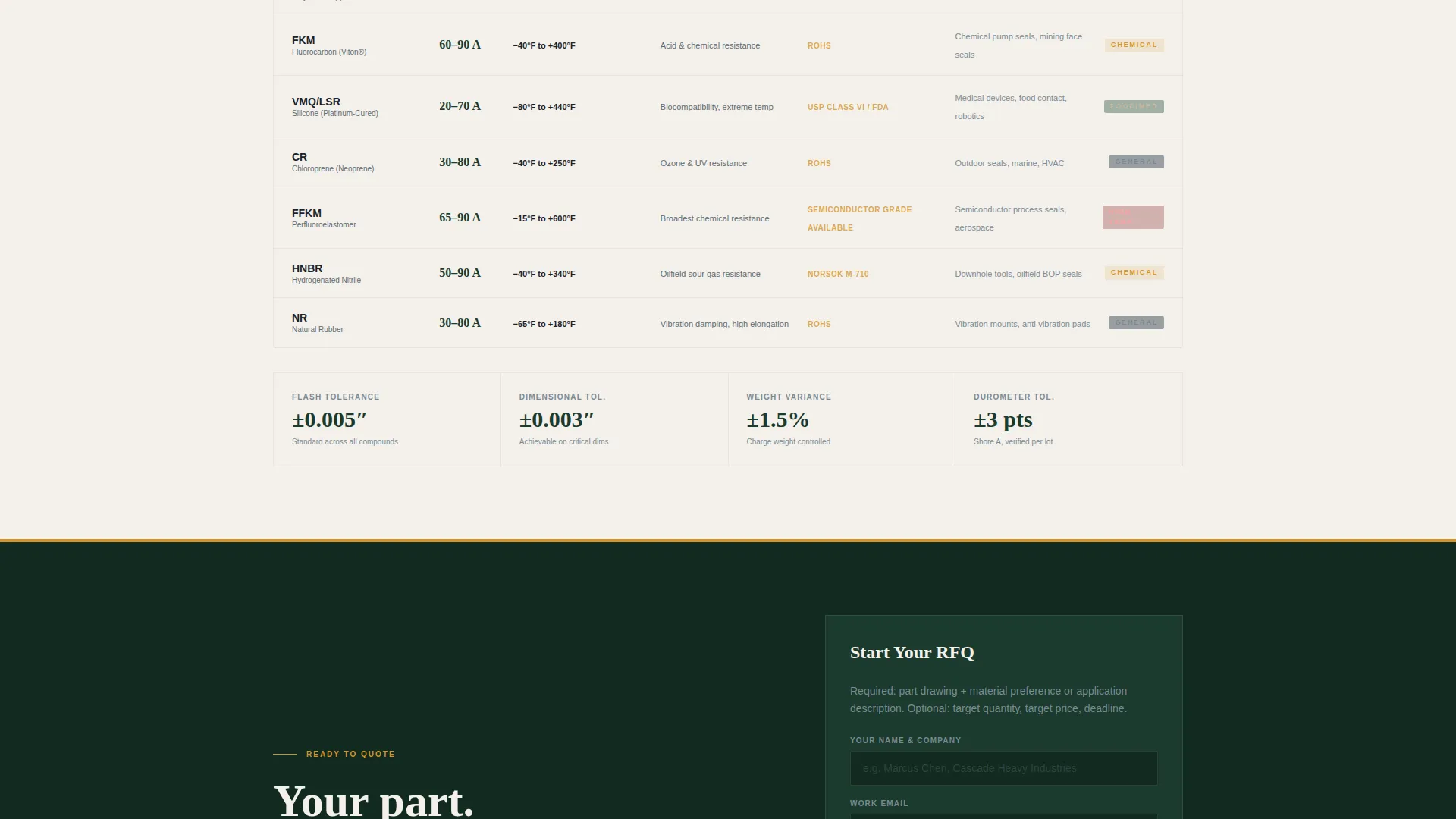
A dedicated call-to-action bar spans the full page width at the bottom. By the time a visitor reaches it, they have already moved through the infographic header, the process data tiles, and all three case study outcomes. The bar closes the scroll with a single, clear decision point.
Page sections overview
| Section | Purpose |
|---|---|
| Infographic Header | Display process parameters and primary call to action |
| Process Data Tiles | Surface key production specs at a glance |
| Case Study Grid | Prove capability with three real outcomes |
| Case Study Tile 1 | Mining OEM seal failure reduction story |
| Case Study Tile 2 | Food plant lead time improvement story |
| Case Study Tile 3 | Robotics startup production scale story |
| Materials Guide call to action | Capture early-stage engineers via download |
| Full-Width call to action Bar | Close the page with a single quote action |
Design & branding system
The visual identity follows a Service Utility theme built on a Forest Trust color system. Every color choice reinforces the feeling of a well-maintained production facility.
- Deep mill green (#1B3A2D) and near-white (#F4F1EC) alternate as section backgrounds, while worn tool-steel gray (#5C6B73) frames data tiles and heartwood tan (#C9B99A) sets large typographic numbers in the header
- Safety-signal amber (#D4952A) is used exclusively for primary call-to-action buttons and key data callouts, reserving high-contrast color only for moments that require a decision
- Typography treats production numbers as visual anchors: large-scale figures in heartwood tan communicate precision and transparency before a visitor reads a single line of body copy
Mobile & speed optimization
The template is structured so that the dashboard grid and data tiles reflow cleanly on smaller screens without losing the visual hierarchy that makes the page persuasive.
- The infographic header and case study grid are built for vertical stacking on mobile, keeping process parameters and case study outcomes readable at any screen width
- Data tiles and the alternating background system maintain contrast ratios and legibility across device sizes without requiring custom overrides
- The page layout is lean by design: a single-page structure with no unnecessary page weight from multi-page navigation or complex sidebar components
How this template helps you convert
This template is engineered specifically for click-through conversion. It does not ask for a commitment before it has earned one.
- The infographic header front-loads quantified process data so that a procurement engineer or maintenance manager immediately sees evidence of technical capability, reducing bounce before the scroll even begins.
- The case study grid accumulates proof in layers. Each tile mirrors a real buyer problem, so visitors self-identify with an outcome before they reach the call-to-action bar at the bottom.
Other information about this template
This template sits at the intersection of the Manufacturing and Industrial category, Manufacturing Processes subcategory, and the Compression Molding Service Provider niche. It is purpose-built for that specific audience.
- The template style is a Dashboard and Data Grid layout, meaning information density is intentional and all data tiles, charts, and case study components are part of the core design
- The creative direction is Case Study Narrative: the page does not rely on adjectives to persuade but uses stacked production evidence, including durometer readings, material specs, and timeline comparisons, to build cumulative credibility
- The header concept is Infographic, and the animation of heat lines pulsing from the mold cavity is a built-in visual detail described in the template design, not an add-on
- The landing page direction is Click-Through, meaning the page is optimized to push one qualified action: moving a buyer to the RFQ form on the next page
- Parts featured in the case study context include gaskets, seals, bushings, and vibration dampeners, grounding the template in real elastomer component manufacturing
Theme
Service Utility
Creative direction
Case Study Narrative
Color system
Forest Trust
Style
Dashboard/Data Grid
Direction
Click-Through
Page Sections
Infographic Process Header with Live Parameters
Expandable Case Study Data Grid
Dual Call-to-action System
Dashboard-style Data Tiles
Alternating Section Backgrounds
Full-width Bottom Call to Action Bar
Related questions
Who is the intended buyer for this template?
Does the template include case study content or just the layout?
Can I edit the process parameters shown in the header infographic?
What are the two calls to action built into this template?
Is this template suitable for a medical device silicone component supplier?



