Manufacturing Processes Professional Website Template
Moldforge is a single-column flow landing page built for precision transfer molding service providers. It opens with four oversized performance metrics, then guides procurement engineers through a timeline-driven scroll from RFQ to sustained production. The Data Command visual theme, molten orange accents, and a sticky RFQ call-to-action make it purpose-built for high-stakes B2B industrial sales.
by Rocket studio
Quick summary
Moldforge is a high-impact landing page template for transfer molding facilities. It uses a Stats/Metrics header, a timeline progression layout, and a fire-and-earth color palette to communicate process rigor from the first scroll. The primary call-to-action drives RFQ submissions from procurement engineers sourcing tight-tolerance rubber and thermoset components.
Who this template is for
This template is built for precision transfer molding operations that sell to demanding industrial buyers. It speaks directly to facilities producing gaskets, seals, O-rings, and insulation components to aerospace, automotive, and electrical specifications.
- Transfer molding shops targeting aerospace subcontractors sourcing MIL-spec O-rings and seals
- Rubber and thermoset molders supplying automotive tier-two suppliers with EPDM boots and CV joint components
- Industrial molding facilities serving electrical original equipment manufacturers who require void-free high-voltage bushings
What problem this template solves
Procurement engineers at aerospace, automotive, and electrical programs do not trust a generic industrial website. They need to see process evidence before they submit a drawing. This template closes that trust gap fast.
- Visitors arrive skeptical and need capability proof before they will share proprietary part files
- Most industrial landing pages bury their process credentials and lose qualified buyers before the call-to-action
- There is no guided path from vendor discovery to RFQ submission, so prospects drop off without converting
What you get with this template
You get a complete single-column flow landing page structured around the real arc of a transfer molding engagement. Every section earns the next scroll, and the page closes with a practical conversion form.
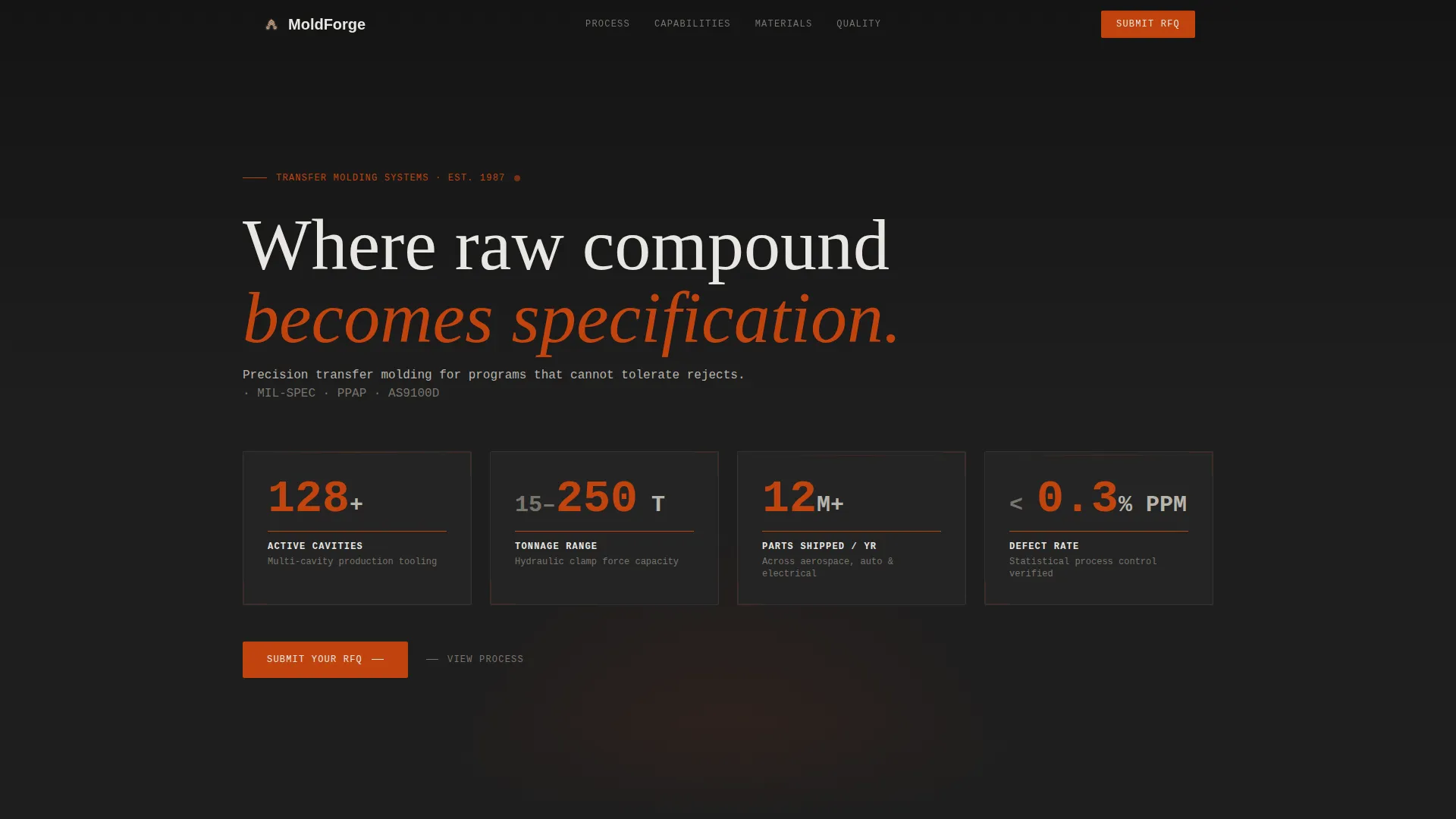
- A Stats/Metrics header wall with four animated KPI figures: 128+ cavities, 15 to 250 ton tonnage range, 12 million-plus annual parts shipped, and a defect rate below 0.3 percent PPM
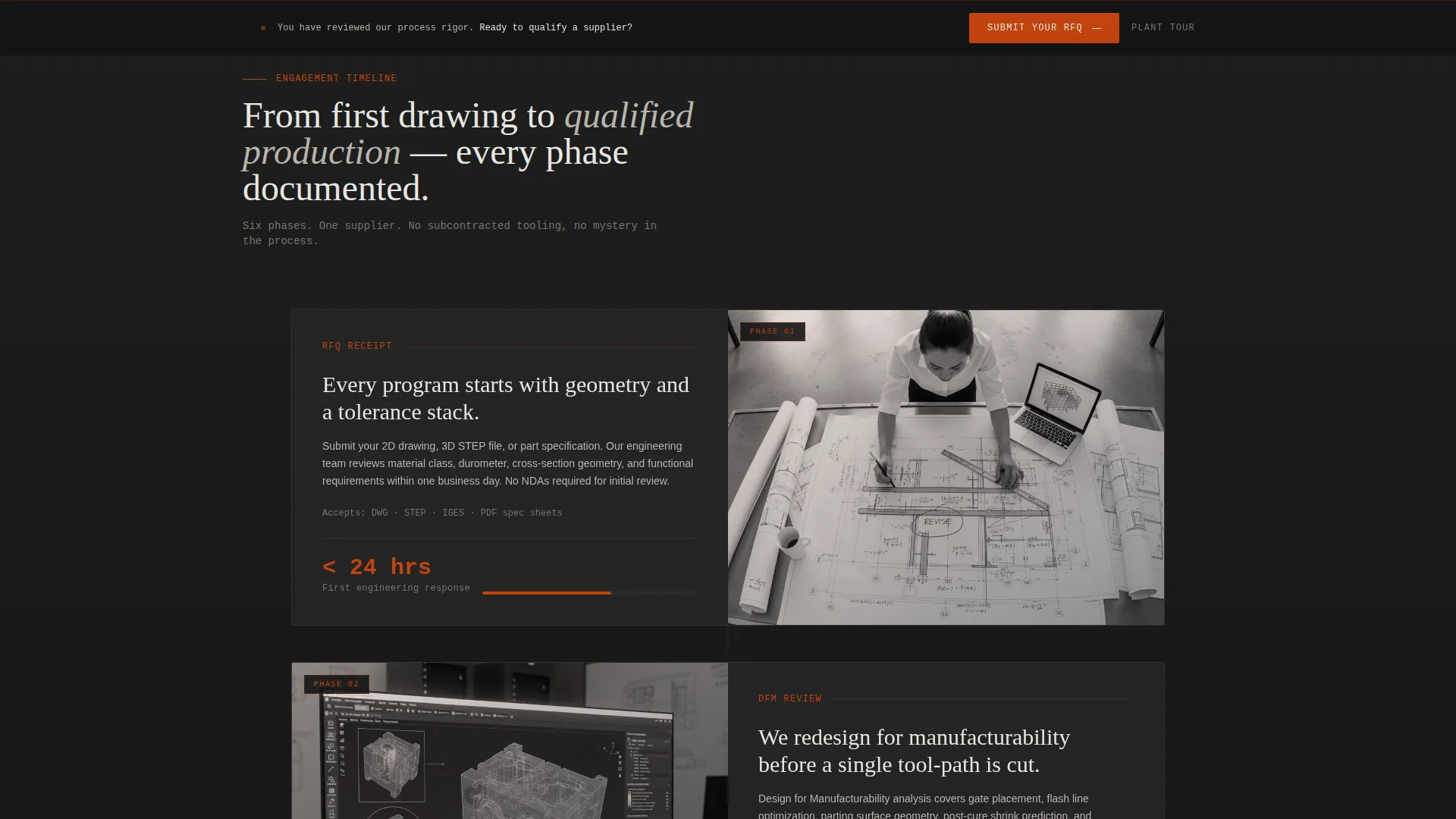
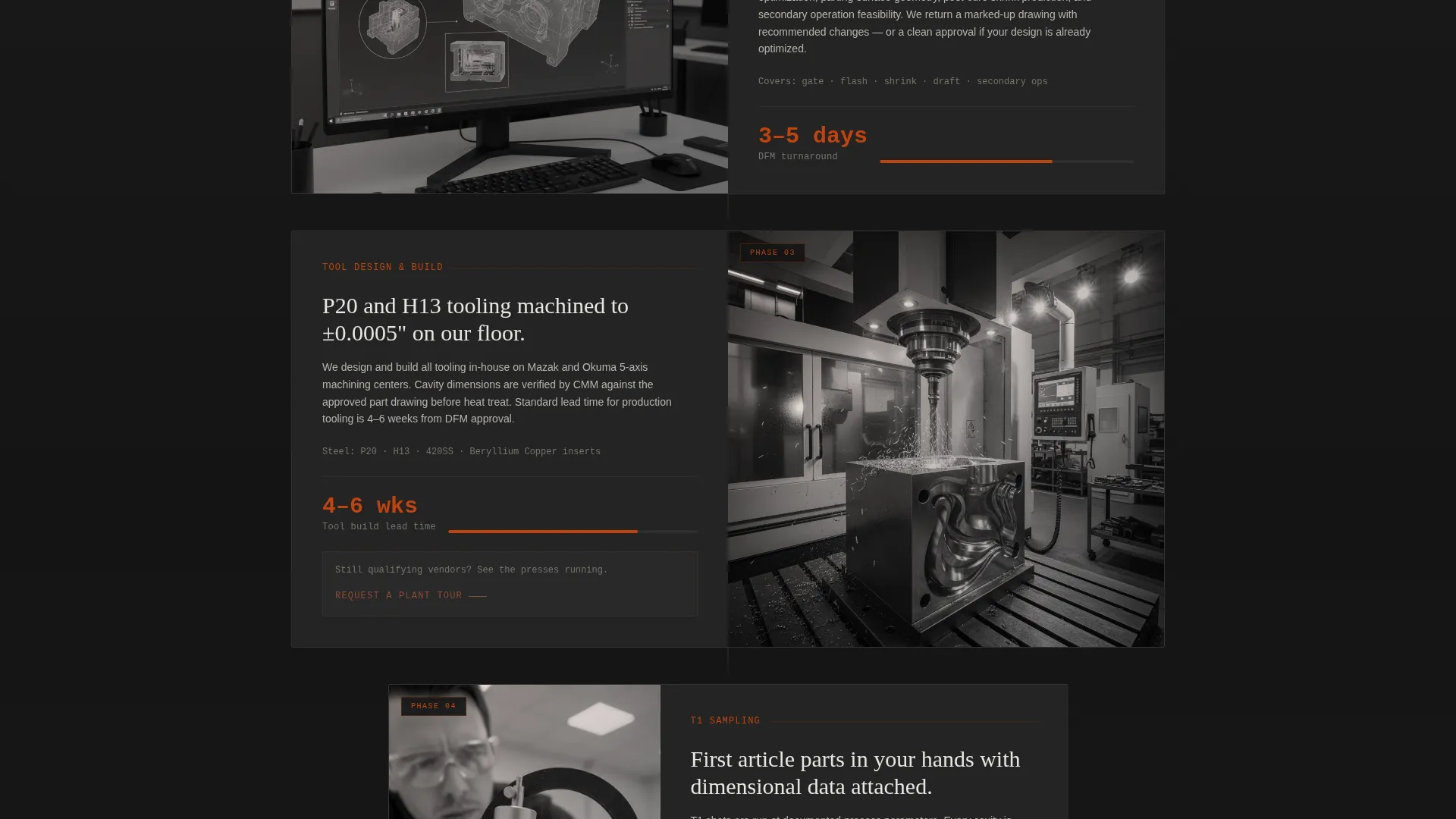
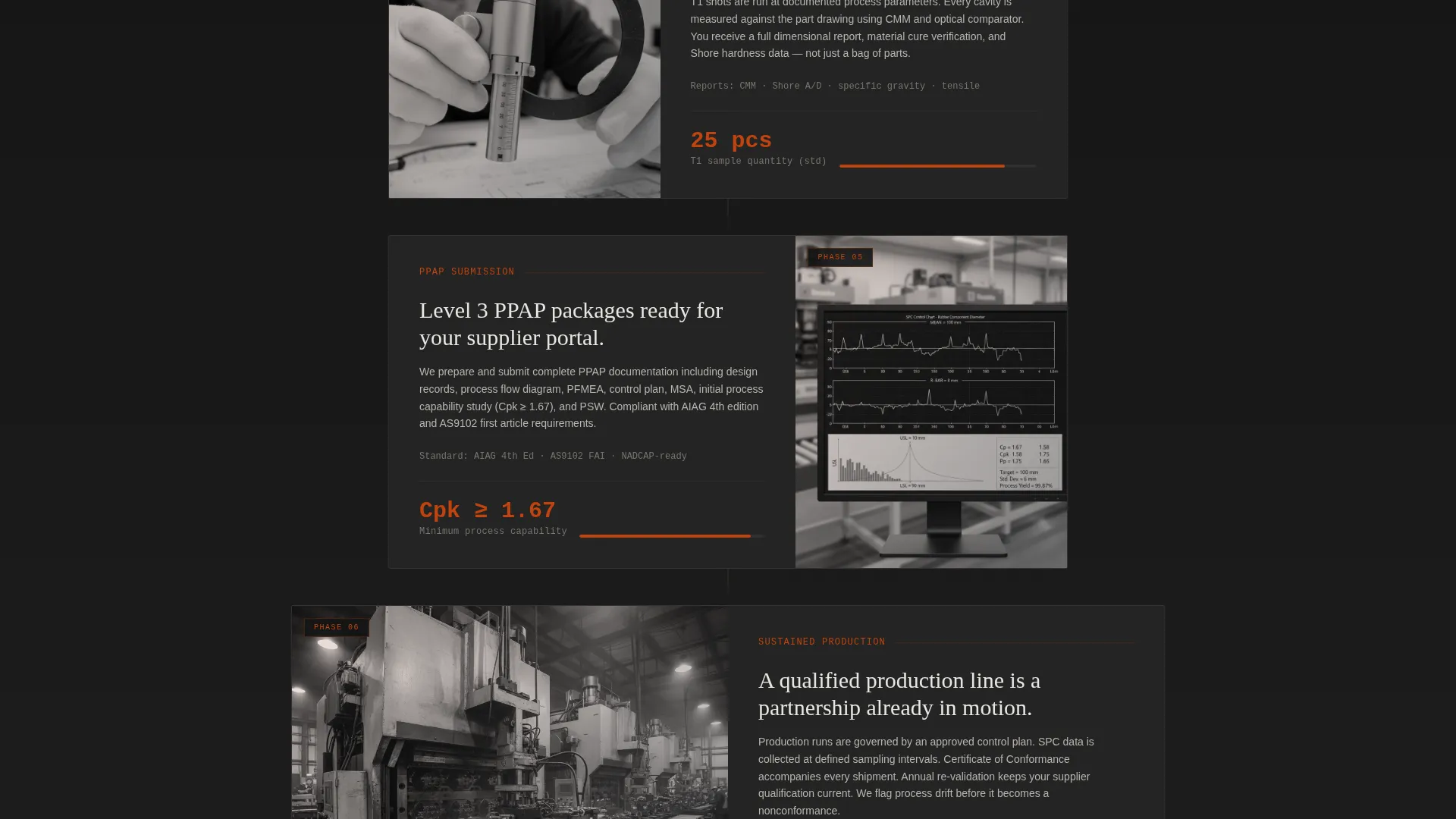
- A timeline progression that moves the visitor through RFQ receipt, design for manufacturability review, tool design, first-article sampling, PPAP submission, and sustained production
- A sticky bottom bar with a primary "Submit Your RFQ" call-to-action and a secondary "Request a Plant Tour" option for prospects still qualifying vendors
Feature list
This section describes the core designed components included in the Moldforge landing page template.
Animated Stats Header
Four oversized KPI figures open the page against forge-dark charcoal. Each number animates upward from zero using a monospaced industrial typeface, mimicking a press gauge climbing to setpoint. The effect communicates capability before the visitor reads a single word of body copy.
Timeline Progression Layout
The single-column scroll narrows and widens subtly as the visitor moves through each engagement phase. Early sections are broad and informational. Later sections tighten around spec tables, cross-section part photography, and statistical process control chart snapshots, so the page feels like a production program taking shape in real time.
Sticky RFQ Bottom Bar
A persistent bottom bar appears after the design for manufacturability review section. It anchors the "Submit Your RFQ" call-to-action at the moment the visitor has absorbed enough process evidence to act. The bar stays visible through the rest of the scroll without interrupting reading.
Structured RFQ Form
The embedded form collects company name, part material via a dropdown covering silicone, EPDM, neoprene, fluorosilicone, phenolic, and custom compounds, estimated annual volume, and a file upload field for part drawings or three-dimensional STEP files. The form is specific enough to qualify leads and practical enough to fill out in under two minutes.
Secondary Plant Tour Path
A "Request a Plant Tour" call-to-action sits at the timeline midpoint for buyers who are still evaluating vendors. It lowers the commitment threshold while keeping the prospect inside the funnel and moving toward a decision.
Data Command Visual System
The Fire and Earth color palette applies molten compound orange for KPIs and hover states, forge-dark charcoal on backgrounds, kiln clay on section dividers and secondary text, and instrument-panel white on spec tables and metric callouts. Every color choice reinforces the industrial precision identity.
Page sections overview
| Section | Purpose |
|---|---|
| Stats/Metrics Header | Opens with four animated KPI figures that establish capability at a glance |
| Hero Body Copy | Delivers the positioning line: precision transfer molding for programs that cannot tolerate rejects |
| RFQ Receipt Phase | Introduces the engagement timeline and sets expectations for the first contact |
| DFM Review Phase | Shows design for manufacturability depth with informational content and process detail |
| Tool Design Phase | Narrows the column and introduces technical content as commitment deepens |
| T1 Sampling Phase | Presents first-article sampling evidence using cross-section part photography |
| PPAP Submission Phase | Tightens further with spec tables and statistical process control chart snapshots |
| Sustained Production | Closes the timeline with a capability matrix that reads like an active partnership |
| Plant Tour call to action | Offers a lower-commitment path for prospects still qualifying vendors |
| Sticky RFQ Bar | Persists from the DFM section onward to keep the primary call-to-action visible |
| RFQ Submission Form | Collects company, material, volume, and file upload to qualify the lead |
Design & branding system
The visual identity follows a Data Command theme built on the Fire and Earth color system. The palette draws from the visual reality of a transfer molding press: glowing compound against soot-blackened steel, surfaces marked by heat cycles and hydraulic pressure.
- Forge-dark charcoal (#1E1E1E) dominates all backgrounds, establishing industrial weight and focus
- Molten compound orange (#C1440E) activates KPI figures, hover states, and calls-to-action with visible urgency
- Kiln clay (#6B3A2A) anchors section dividers and secondary text, grounding the palette in earthy heat
- Instrument-panel white (#E8E6E1) keeps spec tables, metric callouts, and body typography surgically readable against dark surfaces
Mobile & speed optimization
The single-column flow layout translates cleanly to smaller screens. There are no complex grid shifts or multi-column components to reflow, which keeps the mobile reading experience close to the desktop intent.
- The narrow-and-widen column rhythm of the timeline progression remains legible on phone-width viewports without horizontal scroll
- The sticky RFQ bottom bar is designed to persist on mobile without covering critical content, keeping the call-to-action accessible throughout the scroll
How this template helps you convert
The page is engineered around a single conversion goal: getting a qualified procurement engineer to submit an RFQ with a drawing attached. Every layout decision supports that outcome.
- The animated metrics header answers the first buyer question instantly, showing cavity count, tonnage range, annual volume, and defect rate before the visitor has to search for credentials
- The timeline progression builds progressive trust, so by the time the sticky bar appears the visitor has already walked through the facility's full engagement process and feels ready to act
- The dual call-to-action structure captures both ready buyers through the RFQ form and earlier-stage prospects through the plant tour request, so no qualified visitor leaves without a conversion path
Other information about this template
This template is categorized under Manufacturing and Industrial, with a sub-category focus on Manufacturing Processes and a niche alignment to transfer molding service providers. It is designed as a single-column flow landing page with a Data Command theme.
- The template style is Single Column Flow, making it straightforward to customize section by section without restructuring the layout
- The header concept is Stats/Metrics, a format well suited to industrial B2B buyers who want numbers before narrative
- The creative direction is Timeline Progression, which mirrors the natural arc of a real transfer molding program from inquiry to production
- The landing page direction is Partnership/B2B, meaning every design and copy decision prioritizes qualified lead generation over broad awareness
- The Intersection Match Score for this template against its niche is 13, indicating a strong alignment between the template design system and the transfer molding service provider context
Theme
Data Command
Creative direction
Timeline Progression
Color system
Fire & Earth
Style
Single Column Flow
Direction
Partnership/B2B
Page Sections
Animated Stats/metrics Header
Timeline Progression Scroll Layout
Sticky RFQ Bottom Bar
Qualified RFQ Submission Form
Dual Call-to-action Conversion Structure
Fire and Earth Data Command Palette
Related questions
What industries is this landing page template designed for?
What does the RFQ form collect from visitors?
What is the purpose of the Request a Plant Tour call-to-action?
Can I edit the material dropdown to match my facility's actual compound offerings?
Does the template include pre-written copy or only a layout structure?



