Public Health Department Specialist Professional Website Template
Sentinel is a sidebar companion fundraising landing page built for disease surveillance centers. It opens with three live-ticking counters, anchors a scrolling operational checklist in a persistent left rail, and guides donors from line-item funding to unrestricted gifts. The layout is desktop-first with a clean Alpine research station aesthetic built for trust and urgency.
by Rocket studio
Quick summary
Sentinel is a single-page fundraising template for disease outbreak surveillance centers. A live stats wall opens the page, a sticky sidebar checklist travels with every scroll, and a tiered donation form closes the ask. The design feels like a high-altitude monitoring station at dawn: clinical, purposeful, and impossible to ignore.
Who this template is for
This template is built for public health organizations that need to raise money with clarity and credibility. It speaks directly to donors who want to see exactly where their money goes.
- Public health nonprofits running active outbreak surveillance programs
- Disease surveillance centers seeking unrestricted gifts and line-item project funding
- Organizations targeting public health alumni, diaspora donors, and family foundations
What problem this template solves
Most fundraising pages for public health work look like general charity appeals. They lack the operational specificity that serious donors need before they commit. Sentinel fixes that.
- Donors cannot see which specific needs are funded and which gaps remain open
- Institutional funders need board-ready documentation before writing large checks
- Generic donation forms fail to connect contribution amounts to real operational costs
What you get with this template
You get a complete, high-interactivity fundraising layout with every section pre-built for a disease surveillance context. The structure moves donors from awareness to action without a single detour.
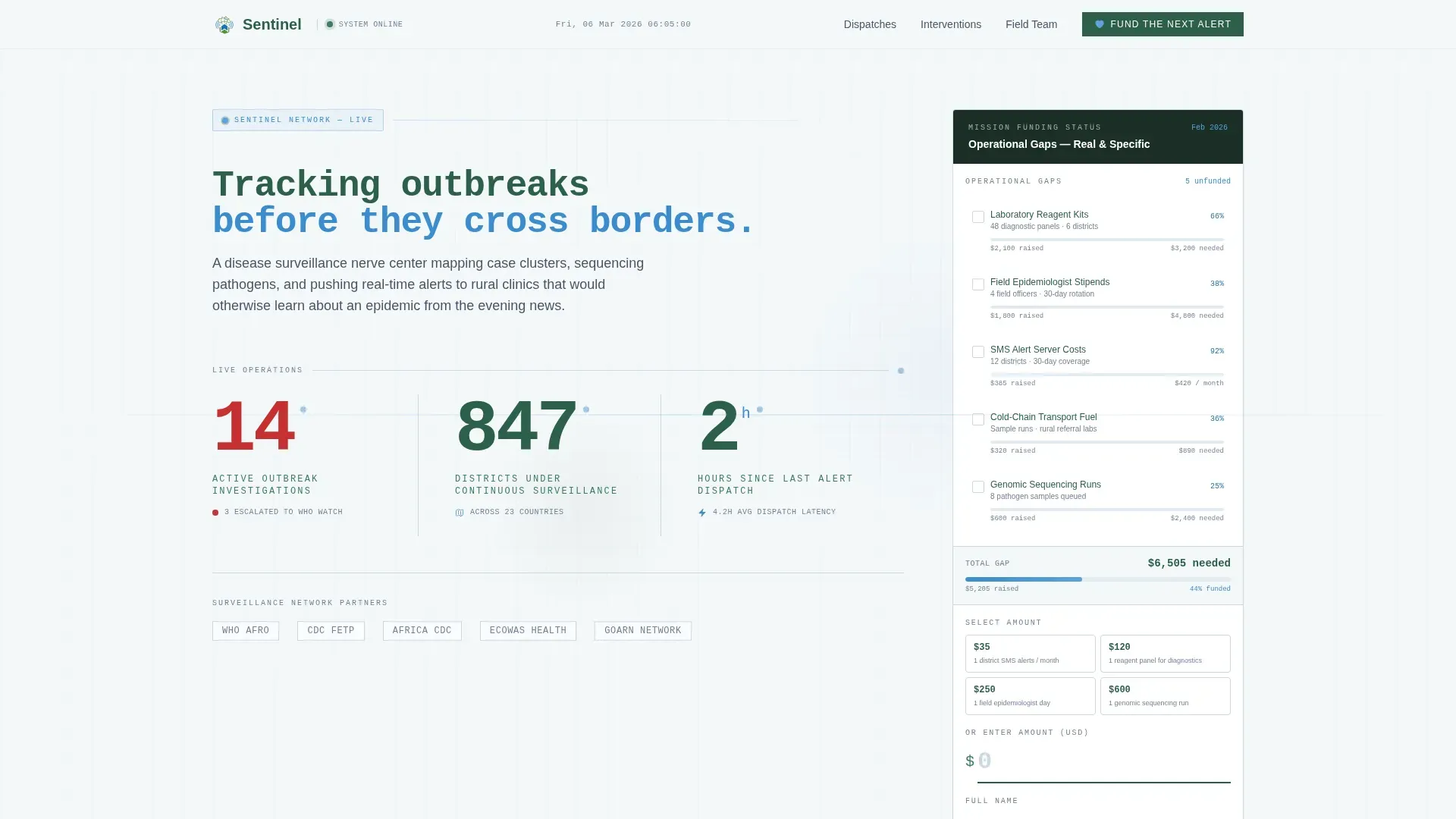
- A live stats wall header with three real-time counters for outbreaks, districts, and alert frequency
- A sticky sidebar checklist showing operational line items and their individual funding progress bars
- A tiered donation form with preset amounts tied to real costs, plus a secondary report-download path
Feature list
This template ships with six purpose-built components that work together to inform, build trust, and convert.
Live Stats Wall Header
Three oversized counters display active outbreak investigations, districts under continuous surveillance, and hours since the last alert dispatch. Each counter ticks in real time using monospaced type, giving the page the feel of a system that never sleeps.
Sticky Sidebar Checklist
A persistent left-rail checklist lists specific operational needs: laboratory reagent kits, field epidemiologist stipends, SMS alert server costs, cold-chain transport fuel, and genomic sequencing runs. Each line item carries a thin altitude-blue progress bar showing its current funding status.
Line-Item Donation Targeting
Donors can click individual checklist items to fund a specific operational need, or use the main "Fund the Next Alert" button for an unrestricted gift. This gives both emotionally engaged donors and systematic institutional funders a path that matches how they give.
Tiered Donation Form
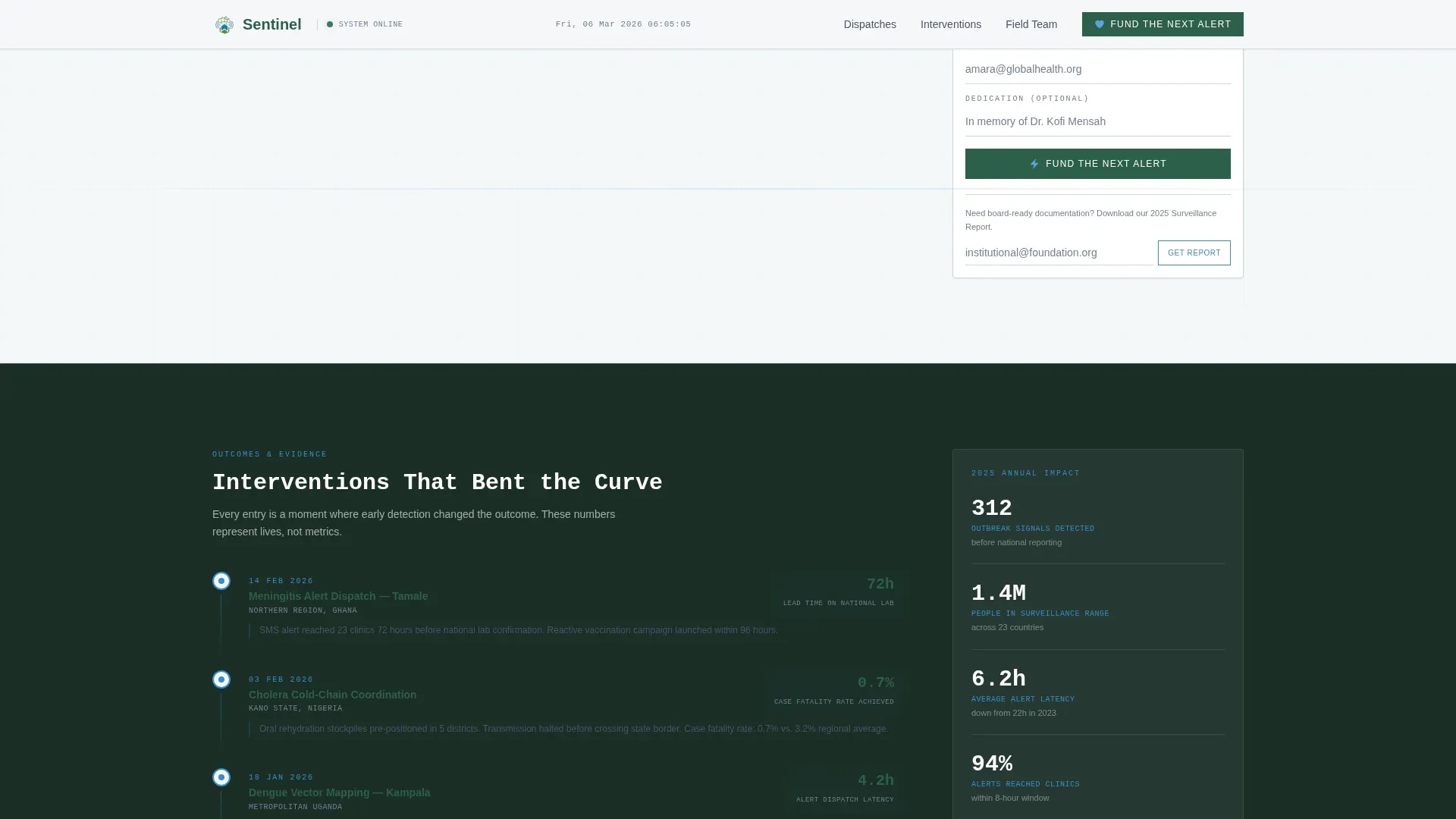
The form leads with amount selection using preset tiers tied to real costs. For example, $35 covers one district's SMS alerts for a month. It then collects name, email, and an optional dedication field, keeping the flow short and frictionless.
Field Dispatches and Intervention Timeline
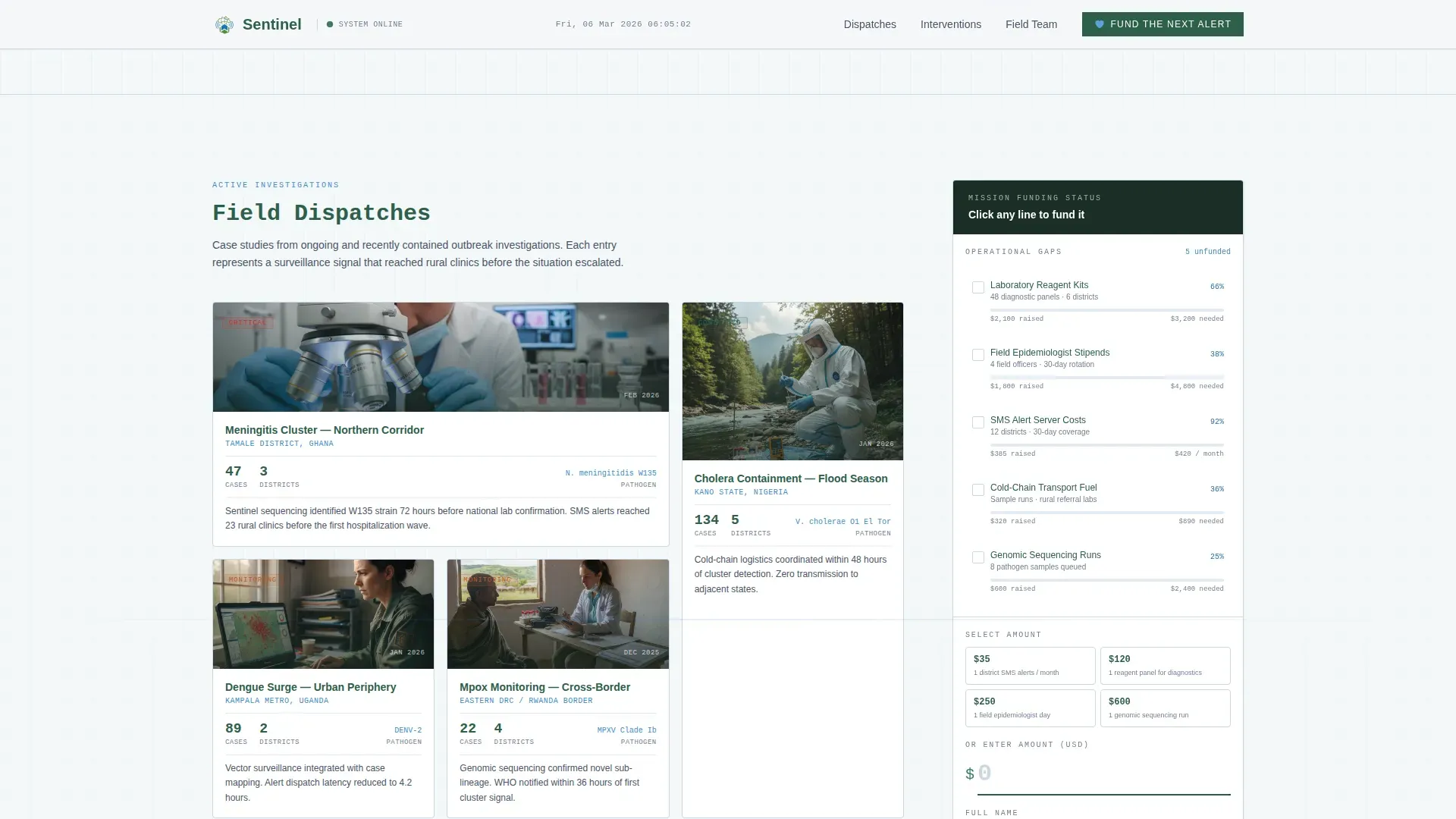
Asymmetric bento-style case study blocks present active investigation summaries. A chronological intervention timeline follows, showing specific outcomes where field teams bent an outbreak curve. Both sections build credibility through named, district-level evidence.
Surveillance Report Download Path
A secondary conversion path offers the downloadable surveillance report in exchange for an email address. This nurtures institutional donors and foundation trustees who need documentation before approving a larger grant.
Page sections overview
| Section | Purpose |
|---|---|
| Live Stats Wall | Opens with real-time counters and sidebar checklist |
| Field Dispatches | Bento case studies from active investigations |
| Intervention Timeline | Specific outcomes showing curves contained |
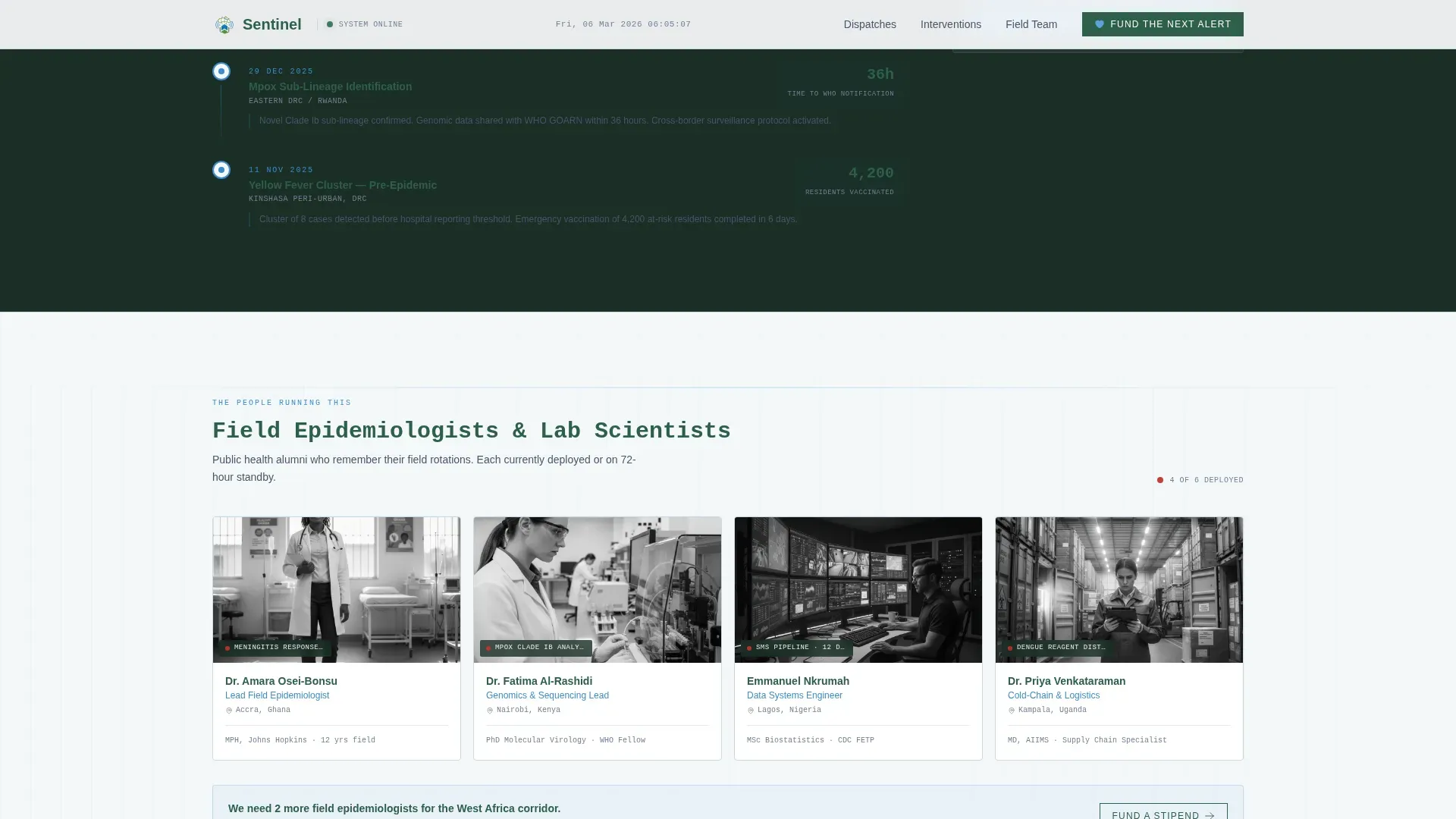
| Field Team Profiles | Epidemiologist and lab scientist credentials |
| Donation Form | Tiered giving with line-item and unrestricted paths |
| Footer | Linear single-row close with navigation anchors |
Design & branding system
The visual identity follows a Civic Service theme using the Alpine Fresh color palette. Every design decision reinforces the feeling of a clean, well-instrumented monitoring station.
- Glacier white (#F4F7F9) fills open background panels; pine-shadow green (#2D5F4A) anchors primary text and section headings; summit slate (#4A5568) carries secondary copy; altitude blue (#3B8CCE) activates interactive elements and live data accents
- JetBrains Mono is used for all counter and data typography; DM Sans handles body text throughout the page
- No stock photography or hero images appear anywhere; the visual language is numbers, progress bars, and structured evidence
Mobile & speed optimization
The layout is desktop-first by design because the sticky sidebar requires horizontal space to work correctly. A mobile stack fallback is included so the checklist and content reflow gracefully on smaller screens.
- The sidebar collapses into an inline checklist block on mobile, keeping all line items and progress bars visible
- Scroll-linked behavior uses CSS scroll-behavior and IntersectionObserver to keep animations smooth without heavy dependencies
- GSAP-powered counter ticking and section reveals are scoped to desktop viewports to protect mobile load experience
How this template helps you convert
The page is structured to guide different donor types toward the action that fits them, without forcing everyone through the same narrow funnel.
- The live stats wall creates immediate urgency by showing real work in progress, making a visitor's first impression one of active need rather than passive appeal.
- The sticky checklist keeps every unfunded line item visible throughout the entire scroll, so the ask is present and specific at every point of engagement.
- The dual-path donation form captures both ready-to-give donors through preset tiers and research-driven institutional funders through the surveillance report download.
Other information about this template
This template is categorized under Government and Public, with a subcategory of Public Health Department and a niche focus on disease surveillance centers. A few additional details worth knowing before you adapt it:
- The Intersection Match Score for this template's category, subcategory, and niche combination is 13, reflecting a tightly focused use case
- The creative direction is Checklist and Audit, meaning the sidebar is the structural backbone of the persuasion flow, not a decorative element
- Currency and localization are set to English and United States dollars, with a global health context that supports international donor audiences
- Animation intensity is set to high, including live counter ticking, scroll-linked sidebar travel, and GSAP-powered section reveals
- The footer uses Pattern 1, a linear single-row layout, keeping the close of the page clean and uncluttered
Theme
Civic Service
Creative direction
Checklist & Audit
Color system
Alpine Fresh
Style
Sidebar Companion
Direction
Donation/Fundraising
Page Sections
Live Real-time Stats Wall
Sticky Sidebar Checklist
Line-item Funding Flow
Tiered Donation Form
Field Dispatches and Timeline
Surveillance Report Download Path
Related questions
Can donors fund specific operational needs rather than making a general gift?
What is the secondary conversion path for institutional donors?
Does the template include placeholder content and sample data?
Is the sticky sidebar available on mobile devices?
What donation amounts are preset in the giving form?



