Tourist Attraction & Destination Booking Website Template
Monument is a dark immersive landing page template built for historic sites and heritage destinations. It uses a storybook, full-page gallery walk format to guide visitors through centuries of history at a measured, intentional pace. A two-step booking flow, golden-hour photography, and a Sunset Mesa color system make it equally compelling for field-trip planners, heritage road-trippers, and international travelers seeking depth over spectacle.
by Rocket studio
Quick summary
Monument is a single-page, scroll-driven landing page template designed for historic sites and heritage monuments. It pairs a dark immersive visual identity with a gallery walk structure, walking visitors through a site's timeline one full-viewport section at a time. The primary call to action is a streamlined visit-reservation flow, built to earn the click through storytelling before it ever asks for one.
Who this template is for
This template is built for heritage sites, historic monuments, and cultural destinations that want to give visitors more than a brochure. It works best when the story of a place is the product and the goal is a booked visit.
- History teachers and school-group coordinators planning seasonal field trips
- Retired travelers and heritage road-trip planners exploring the Southwest
- Cultural tourism managers serving international visitors who want depth, not highlights
What problem this template solves
Most historic site pages treat content like a checklist: hours, admission, directions. That format flattens the experience and gives no reason to feel anything before arriving. Monument solves that by making the page itself feel like the beginning of the visit.
- Visitors leave generic site pages without booking because nothing pulls them in emotionally
- Schools and group coordinators need clear party-size options and availability at a glance
- Heritage destinations compete with national parks and need a page that earns attention
What you get with this template
You get a fully structured, scroll-driven landing page that doubles as a visual narrative. Every layout decision serves the story, and every section moves the visitor closer to reserving their visit.
- A full-bleed golden-hour header with a letterform-by-letterform headline animation
- A gallery walk body with full-viewport image sections, narrative captions, and faint date watermarks
- A two-step reservation flow with a date picker and party-size selector, plus a "Gift a Visit" secondary path
Feature list
This template is built around six core capabilities, each grounded in what the brief describes.
Full-Bleed Archway Header
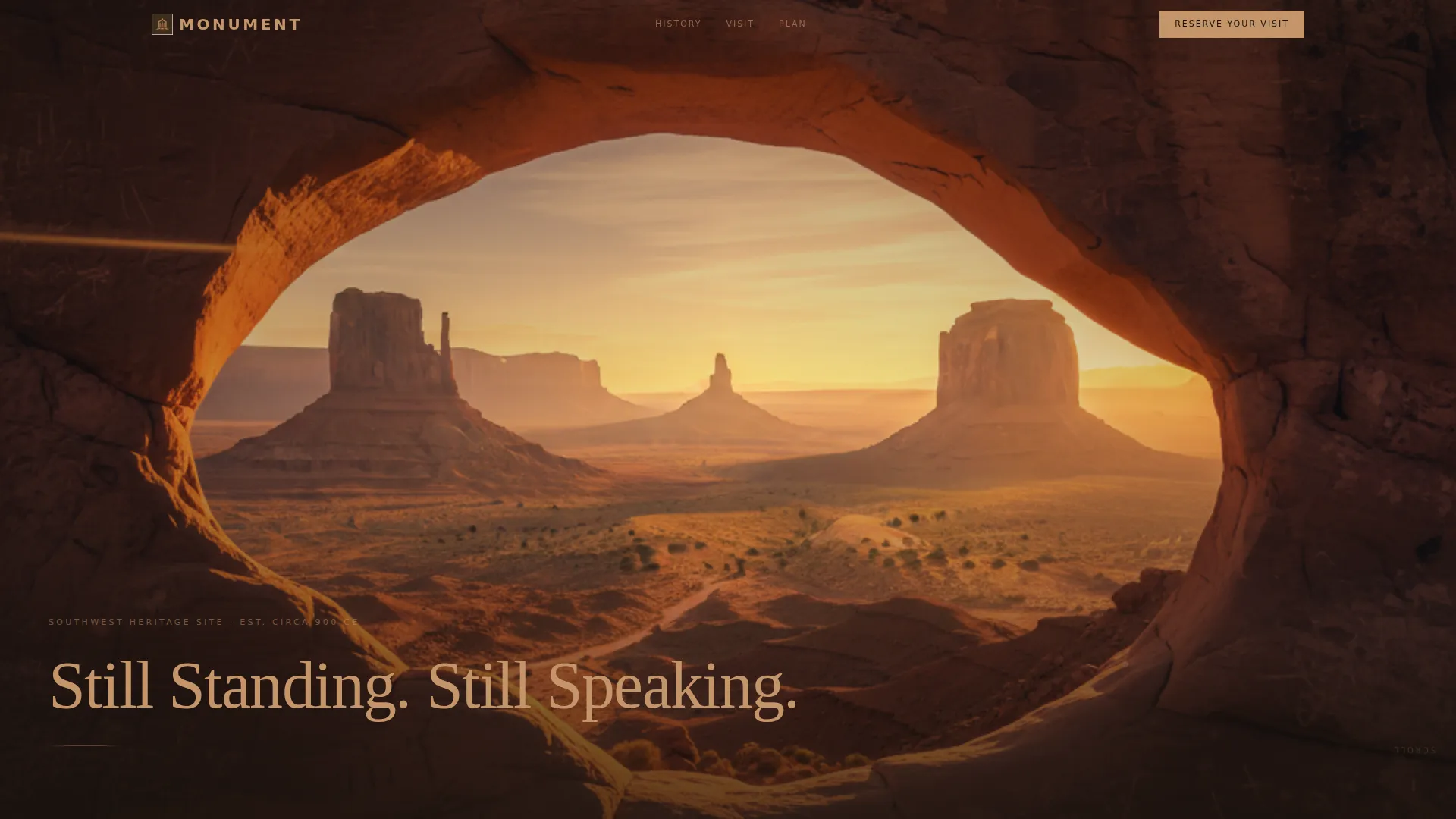
The header is a single wide-format image shot from inside the site looking outward through a stone archway. No overlay gradient and no button interrupt the composition. A weathered serif headline appears letter by letter, as if being chiseled into the screen in real time.
Scroll-Driven Timeline Sections
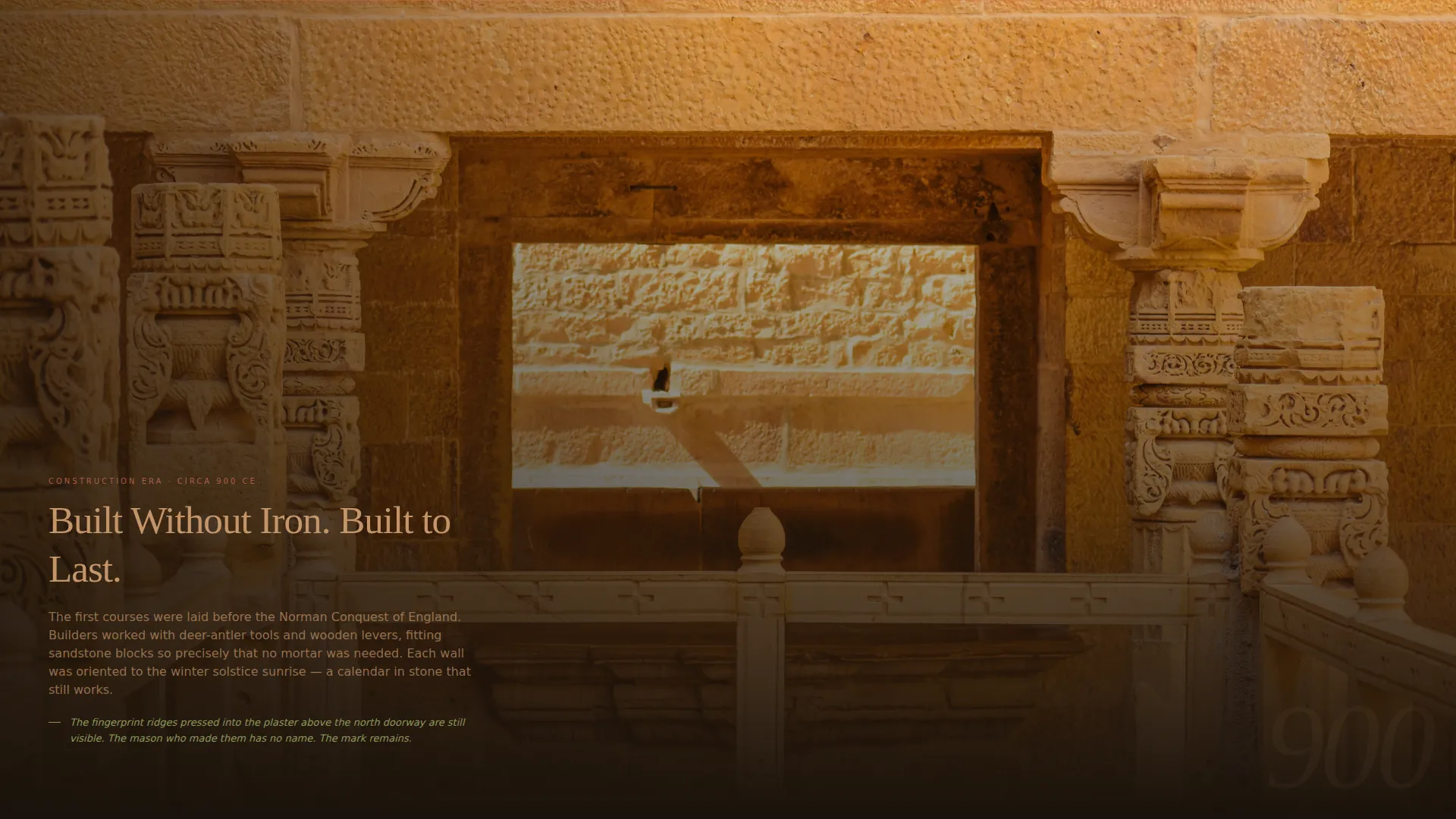
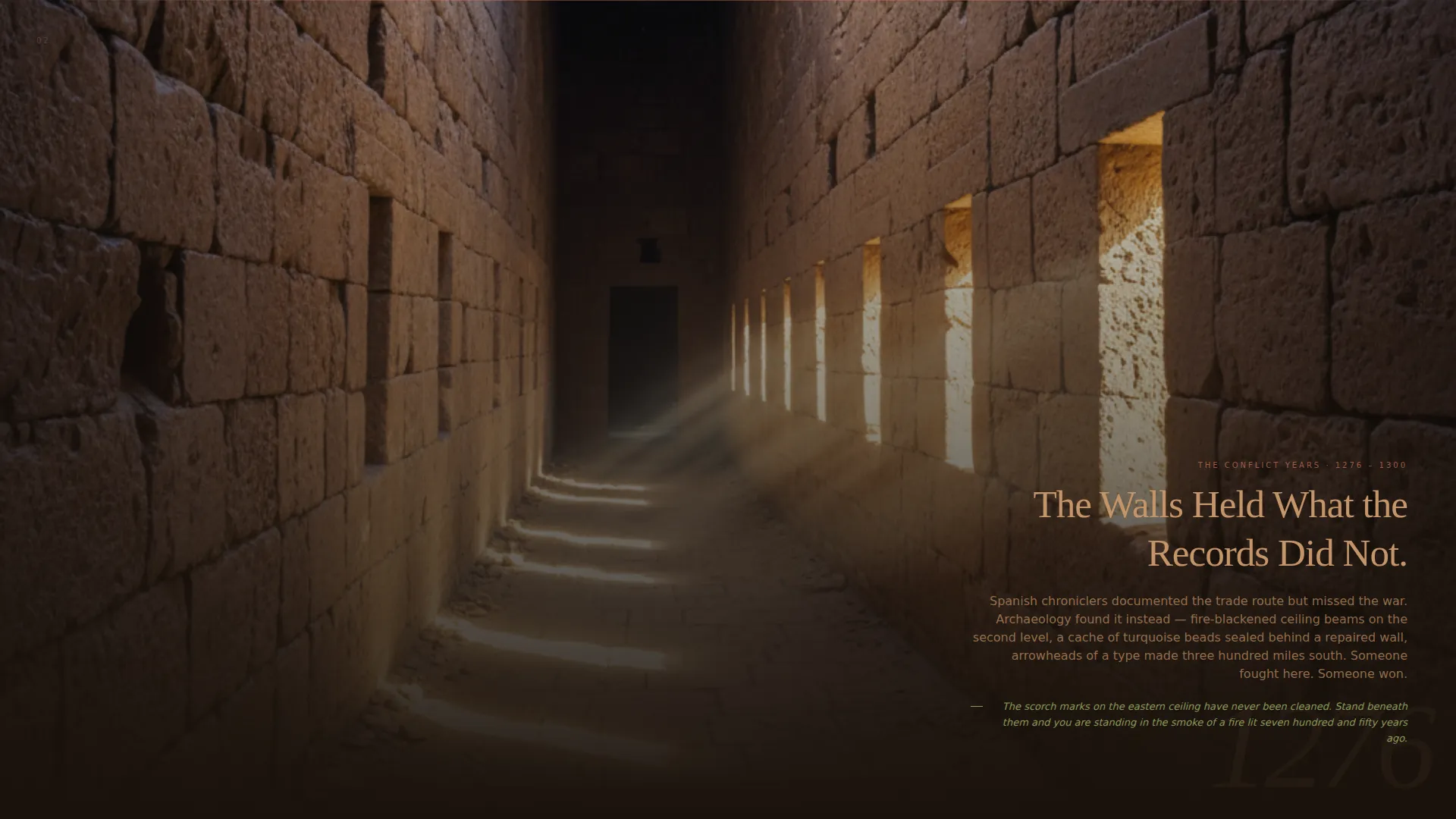
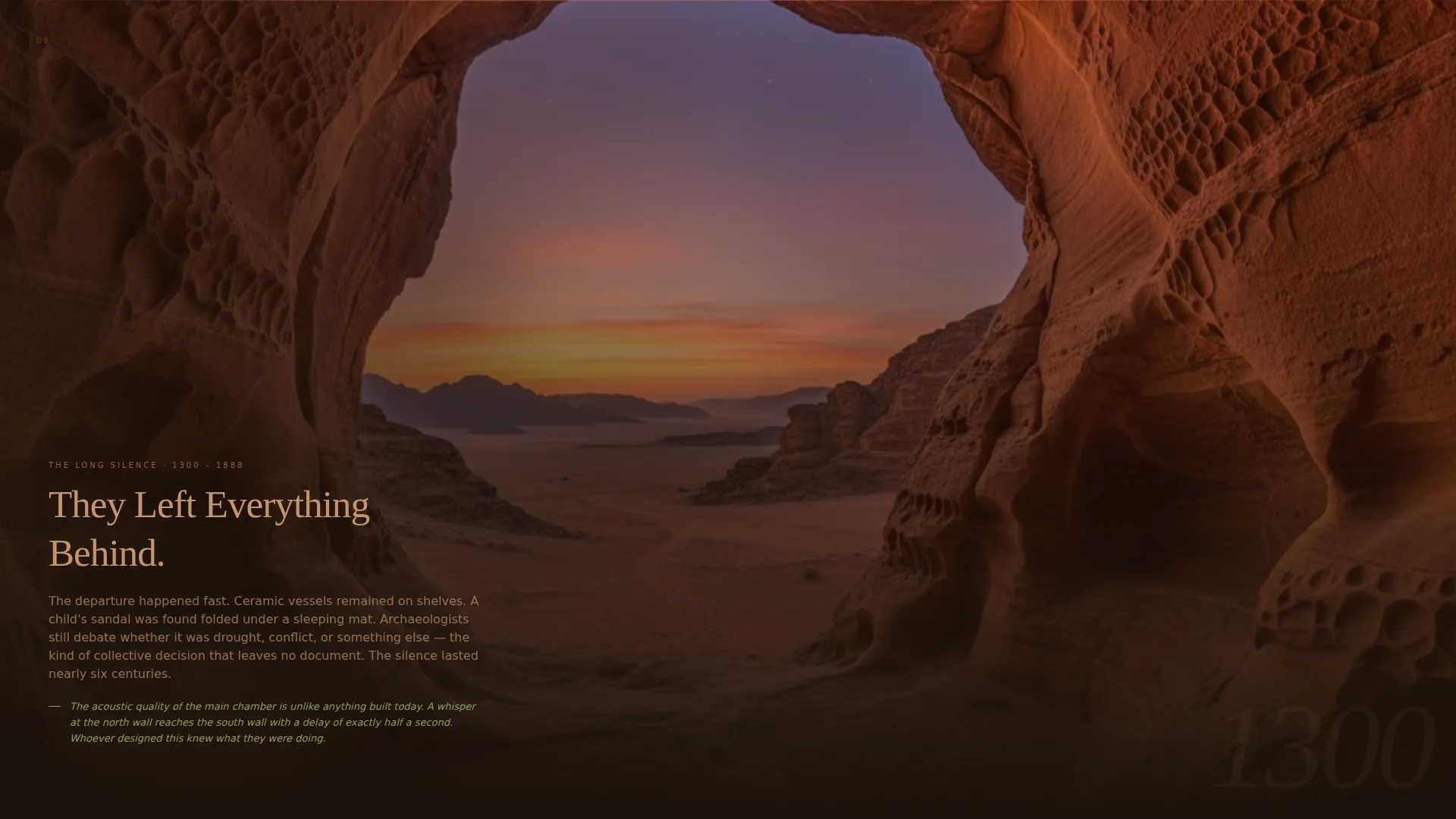
Each full-page section represents one era in the site's history, from the construction period through preservation. The visitor scrolls through the construction era, the battles, the abandonment, the rediscovery, and the present day. Every section fills the viewport with one image, one narrative paragraph, and a faint date watermark.
Two-Step Reservation Flow
The primary call to action, "Reserve Your Visit," is pinned in the top navigation and repeated at the final section as a full-width block. Clicking opens a date picker showing real availability indicated by sage-green dots, followed by a party-size selector that adjusts the experience description for solo visitors, couples, families, or school groups.
Gift a Visit Path
A secondary booking path labeled "Gift a Visit" is built into the reservation flow. It gives users a clear route for booking on behalf of someone else, without disrupting the primary reservation journey.
Sunset Mesa Color System
The entire page is built on a four-color palette: deep shadow umber for backgrounds, warm sandstone for body text, fading-sky coral for section dividers, and dry sage for availability indicators and hover states. Every color decision reflects the visual mood of the last fifteen minutes before sunset behind a mesa.
Caption-Driven Conversion Strategy
Each timeline section ends with a detail the visitor can only experience in person. This creates an open loop that the page cannot close for them, making the "Reserve Your Visit" action feel like the natural next step rather than a hard sell.
Page sections overview
| Section | Purpose |
|---|---|
| Full-Bleed Header | Establishes atmosphere with a golden-hour archway image and animated serif headline |
| Pinned Navigation | Keeps "Reserve Your Visit" accessible throughout the entire scroll journey |
| Construction Era | Opens the timeline with the site's founding period, captioned image, and date watermark |
| Conflict & Trade | Covers the battles and traders that passed through, deepening historical context |
| Abandonment Period | Marks the quieter chapter when the site sat unoccupied, adding emotional weight |
| Rediscovery Section | Introduces the moment the site was found again, shifting the tone toward wonder |
| Preservation Story | Brings the timeline to the present and sets up the reservation call to action |
| Reservation Block | Full-width closing section with the two-step booking flow and "Gift a Visit" option |
Design & branding system
The visual identity is a Dark Immersive theme built around the Sunset Mesa color system. Every design choice evokes the last light before a desert sunset, when rock faces glow amber and shadows deepen to near-black.
- Backgrounds in deep shadow umber (#1A120B), text in warm sandstone (#C4956A), dividers in fading-sky coral (#D4775B)
- Dry sage (#8A9A5B) reserved for availability dots and hover states, adding a living accent to an otherwise still palette
- Weathered serif typography for headlines, chosen to feel hand-carved rather than printed
Mobile & speed optimization
The template is designed with mobile visitors in mind, recognizing that many heritage travelers are planning from a phone on the road. The scroll-driven, single-column format adapts naturally to smaller screens.
- Full-viewport image sections reframe gracefully on portrait-orientation mobile displays
- The two-step reservation flow is thumb-friendly, with large tap targets for the date picker and party-size selector
- A minimal, distraction-free layout keeps load weight low by relying on layout structure rather than complex scripts
How this template helps you convert
The page is engineered to replace passive browsing with active imagining. By the time a visitor reaches the reservation block, they have already lived through centuries of the site's story.
- The scroll pace is deliberately slow, giving each era enough space to land emotionally before moving on
- Every caption ends with an in-person-only detail, creating a reason to visit that the page cannot satisfy on its own
- The "Reserve Your Visit" call to action appears at both the top and bottom of the page, capturing visitors at the moment they are ready
Other information about this template
This template fits naturally into travel and hospitality platforms that serve cultural and heritage tourism audiences. It is particularly well-suited for historic monuments, archaeological sites, and preserved fortifications where narrative is the primary draw.
- The storybook, full-page template style makes it a strong fit for destinations featured in heritage road-trip guides and cultural travel editorial
- The gallery walk creative direction mirrors the experience of walking a museum corridor, making it intuitive for visitors who already engage with history in that format
- The dark immersive theme sets this template apart from the bright, feature-list-heavy pages common in mainstream travel booking
Theme
Dark Immersive
Creative direction
Gallery Walk
Color system
Sunset Mesa
Style
Storybook/Full-Page
Direction
Booking/Scheduling
Page Sections
Full-bleed Archway Header with Animated Headline
Scroll-driven Historical Timeline
Two-step Reservation Flow
Gift a Visit Secondary Path
Sunset Mesa Color System
Caption-driven Open-loop Conversion
Related questions
Who is this landing page template best suited for?
Can the reservation flow handle school group bookings?
Is the 'Gift a Visit' option part of the same booking flow?
Can I adapt the timeline sections to my site's specific history?
Does the page work well on mobile devices?