Bricklayer Business FAQ Website Template
Mortar is an editorial split-screen landing page template built for bricklayers and masonry professionals. It pairs a cinematic photo-text header with a scroll-driven FAQ layout that answers real homeowner questions before asking for anything in return. The design uses a charcoal and amber palette to project craft, confidence, and local authority in every section.
by Rocket studio
Quick summary
Mortar is a single-page, click-through landing page template designed for bricklaying and masonry businesses. It opens with a half-page editorial header, then guides visitors through a series of FAQ-led scroll sections that build trust question by question. A persistent amber call-to-action button closes the deal without a form on the page.
Who this template is for
This template suits bricklayers and masonry tradespeople who want a professional web presence that speaks directly to their most common client types. It is particularly well suited to sole traders and small firms serving a defined local area.
- Bricklayers targeting homeowners with garden wall repairs or repointing projects
- Masonry contractors working with property developers on feature brickwork for new builds
- Specialist masons taking on listed building work and Victorian bond matching for architects
What problem this template solves
Most local tradespeople lose enquiries because their web page does not answer the questions visitors actually arrive with. Price anxiety, planning permission confusion, and doubts about brick matching all go unanswered, and the visitor leaves before they ever reach a contact form.
- Visitors arrive with specific doubts and leave when those doubts go unanswered
- Generic trade pages fail to demonstrate the depth of expertise that complex projects require
- A standard contact form asks for commitment before the visitor feels ready to give it
What you get with this template
You get a fully structured, single-page layout built around editorial design principles and a clear click-through conversion path. Every section is purposeful and mapped to a real stage in the visitor's decision process.
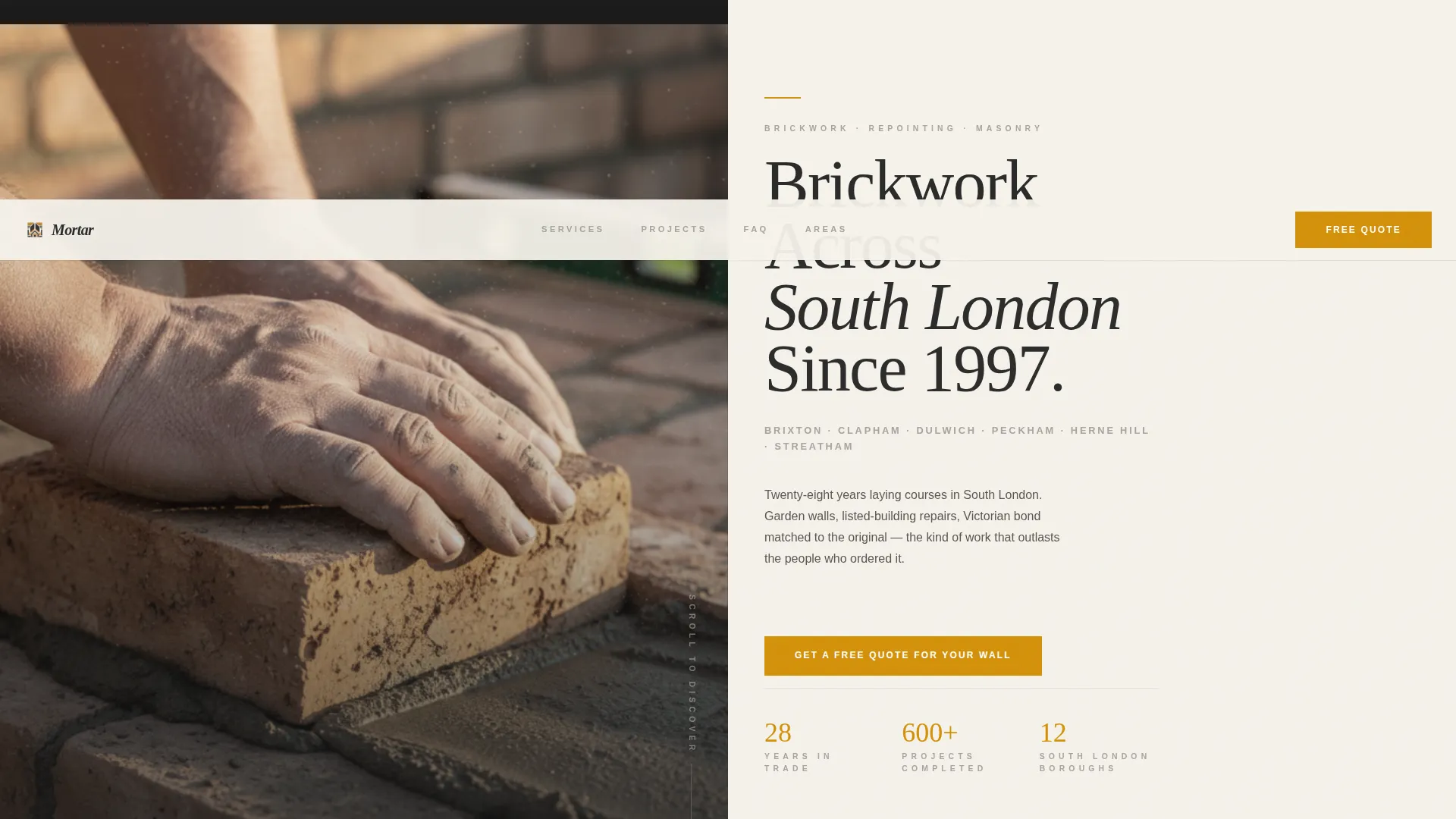
- A half-page photo and text header with a location-specific headline and a primary call-to-action button in amber
- A scroll-driven FAQ section layout where each question occupies the left text panel and each answer occupies the right visual panel
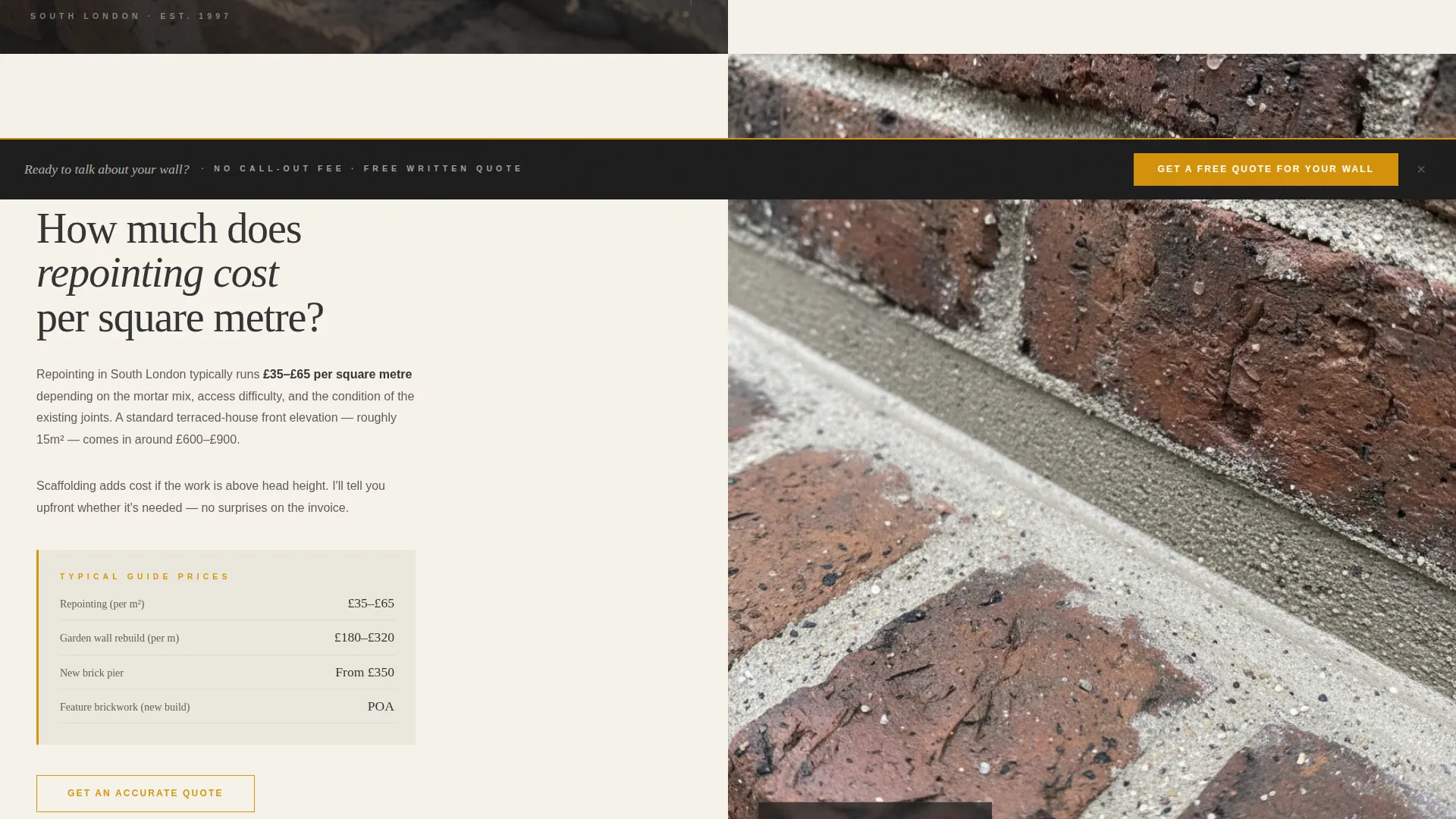
- A persistent bottom bar carrying the call-to-action after the third FAQ section, keeping the conversion path visible without interrupting the reading flow
Feature list
This template includes a focused set of design and layout features drawn directly from the editorial brief.
Half-Page Editorial Header
The header splits the screen 50/50. The left side holds an editorially lit photograph of weathered bricklaying hands in golden hour light. The right side presents a clean typographic hierarchy on lime wash white, including a location-specific headline, a service area subhead, and the primary amber call-to-action button.
FAQ-Driven Scroll Layout
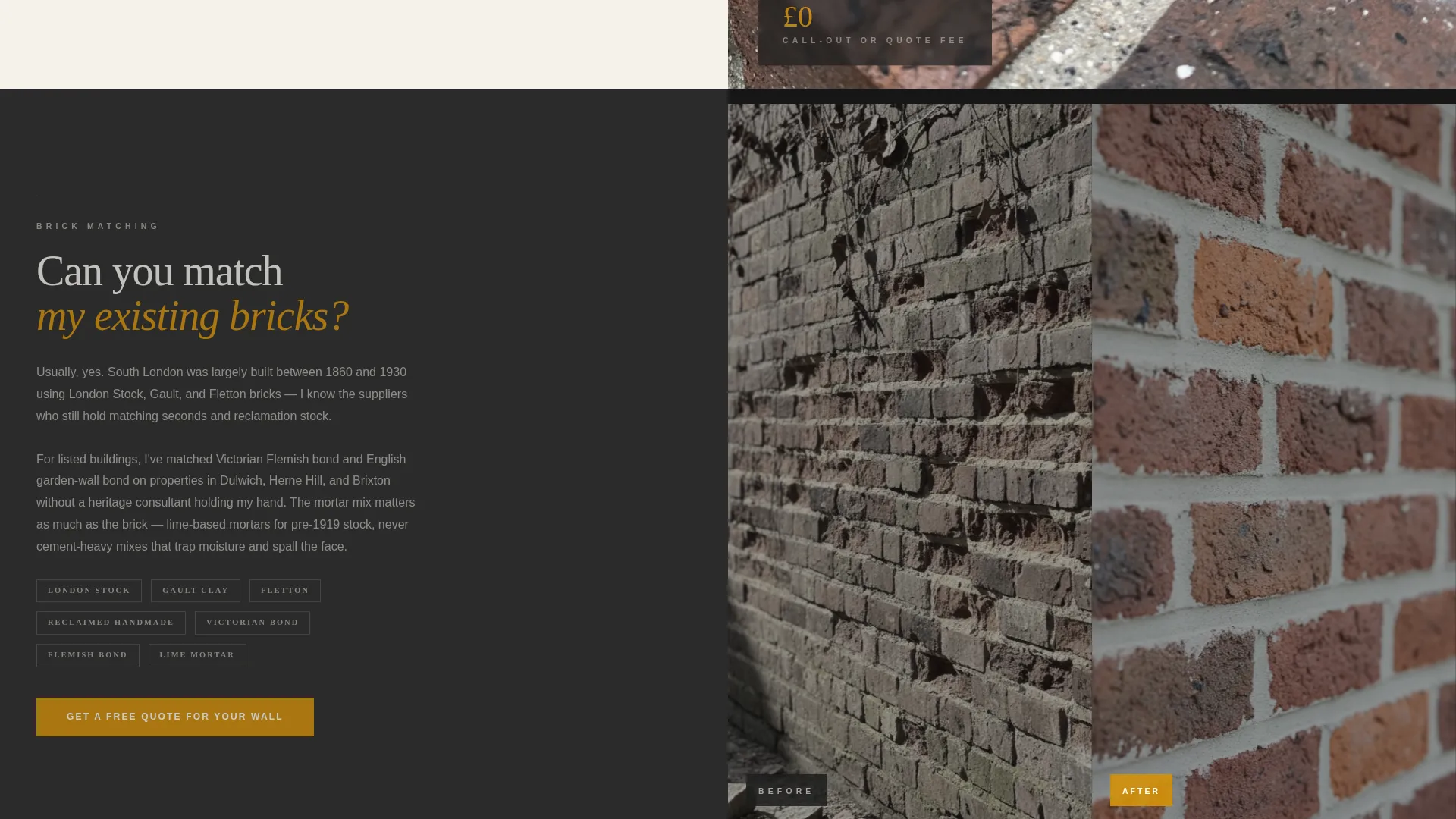
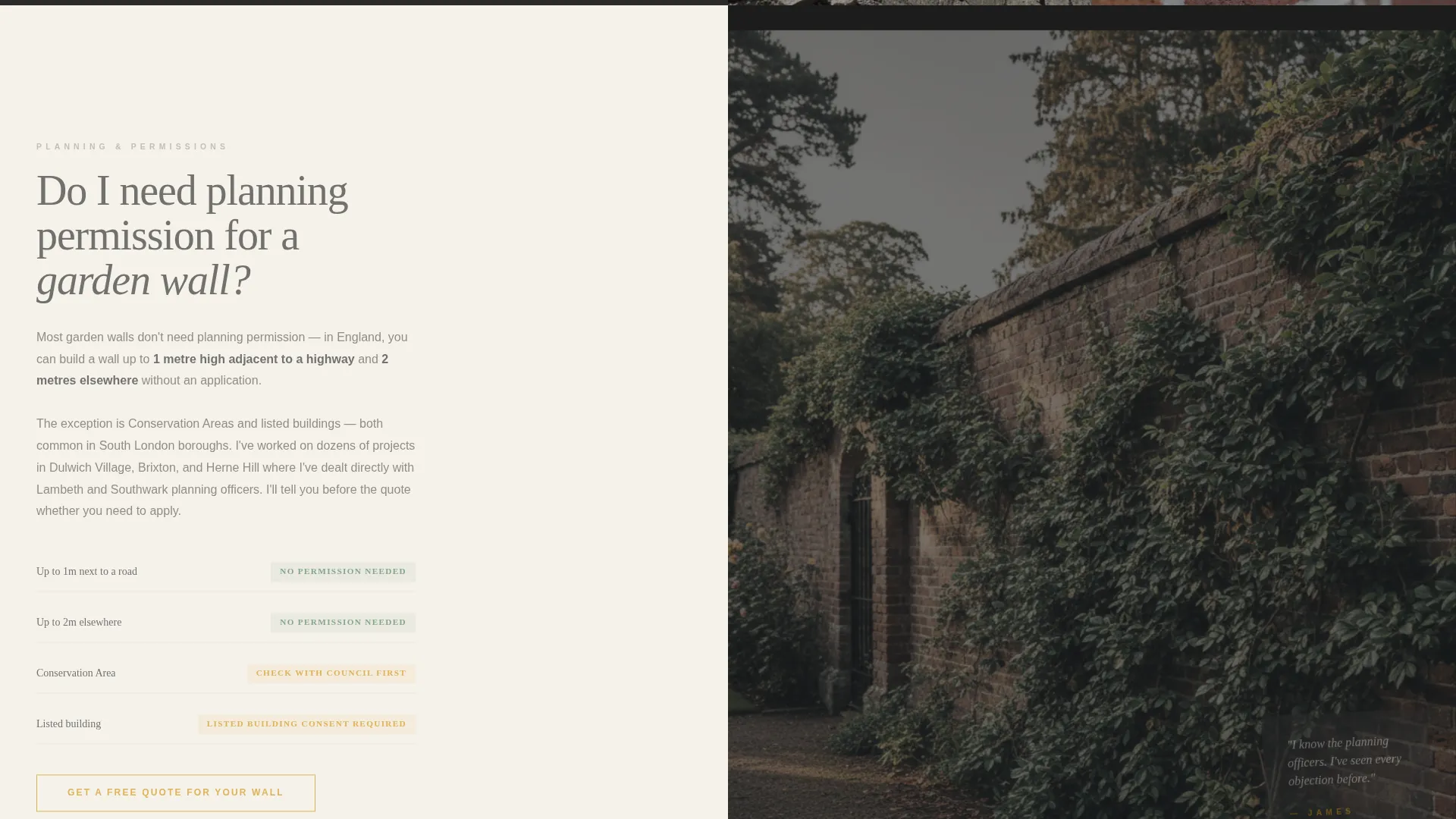
Each scroll section frames a real question homeowners type into search bars. The question sits in the left text panel in editorial serif type. The right panel responds with a photograph, a short paragraph, or a before-and-after detail shot. The rhythm builds from simple pricing queries toward complex heritage project scenarios.
Persistent Bottom Call-to-Action Bar
After the third FAQ section, a fixed bottom bar appears and stays visible for the remainder of the page. It carries the "Get a Free Quote for Your Wall" button in amber. This keeps the conversion prompt present without forcing the visitor to scroll back up.
Split-Screen 50/50 Layout System
Every section of the page uses the same split-screen grid. Left and right panels alternate between text and image roles as the visitor scrolls. The consistent structure creates a clear editorial rhythm that feels purposeful rather than repetitive.
Charcoal and Amber Color System
The palette uses deep kiln charcoal for photography frames, raw amber for all interactive and accent elements, mortar joint gray as a secondary neutral, and lime wash white for text panels. Every color choice reinforces the industrial-yet-precise character of the bricklaying trade.
Click-Through Conversion Path
This template is built without an on-page form. The entire page earns the click by resolving objections first. When the visitor reaches the final call-to-action, the only remaining question is when the bricklayer can start.
Page sections overview
| Section | Purpose |
|---|---|
| Editorial Header | Introduces the bricklayer with a cinematic photo and location-specific headline |
| FAQ Section One | Answers a common pricing question such as repointing cost per square metre |
| FAQ Section Two | Addresses brick matching capability with a supporting visual panel |
| FAQ Section Three | Covers planning permission context for garden wall projects |
| Persistent call to action Bar | Keeps the quote request button visible from section four onward |
| Final call to action Section | Closes the page with a direct invitation to request a free quote |
Design & branding system
The template follows an editorial magazine theme that treats the bricklaying trade with the same visual seriousness as a broadsheet feature spread. Texture, warmth, and precision are built into every color and layout decision.
- Deep kiln charcoal (#2B2B2B) dominates the left photography frames and sets the industrial tone
- Raw amber (#D4910A) is reserved exclusively for accent lines, interactive highlights, and every call-to-action button
- Lime wash white (#F5F2EB) fills the text panels, giving editorial serif type space to breathe cleanly
Mobile & speed optimization
The split-screen layout is structured so that each 50/50 panel stacks cleanly on smaller screens, preserving the editorial reading order without losing the photo-text pairing that makes each FAQ section work.
- Left and right panels reflow into a single-column vertical stack on mobile viewports
- Typography scales are set to maintain headline hierarchy and body readability across screen sizes
- The persistent bottom call-to-action bar remains anchored at the base of the viewport on mobile devices
How this template helps you convert
This template earns conversions by resolving doubt before asking for action. The structure is designed so that each section removes one more reason not to enquire.
- The editorial header establishes credibility immediately through craft photography and a confident location claim, so the visitor knows they are in the right place within seconds.
- The FAQ scroll layout answers the specific objections that stop homeowners from making contact, covering price, brick matching, and planning permission before any commitment is requested.
- The persistent amber call-to-action bar appears exactly when the visitor has read enough to act, reducing the distance between decision and click to a single tap.
Other information about this template
This template is part of the Mortar editorial series, designed specifically for bricklayer service area pages within the professional services category. It sits at the intersection of trade credibility and editorial design, a combination that is rare in the local contractor market.
- The template style is Split Screen (50/50), theme is Editorial Magazine, and the header concept is Half-Page Photo and Text
- The creative direction is FAQ-Driven, and the landing page direction is Click-Through, meaning no on-page form is required
- The color system is Charcoal and Amber, with each color assigned a specific functional role rather than used decoratively
- This template is suited to bricklayer service area pages targeting homeowners, property developers, and architects across a defined geographic area such as South London
Theme
Editorial Magazine
Creative direction
FAQ-Driven
Color system
Charcoal & Amber
Style
Split Screen (50/50)
Direction
Click-Through
Page Sections
Half-page Editorial Header
Faq-driven Scroll Layout
Persistent Bottom Call to Action Bar
Split-screen 50/50 Grid
Charcoal and Amber Color System
Click-through Conversion Path
Related questions
Can I update the headline and service area details to match my location?
Does this template include a contact form?
How many FAQ sections does the template include?
Is the persistent bottom bar included out of the box?
What type of photography works best with this template?



