Brick Installer Landing Page Template
Mortar is a card grid landing page built for brick installation companies. It opens with a zip code input that personalizes the page to a visitor's location, then walks them through a Problem-to-Solution arc across three modular card rows. The design uses a warm Agrarian Root palette and closes with a lead capture form built around a single goal: getting a brick estimate request.
by Rocket studio
Quick summary
Mortar is a single-page, card grid landing page template for brick installers and masonry contractors. It opens with a location-aware hero, guides visitors through damage recognition and repair solutions, then closes with a focused estimate form. The warm Sunset Mesa color system and tactile Agrarian Root visual style make every section feel crafted by hand.
Who this template is for
This template is built for masonry businesses that need to turn website visitors into estimate leads. It speaks directly to the people most likely to pick up the phone after noticing a failing wall.
- Brick installation companies serving homeowners, general contractors, and property managers
- Masonry contractors who handle repairs, new builds, retaining walls, and historical facade restoration
- Local trade services businesses that want a mobile-first lead generation landing page
What problem this template solves
Most masonry contractor pages lead with a form before a visitor even understands what service they need. Mortar reverses that order. It shows the damage first, earns the visitor's recognition, then presents the solution and the call to action.
- Homeowners searching on their phones after spotting spalling brick or a leaning wall need to feel understood before they fill out a form
- General contractors and property managers need proof of craft and reliability before they hand over a project
- Without a structured visual arc, masonry landing pages lose visitors who have not yet named their problem
What you get with this template
Mortar delivers a fully structured, section-led landing page with every card row, form, and interaction detail defined in the brief. Nothing needs to be invented from scratch.
- A Ken Burns hero with zip code input that responds with the visitor's city name once entered
- Three modular card rows covering damage recognition, flip-card repair solutions, and a project proof grid
- A lead capture form with zip pre-fill, project type selector, photo upload field, and a fixed mobile call button
Feature list
This template ships with a focused set of interactive and visual features, each tied directly to the goal of converting a site visitor into a brick estimate lead.
Location-Aware Hero Input
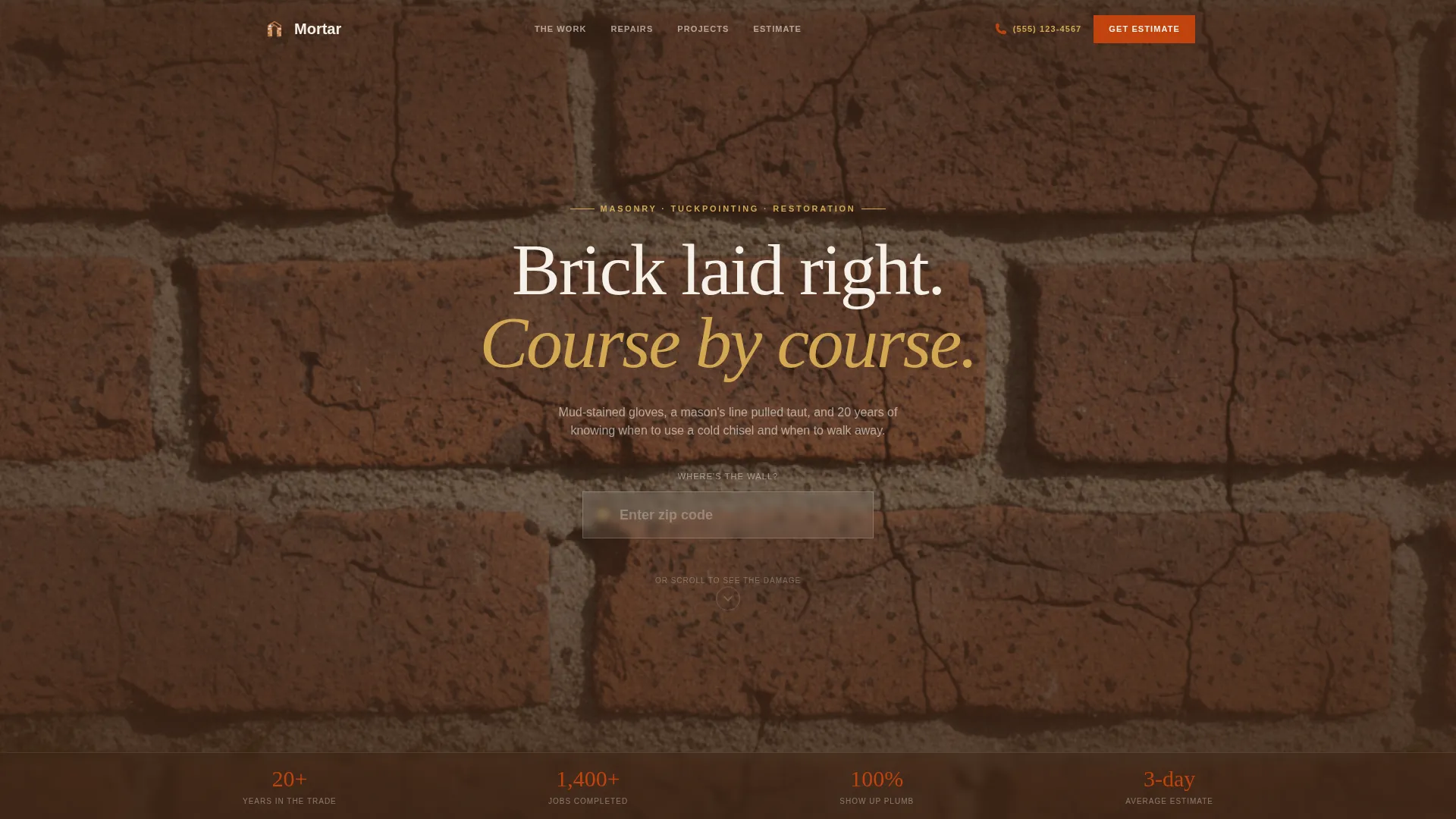
The hero centers an oversized zip code field on a textured lime background with a Ken Burns brick photograph drifting slowly behind it. When a visitor enters their zip, the page responds with "We lay brick in [city]" and unlocks the scroll, creating an immediate sense of local relevance.
Problem Card Row
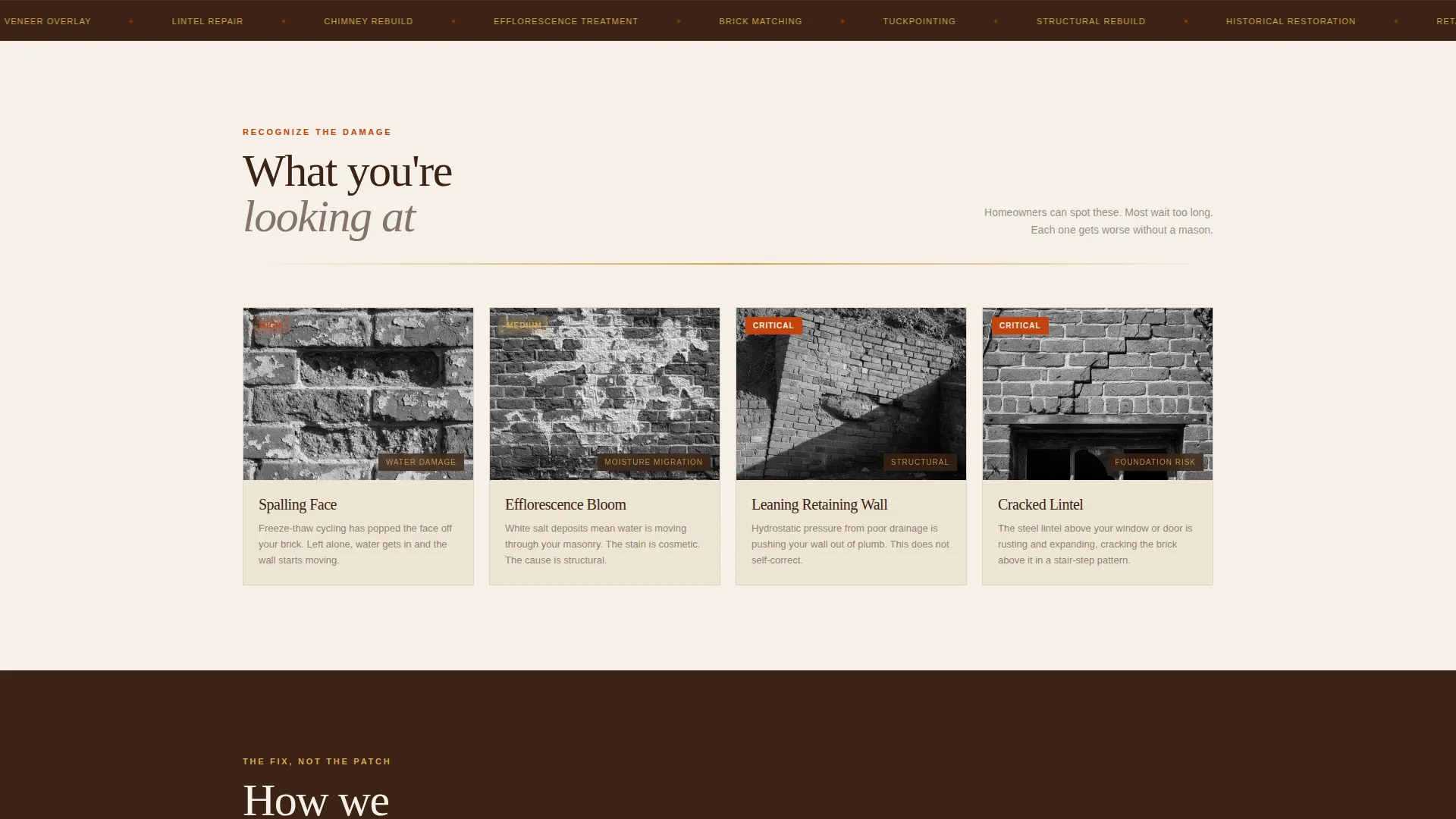
The first card row presents four damage scenarios: spalling brick faces, efflorescence bloom, leaning walls, and cracked lintels. Each card uses a tight photograph and a single-line diagnosis written the way a homeowner would describe the problem themselves.
Flip-Card Solution Row
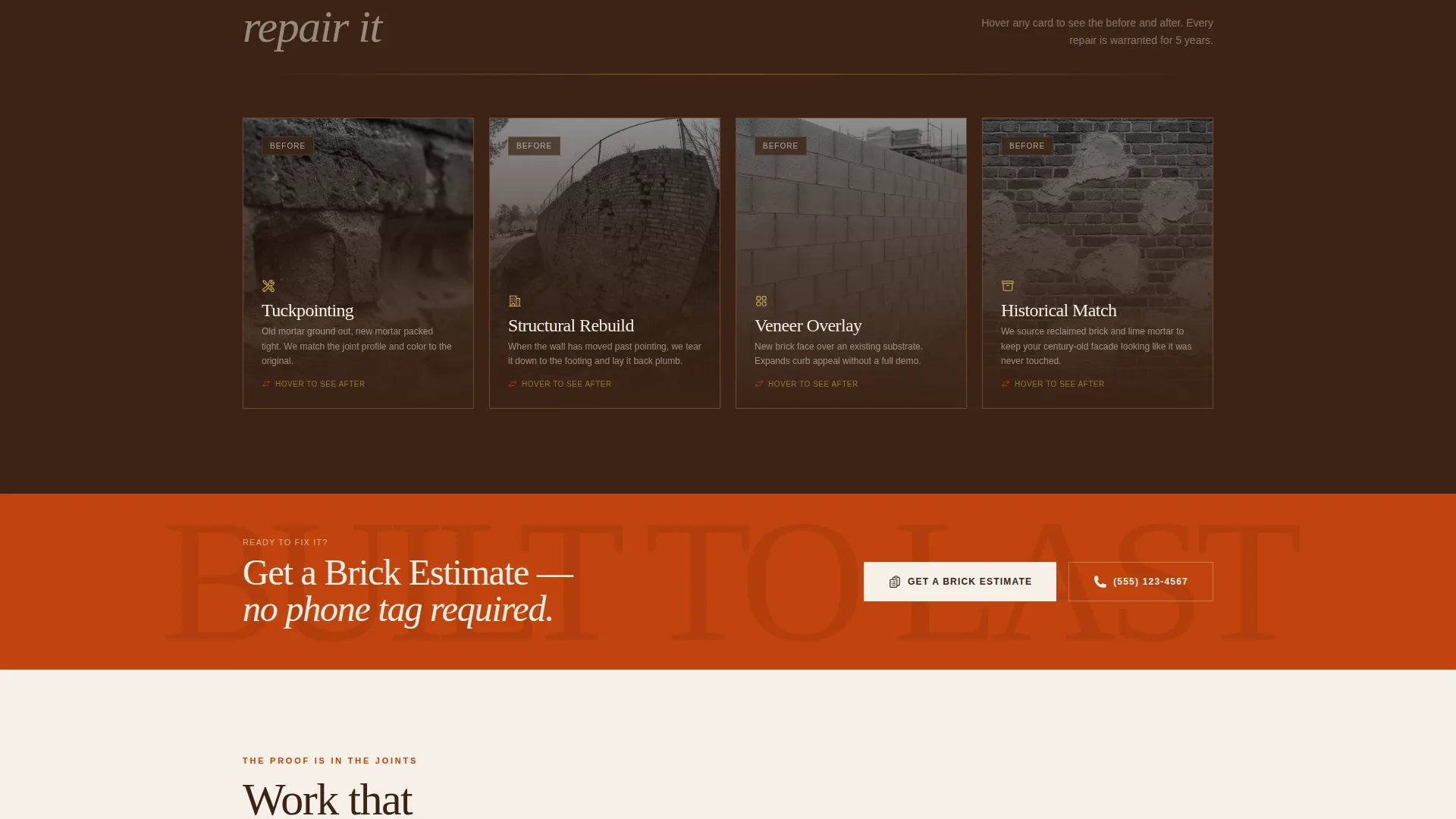
The second card row mirrors the problem row with four repair solutions: tuckpointing, structural rebuild, veneer overlay, and historical mortar match. Each card flips on hover to reveal a before-and-after thumbnail, giving visitors a direct visual comparison of the work.
Proof Grid with Testimonial
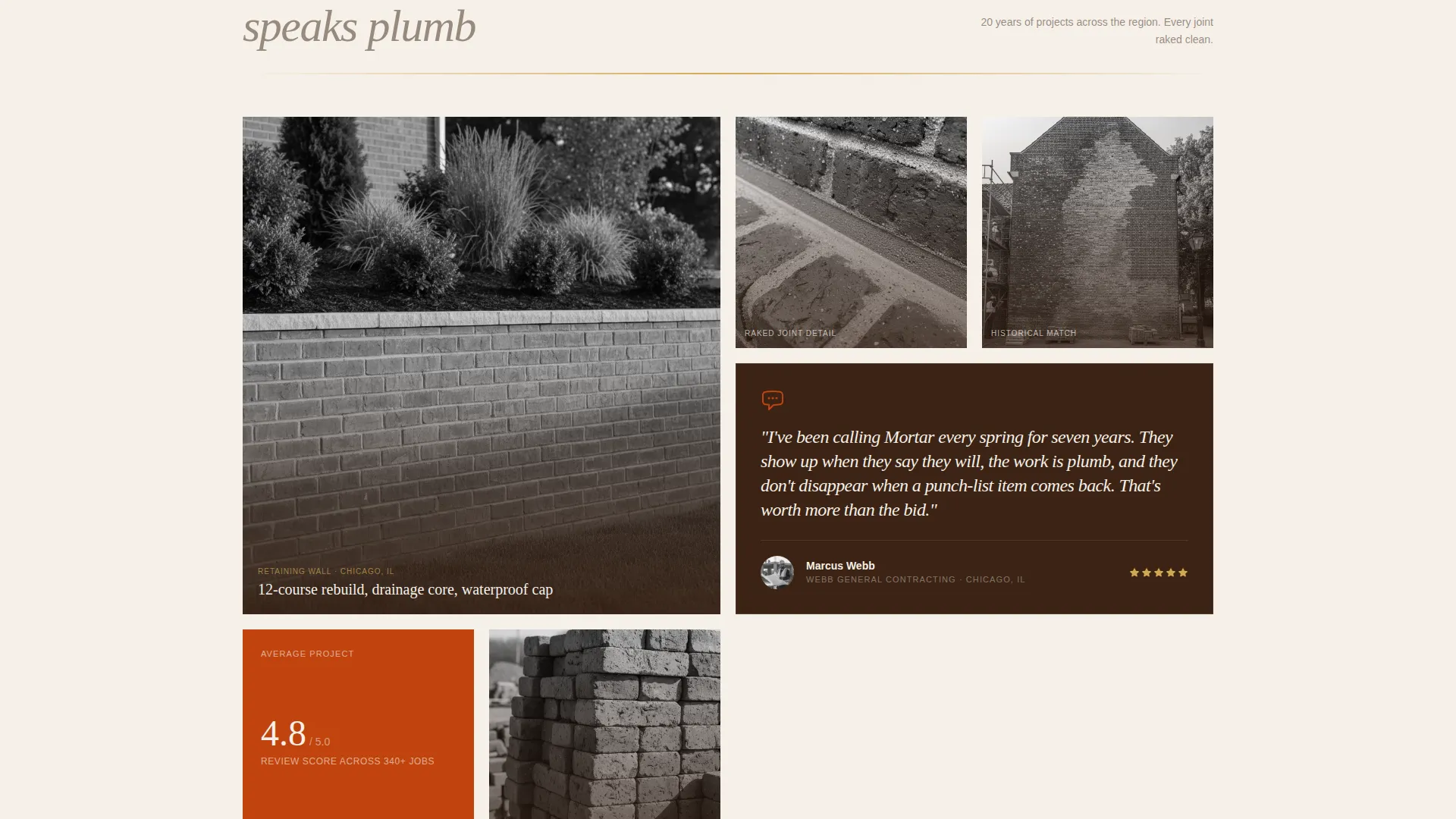
The third card row holds project photo snapshots, material close-up images, and a single testimonial card from a general contractor. This section shifts the page tone from education to credibility, closing the gap before the estimate form appears.
Lead Capture Estimate Form
The estimate form carries the zip code forward from the header input. Visitors select a project type from four options, upload a photo of the wall, and provide a phone number. The primary call to action, "Get a Brick Estimate," repeats at the grid midpoint and at the bottom of the page.
Fixed Mobile Call Button
A click-to-call button stays pinned to the mobile footer throughout the entire page scroll. It reads "Call the Crew" and gives mobile visitors a fast path to contact without requiring them to find or complete a form.
Page sections overview
| Section | Purpose |
|---|---|
| Hero Zip Input | Personalizes page to visitor location and unlocks scroll |
| Problem Card Row | Shows four common brick damage scenarios with photo and diagnosis |
| Solution Flip Cards | Presents four repair types with hover before-and-after reveal |
| Proof Grid | Displays project photos, material close-ups, and a GC testimonial |
| Estimate Form | Captures zip, project type, photo upload, and phone number |
| Page Footer | Single-row linear footer closing the page |
Design & branding system
The visual identity follows an Agrarian Root theme with the Sunset Mesa color palette. Every color choice connects to a tactile, craft-forward feeling that matches the masonry trade.
- Sunbaked clay (#C1440E) drives primary calls to action and hover states; deep turned-soil brown (#3B2314) anchors headers and the footer; dried wheat stalk (#D4A853) warms secondary text and icon strokes; whitewashed lime (#F5F0E8) washes card faces so the modular grid breathes
- Typography pairs Fraunces display serif for headlines with DM Sans for body text, giving the page a confident, readable contrast between craft and clarity
- Scroll reveal stagger and medium-level animation keep the page feeling alive without distracting from the damage-to-solution visual arc
Mobile & speed optimization
This template is built mobile-first, matching the reality that most homeowners search for a masonry contractor from their phone after noticing damage outside.
- Images use lazy loading so the page does not wait for off-screen photographs to load before the hero becomes interactive
- The Ken Burns drift animation runs through CSS only, avoiding heavy script dependencies for that effect
- IntersectionObserver triggers scroll reveal stagger on each card row, keeping animations lightweight and tied to actual viewport entry
How this template helps you convert
Mortar is structured around a deliberate persuasion sequence. Visitors arrive, recognize their problem, see the solution, and reach the form already convinced they need the service.
- The Problem-to-Solution Arc earns trust before asking for anything. Visitors see their own damage scenario in a card before a single form field appears, which lowers resistance to filling out the estimate form.
- The zip-based location response and repeated "Get a Brick Estimate" call to action create two conversion checkpoints in the page flow, one at the midpoint and one at the bottom, without ever feeling pushy.
Other information about this template
This template is designed for United States masonry contractors using imperial measurements and USD pricing. It is built as a single-page lead generation layout, not a multi-page site.
- Project type options in the estimate form cover four categories: repair, new build, historical restoration, and retaining wall
- The photo upload field labeled "Show us the wall" is a built-in form element, not an external integration
- The footer follows a linear single-row pattern as specified in the design brief
- The template style is Card Grid (Modular), meaning each row of cards can be read independently while still contributing to the overall Problem-to-Solution narrative flow
Theme
Agrarian Root
Creative direction
Problem→Solution Arc
Color system
Sunset Mesa
Style
Card Grid (Modular)
Direction
Lead Generation
Page Sections
Location-aware Zip Code Hero
Problem Recognition Card Row
Hover Flip-card Solution Row
Project Proof Grid
Pre-filled Lead Capture Form
Fixed Mobile Call Button
Related questions
Who is this landing page template designed for?
Can I customize the project type options in the estimate form?
Does the zip code input actually connect to a live location database?
Does this template work well on mobile devices?
What is the primary call to action on this landing page?



