Bricklayer Quote Request Landing Page Template
Mortar is a single-page bricklayer landing page template built around a Stats-First Impact layout. It leads with oversized proof numbers, guides visitors through zigzag project showcases, and closes with a focused quote request form. The charcoal and amber design feels sharp and trade-credible, built for bricklayers who want qualified enquiries fast.
by Rocket studio
Quick summary
Mortar is a booking-focused bricklayer landing page template that opens with three stat-heavy impact numbers, moves through alternating project sections, and ends at a structured quote request form. It is built for a single type of visitor: someone who needs brickwork done and wants fast proof they have found the right crew.
Who this template is for
This template is built for bricklaying businesses that handle residential and commercial projects. It suits operators who want enquiries to arrive pre-qualified, not cold.
- Sole traders and small bricklaying crews running house extensions, garden walls, or commercial facade work
- Self-employed bricklayers who want a professional online presence without a multi-page website
- Bricklayer businesses serving homeowners, self-builders, and site project managers who need a reliable crew on a fixed schedule
What problem this template solves
Most trade service pages either bury the proof too deep or ask for a quote before earning the visitor's trust. Mortar flips this sequence.
- Visitors arrive skeptical and leave before reading; the stat wall above the fold stops that immediately
- Enquiry forms with no context attract vague requests; the structured job-type form filters those out before they reach you
- Generic trade page layouts feel forgettable; the charcoal and amber Service Utility design gives this template a distinct, credible identity
What you get with this template
You get a complete, single-page bricklayer landing page with every section already mapped, styled, and ready to customise with your own project photos and numbers.
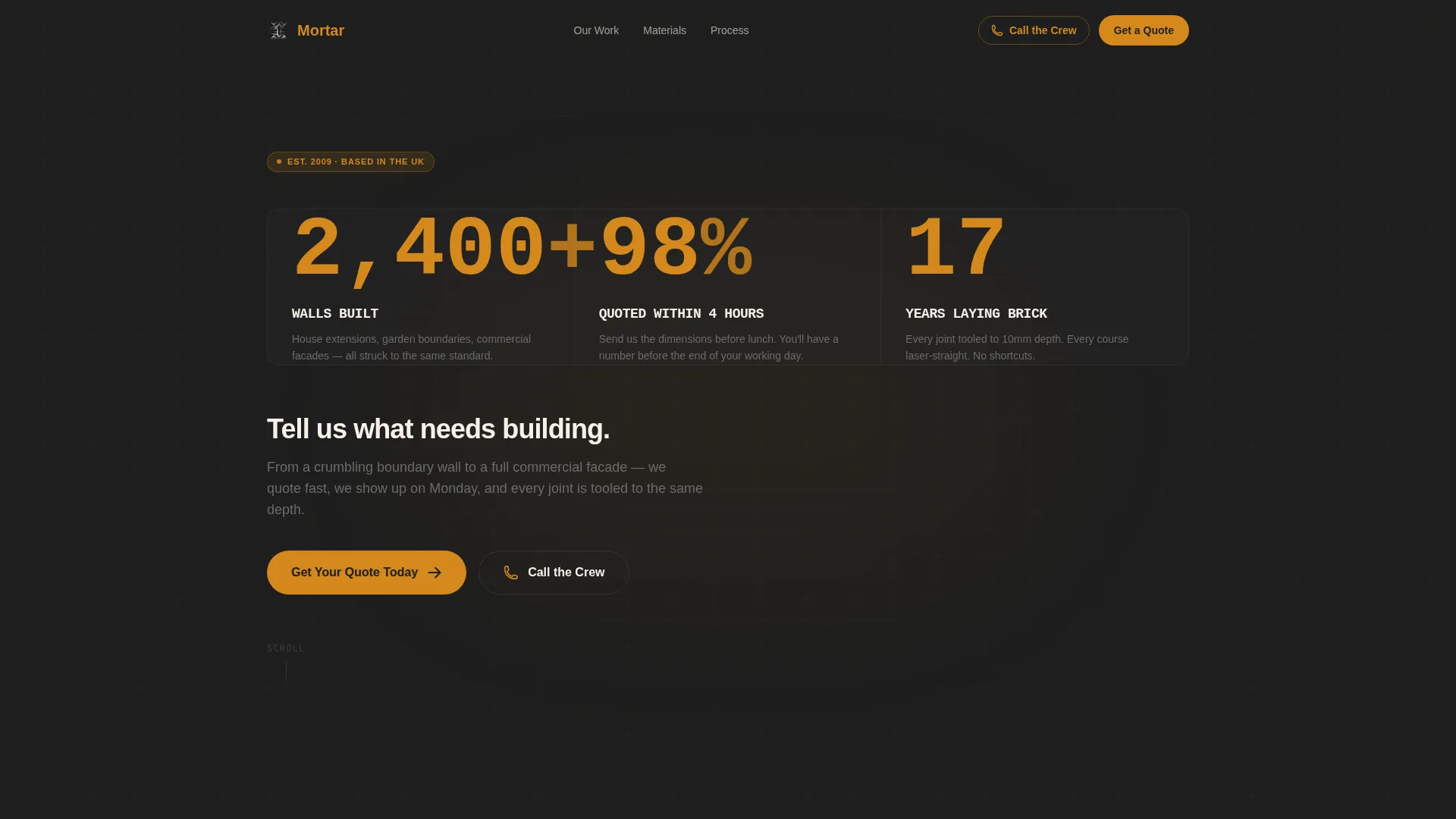
- A charcoal and amber stat header with three count-up animation numbers and a single action line
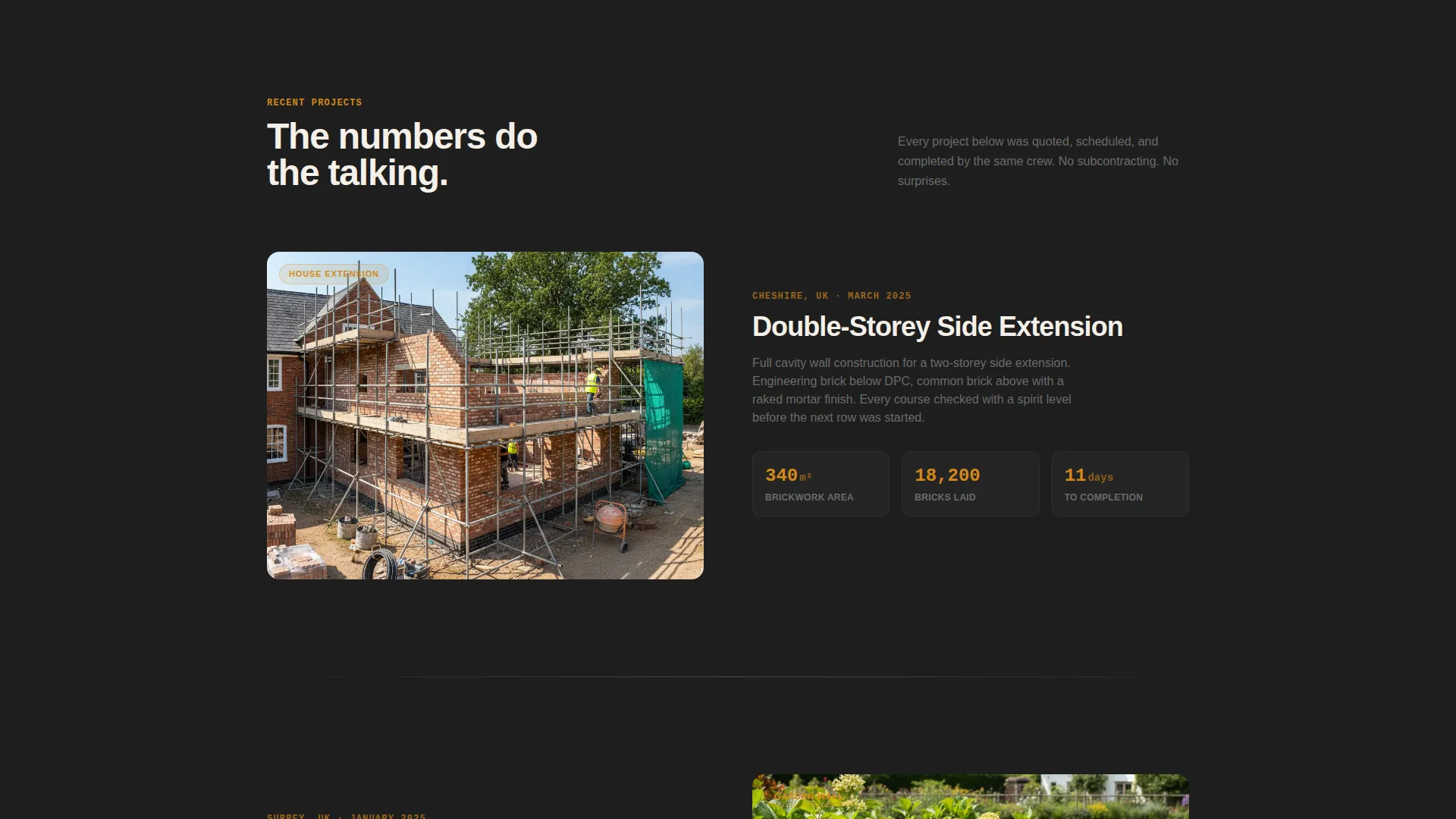
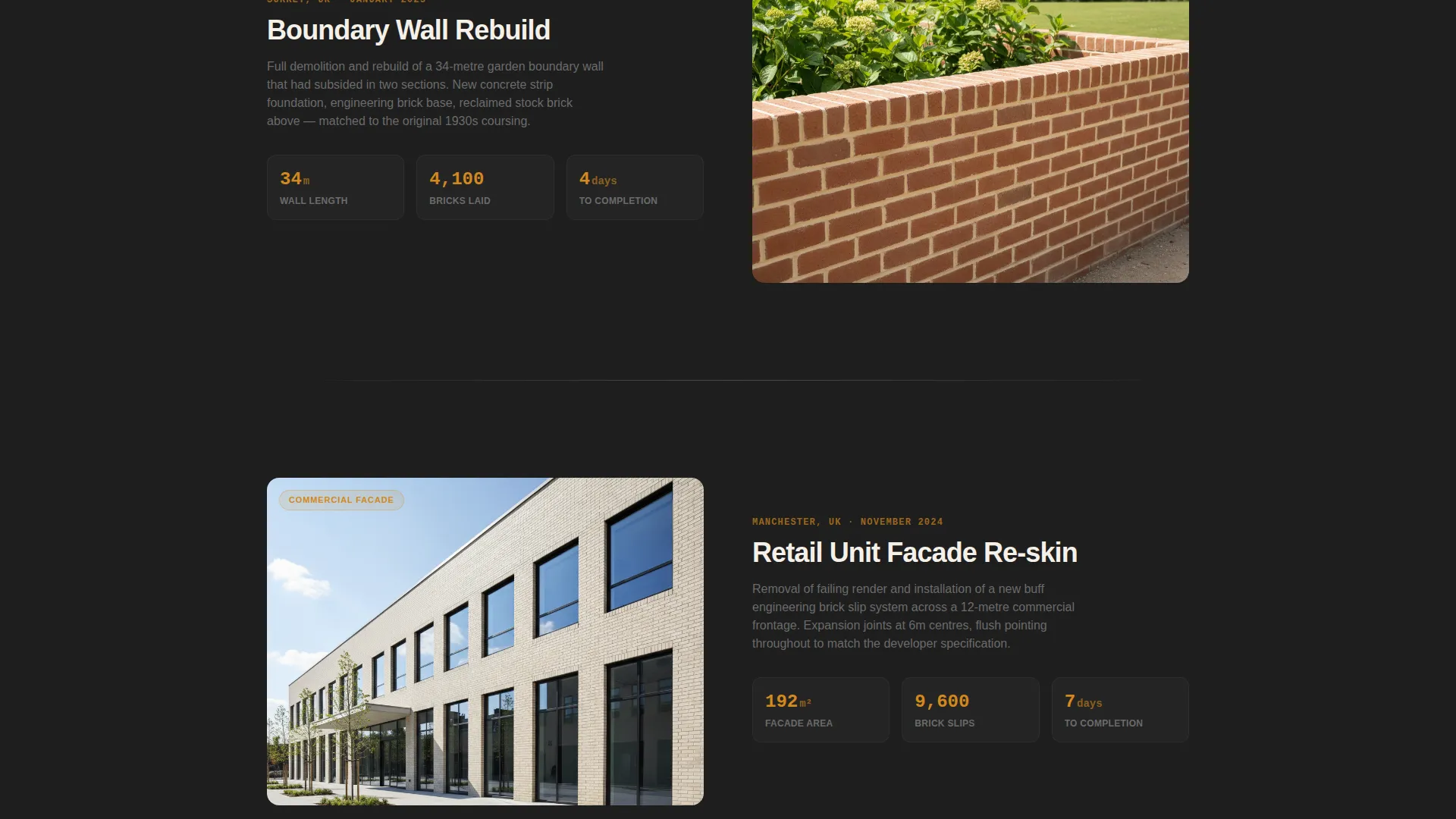
- A zigzag alternating layout pairing project photos with project stats across multiple scroll sections
- An interactive material selector and a multi-step quote request form with a persistent mobile call-to-action bar
Feature list
This section covers the built-in components that make Mortar work as a conversion-focused bricklayer landing page.
Stats Wall Header
Three oversized amber numbers sit on a deep charcoal background and animate upward as the page loads. Each number represents a real proof point: walls built, quote turnaround rate, and years of experience. This above-the-fold section earns trust before the visitor reads a single sentence of body copy.
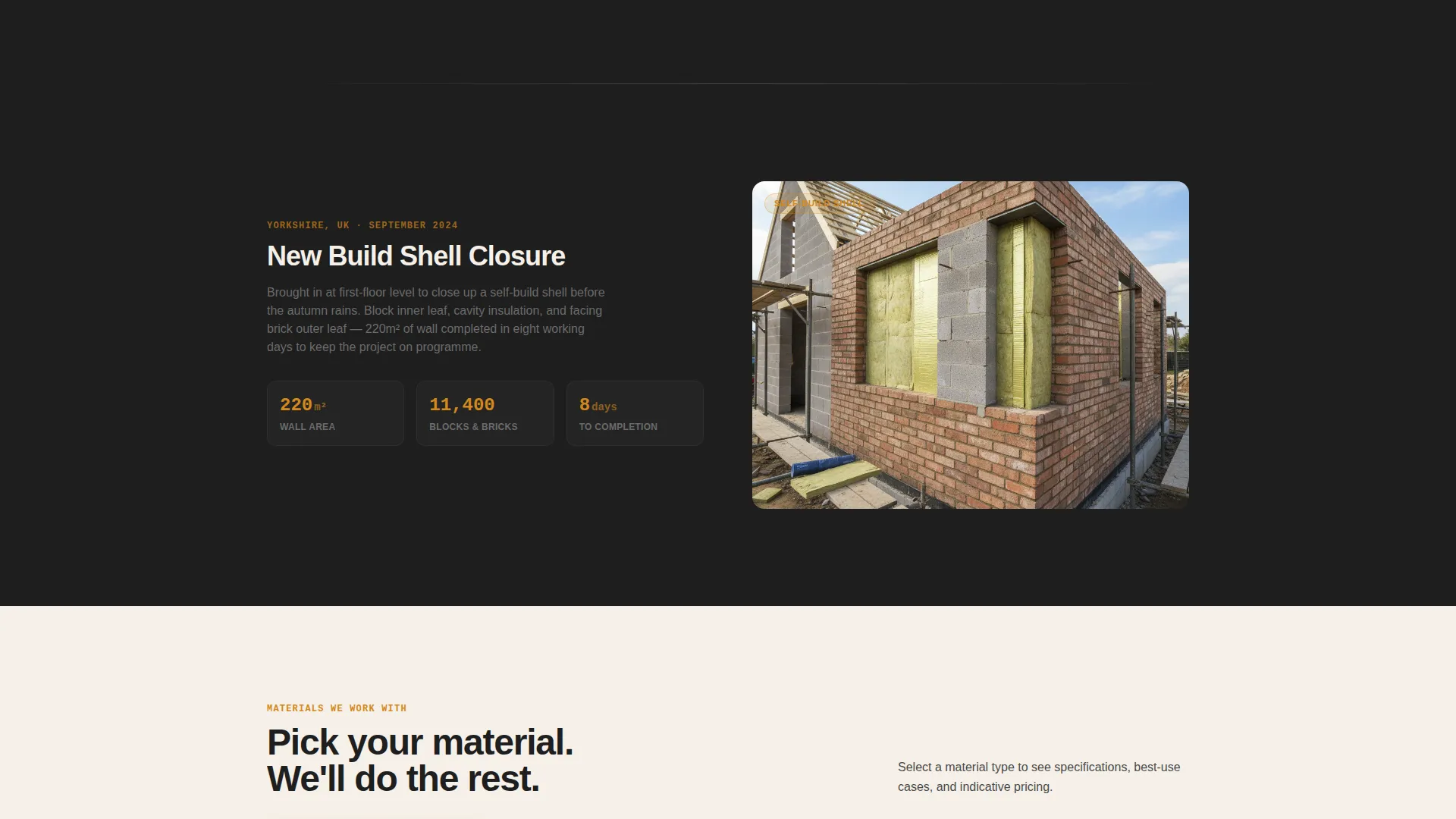
Zigzag Project Showcase
Each scroll section alternates a project photo on one side with a tight cluster of project stats on the other. Square metres laid, bricks used, and days to completion rotate across sections. The diagonal visual rhythm keeps the eye moving and lets the numbers do the selling.
Interactive Material Selector
A mid-page selector lets visitors choose from common brick, engineering brick, natural stone, and block and render. This interactive step creates engagement before the form appears and helps the visitor feel informed rather than rushed into a decision.
Structured Quote Request Form
The form collects job type first (new build, extension, repair, or garden wall), then postcode, then a free-text dimension or detail field, then a preferred start window. This sequence keeps responses specific and filters out vague or unqualified enquiries.
Persistent Mobile Call-to-Action Bar
On mobile devices, a "Get Your Quote Today" bar stays pinned to the bottom of the screen throughout the entire page scroll. A secondary "Call the Crew" tap-to-dial path is also included for visitors who prefer a direct phone conversation.
Service Utility Visual Theme
The full charcoal and amber colour system runs consistently across backgrounds, dividers, interactive elements, and stat highlights. The lime-wash white content panels create clear contrast, and the overall palette is designed to feel like a building site at golden hour.
Page sections overview
| Section | Purpose |
|---|---|
| Stats Wall Header | Opens with proof numbers and a single action line |
| Project Showcase Row 1 | Photo left, project stats right |
| Project Showcase Row 2 | Stats left, photo right |
| Project Showcase Row 3 | Photo left, project stats right |
| Material Selector | Mid-page interactive engagement step |
| Quote Request Form | Collects job type, postcode, details, and timeline |
| Footer Call Bar | Persistent mobile quote and direct call options |
Design & branding system
The Mortar template uses a Service Utility visual theme built on four tightly defined colours. Every element has a clear role in the hierarchy.
- Deep soot charcoal (#1E1E1E) for primary backgrounds, trowel-steel gray (#4A4A4A) for section dividers and secondary text, kiln-fired amber (#D4881C) for all interactive elements and stat highlights, and lime-wash white (#F5F0E8) for content panels
- The overall palette is described in the brief as a building site at golden hour: dust in the air, fresh brickwork still warm, the kind of scene that signals craft and reliability
- Typography and spacing keep sections clean and skimmable, so visitors can absorb the stats and project details without feeling overwhelmed
Mobile & speed optimization
The template is built with mobile visitors in mind, because many homeowners and self-builders browse trade services on a phone.
- The persistent bottom bar pins the primary call-to-action to the screen at all times, removing the need to scroll back up to enquire
- The "Call the Crew" tap-to-dial option gives mobile visitors an instant path to a phone conversation without filling out any form
- The zigzag layout and stat clusters reflow cleanly for narrower screens, keeping the visual rhythm intact on mobile viewports
How this template helps you convert
The conversion logic in Mortar follows a deliberate sequence: prove competence first, invite interaction second, then ask for the enquiry.
- The stats wall above the fold establishes credibility immediately, so the visitor arrives at the form already convinced rather than still evaluating
- The material selector creates a low-commitment interaction midway down the page, warming the visitor up before they reach the quote form
- The structured form fields guide the visitor step by step, producing specific, actionable enquiries rather than vague "how much does it cost?" messages
Other information about this template
Mortar is a focused, single-purpose landing page template built specifically for the bricklayer quote request niche. A few additional details worth knowing before you use it:
- The template is designed for the bricklayer business category within professional services, making it immediately relevant to trade operators in this niche
- The zigzag alternating layout style means you can add or remove project showcase rows to match how many completed jobs you want to feature
- The form's preferred start window field (covering options such as as soon as possible, within a month, or flexible) helps you plan your schedule around genuine upcoming availability
- All colour values are named and documented in the brief, so any designer or no-code builder can apply the exact palette without guesswork
Theme
Service Utility
Creative direction
Stats-First Impact
Color system
Charcoal & Amber
Style
Zigzag/Alternating
Direction
Booking/Scheduling
Page Sections
Stats Wall Header with Count-up Animation
Zigzag Alternating Project Sections
Interactive Material Selector
Structured Multi-step Quote Form
Persistent Mobile Call-to-action Bar
Service Utility Colour System
Related questions
Can I use this template if I specialise in one type of brickwork?
Does the template work without project photos?
How does the persistent mobile call-to-action bar work?
Is this template suitable for commercial bricklaying enquiries?
Can I change the three header stat numbers to match my own business?



