Historic Window Restoration Landing Page Template
Mullion is a hero-dominant landing page template built for historic window restoration workshops. It combines a hand-drawn animated line-art header, neighborhood-anchored project case studies, and two clear conversion paths, a window survey form and a downloadable restoration guide, to help preservation-minded craftsmen turn old-house owners into booked clients.
by Rocket studio
Quick summary
Mullion is a single-page template designed for skilled window restoration craftsmen. It opens with an animated six-over-six window illustration that sketches itself line by line, then walks visitors through real neighborhood projects, complete with before-and-after details, neighbor pull-quotes, and cost comparisons, before guiding them to book a window survey or download a restoration guide.
Who this template is for
This template is built for craftsmen and small workshops whose work centers on saving original windows rather than replacing them. If your clients own century-old homes and your team works with hand-mixed putty, sash weights, and wavy glass, this page speaks your language.
- Historic window restoration workshops and one-trade specialists
- Preservation contractors serving Victorian, Colonial, and Federal-era neighborhoods
- Old-house tradespeople who want to attract homeowners already resistant to vinyl replacement
What problem this template solves
Most home-service landing pages look identical. They rely on stock photography, generic trust badges, and vague promises. For a restoration workshop, that approach works against you. Clients who care about their 1890s double-hung need to see craft, not a sales pitch.
- Generic templates cannot convey the quiet authority that preservation work demands
- Homeowners unsure about restoration versus replacement need evidence, not slogans
- Without a clear lead-capture path, interested visitors leave without booking or sharing contact details
What you get with this template
You get a fully structured landing page that does the persuading before anyone picks up the phone. Every section is sequenced to move a skeptical old-house owner from curiosity to confidence.
- An animated line-art hero with a headline and two primary conversion options built in
- Neighborhood case study sections with address-level project details, cost figures, and warranty references
- A fixed scroll-triggered navy bar that keeps the primary call to action visible at all times
Feature list
This template is built around a clear editorial sequence. Each feature below reflects something the template actively delivers, as described in the source brief.
Animated Line-Art Hero Header
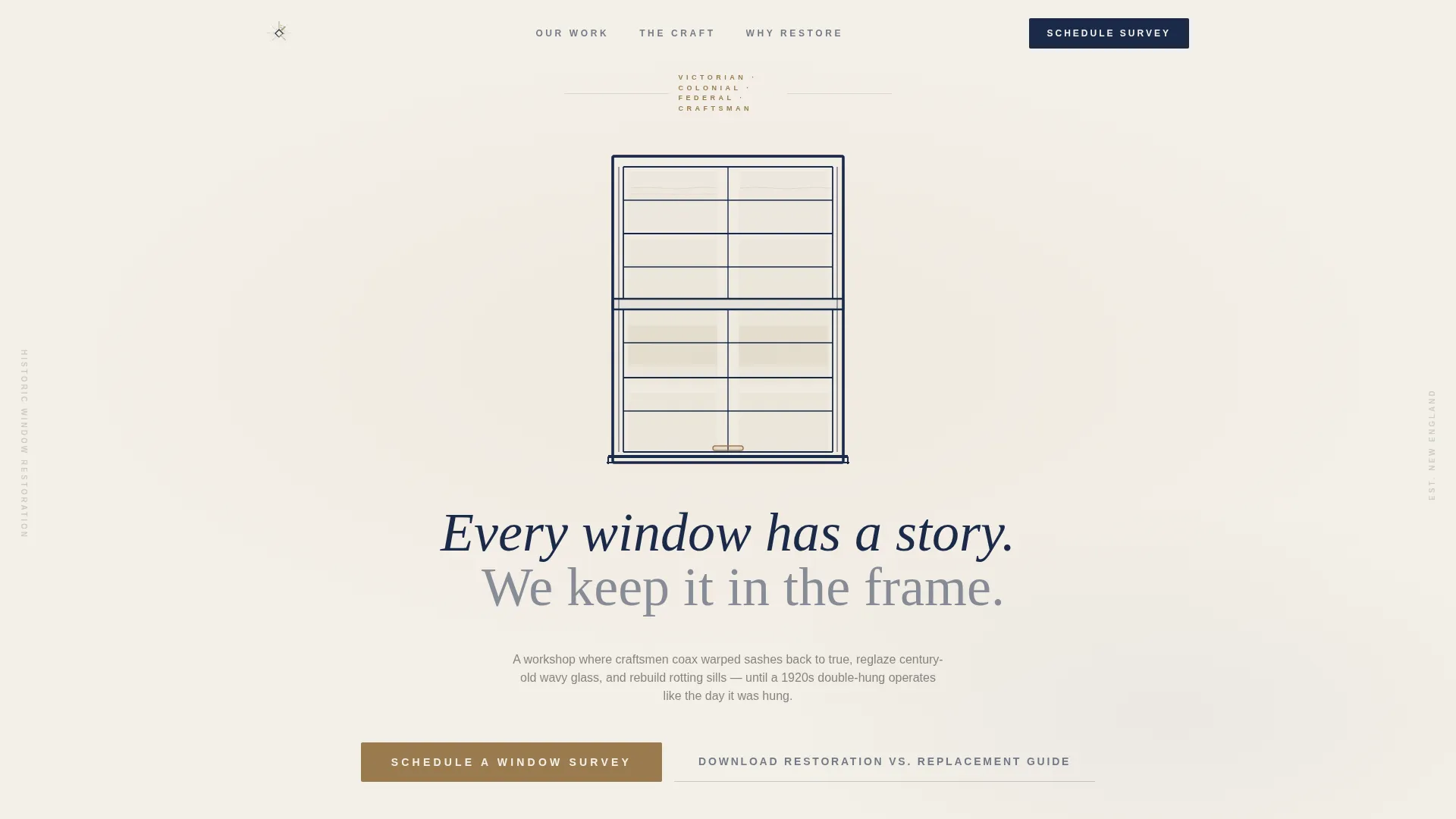
The header opens with a hand-drawn elevation of a six-over-six window. Pane by pane, muntin by muntin, the illustration draws itself in real time against a putty-knife cream background. The effect communicates precision and patience before a single word of body copy is read.
Hero-Dominant Layout with Two Conversion Paths
The hero section carries ninety percent of the visual weight. Inside it, visitors find the primary call to action to schedule a window survey alongside a secondary option to download a restoration versus replacement guide. Both paths appear before the visitor scrolls.
Neighborhood Case Study Sections
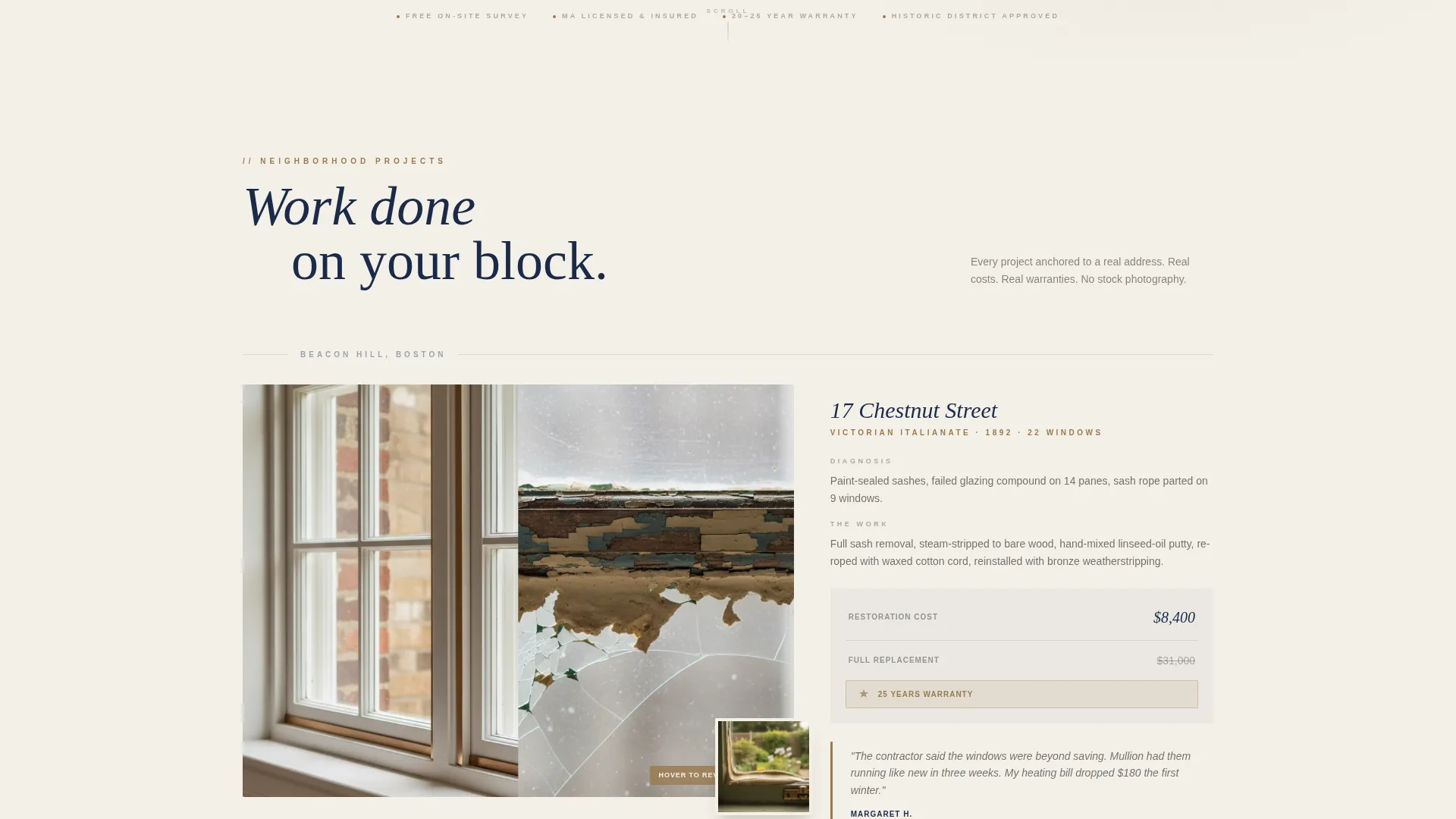
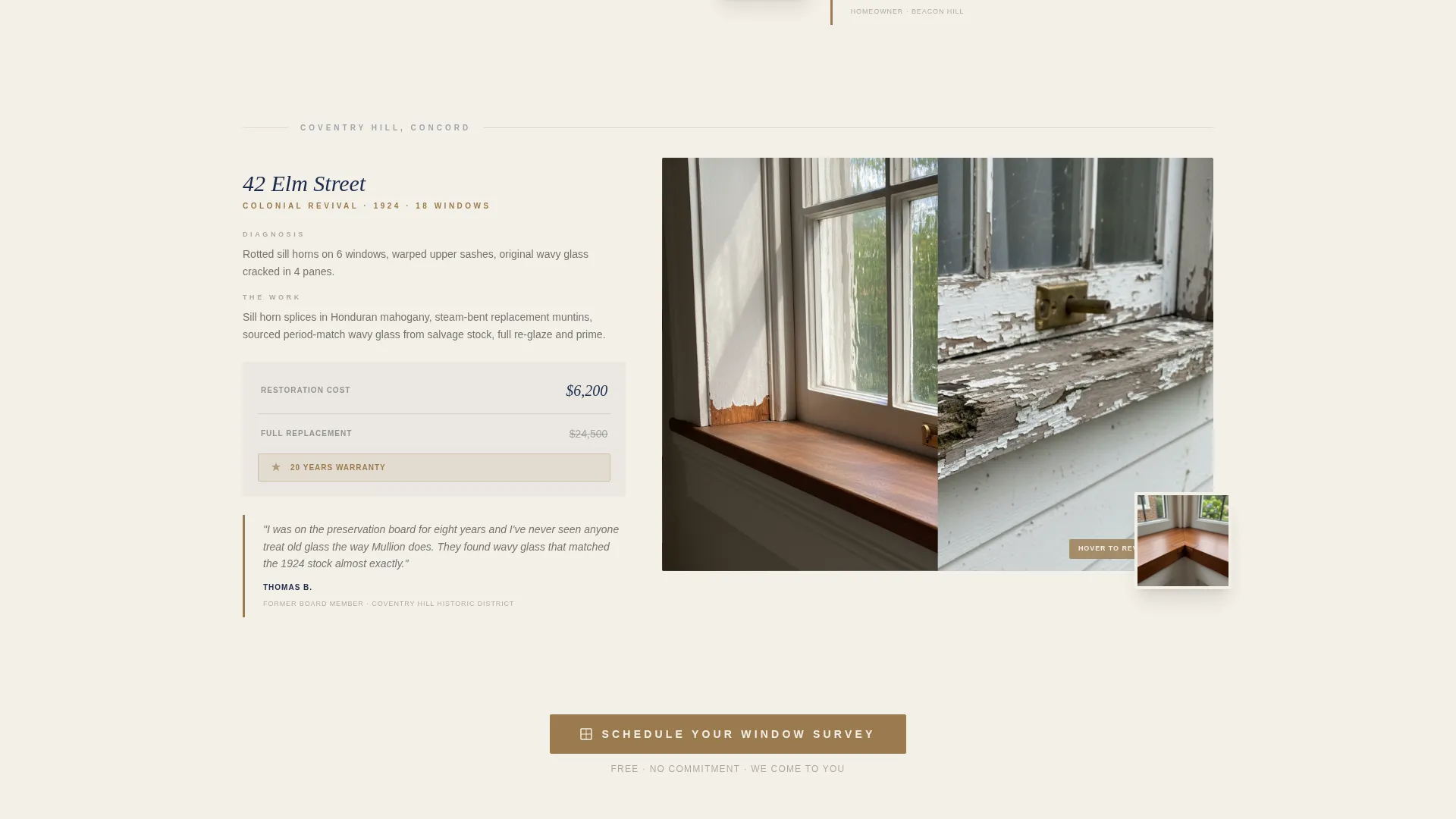
Each project block is anchored to a real address and neighborhood name. Sections move through diagnosis, craft process, and final result. They close with a dollar figure and a warranty year count so visitors can compare restoration against full replacement on a factual basis.
Fixed Scroll-Triggered Call-to-Action Bar
After the visitor scrolls past the hero, a slim navy bar locks to the top of the viewport. It keeps the "Schedule a Window Survey" prompt visible throughout the entire page experience without interrupting the reading flow.
Three-Field Survey Form
Clicking the primary call to action opens a focused form with three fields: property address, approximate window count, and the home's build decade. The short form lowers the effort barrier and collects the specific details a restoration workshop needs to prepare a useful survey.
Neighbor Pull-Quote Sections
Between project case studies, pull-quotes from neighboring homeowners appear as social proof. Each quote is tied to a specific street or block, making the testimonials feel grounded and local rather than generic.
Page sections overview
| Section | Purpose |
|---|---|
| Animated Hero | Introduces the workshop and presents both conversion paths |
| Survey Form Overlay | Captures address, window count, and build decade |
| Diagnosis Project Block | Shows paint analysis and rot mapping for a real address |
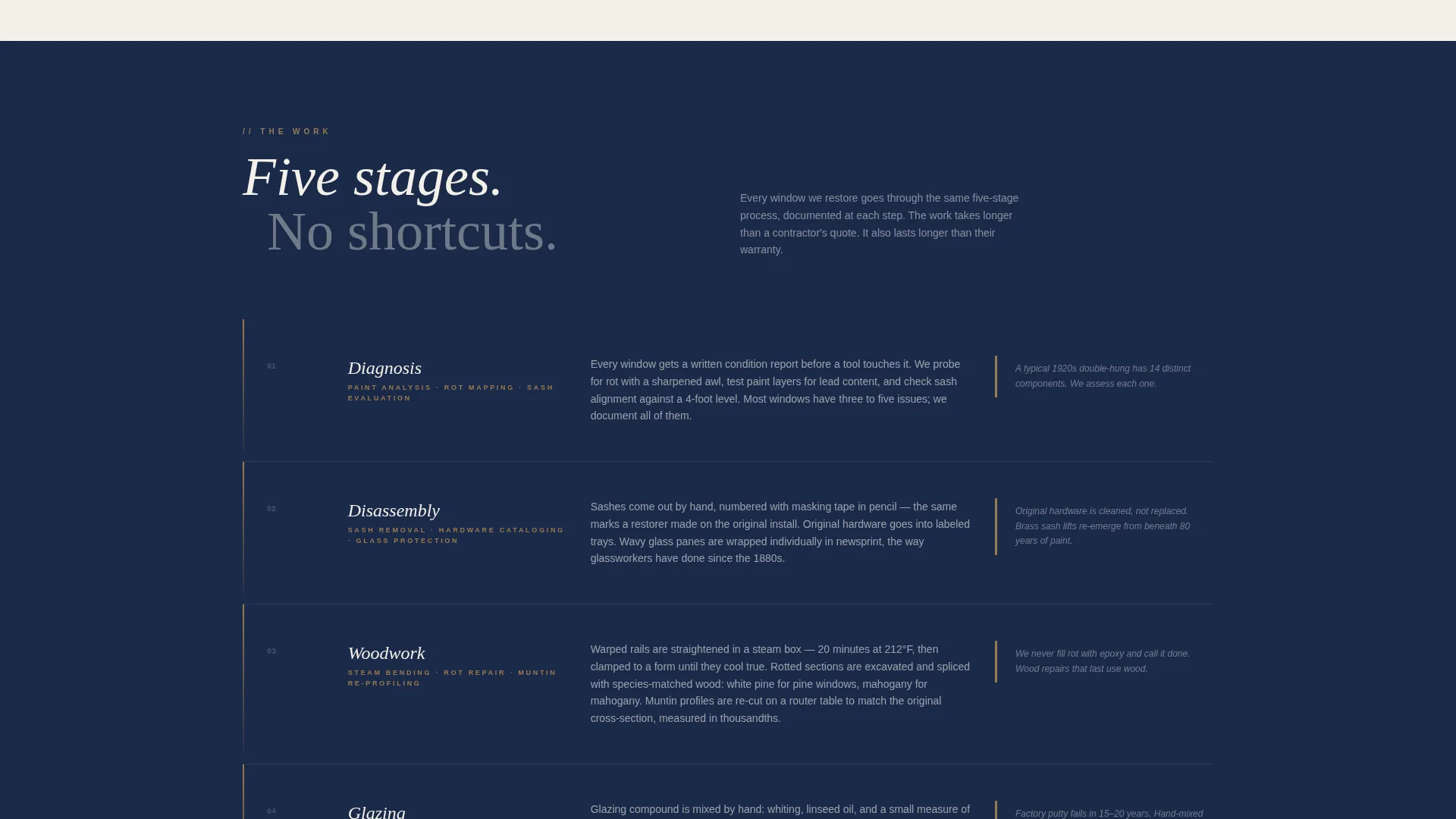
| Craft Process Block | Demonstrates steam bending, putty work, and sash re-roping |
| Result Project Block | Reveals the finished window with cost and warranty details |
| Neighbor Pull-Quote | Adds street-level social proof between case studies |
| Guide Download Section | Captures email in exchange for the restoration versus replacement PDF |
| Fixed call to action Bar | Keeps the survey prompt visible during scroll |
Design & branding system
The visual identity follows a Pastoral Calm theme built around the Navy Authority color system. Every color choice references the material world of historic preservation, painted shutters, plaster walls, original brass hardware.
- Deep heritage navy (#1B2A4A) anchors the header, footer, and fixed call-to-action bar
- Putty-knife cream (#F4F0E8) fills content sections and gives the line-art illustration room to breathe
- Oxidized brass (#9A7B4F) highlights calls to action, interactive elements, and hardware-detail accents; sash-weight charcoal (#3C3C3C) carries all body text
Mobile & speed optimization
The template is structured with a vertical scroll flow that translates naturally to smaller screens. Section-led layout decisions keep the reading experience intact whether a visitor arrives on a desktop or a phone.
- The hero illustration and headline stack cleanly on narrow viewports without losing the animation sequence
- The fixed call-to-action bar remains accessible during mobile scroll without overlapping content
- Project case study blocks reflow to single-column presentation on smaller screens, keeping before-and-after detail images readable
How this template helps you convert
Mullion converts by showing rather than telling. Every design and content decision is built to move a skeptical homeowner from arrival to action.
- The animated hero earns immediate trust through craft and precision before any claim is made in writing, so visitors arrive at the first call to action already disposed to believe you.
- Neighborhood case studies with real addresses, cost figures, and warranty counts give visitors the factual comparison they need to choose restoration over replacement, making the survey request feel like a logical next step rather than a sales commitment.
Other information about this template
Mullion is a purpose-built template for a niche that rewards specificity. The details below reflect additional context worth knowing before you customize and launch.
- The template style is Hero-Dominant at a ninety-to-ten ratio, meaning the hero carries almost all the visual weight and the remaining sections serve as supporting evidence
- The creative direction is Local and Neighborhood, so every project section is designed to hold a real address, a real neighbor quote, and a real cost figure rather than generic placeholder content
- The secondary conversion path, the downloadable restoration versus replacement guide, is designed to capture email addresses from visitors who are not yet ready to book, extending the relationship beyond the single page visit
- The page is built for direct sales, meaning it does not rely on a blog, portfolio gallery, or multi-page navigation to support the conversion sequence
Theme
Pastoral Calm
Creative direction
Local & Neighborhood
Color system
Navy Authority
Style
Hero-Dominant (90/10)
Direction
Direct Sales
Page Sections
Animated Line-art Hero Illustration
Dual Conversion Path Hero
Address-anchored Case Studies
Fixed Scroll-triggered Call to Action Bar
Neighbor Pull-quote Blocks
Three-field Survey Intake Form
Related questions
Can I use this template without animation experience?
How do I add my own project case studies?
Can I present both conversion paths at the same time?
Does the fixed call-to-action bar work on mobile screens?
What if I only work in one neighborhood or on one building type?



