Military Family Counseling Landing Page Template
Muster is a warm, masonry-style landing page built for military family counseling practices. It combines a cascading photo mosaic header, a Pinterest-style resource card layout, and an email-gated toolkit with a situation selector. The page earns trust by giving two free resources before asking for anything, then gently guides families toward booking a free call.
by Rocket studio
Quick summary
Muster is a single-page counseling landing page designed for practices that serve military families. It opens with a parallax photo grid, moves through ungated resources and masonry story cards, and closes with an email-gated toolkit and a floating booking button. The entire flow feels warm, community-driven, and deeply specific to military life.
Who this template is for
This template is built for counselors and mental health practices whose work centers on military families. It speaks directly to the people in those families and to the clinicians ready to meet them.
- Military family counseling practices looking for a resource-first landing page
- Therapists and support groups serving deployed, recently returned, or transitioning service members' families
- Practices targeting military spouses, teenagers processing a parent's deployment, and veterans' partners
What problem this template solves
Generic therapy websites feel cold and clinical to military families who have learned not to ask for help. Muster solves the trust gap by leading with warmth and proof before making any request.
- Skeptical spouses and overwhelmed parents need to feel understood before they will share an email address
- Families in different seasons of military life (deployment, reintegration, transition) need resources matched to their moment
- Practices need a conversion path that earns the click rather than demanding it
What you get with this template
You get a fully structured single-page layout that handles every stage of the visitor journey, from first impression to email capture to call booking.
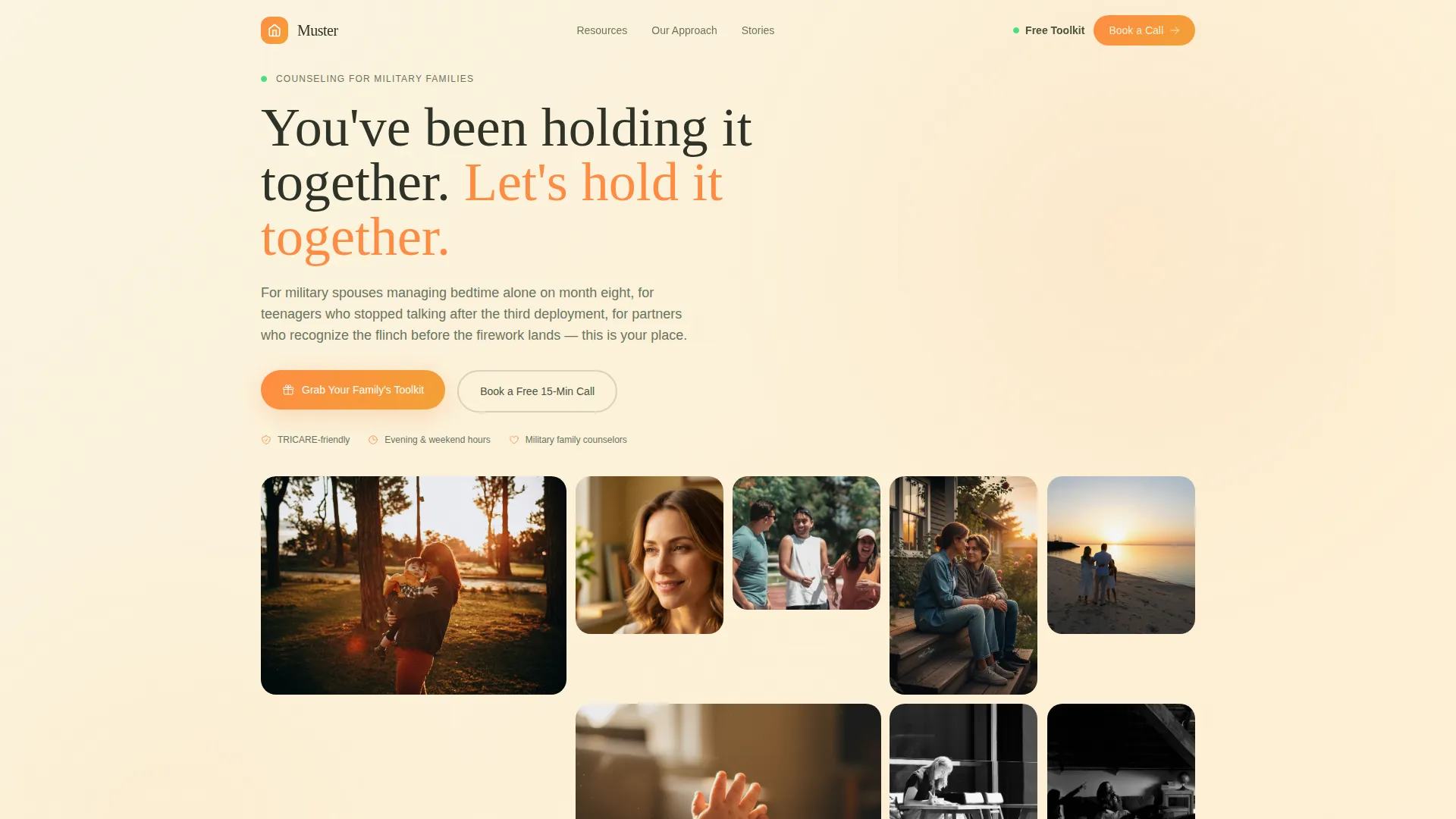
- A parallax photo mosaic hero with a warm headline and dual call-to-action buttons
- Two ungated full resources visible before any email prompt, plus a masonry grid of story cards covering testimonials, guides, webinars, and journal prompts
- An email-gated toolkit section with a three-button situation selector (Currently Deployed, Recently Returned, Transitioning Out) and a floating "Book a Free 15-Minute Call" button
Feature list
This template is built around six purposeful components that work together to welcome, inform, and convert military family visitors.
Cascading Photo Mosaic Header
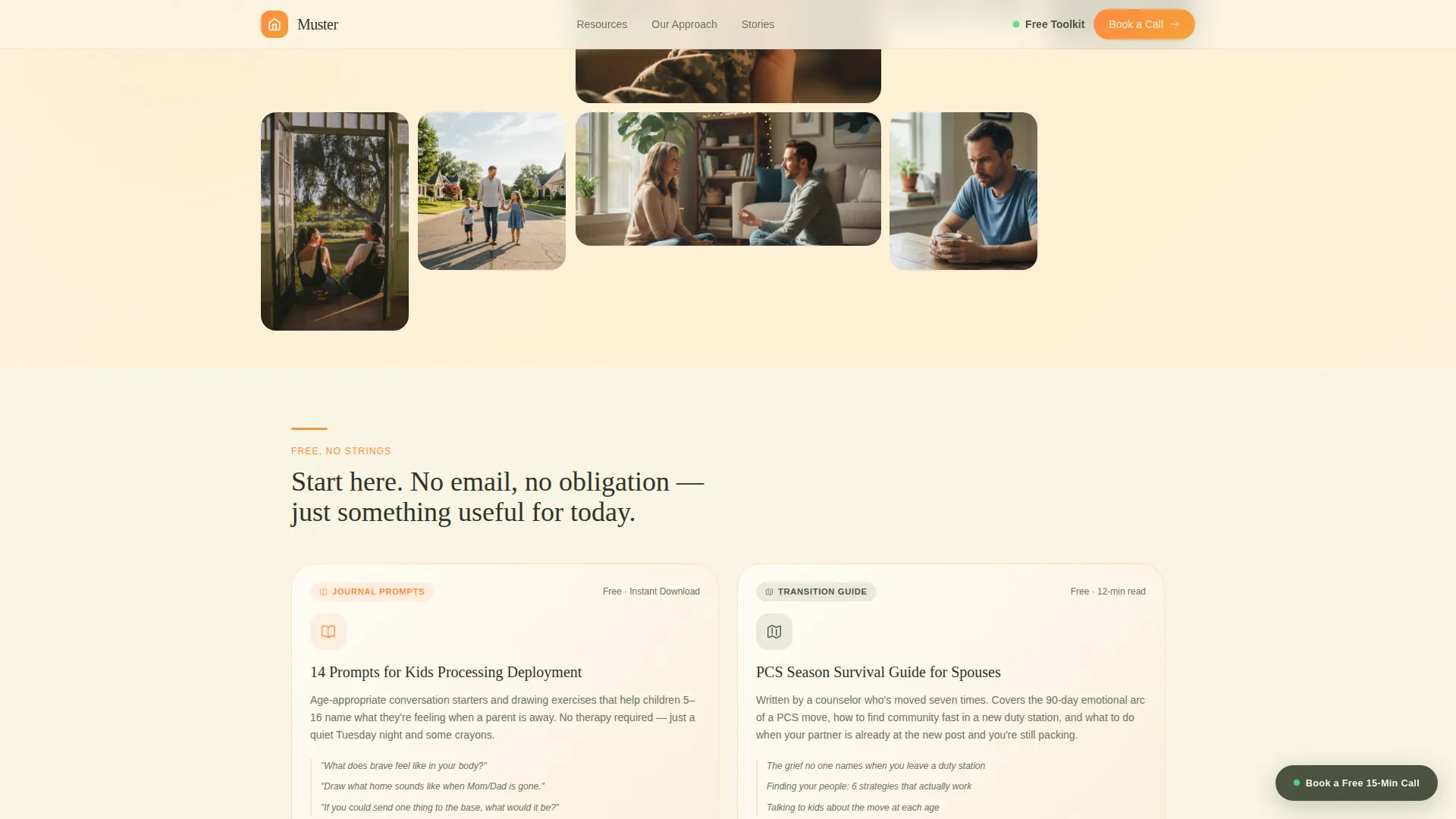
The hero section is an asymmetric grid of candid, golden-lit photographs that load in a gentle cascade. Each image carries natural grain and motion blur. A subtle parallax effect shifts photograph depth as visitors scroll, making the mosaic feel like pinned memories rather than a stock photo wall.
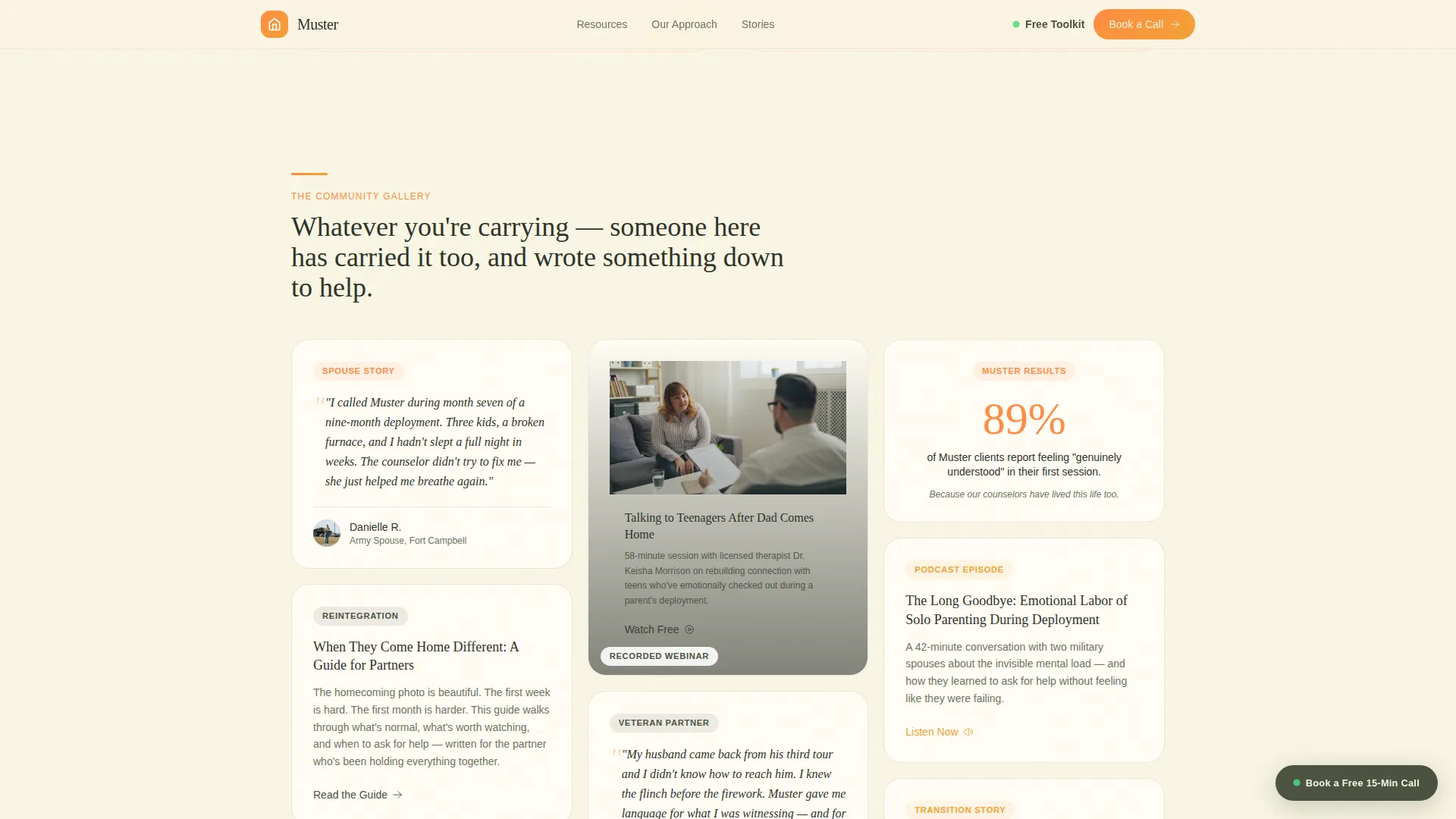
Masonry Story Card Layout
Past the hero, a Pinterest-style grid presents resource cards of varying heights. Cards include spouse video testimonials, downloadable guides, journal prompt series, and recorded webinars. The staggered scroll widens the circle of recognition rather than escalating pressure.
Two Ungated Free Resources
Before any email prompt appears, visitors can access two complete resources in full. This section proves the practice understands military family life before asking for anything in return.
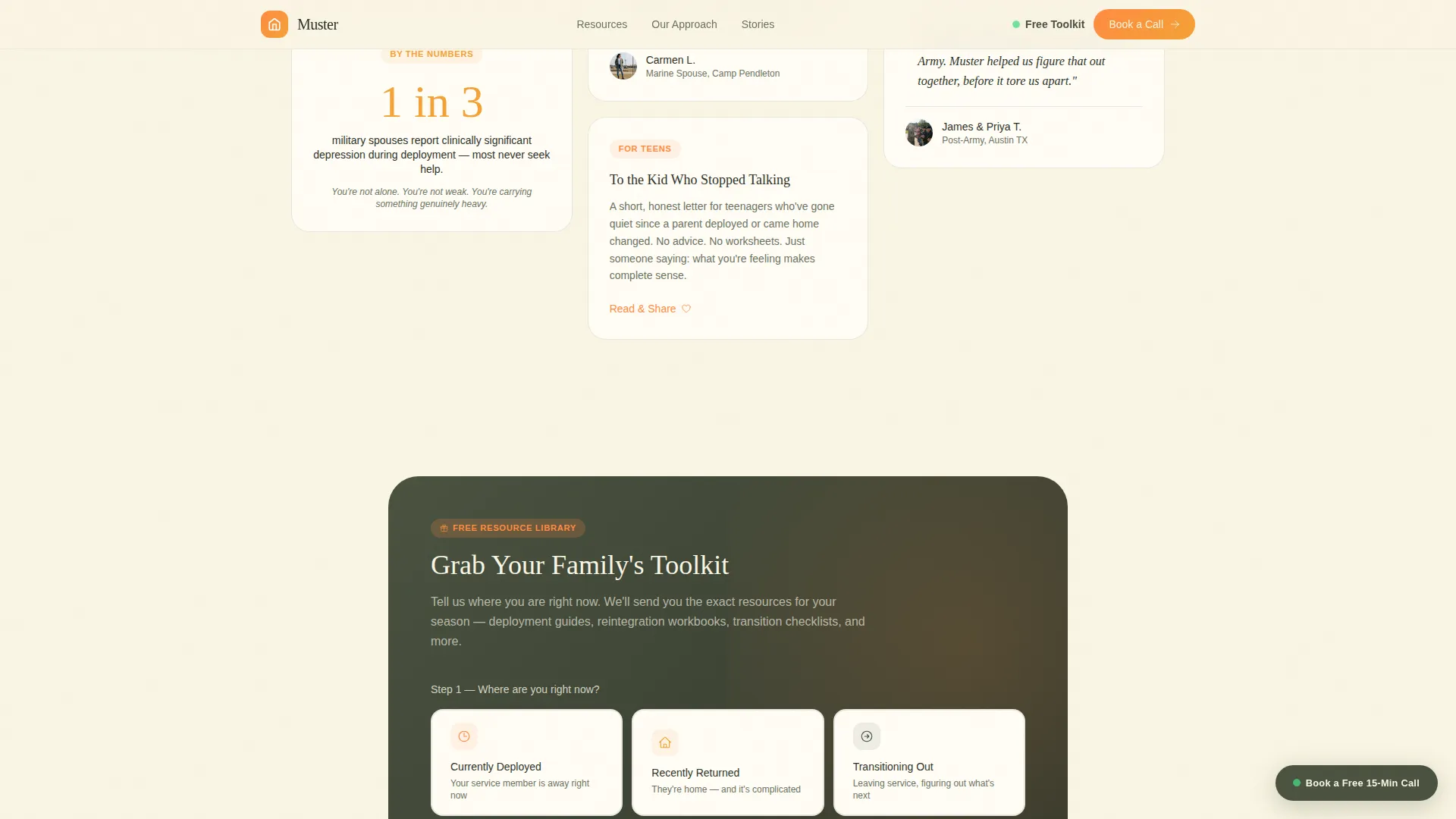
Email-Gated Toolkit Modal
A situation selector presents three buttons so visitors self-identify their current season: Currently Deployed, Recently Returned, or Transitioning Out. They then enter a first name and email to access the full family toolkit library.
Floating Booking Call to Action
A secondary call-to-action button stays gently pinned in the corner throughout the scroll. It invites families who are ready to talk now to book a free 15-minute call without disrupting the resource-first flow.
Testimonials and Social Proof Section
Named spouse testimonials and video quotes appear in an alternating layout with specific, real-feeling outcomes. This section builds confidence for visitors who need proof before they commit.
Page sections overview
| Section | Purpose |
|---|---|
| Hero Photo Mosaic | Opens with warmth via cascading parallax photo grid and dual call-to-action |
| Free Resources Duo | Delivers two ungated resources to prove value before asking for an email |
| Masonry Story Cards | Presents varied-height cards with testimonials, guides, webinars, and prompts |
| Toolkit Gated Call to Action | Captures email after situation selector confirms the right resource path |
| Testimonials and Booking | Reinforces trust with named social proof and free call booking option |
| Footer | Provides logo, four navigation links, and copyright line |
Design & branding system
The visual identity follows a Family First theme expressed through the Citrus Burst color system. The palette feels like a kitchen windowsill catching golden hour light on a summer evening, warm without ignoring the weight these families carry.
- Colors: sunlit tangerine (#FF8C42) as the primary, ripe clementine (#F4A236) as an accent, soft honeydew morning (#F9F5E3) as the background, and grounding olive drab (#4A5240) for text and structural details
- Typography: Fraunces serif for headlines to add editorial warmth, DM Sans for body copy to keep reading easy and clear
- Photography style: candid, golden-lit images with natural grain and motion blur, no stock-photo sterility
Mobile & speed optimization
This template is built mobile-first because military spouses are most likely browsing on a phone during nap time or school pickup. Every layout decision respects that context.
- The hero mosaic uses priority image loading so the most important visuals appear immediately on smaller screens
- Masonry story cards use lazy loading so the scroll stays smooth as more content enters the viewport
- The floating booking button and toolkit modal are designed to work cleanly on touch screens without obscuring content
How this template helps you convert
The conversion strategy is generosity first. The page earns trust through free resources and lived-in warmth before presenting any ask.
- Two full ungated resources appear early in the scroll, showing visitors that this practice understands their specific season of military life before requesting contact details.
- The toolkit modal uses a situation selector so the email capture feels personally relevant rather than generic, increasing the likelihood that a visitor completes the form.
- The floating "Book a Free 15-Minute Call" button stays visible throughout the page for families who are already ready, creating a secondary conversion path that does not interrupt the resource-first journey.
Other information about this template
This template sits at the intersection of the Kids & Family category and the Military Family Counseling niche. It is well suited for practices building a resource hub alongside a counseling intake funnel.
- The Community Gallery creative direction means scrolling feels like being welcomed deeper into a neighborhood, not pushed through a sales funnel
- GSAP scroll reveals and masonry card stagger animations are included to bring the lived-in warmth to life on screen
- The linear footer pattern includes a logo, four navigation links, and a copyright line, keeping the close of the page clean and professional
- The template supports a US English context with USD formatting and references to US military base life, making localization straightforward for domestic military family practices
Theme
Family First
Creative direction
Community Gallery
Color system
Citrus Burst
Style
Masonry/Pinterest
Direction
Content/Resource
Page Sections
Cascading Parallax Photo Mosaic
Pinterest-style Masonry Card Grid
Two Ungated Free Resources
Situation-selector Toolkit Modal
Floating Booking Button
Named Social Proof Section
Related questions
Who is this landing page template designed for?
Can I use this template if my practice is not located on a military base?
What does the email-gated toolkit section include?
How does the masonry card layout work?
Can visitors book a call without going through the toolkit flow?



