Veterans Services Government Booking Website Template
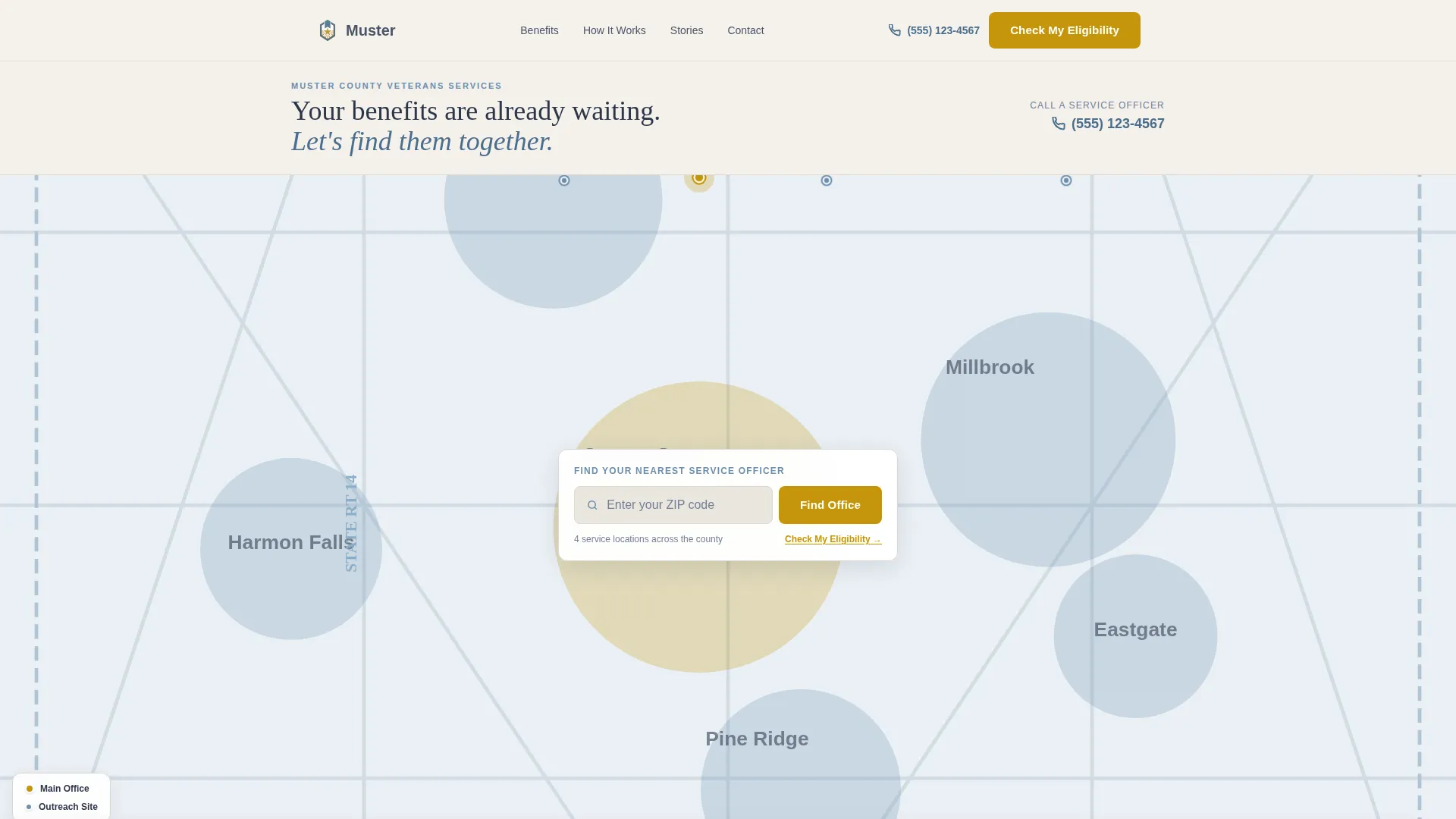
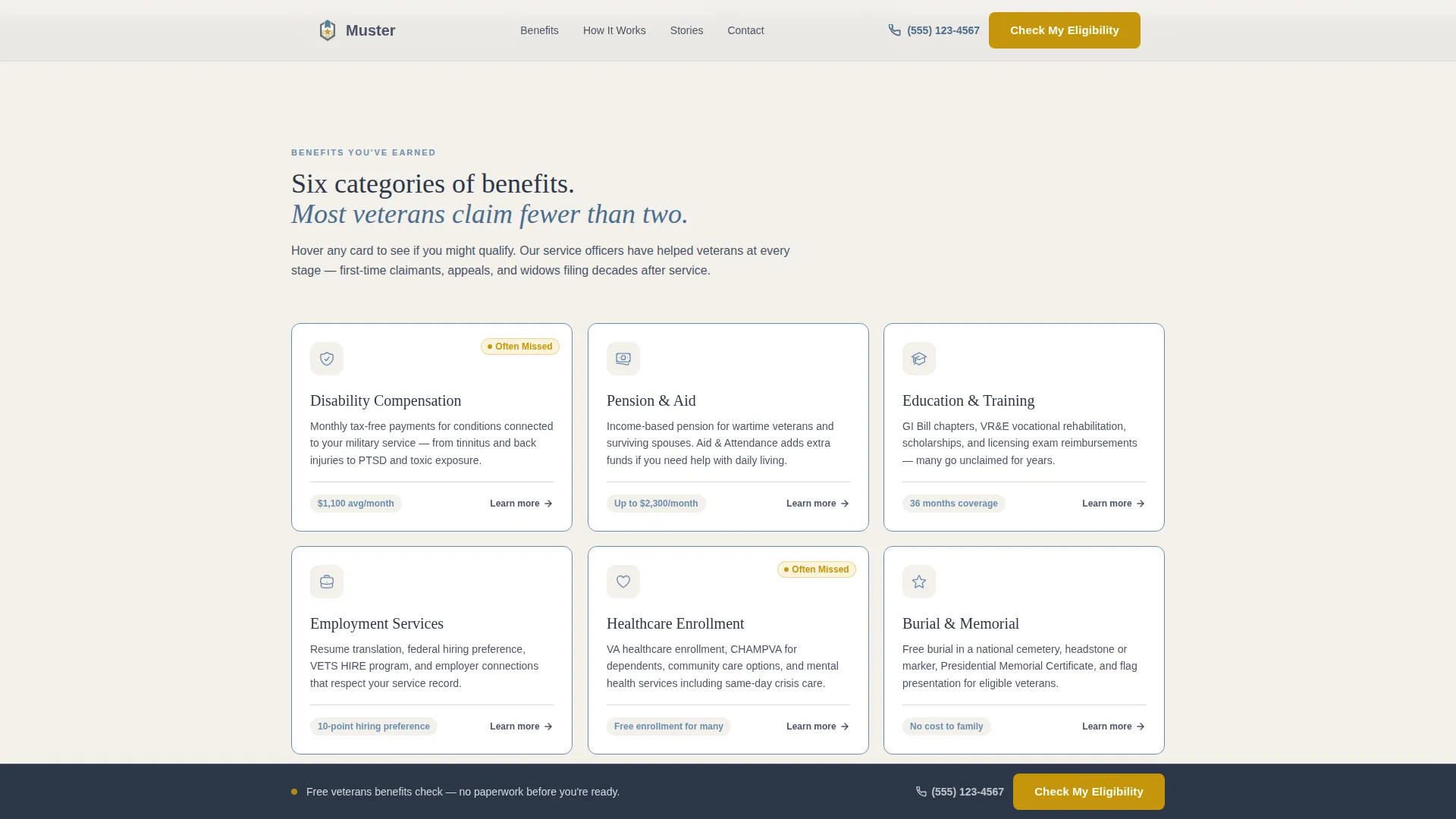
Muster is a card grid landing page template built for county veterans service offices. It opens with an illustrated map and ZIP code search, then guides visitors through modular benefit cards covering disability, pension, education, employment, healthcare, and burial. The design feels official but warm, and every element is built to move veterans toward scheduling an appointment or calling a service officer.
by Rocket studio
Quick summary
Muster is a single-page template designed for county veterans service offices. It combines a map-based hero, a modular benefit card grid, a recovery counter, testimonials, and a clear call-to-action section. The goal is simple: help every veteran, surviving spouse, or dependent understand what they are owed and take the next step to claim it.
Who this template is for
This template is built for county-level offices that help veterans navigate federal benefit programs. It works for any office that needs a public-facing page that educates first and converts second.
- Veterans service officers and county VSO (Veterans Service Organization) offices launching or refreshing their public web presence
- Outreach coordinators serving veterans from multiple eras, including Vietnam, Gulf War, post-9/11, and National Guard or Reserve members
- County government communications teams who need a structured, trustworthy page without starting from scratch
What problem this template solves
Many veterans never claim the benefits they earned. The reasons are consistent: they do not know what qualifies, they do not know where to go, and government pages rarely feel approachable. This template addresses each of those barriers directly.
- It answers the location question immediately with a map-based hero and ZIP code search, so visitors know exactly where to go before they scroll
- It replaces confusing eligibility language with plain-language card hints, so a retired sergeant unsure about a tinnitus claim or a Vietnam-era widow unfamiliar with Dependency and Indemnity Compensation can self-identify without jargon
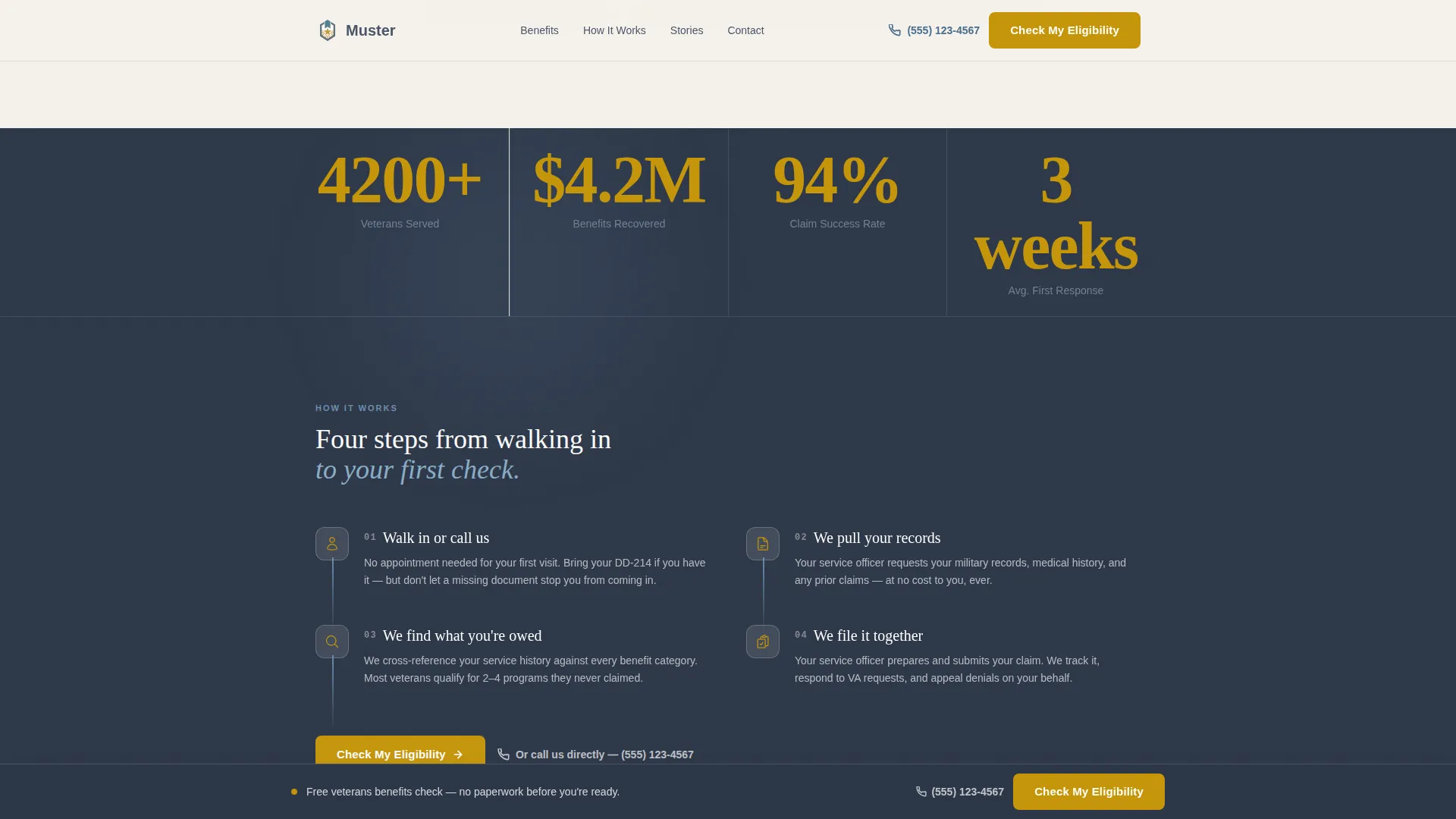
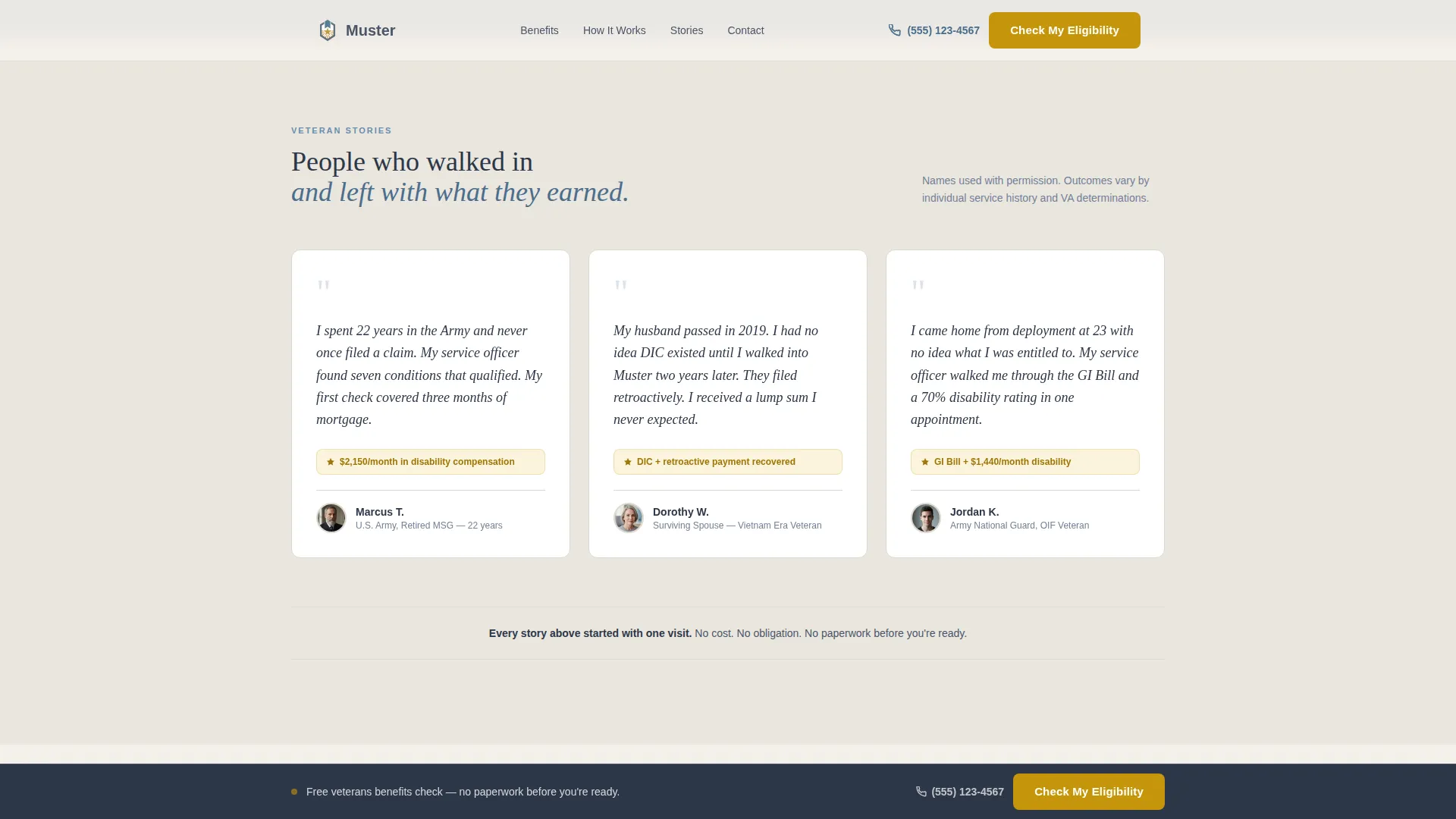
- It builds trust through a concrete dollar-recovery counter and specific testimonials, so skeptical visitors see proof before they are ever asked for anything
What you get with this template
The template delivers a fully structured, single-page layout with every major section a veterans service office needs to inform and convert visitors. Each section is purposeful and ready to customize with real county data.
- A map-based hero section with a ZIP code search bar, pulsing office location markers, and a primary "Check My Eligibility" call-to-action button
- Six modular benefit cards with hover-reveal eligibility hints, a live-updating recovery counter, and a sticky bottom call-to-action bar that appears after the second card row
- A testimonials row, a full-width "Start Today" section, and a linear single-row footer completing the page structure
Feature list
This template includes a focused set of built-in features, each designed to reduce friction and build confidence for veterans and their families.
Map-Based Hero with ZIP Search
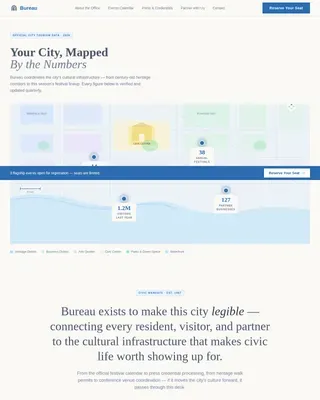
The header fills the viewport with an illustrated county map. Gold pulsing dots mark the main office and any satellite outreach sites. A centered search bar lets visitors enter their ZIP code to find their nearest veterans service officer. This answers the first question every visitor has before they read a single word of copy.
Modular Benefit Card Grid
Six benefit categories are laid out as individual cards: Disability Claims, Pension and Aid, Education and Training, Employment, Healthcare Enrollment, and Burial and Memorial. Hovering over any card reveals a one-sentence eligibility hint in plain language. Each card links through to a dedicated resource page, making the grid a practical navigation tool, not just a visual layout.
Animated Recovery Counter
Between card rows, a single-line counter displays the total dollar amount recovered for county veterans in the previous year. The counter uses a scroll-triggered animation to count up as the visitor reaches it. This single data point does more trust-building work than a paragraph of text.
Sticky Call-to-Action Bar
After the visitor scrolls past the second benefit card row, a sticky bottom bar appears with the primary "Check My Eligibility" button and a secondary "Call a Service Officer Now" click-to-call link. The bar stays visible as the visitor continues scrolling, keeping the conversion path open without interrupting the reading experience.
Testimonials with Specific Outcomes
Three testimonial blocks are included, structured to feature a veteran or dependent's name, branch of service, and era alongside a concrete outcome. This format grounds social proof in real specifics rather than vague praise.
Single-Row Footer
The footer follows a linear single-row pattern, keeping the bottom of the page clean and uncluttered. It provides the essential office contact details and links without adding visual noise after the main call-to-action section.
Page sections overview
| Section | Purpose |
|---|---|
| Map Hero | Show office locations and launch ZIP search |
| Benefit Cards Grid | Present six benefit categories with hover eligibility hints |
| Recovery Counter | Display dollar amount recovered to build trust |
| How We Work | Explain the office intake process in brief steps |
| Veteran Testimonials | Share concrete, named outcomes from real cases |
| Start Today call to action | Full-width section with primary and secondary actions |
| Sticky call to action Bar | Persistent bottom bar for eligibility check and call link |
| Page Footer | Office contact details in a single linear row |
Design & branding system
The visual identity follows an Educational Guide theme built on the Cloud Canvas color system. The result is a page that feels like a government pamphlet redesigned by someone who cares, clean enough to trust and warm enough to actually read.
- Color palette: soft overcast white (#F4F1EC) for backgrounds, steady slate (#4A5568) for body text, muted field blue (#6B8EAE) for card borders and iconography, and action gold (#C5960C) reserved exclusively for buttons and progress indicators
- Typography: Fraunces serif for headlines, giving the page editorial weight, paired with DM Sans for body text and interface elements to keep reading easy at any size
- Animation and interactivity: medium-weight scroll reveals bring sections in as the visitor moves down the page; card hover effects surface eligibility hints; the map includes pulsing gold dot animations; the recovery counter animates on scroll entry
Mobile & speed optimization
The template is built mobile-first, which matters because many veterans access public service pages from a phone, often in waiting rooms, at a kitchen table, or between appointments. Every layout decision prioritizes readability and tap targets on small screens.
- Card grid reflows cleanly to a single column on mobile, and the sticky call-to-action bar is sized for thumb reach
- The template uses static content and minimal JavaScript to keep page weight low, with server components used where possible to reduce unnecessary rendering overhead
How this template helps you convert
Every section on this page is sequenced to earn trust before asking for anything. The conversion strategy is built into the layout, not added on top of it.
- The map hero answers the location question immediately, removing the first barrier that causes visitors to leave, then places the primary "Check My Eligibility" button directly in the hero panel so motivated visitors can act at once
- The benefit card grid educates visitors about what they may qualify for before any form is mentioned, and the recovery counter makes the stakes concrete with a real dollar figure, so by the time the sticky call-to-action bar appears, the visitor already has a reason to click
Other information about this template
This template is part of the Muster design family and is built specifically for the veterans services government niche within the broader Government and Public category. It is a strong fit for any county office looking to replace an outdated or text-heavy page with a structured, visually guided experience.
- The template style is Card Grid (Modular), making it straightforward to add, remove, or reorder benefit categories as county service offerings change
- The layout supports two conversion paths side by side: an online intake form route via the eligibility check button and a direct phone route via the click-to-call link, accommodating veterans who prefer not to fill out forms online
- The page is designed around the Movement and Cause creative direction, meaning each scroll step is intentional: the further a visitor reads, the more benefit categories they discover and the more momentum builds toward taking action
Theme
Educational Guide
Creative direction
Movement & Cause
Color system
Cloud Canvas
Style
Card Grid (Modular)
Direction
Click-Through
Page Sections
Map-based Hero with ZIP Search
Modular Benefit Card Grid
Animated Recovery Counter
Sticky Eligibility Call-to-action Bar
Testimonials with Named Outcomes
Click-through Dual Conversion Paths
Related questions
Can I update the benefit card categories to match my county's actual services?
Is this template suitable for a county office that also serves surviving spouses and dependents?
How does the ZIP code search work in this template?
Does the sticky call-to-action bar appear on mobile as well?
Can the recovery counter be updated with real data from our office?