Kids Yoga After-School Landing Page Template
Namaste is a warm, scrapbook-style kids yoga after-school program landing page built on a masonry layout. It guides working parents from curious discovery to enrollment with illustrated cards, testimonial polaroids, audio snippets, and a persistent "Save Their Spot" call-to-action button. The sunset gradient palette and hand-lettered type make every scroll feel like turning a beloved picture book page.
by Rocket studio
Quick summary
Namaste is a single-page, masonry-grid landing page designed for kids yoga after-school programs. It blends watercolor illustration, scrapbook-style interactivity, and a warm sunset color system to earn parent trust before any enrollment ask. The page flows from a parallax hero to an adventures grid, testimonial polaroids, a class-day overview, and a persistent call-to-action button.
Who this template is for
This template is built for anyone promoting a children's yoga or mindfulness after-school program. If your audience is parents checking their phones in the pickup line, this layout speaks directly to them.
- Working parents of children aged roughly 4 to 10 who are weighing after-school enrichment options
- School wellness coordinators building social-emotional learning programs that need a clear parent-facing page
- Parent-teacher association boards seeking enrichment beyond traditional academics or coding classes
What problem this template solves
Most after-school program pages feel transactional. They list schedules, show stock photos, and ask for a form fill before a parent feels anything. Trust is the real barrier, and this template solves for it visually and emotionally before a single button appears.
- Parents need to feel the program's warmth and safety before they commit, not after
- Program operators need a page that communicates value during a rushed three-minute pickup-line scroll
- Wellness coordinators need something they can share with school boards that looks credible and welcoming
What you get with this template
You get a fully designed, high-interactivity landing page with every section pre-built and ready to customize. The visual system, layout logic, and interactive behaviors are all included in the template out of the box.
- A five-section page structure covering the hero, adventures grid, testimonials, class-day flow, and enrollment call-to-action
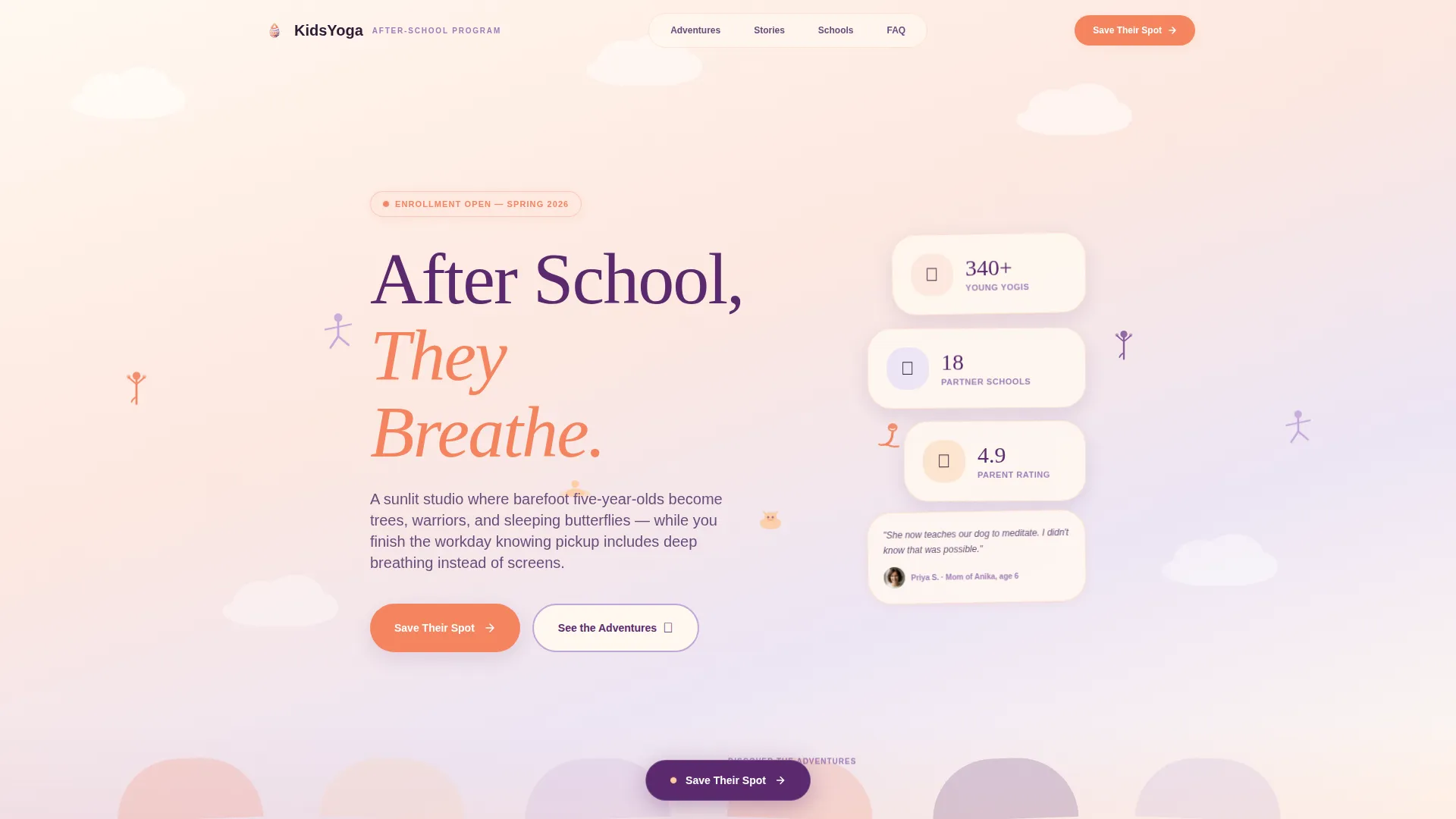
- A custom illustration-led hero with parallax cloud drift and hand-lettered headline typography
- An interactive masonry grid with hover animations, polaroid testimonial tiles, and a floating persistent call-to-action button
Feature list
This template includes a focused set of interactive and visual features designed specifically for this kids yoga after-school program context.
Parallax Illustration Hero
A hand-drawn, watercolor-style panorama fills the header with illustrated children in yoga poses across a dreamy sunset landscape. Clouds shift gently as the cursor moves, creating a soft parallax drift that draws visitors in without overwhelming them.
Masonry Adventures Grid
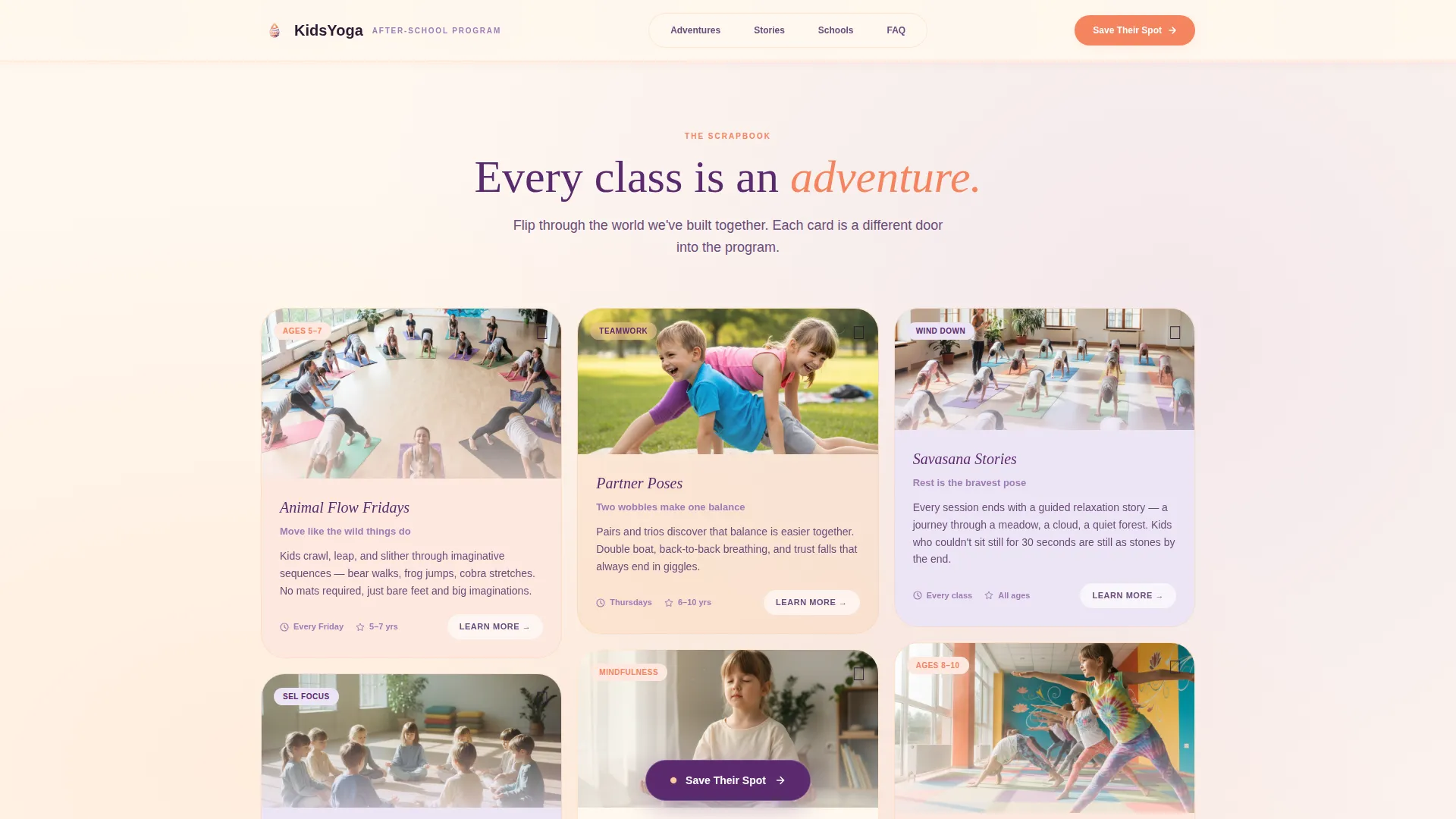
The core of the page is a scrapbook-style Pinterest grid. Each card represents a program adventure such as Animal Flow Fridays or Breathing Quests, with illustrated thumbnails that animate on hover and audio snippets that play on click.
Testimonial Polaroid Layout
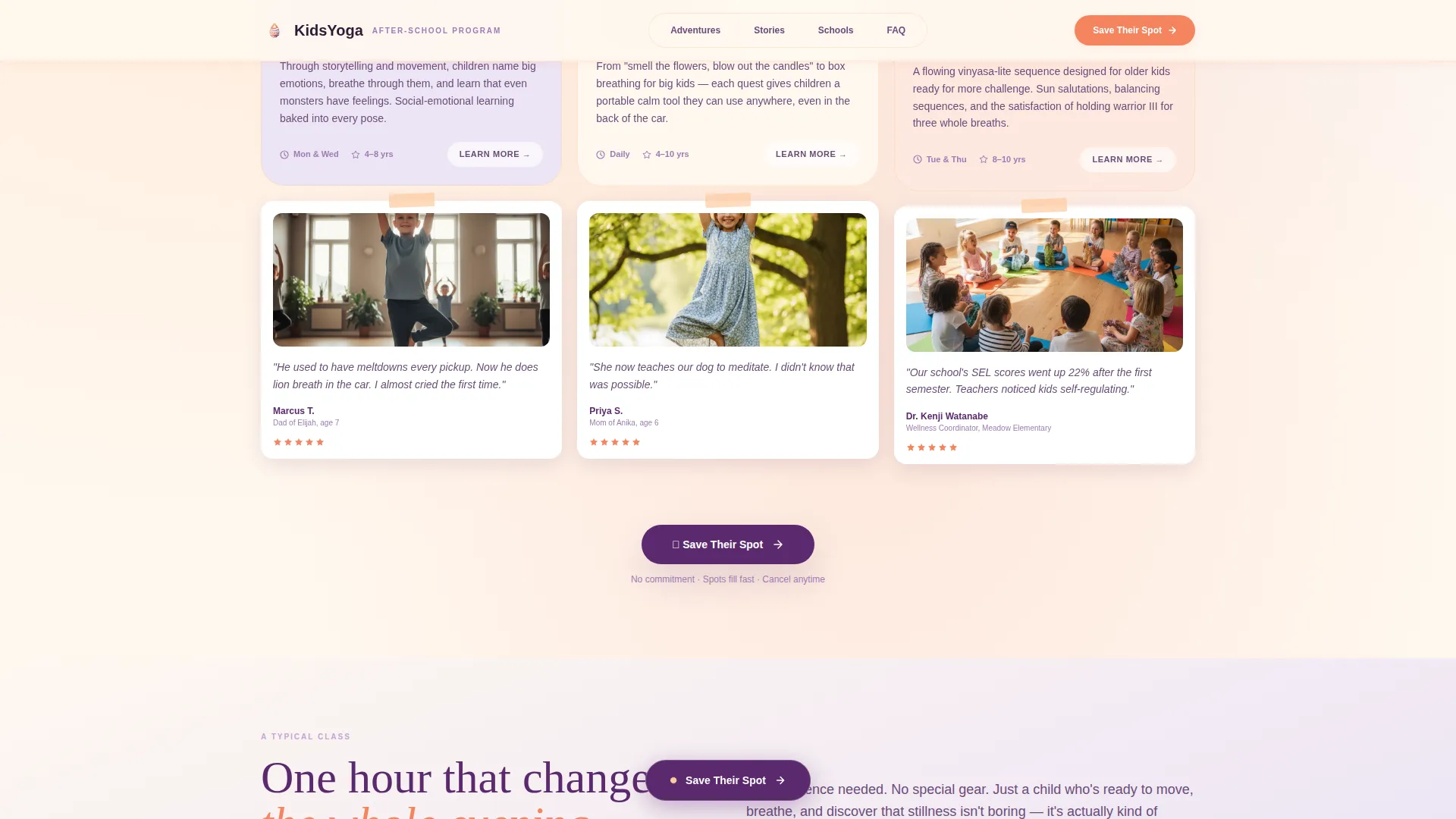
Parent testimonials appear as tilting polaroid-style cards tucked between masonry rows at irregular intervals. Real class photo tiles sit alongside them, making the social proof feel personal rather than curated.
Floating Persistent Call-to-Action
The "Save Their Spot" button first appears as a soft floating element after the third masonry row. It then anchors permanently at the bottom of the viewport, staying visible throughout the rest of the scroll without interrupting the discovery experience.
Asymmetric Bento Class-Day Section
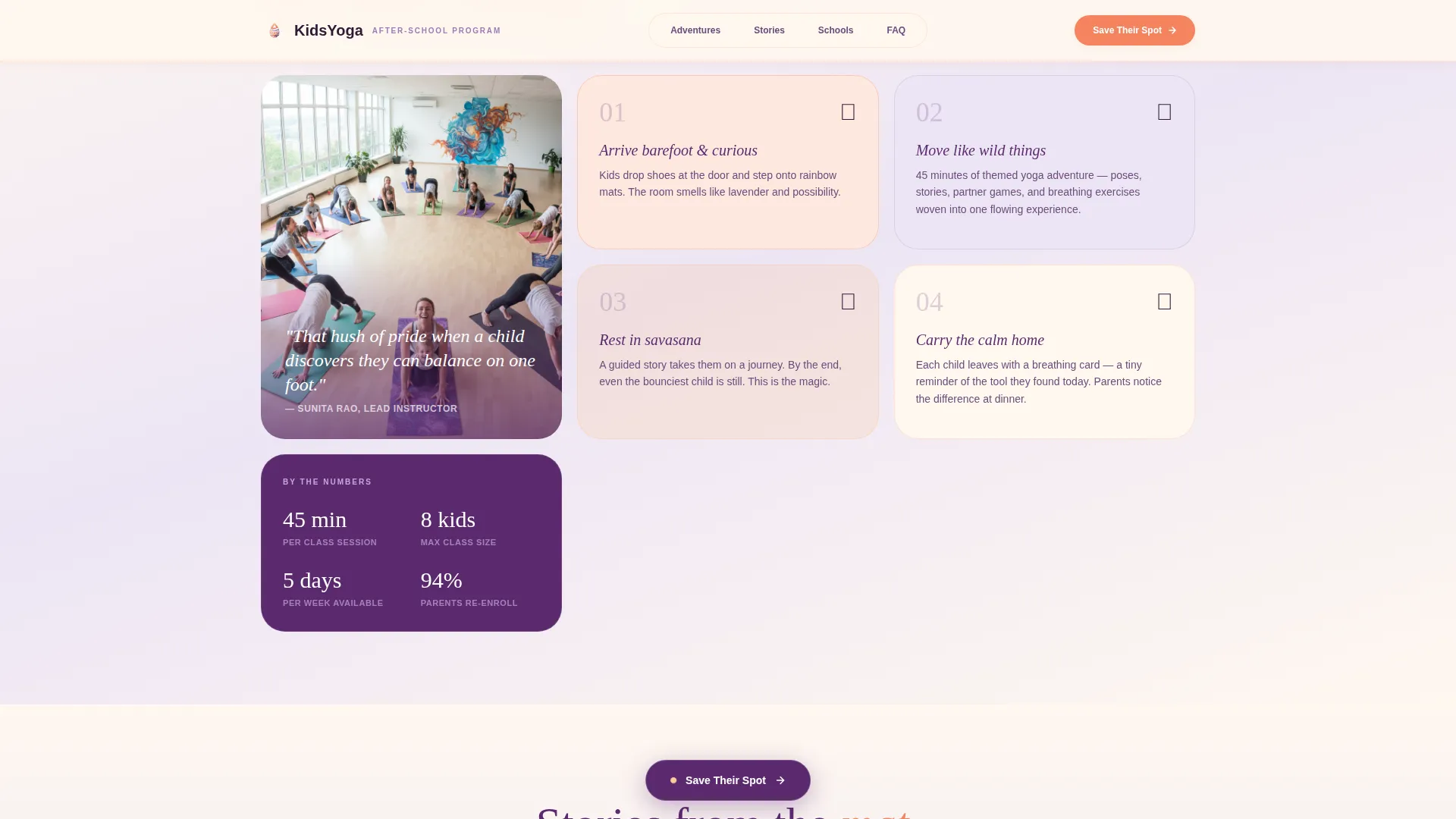
A "How It Works" section uses an asymmetric bento layout to show a typical class day in digestible visual steps. Parents can understand the program rhythm quickly without reading dense paragraphs.
Scroll-Linked Reveal Animations
Staggered masonry reveals and scroll-linked effects are built into the template using Intersection Observer and CSS transforms. Each row of content appears with a timed entrance that feels natural, not mechanical.
Page sections overview
| Section | Purpose |
|---|---|
| Hero Illustration | Opens with parallax illustrated panorama and headline |
| Adventures Masonry Grid | Showcases program cards with hover and audio interactions |
| Testimonial Polaroids | Builds trust through parent quotes and class photo tiles |
| How It Works | Shows a typical class day in an asymmetric bento layout |
| Enrollment Call-to-Action | Drives clicks to the school-location and session selector |
| Footer Row | Closes the page with a clean single-row linear footer |
Design & branding system
The visual identity follows a Nurture and Care theme using a Sunset Gradient color system. Typography pairs Fraunces for display headings with Plus Jakarta Sans for body text, giving the page a warm, hand-lettered feel grounded in clean readability.
- Color palette: soft peach dawn (#FDCB9E), warm coral breath (#F4845F), gentle lavender twilight (#C3A6D8), deep plum grounding (#5B2A6E), and creamy oat milk white (#FFF8F0) as the base
- Illustration style: loose, imperfect watercolor line work featuring children of varied body types and skin tones, evoking a beloved picture book rather than a polished brand campaign
- Texture and depth: polaroid tilt effects, scrapbook-style card arrangements, and irregular row heights reward curious scrollers with new visual surprises at every level
Mobile & speed optimization
The template is built with a mobile-first priority because the primary audience is parents checking their phones during school pickup. Every interactive element is designed to translate naturally from desktop to a smaller screen.
- Staggered masonry reveals use Intersection Observer so content loads as it enters the viewport rather than all at once
- All animations rely on CSS transforms only, keeping motion smooth without heavy scripting overhead
- The floating "Save Their Spot" button is always reachable on mobile, sitting at the bottom of the viewport for easy thumb access
How this template helps you convert
The page is optimized as a click-through experience. There is no form on this page. The goal is to carry a parent from emotional discovery all the way to a deliberate click that opens the enrollment flow.
- Trust is built progressively through the scrapbook grid. By the time a parent reaches the call-to-action, they have heard a child giggle during savasana, read a polaroid testimonial, and felt the warmth of the illustrated world before being asked for anything.
- The persistent floating button removes friction at the moment of readiness. Parents do not need to scroll back to the top or hunt for a link. The call-to-action travels with them and waits until they are ready.
Other information about this template
This template is part of the Kids and Family category and sits within the Kids Yoga for Kids after-school program niche. It is designed for English-language audiences in the United States, with USD pricing and standard US date formats assumed for any session or schedule content you add.
- The page uses a single linear single-row footer pattern for a clean, uncluttered close
- Social proof elements include parent testimonial polaroids, a class photo mosaic, child count stat cards in the hero, and school partnership references
- The enrollment call-to-action leads to an external school-location selector and session picker rather than capturing data on this page itself
Theme
Nurture & Care
Creative direction
Interactive Explorer
Color system
Sunset Gradient
Style
Masonry/Pinterest
Direction
Click-Through
Page Sections
Parallax Watercolor Hero
Interactive Masonry Adventures Grid
Polaroid Testimonial Tiles
Persistent Floating Call-to-action
Asymmetric Bento Class-day Layout
Scroll-linked Reveal System
Related questions
Can I use this template without illustration or design experience?
Does the page include an enrollment form?
Can I update the program card names and audio snippets in the masonry grid?
Is this template suitable for sharing with a school board or wellness committee?
What happens when a parent clicks the "Save Their Spot" button?



