Expert Childcare Placement Landing Page Template
The Placed Editorial Neighborhood Nanny Placement landing page template is a B2B-focused, zigzag alternating layout built for boutique nanny placement agencies. It pairs an editorial magazine aesthetic with a charcoal and amber color system, oversized scroll-triggered metrics, a scrolling logo wall, and a concise corporate intake form to convert HR benefits managers and relocation directors into agency partners.
by Rocket studio
Quick summary
Placed is a boutique nanny agency landing page template designed for corporate partnership conversion. It uses an editorial magazine style, staggered metric headers, a scrolling logo wall, and alternating neighborhood spread sections. The layout guides benefits managers and relocation directors from first impression to signed partnership with clarity, confidence, and zero visual noise.
Who this template is for
This template is built for placement professionals who serve corporate clients, not individual families browsing weekend babysitting listings. It speaks directly to decision-makers who manage relocation budgets and employee benefits programs.
- HR benefits managers building family-support packages for relocating employees
- Corporate relocation directors who need a vetted childcare provider ready before move-in day
- Boutique real estate agencies that include a childcare referral in their client welcome folders
What problem this template solves
Designing a high-converting landing page for nanny placements requires a hyper-local focus, emphasizing trust, safety, and clear, action-oriented content. Most nanny agency pages are built for individual moms and dads searching on a phone. This template is built for professionals presenting a vendor to a boardroom.
- Corporate partners need social proof at scale before they will refer nannies to relocating families
- Interested parents and HR teams both want upfront details about vetting, coverage areas, and match timelines
- Generic childcare pages bury the business case and lose B2B leads before the form ever loads
What you get with this template
This template delivers a fully structured, editorial-style landing page with every section mapped to a specific conversion goal. You do not need to start from scratch or have prior design experience to launch a polished, professional page.
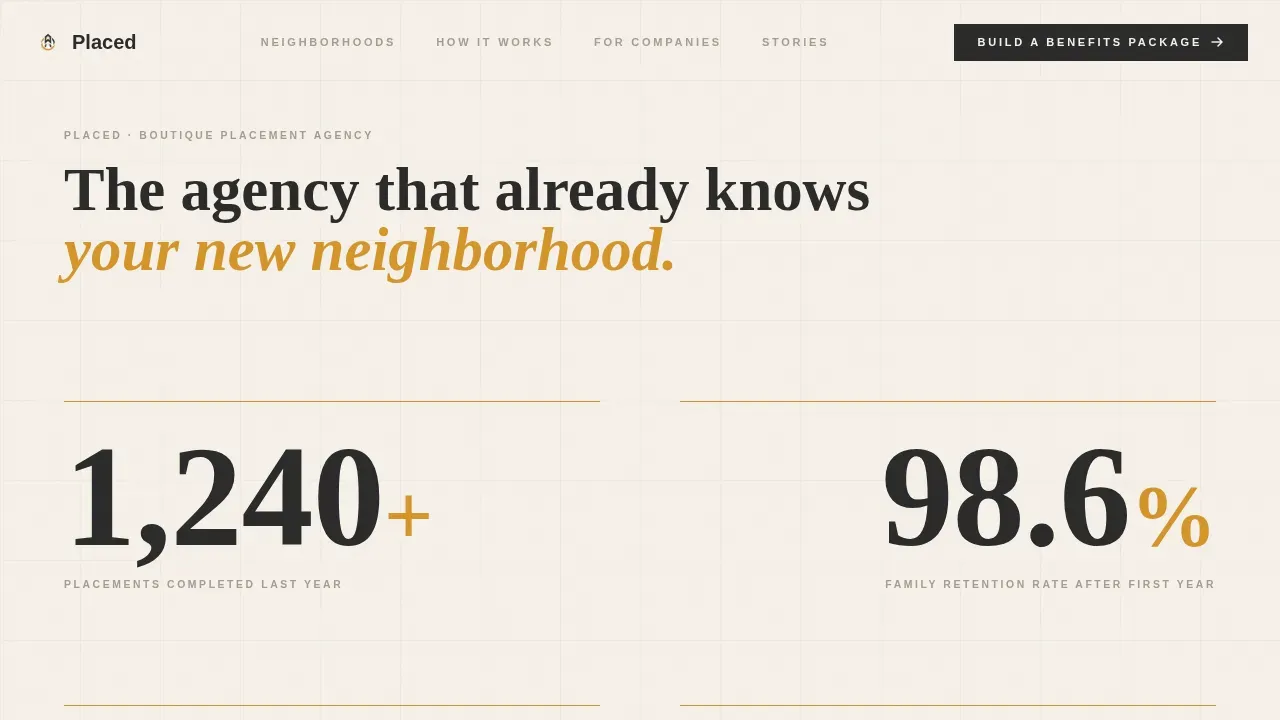
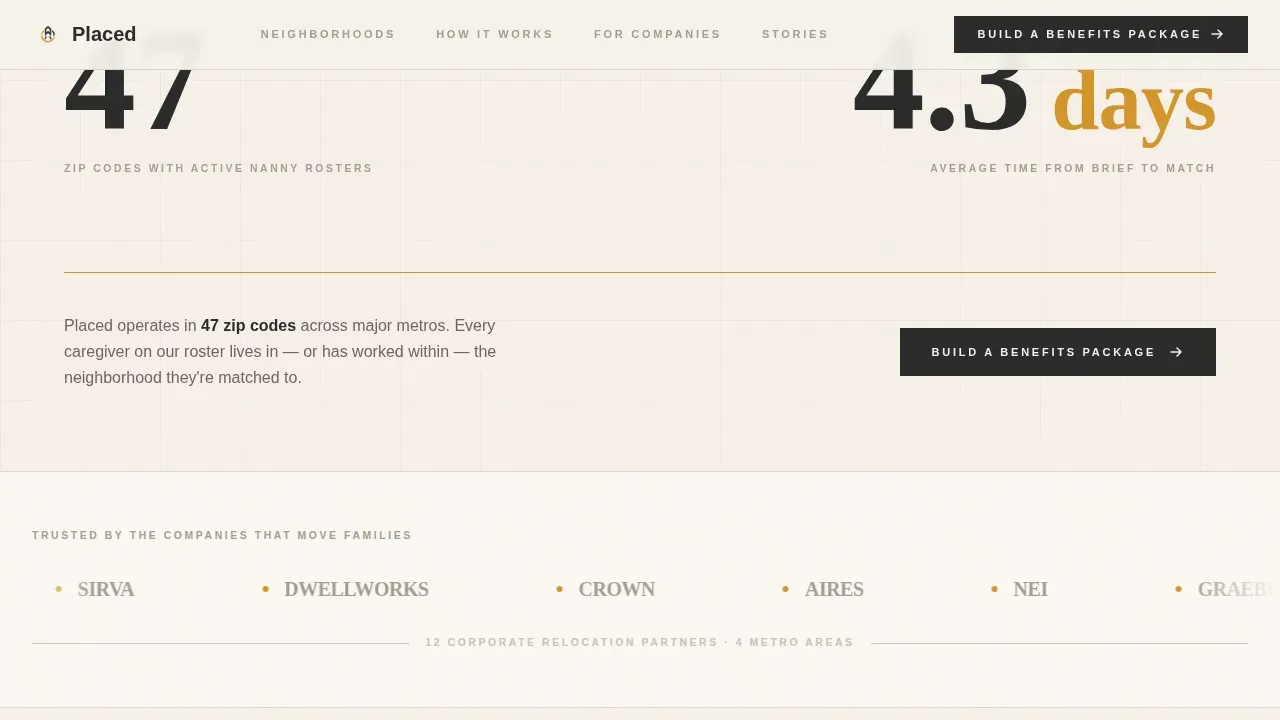
- A stats wall header with count-up animations showing placements, retention rate, zip codes, and average match time
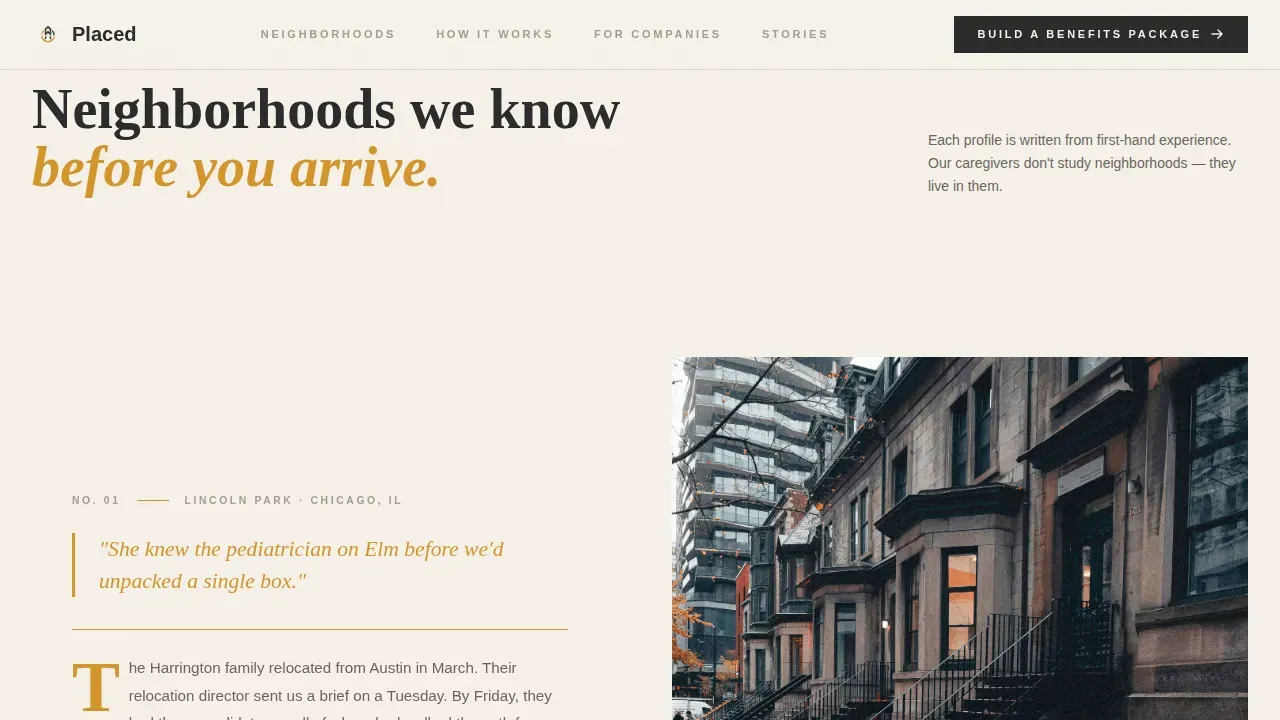
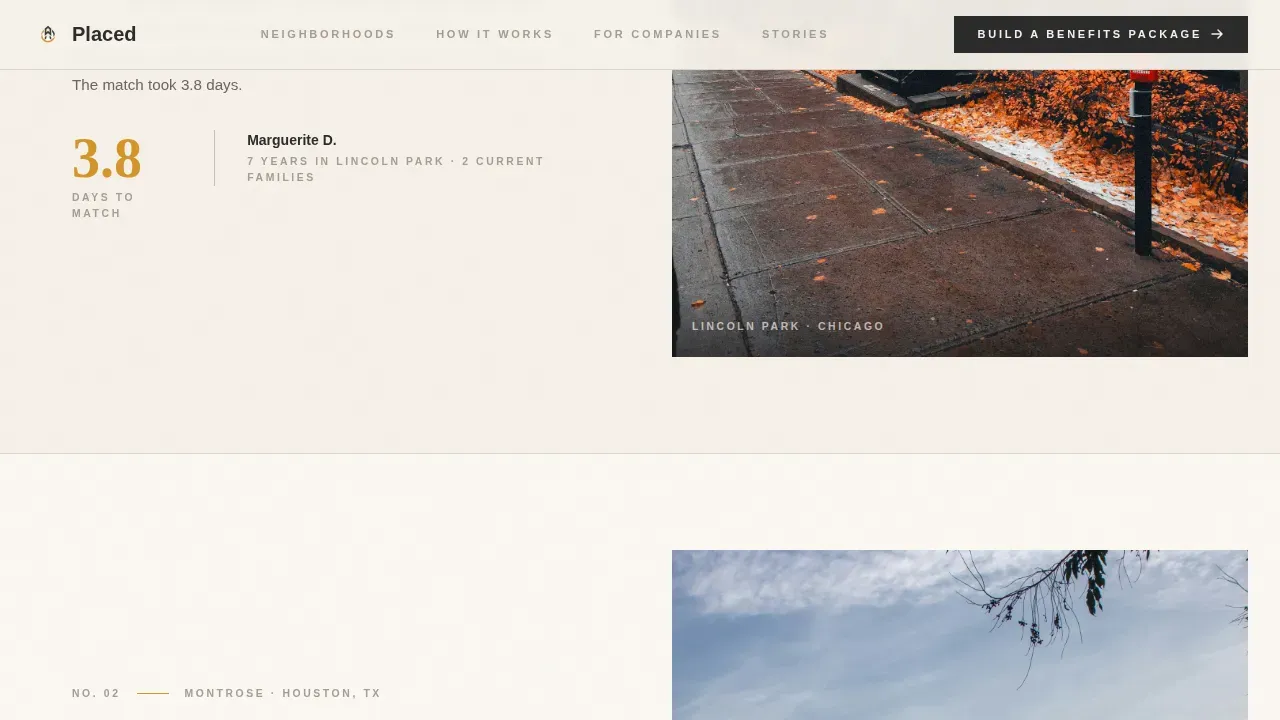
- Three alternating neighborhood profile and placement story spreads, typeset like magazine feature pages with drop caps and amber pull-quotes
- A dual-path conversion footer with a B2B intake form and a gated PDF download for the Corporate Placement Guide
Feature list
This template includes purpose-built sections and interactive components drawn directly from the project brief. Each feature serves a specific role in the partnership conversion funnel.
Editorial Stats Wall Header
Oversized serif numerals count upward on scroll, staggered left and right across the viewport. Thin amber rules separate each metric. The numbers themselves are the visual, communicating authority before a single paragraph is read.
Scrolling Logo Wall
A horizontal auto-scroll ticker carries corporate partner logos beneath a single editorial line. This section builds trust with potential clients by showing which companies already refer their relocating families to the agency.
Zigzag Neighborhood Spreads
Three alternating sections pair a neighborhood profile with a placement story. Each spread uses drop caps, small-cap location tags, and amber pull-quotes to feel like a curated city magazine. This format helps interested parents and HR teams picture real, hyper-local care.
B2B Intake Form and PDF Gate
The primary call to action asks for company name, number of relocating employees per year, and primary metro area. A secondary path gates a downloadable Corporate Placement Guide behind a work email field, catching leads who are ready to read before they are ready to call.
How It Works Partnership Section
An editorial magazine spread breaks the onboarding process into clear steps. This helps corporate clients understand the path from inquiry to first placement without requiring a phone call to get basic information.
Scroll Reveals and Stagger Transitions
Medium-intensity animations include count-up numbers on the stats wall, scroll-triggered section reveals, and staggered entrance transitions. These interactions give the page a sense of momentum that mirrors the editorial page-turning experience described in the brief.
Page sections overview
| Section | Purpose |
|---|---|
| Editorial Stats Wall | Lead with authority metrics |
| Logo Ticker | Display corporate partner logos |
| Neighborhood Spread One | Profile local area and nannies |
| Neighborhood Spread Two | Share a placement story |
| Neighborhood Spread Three | Reinforce hyper-local coverage |
| How It Works | Explain partnership onboarding steps |
| B2B Intake Form | Capture corporate partner leads |
| PDF Guide Gate | Collect emails for guide download |
| Footer Row | Linear single-row contact footer |
Design & branding system
The visual identity follows an editorial magazine theme that feels authoritative without being cold. Every color and type choice serves the core promise: serious enough for a boardroom, warm enough to trust with your children.
- Color palette: warm parchment (#F5F0E8) background, deep charcoal (#2B2B2B) for body text and dividers, honeyed amber (#D4952A) for pull-quotes and hover states, and muted stone (#A39E93) for secondary type and captions
- Typography: Fraunces serif for display headlines and oversized numerals; DM Sans for body copy and form fields
- Layout rhythm: no photography in the header; whitespace and editorial numerals carry the visual weight; amber rules act as structural dividers throughout
Mobile & speed optimization
The template is built desktop-first to match the B2B decision-maker context, where benefits managers and relocation directors typically review vendor pages on a laptop. Mobile-responsive behavior is included so the page remains functional across devices.
- Animated components such as count-up stats and the logo ticker use client-side rendering; static sections use server components to keep load times lean
- The intake form is kept deliberately short, asking only three fields, which reduces friction and supports higher form completion rates
- Scroll-reveal transitions are applied at a medium intensity level so they add polish without slowing the reading experience on smaller screens
How this template helps you convert
An editorial landing page follows a narrative flow that positions the corporate partner as the decision-maker and the agency as their expert guide. Every section earns the next scroll before the form appears.
- The stats wall and logo ticker do the selling first. By the time a benefits manager reaches the intake form, the metrics and partner logos have already answered the credibility question. The form only needs to capture intent.
- The dual-path conversion design catches leads at two different readiness levels. The intake form serves partners ready to act now. The PDF gate captures those who need more information before committing, turning a free download into a qualified lead.
- Hyper-local neighborhood content builds the case that this agency truly owns the local map. Specific neighborhood details, school references, and location tags signal to HR teams that nannies already know the area before a family arrives.
Other information about this template
This template is relevant for placement professionals who also produce supporting promotional materials alongside the main landing page. The editorial framework adapts well across different scenarios, from a corporate pitch deck to a printed welcome folder insert.
- Babysitters and nannies building their own individual presence can take ideas from this layout when creating a babysitting flyer or other personal promotional materials. A strong babysitting flyer template follows similar principles: clear contact details, safety credentials, and a photo help reach potential clients quickly.
- Printable babysitting flyers and free babysitting flyer templates are a common starting point for independent babysitters who want professional-looking materials without design experience. A good flyer template includes necessary details like availability, babysitting services offered, hourly rates, and multiple ways to get in touch.
- Many flyer template tools let users upload a photo, customize colors, and add personal contact details without starting from scratch. Free tools such as Google Docs and Microsoft Word support basic flyer creation. Platforms offering free babysitting flyer options allow users to print small batches and test results before committing to larger print runs.
- A strong babysitting flyer build-out should address five elements: contact details, transparent rates, parent testimonials, specific service descriptions, and a clear availability schedule. Including CPR certification and babysitting skills information on a flyer helps build trust with moms, dads, and other interested parents evaluating candidates.
- Babysitters offering tutoring services, homework help, or pet care alongside babysitting can use a relevant template variation to highlight those services clearly. Posting flyers in locations where parents frequently visit, such as community centers and pediatric offices, and sharing across social media accounts helps reach potential clients across a wider local area.
- Independent childcare providers looking to grow their client base can complement physical flyers with digital posting in mom groups and neighborhood apps. Sharing a free babysitting flyer through social media accounts and local Facebook groups reaches families without printing expenses.
- For small businesses and local businesses in the childcare space, strategic partnerships with schools, pediatric offices, and real estate offices can amplify marketing efforts. A babysitting flyer with a clear photo, specific qualities of the caregiver, and detailed information about experience performs better than a generic one.
- This template sits within the Placed editorial neighborhood nanny placement landing page template family, designed specifically for nanny agency operators who want a professional, conversion-focused page without rebuilding from scratch. Users can customize colors, swap neighborhood content, and update the metrics wall to reflect their own agency data.
Theme
Editorial Magazine
Creative direction
Logo Wall Authority
Color system
Charcoal & Amber
Style
Zigzag/Alternating
Direction
Partnership/B2B
Page Sections
Count-up Editorial Stats Wall
Auto-scrolling Corporate Logo Ticker
Alternating Neighborhood Feature Spreads
Dual-path B2B Conversion Footer
Partnership Onboarding How It Works Section
Scroll Reveals and Stagger Animations
Related questions
Who is this landing page template designed for?
Can I customize the neighborhood content and metrics?
Does this template work for independent babysitters?
What fields are included in the intake form and the PDF gate?
Is the gated Corporate Placement Guide component included in the template?



