Billing Services Landing Page Template
A zigzag landing page built for geriatric billing advocacy. It translates Medicare Advantage codes, Medigap supplements, and geriatric assessment reimbursements into plain language for patients and their families. A built-in cost estimator, named expert panels, and a streamlined booking form give every visitor a clear next step, whether they're ready to call or just starting to ask questions.
by Rocket studio
Quick summary
This landing page helps patients and their families understand what they actually owe after a geriatric visit. A friendly cost estimator sits at the top, named billing experts guide each scroll section, and a simple booking form turns confusion into a confirmed appointment. The design is warm, clean, and built for mobile-first users.
Who this template is for
This template speaks directly to the people sitting at a kitchen table with an unopened envelope and a Medicare Summary Notice they cannot read. It is equally useful for adult children calling between work meetings trying to sort out a denied claim.
- Elderly Medicare patients and their adult children managing insurance paperwork
- Geriatric practice staff who need a patient-facing billing and insurance resource
- Office managers at senior living communities verifying accepted insurance plans
What problem this template solves
Medicare Advantage billing codes, Medigap supplement rules, and geriatric assessment reimbursements are genuinely difficult to parse. Patients frequently leave appointments unsure what they will owe, and family members spend hours on hold with insurance companies without a clear answer.
- Patients do not know which visit types their plan covers or what the copay will be
- Denied claims go unappealed because the process feels too complicated to navigate
- Families cannot quickly confirm whether a geriatrician accepts their loved one's plan
What you get with this template
This template delivers a fully structured, single-page layout that moves visitors from confusion to clarity and, ultimately, to a booked billing review. Every section is grounded in plain language and guided by a named expert.
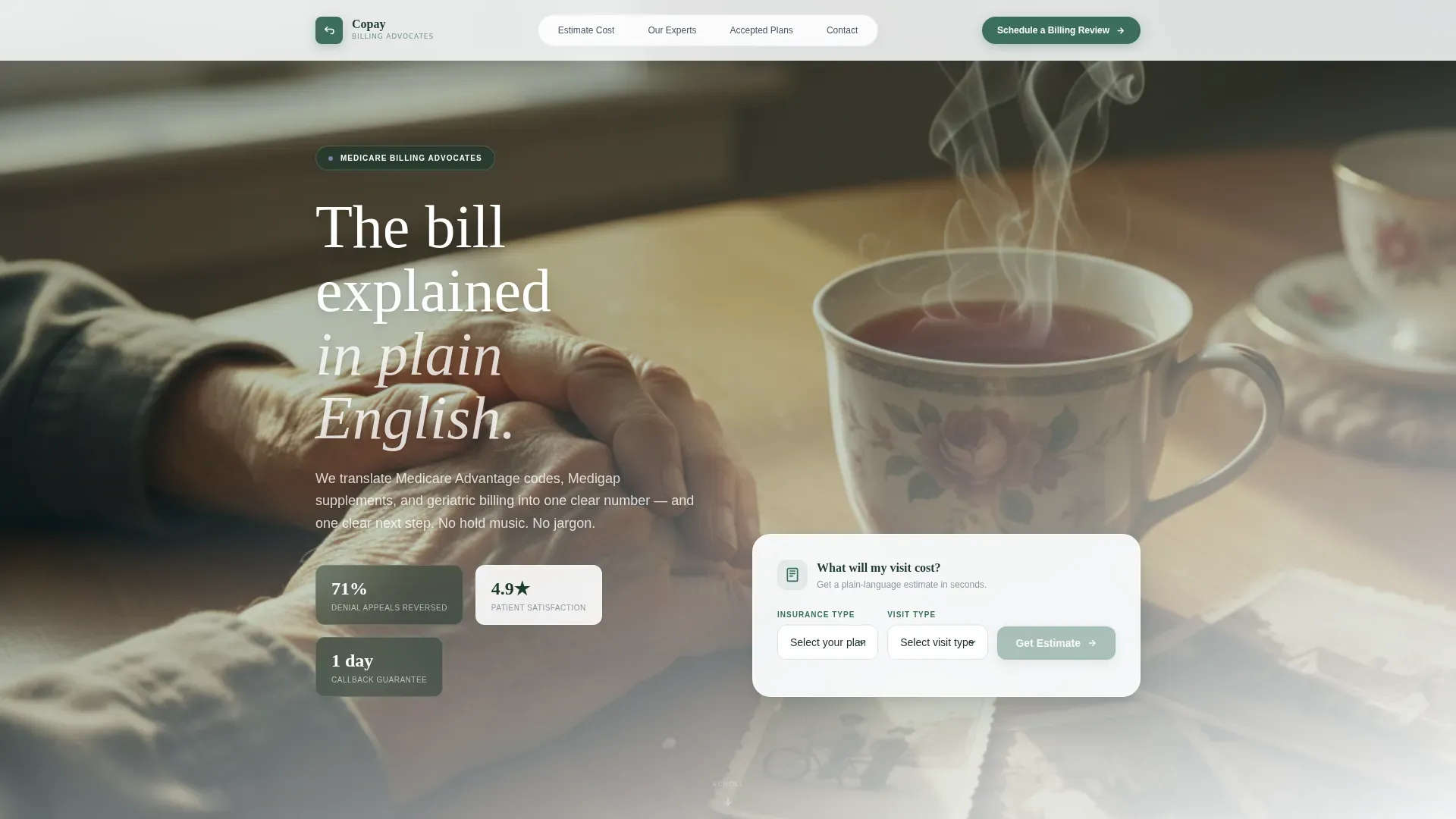
- A hero section with a cost estimator tool, cinematic photo, and primary call to action
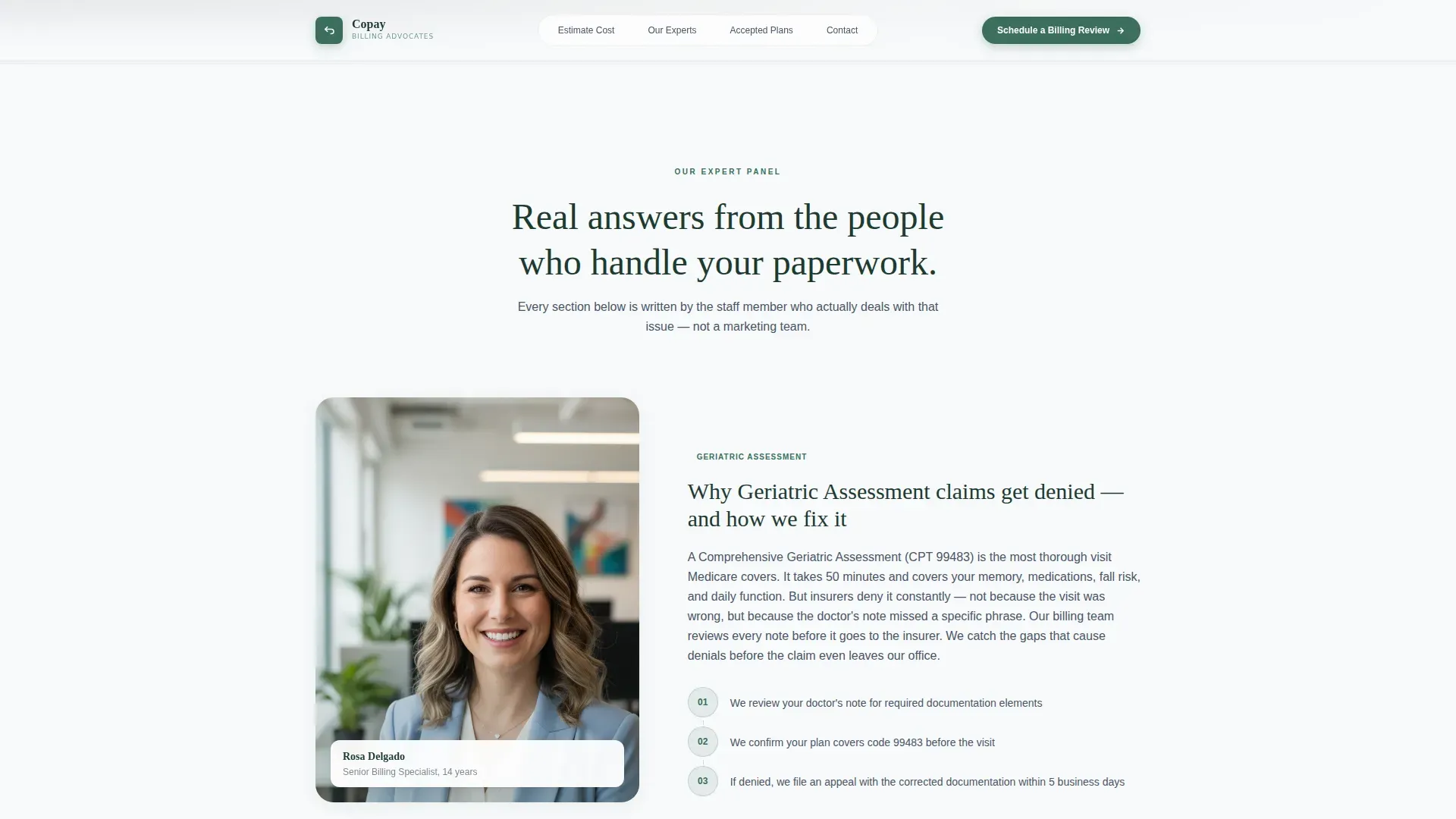
- Alternating zigzag expert panels with staff portraits, pull quotes, and sixth-grade-level explainers
- A booking form and a secondary email-capture path for patients not yet ready to call
Feature list
This template packs several purpose-built components into one cohesive, scroll-driven layout. Each feature is designed around the specific needs of geriatric billing communication.
Interactive Cost Estimator Tool
A minimal, card-style tool at the top of the page lets visitors select their plan type and visit type, then tap a single button to see an estimated cost range. Plan types include Original Medicare, Medicare Advantage, Medigap, Medicaid, and Private. Visit types include Annual Wellness Visit, Comprehensive Geriatric Assessment, Chronic Care Management, and Follow-Up.
Zigzag Expert Panel Layout
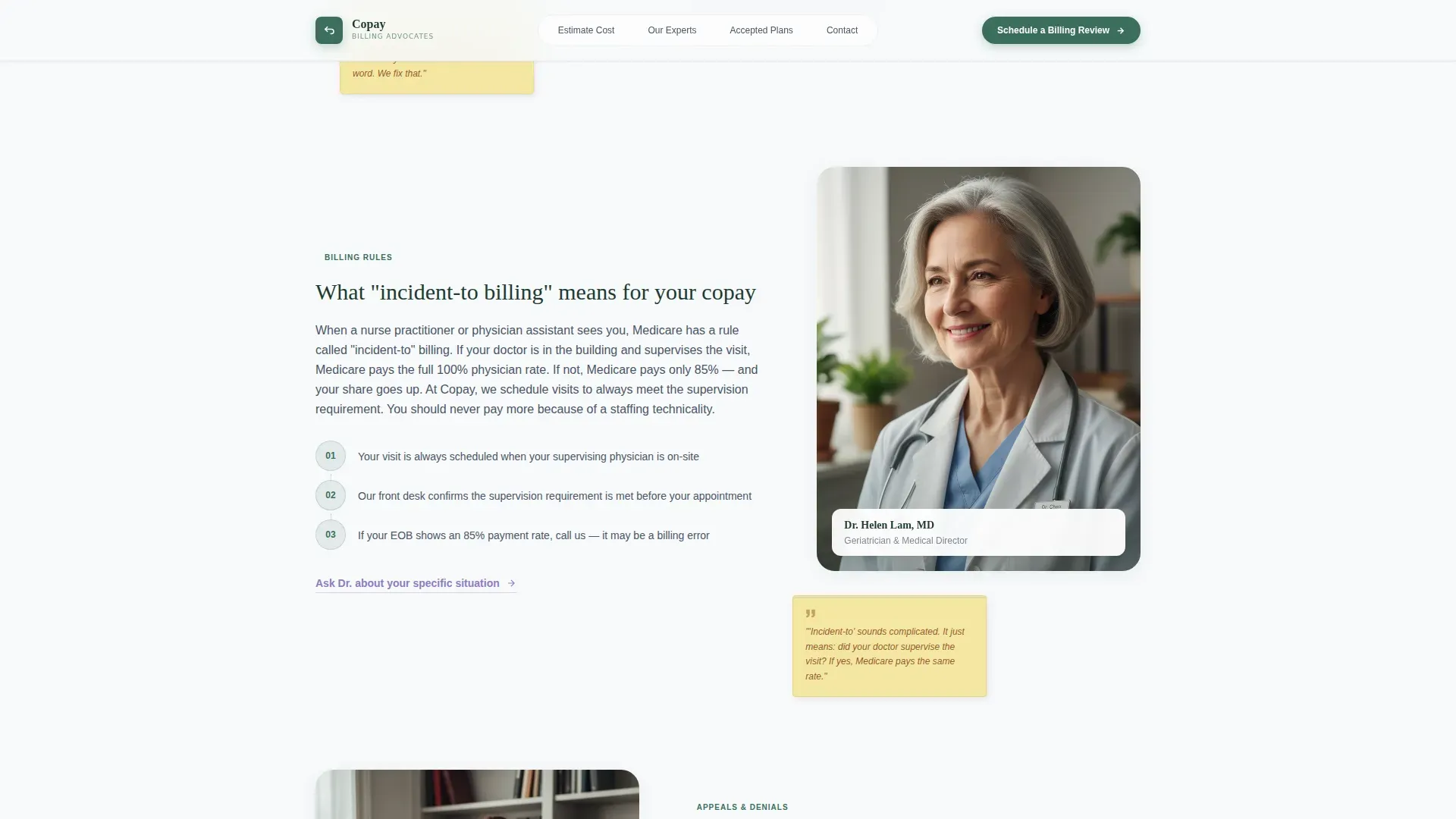
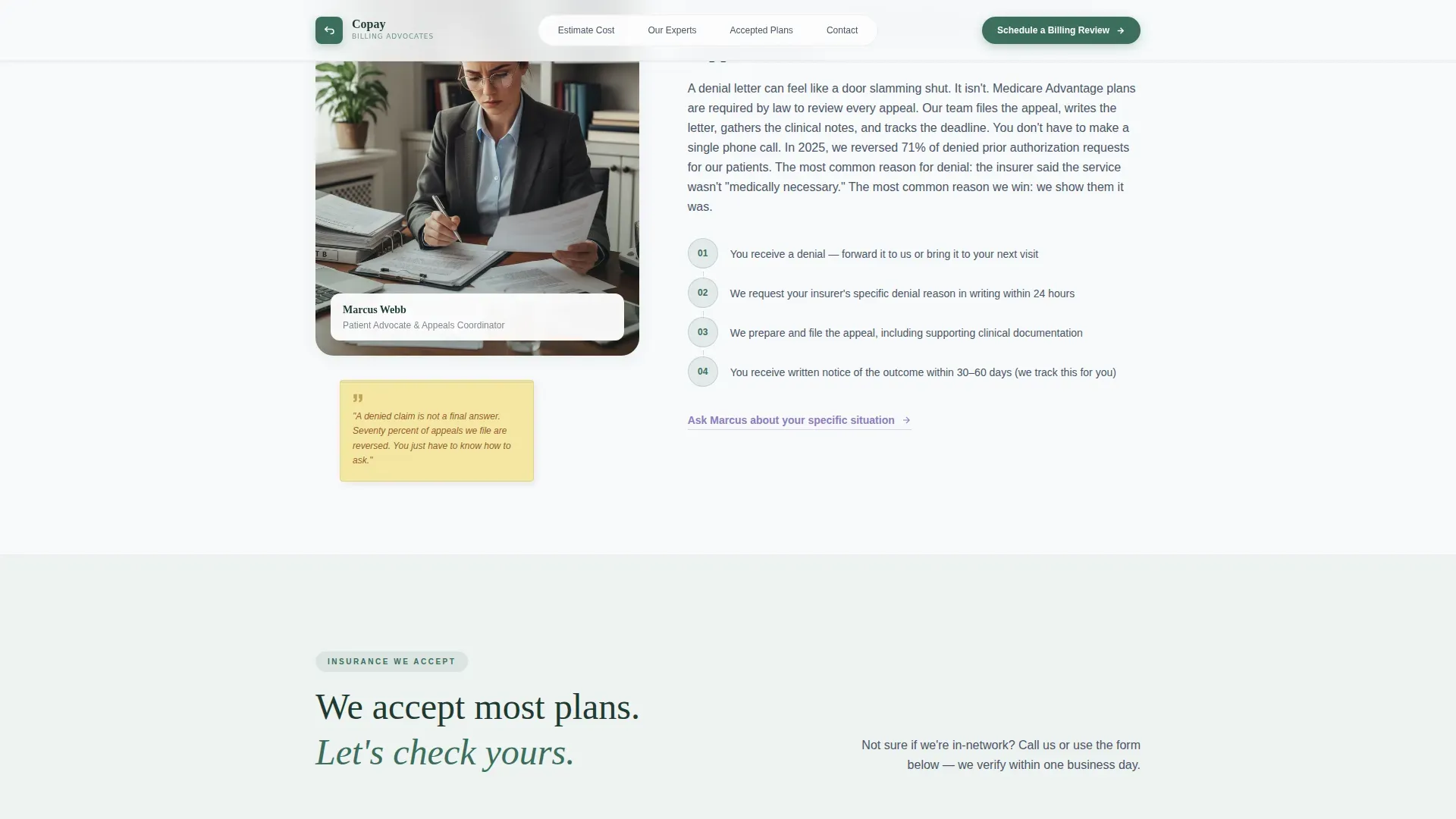
Alternating left-image and right-image blocks each feature a named staff member, billing specialists and the attending physician, with a warm portrait, a post-it-yellow pull quote, and a short plain-language explainer. Topics escalate from accepted plans to prior authorizations and the denied claims appeals process.
Booking and Scheduling Form
The primary call to action, "Schedule a Billing Review," appears directly beneath the estimator results. The form collects first name, phone number, insurance carrier, and a preferred callback window. This form is also reproduced in the final page section before the footer.
Secondary Email Capture Path
Visitors who are not ready to call can download an insurance checklist PDF by entering their email address. The checklist lists every document to bring to a first appointment, offering a low-commitment entry point.
Persistent Mobile Bottom Bar
On mobile devices, a sticky bottom bar keeps the primary call to action visible throughout the entire scroll. This ensures that adult children browsing between work meetings always have a one-tap path to book a callback.
Named Social Proof System
Each zigzag block is anchored by a real staff name and role. Rosa explains why Geriatric Assessment codes get denied. Dr. Lam covers what "incident-to" billing means for your copay. Marcus walks through prior authorizations and appeals. Human faces and specific answers build trust section by section.
Page sections overview
| Section | Purpose |
|---|---|
| Hero + Estimator | Introduce the page and let visitors estimate their cost immediately |
| Rosa Expert Panel | Explain why Geriatric Assessment billing codes are frequently denied |
| Plans Accepted + Dr. Lam | Show accepted insurance plans and explain incident-to billing |
| Marcus Expert Panel | Walk through prior authorizations and the denied claims appeals process |
| Booking + Checklist | Capture appointment bookings and email leads with a secondary download |
| Footer | Provide practice contact details and a linear single-row navigation |
Design & branding system
The visual identity follows a Healing Space theme using a palette that feels like clean mountain air rather than a sterile waiting room. Fraunces serif headlines give warmth and authority, while DM Sans body text keeps everything easy to scan.
- Pine green (#3B6F5E) anchors headlines and section dividers; snow white (#F7F9FA) dominates all backgrounds
- Stone gray (#C4C9CF) carries body text and table borders for a calm, readable contrast
- Wildflower lavender (#8E7CC3) appears exclusively on interactive elements such as buttons and active states; post-it yellow (#F5E6A3) highlights pull quotes in each expert panel block
Mobile & speed optimization
The template is built mobile-first because its primary users are adult children browsing on their phones between meetings. Every section reflows cleanly for smaller screens without losing hierarchy or readability.
- The cost estimator stacks its three inputs vertically on mobile, keeping the layout clean and the button easy to tap
- Static page sections use server-rendered components for faster initial load, while the interactive calculator runs as a client component
- Scroll reveal animations use staggered timing and subtle hover states so the page feels lively without slowing the user down
How this template helps you convert
Every design decision on this page pushes toward one of two outcomes: a booked billing review or a captured email for follow-up. The layout removes friction at every step.
- The cost estimator delivers an immediate, personalized result so visitors feel understood before they ever fill out a form, making them more likely to trust the practice and book a call.
- The persistent mobile bottom bar keeps the "Schedule a Billing Review" button visible on every scroll position, removing the need to search for the call to action on a small screen.
- The insurance checklist download gives hesitant visitors a low-stakes reason to leave their email, extending the practice's opportunity to convert them later.
Other information about this template
This template is part of the Health and Medical category, built specifically for the geriatric practice niche. It fits naturally into a geriatrician's digital presence as a standalone billing and insurance resource page.
- The Healing Space theme and Alpine Fresh color system are designed to feel reassuring, not institutional, which is appropriate for an elderly patient audience
- The zigzag alternating layout works especially well for building progressive trust, moving from simpler topics to more complex billing scenarios as the visitor scrolls
- The linear single-row footer pattern keeps the bottom of the page clean and uncluttered, consistent with the overall minimal visual language
- This template supports the Booking and Scheduling conversion direction and pairs well with a practice's main website as a dedicated billing explainer page
Theme
Healing Space
Creative direction
Expert Panel
Color system
Alpine Fresh
Style
Zigzag/Alternating
Direction
Booking/Scheduling
Page Sections
Interactive Cost Estimator Tool
Zigzag Expert Panel Sections
Persistent Mobile Booking Bar
Booking and Scheduling Form
Insurance Checklist Email Capture
Named Social Proof System
Related questions
Who are the named experts featured in this template?
What does the cost estimator show visitors?
Is this a standalone page or part of a larger website?
Can the accepted insurance plan list be edited?
What is the secondary conversion path for visitors not ready to call?



