Senior & Disability Professional Website Template
Navigate is a hub-and-spoke elderly care landing page template built for municipal aging and disability offices. It connects seniors, families, and caregivers to city care services through a sticky anchor nav, five self-contained spoke sections, and a tiered three-step intake form. The page design earns trust through real outcome data and plain-language copy.
by Rocket studio
Quick summary
Navigate is a single-page elderly care landing page template designed for city and municipal aging and disability offices. It uses a hub-and-spoke layout with a sticky anchor nav, five spoke sections covering key care services, and a guided intake form. The page design keeps elderly residents, family caregivers, and veterans oriented from the first scroll.
Who this template is for
This template serves municipal offices that provide elderly care and disability services to residents today. It is built for teams that need a clear, credible landing page without complex setup.
- Adult family members managing a parent's care from a distance
- Newly disabled residents and veterans researching home modification or home health benefits
- Professional social workers and referral coordinators who need a reliable site to send clients to
What problem this template solves
Elderly residents and their families often land on confusing government pages that bury care services behind dense menus. This landing page solves that directly.
- Visitors can jump to the exact elderly care section they need via the anchor nav, without scrolling through unrelated content
- Each spoke section is self-contained, so a user checking transportation or home health options gets every detail in one place
- The three-step intake form reduces the emotional weight of asking for help, using plain language every step of the way
What you get with this template
You get a fully structured elderly care landing page with every section pre-built and ready to publish. The design system, typography, and page layout are all included.
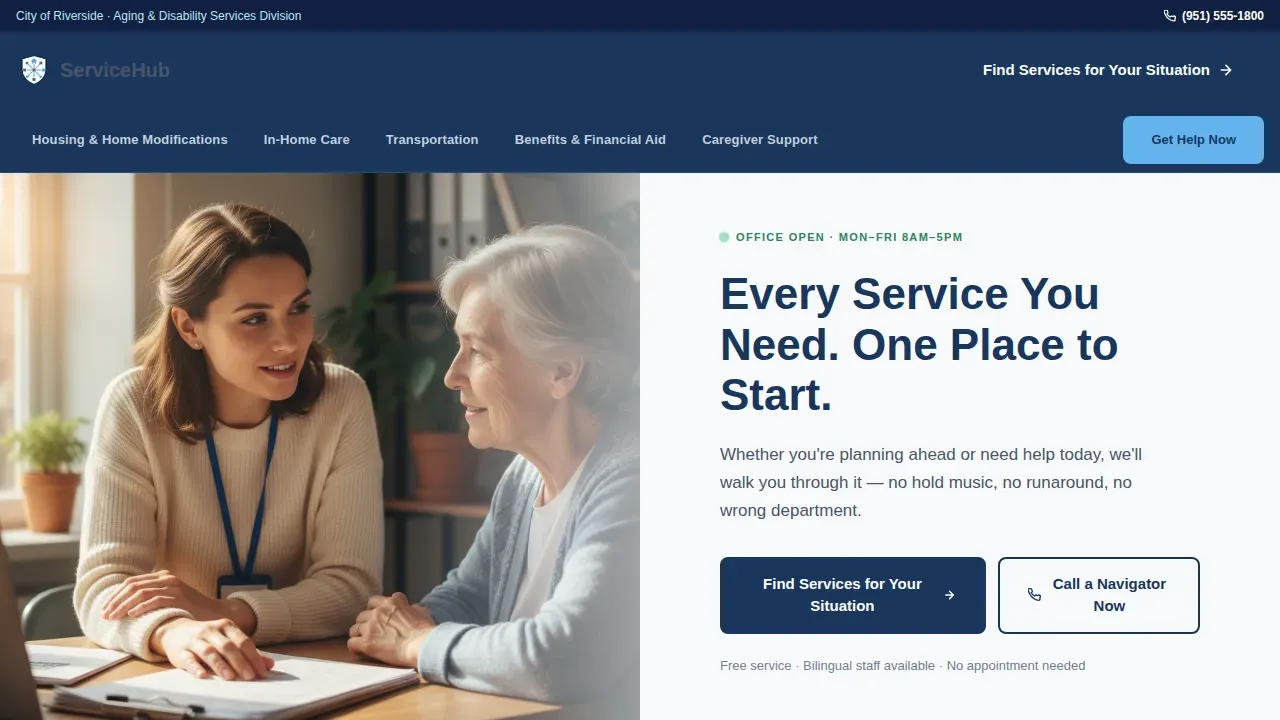
- A half-page hero with a civic navy headline, editorial caseworker photo, and anchor nav bar
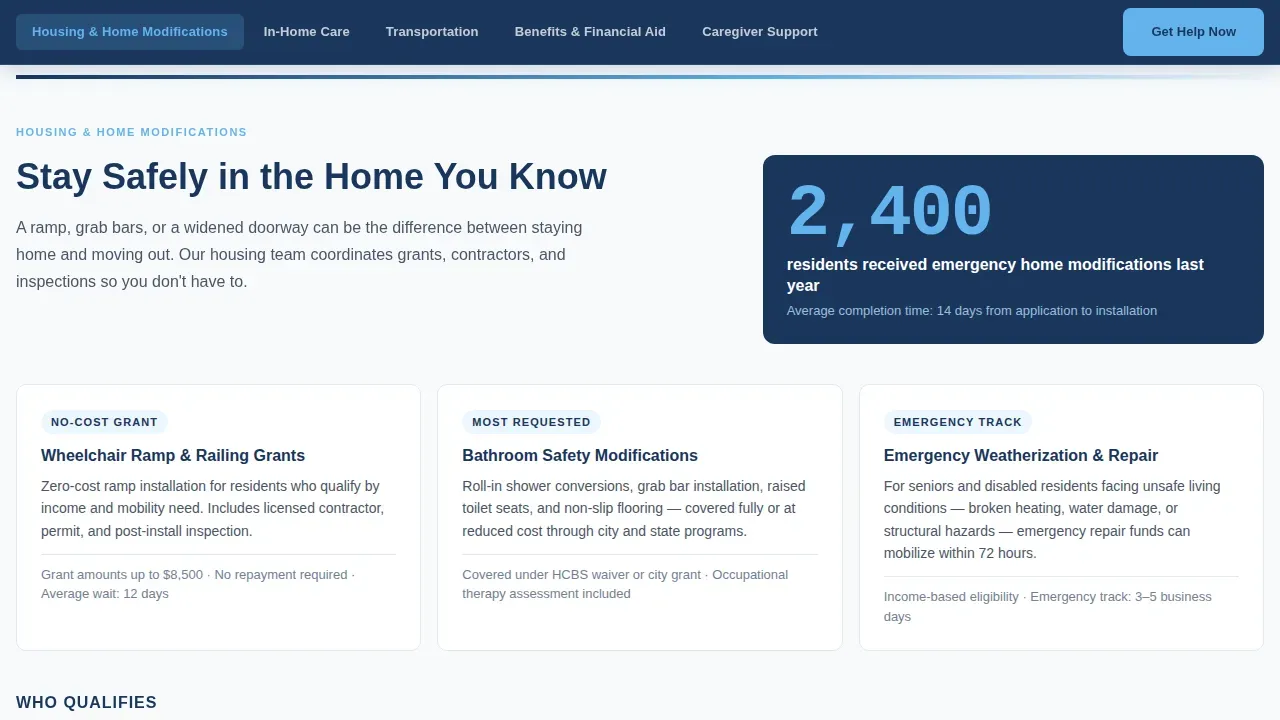
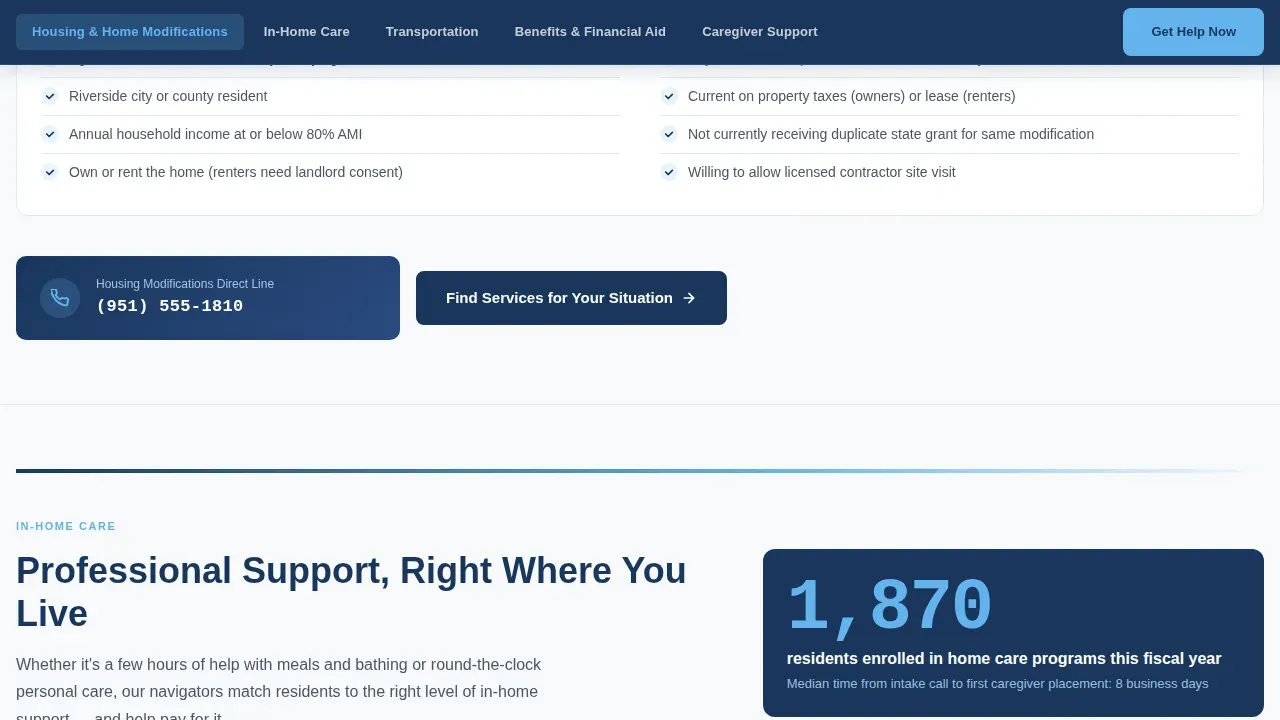
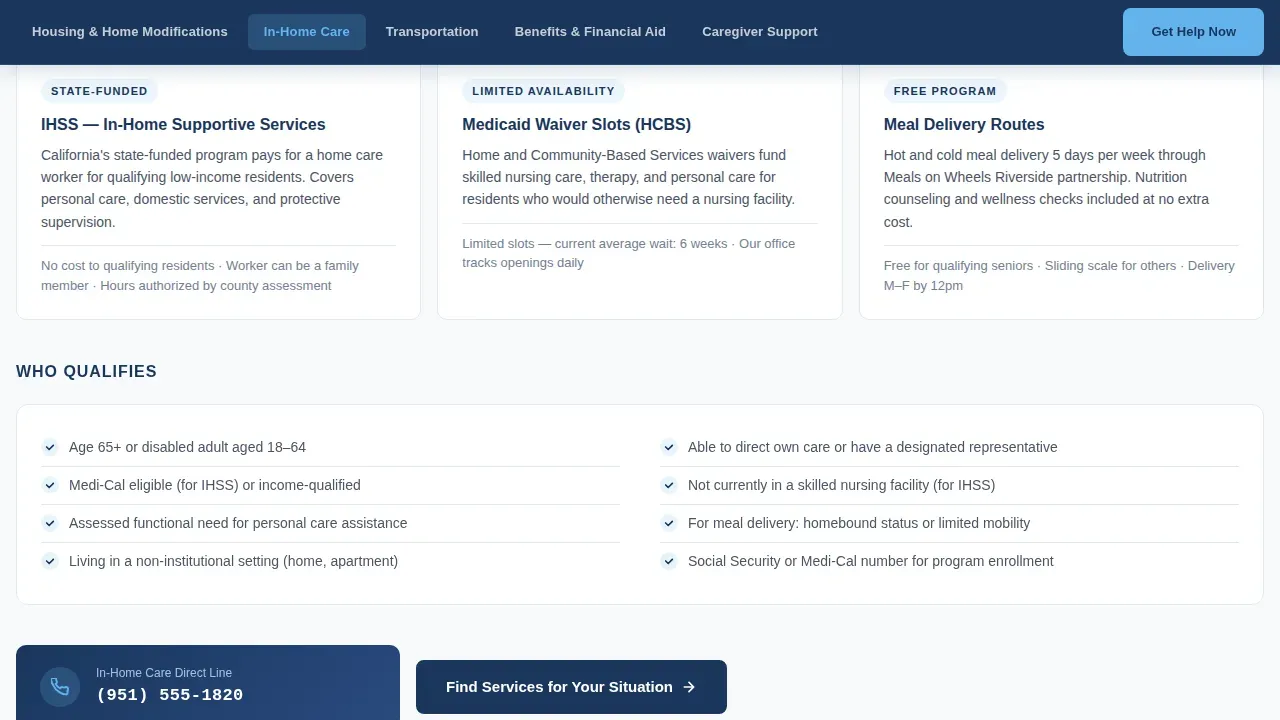
- Five spoke sections covering Housing, In-Home Care, Transportation, Benefits, and Caregiver Support, each with a data stat, eligibility checklist, and a mini contact call to action
- A three-step guided intake form modal and a persistent "Call a Navigator Now" secondary path
Feature list
A paragraph introducing the core features of this elderly care landing page template follows below. Each feature is grounded in what the template actually delivers for seniors, families, and care offices.
Sticky Anchor Navigation Bar
The anchor nav locks to the top on scroll and highlights the active section. Visitors jump directly to the elderly care category they need. This design removes the friction of searching a long page.
Hub-and-Spoke Section Layout
Five spoke sections each cover a distinct elderly care service area. Every section includes an oversized data stat, a program description, a two-column eligibility checklist, and a mini call to action. Each section functions independently, so the landing page serves visitors who arrive via direct links.
Three-Step Guided Intake Form
The intake form modal opens from any spoke section or the persistent bottom bar. It asks for the visitor's relationship to the person needing care, preferred care services, and basic contact details with preferred call time. Every field explains why it is required, keeping the experience user friendly.
Report-Style Data Presentation
City service record statistics appear as oversized numerals in sky blue using IBM Plex Mono. This page design choice signals a results-oriented office and helps convert hesitant visitors into inquiry submissions.
Half-Page Hero with Editorial Photo
The header pairs a warmly lit caseworker photo on the left with a civic navy headline on the right. This layout creates an immediate emotional connection and sets a warm, authoritative brand tone for the entire landing page.
Mobile Persistent Bottom Bar
On mobile, a fixed bottom bar keeps the primary call to action visible at all times. This ensures that elderly residents and caregivers on any device can always find their way to the intake form without scrolling back to the top.
Page sections overview
| Section | Purpose |
|---|---|
| Hero Header | Introduce office, anchor nav |
| Housing & Modifications | Home modification care services |
| In-Home Care | Home health program details |
| Transportation Services | Mobility and transit options |
| Benefits & Financial Aid | Eligibility and assisted living grants |
| Caregiver Support | Resources for family caregivers |
| Footer | Contact, hours, linear layout |
Design & branding system
The page design follows a Slate and Sky color system that feels authoritative without being cold. Every color choice teaches the visitor what is clickable and what is informational.
- Civic navy (#1A365D) for headers and the anchor nav; administrative slate (#4A5568) for body text; sky blue (#63B3ED) on hover and active states only
- DM Sans for headings, Manrope for body and user interface text, and IBM Plex Mono for data numerals
- Cloud white (#F7FAFC) panel backgrounds keep the site clean and easy to scan across every section
Mobile & speed optimization
This landing page is built mobile-first to ensure elderly users and caregivers on any device get a full experience. The responsive layout adapts cleanly across screen sizes.
- The sticky bottom bar on mobile keeps the primary call to action reachable without scrolling
- Scroll-triggered section reveals and smooth anchor scroll are implemented at a low-to-medium animation level to avoid overwhelming users
- Server Components handle all static content sections; only the nav and form modal use client-side rendering to keep the site fast
How this template helps you convert
The landing page is designed as a tiered lead generation system. It earns the click before asking for anything.
- Outcome data statistics displayed in oversized numerals build credibility immediately, encouraging visitors to trust the office before they fill out a single form field
- The three-step intake form reduces drop-off by pre-checking service categories based on which spoke section the visitor came from, matching their preferences automatically
- A secondary "Call a Navigator Now" path with a live-hours indicator gives visitors a direct contact option, so no one leaves the landing page without a clear next step
Other information about this template
This template can support a range of elderly care landing page goals beyond the core municipal use case. Teams can publish the page quickly and adapt the copy to reflect local program names and community data.
- The template is designed to be user friendly for seniors, following best practices like large readable fonts, high contrast, and simple linear navigation that avoids complex dropdowns
- Teams can implement a blog section or add testimonials and reviews from real residents to build social proof over time
- The landing page design can also serve assisted living programs, home health referral networks, and other elderly care business contexts that need a trusted hub for care services information
- Including a faq section, social media links, and an accessibility statement in the footer are natural extensions this template can support
- The Navigate trusted aging and disability services landing page template is built to help any elderly care office provide information clearly and connect people to the right services today
Theme
Directory & Discovery
Creative direction
Industry Report
Color system
Slate & Sky
Style
Hub & Spoke (Anchor Nav)
Direction
Lead Generation
Page Sections
Sticky Anchor Navigation Bar
Hub-and-spoke Section Layout
Three-step Guided Intake Form
Report-style Data Presentation
Half-page Hero with Editorial Photo
Mobile Persistent Bottom Bar
Related questions
Can I use this template for an assisted living program, not just a city office?
Does the template include the three-step intake form out of the box?
How does the faq section work within this template?
Is the landing page responsive on mobile devices?
Can I add testimonials or reviews to this template?



