Guided Unemployment Support Landing Page Template
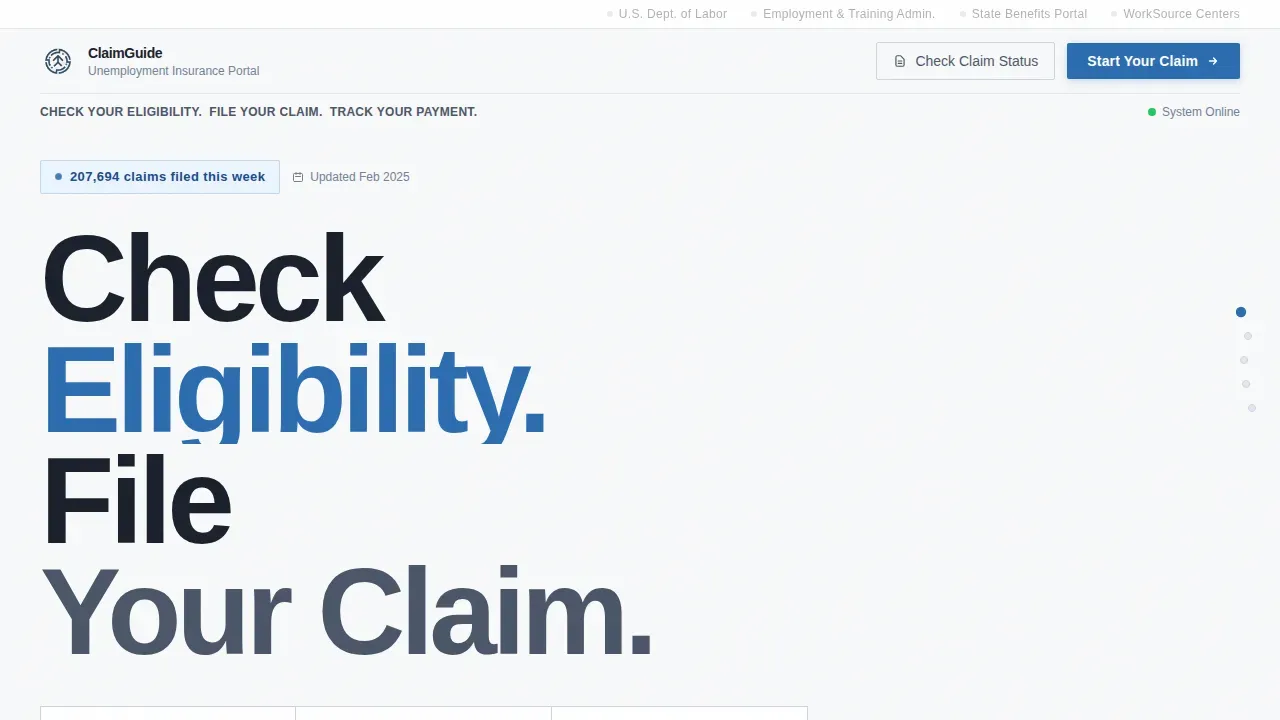
The Claim template is a step-by-step unemployment office landing page built for first-time claimants who need clear directions fast. Four numbered zigzag sections walk visitors from eligibility through weekly certification. The Arctic White color system and plain language give the page institutional authority without confusion. It earns the "Start Your Claim Now" click by eliminating uncertainty before asking for action.
by Rocket studio
Quick summary
This claim step by step unemployment office landing page template guides recently unemployed individuals through the full unemployment insurance process in plain language. Four structured zigzag sections replace confusion with confidence. Visitors scroll from eligibility check to weekly certification without needing to call anyone. The page converts because it answers every question before the blue button appears.
Who this template is for
This template is built for government agencies, workforce departments, and civic service teams that need to help claimants file for unemployment quickly and correctly. It is equally useful for any organization standing up a public-facing unemployment insurance guidance portal.
- Recently laid-off workers filing a new claim for the first time
- Seasonal contract workers and single parents who need fast, clear next steps
- Mid-career professionals unfamiliar with the unemployment insurance system after years of continuous employment
What problem this template solves
Most claimants arrive at a government page confused, anxious, and unsure where to begin. They do not know which document to gather first, when their benefit year starts, or how weekly certification works. The result is unnecessary phone calls, abandoned claims, and delayed payments.
- Claimants cannot easily find what they need to file before they start
- Confusing language causes people to drop off mid-process or submit incomplete forms
- Return visitors struggle to locate claim status updates without calling the department
What you get with this template
You receive a fully structured single-page layout with four numbered step sections, a Logo Bar header, and a clear primary call to action. Every section is ready to populate with your agency's specific instructions, document requirements, and filing links.
- A zigzag alternating layout with left-panel checklists and right-panel explanations for each step
- A header strip with state seal, office name, partner agency logos, and a secondary "Check Claim Status" button for returning visitors
- A linear single-row footer with essential department contact details and language options
Feature list
This template includes a focused set of civic-service components. Each one is designed to move claimants forward, not decorate the page.
Numbered Step Navigation
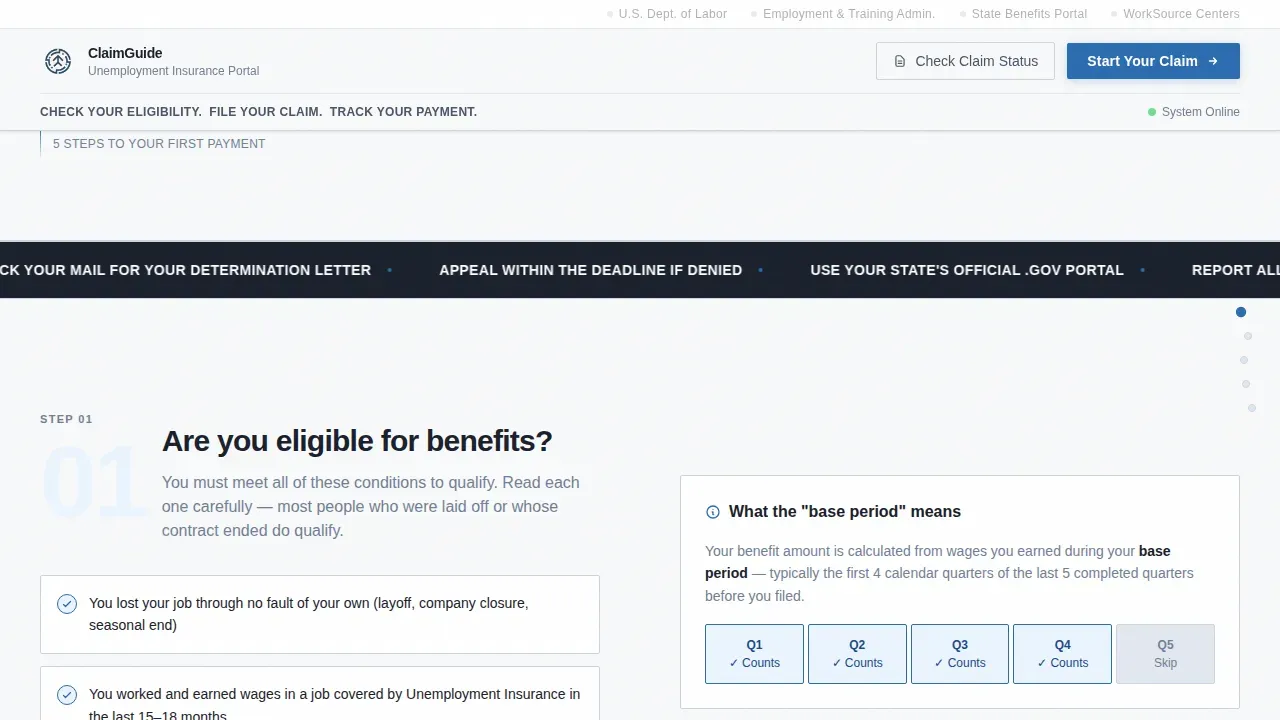
Each of the four sections represents one step in the unemployment insurance process. Visitors scroll through eligibility, documents, filing, and post-submission in order. The scroll itself mimics moving through a government queue, making progress feel visible and real.
Checklist and Audit Zigzag Layout
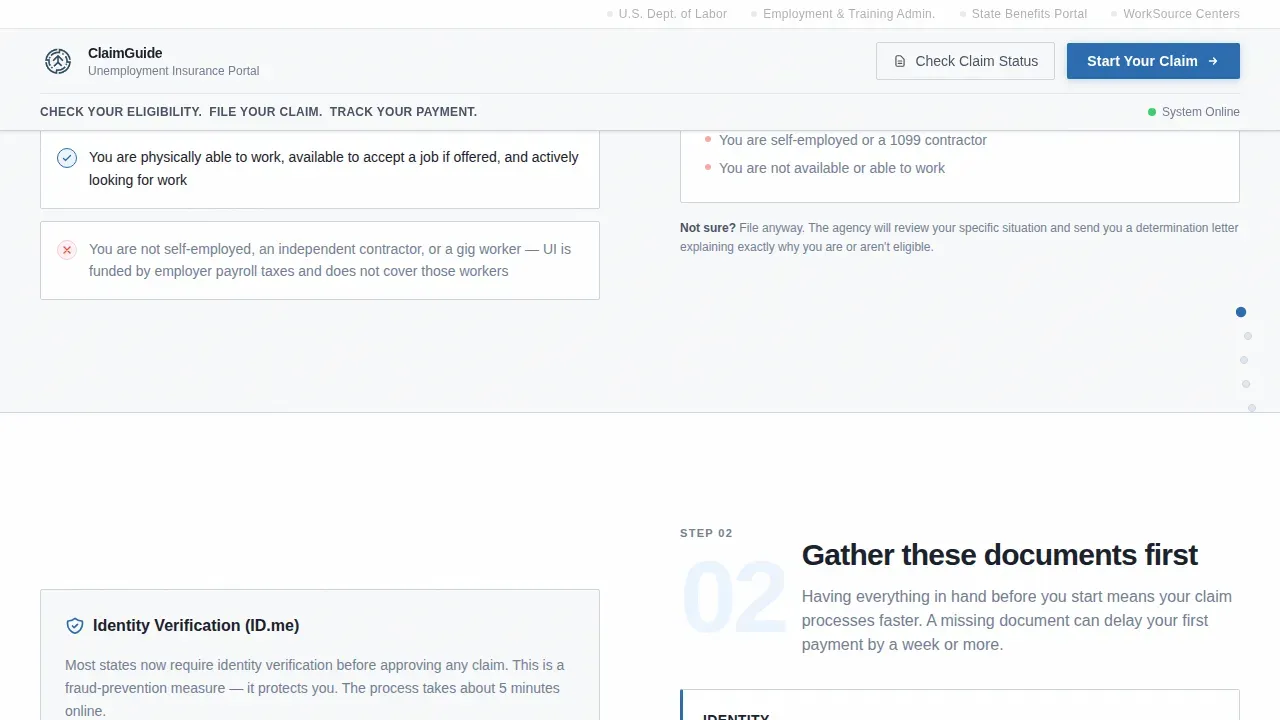
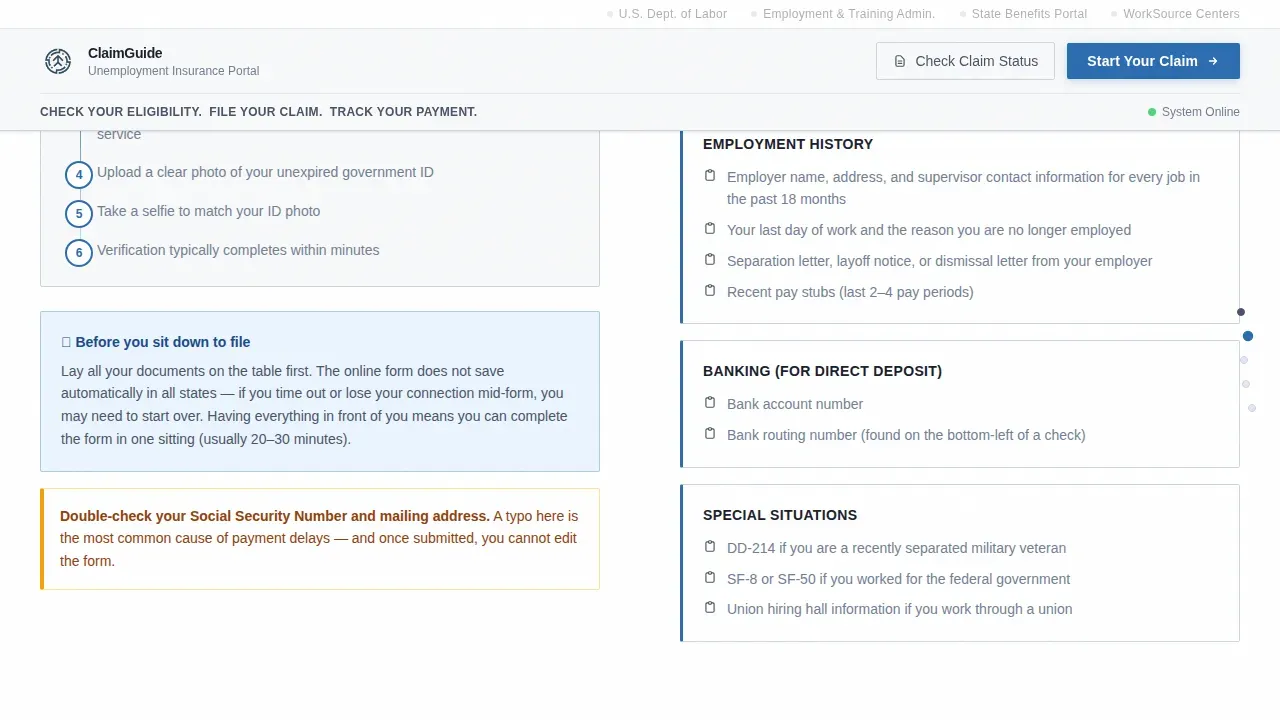
Left panels display what claimants need to gather: their social security number, a valid government-issued photo ID, most recent employer's name, work history with start and end dates, and bank account details for direct deposit. Right panels explain what happens after they submit each piece. The alternating layout keeps the review process readable on any screen size.
Institutional Logo Bar Header
The header anchors the state seal and office name on the left. A horizontal strip of partner agency logos runs right, all in single-color grayscale. A bold status line reads: "Check your eligibility. File your claim. Track your payment." A secondary button lets return visitors check claim status directly from the top of the page without having to scroll.
Primary Click-Through Call to Action
The "Start Your Claim Now" button appears after step three, once visitors have mentally gathered their documents and understood the timeline. Placement is intentional: the page earns the click rather than demanding it early. Claimants who reach this point feel prepared, not processed.
Plain Language Copy Framework
Every paragraph is written to answer the question a claimant was too uncertain to ask. Instructions avoid jargon. Separation reasons are phrased plainly, for example "why did your job end?" rather than technical legal language. This reduces inbound phone calls and helps claimants complete the process independently.
Mobile-First Responsive Structure
The layout is built for claimants on phones in waiting rooms or at home without desktop access. Step sections stack cleanly. Checklist items remain tappable. The primary call to action stays prominent on smaller screens without requiring users to scroll past unnecessary content.
Page sections overview
| Section | Purpose |
|---|---|
| Logo Bar Header | Establishes official identity and provides claim status access for returning visitors |
| Step 1: Eligibility | Left checklist of qualifying conditions; right explanation of the base period and benefit year |
| Step 2: Documents | Left list of required items including social security number and employer details; right identity verification instructions |
| Step 3: Filing and Call to Action | Left filing instructions; right primary "Start Your Claim Now" button linking to state portal |
| Step 4: After Submission | Left payment timeline with specific week counts; right weekly certification process explained |
| Linear Single-Row Footer | Department contact details, language links, and partner agency references |
Design & branding system
The visual identity follows a Civic Service theme using an Arctic White color system. The palette reads like a freshly printed government form: clinical, authoritative, and free of decoration.
- Arctic White (#F8F9FA) background, civil-service slate (#4A5568) for body text, form-field fog (#E2E8F0) for input backgrounds, and status-bar blue (#2B6CB0) for links and active elements
- DM Sans typography throughout, a neutral and government-appropriate typeface that stays readable at all sizes
- Zero decorative elements, no hero imagery, no warm tones; the design signals utility and institutional trust from the first visible line
Mobile & speed optimization
The template is built mobile-first because many claimants rely solely on smartphones. They may be sitting in a waiting room, at a kitchen table, or away from any desktop when they need to file.
- Zigzag sections reflow into single-column stacks on small screens, keeping checklist items and explanations readable without horizontal scrolling
- Static server components handle all content sections, keeping JavaScript minimal and page load predictable
- Staggered text reveals and scroll-triggered section entries provide low-to-medium animation without introducing performance issues or distracting users under stress
How this template helps you convert
This template is designed to eliminate confusion before asking for a commitment. By the time the call to action appears, the visitor has already done the mental work of preparing to file.
- Each numbered step builds readiness: claimants review eligibility, gather documents including their social security number and wages history, and understand the filing process before they ever see the primary button
- The secondary "Check Claim Status" link in the header keeps return visitors on the page instead of calling the department, reducing inbound phone volume and repeat visits
- Plain language and a visible progress structure reduce anxiety, which means fewer abandoned claims and more completed initial submissions
Other information about this template
This template references the weekly claim volume context of roughly 207,694 initial claims per week, which can be incorporated as social proof copy to reassure new claimants that the system is operational and widely used. The page design also accounts for adjudication scenarios: claimants who have a pending review or need to reactivate a prior claim can be directed to a dedicated status area without calling.
- The effective date of all unemployment claims is the Sunday of the week you file; this detail is built into the step four timeline section
- Weekly certification must be filed every week, typically between Sunday and Friday, to continue receiving unemployment compensation; the template explains this cycle clearly in step four
- Special document notes are included for applicable groups: military members may need a DD-214, and former federal employees may need SF-50 or SF-8 forms
- Claimants must verify their identity before their unemployment claims can be approved; the template includes a dedicated identity verification step with instructions on how to verify online or in person at an American Job Center
- The template supports language accessibility by reserving a footer link slot for regional language options, helping departments serve diverse claimant populations
- Returning claimants who need to log in, reset a password, or review messages from their department can be directed through the header status button to the existing portal
- The page is created as a static structure, so departments can adapt each step section, update document lists, and swap filing portal links without rebuilding the layout
Theme
Civic Service
Creative direction
Checklist & Audit
Color system
Arctic White
Style
Zigzag/Alternating
Direction
Click-Through
Page Sections
Numbered Step Navigation
Checklist and Audit Zigzag Layout
Institutional Logo Bar Header
Plain Language Copy Framework
Primary Click-through Call to Action
Mobile-first Responsive Structure
Related questions
What documents do claimants need before they file?
When does the benefit year begin and what is the effective filing date?
How does weekly certification work and what happens if you miss a week?
How do claimants verify their identity?
What happens if a claim is denied or placed in adjudication?



