Law Firm 404 Error Recovery & Live Settlement Estimator Template
Navigate is a law firm 404 error landing page template built to intercept lost visitors and route them toward legal help. A live settlement estimator loads instantly above three glowing tab panels. Modular flip cards compare firm metrics to industry averages. A three-field intake form and persistent mobile call-to-action bar close the gap between a dead URL and a booked consultation.
by Rocket studio
Quick summary
Navigate transforms a broken URL into a law firm intake funnel. The page opens with a live settlement estimator before the visitor even registers the 404 context. Flip-card comparison modules build credibility through data. A concise three-field form converts anxious searchers into real leads. Every section is built for speed of decision, not scrolling endurance.
Who this template is for
This template is designed for law firms that handle personal injury, employment disputes, and criminal defense cases. It fits practices that receive significant mobile traffic from distressed individuals searching for legal help late at night or mid-crisis.
- Plaintiff-side personal injury firms expecting referral and organic dead-link traffic
- Employment and criminal defense practices wanting to recover bounced visitors with a clear intake path
- Legal marketing teams who need a high-interactivity 404 redirect page without building one from scratch
What problem this template solves
Most law firm 404 pages show a generic error message and lose the visitor permanently. Navigate treats that moment as a qualified lead opportunity instead.
- Visitors who hit a dead link are already in research mode; this template keeps them engaged with an immediate, functional tool
- Without a structured intake path, distressed visitors bounce to a competitor; the sequential form reduces that risk
- Firms with no 404 recovery strategy leave high-intent mobile traffic unaddressed at the exact moment it matters most
What you get with this template
You get a fully structured, single-page 404 redirect funnel with six distinct content sections and high-interactivity components built in from the first scroll.
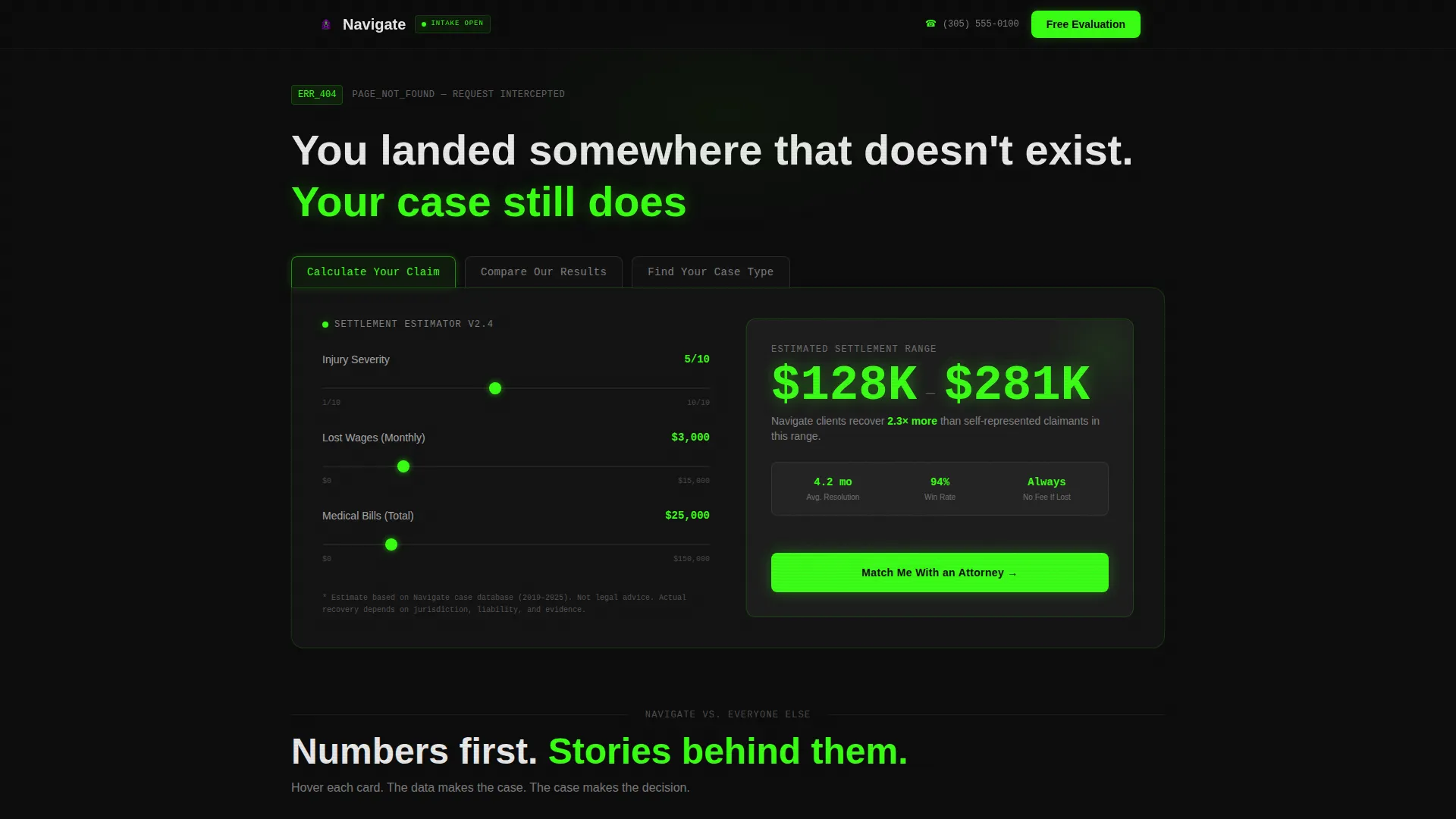
- A Feature Tab Switcher header with three labeled panels and a live settlement estimator powered by client-side sliders
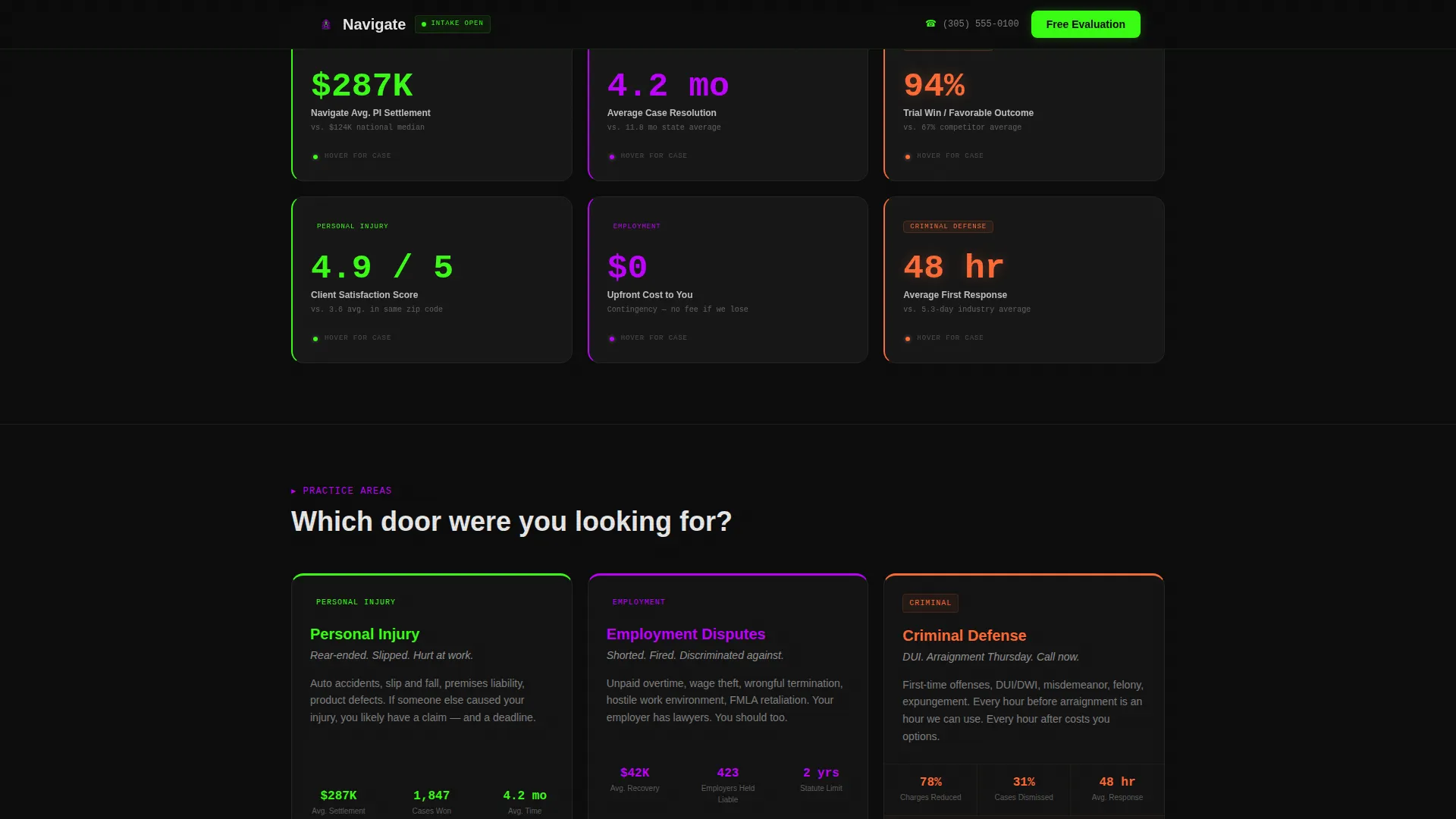
- A modular card grid with hover flip mechanics that juxtapose firm data against national and state averages
- A three-field sequential intake form, a persistent mobile call-to-action bar, and a click-to-SMS secondary path
Feature list
This section covers the core functional and design components included in the Navigate template.
Live Settlement Estimator
The calculator appears immediately inside the default tab panel. Visitors adjust sliders for injury severity, lost wages, and medical expenses. The output renders as an instant dollar range in oversized terminal-green numerals, giving the firm's value proposition a tangible, real-time form before a single word of copy is read.
Feature Tab Switcher Header
Three glowing tabs sit above a live-switching content panel. The labels are "Find Your Case Type," "Calculate Your Claim," and "Compare Our Results." Selecting a tab updates the panel without a page reload, and the active state pulses in terminal green to confirm the selection.
Comparison Flip-Card Grid
Each card module places the firm's performance metrics beside national or state averages. On hover, the card flips to reveal a one-sentence case summary and its outcome. The grid moves from statistical authority to human narrative as the visitor scrolls downward, building trust progressively.
Practice Area Panels
Three practice areas, personal injury, employment disputes, and criminal defense, each appear with outcome data embedded. Electric violet borders mark the boundary between case categories, creating immediate visual separation without requiring additional text labels.
Sequential Intake Form
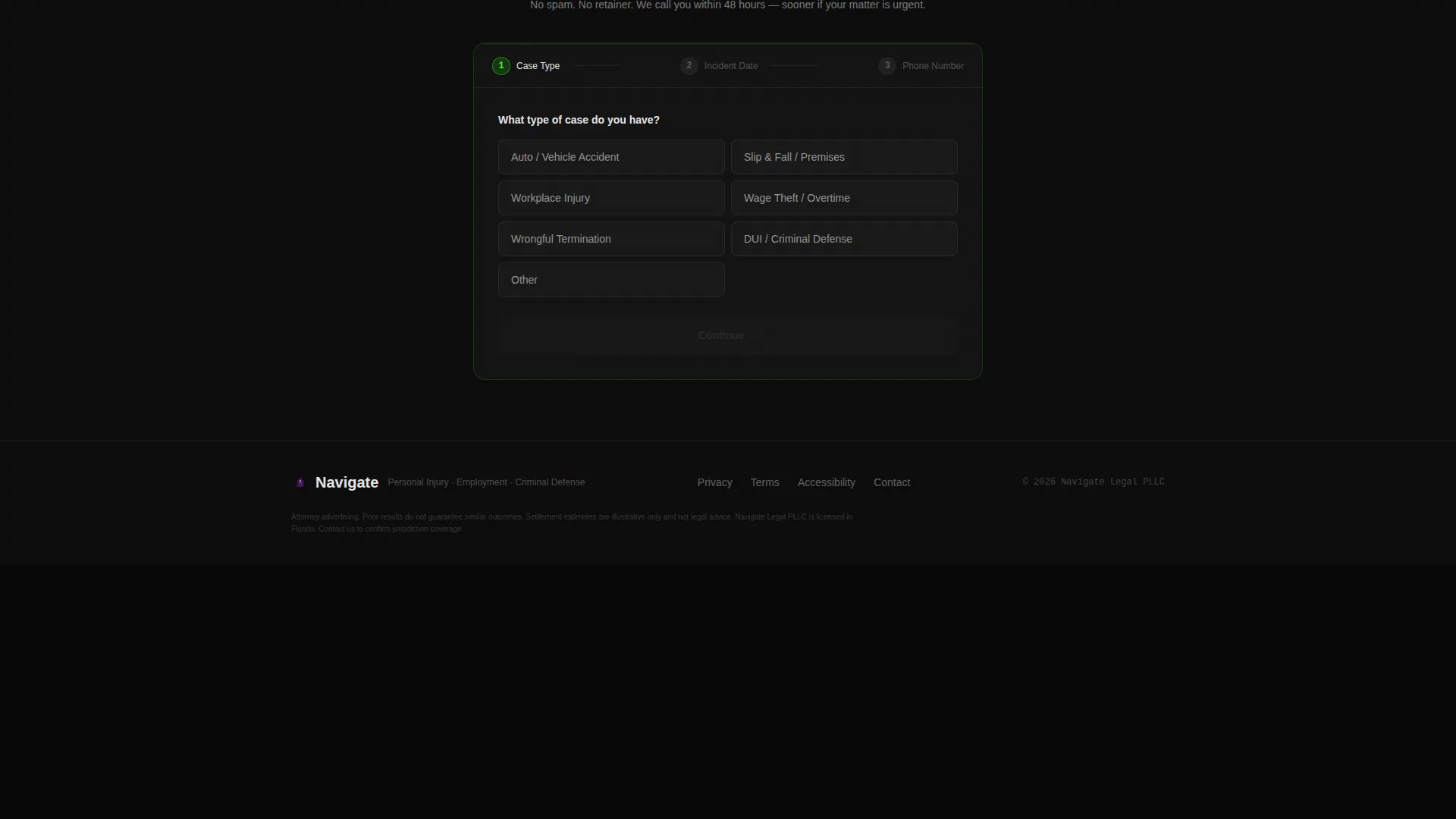
The form presents three fields in order: case type, incident date, and phone number. If the visitor used the tab switcher, the case type field pre-fills automatically. A "Text Us Instead" click-to-SMS link offers a secondary contact path for visitors who prefer not to call.
Persistent Mobile Call-to-Action Bar
On mobile viewports, a fixed bottom bar keeps the primary call to action visible at all times. The bar displays "Match Me With an Attorney" and stays in view throughout the scroll, ensuring the conversion path is never more than one tap away.
Page sections overview
| Section | Purpose |
|---|---|
| Hero Tab Switcher | Opens with calculator and three interactive tab panels |
| Settlement Estimator Panel | Runs live slider tool; outputs instant dollar range |
| Comparison Card Grid | Pits firm metrics against national and state averages |
| Practice Area Cards | Separates three case types with outcome data |
| Social Proof Block | Shows specific settlement figures and client ratings |
| Intake Form and Footer | Collects three fields; includes SMS path and single-row footer |
Design & branding system
Navigate uses a Data Command visual identity built on the Acid Digital color system. The canvas is void black at ninety percent coverage, which keeps all glowing elements sharp and legible against the dark field.
- Color palette: void black (#0D0D0D) as the base, terminal green (#39FF14) for active states and primary call-to-action elements, electric violet (#BF00FF) for practice area category borders, and cold interface white (#E8E8E8) for body text
- Typography: JetBrains Mono handles all numerical and data display; DM Sans carries body copy for readability
- Animation layer: glowing pulse on green elements, tab-switch transitions, card flip on hover, and scroll-reveal entry for each card row
Mobile & speed optimization
The template is built mobile-first, acknowledging that the target visitor is most likely on a phone searching late at night under stress.
- The persistent bottom bar keeps the primary call-to-action reachable without scrolling back to the top
- The settlement calculator runs entirely client-side with no external dependencies, so it responds instantly on any connection
- Tap targets, slider controls, and form fields are sized for one-handed mobile use to reduce friction at the conversion step
How this template helps you convert
Navigate is structured around the Comparison/Versus conversion model, where each section removes a specific objection before presenting the next ask.
- The settlement calculator runs first, making the firm's value concrete before the visitor engages with any written claims; the "Match Me With an Attorney" button appears directly inside the calculator output panel
- The comparison flip-card grid eliminates doubt by showing firm performance data alongside industry benchmarks, turning abstract credibility into visible proof before the form appears
- The three-field sequential form asks only what is needed to route the lead, keeping commitment low while delivering enough information for an attorney to make meaningful first contact
Other information about this template
Navigate is categorized under Law Firm Website Templates in the Technology category of the template marketplace. It is purpose-built for the law firm 404 error page niche, making it a highly specific tool rather than a general legal theme.
- Template style: Card Grid (Modular), meaning each content block is an independent, reusable module
- Intersection match: the template aligns the Calculator/Tool First creative direction with the Comparison/Versus landing page direction, a combination designed specifically for high-anxiety, high-intent visitors
- Localization: content references are set for the United States market, using USD currency and Eastern timezone context
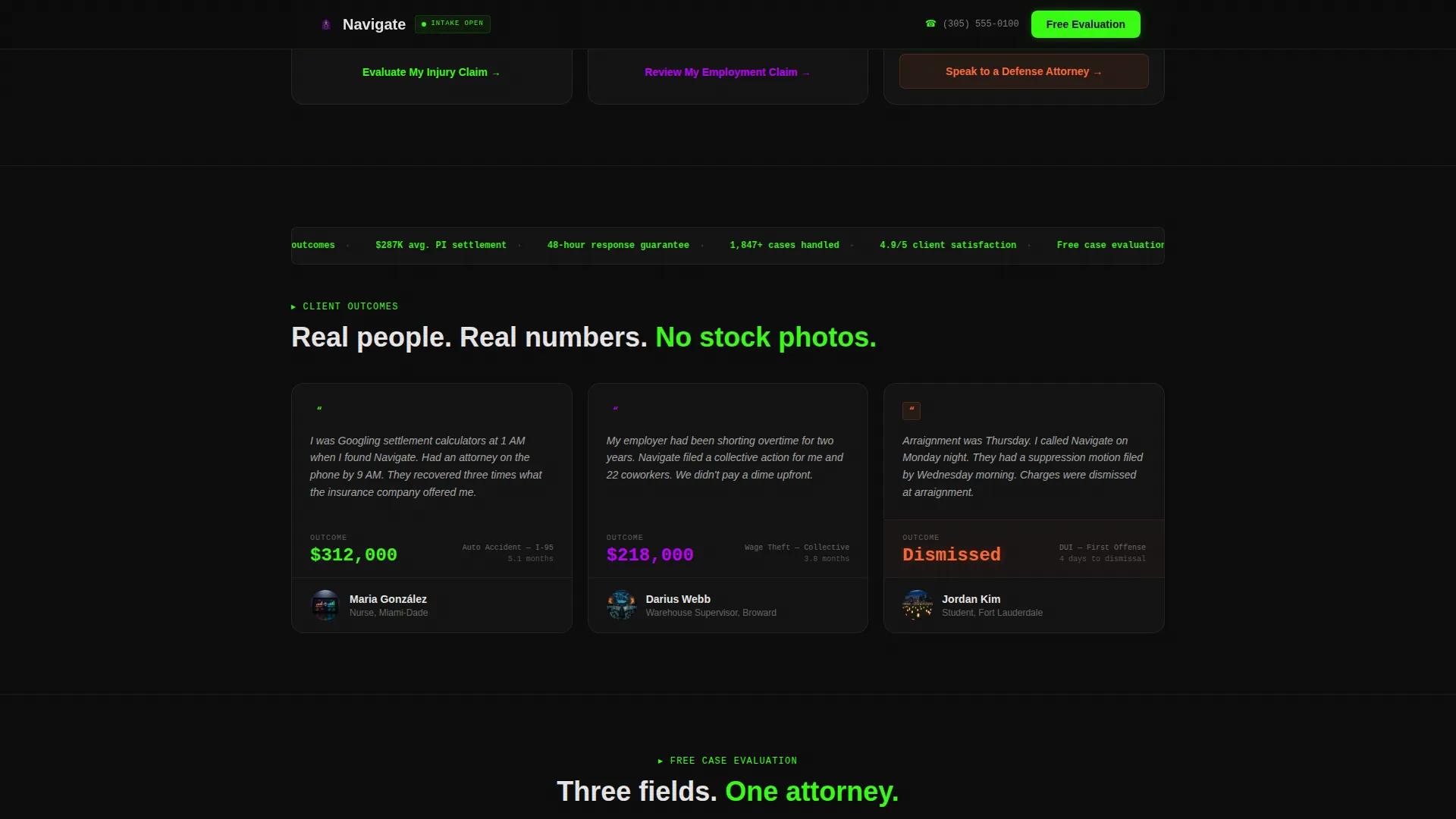
- Social proof format: the template uses specific named case summaries and dollar-figure outcomes rather than generic star ratings alone
- No stock photography or gavel icons appear anywhere in the design; the interactive tool and data cards carry the full visual weight
Theme
Data Command
Creative direction
Calculator/Tool First
Color system
Acid Digital
Style
Card Grid (Modular)
Direction
Comparison/Versus
Page Sections
Live Settlement Estimator with Sliders
Three-panel Feature Tab Switcher
Comparison Flip-card Grid
Practice Area Category Panels
Sequential Three-field Intake Form
Persistent Mobile Call-to-action Bar
Related questions
Can I use this template for a firm that only handles one practice area?
Does the settlement calculator require a backend server to run?
Is this template designed for mobile visitors?
What makes this different from a standard law firm landing page template?
Can the intake form be connected to a contact routing system?