Rheumatologist Booking Website Template
Navigate is a sidebar companion landing page template built for rheumatology insurance and billing practices. It pairs a warm Forest Trust visual identity with a four-step scrolling checklist sidebar, an honest stats hero, condition-specific cost breakdowns, and a three-stage progressive booking form that turns financial anxiety into confident appointment bookings.
by Rocket studio
Quick summary
Navigate is a single-page rheumatologist insurance and billing landing page template. It opens with three trust-building statistics, guides visitors through a persistent sidebar checklist, and closes with a progressive booking form. The design feels like a calm, honest conversation about money and care, built specifically for newly diagnosed autoimmune patients.
Who this template is for
This template is designed for rheumatology practices that want to address patient cost anxiety before the first appointment. It works especially well for offices that accept multiple insurance networks and handle complex biologic infusion billing.
- Rheumatologists treating rheumatoid arthritis, lupus, gout, and psoriatic arthritis patients
- Billing teams or patient advocates who field insurance questions daily
- Practices serving Medicare patients concerned about high-cost biologic infusion coverage
What problem this template solves
Patients with autoimmune conditions often delay care because they fear the bill more than the diagnosis. A referral slip without cost clarity creates dread, not confidence. This template removes that friction before the form ever appears.
- Newly diagnosed patients need coverage answers before they can commit to a first visit
- Medicare and multi-specialist patients struggle to understand what each office will actually bill
- Practices lose bookings when cost information is buried, vague, or missing from the page entirely
What you get with this template
You get a complete, section-led landing page layout built around one goal: turning an anxious visitor into a confident, booked patient. Every section is short, honest, and sequenced to reduce hesitation one step at a time.
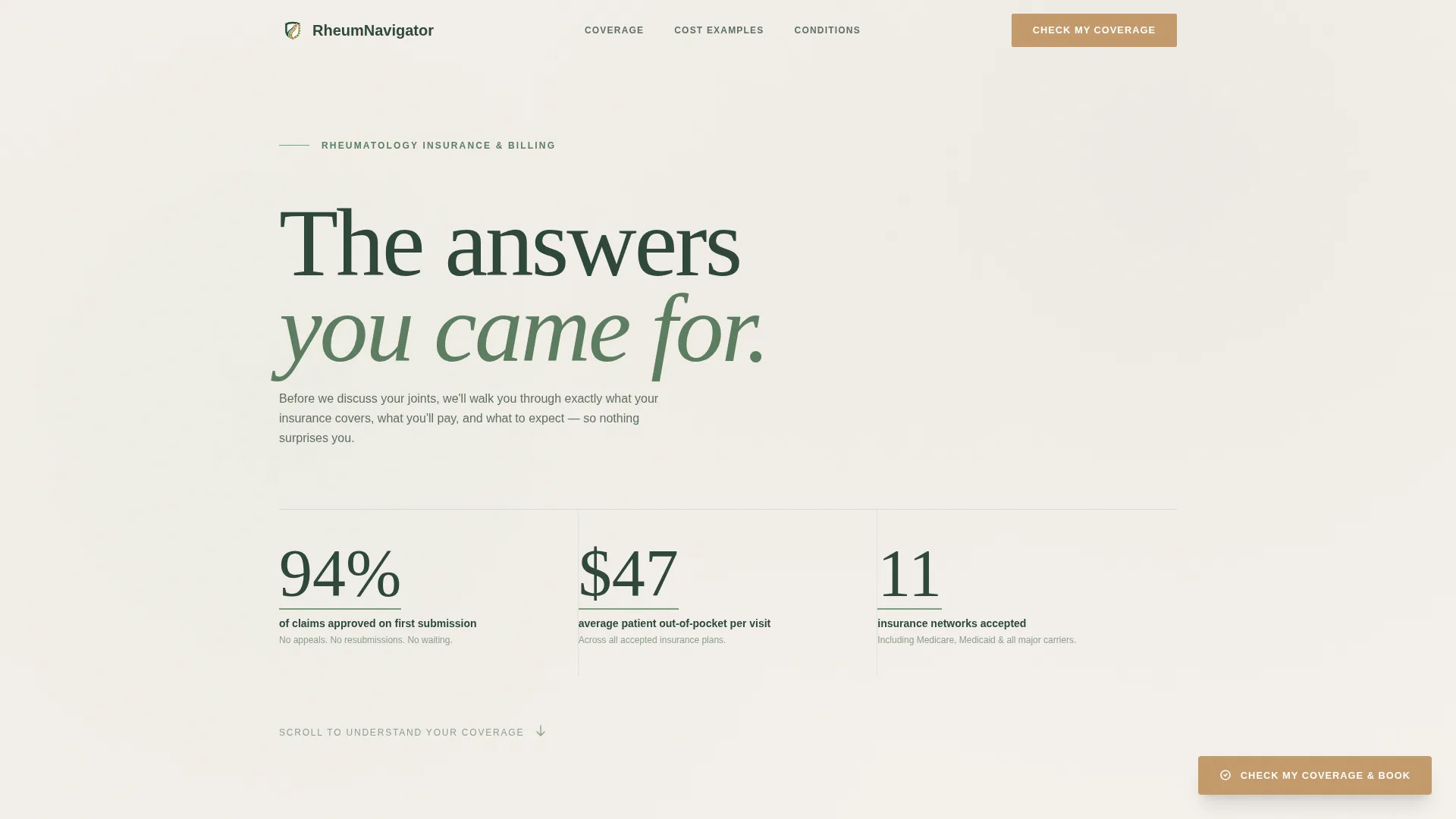
- A stats hero section with three key numbers that answer the cost questions patients lose sleep over
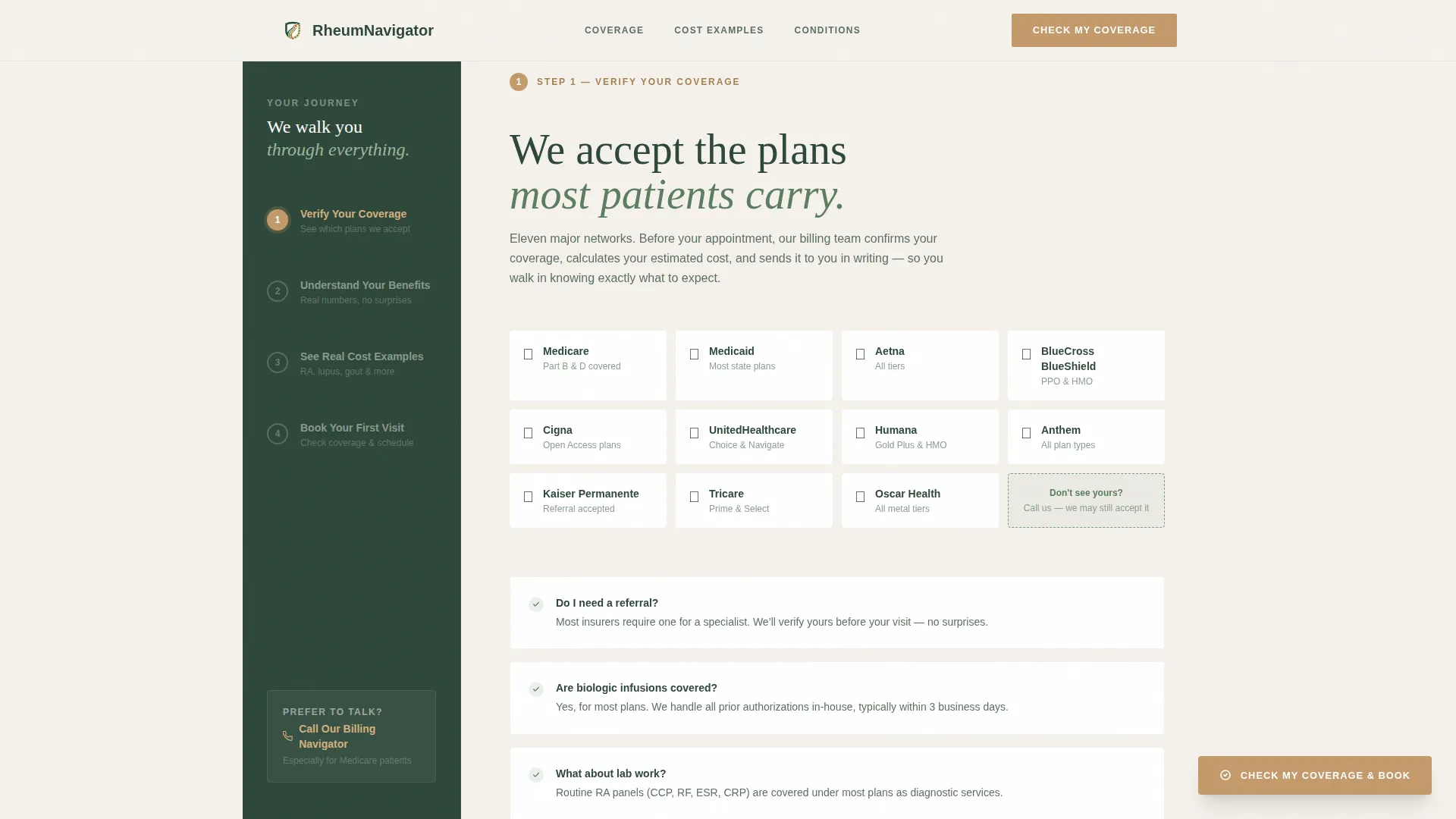
- A persistent four-step sidebar checklist that lights up as the visitor scrolls through each section
- A three-stage progressive booking form with a condition selector and a calendar showing next-available slots
Feature list
This template includes purpose-built components grounded in the specific needs of rheumatology billing and patient intake.
Floating Stats Hero Display
Three large typeset numbers sit over a soft birch background with no stock photography. The figures cover first-submission claim approval rate, average out-of-pocket cost per visit, and total insurance networks accepted. Each number carries a moss underline that animates in as the visitor scrolls into view.
Persistent Sidebar Step Checklist
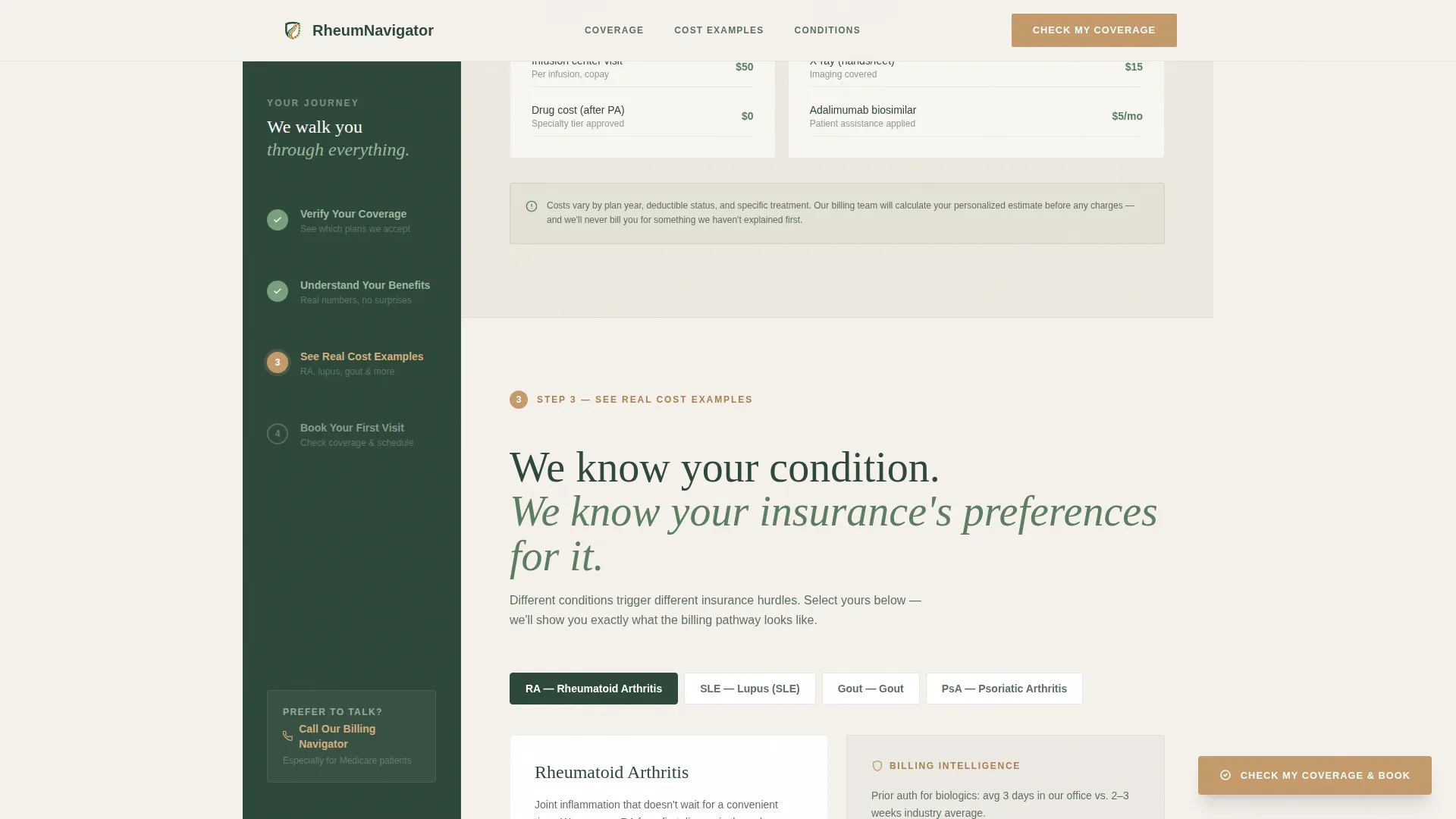
A four-step numbered sidebar follows the visitor down the full page length. Steps cover coverage verification, benefits understanding, real cost examples, and appointment booking. Each step transitions from moss to amber as its corresponding main content section enters the viewport, giving the visitor a constant sense of progress.
Insurance Network Coverage Grid
A dedicated section displays accepted insurance networks in a scannable grid layout. Visitors can check their carrier against the list before committing to the form, reducing drop-off at the booking stage.
Condition-Specific Cost Breakdowns
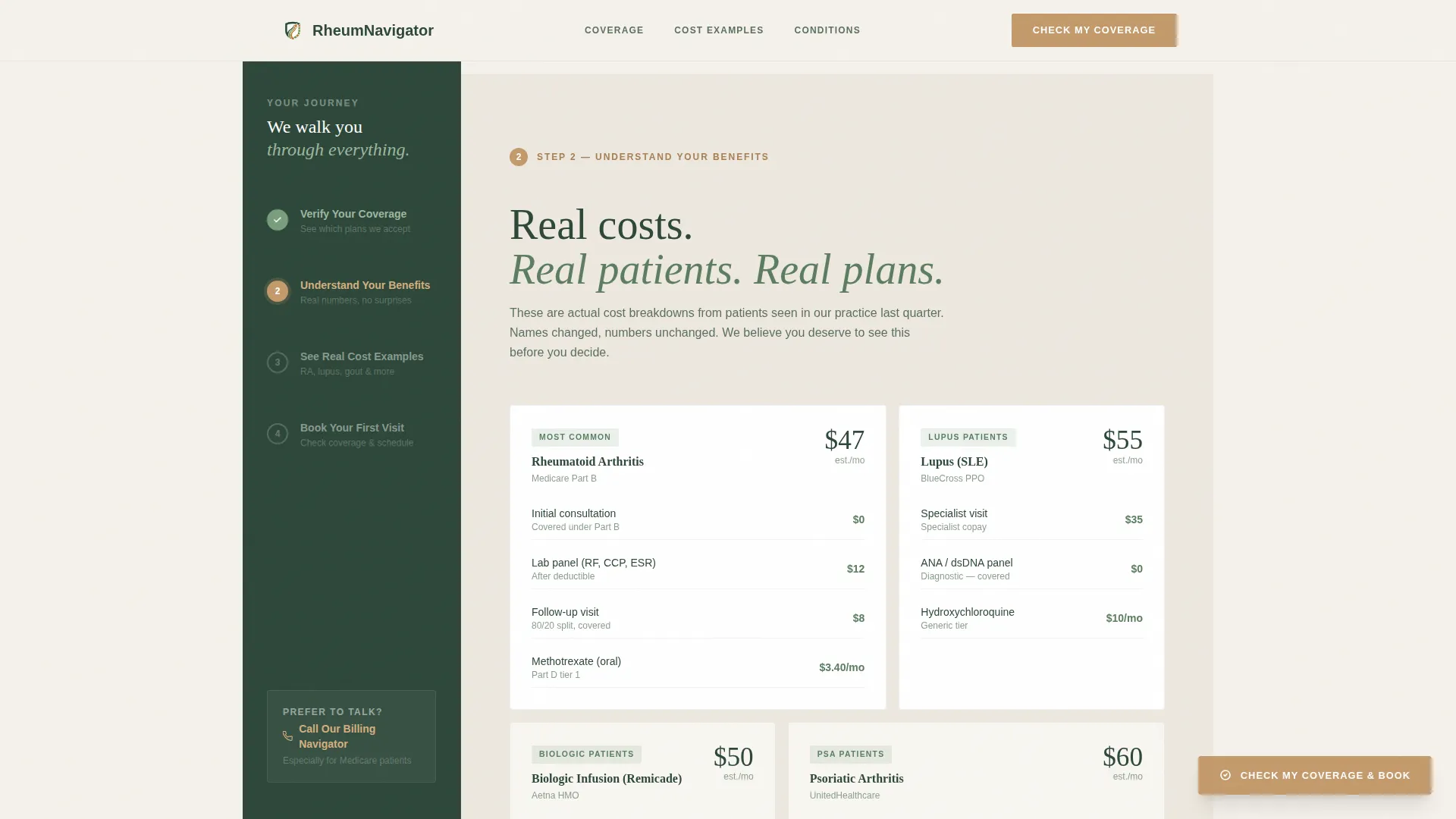
A bento-layout section presents real cost examples organized by condition type, including rheumatoid arthritis, lupus, gout, and psoriatic arthritis. Patients see what a visit or infusion typically costs for their specific situation rather than reading generic disclaimer text.
Three-Stage Progressive Booking Form
The booking form opens in three calm steps. First, the visitor enters their insurance carrier and member ID. Second, they select their referral source and condition type. Third, they choose a preferred appointment window from a calendar showing next-available slots highlighted in moss. A secondary "Call Our Billing Navigator" link offers a direct phone path for patients who prefer voice.
Floating Amber Call-to-Action Button
A "Check My Coverage and Book" button appears both in the sidebar's final step and as a persistent floating element after the second main content section. The amber color is reserved exclusively for this action across the entire design system, so the eye always knows where to go next.
Page sections overview
| Section | Purpose |
|---|---|
| Stats Hero | Opens with three key cost and coverage numbers |
| Coverage Verification | Insurance network grid and carrier lookup |
| Real Cost Examples | Condition-specific cost breakdowns in bento layout |
| Condition Expertise Cards | Asymmetric cards for RA, lupus, gout, psoriatic arthritis |
| Progressive Booking Form | Three-stage form with calendar and condition selector |
| Minimal Footer | Single-row footer with essential practice links |
Design & branding system
The Forest Trust color system creates a grounded, unhurried feeling that matches the emotional state of the patient arriving at this page. Serif headings and clean body text keep the tone warm and human without feeling clinical.
- Evergreen (#2D4739) anchors the sidebar and primary headings; birch white (#F5F1EB) opens the main content area with generous breathing room
- Warm moss (#7A9E7E) marks completed sidebar steps and fills progress indicators; quiet amber (#C49A6C) appears only on buttons and active call-to-action elements
- Fraunces serif handles all headings to add warmth and authority; DM Sans handles body copy for clean, easy reading at any size
Mobile & speed optimization
The template is built desktop-first to support the persistent sidebar layout, but every section collapses gracefully for smaller screens. The sidebar checklist stacks into an inline progress indicator on mobile so the step-by-step flow is never lost.
- Sidebar transitions to a horizontal step indicator on mobile, keeping navigation context visible
- Static content sections use server-rendered components; the sidebar checklist and booking form use client-side rendering only where interactivity requires it
- IntersectionObserver-based scroll reveals and moss-fill progress animations are lightweight and do not block content rendering
How this template helps you convert
The entire page is sequenced to reduce the one emotion that stops rheumatology patients from booking: financial fear. By the time the form appears, the anxiety has already been answered in plain language.
- The stats hero answers the three cost questions immediately, building trust before the visitor reads a single word of copy
- The persistent sidebar gives every visitor a visual sense of where they are and what comes next, reducing the feeling of being lost in a long form
- The floating amber button and the "Call Our Billing Navigator" secondary path offer two booking routes, so patients of every comfort level have a clear next step
Other information about this template
This template is categorized under Health and Medical, specifically built for the rheumatologist insurance and billing page niche. It is a sidebar companion style landing page using a Healing Space theme with a Step-by-Step Guide creative direction.
- The template targets the intersection of rheumatologist website design and patient-facing insurance communication in the United States healthcare context
- Dates and costs follow United States formatting conventions, with dollar amounts in USD and date fields using MM/DD/YYYY format
- The booking form condition selector includes rheumatoid arthritis, lupus, gout, psoriatic arthritis, and an open-ended other option, covering the core conditions seen in a general rheumatology practice
Theme
Healing Space
Creative direction
Step-by-Step Guide
Color system
Forest Trust
Style
Sidebar Companion
Direction
Booking/Scheduling
Page Sections
Animated Stats Hero Display
Persistent Four-step Sidebar
Condition-specific Cost Breakdown
Three-stage Progressive Booking Form
Insurance Network Coverage Grid
Floating Amber Call-to-action Button
Related questions
Who is this landing page template designed for?
Can I update the statistics and insurance networks shown?
Does the booking form connect to a scheduling system?
How does the sidebar checklist work on mobile?
Is this template suitable for a Medicare-focused patient audience?



