Oncologist Directory Website Template
A single-column oncologist provider directory landing page built to help cancer patients, families, and referring physicians find the right specialist fast. It opens with three oversized trust statistics, flows through a guided search form, and offers a secondary "Call a Patient Navigator" path for visitors who need a human voice before a search result.
by Rocket studio
Quick summary
This landing page is a searchable oncologist directory built for people navigating a cancer diagnosis. It leads with three large trust statistics, guides visitors through a progressive zip-code-first search form, and previews interactive filters for insurance, specialty, and distance. A secondary navigator call path serves visitors who need human support before they can search.
Who this template is for
This template is designed for healthcare directory platforms and oncology referral services connecting patients to board-certified oncologists. It serves organizations that need to convert a high-anxiety visitor into a confident first search step.
- Newly diagnosed cancer patients who need a specialist quickly and clearly
- Adult children or caregivers researching second opinions for a family member
- Primary care physicians looking for the right oncology specialist to receive a referral
What problem this template solves
Finding an oncologist after a diagnosis is overwhelming. Patients arrive clutching a referral slip, unsure where to start, afraid of making a wrong turn. A generic directory or a list of names with no filters makes the problem worse, not better.
- Visitors need clarity and control before they can commit to a search
- The template removes visual noise and clinical coldness that raises anxiety
- It answers the most common fears in sequence, one section at a time, as the visitor scrolls
What you get with this template
You get a complete single-column flow landing page structured around a calm, sequential reveal of information. Every section earns the visitor's trust before asking for the next piece of input.
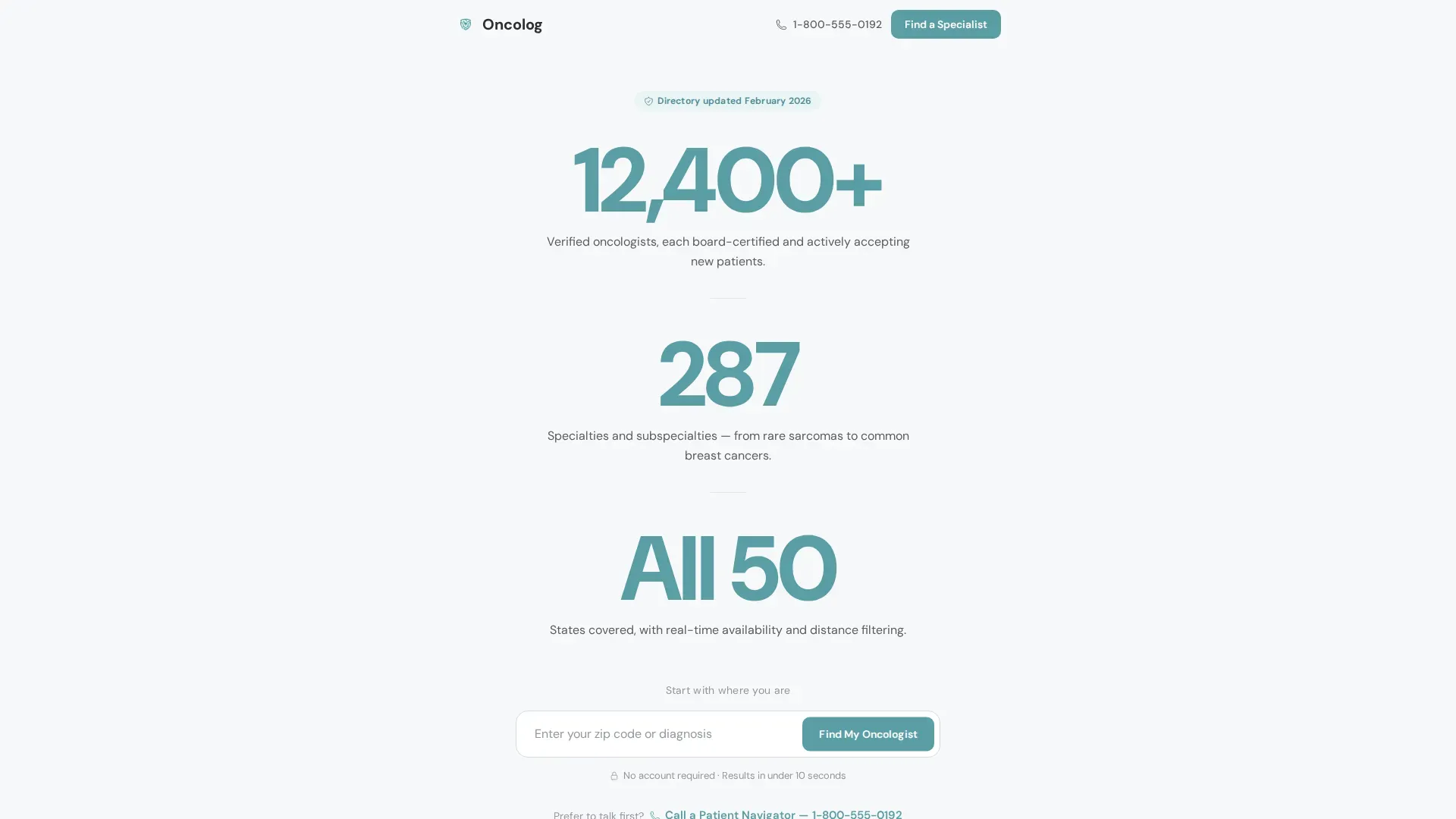
- A stats-first hero with three oversized teal numbers and a zip-code search bar
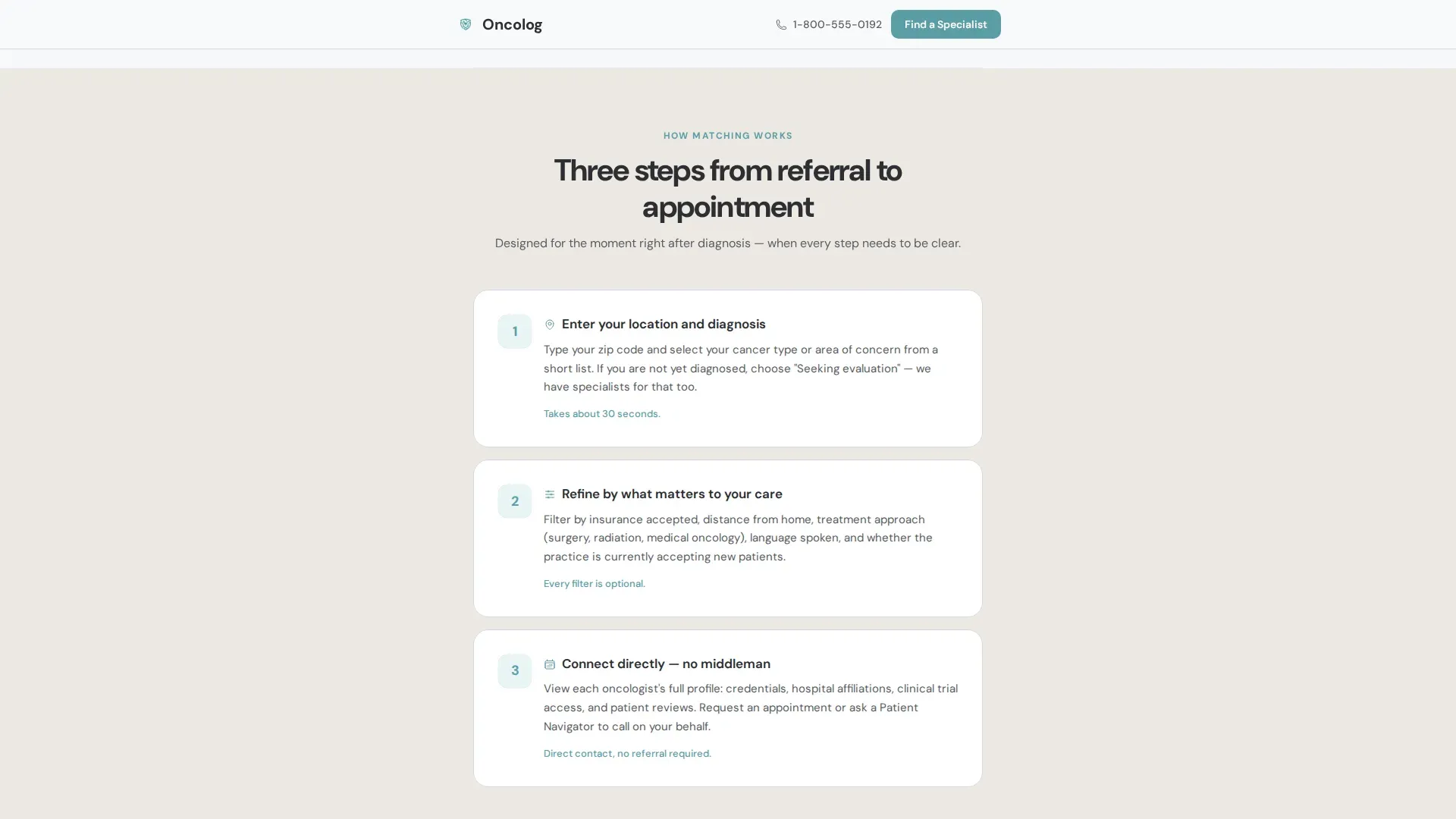
- A three-step "How Matching Works" section and a real-time search counter for social proof
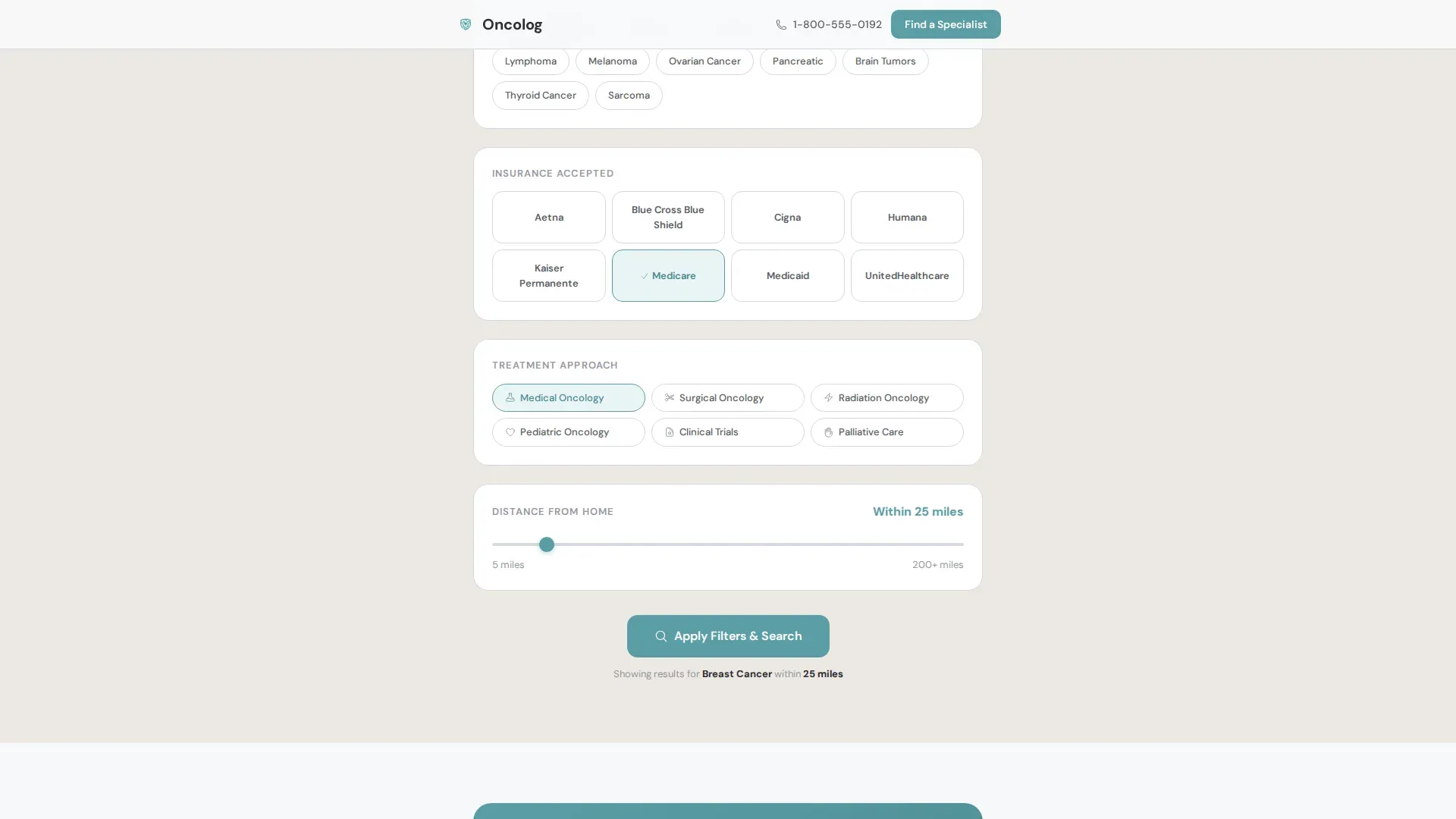
- An interactive filter preview showing insurance, cancer type, and distance options before commitment
Feature list
This template is built around a small set of high-impact components. Each one is designed to reduce friction and move a hesitant visitor toward their first search.
Stats-First Hero Section
Three oversized statistics sit vertically centered in the viewport: "12,400+ Verified Oncologists," "287 Specialties and Subspecialties," and "All 50 States Covered." Each number renders in teal at display scale with a single explanatory line beneath. A zip-code search bar with ghost text anchors the section below the third stat.
Progressive Disclosure Search Form
The search form asks for zip code first, then cancer type or area of concern from a dropdown, then insurance provider. This step-by-step structure lowers the barrier to entry and earns each next field naturally without overwhelming the visitor upfront.
How Matching Works Steps
A three-step numbered section explains the matching process in plain language. It answers the immediate question "how does this work?" and gives visitors a mental model before they commit to searching.
Interactive Filter Preview
Insurance logos, cancer type icons, and a distance slider are displayed as touchable sample elements. Visitors can interact with the filters before they have committed to anything, which builds confidence and reduces drop-off.
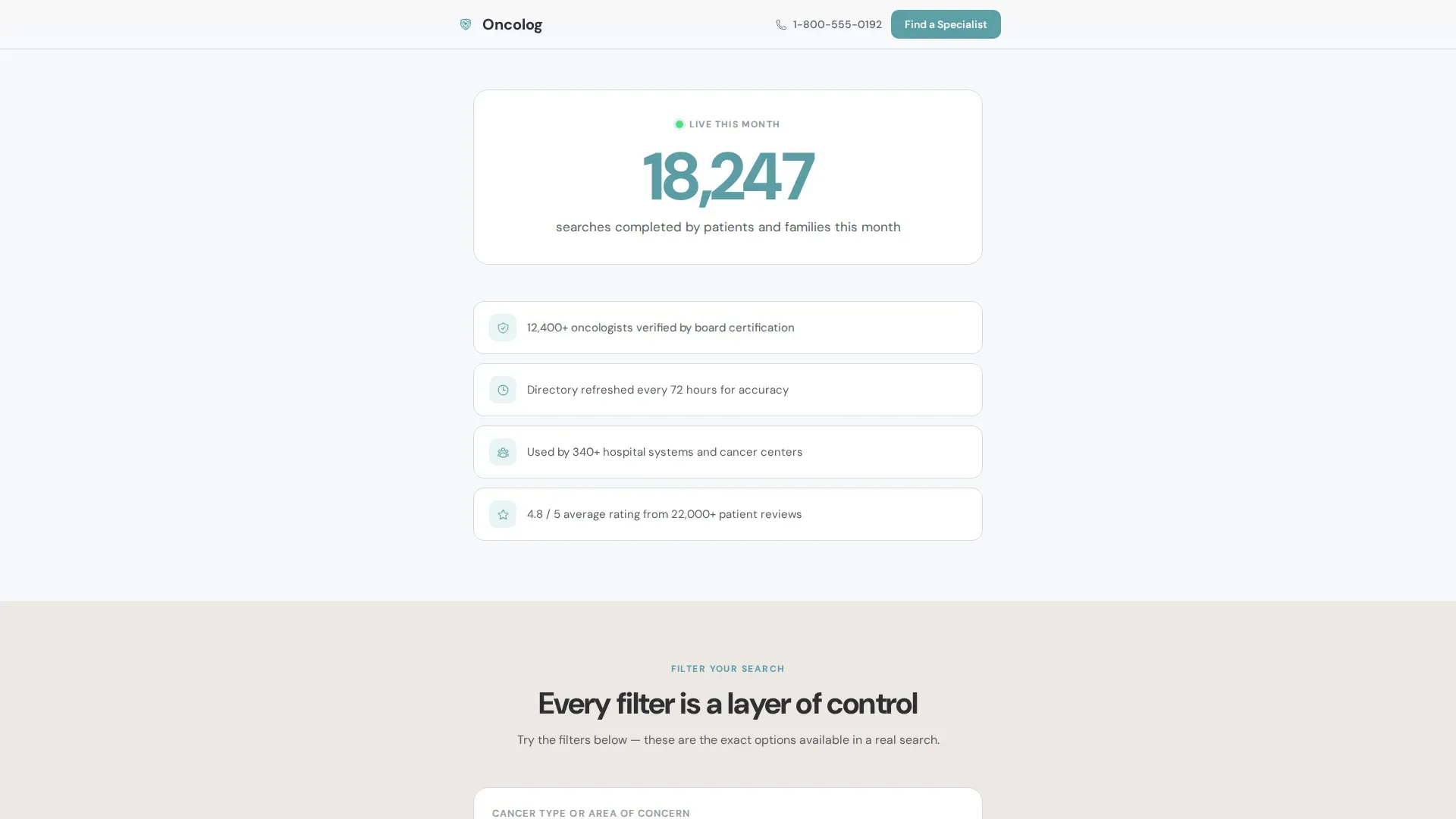
Real-Time Search Counter
A live counter shows the number of searches completed this month. This section builds social proof through volume rather than testimonials, which is more appropriate for a medical context where privacy matters.
Patient Navigator Call Path
A secondary call-to-action section displays a visible phone number and a "Call a Patient Navigator" label. This path serves visitors who need a human voice before they are ready to use a search form.
Page sections overview
| Section | Purpose |
|---|---|
| Hero Stats Block | Display scale trust numbers and zip-code search bar |
| How Matching Works | Three numbered steps explaining the process |
| Social Proof Counter | Real-time search volume and verified badge count |
| Filter Preview | Touchable insurance, specialty, and distance samples |
| Patient Navigator call to action | Phone number and secondary human-support path |
| Footer | Single-row linear layout with essential links |
Design & branding system
The visual identity follows a Healing Space theme. The palette is deliberately soft and breathable, avoiding the clinical harshness common in medical interfaces. Every color choice reinforces calm rather than urgency.
- Soft white (#F7F8FA) and warm linen (#EDE8E3) alternate as section backgrounds to create gentle breaks without hard lines
- Steady teal (#5B9EA6) is reserved for buttons, active states, and trust indicators, while deep charcoal (#2C2E33) carries all body text
- Typography uses DM Sans throughout, a clean and warm typeface that reads clearly at every size from mobile display to small caption text
Mobile & speed optimization
The template is built mobile-first, reflecting the reality that patients often search from a phone in a waiting room or a hospital corridor. The layout is a single-column flow that translates cleanly to small screens without restructuring.
- A sticky bottom bar on mobile repeats the primary "Find My Oncologist" call to action so it is always within thumb reach
- Scroll-triggered section entries and staggered number reveal animations use medium-level motion that feels considered rather than distracting
- Static sections use server components while the search form, live counter, and interactive filters use client components to balance responsiveness and load efficiency
How this template helps you convert
The entire page is structured around a single conversion goal: getting a visitor to initiate their first search. Every design and layout decision supports that goal.
- The hero section leads with scale and reassurance before asking anything of the visitor, which lowers initial resistance
- Progressive disclosure in the search form starts with the easiest field (zip code) and earns each next input, reducing abandonment
- The Patient Navigator phone number provides an alternative path for visitors who are not yet ready to self-serve, keeping them engaged rather than sending them away
Other information about this template
This template is part of a single-column flow format suited to high-emotion, high-stakes landing pages where clarity is more important than density. It is designed for the Health and Medical category with a specific focus on the oncologist provider directory niche.
- The template style is Single Column Flow with a Stats-First Impact creative direction and a Cloud Canvas color system
- No stock photography of medical equipment or stethoscopes is used anywhere; the statistics themselves serve as the visual anchor
- The FAQ accordion is included as an interactive component, giving returning visitors and cautious first-timers a structured way to get answers without leaving the page
Theme
Healing Space
Creative direction
Stats-First Impact
Color system
Cloud Canvas
Style
Single Column Flow
Direction
Lead Generation
Page Sections
Stats-first Hero with Search Bar
Progressive Disclosure Search Form
Three-step Matching Explainer
Interactive Filter Preview
Live Search Volume Counter
Patient Navigator Call Path
Related questions
What kind of visitor is this landing page designed for?
Can I customize the filter options shown in the preview section?
Does the template include a way for visitors to reach a real person?
How does the progressive search form reduce drop-off?
Is this template suitable for both patients and referring physicians?



