Calming Acupuncturist Booking Landing Page Template
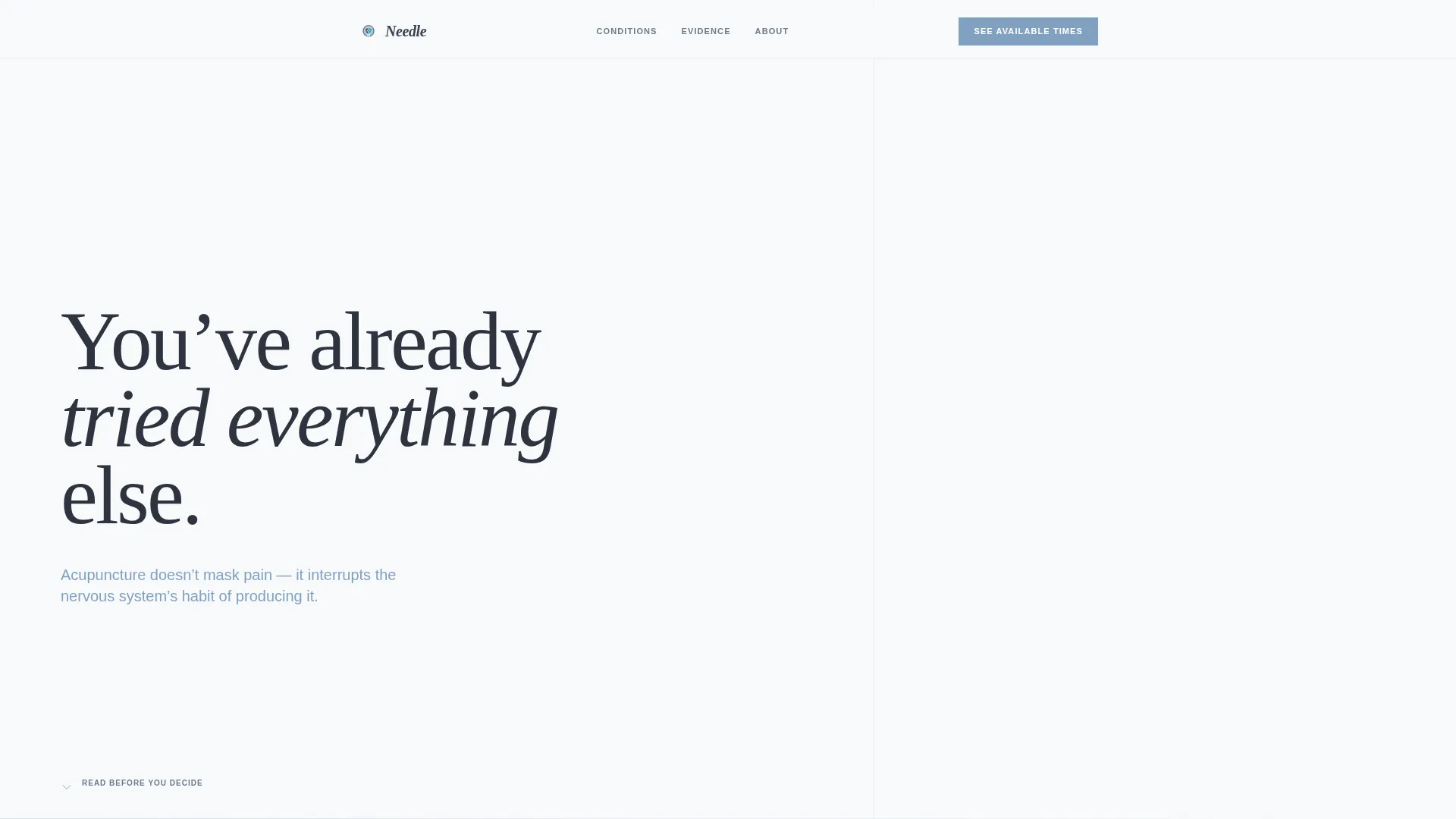
Needle is a single-column acupuncturist booking landing page built around an FAQ-driven scroll flow. It pairs an oversized serif headline with calm educational sections that answer real patient questions before a single call to action appears. The Slate and Sky color system keeps the page clinical yet warm, guiding desk workers, pregnant women, and active adults toward confidently booking a session.
by Rocket studio
Quick summary
Needle is a calming, single-column acupuncturist booking landing page. It unfolds as a series of honest, jargon-free questions and answers that build visitor confidence before presenting any call to action. The design uses deep charcoal slate, soft cloud gray, and open sky blue to create a focused, breathable reading experience that feels deliberate and trustworthy from the first scroll.
Who this template is for
This template is built for acupuncturists who want to attract new patients without resorting to aggressive sales tactics. It suits practitioners whose clients arrive with genuine questions and healthy skepticism.
- Solo acupuncturists or small clinics offering appointment-based care
- Practitioners serving desk workers, pregnant women, and active adults with injury-related concerns
- Acupuncturists who prefer educating prospective patients over pitching them
What problem this template solves
Most health-service pages either overwhelm visitors with credentials or undersell with generic copy. Neither approach answers the questions a cautious first-timer is already carrying. Needle solves this by structuring the page entirely around those questions.
- Visitors arrive skeptical and leave educated, reducing drop-off before the booking step
- The FAQ-driven format handles common objections like pain, session count, and clinical evidence without a hard sell
- A single clear call to action appears only after trust has been established through content
What you get with this template
You get a fully structured, single-column landing page layout ready for customization. Every section has a clear purpose and a precise place in the reading flow.
- A giant serif headline section with intentional whitespace and a sky blue subline
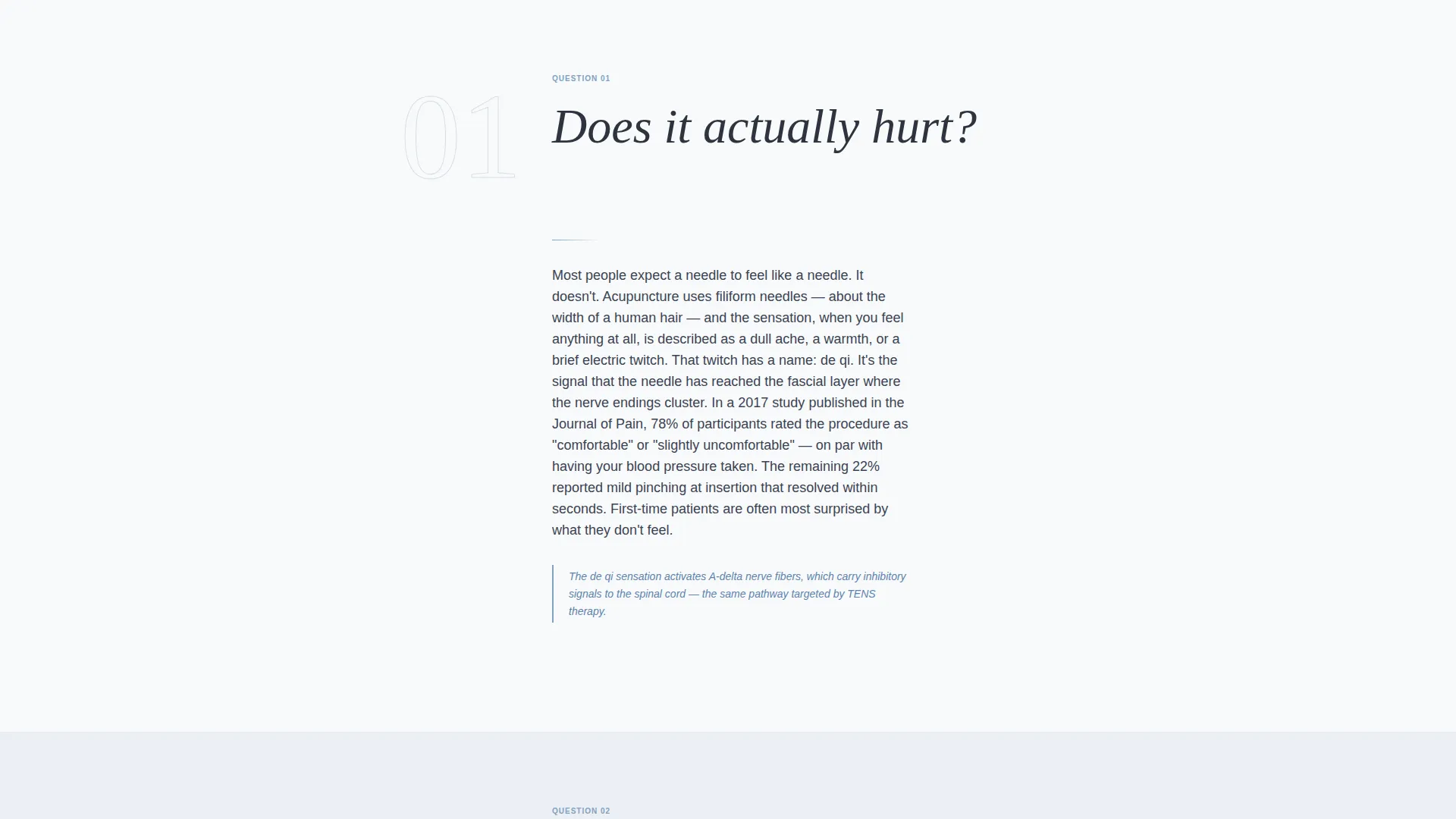
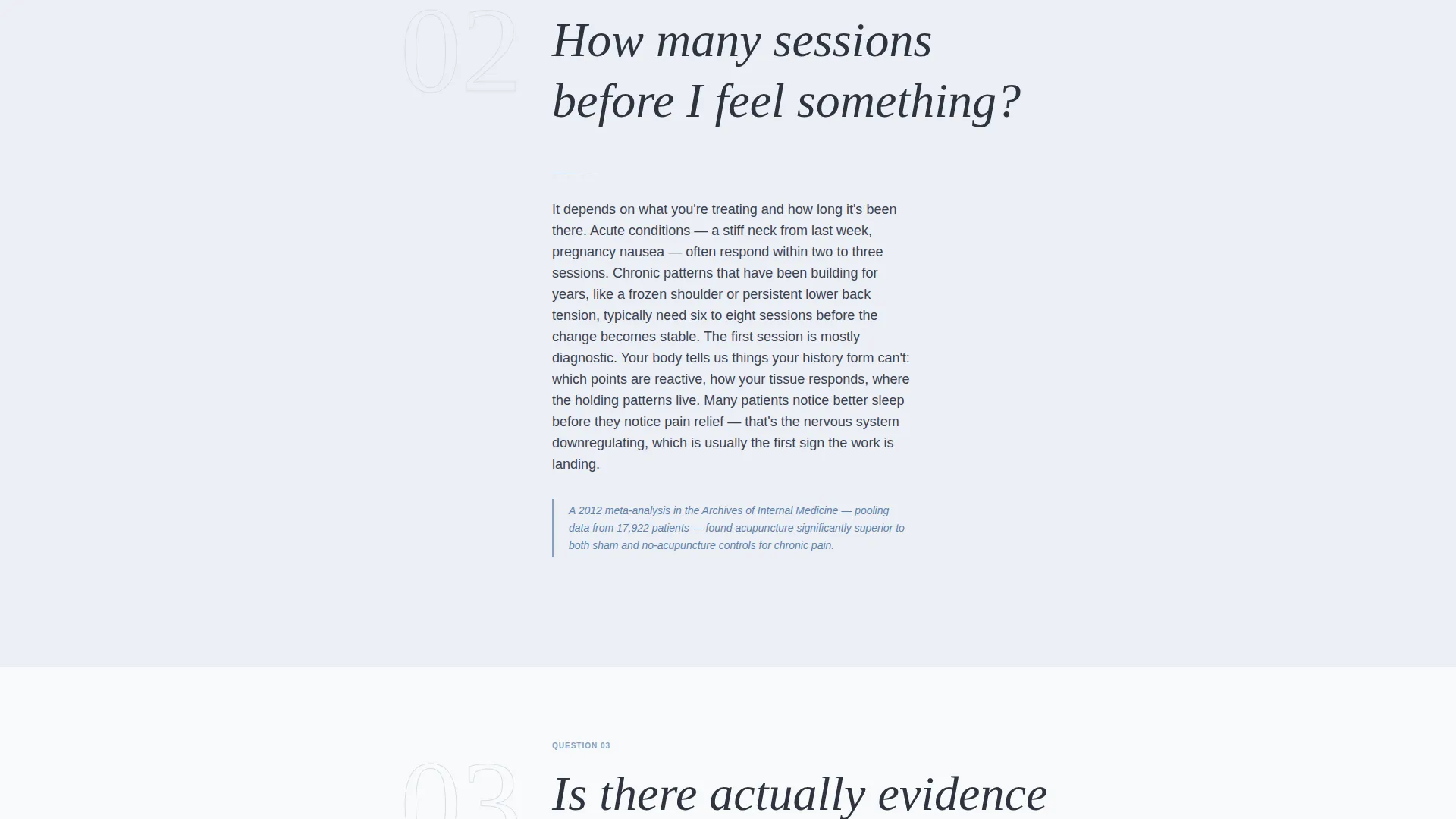
- A scrolling FAQ content body with bold question headers and short, precise answers
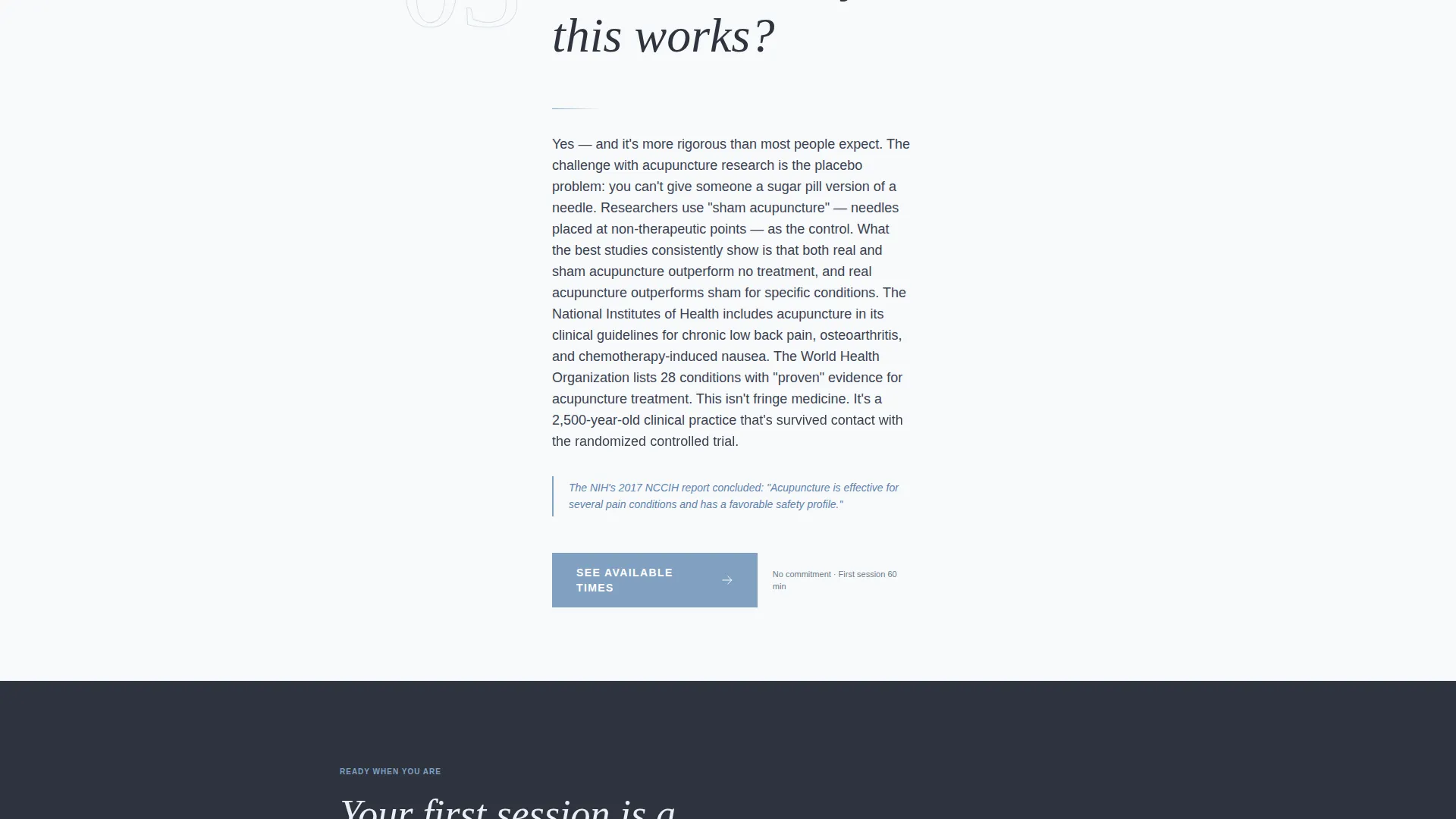
- A primary "See Available Times" call-to-action button placed after the third FAQ and a fixed mobile bottom bar
Feature list
This template delivers a focused set of design and layout features grounded in the source brief. Each element supports the calm, educational tone the page is built around.
Giant Headline Left Layout
An oversized serif heading anchors to the left margin in deep charcoal slate against cloud gray. The right side of the header is intentionally left open as visual breathing room, with only a small downward scroll cue drawing the eye forward.
FAQ-Driven Scroll Structure
Questions are presented in large, bold type as section headers. Each is followed by a short, honest answer that includes one specific clinical detail, such as a named nerve pathway or a described physical sensation, to build credibility through precision.
Sky Blue Accent System
Open sky blue (#81A1C1) is applied to interactive elements, accent lines, and the subheadline beneath the main heading. This consistent use of a single accent color keeps the page calm while clearly signaling where to focus and what to click.
Click-Through call to action Placement
The primary call-to-action button reads "See Available Times" and appears first after the third FAQ answer. No form lives on this page. The button carries the visitor to a scheduling tool on the next screen, keeping the page clean and reducing friction.
Fixed Mobile Bottom Bar
On mobile, the "See Available Times" button reappears as a persistent bar fixed to the bottom of the screen. This keeps the booking action accessible throughout the entire scroll without interrupting the reading experience.
Slate and Sky Color System
The full palette uses deep charcoal slate (#3B4252) for body text, soft cloud gray (#ECEFF4) as the primary background, and pale dawn white (#F8FAFB) as breathing space between content blocks. The result is clinical without feeling cold and calm without feeling passive.
Page sections overview
| Section | Purpose |
|---|---|
| Giant Headline Header | Sets tone, anchors serif type, and introduces the sky blue subline reframe |
| FAQ Question One | Addresses pain concern with a precise, jargon-free answer |
| FAQ Question Two | Answers session-count expectations with a specific clinical detail |
| FAQ Question Three | Presents evidence-based answer that builds credibility through precision |
| Primary call to action Block | Places "See Available Times" button after trust has been established |
| Continued FAQ Sections | Continues question-answer rhythm for remaining visitor objections |
| Fixed Mobile Bar | Keeps booking action accessible throughout the full mobile scroll |
Design & branding system
The Slate and Sky palette was chosen to feel like a cool, overcast morning: clear, clean, and already quieting. Every color choice reinforces the calm, educational tone of the content.
- Deep charcoal slate (#3B4252) for body text and grounding section backgrounds; soft cloud gray (#ECEFF4) as the dominant page background
- Open sky blue (#81A1C1) reserved for interactive elements, accent lines, and the header subline
- Pale dawn white (#F8FAFB) used as breathing space between content blocks to prevent visual crowding
Mobile & speed optimization
The single-column flow is naturally well-suited for mobile reading. No competing columns or heavy imagery disrupt the vertical scroll experience.
- The layout uses one column throughout, keeping content readable on any screen width without layout shifts
- The fixed bottom bar on mobile ensures the booking button is always reachable without requiring the visitor to scroll back up
- No form fields or heavy embedded elements appear on this page, keeping the interaction path simple and direct
How this template helps you convert
Needle converts by earning trust before asking for anything. The page is structured so that by the time the call to action appears, the visitor has already answered their own objections through the content.
- The FAQ scroll sequence addresses the three most common hesitations, pain, timeline, and evidence, in the order a cautious first-timer would naturally think them
- The "See Available Times" button appears only after the third FAQ answer, so the click feels like a natural next step rather than a prompt from the page
- The fixed mobile bottom bar keeps the booking action visible throughout the scroll without interrupting the educational rhythm
Other information about this template
Needle is categorized under Professional Services with a specific focus on acupuncturist online presence and acupuncturist booking pages. It is part of a collection designed around niche health and wellness practitioners who rely on patient education rather than paid advertising to grow their practice.
- The template style is Single Column Flow, and the header concept is Giant Headline Left, both well suited to content-first health service pages
- The Educational Guide theme and FAQ-Driven creative direction make this layout adaptable to other wellness practitioners such as physical therapists, herbalists, or naturopathic doctors
- This is a landing page template, not a multi-page website; the single-page structure is intentional and central to the booking-flow experience
Theme
Educational Guide
Creative direction
FAQ-Driven
Color system
Slate & Sky
Style
Single Column Flow
Direction
Click-Through
Page Sections
Giant Headline Left Layout
Faq-driven Scroll Structure
Click-through Call to Action Placement
Fixed Mobile Bottom Bar
Slate and Sky Color System
Single Column Flow Layout
Related questions
Can I change the FAQ questions to match my own practice?
Does this template include a booking form?
Is this template suitable for a new acupuncture practice with no reviews yet?
Can I adapt the color palette to match my existing clinic branding?
What happens after a visitor clicks 'See Available Times'?



