Neurologist FAQ Website Template
Synapse is a split-screen neurologist provider directory landing page built for patients and caregivers navigating complex neurological care decisions. It opens with a patient testimonial card, moves through an educational FAQ-driven scroll, and closes with a pinned condition-and-location search bar. The design uses a Forest Trust color system to feel calm, credible, and unhurried from the first scroll.
by Rocket studio
Quick summary
Synapse is a single-page neurologist directory template designed for healthcare platforms connecting patients with board-certified neurologists. It pairs an educational FAQ-driven layout with a clean split-screen structure, Forest Trust color palette, and a pinned "Find Your Neurologist" search bar. The result is a landing page that earns patient trust before asking for any action.
Who this template is for
This template is built for healthcare platforms, medical directory publishers, and patient-advocacy organizations that help people find the right neurological specialist. It works especially well when your audience arrives overwhelmed and needs to be educated before they can act.
- Patient-to-specialist matching platforms serving neurology categories such as migraine, epilepsy, multiple sclerosis, and Parkinson's disease
- Healthcare publishers building condition-specific resource destinations for caregivers and newly diagnosed patients
- Medical groups or practice networks that want to showcase verified, board-certified providers with specialty badges
What problem this template solves
Patients searching for a neurologist often do not know what kind of specialist they need. They arrive carrying half-formed questions and a lot of anxiety. A generic directory page that skips straight to a search form fails them. Synapse solves this by placing education first and action second.
- Visitors leave other directories confused about the difference between a general neurologist and a subspecialist
- Patients do not know what to bring to a first appointment or when imaging is warranted, so they delay searching
- Caregivers researching on behalf of a loved one need guided orientation, not just a list of names
What you get with this template
You get a fully structured, single-page neurologist directory landing page with five distinct section zones, each designed to move a hesitant visitor toward confident action. The layout is split-screen throughout, pairing typographic prompts with authoritative answers, provider cards, and a search experience that expands on interaction.
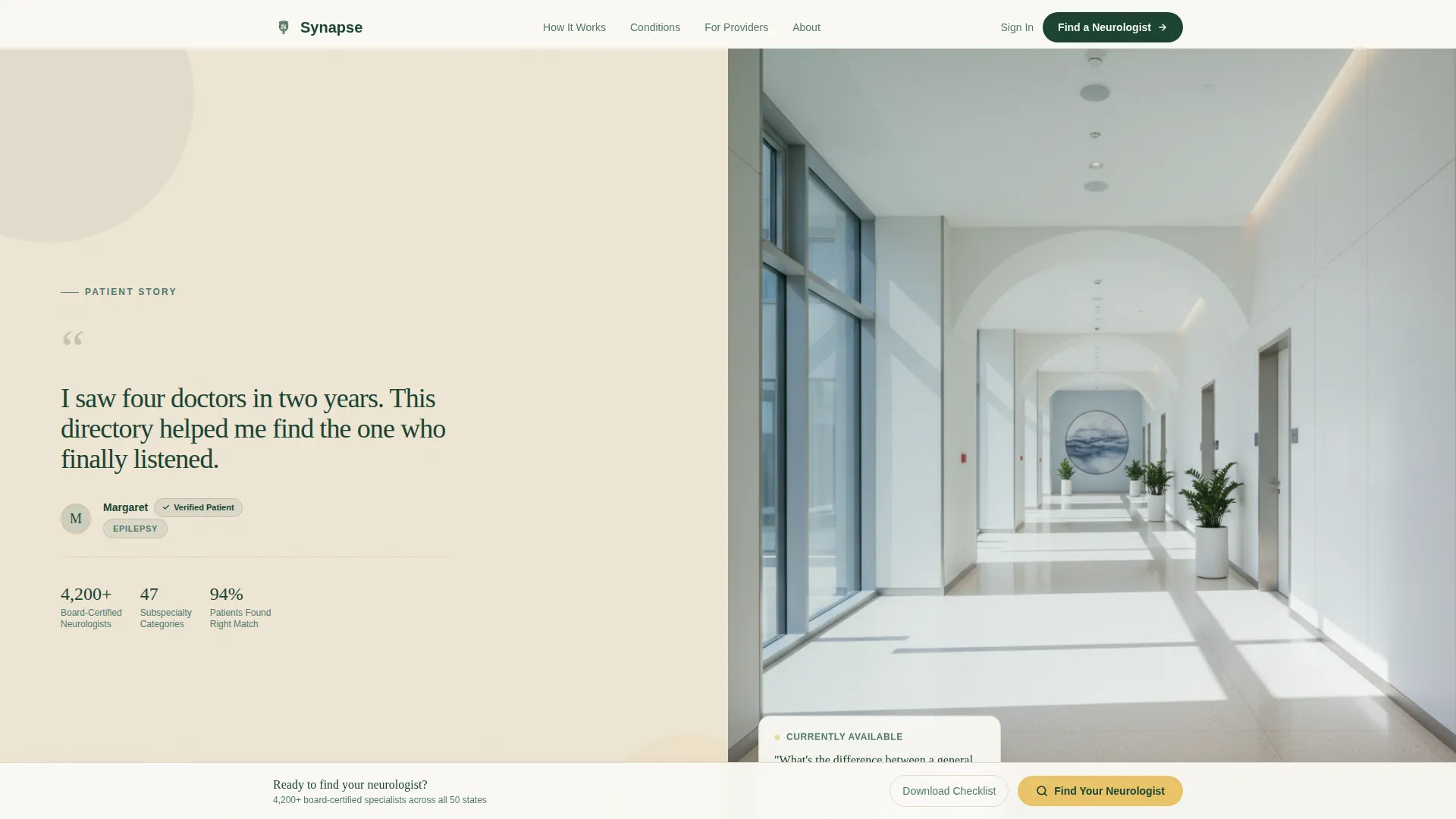
- A hero section featuring a large-format patient testimonial card alongside a soft-focus clinical hallway photograph
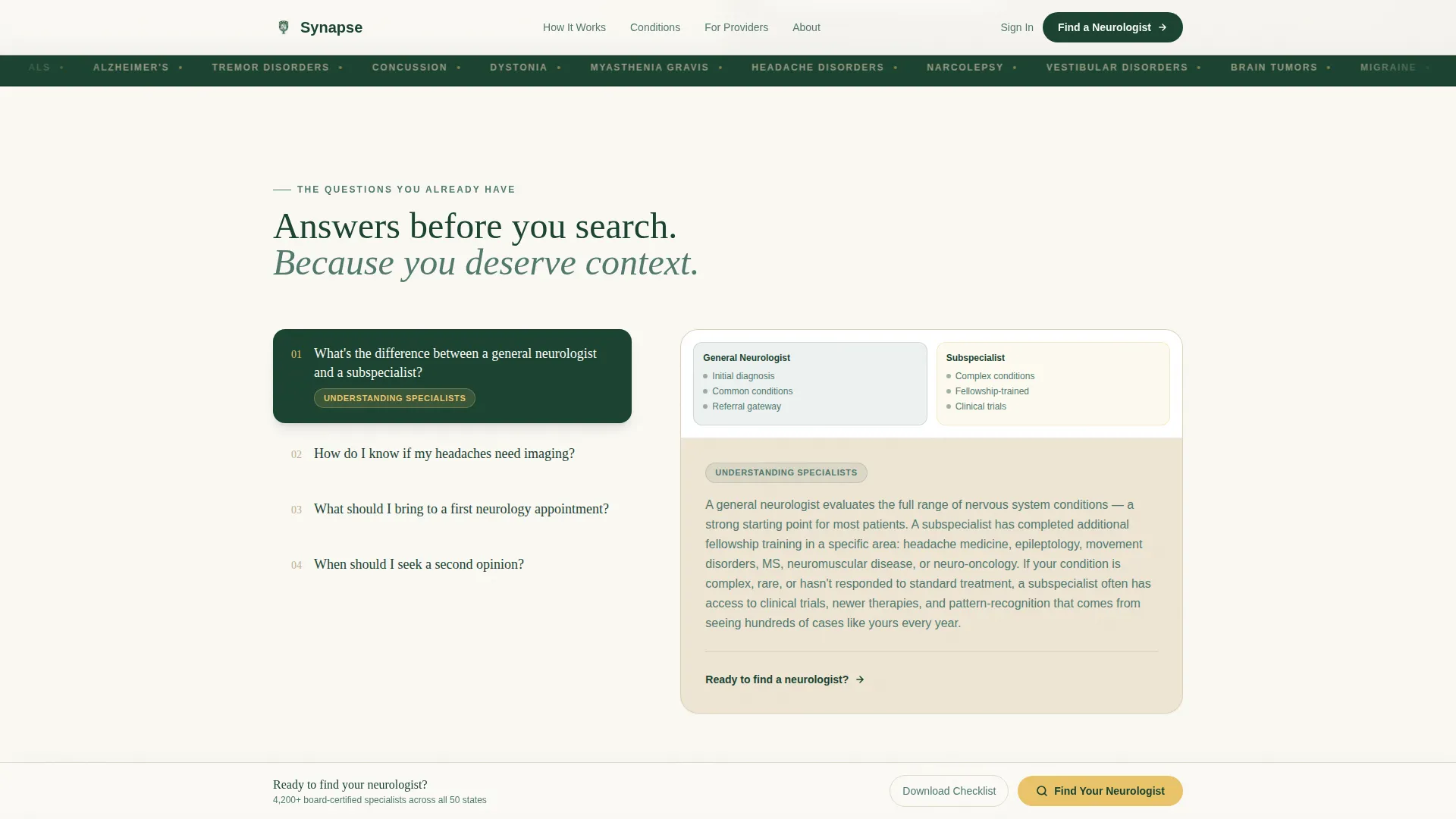
- An FAQ-driven scroll section with typographic question prompts on the left and condition-tagged answers with embedded provider cards on the right
- A pinned bottom search bar that expands into a two-field condition dropdown plus zip code input, supported by a checklist download offer for visitors who are not yet ready to search
Feature list
This template is built around five core capabilities drawn directly from the source brief. Each one serves a specific moment in the patient research journey.
Split-Screen Testimonial Hero
The header opens with a 50/50 split. One half holds an oversized serif testimonial card with a verified patient badge, first name, and condition tag. The other half displays a soft-focus clinical hallway photograph. Together they create immediate emotional grounding before any search or navigation begins.
FAQ-Driven Educational Scroll
As visitors scroll past the hero, they encounter the questions already forming in their mind. Large typographic prompts sit on the left panel. The right panel answers each question with short authoritative paragraphs, condition illustrations, and embedded provider cards. The sequence escalates from orientation to action, so visitors feel ready to search by the time they reach the call to action.
Pinned Condition-and-Location Search Bar
A persistent search bar is anchored at the bottom of the viewport throughout the scroll. On interaction it expands into two fields: a condition dropdown covering migraine, epilepsy, multiple sclerosis, Parkinson's disease, neuropathy, stroke recovery, and general neurology, plus a zip code entry. This keeps the path to finding a neurologist always within reach.
Checklist Download Offer
A secondary conversion path offers a downloadable First Appointment Checklist gated behind an email address. This gives visitors who are not yet ready to search a low-friction reason to stay connected. It supports both the immediate search goal and longer-term audience building.
Provider Cards with Specialty Badges
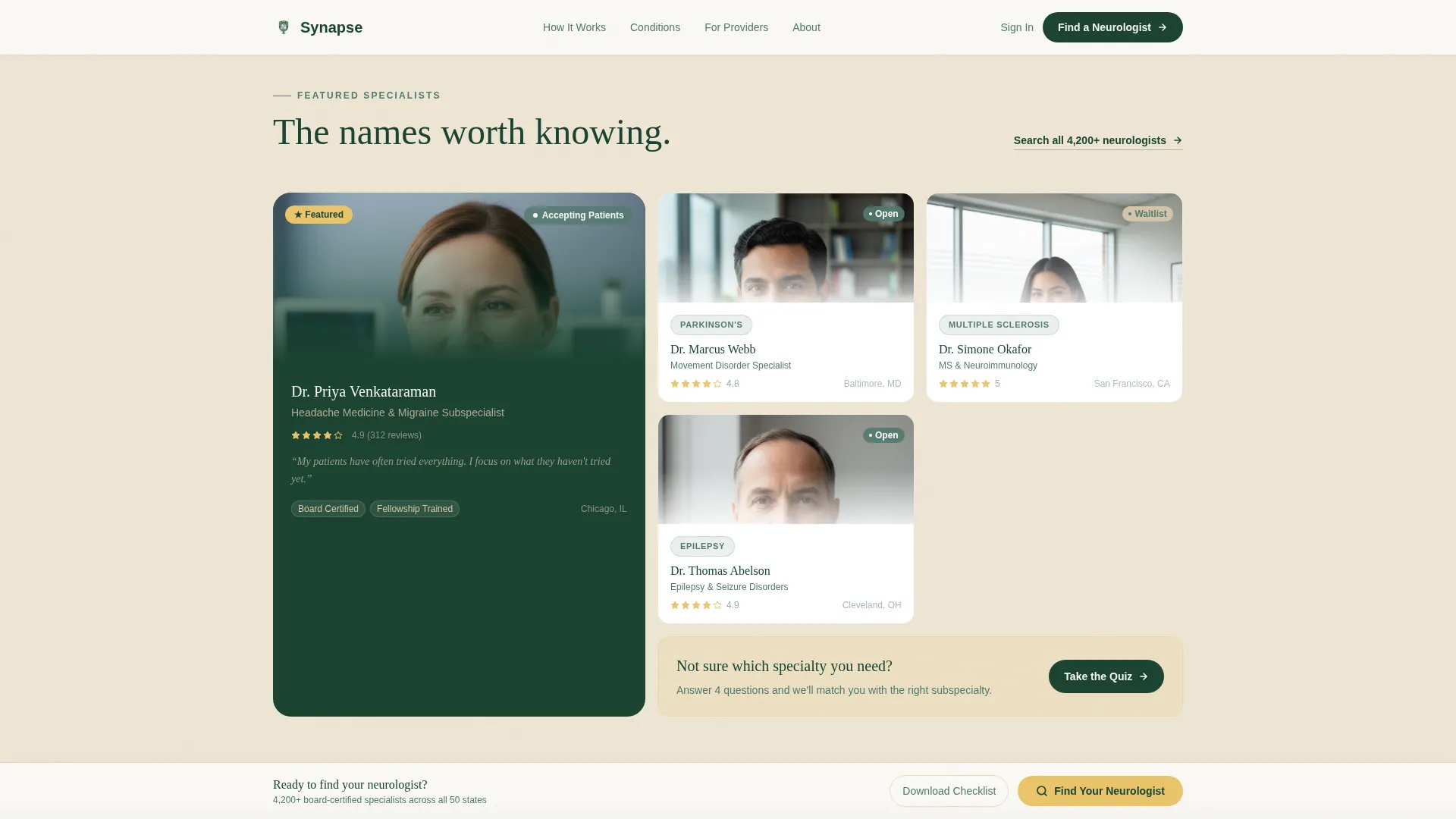
An asymmetric bento layout presents featured neurologists with specialty badges and credential verification indicators. Board certification information and verified badges appear alongside each provider. This section gives the directory immediate credibility and helps patients understand the range of subspecialties available.
Page sections overview
| Section | Purpose |
|---|---|
| Hero split screen | Opens with patient testimonial card and clinical hallway photo to build immediate emotional trust |
| FAQ split scroll | Educates visitors through typographic question prompts paired with condition-tagged answers and provider cards |
| Provider cards bento | Showcases featured neurologists with specialty badges and board certification indicators |
| Search and checklist call to action | Delivers the pinned condition-and-location search bar alongside a gated checklist download |
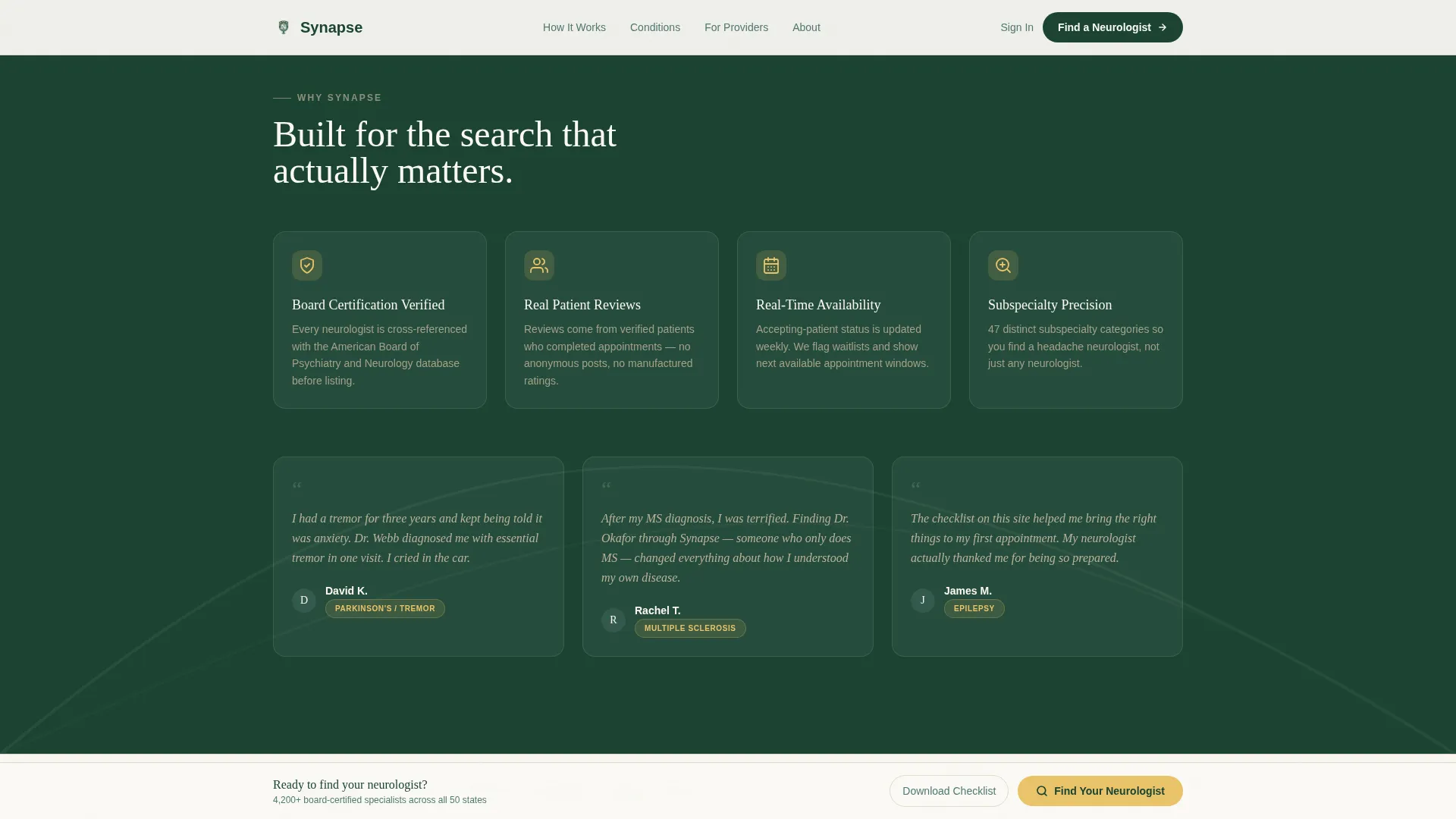
| Trust signals row | Displays credential verification badges and board certification counts to reinforce platform credibility |
| Footer | Single-row linear footer with essential navigation and contact links |
Design & branding system
The visual identity follows an Educational Guide theme built on a Forest Trust color system. The palette draws on old-growth forest imagery to create a calm, grounded, and unhurried reading environment, exactly the right tone for a patient who is anxious and researching carefully.
- Deep evergreen (#1B4332) anchors headers and navigation; birch bark (#D4C5A9) warms background panels; soft fern (#52796F) carries body text and secondary containers
- Goldenrod (#E9C46A) is reserved exclusively for interactive highlights and calls to action, so the eye moves naturally to search and download prompts
- Typography pairs Fraunces serif headlines with DM Sans for body text and interface elements, creating an editorial calm that feels authoritative without being clinical
Mobile & speed optimization
The template is designed desktop-first to serve a research-heavy use case where patients are reading carefully and comparing options. A mobile fallback layout is included so the experience remains usable on smaller screens.
- The split-screen layout adapts to a stacked single-column flow on mobile, preserving the FAQ scroll and pinned search bar
- Animation is kept at a medium level using scroll reveals, FAQ accordion expansion, search bar expansion, and staggered provider card entry to maintain perceived speed without heavy scripting
- The build targets a fast static render with minimal JavaScript, keeping interactive elements like the expandable FAQ, search expansion, and checklist modal lightweight
How this template helps you convert
The conversion strategy is built around earning the click rather than demanding it. Visitors are educated through the FAQ scroll before they encounter any call to action. By the time they reach the search bar, they feel informed enough to act.
- The FAQ sequence moves visitors from confusion to confidence in a single scroll, so they arrive at the search bar already knowing what condition category to select and what to expect from their first appointment.
- The pinned search bar keeps "Find Your Neurologist" visible throughout the entire reading experience without interrupting the educational flow, reducing friction at the exact moment a visitor decides they are ready.
- The checklist download offer captures visitors who need more time, turning an exit into an opt-in and keeping the platform connected to patients who will return when ready to search.
Other information about this template
This template is part of the Health & Medical category under the Neurologist Website subcategory. It is built specifically for the neurologist provider directory niche and carries a high intersection match score reflecting strong alignment between the layout, content direction, and audience intent.
- The template name is Synapse and the template style is Split Screen (50/50), making the dual-panel layout a core structural feature throughout every section
- Localization is set for the United States market in English, using standard date formatting and ZIP code-based location search
- The creative direction is FAQ-Driven with a Content/Resource landing-page purpose, meaning the primary goal is to deliver genuine educational value before any conversion prompt appears
- The header concept is a Testimonial Card, which front-loads social proof in the form of a real patient quote with a verified badge and condition tag
Theme
Educational Guide
Creative direction
FAQ-Driven
Color system
Forest Trust
Style
Split Screen (50/50)
Direction
Content/Resource
Page Sections
Split-screen Testimonial Hero
Faq-driven Educational Scroll
Pinned Condition-and-location Search
Gated Checklist Download
Provider Cards with Specialty Badges
Related questions
What type of platform is this template designed for?
Can the condition dropdown be customized for different specialties?
How does the checklist download work?
Is this template suitable for a single practice or only for larger directories?
Does the FAQ section support accordion-style interaction?



