Streamlined Municipal Services Landing Page Template
The Civic landing page template is a split-screen portal designed for city and municipal websites. It turns permits, utilities, waste collection, and zoning requests into clear, checkable steps. Residents select their situation, view a personalized checklist, and register for city hall workshops, all without a phone call or an in-person visit.
by Rocket studio
Quick summary
The Civic template gives any municipality a polished digital front door. Residents can view their personalized service checklist, submit a workshop registration form, and track next steps, all from one page. It is designed for city portals that need to convert confused visitors into confident, action-taking community members.
Who this template is for
This landing page is built for municipal communications teams and local government staff who need a trustworthy, resident-facing portal. It fits any city or municipality looking to reduce phone inquiries and in-person visits.
- New homeowners who need to apply for permits or set up utility payments
- Small business owners who need to track sign applications and zoning requests
- Elderly residents and general community members managing service transfers
What problem this template solves
Residents frequently leave municipal websites without completing a single task. The information is buried, the navigation reflects department hierarchy rather than resident needs, and the experience feels like a maze. This portal template solves that.
- Transforms complex bureaucratic processes into step-by-step checklists
- Eliminates the need to visit multiple pages or make repeated phone calls
- Helps residents find the right form, link, or next step in under three clicks
What you get with this template
This template gives you a fully structured, interactive landing page with six purpose-built sections. Each section is designed to guide residents through a specific service moment with clarity and confidence.
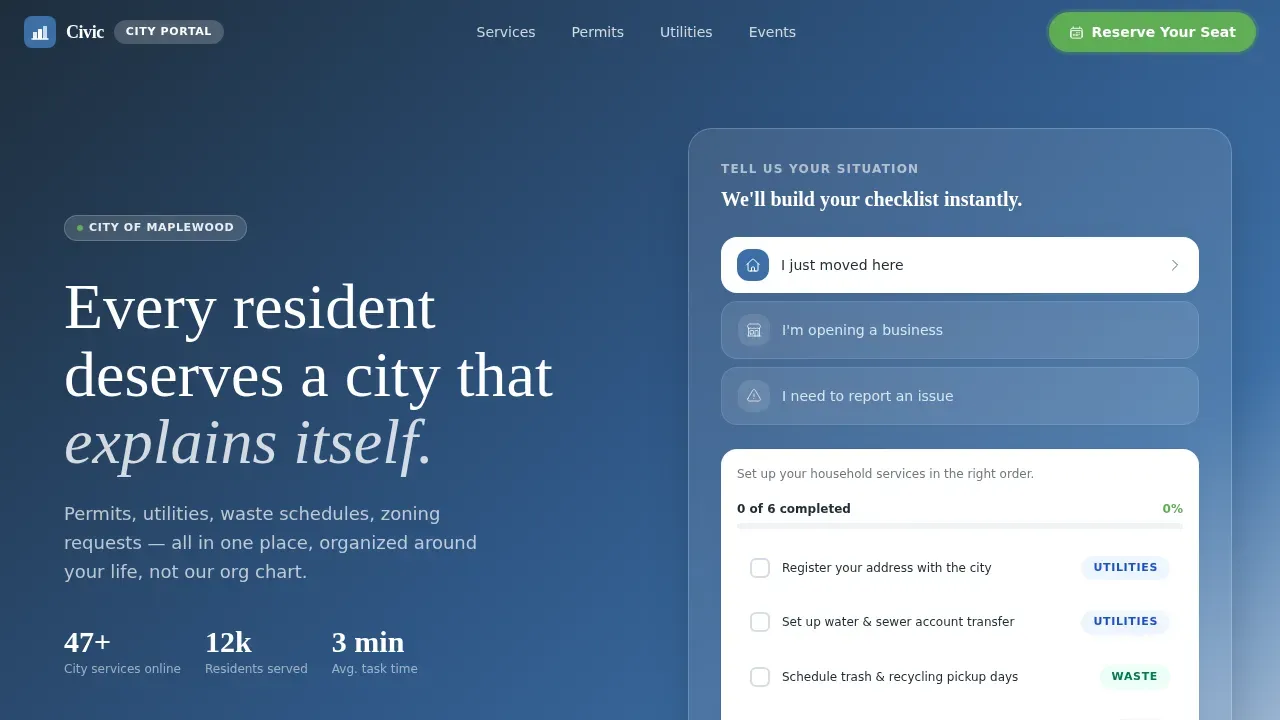
- Animated hero with a split-screen manifesto and a situation selector that populates a personalized checklist
- A bento-grid services section covering permits, utilities, waste, and zoning
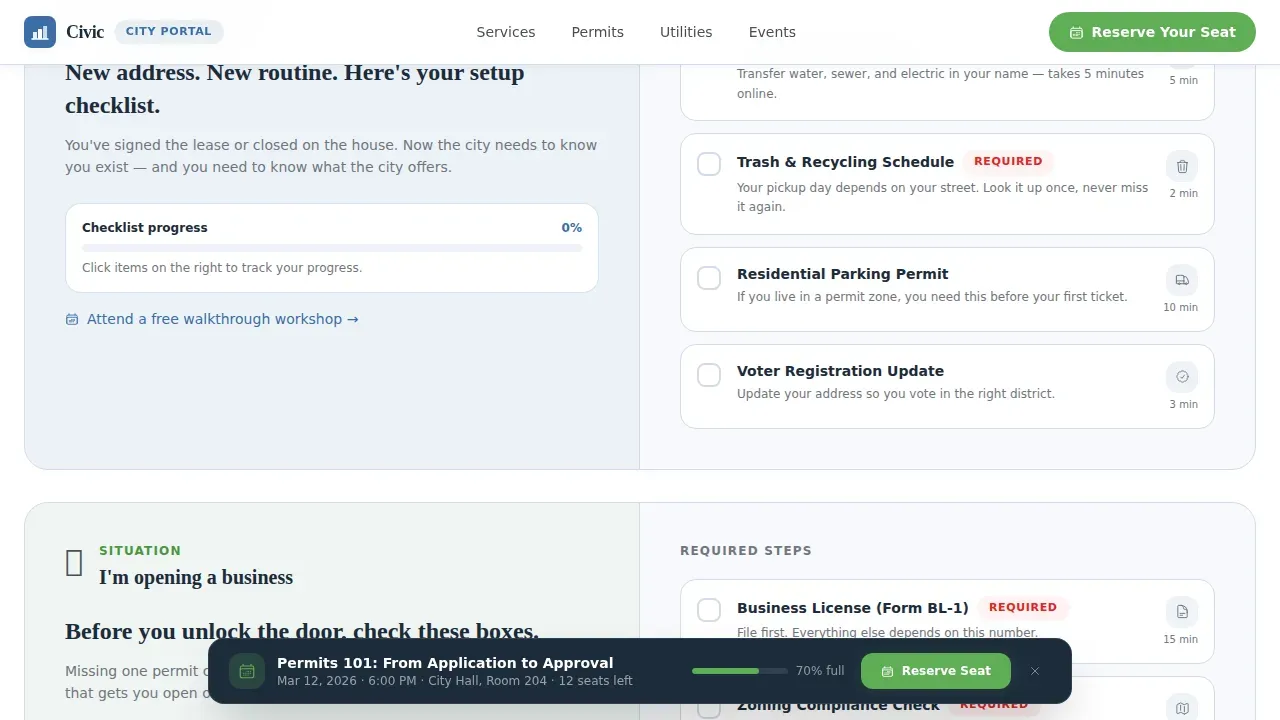
- A workshop registration form with a sticky bottom bar for event sign-ups
Feature list
This template includes a focused set of key features built for real civic use cases.
Situation-Driven Checklist Panel
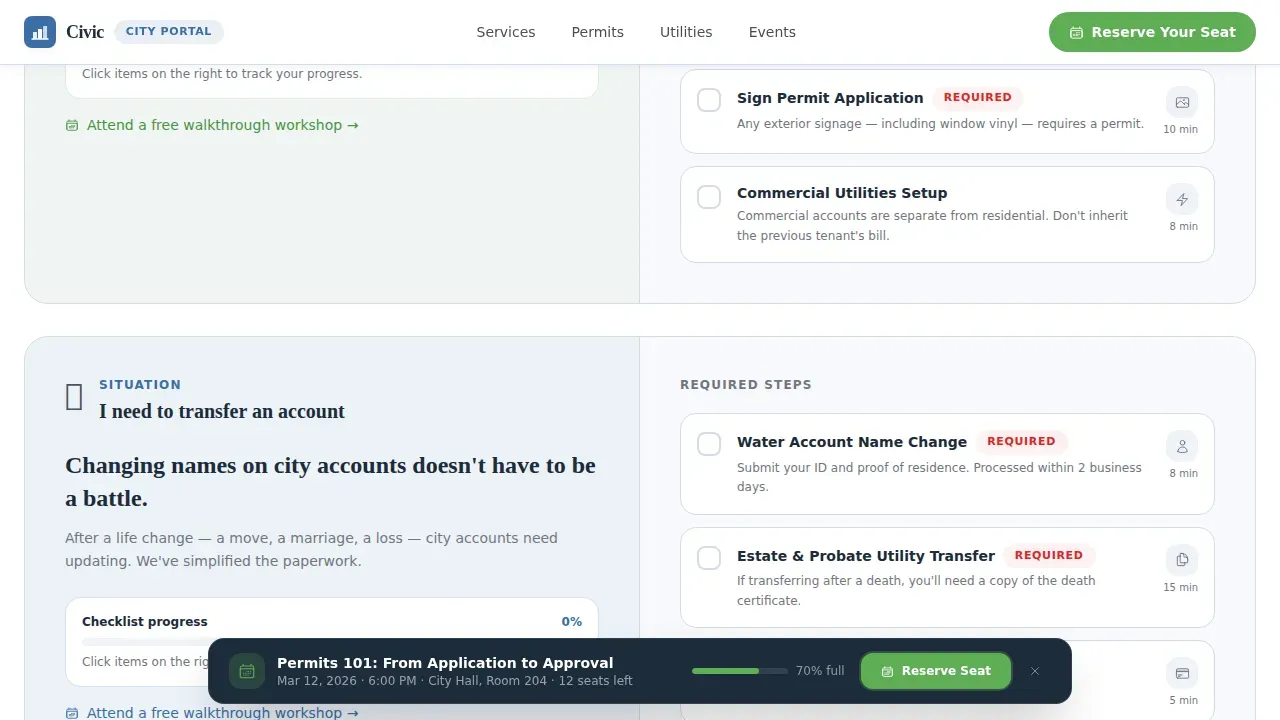
Residents choose their scenario, new mover, business opener, or issue reporter, and the right panel instantly populates a sequential checklist. Each step is checkable, making the experience feel like progress rather than paperwork.
Animated SVG Neighborhood Hero
The header opens with bold manifesto text over a municipal blue-to-white gradient. A line-drawn neighborhood illustration animates subtly, with each element lighting up in civic green as if city services are coming online one by one.
Workshop Registration Form
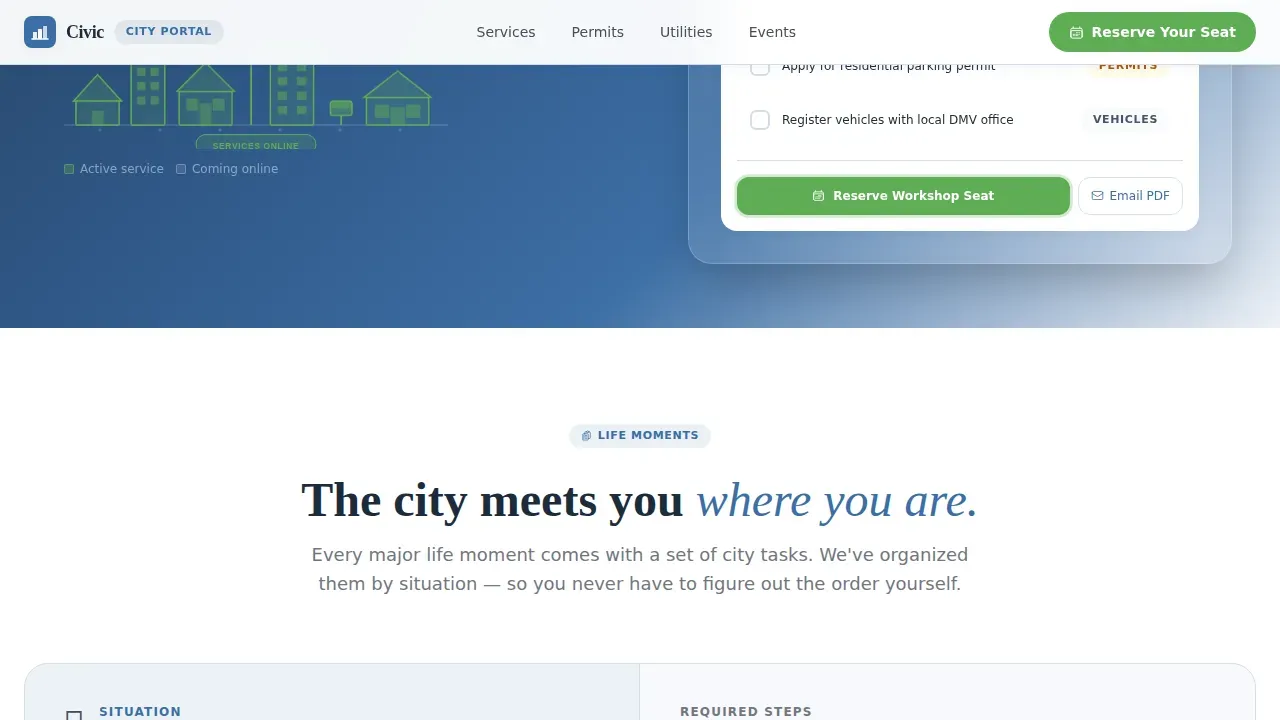
The primary call-to-action lets residents register for upcoming city hall sessions, town halls, and service walkthroughs. The form collects name, ward or zip code, and preferred session topic. A sticky bottom bar appears after the second section to keep the option visible as visitors scroll.
Email Checklist Secondary Path
Residents not ready to attend a workshop can submit their email address to receive a personalized PDF of their service steps. This secondary form path captures leads while still delivering real value.
Dynamic Alert Banner
A top-of-page, high-contrast banner section is included for emergency notifications or critical updates such as severe weather or road closures. It keeps the portal trustworthy and current.
Scroll-Linked Progress Indicators
Civic green progress indicators fill as each section is reviewed during scrolling. This scroll-linked functionality gives the page a sense of forward momentum and completion.
Page sections overview
| Section | Purpose |
|---|---|
| Hero Split Screen | Manifesto headline, animated SVG neighborhood, situation selector |
| Life Moments Checklist | Personalized checklists for three resident scenarios |
| Services Bento Grid | Covers permits, utilities, waste collection, and zoning |
| Workshops and Events | Registration form with sticky event bar |
| Email Checklist Call to Action | Secondary email capture for PDF checklist delivery |
| Footer | Linear single-row links and city information |
Design & branding system
The visual identity follows an Educational Guide theme using a Cloud Canvas color palette. The result feels like a government pamphlet redesigned by someone who actually values your time, clean, breathable, and color-guided without being loud.
- Municipal Blue (#3B6EA5) for primary headings, panels, and trust-building elements
- Civic Green (#5FAD56) for completion states, action buttons, and progress fills
- Fraunces for manifesto and display headlines; DM Sans for all body text
Mobile & speed optimization
Over 58% of government web traffic comes from mobile devices, including mobile phones used by elderly residents and on-the-go community members. This template is built desktop-first with a fully responsive layout that adapts to smartphones and tablets.
- Server components handle static sections for reliable page rendering
- Client components power the interactive checklist and sticky event bar
- Intersection observer reveals keep scroll animations smooth across all screen sizes
How this template helps you convert
A well-designed portal reduces confusion and builds the trust residents need before they take action. This template uses two clear conversion paths to turn passive visitors into registered attendees or email subscribers.
- The sticky event bar keeps the workshop registration form visible at all times, making it easy to submit a reservation at any scroll depth.
- The email checklist path captures residents who need more time, exchanging a personalized PDF for an email address and keeping the municipality connected for future outreach.
Other information about this template
This template is a practical solution for any municipality that wants to modernize its resident-facing website. It is professionally designed and ready to customize for your city's specific services and branding. Teams can build on this foundation and make changes without starting from scratch.
- CivicPlus-style portal patterns inform the link cards, payments tab layout, and forms tab structure throughout the template
- CivicPlus portal conventions are reflected in how admin users can create link cards and view community forms in one centralized location
- Residents can bookmark frequently visited pages and interact with the checklist across multiple sessions
- The template supports agendas and meeting information sections, making it adaptable for towns that publish public meeting content
- CivicPlus-aligned design patterns help municipalities build professional applications that enable residents to apply for services, track requests, and view payment options
- Integrated survey and feedback form placeholders invite community input on local issues, supporting broader community development goals
Theme
Educational Guide
Creative direction
Checklist & Audit
Color system
Cloud Canvas
Style
Split Screen (50/50)
Direction
Event Registration
Page Sections
Situation-driven Checklist Panel
Animated SVG Neighborhood Hero
Workshop Registration Form
Email Checklist Secondary Path
Dynamic Alert Banner
Scroll-linked Progress Indicators
Related questions
Can I customize the checklist scenarios for my city's specific services?
Does the template support online payments?
How does the workshop registration form work?
Is this template suitable for residents using mobile phones?
What is the email checklist feature?



