Anesthesiologist Cost Estimator Website Template
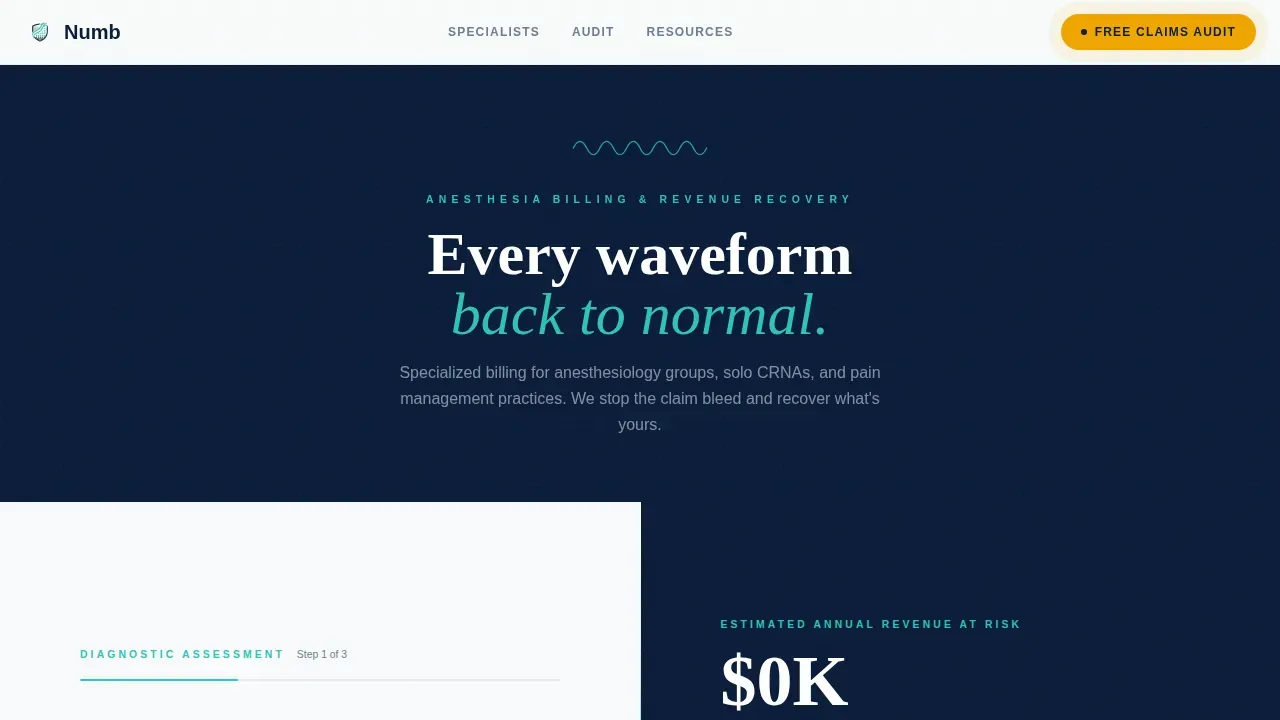
The Numb anesthesiologist insurance billing landing page template is a split-screen, 50/50 layout built specifically for anesthesiology billing service providers. It features a three-step diagnostic intake form with a live revenue calculator, three expert panel sections, and a sticky call-to-action bar. No coding skills required to launch a high-converting landing page targeting group practices, solo CRNAs, and pain management providers.
by Rocket studio
Quick summary
The Numb template is a focused, single-page billing service landing page designed for anesthesiology billing specialists. It pairs a live diagnostic form with scrolling expert panels to show practice managers exactly where their revenue is leaking. The page moves visitors from awareness to a scheduled audit call without asking them to fill out a second form.
Who this template is for
This template serves billing service providers who work directly with anesthesiology and pain management practices. It is built for B2B medical services companies that need a high-converting landing page to reach group practice managers, solo certified registered nurse anesthetists (CRNAs), and pain management billing coordinators.
- Anesthesiology billing companies targeting group practices and solo providers
- Credentialing specialists helping CRNAs enroll with new facilities
- Denial recovery analysts presenting before-and-after audit data to prospective clients
What problem this template solves
Anesthesia billing involves complex, time-based coding with physical status modifiers, payer-specific rules, and strict timely-filing deadlines. General billing landing pages fail to communicate that depth. Practice managers looking for a specialist provider need to visit a page that speaks their language instantly.
- Denied claims and missed modifier usage drain revenue from every practice size
- Insurance company documentation requirements slow reimbursement and confuse billing staff
- Generic billing landing pages cannot build trust with anesthesiologists who understand the difference between a specialist and a generalist
What you get with this template
This template delivers a complete, ready-to-customize landing page with every section pre-built. The layout prioritizes clear messaging and structured conversion flow from the first scroll to the final call to action. No additional coding required to go live.
- A three-step multi-step intake form with a live revenue recovery estimate panel
- Three scrolling expert panel sections covering coding compliance, credentialing, and denial recovery
- A sticky call-to-action bar and a secondary email-gated downloadable cheat sheet for capturing leads at every stage
Feature list
This template includes a focused set of interactive and visual features designed specifically for anesthesia billing service landing pages. Each feature is grounded in the conversion goals of a billing service that needs to build trust quickly and drive free audit call bookings.
Three-Step Diagnostic Intake Form
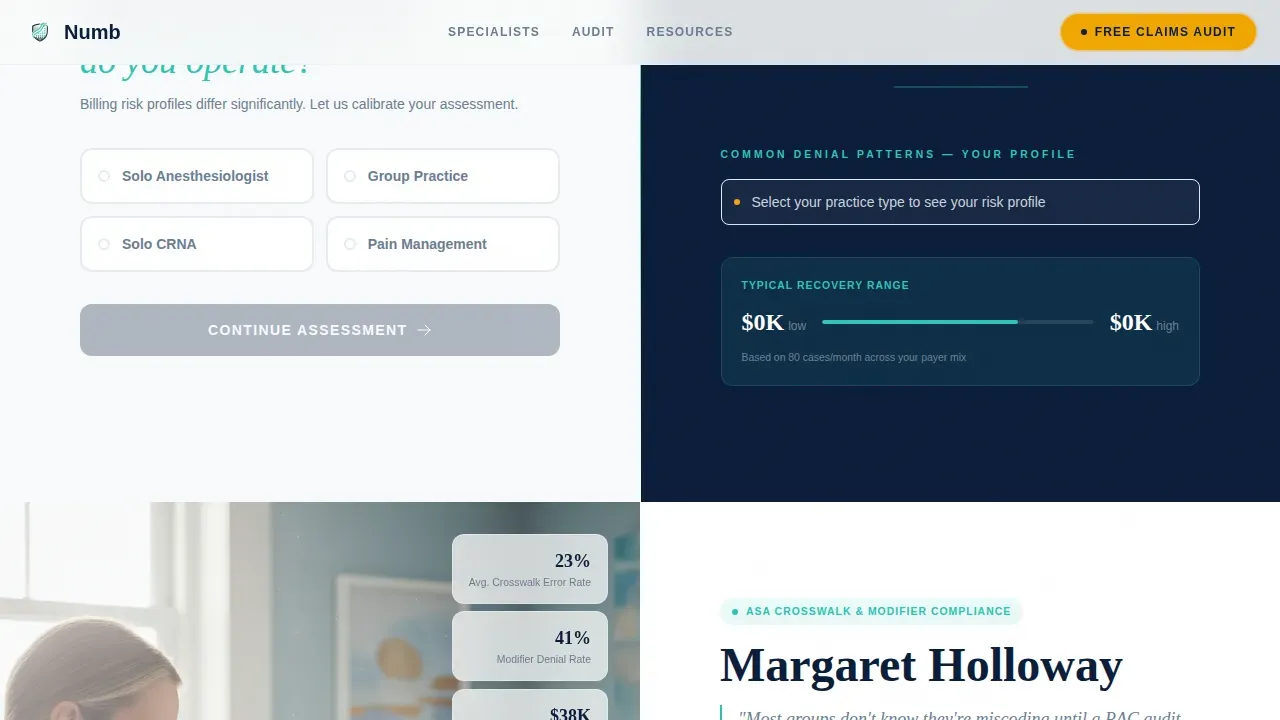
The header form splits the viewport 50/50. Visitors select their practice type, check payer mix options including Medicare and commercial insurance plans, then set a monthly case volume using a slider. The right panel updates in real time to show an estimated revenue recovery range and common denial categories relevant to that practice profile. It reads less like patient forms and more like a live diagnostic tool.
Live Revenue Calculator Panel
As each form step is completed, the right panel recalculates a compelling stat: the estimated annual revenue that practices of that size and payer mix leave uncollected. This quantified diagnosis gives visitors a concrete reason to act before they scroll past the hero image. The process of seeing their own numbers moves visitors toward booking.
Expert Panel Scroll Sequence
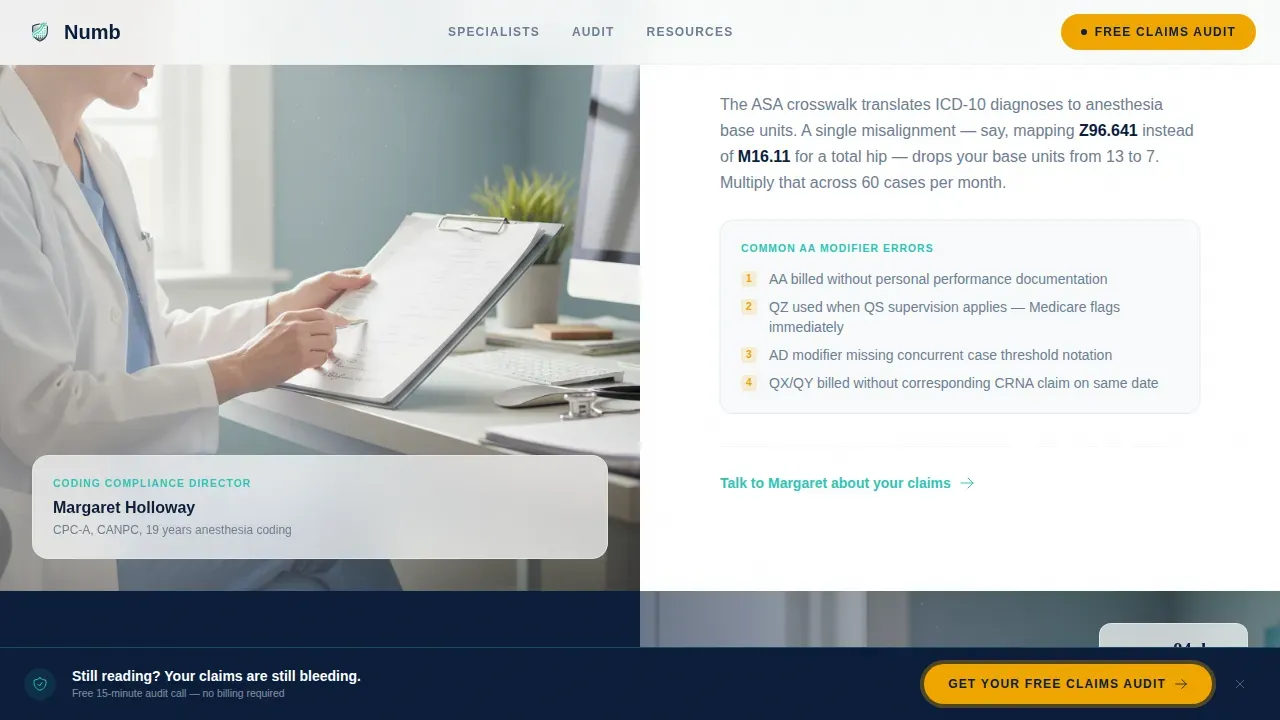
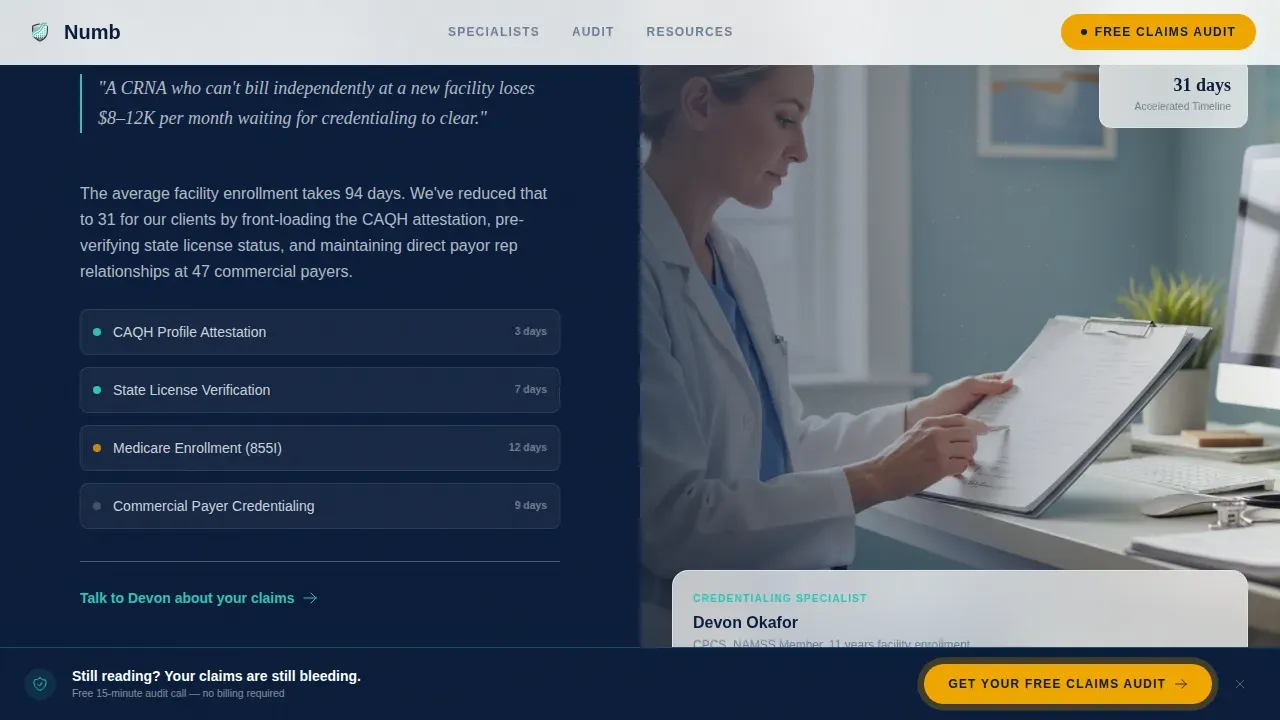
Three full-width split panels follow the header. Each features a credential-heavy specialist portrait alongside a written breakdown of their specific domain. The coding compliance director covers ASA crosswalk errors and modifier misuse. The credentialing specialist walks through facility enrollment timelines. The denial recovery analyst presents a redacted but readable before-and-after claims audit with Explanation of Benefits (EOB) examples. The scroll rhythm mimics a patient chart: history, assessment, diagnosis, treatment plan.
Sticky Call-to-Action Bar
After the second expert panel, a sticky bar locks to the bottom of the viewport. It surfaces the primary "Get Your Free Claims Audit" call to action persistently. The click-through carries the visitor's already-entered data to a scheduling page for a fifteen-minute audit call, so no additional form fields interrupt the process.
Email-Gated Cheat Sheet Download
A secondary conversion path offers a downloadable Anesthesia Billing Denial Cheat Sheet gated behind an email address only. This grows an email list from visitors who are not yet ready to speak with a provider but want useful information about denial patterns. It is a low-friction option that keeps leads in the pipeline.
Arctic White Medical Clarity Design System
The page uses a sterile, precise visual identity built around four colors: Arctic White for backgrounds, Monitor Navy for headlines and data panels, Pulse Teal for interactive borders and progress indicators, and Alert Amber exclusively for calls to action. White space dominates throughout, signaling clinical competence and keeping visitors focused on content.
Page sections overview
| Section | Purpose |
|---|---|
| Hero Diagnostic Form | Capture practice profile and display live revenue recovery estimate |
| Coding Compliance Panel | Demonstrate ASA crosswalk and modifier expertise through specialist voice |
| Credentialing Expert Panel | Walk through facility enrollment timelines and credentialing process |
| Denial Recovery Panel | Show before-and-after claims audit with redacted EOB examples |
| Sticky call to action Bar | Resurface primary free audit call to action after second expert panel |
| Email Gate Modal | Capture email list entries with downloadable denial cheat sheet |
| Linear Footer | Provide contact links, location reference, and phone details |
Design & branding system
The Medical Clarity theme applies a sterile, zero-ornamentation visual language. Every design decision serves legibility and trust. The page feels like a freshly prepped operating room suite, with cold precision in every element.
- Color palette: Arctic White (#F8FAFB) backgrounds, Monitor Navy (#0B1D3A) headlines, Pulse Teal (#2EC4B6) interactive indicators, Alert Amber (#F0A500) for calls to action only
- Typography: DM Sans handles body text and user interface labels for clean readability; Fraunces serif anchors headlines for authority and clinical gravitas
- Animation and interactivity: GSAP scroll reveals, waveform SVG animation in the header, smooth form step transitions, and live counter updates keep the page dynamic without distracting visitors
Mobile & speed optimization
The template is designed desktop-first to match how practice managers and billing coordinators review vendor websites on a workstation. A mobile fallback layout is included to serve visitors who visit from a phone or tablet.
- Static expert panel sections use server-rendered components to keep initial load fast
- Interactive elements including the multi-step form, live calculator, and sticky bar use client-side components to keep interactivity responsive without slowing the static content
- The clean layout and generous white space translate clearly to smaller screens, maintaining readability across devices
How this template helps you convert
Every structural choice on this page targets one goal: turning a practice manager's curiosity into a scheduled fifteen-minute audit call. The page earns the click by showing visitors their own problem, quantified, before asking them to act.
- The diagnostic form opens the conversation by having visitors describe their own practice, then immediately reflects their data back as a revenue loss estimate, making the cost of inaction personal and specific.
- The expert panel sequence builds credibility progressively, from modifier misuse through payer contract renegotiation, demonstrating that this service handles complexity that a general billing company cannot, which helps build trust with skeptical healthcare providers.
- The sticky call-to-action bar and secondary email gate serve different readiness levels, so every visitor has a next step whether they are ready to book a call or just starting their evaluation of billing service options.
Other information about this template
This template is purpose-built for the anesthesiology billing niche and includes several details that make it relevant beyond the immediate conversion goal. It is a practical resource for billing service businesses looking to attract new patient-adjacent leads from doctors, pain management providers, and dental anesthesia contexts.
- Anesthesia billing and coding in dental practices requires understanding CDT codes for different anesthesia types. For example, the CDT code D9219 applies to evaluating moderate or deep general anesthesia. The template's expert panel format can accommodate this kind of specialist coding context naturally.
- Nitrous oxide (N2O) is sometimes billed as a per-visit code and is not meant to be billed in time increments. Dentists and oral surgery providers navigating these distinctions are a secondary audience this page can serve.
- Informed consent is a critical part of the anesthesia process, and clear communication about anesthesia billing practices helps patients navigate their financial responsibilities. The template supports clear, transparent messaging about insurance coverage, payment options, and treatment costs.
- Local anesthetics are typically considered part of procedure delivery and are not billed separately in most coding categories. A billing service landing page that communicates this level of coding detail signals deep expertise to prospective clients including doctors and healthcare providers.
- Insurance company documentation requirements often complicate claims for anesthesia services. Clear insurance information presented in a services overview format helps visitors understand the process before they contact the provider.
- Patient testimonials, featured in the expert panel format as credential-backed specialist voices, function as social proof. Patient testimonials and real before-and-after audit results help build trust in a way that generic marketing copy cannot.
- This template can support practices across a range of insurance plans, from Medicare to commercial and workers' compensation payers, by surfacing the payer mix selection inside the intake form.
- The numb anesthesiologist insurance billing landing page template is a high converting landing page solution for billing service businesses entering this niche with no prior web design or coding experience.
- Payment options and insurance information can be surfaced in the footer or within the services overview section, giving new patient-facing context where relevant.
- The page is designed to convert visitors and generate qualified leads, making it a strong starting point for any billing service business launching or refreshing its website presence.
Theme
Medical Clarity
Creative direction
Expert Panel
Color system
Arctic White
Style
Split Screen (50/50)
Direction
Click-Through
Page Sections
Three-step Diagnostic Intake Form
Live Revenue Recovery Calculator
Scrolling Expert Panel Sequence
Sticky Audit Call-to-action Bar
Email-gated Denial Cheat Sheet
Arctic White Medical Clarity Design System
Related questions
Do I need coding skills to customize this template?
Can this landing page work for solo CRNAs and not just group practices?
How does the email gate work for the cheat sheet download?
Can I adapt this template for a dental anesthesia or pain management billing service?
Does the sticky call-to-action bar appear on mobile devices too?



