Certified Early Childhood Education Landing Page Template
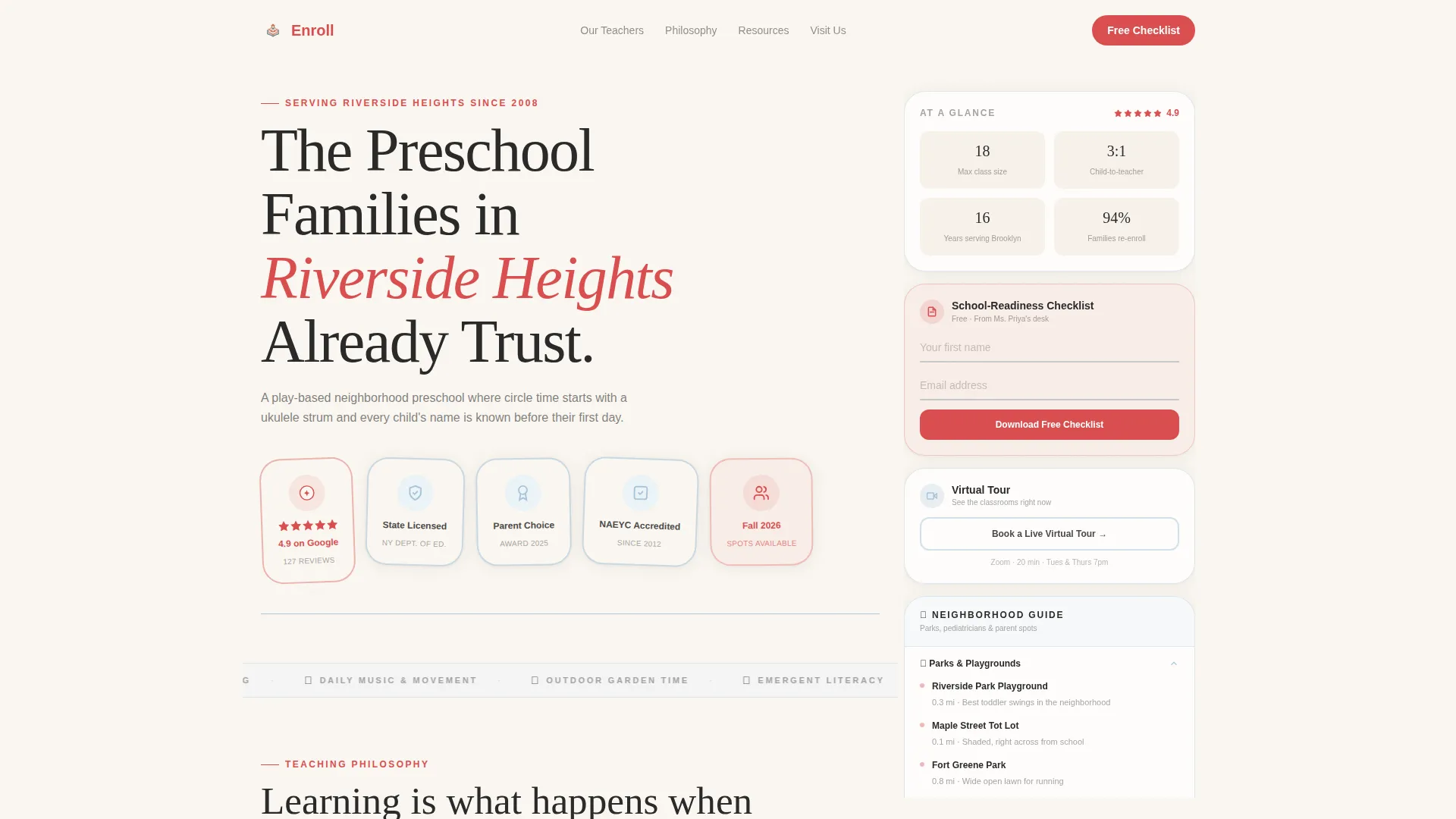
Enroll is a sidebar companion landing page template built for neighborhood preschools. It combines trust-building award badges, teacher profiles, parent testimonials, and a fixed sidebar with downloadable resources to turn curious families into booked visitors. The warm Ink and Paper palette and people-first creative direction make the school feel like a real community, not a facility.
by Rocket studio
Quick summary
Enroll is a single-page preschool landing page template designed to build trust fast. It opens with credibility badges, moves through teacher profiles and parent testimonials, and closes every scroll section with a clear next step. A fixed sidebar companion keeps key resources persistent without interrupting the story the page is telling.
Who this template is for
This template is built for small neighborhood preschools that need to compete with larger childcare chains on warmth and credibility. It is ideal for school directors and preschool marketing coordinators who want a polished page without a large design budget.
- Preschool owners launching a new enrollment season
- School administrators refreshing an outdated or generic page
- Local education marketers building community-focused lead funnels
What problem this template solves
Most preschool pages either look clinical and corporate or feel too DIY to earn trust. Families searching for a school late at night need to feel safe quickly. This template solves the credibility gap by leading with visible proof and real people before asking for anything in return.
- Parents cannot evaluate a school without seeing faces and credentials
- Generic pages fail to communicate the school's teaching philosophy or community feel
- Most templates offer no persistent resource path for visitors who are not yet ready to commit
What you get with this template
This template delivers a complete sidebar companion landing page structure. Every section is purpose-built to move a prospective family from curiosity to confidence.
- A trust-leading header with award badge cluster and a single strong headline
- A scrollable people section featuring the lead teacher, assistant teachers, and named parent testimonials
- A fixed right-side sidebar with a checklist download, a virtual tour booking link, and a neighborhood resource guide
Feature list
This template's features are drawn directly from the brief. Each one serves a specific moment in the family's decision journey.
Trust Badge Header Cluster
The header displays a group of hand-drawn-style trust shields. These include a top-rated rating badge, a state licensing seal, a parent-choice award ribbon, and a live star rating display. They are arranged like merit patches against the warm parchment background so credibility is visible before a single word is read.
Lead Teacher Profile Block
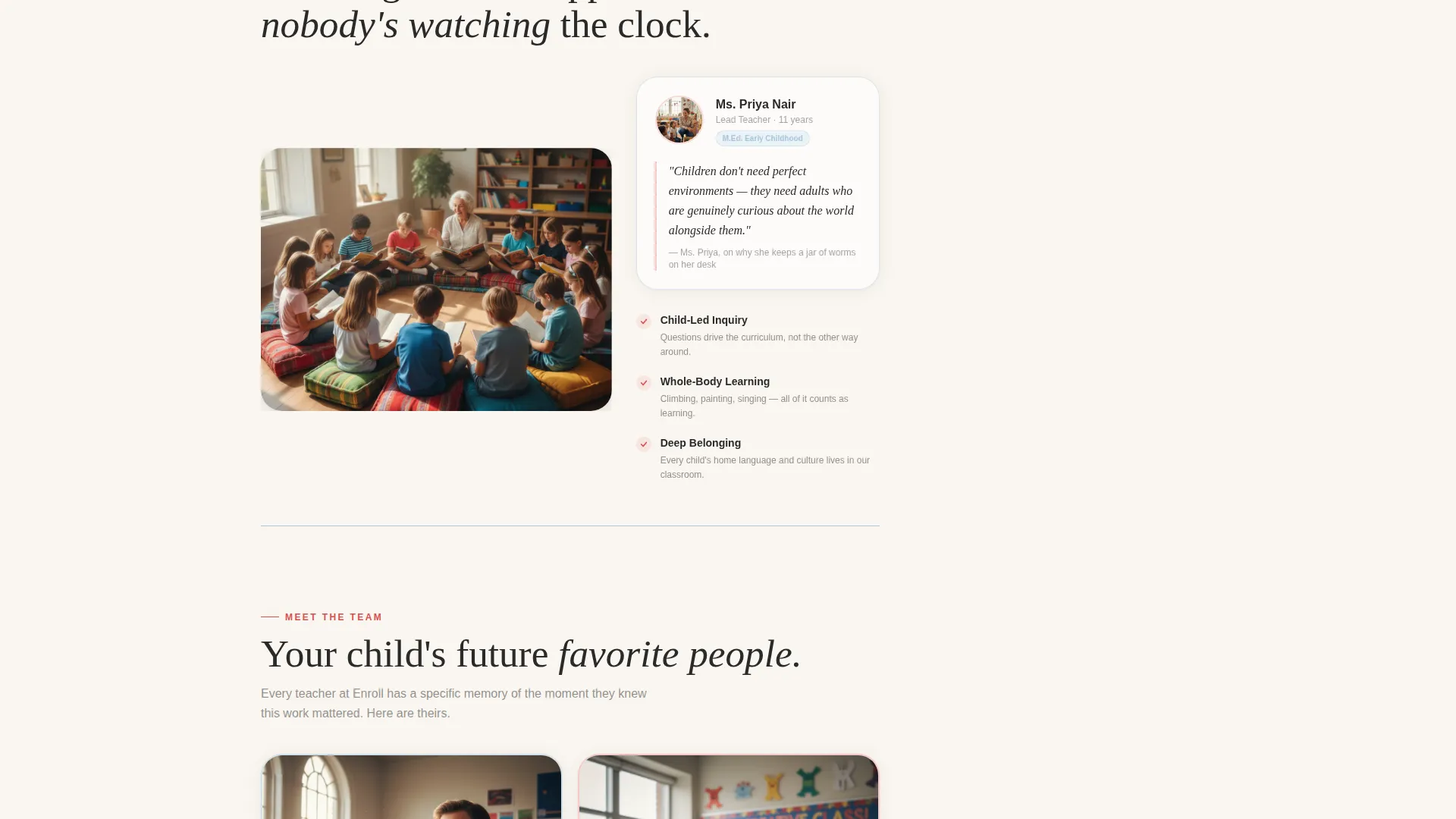
The first scroll section introduces the lead teacher with a candid photo and a two-sentence teaching philosophy quote. This personalizes the school immediately and gives families a specific person to picture when they imagine their child's day.
Assistant Teacher Cards with Credentials
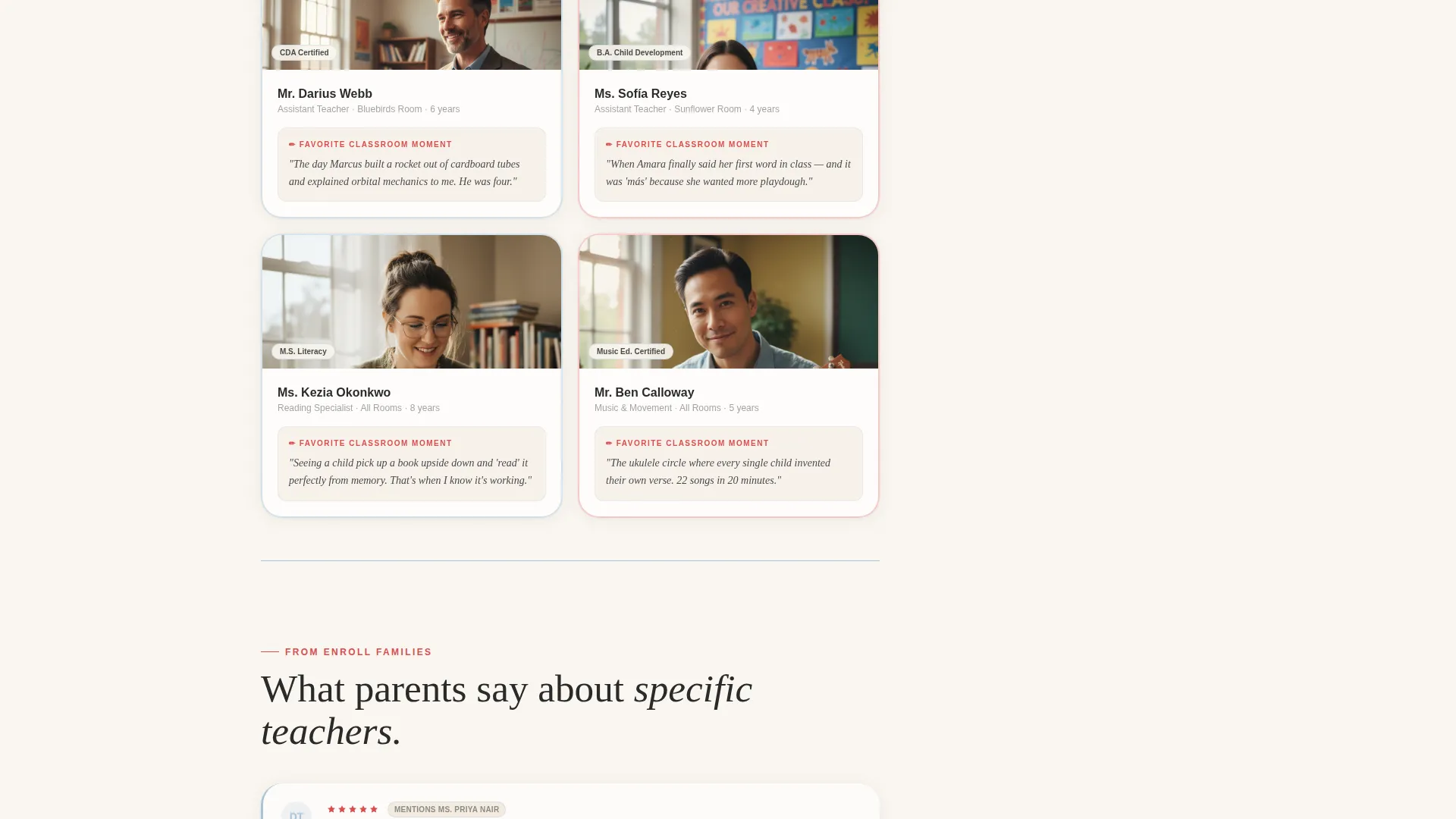
Each assistant teacher appears with a credential badge and a short "favorite classroom moment" caption. This format keeps the tone warm and human while still communicating professional qualifications.
Named Parent Testimonials
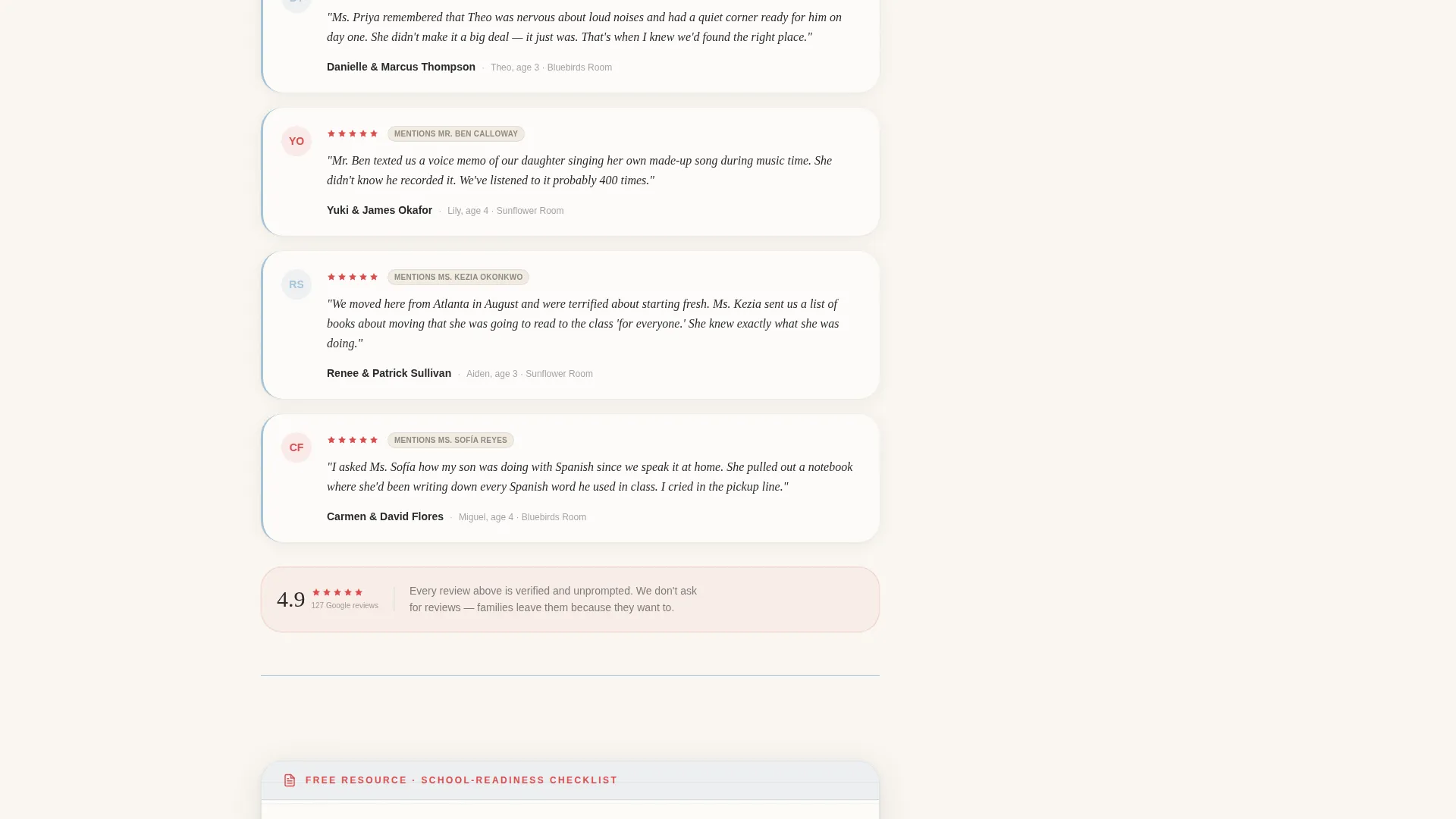
Testimonials are paired directly with the teacher each parent mentions by name. This connection between reviewer and educator reinforces trust and makes the social proof feel specific rather than generic.
Fixed Sidebar Companion
The right-side sidebar stays on screen as the visitor scrolls. It holds three persistent items: a downloadable school-readiness checklist, a virtual tour booking link, and a neighborhood guide covering nearby parks and pediatricians. The sidebar gives visitors a next step at every point in the page.
Dual Conversion Path Layout
The primary call to action, downloading the school-readiness checklist, requires only a first name and email address. It appears in both the sticky sidebar and after the teacher profiles. A secondary path offers a visit scheduling form with a date picker and a child's age dropdown, giving families two comfortable ways to engage.
Page sections overview
| Section | Purpose |
|---|---|
| Award Badge Header | Establishes trust and credibility before any body copy |
| Lead Teacher Profile | Introduces the school's primary educator with a personal quote |
| Assistant Teacher Cards | Shows each supporting teacher's credentials and classroom personality |
| Parent Testimonials | Pairs social proof with specific named teachers |
| Checklist Download call to action | Captures leads with a first name and email after value is delivered |
| Schedule a Visit Form | Offers a secondary, lower-commitment conversion path |
| Fixed Sidebar Companion | Keeps resources and calls to action persistent throughout the scroll |
Design & branding system
The template uses an Ink and Paper color system that feels like opening a child's composition notebook. Every color has a functional role, so the palette never feels decorative for its own sake.
- Warm parchment (#FAF6F0) for backgrounds, soft graphite (#4A4A4A) for body text, and ruled-line blue (#A8C4D8) for section dividers
- Red-pencil accent (#D94F4F) applied exclusively to buttons, interactive elements, and important badges
- A friendly serif headline typeface that pairs with the composition-notebook aesthetic for a quietly nostalgic, trustworthy feel
Mobile & speed optimization
The sidebar companion layout adapts cleanly to smaller screens. On mobile, the fixed sidebar collapses into inline content blocks so the resource menu remains accessible without covering the main content.
- The badge cluster and teacher profile blocks reflow naturally into a single-column stack
- The dual conversion path forms are sized for comfortable tap interaction on touch screens
How this template helps you convert
The page is structured to give value before it asks for anything. This sequence reduces friction and builds the goodwill that makes families willing to share their contact details.
- The badge cluster and teaching philosophy establish credibility in the first viewport, so visitors do not leave before they have a reason to stay.
- The persistent sidebar keeps the checklist download and visit booking visible at every scroll depth, removing the need for a visitor to hunt for the next step.
Other information about this template
This template is part of the Sidebar Companion template style category. It is built for the Professional Services category, specifically for preschool marketing use cases focused on local enrollment.
- The template's layout direction supports local search-driven traffic, where families are typically comparing two or three schools at once
- The neighborhood guide section in the sidebar positions the school as a community resource, not just a service provider
- The composition-notebook visual identity is intentionally distinct from corporate childcare branding, helping independent schools stand out in local search results
- This template suits preschool landing pages for schools running seasonal enrollment campaigns or relaunching after a rebrand
Theme
Editorial Magazine
Creative direction
Logo Wall Authority
Color system
Monochrome Steel
Style
Sidebar Companion
Direction
Partnership/B2B
Page Sections
Award Badge Trust Header
Lead Teacher Profile Block
Assistant Teacher Cards
Named Parent Testimonials
Fixed Sidebar Companion
Dual Conversion Path Forms
Related questions
Does this template use real photos of children?
Can I customize the teacher profiles and testimonials?
What does the fixed sidebar companion include?
How much information does the lead form ask for?
Is this template suitable for play-based or Montessori preschools?



