Expert Nanny Services Landing Page Template
Sitter is a single-column editorial landing page template built for neighborhood babysitting services. It opens with a bold manifesto headline, walks visitors through vetted caregiver profiles, and closes with a three-field free estimate form. The design blends warm editorial styling with institutional credibility to help parents feel confident before they ever click submit.
by Rocket studio
Quick summary
Sitter is a single-column landing page template for babysitting services offering free estimates. It combines a Quote/Manifesto header, an Expert Panel caregiver showcase, and a short conversion form into one confident scroll. The Editorial Magazine visual theme keeps the tone intelligent and warm, speaking to busy parents like adults who deserve real information.
Who this template is for
This template is designed for small and independent babysitting services that want to attract busy, discerning parents. It works best for services that vet their caregivers and want to communicate that trust clearly before asking for a booking.
- Neighborhood babysitting services with trained, certified caregivers
- Solo operators and small agencies targeting dual-income or single-parent households
- Services offering free estimates as a first step toward parent commitment
What problem this template solves
Parents searching for childcare carry real anxiety. They need reassurance before they fill in a form. Most babysitting pages lead with a price or a booking button before they have earned any trust.
- Parents have no reason to trust a stranger with their child from a generic page alone
- Services lose leads because the page cannot communicate caregiver quality before the ask
- Research-mode parents bounce without a secondary path to stay engaged and return later
What you get with this template
This template gives you a complete, ready-to-customize single-column landing page. Every section is structured to move a hesitant parent toward action at their own pace.
- A Quote/Manifesto header with an editorial serif headline and a sky-blue call-to-action button
- An Expert Panel section featuring three to four caregiver profiles with photos, specialties, and first-person quotes
- A three-field free estimate form and a secondary checklist download for parents still in research mode
Feature list
This template includes purpose-built sections and design choices that support a babysitting service's specific conversion goals.
Editorial Manifesto Header
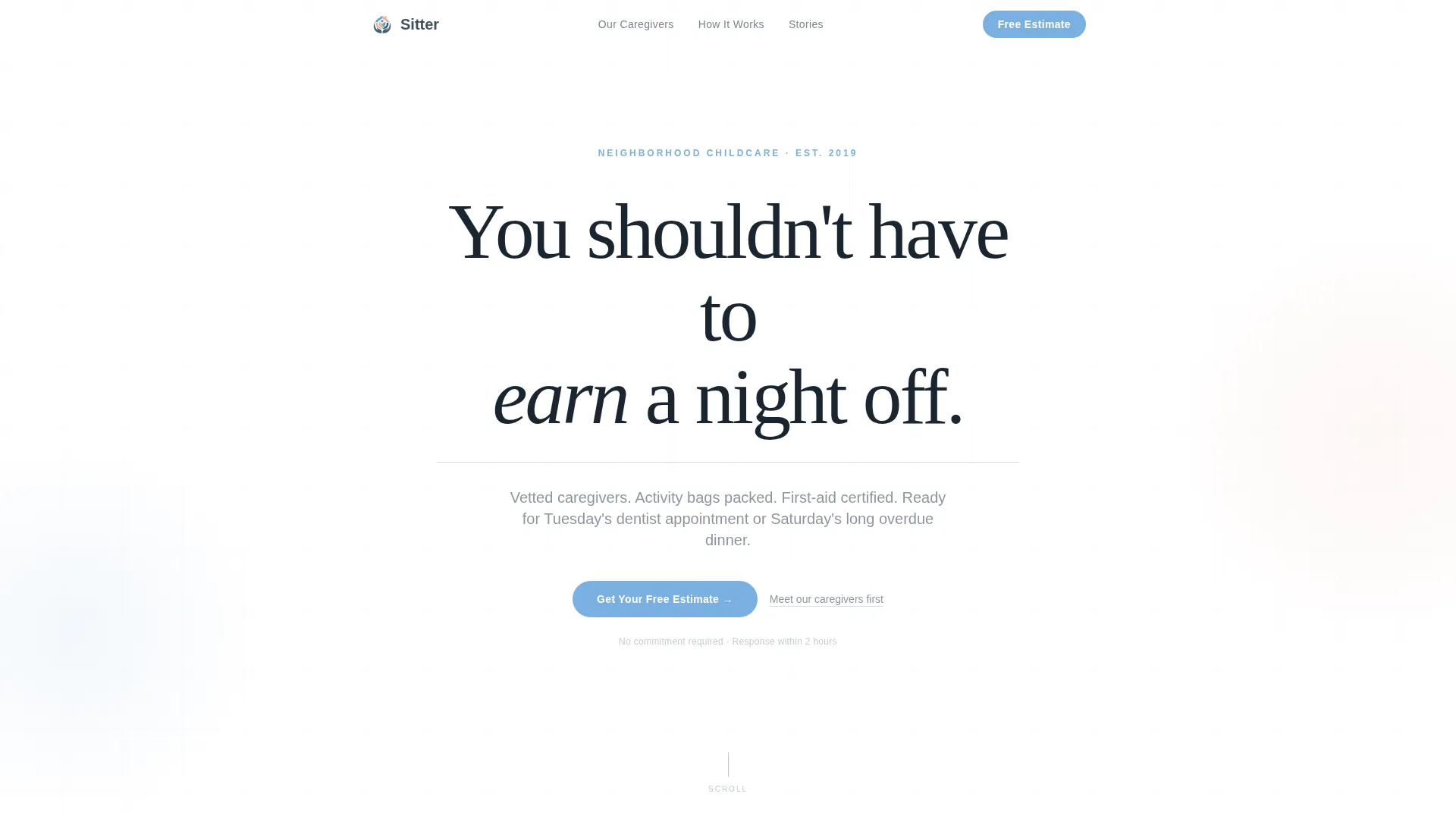
The page opens with stark white space and a single oversized serif sentence: "You shouldn't have to earn a night off." A thin slate rule sits beneath it, and a small sky-blue call-to-action button appears below. No images, no illustrations. The restraint immediately signals that this service speaks to adults seriously.
Caregiver Expert Panel
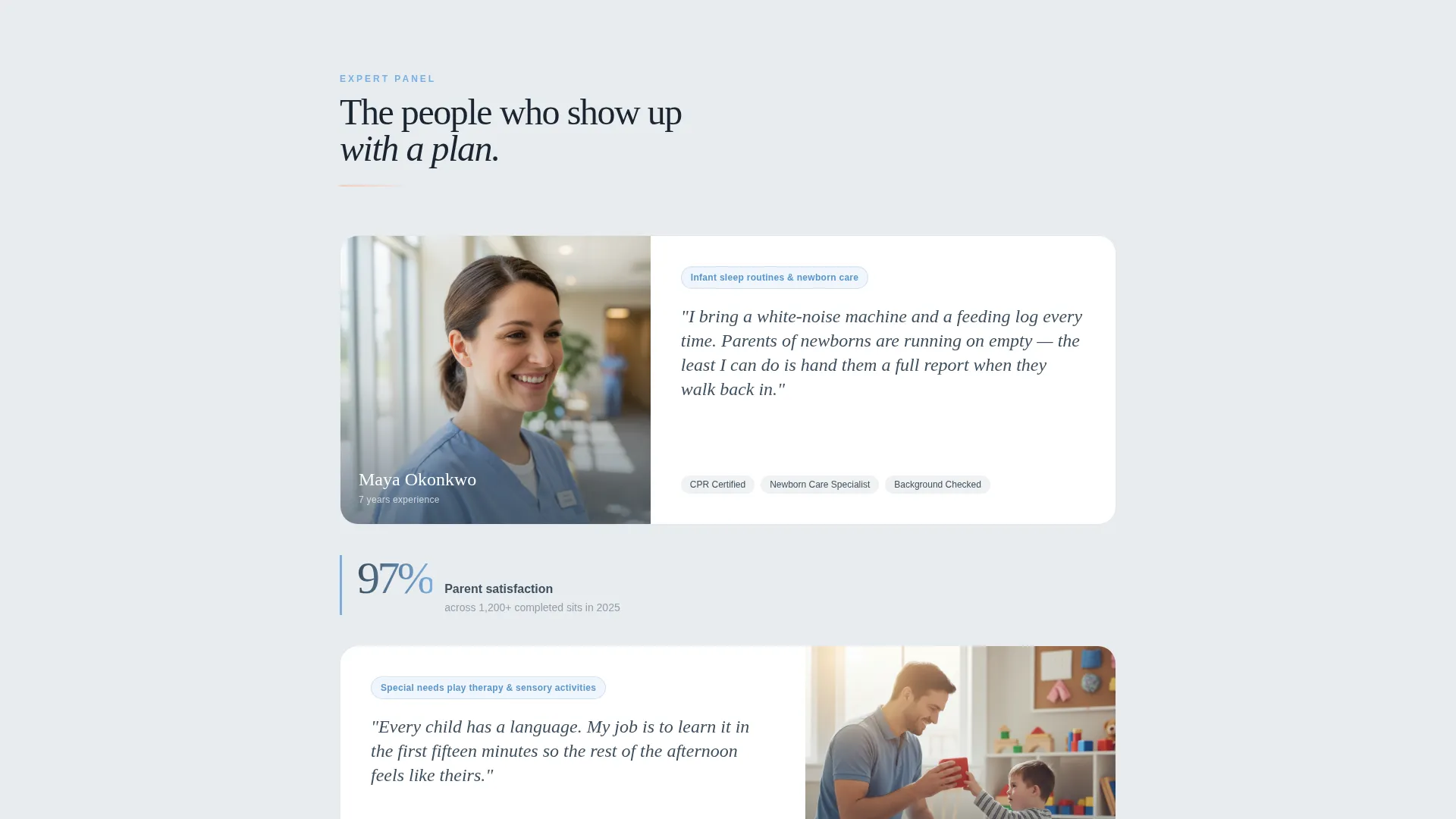
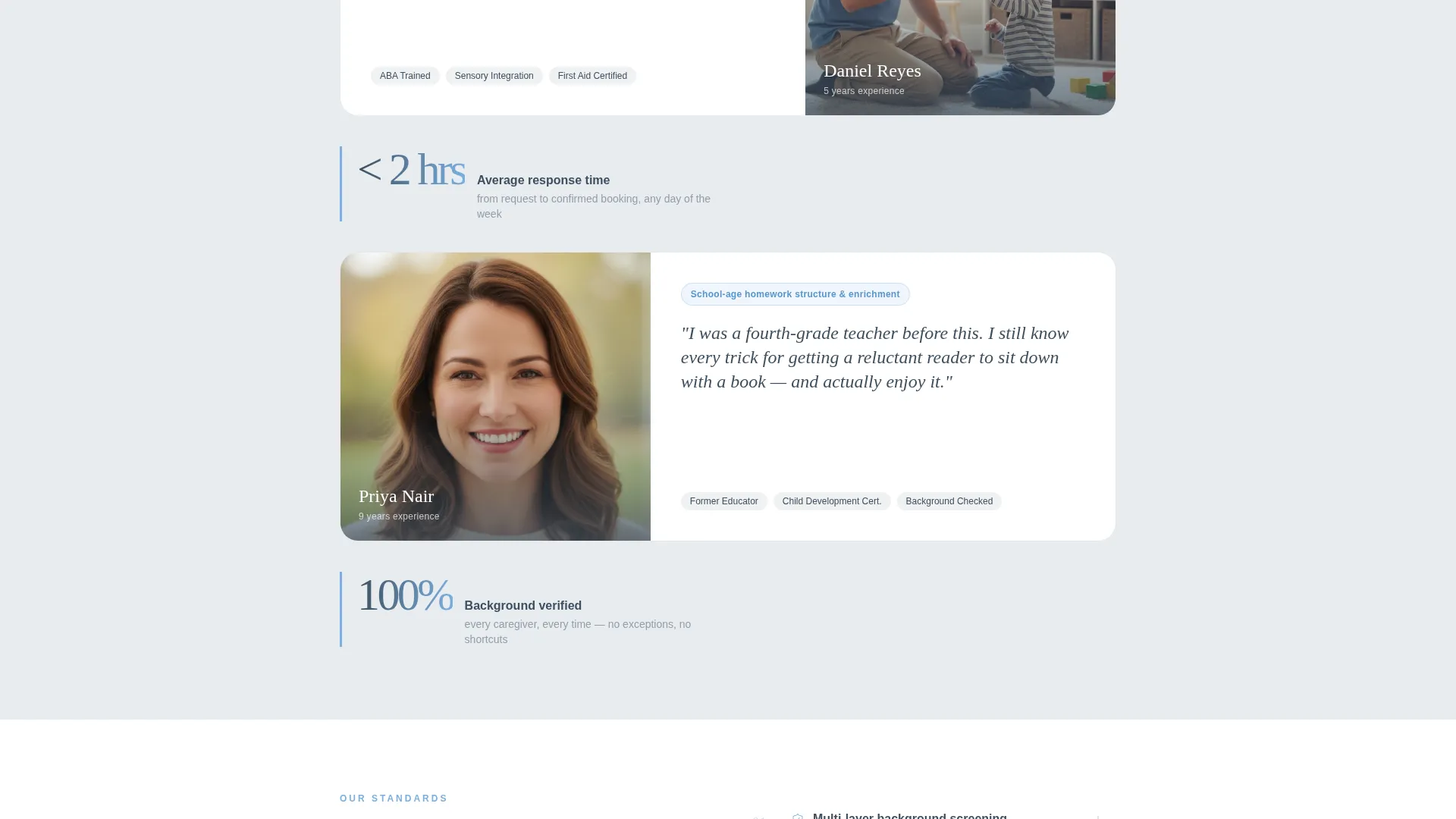
Three to four caregiver profiles appear as editorial cards. Each card includes a portrait photograph, years of experience, a listed specialty such as infant sleep routines or special needs play therapy, and a short italic first-person quote. This section builds the human trust that makes the estimate form feel safe to complete.
Pull-Quote Credibility Breaks
Between caregiver profiles, pull-quote statistics appear styled as magazine marginalia. These highlight figures such as average response time, background check standards, and parent satisfaction ratings. The rhythm alternates between human warmth and institutional credibility.
Three-Field Free Estimate Form
The primary conversion point is a focused three-field form. Fields collect the child's age range via dropdown, the typical sitting need from preset options such as date night or weekday recurring, and a zip code. The form appears after the caregiver profiles, when trust is already established.
Downloadable Checklist Capture
A secondary conversion path offers a downloadable "What to Ask Any Babysitter" checklist in exchange for an email address. This captures parents who are still comparing options and keeps them connected to the service.
Testimonial Cards with Warm Blush Accents
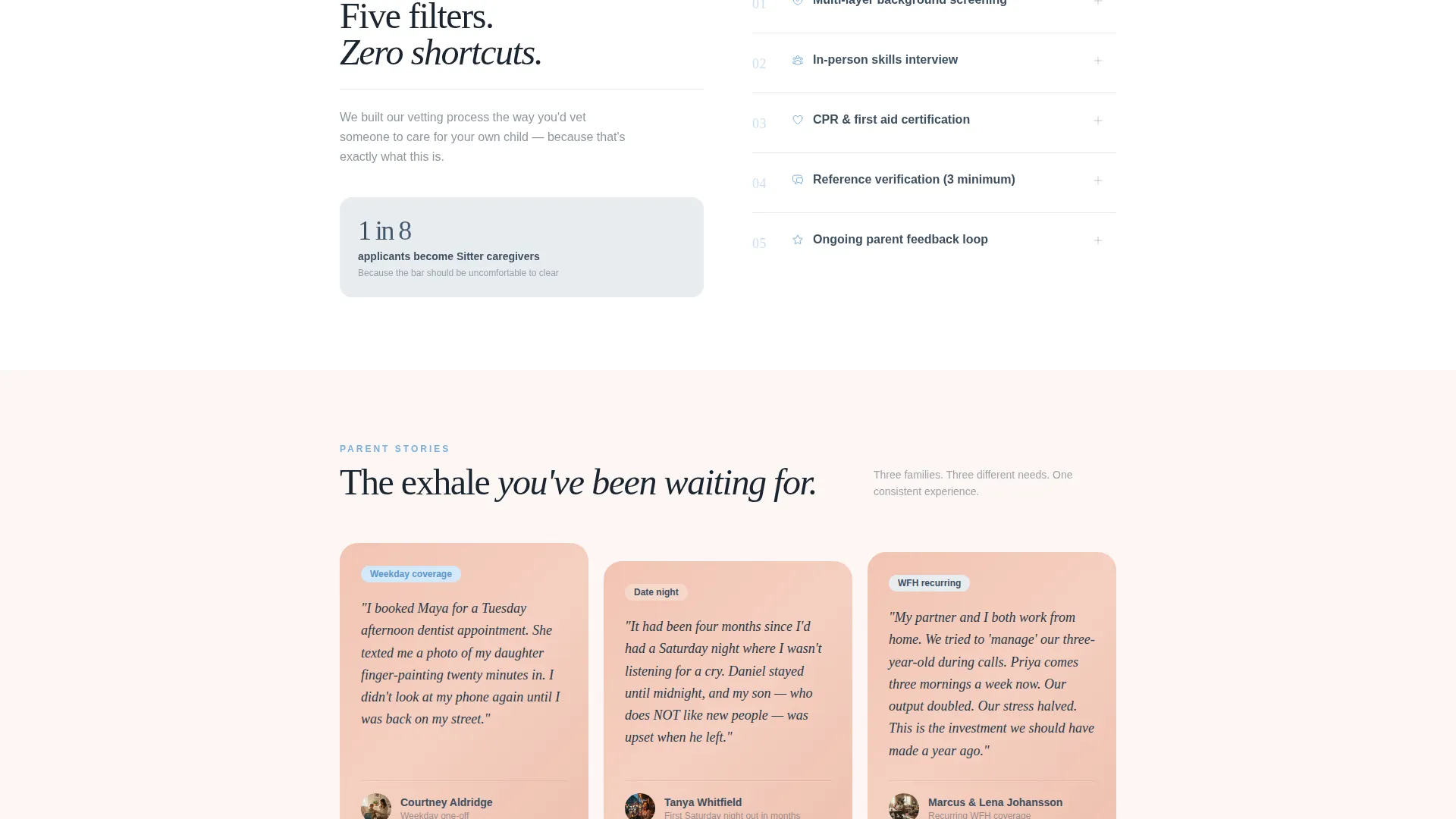
Testimonial cards use the warm blush highlight color to visually separate parent voices from the editorial body. This makes social proof feel distinct and credible without disrupting the magazine-style flow.
Page sections overview
| Section | Purpose |
|---|---|
| Manifesto Header | Opens with bold editorial headline and primary call-to-action button |
| Expert Caregiver Profiles | Showcases vetted caregivers with photos, specialties, and personal quotes |
| Pull-Quote Statistics | Adds institutional credibility between human profile sections |
| Free Estimate Form | Captures parent intent with three focused fields |
| Checklist Download | Secondary path for research-mode parents via email capture |
| Testimonial Cards | Reinforces trust with real parent voices styled in warm blush |
Design & branding system
The Slate & Sky color system delivers an Editorial Magazine feel. Every color choice signals intelligence and calm without a single illustration or cartoon element in sight.
- Deep editorial slate (#3D4F5F) for headline type, soft cloud gray (#E8ECF0) for open backgrounds, nursery sky blue (#7AAFE0) on buttons and pull-quote accents
- Warm blush (#F2C4B3) highlights testimonial cards and dividers to keep human warmth visible within a restrained layout
- Oversized serif typography carries the manifesto header and italic caregiver quotes, reinforcing the Sunday-morning parenting magazine aesthetic
Mobile & speed optimization
The single-column layout is naturally suited to mobile viewing. Every section stacks cleanly without needing complex grid adjustments.
- Single-column flow means content reflows predictably across phone and tablet screen sizes
- Editorial typographic hierarchy keeps headlines, pull-quotes, and form labels readable at any viewport width
- Focused three-field form reduces friction on mobile by keeping input requirements minimal
How this template helps you convert
This template earns conversion by sequencing trust before the ask. Parents are guided through proof points before they ever see a form field.
- The manifesto header sets an emotional tone immediately and gives the parent a low-commitment first click via the "Get Your Free Estimate" button placed like a magazine subscription card.
- The expert caregiver panel answers the core objection before the parent consciously forms it. By the time the estimate form appears, the reader already trusts the people behind the service.
- The secondary checklist download keeps research-mode parents in the funnel. They leave with a useful resource and their email is captured for follow-up.
Other information about this template
This template is built for a specific type of conversion goal: a content-led, resource-first landing page where the service earns the click by proving expertise. It is a strong fit for babysitting service marketing campaigns targeting parents who need both emotional reassurance and practical validation before committing.
- The template supports a babysitting service free estimate landing page use case out of the box, with sections mapped to the full parent decision journey
- The creative direction follows an Expert Panel structure, meaning the template can be adapted for services with any number of featured caregivers from two to six
- Activity bag inclusions, first-aid certifications, and caregiver specialty labels shown in the prompt are reflected as editable profile fields within the caregiver panel section
- The page is categorized under Professional Services and Babysitting Service Marketing, making it suitable for local service providers as well as small regional networks
Theme
Editorial Magazine
Creative direction
Expert Panel
Color system
Slate & Sky
Style
Single Column Flow
Direction
Content/Resource
Page Sections
Quote/manifesto Header with Call to Action
Expert Caregiver Profile Panel
Pull-quote Credibility Statistics
Three-field Free Estimate Form
Secondary Checklist Email Capture
Blush-accented Testimonial Cards
Related questions
Can I customize the caregiver profiles for my own team?
Does the template include the checklist file itself?
Can the free estimate form fields be changed?
Is this template suitable for a solo babysitter or only agencies?
What makes this different from a generic childcare booking page?



