Daycare & Childcare Booking Website Template
Nurture is a warm, masonry-style landing page template built for Montessori daycares and preschools. It opens with an illustrated quiz that personalizes the scroll path, then guides parents through an expandable grid of prepared classroom environments. A sticky "Book a Visit" call to action and a two-step booking form turn curious visitors into confirmed tour guests.
by Rocket studio
Quick summary
Nurture is a single-page Montessori daycare template with a Pinterest-style masonry layout. It leads with a child-choice quiz, unfolds classroom environments through expandable tiles, and closes with a two-step tour-booking form. The warm artisan design uses hand-drawn illustration accents, Fraunces serif headlines, and a Citrus Burst color palette to feel personal, not corporate.
Who this template is for
This template is for independent Montessori daycares and small preschools that want to convert research-driven parents into booked visitors. It suits school directors and admissions coordinators who need a page that feels as thoughtful as their classroom.
- Montessori daycares welcoming children aged two through six
- Preschool programs with limited enrollment and active waitlists
- Small childcare providers replacing a generic or outdated web presence
What problem this template solves
Parents searching for authentic early childhood education are overwhelmed. Waitlists are long, chain daycares feel impersonal, and most school websites show photos without explaining what is actually happening in the room. Nurture closes that trust gap before a parent ever books a tour.
- Parents cannot feel the classroom through a standard photo gallery
- Schools lose prospective families to indecision and waitlist anxiety
- Generic contact forms give no signal that the school understands the child
What you get with this template
You get a fully structured, single-page layout with interactive components built to guide anxious parents from first curiosity to a confirmed visit. Every section is rooted in the source brief and designed to do real work for your enrollment goals.
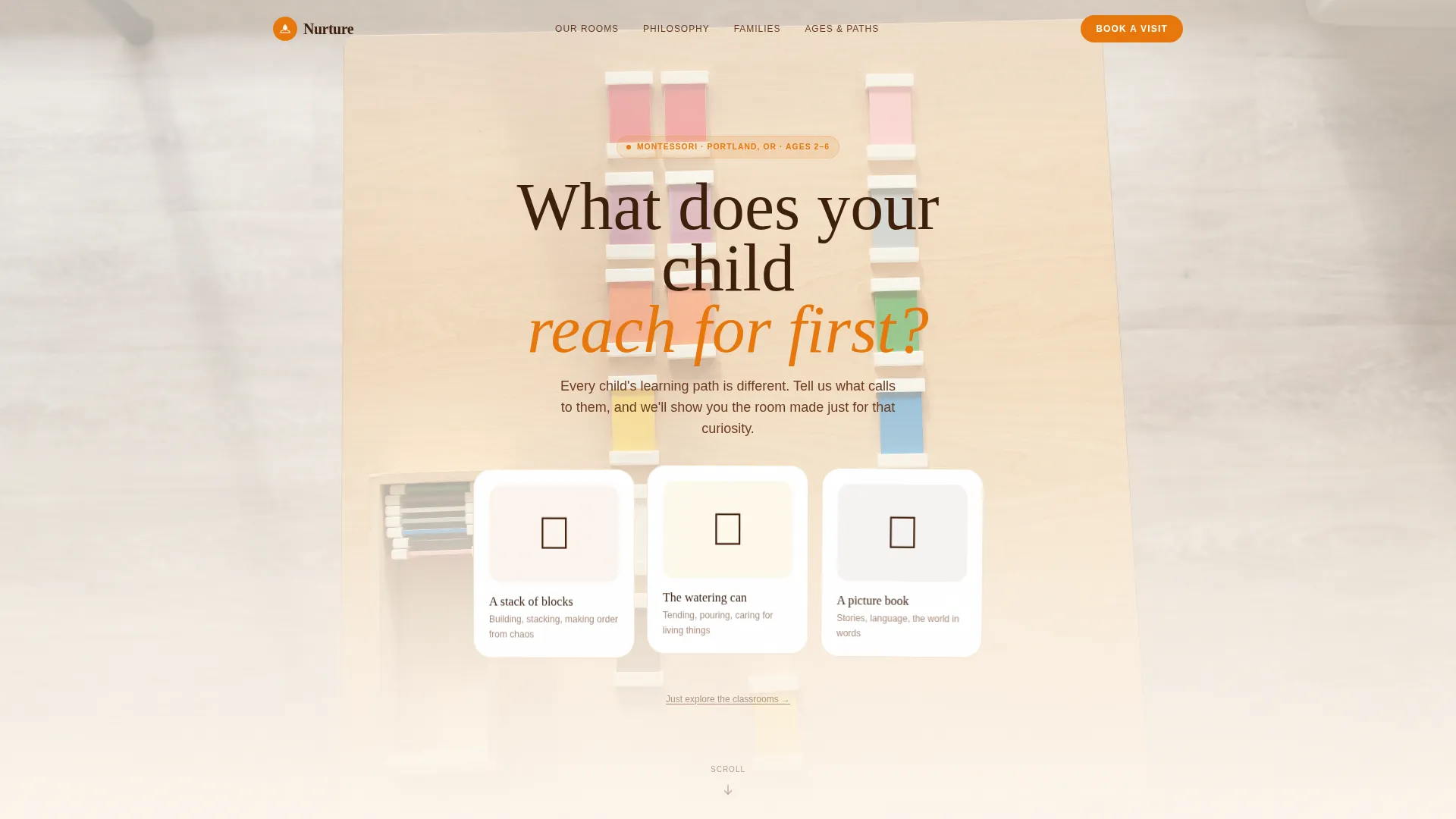
- A quiz-led hero section with three illustrated answer cards and idle bob animation
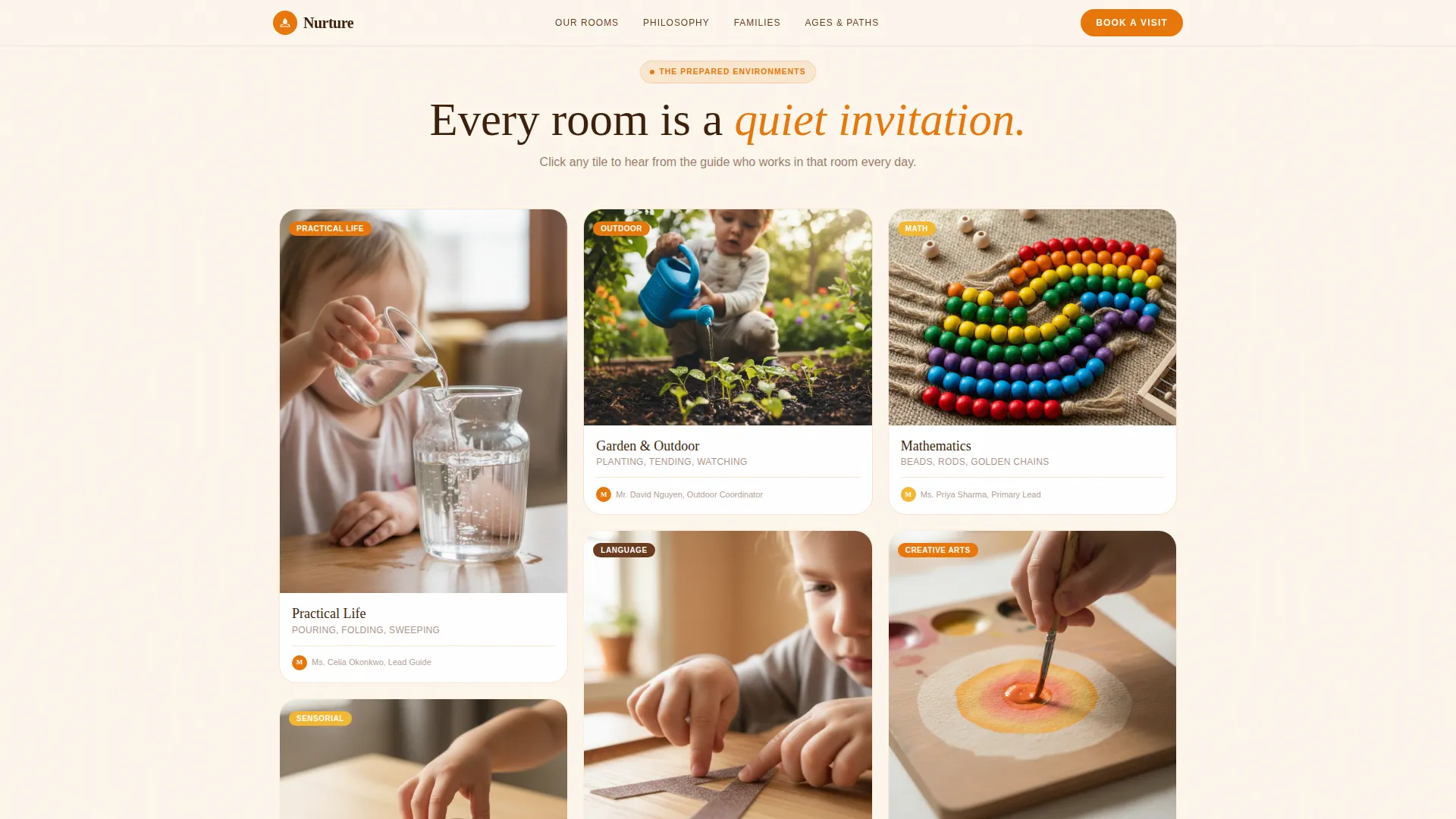
- A masonry explorer grid with expandable environment tiles and teacher voice-over captions
- A two-step booking form with illustrated age selectors and an embedded tour calendar
Feature list
This template includes the following built-in features, each serving a distinct purpose in the parent journey.
Quiz Starter Hero
The page opens with a warm, single question set against a soft-focus image of small hands at work. Three illustrated answer cards, each drawn in colored pencil style, gently bob with idle animation. Selecting one triggers a micro-interaction that rearranges the masonry grid to surface the most relevant classroom environment first.
Masonry Explorer Grid
A Pinterest-style grid displays each prepared environment as its own tile. Practical life, sensorial, language, math, and outdoor garden areas each have a dedicated card. Clicking any tile expands it into a short photo story with a teacher caption explaining what the child is learning.
Teacher Voices and Testimonials
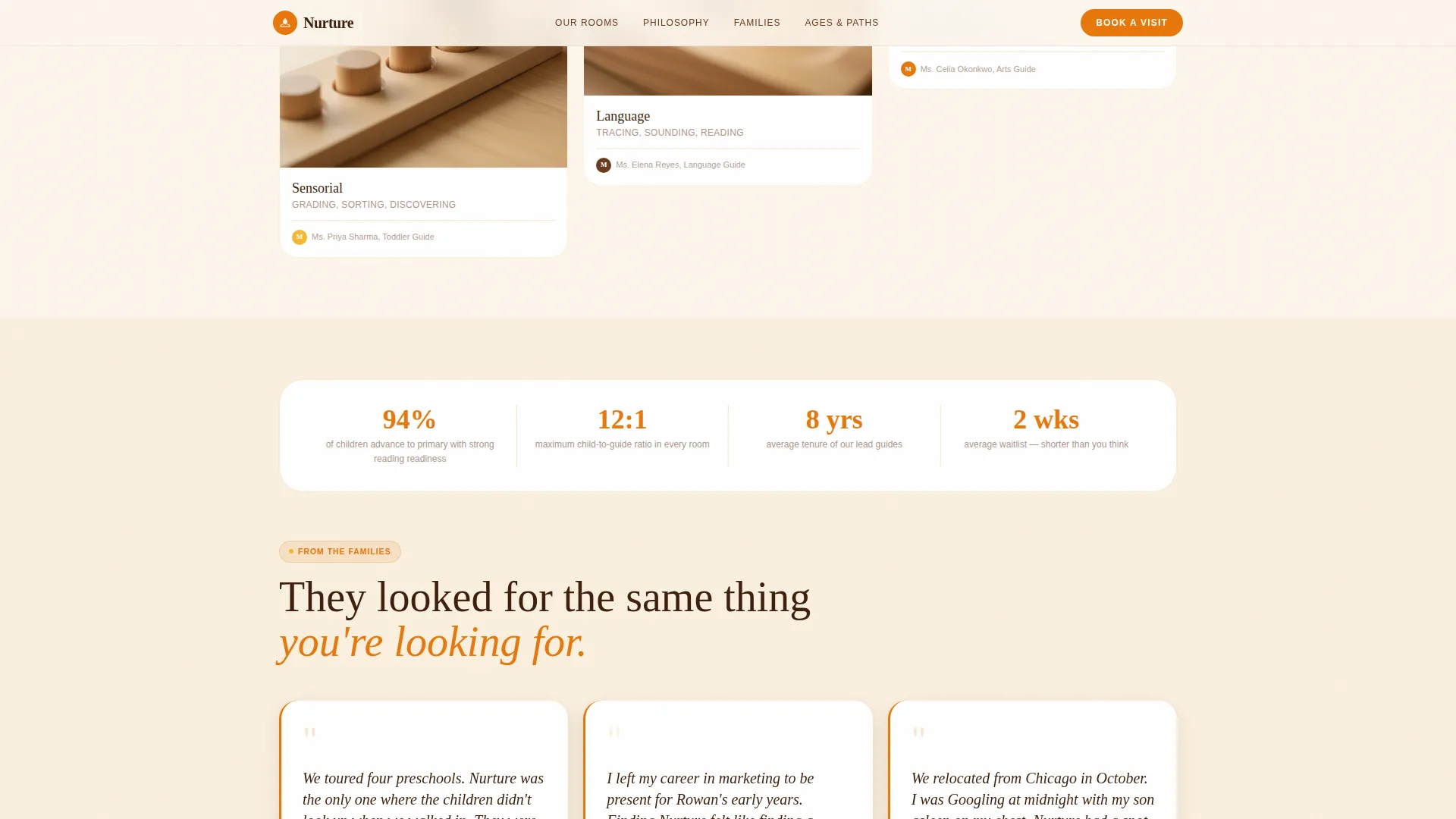
A dedicated section pairs teacher voice-over captions with parent testimonials and photos. This layer of social proof shows real moments of child competence rather than marketing language, which builds trust with parents who are doing serious research.
Age Path Personalization
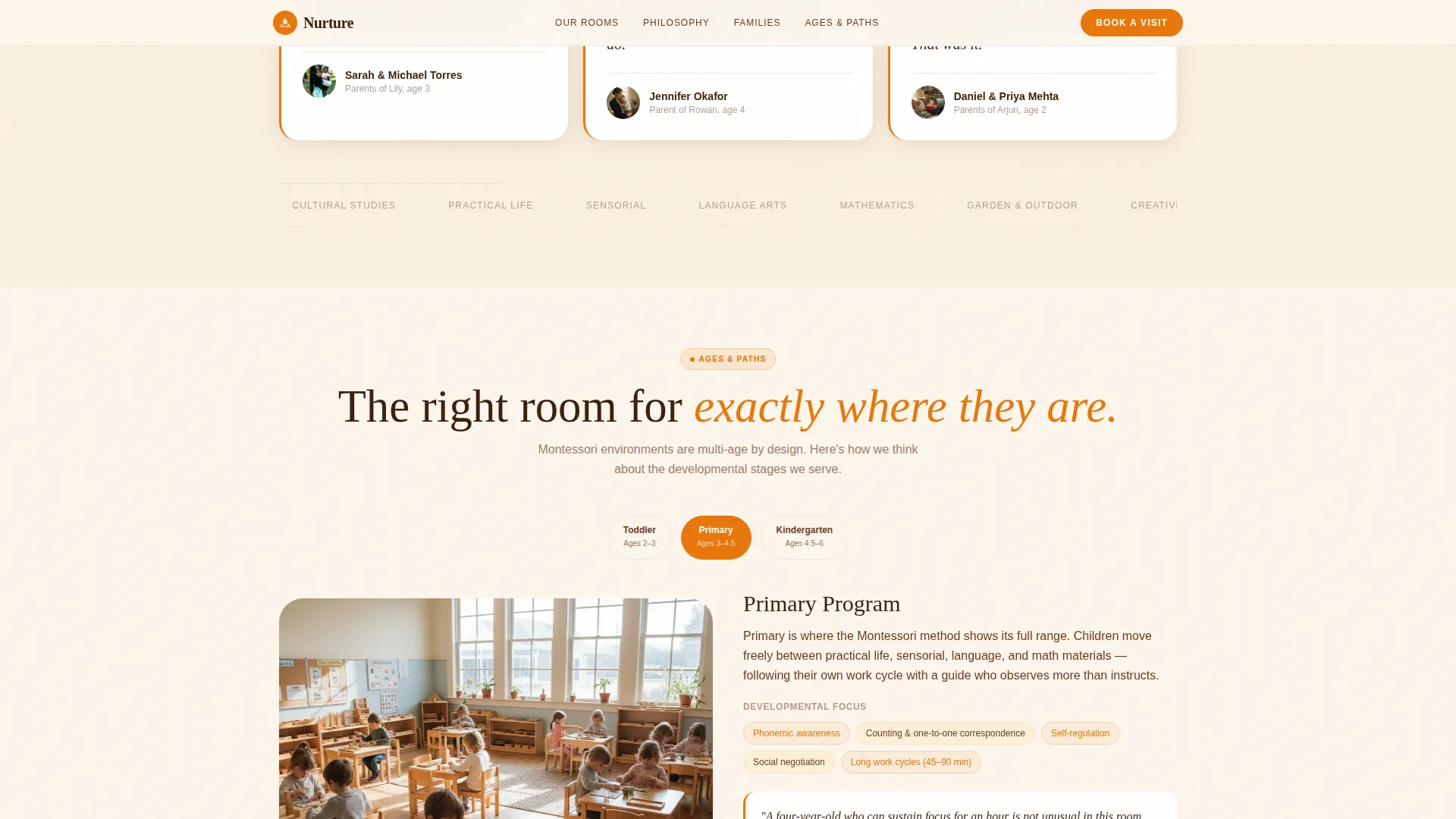
Tiles reorganize based on the child's age group, covering ages two through six. Parents see the environment most relevant to their child first, reducing scroll friction and making the page feel like a conversation rather than a brochure.
Sticky Booking Call to Action
A clementine "Book a Visit" button pins gently to the bottom of the viewport. It appears only after the visitor has explored at least three tiles, so the prompt feels earned rather than pushy. A turmeric outline "Join the Waitlist" option handles months already at capacity.
Two-Step Booking Form
The first step uses illustrated selectors for child age and desired start season. The second step collects parent name, email, and preferred tour day via an embedded calendar showing real availability. The waitlist path adds a short note field for families applying to full months.
Page sections overview
| Section | Purpose |
|---|---|
| Hero Quiz Starter | Opens with a child-choice question and three illustrated answer cards that personalize the scroll path |
| Masonry Explorer Grid | Pinterest-style grid of prepared environments with expandable photo-story tiles |
| Teacher Voices | Social proof through teacher captions and parent testimonials with photos |
| Age Paths | Rearranges environment tiles by child age group for relevant discovery |
| Book a Visit | Two-step form with illustrated selectors and an embedded tour calendar |
| Footer | Horizontal flow footer with contact and secondary navigation |
Design & branding system
The visual identity is built on a Warm Artisan theme that feels like a real Montessori classroom, not a polished corporate site. Fraunces serif handles all headlines, giving them the weight and warmth of real wood furniture. DM Sans keeps body copy clean and legible at any size.
- Clementine (#E8760B) anchors the primary call to action and card border accents
- Turmeric (#F5B731) alternates across masonry hover states and the waitlist button outline
- Linen white (#FDF6EC) washes the background; deep fig (#3D1F0B) grounds all headline text
Mobile & speed optimization
This template is built mobile-first because the target audience searches at night on their phones. The layout responds cleanly from a single-column phone view to a multi-column masonry grid on desktop. Performance decisions keep interactions smooth without heavy overhead.
- Intersection Observer handles lazy reveal animations so offscreen content loads on demand
- All animations rely on CSS transforms only, keeping the thread light and scroll fluid
- GSAP powers scroll reveals and tile expansion without layout recalculation
How this template helps you convert
Nurture earns the booking click by letting parents experience the classroom digitally before they ever visit in person. The page is structured so that trust builds progressively, and the call to action appears only once that trust is established.
- The quiz personalizes the experience immediately, signaling that this school listens before it sells, which reduces the bounce rate among research-driven parents.
- Expandable masonry tiles replace static promises with visible proof, showing a child buttoning a coat or sweeping real crumbs, so parents scroll because they are watching, not reading.
- The sticky booking form appears at the right moment, after at least three tiles have been explored, and guides parents through a two-step process that feels simple and respectful of their time.
Other information about this template
This template is a strong fit for any Montessori preschool that operates on limited enrollment and relies on tour visits to convert prospective families. It works equally well for a new school building its first web presence and an established program refreshing an outdated page.
- The waitlist path collects the same parent details as the booking form, so no family falls through during high-demand enrollment seasons
- The footer follows a horizontal flow pattern suited to small local childcare businesses with minimal navigation needs
- The template is coded in English and localized for the United States, using the MM/DD/YYYY date format and USD where pricing content is added
Theme
Warm Artisan
Creative direction
Interactive Explorer
Color system
Citrus Burst
Style
Masonry/Pinterest
Direction
Booking/Scheduling
Page Sections
Quiz-led Hero with Illustrated Cards
Expandable Masonry Explorer Grid
Teacher Voices and Social Proof
Age-based Path Personalization
Sticky Booking Call to Action
Two-step Tour Booking Form
Related questions
Can I customize the quiz answer cards for my specific program?
Does the booking form connect to a real calendar?
What age groups does this template cover?
Is there a path for families applying to a full enrollment month?
What typography and color system does this template use?



